AI-Powered Legal and Regulatory Monitoring for Law Firms with Visualping
By Emily Fenton
Updated March 2, 2026
Disclosure & Editorial Standards: This article is written by the Visualping marketing team and covers Visualping's specific capabilities for legal and regulatory monitoring. Visualping may benefit if you choose to purchase our product. We encourage you to try our free trial first, and we recommend evaluating whether our approach fits your firm's workflow before committing.
In legal services, being first to know matters. A regulatory amendment published on a Tuesday afternoon can shift client strategy by Wednesday morning... if someone catches it in time. That's a big "if."
For legal librarians and knowledge management (KM) professionals, the challenge isn't awareness of this problem. The challenge lies in the infrastructure gap between knowing you need to monitor and having a reliable system that actually does it.
Government websites update without announcements. Obscure agency pages fall outside RSS syndication. And the traditional legal databases most firms rely on are, by design, better at historical research than real-time change detection.
That gap is where legal monitoring tools like Visualping come in.
Why Traditional Legal Research Tools Fall Short for Regulatory Monitoring
LexisNexis and Thomson Reuters are workhorses. For case law, statutory interpretation, and structured legal research, they're hard to beat. But they're built around content that's been indexed, processed, and published through editorial pipelines, which takes time.
When a federal agency posts a proposed rule, an emergency amendment, or a new compliance deadline on its website, that update may not surface in a traditional database for hours, days, or sometimes longer. For KM teams whose job is to brief attorneys and clients on developments the moment they happen, that lag is a real problem.
The 2026 Report on the State of the US Legal Market from Thomson Reuters and Georgetown Law found that law firms increased spending on knowledge management tools by 10.5% in 2025, the fastest growth rate the legal industry has likely ever seen in that category. That investment reflects a real shift: firms are recognizing that staying current requires infrastructure beyond standard research subscriptions.
A complementary finding from the same report: demand for legal services driven by regulatory upheaval, trade policy shifts, and geopolitical instability surged to the highest point since the 2008 financial crisis. More regulatory activity means more for KM teams to track, and the consequences of missing something material are higher.
Key Takeaway: Legal databases are built for depth, not speed. For monitoring government websites and agency pages in real time, firms need a different kind of tool, one designed specifically for change detection.
What Makes Visualping Useful for Law Firm Monitoring
Unlike closed research databases, Visualping is an AI legal research tool that can track any publicly accessible web page: federal agency rulemakings, state legislative portals, court administrative notices, international regulatory bodies, and beyond. There's no prescribed list of sources you're limited to.
A few things that matter for monitoring for law firms specifically:
- Monitoring frequency: Visualping can check a page for changes as quickly as every two minutes, faster than any editorial pipeline.
- Source flexibility: Any public URL is fair game. Niche state agency pages, obscure regulatory portals, consultation documents — if it's on the internet, Visualping can watch it.
- Scalable management: Whether a KM team is tracking five sources or five hundred, everything is managed from a single dashboard.
These fundamentals are solid. But it's the AI layer that makes the tool genuinely useful for legal status monitoring at scale.
The AI Features That Change How Legal Teams Work
Smarter Setup with AI Page Suggestions
Setting up a new monitor used to require manually selecting the specific area of a page you wanted to track. That's fine for one or two sources, but it adds friction when you're onboarding a new project with dozens of agency pages.
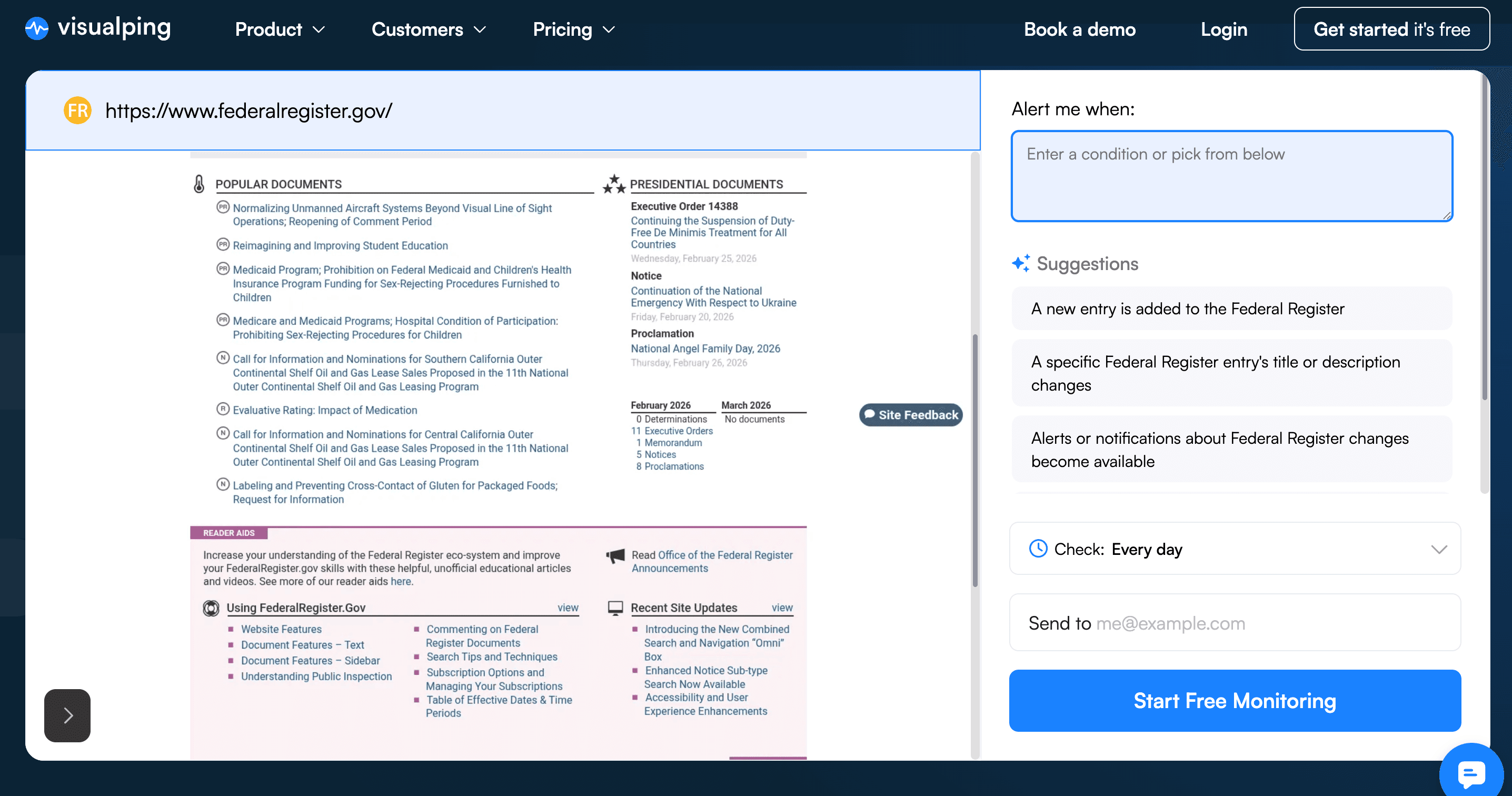
Now, when you set up an alert on a government web page, Visualping's AI automatically identifies the sections most likely to be relevant and suggests them as monitoring targets.
On the Federal Register, for example, it might recommend the "Recently Published" section or the "Proposed Rules" column. You're not starting from a blank slate: the AI gives you a sensible starting point for what to monitor, which you can accept or edit.
This matters most when a legal team is expanding coverage quickly, taking on a new regulatory jurisdiction, tracking a new practice area, or onboarding a new client matter with multiple agency sources to watch.
Benefit: Streamlined Setup, Smarter Defaults
Looking to scale up and manage your monitoring with your team? Reach out to our team about our business plans.
Cutting Alert Fatigue with AI Criteria
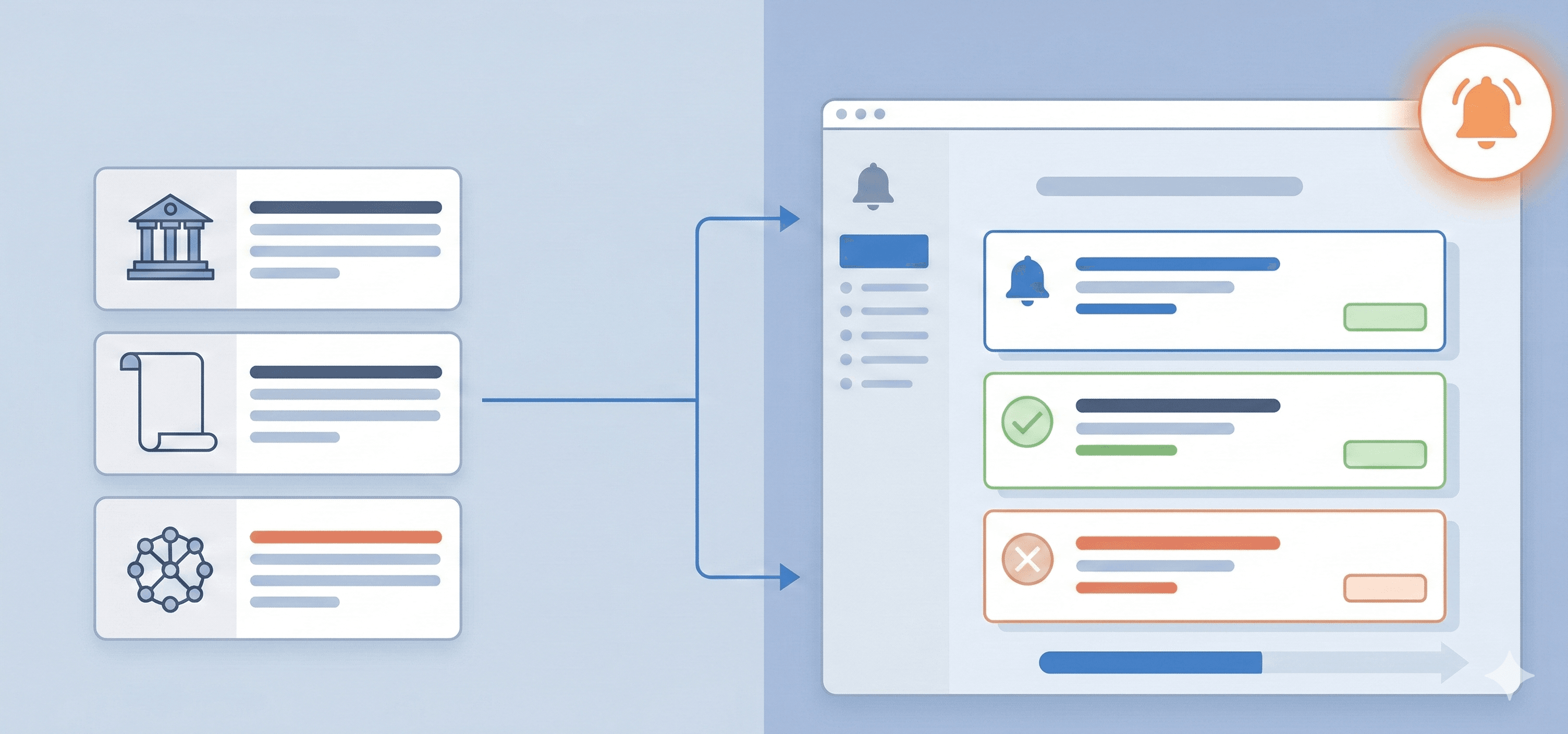
Anyone who has run a regulatory monitoring program knows the alert fatigue problem. A page gets updated with a navigation link change, a footer revision, a cosmetic formatting tweak, and you get a notification that looks, at first glance, like it might matter. Multiply that across dozens of sources and you spend a meaningful amount of time triaging noise.
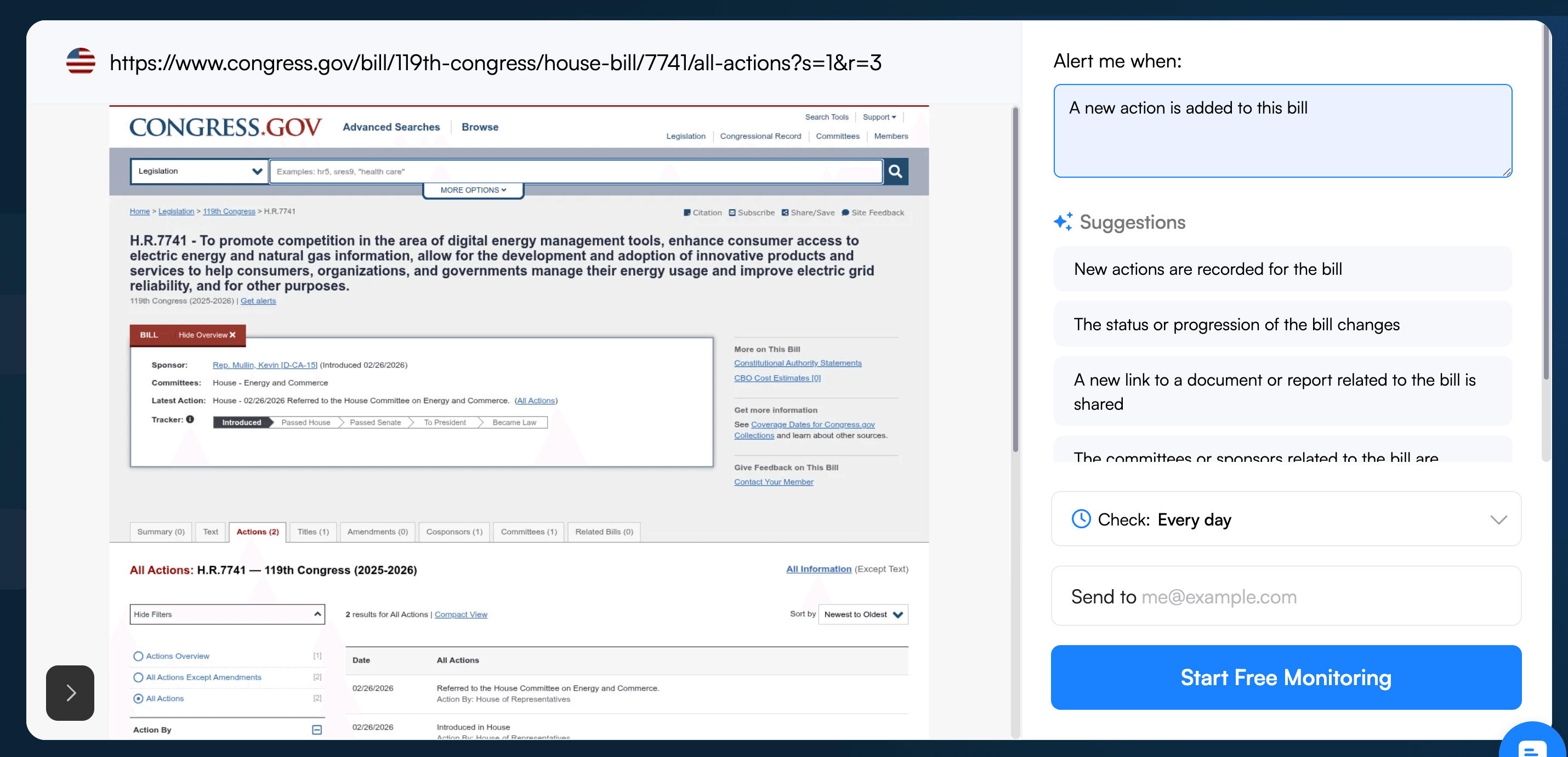
Visualping's "Alert me when" criteria address this directly. Here's how the feature works:
- During setup, you define what qualifies as a meaningful change: specific terms, regulatory language, phrases like "emergency rule" or "proposed amendment."
- When Visualping detects a change that matches your criteria, the alert is flagged as Important in both your dashboard and your email notifications.
- You can still see the changes that didn't meet your AI criteria in the Visualping dashboard if you're interested, so you're not missing anything, but the "Alert me when" criteria lets you only get alerted of the changes that matter to your team
The result is a faster path from alert to action. A legal team fielding alerts across a large source list can scan their alerts first thing in the morning and know within minutes whether anything material happened overnight.
Benefit: Less Alert Fatigue, Faster Decision-Making
Interested in saving time with important flags? Contact us about our Solutions plan — we'll tailor the change detection to surface exactly what matters for your firm.
Writing Effective Prompts for Legal and Regulatory Monitoring
The quality of your Important Flag setup depends on the quality of your prompt. A vague instruction produces vague results. For KM and legal librarian contexts, the most effective prompts are role-specific and tied to concrete outcomes.
Here's a starting template:
As an AI assistant for a legal librarian or knowledge management professional, help me track significant legal and regulatory changes and provide prioritized alerts. When analyzing legal information:
1. Identify meaningful changes (new rulemakings, proposed amendments, compliance deadlines, enforcement actions, legislative updates)
2. Evaluate importance based on jurisdictional relevance, affected practice areas, and potential client impact
Present important findings in a concise, actionable format that helps me quickly understand the latest legal and regulatory developments.
Adjust the specifics for your practice area — healthcare compliance teams will have different trigger terms than trade and sanctions groups.
Custom Prompt Engineering for Enterprise-Scale Monitoring
For large firms with sophisticated law firm monitoring needs, Visualping's Solutions plan includes dedicated AI prompt engineering. This is a managed service: Visualping's AI specialists work with your firm to understand what you're tracking, then build and refine custom prompts that guide the AI to surface the most relevant updates across your monitored sources.
A concrete example: A global firm tracking trade sanctions and cross-border compliance across multiple jurisdictions might configure Visualping to flag only alerts that:
- Reference specific affected countries or trading blocs
- Mention pending legislation, executive orders, or enforcement actions
- Include compliance deadlines relevant to active client matters
Because Visualping's team handles the setup and maintenance on the Solutions plan, your KM professionals focus on interpreting and communicating findings — not configuring the tool.
Benefit: Scalable, Context-Aware Monitoring Without Manual Tuning
What This Looks Like in Practice
Legal teams using Visualping for legal monitoring aren't waiting for a database to catch up. They're watching the original source — the actual government page where the update was published, and getting notified when it changes.
That shift in workflow is meaningful. A legal professional who gets an important alert at 2pm on a Tuesday can brief the relevant attorney the same afternoon. Without that system, the same update might surface in a database search a day or two later, or get missed entirely until a client asks about it.
For law and consultancy firms monitoring the regulatory climate across multiple client matters and jurisdictions simultaneously, that response time difference has real consequences.
Getting Started
For legal librarians and KM leaders looking to improve their regulatory monitoring workflow:
-
Set up key monitors on the agency sites your firm tracks most: Federal and state regulatory portals, court administrative pages, relevant international bodies. Or opt for a support package and let the Visualping team handle setup.
-
Configure Important Flags for your highest-priority sources: Define your trigger terms once, and let the AI sort the signal from the noise going forward.
-
Upgrade to Solutions for enterprise-scale needs: Custom prompt engineering, managed setup, and ongoing maintenance for firms tracking large source lists across multiple jurisdictions.
Frequently Asked Questions About Legal and Regulatory Monitoring
How is Visualping different from legal databases like LexisNexis or Westlaw for regulatory monitoring?
LexisNexis and Westlaw are built for searching indexed, structured legal content: case law, statutes, secondary sources. They're not designed to detect changes on live web pages. Visualping monitors the actual government or agency website directly, so you get notified when an update is published, not when it eventually gets picked up by an editorial pipeline. For time-sensitive regulatory changes, that distinction matters. The two approaches complement each other rather than compete.
What types of pages can Visualping monitor for law firms?
Any publicly accessible web page. Common use cases in legal and regulatory monitoring include federal agency rulemakings (FDA, SEC, CFPB, EPA, etc.), state legislative portals, court administrative announcements, international regulatory bodies, consultation documents, and enforcement action pages. If the page is public and lives on the internet, Visualping can track it.
How do Important Flags help with high-volume legal status monitoring?
When you're monitoring dozens or hundreds of sources, the volume of alerts can make it hard to prioritize quickly. Important Flags let you specify, in plain language, what kinds of changes matter to you. Visualping then marks alerts that match your criteria as Important in your dashboard and email notifications. Everything else still comes through, but you can triage the high-priority alerts first. For KM teams managing large source libraries, this significantly reduces the time spent sorting alerts before action can be taken.
Ready to improve your firm's legal monitoring workflow? Contact us today or explore Visualping to start a free trial.
Want to monitor web changes that impact your business?
Sign up with Visualping to get alerted of important updates from anywhere online.
Emily Fenton
Emily was the Product Marketing Manager at Visualping. She has a degree in English Literature and a Masters in Management.
More articles by Emily Fenton