 Loading...Loading...
The first signal rarely looks like a headline. It looks like a new docket entry, a scrubbed agency page, a revised filing, or a post that disappears before anyone screenshots it. Visualping watches those pages for you and alerts you the moment something changes.
First, create a free Visualping account, then email us to request the upgrade.
Trusted by journalists at





Instant alerts, the moment it happens.
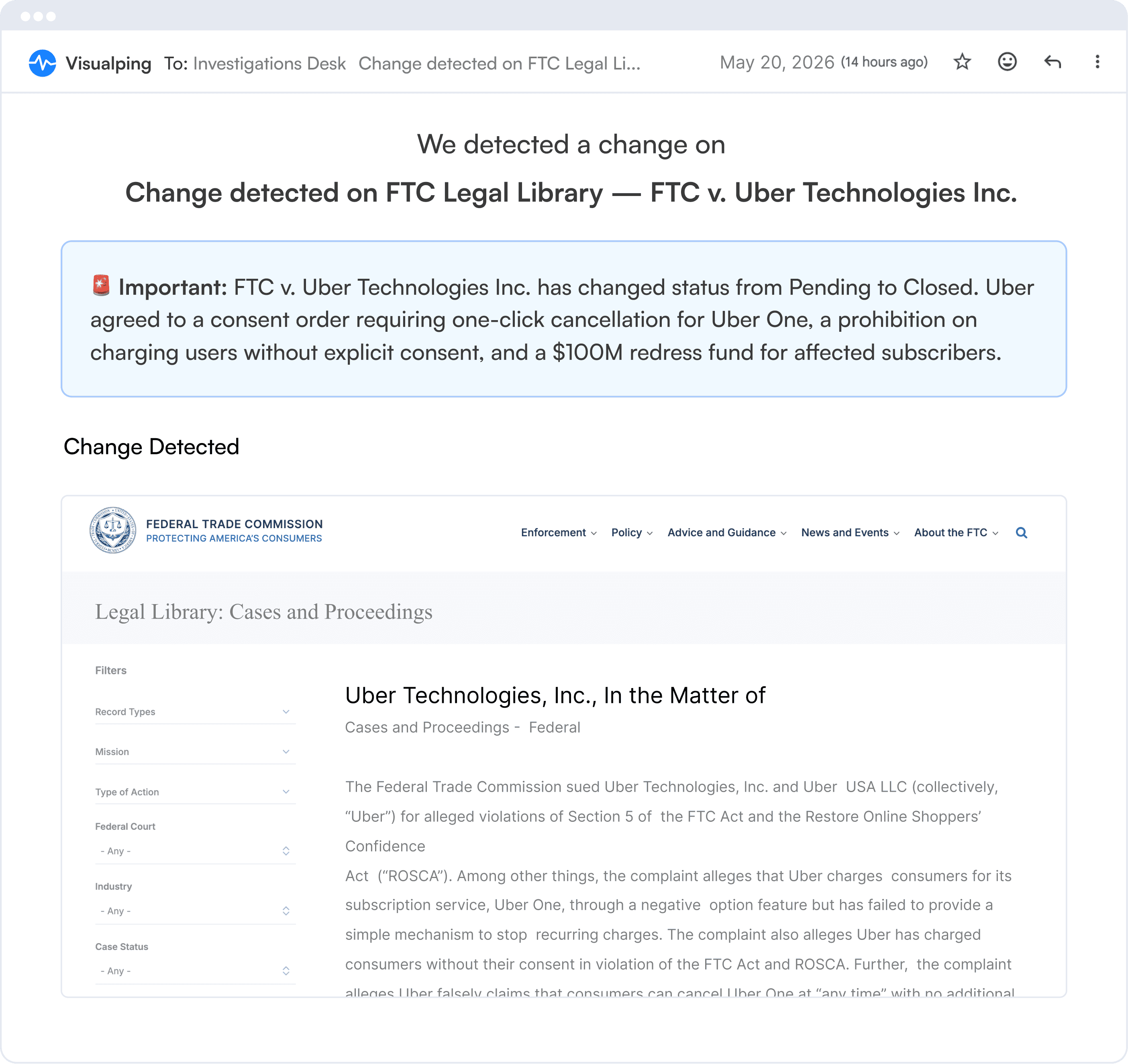
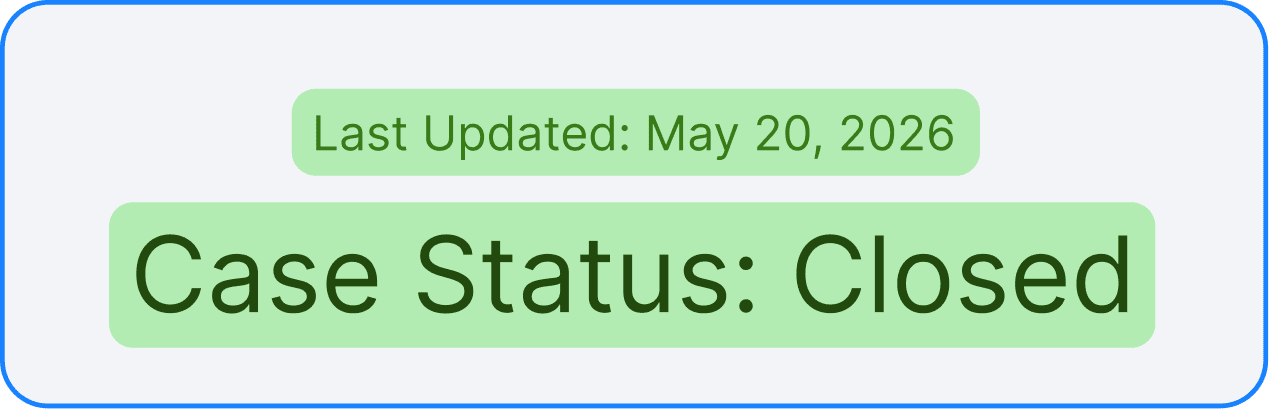
Every beat has pages worth watching: court dockets, agency sites, SEC filings, campaign pages, company leadership pages, PDFs, and social accounts. Visualping turns them into a private alert system, so you know when something changes before it becomes a press release, a briefing, or somebody else’s exclusive.
🚨 Important: Donald Trump has posted on Truth Social announcing Elon Musk's removal from his DOGE advisory role, effective immediately.
🚨 Important: X updated its Terms of Service, granting itself royalty-free license to train its AI models on all user content. No opt-out option.
🚨 Important: Multiple sections referencing human activity as the cause of climate change have been removed from the EPA's website.
🚨 Important: Donald Trump has posted on Truth Social announcing Elon Musk's removal from his DOGE advisory role, effective immediately.
🚨 Important: X updated its Terms of Service, granting itself royalty-free license to train its AI models on all user content. No opt-out option.
🚨 Important: Multiple sections referencing human activity as the cause of climate change have been removed from the EPA's website.

This is a tool I really liked — you can easily customize it to alert you to specific site changes you’re interested in… I could then match my evidence to videos that the military had uploaded.”
Azmat Khan
How the NYT’s Pulitzer-Winning Series
Exposed Civilian Deaths in the Air War on ISIS

I also use Visualping, which sends you an alert when a website has been updated — useful for those websites of interest that update infrequently enough for it not to make sense to check them every day.
Malina McLennan
Data Journalist at Organized Crime and Corruption Reporting Project
Read the article →
Having a website monitoring tool like Visualping really helps take some stuff off my plate, but also informs me of scoops I would have otherwise missed.
Brett Forrest
Senior Reporter at KOAA News5
Read the customer story →Read the story he broke using Visualping →
The AI-powered tool is a timesaver and an online sentinel for journalists: monitoring target sites, and sending alerts on changes and updates that you’d otherwise likely miss.
The best sources do not always send press releases. Some just change a page.

01 — Government websites
Watch agency pages for new releases, edited guidance, FOI disclosures, deleted language, and policy updates.

02 — Corporate web pages
Track executive pages, board bios, terms, pricing, product pages, and hiring pages for changes that hint at what comes next.
03 — Reports & financial documents
Monitor monthly reports, quarterly reports, disclosures, investor documents, and public PDFs from companies, agencies, and private organizations.

04 — Social media
Get alerted when officials, executives, agencies, campaigns, and companies post, edit, or remove public updates.

05 — Court decisions
Track docket pages, court forms, case-status pages, decisions, filings, and settlement updates as they change.

06 — News sources
Watch press rooms, notice pages, trade groups, public registers, and niche sources that rarely make RSS feeds.
The best sources do not always send press releases. Some just change a page.
01 — Government websites
Watch agency pages for new releases, edited guidance, FOI disclosures, deleted language, and policy updates.
02 — Corporate web pages
Track executive pages, board bios, terms, pricing, product pages, and hiring pages for changes that hint at what comes next.
03 — Reports & financial documents
Monitor monthly reports, quarterly reports, disclosures, investor documents, and public PDFs from companies, agencies, and private organizations.
04 — Social media
Get alerted when officials, executives, agencies, campaigns, and companies post, edit, or remove public updates.
05 — Court decisions
Track docket pages, court forms, case-status pages, decisions, filings, and settlement updates as they change.
06 — News sources
Watch press rooms, notice pages, trade groups, public registers, and niche sources that rarely make RSS feeds.
Add the free Visualping Button so your audience can subscribe to any page in one click, and come back the moment you post an update.
See how reporters, producers, and analysts use Visualping to catch web changes before they turn into public stories.

Visualping offers a free Journalist Plan to working journalists: lifetime access to Visualping’s Starter plan, worth $120 per year, no strings attached.
How to claim it
Create a free Visualping account
Sign up with your organizational email address. No credit card needed.
Email us to request the upgrade
Send a note to kayla.zhu@visualping.io from that same address to request the Journalist Plan upgrade. We’ll upgrade your account and email you once the plan is live.
Website monitoring tracks pages and documents for changes. For journalists, that means you can watch the places where stories often surface first: dockets, filings, agency pages, public PDFs, company pages, and social accounts. When something changes, Visualping sends an alert with the diff, so you can move before the change becomes widely known.
Visualping can summarize page changes in short alerts, filter updates based on what you care about, and show visual or text comparisons with highlights. It can also monitor PDFs, legal forms, and public documents where small edits can matter.
Yes. Add the PDF URL or the page where the document lives, choose text or visual monitoring, set your check frequency, and Visualping will alert you when the document changes.
Visualping supports check frequencies from every 2 minutes on select plans to hourly, daily, or weekly checks. The Journalist Plan lets you check pages as often as every 15 minutes.
Yes. Send alerts to email, Slack, Microsoft Teams, n8n, webhooks, or the API. That means a page change can land where your newsroom already works, not in another tab you forget to check.
Yes. Working journalists get the Journalist Plan free: 1,000 monthly checks, up to 25 monitored webpages, and checks as often as every 15 minutes. To claim it, first create a free Visualping account, then email kayla.zhu@visualping.io from the same address with your outlet and beat. We upgrade the account manually and email you once the plan is live.
Pick the exact section of the page you care about, add keyword or AI filters, and choose Important alerts when you only want changes worth reviewing.
Yes. Visualping’s AI summaries explain what changed, so you can scan the alert first and open the full diff when the update looks like a lead.