Continuous Vendor Monitoring: The Missing Layer in TPRM
Updated April 21, 2026
This article walks through a practitioner workflow for continuous vendor monitoring, covering the page types you should watch, how to set up automated change detection, and how to route alerts into your GRC and risk register.
Most third-party risk management programs look watertight on paper and leak in practice. The annual questionnaire is fresh. The risk register is up to date as of the last audit cycle. The cyber ratings dashboard has green boxes across the board. Then a vendor quietly adds a new sub-processor to its data processing agreement, and six months later a data-transfer audit surfaces it for the first time.
How often does that actually happen? In a sample of 1,132 sub-processor pages monitored on our platform, 67% logged at least one change in the last 90 days. Between annual reviews, two out of three vendor sub-processor pages have already moved.
This is the gap continuous vendor monitoring is built for. Cyber ratings catch externally visible exposure. Questionnaires capture a vendor's stated posture at a point in time. Neither tells you when the vendor changes its privacy policy on a Tuesday afternoon.
The rest of this piece walks through what continuous vendor monitoring actually is (and how it differs from a vendor risk assessment), the six vendor pages every TPRM program should be watching, a setup that works at 10 vendors or 300, and how to wire alerts into your GRC stack instead of another ignored inbox.
In brief
- Continuous vendor monitoring detects changes to a vendor's risk posture (cyber, operational, documentation) in near real time, between formal assessments.
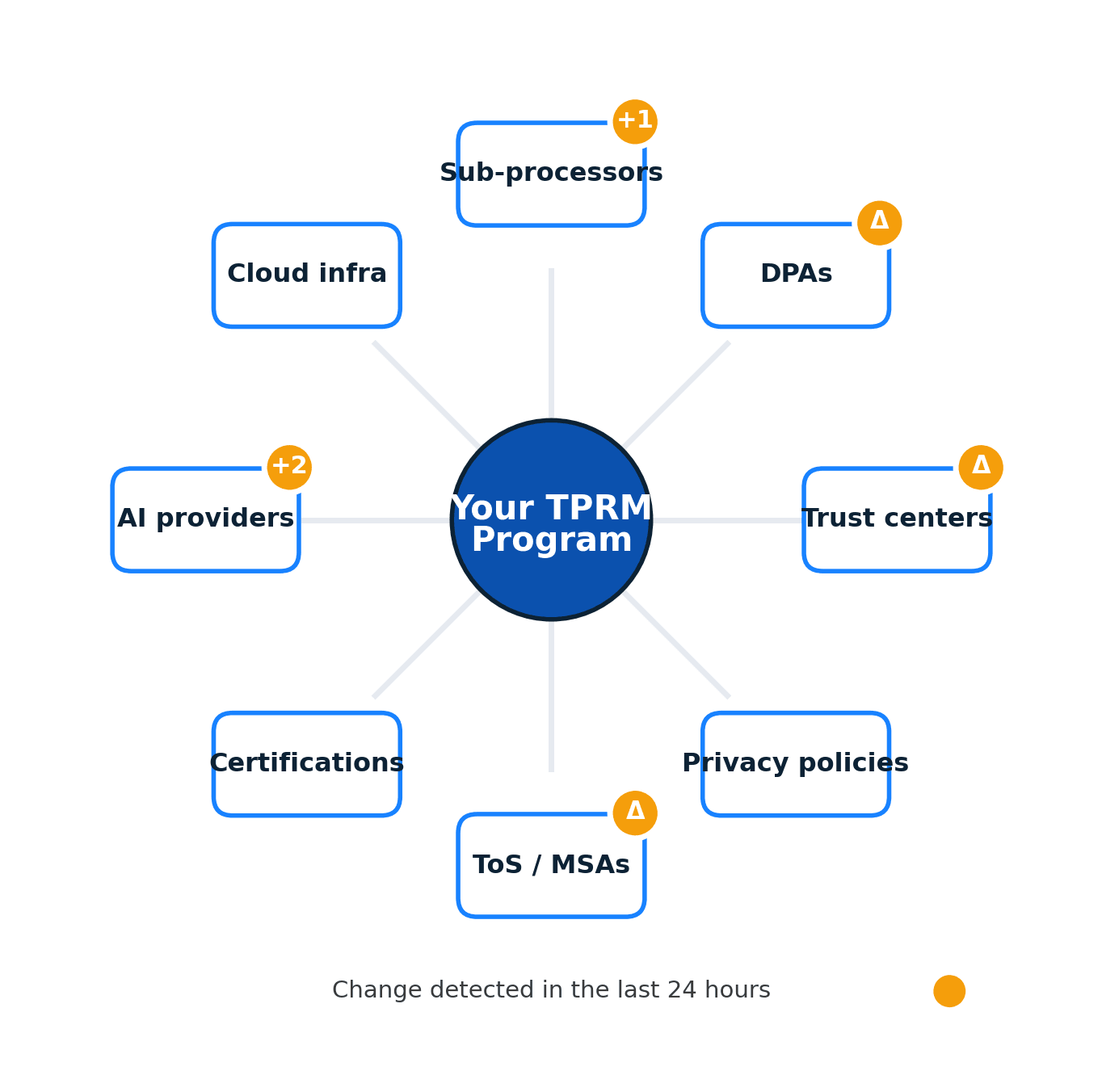
- The six highest-value pages to monitor are DPAs, sub-processor lists, trust centers, privacy policies, ToS, and security certifications.
- In a sample of 1,132 sub-processor pages on our platform, 67% logged at least one change in a 90-day window. Privacy policies: 41% in 90 days.
- Realistic setup is 30 tier-1 vendors x 6 pages = ~180 monitors, with daily cadence on DPAs, sub-processor lists, and ToS, weekly on the rest.
- Regulation (SEC, DORA, the 2023 US Interagency Guidance) treats continuous monitoring as a supervisory expectation, not an optional add-on.
What is continuous vendor monitoring?
Continuous vendor monitoring is the practice of detecting changes to a vendor's risk posture in near real time, rather than checking once per contract cycle. It applies the same page-level content monitoring techniques used across competitive and regulatory workflows, with the difference that the monitored pages are the specific documents and disclosures a vendor is contractually bound to. It covers three overlapping surfaces:
- Cyber surface. External attack surface changes, certificate expirations, compromised credentials, dark-web mentions. This is the domain of ratings platforms like SecurityScorecard, BitSight, and UpGuard.
- Operational surface. Earnings reports, leadership changes, funding events, M&A activity, litigation. This sits inside corporate intelligence tools and news monitoring.
- Documentation surface. The pages vendors publish that define how they will treat your data, your contract, and their obligations: DPAs, sub-processor lists, trust centers, ToS, privacy policies, security certifications.
The third surface is the one most programs under-instrument. It is also the one that produces the highest-value alerts, because a documented change is often the first durable signal of an operational change a vendor has already made.
How it differs from a vendor risk assessment
A vendor risk assessment is a structured snapshot. It answers, "based on what this vendor just told us, what is our exposure?"
Continuous vendor monitoring answers a different question: "since the last assessment, what has changed?" It treats the vendor's public and contractually mandated disclosures as a live signal, not as one-time artifacts filed away after onboarding.
Mature TPRM programs run both. The assessment establishes the baseline. Monitoring detects drift.
Where it fits in the TPRM lifecycle
The classic TPRM lifecycle has six stages: plan, screen, assess, onboard, monitor, offboard. Most programs invest heavily in stages 3 and 4 (assess and onboard) and treat stage 5 (monitor) as a passive state.
Continuous monitoring makes stage 5 active. It is the difference between a monitoring program that produces quarterly reports and one that generates an alert within hours of a vendor updating its sub-processor list.
Why continuous vendor monitoring matters now
Three forces are pushing this from "nice-to-have" to a baseline expectation.
Regulation. The SEC cybersecurity disclosure rule, adopted in July 2023, requires public registrants to disclose any material cybersecurity incident on Form 8-K within four business days of determining materiality, and third-party incidents are squarely in scope when material. The EU's Digital Operational Resilience Act (DORA), which entered into application on 17 January 2025, builds continuous monitoring of ICT third-party providers directly into its oversight framework for financial entities. In the US, the 2023 Interagency Guidance on Third-Party Relationships, issued jointly by the Federal Reserve, FDIC, and OCC, names ongoing monitoring as a distinct lifecycle stage for banking organizations' third-party risk programs.
Incident frequency. The 2025 Verizon Data Breach Investigations Report found that third-party involvement in breaches doubled year over year, from about 15% to 30%. An annual questionnaire cannot catch a vendor that onboarded a new sub-processor six weeks ago.
AI and sub-processor sprawl. Vendors now rely on chains of AI and ML providers whose own sub-processor lists change frequently. A vendor can legitimately comply with your DPA on Monday and route your data through a new model provider by Friday. Only a program that actually reads their updated sub-processor page will catch it.
The 6 vendor pages your TPRM program is probably not watching
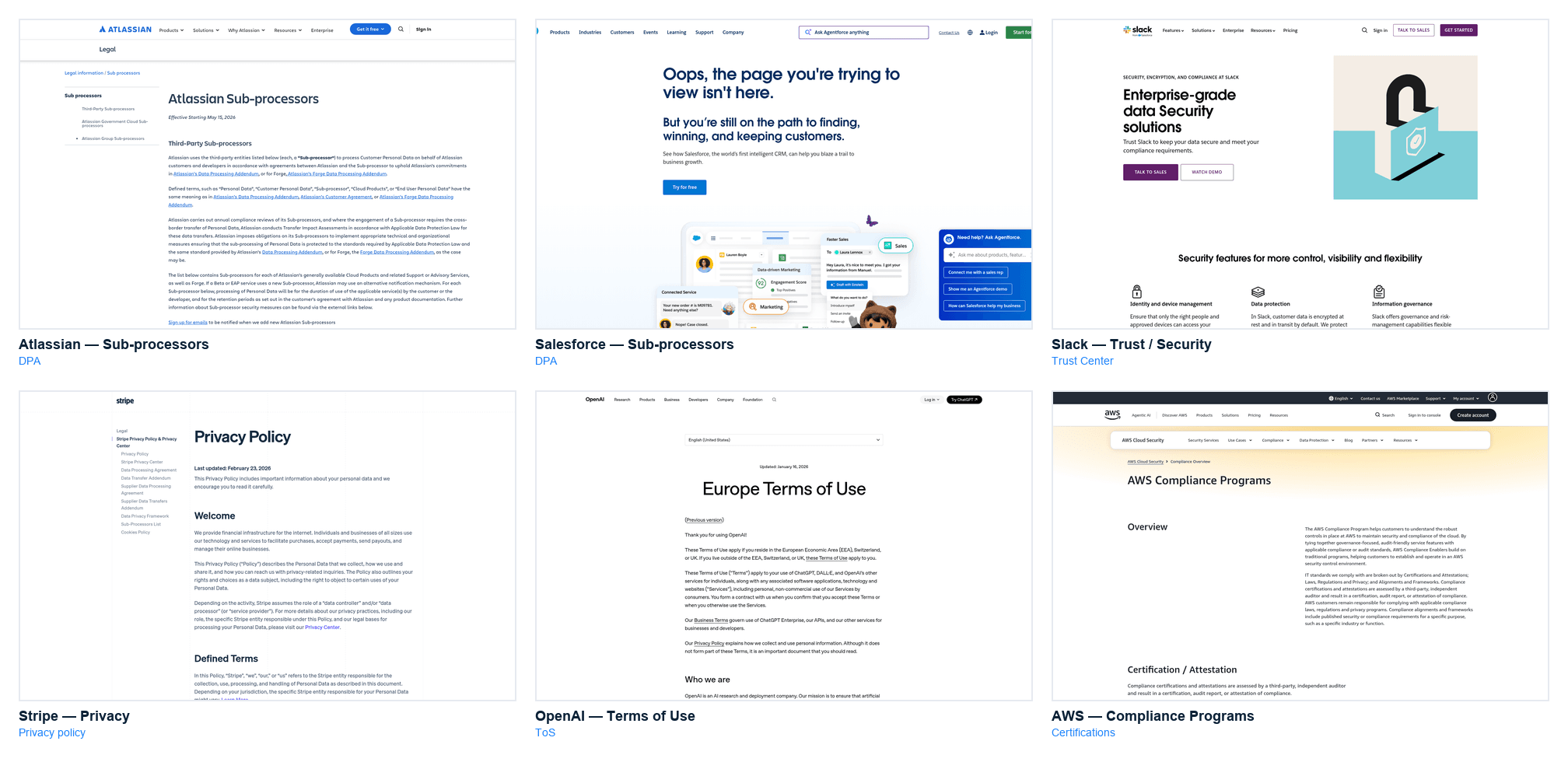
Cyber ratings cover the externally measurable posture. These six pages cover what the vendor has formally committed to in writing, which is where the highest-value alerts for risk, privacy, and procurement teams live.
1. Data Processing Agreement (DPA)
A change to the DPA is a change to your contract. It can alter how data is transferred, who sub-processes it, what breach notification windows apply, and what your audit rights look like.
Most vendors host a linked DPA at a URL like /legal/dpa or /trust/dpa. Monitoring this page means you see amendments the same day they go live, not the next time your privacy team runs a review.
2. Sub-processor list
This is the highest-signal page for cloud vendors. A new sub-processor means a new data-transfer path, a new jurisdiction potentially in scope, and often a new model provider for AI features.
The sub-processor page is also the vendor surface that moves most frequently. In a 30-day window sampled across 1,132 active sub-processor monitors on our platform, about one in every 16 automated checks surfaced a change. The concentration of activity matches what you'd expect: the most-monitored sub-processor pages on the platform belong to cloud infrastructure (AWS, Google Cloud, Cloudflare), collaboration SaaS (Slack, Atlassian, Smartsheet, Miro), identity (Okta), and AI providers (OpenAI). 84% of sampled sub-processor monitors are owned by workspaces rather than individual users, which is consistent with this being privacy-office and TPRM work rather than personal curiosity.
Most SaaS vendors list sub-processors at /sub-processors, /legal/subprocessors, or inside the DPA appendix. Salesforce publishes its list at the trust center. The piece on sub-processor selection covers the evaluation criteria; continuous monitoring is how you maintain it after the initial review.
3. Trust center
The trust center aggregates security posture: certifications, audit reports, incident disclosures. Most vendors have moved from static trust pages to dynamic portals (Whistic, SafeBase, Vanta), but even the dynamic ones expose a public landing page that changes when a certification lapses or a new one is added.
A trust center that suddenly removes an active certification is a material signal worth knowing about the day it happens.
4. Terms of Service (ToS) or Master Services Agreement (MSA)
For self-serve vendors, the ToS is the contract. When it changes, your obligations and usage rights change with it. For enterprise contracts, public ToS changes often foreshadow forthcoming MSA redlines.
Automated ToS monitoring flags material contract changes in hours rather than months.
5. Privacy policy
Privacy policy changes usually signal one of three things: a new regulatory jurisdiction the vendor is addressing, a new category of data being processed, or a new category of third party receiving data. All three matter to a privacy office.
Privacy policies move more often than most teams assume. Across a sample of 7,551 active privacy-policy monitors on our platform, 41% logged a change within a 90-day window. Large platforms publish redline summaries; most mid-market vendors do not. Page-level change detection fills the gap.
6. Security certifications page
Most enterprise vendors publish a page listing current certifications and attestations: SOC 2 Type II, ISO/IEC 27001, PCI DSS, HIPAA attestation, FedRAMP, and regional equivalents. These expire on predictable cycles (SOC 2 annually, ISO 27001 on a three-year cycle with annual surveillance audits, PCI DSS annually), and when a vendor fails to renew on time, the public certification page usually shows the lapse first. Programs that align to the NIST Cybersecurity Framework 2.0 typically map these alerts to the GV.SC (Governance of Supply Chain) and ID.SC functions.
A monitoring rule on the certification page catches the lapse when it happens. Waiting for the next assessment cycle means waiting 90 to 365 days.
How to set up continuous vendor monitoring (step-by-step)
This section walks through the operational setup. It assumes you have a list of tier-1 vendors already defined; if not, start with the 10 to 30 vendors that process regulated, sensitive, or high-value data.
Step 1: Inventory the six pages for each tier-1 vendor
For each vendor, capture the URLs for DPA, sub-processor list, trust center, ToS, privacy policy, and security certifications. Many vendors consolidate two or three of these under a single trust portal; that is fine, record the consolidated URL.
A realistic tier-1 list of 30 vendors x 6 pages is 180 monitoring targets. That sounds large. The work lives in the first week of setup (deciding sensitivity per page, wiring routing) and in two or three tuning passes in the first month. After that, running 180 monitors costs about the same attention as running 10.
Step 2: Choose your detection method
Three options, in increasing order of fidelity:
- RSS and email subscriptions. Works for the few vendors that publish changelogs. Misses silent edits, which are the common case.
- Periodic manual review. A team member loads each page quarterly. Works for a handful of vendors; does not scale.
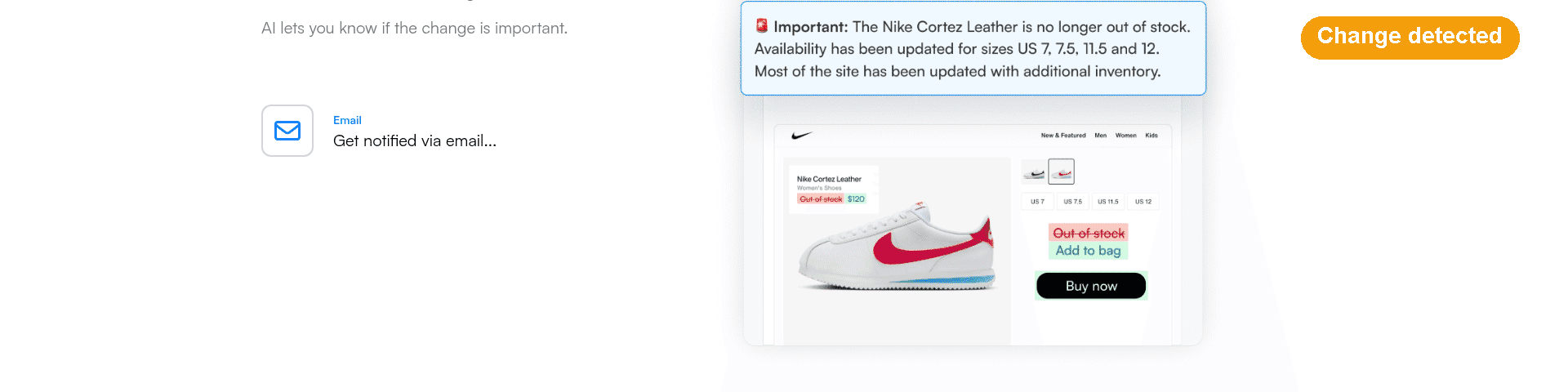
- Automated web-page change detection. A service loads each page on a defined cadence, compares the rendered content to the last snapshot, and fires an alert when the diff exceeds a threshold you set.
For any program with more than ~20 vendors, automated page-level monitoring is the only method that holds up.
Step 3: Configure change detection rules
For each page type, set the cadence and sensitivity. The "recommended" column below is a practical starting point; the "observed on platform" column shows the median cadence practitioners are actually running across the sample of monitors we have visibility into, which is a useful sanity check when you're deciding how aggressive to be.
| Page type | Recommended cadence | Observed median (on platform) | Sensitivity | Alert routing |
|---|---|---|---|---|
| DPA | Daily | ~24 min | Any text change outside headers | Privacy + Legal |
| Sub-processor list | Daily | ~24 min | Any added or removed row | Privacy + TPRM |
| Trust center | Weekly | ~6 min | Any certification status change | Security + TPRM |
| ToS / MSA | Daily | ~12 hr | Any clause-level text change | Legal + TPRM |
| Privacy policy | Weekly | ~12 hr | Any text change | Privacy + Legal |
| Security certifications | Weekly | ~12 hr | Any added/removed certification | Security + TPRM |
The gap between "sub-processor every 24 minutes" and "ToS every 12 hours" reflects a reasonable intuition: sub-processor lists change quietly and often, while ToS changes are rare but high-stakes when they happen. Match the cadence to how the page behaves, not to the same default across all vendor pages.
For pages that are largely static but critical (DPAs, sub-processor lists), use full-page change detection. For pages with frequent cosmetic updates (trust center landing pages), use keyword-scoped monitoring that only fires on material tokens like "SOC 2", "ISO 27001", or specific sub-processor names.
Step 4: Route alerts into your GRC and risk register
An alert that sits in an inbox is not a control. The point of continuous monitoring is that the alert triggers a workflow: a sub-processor review, a privacy impact reassessment, a contract redline check. These are good candidates for the kind of automation workflows you already have wired up elsewhere in the risk function.
Typical routes:
- Slack / Teams channel for the TPRM team to triage.
- Email to a shared inbox monitored by privacy operations.
- Webhook to the GRC platform (OneTrust, ServiceNow IRM, LogicGate, Archer) to create a risk event automatically. The underlying pattern is the same one described in the API-based monitoring guide.
- Jira or ServiceNow ticket for the control owner.
Most monitoring platforms expose a webhook or a native integration to at least Slack and Teams; for GRC routing, a generic webhook plus a small transform handler is usually enough.
Step 5: Review cadence and tuning
Two weeks after go-live, review every alert that fired. Three questions:
- Was it material? If not, tighten the sensitivity or narrow the monitored region of the page.
- Was it actionable? If the alert did not lead to a decision, the routing or the recipient is wrong.
- Did anything material happen that did not fire? Cross-check against any incidents or disclosures in the review window.
Expect two to three tuning passes in the first month. After that, the system runs with minimal maintenance.
Case study: catching a sub-processor change in 24 hours
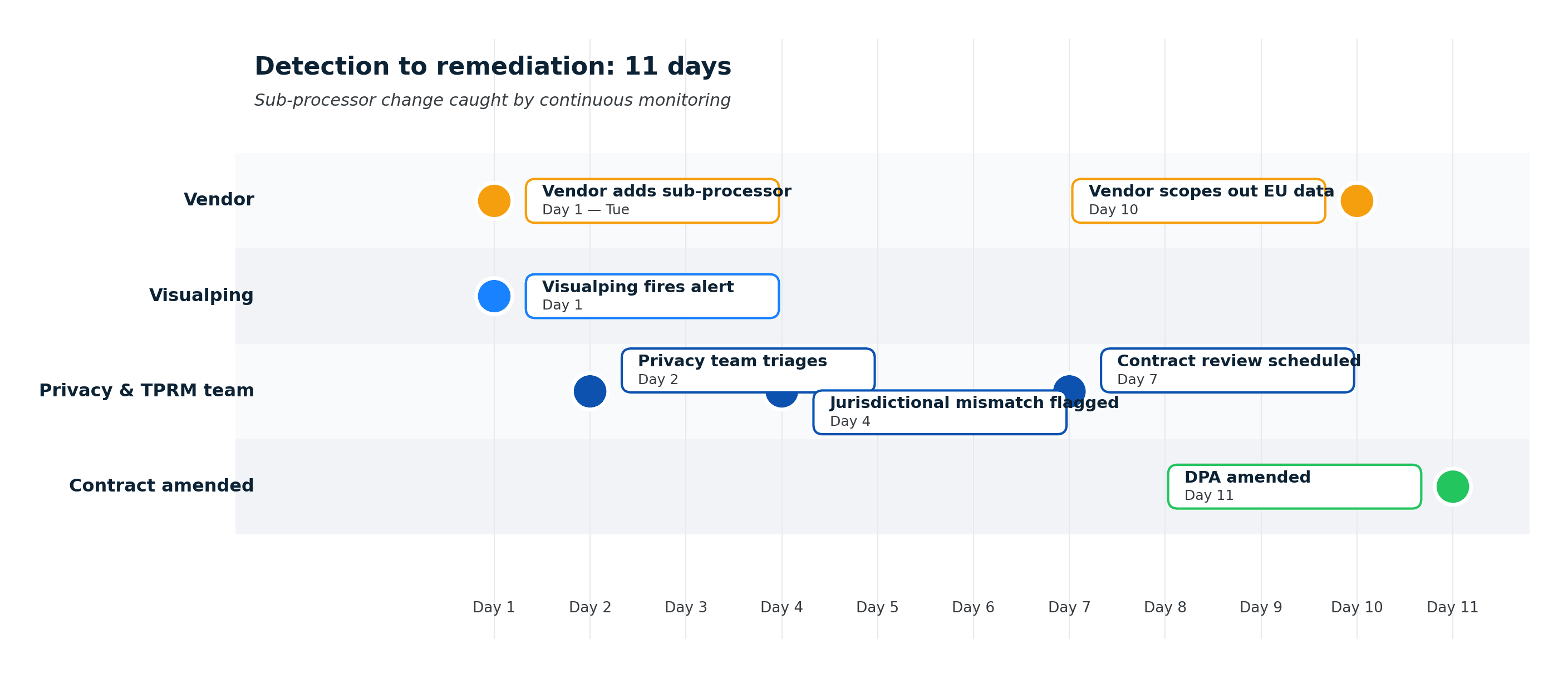
A mid-market SaaS platform added a new AI inference provider to its sub-processor list on a Tuesday. The change appeared as a single new row at the bottom of the public sub-processor page. No announcement, no email to customers, no ToS change. (This pattern is common, not deliberately evasive.)
A customer monitoring the sub-processor page received an alert the same day. Their privacy team reviewed the new provider against their approved vendor list, flagged a jurisdictional mismatch, and raised it in the next scheduled contract review. The vendor confirmed the change was a routing optimization, agreed to scope it out of EU-originated data, and amended the DPA.
Total elapsed time from change to remediation: 11 days. Without continuous monitoring, the most likely detection path is the next annual review or a regulator asking about it first.
How to pick a continuous vendor monitoring tool
The market splits into three categories. Most programs end up using at least two. (For a broader view that goes beyond vendor pages into regulatory and policy surfaces, the compliance monitoring software roundup covers the adjacent tool landscape.)
- Cyber ratings platforms (BitSight, SecurityScorecard, UpGuard). Strong on external cyber posture, weak on documentation changes. Best paired with a documentation monitor.
- GRC-native monitoring modules (OneTrust, ProcessUnity, Venminder). Embedded in the risk register, strong on workflow and attestation, weak on raw page-level change detection.
- Web-page change detection (Visualping, Fluxguard). Strong on the documentation surface (the six pages above), integrates via webhook into cyber ratings and GRC platforms.
For a tier-1 portfolio, a realistic stack is: cyber ratings for external posture, a GRC platform for workflow and attestation, and a page-level monitor for DPA, sub-processor, and trust-center coverage. The three categories each cover a different surface. Treating any one as a replacement for the others is how the documentation-surface gap opens up.
The vendor ToS change-detection playbook and the full regulatory-page monitoring workflow go deeper on two of the six page types covered here.
Frequently asked questions
What is an example of continuous monitoring?
A concrete example: a TPRM team subscribes 30 tier-1 vendors to daily change detection on their DPA, sub-processor list, and trust center pages. When a vendor adds a new sub-processor, the team receives an alert within 24 hours, triggers a privacy impact review, and updates the risk register. The same approach applied to quarterly questionnaires would catch the change months later.
What does continuous monitoring mean in TPRM?
Continuous monitoring in TPRM is the ongoing detection of changes to a vendor's risk posture between formal assessments. It covers cyber posture (via ratings platforms), corporate events (via news and intelligence tools), and vendor documentation (via page-level change detection). The goal is to detect material change in hours or days rather than quarters.
What is a continuous monitoring strategy?
A continuous monitoring strategy defines which vendors are monitored, which signals are collected, how often checks run, what triggers an alert, and how alerts are routed and remediated. A credible strategy names the people, the platforms, the cadence, and the escalation path, and it ties each monitored signal back to a control in the TPRM policy.
How does continuous vendor monitoring help with compliance?
It provides the evidence and timeliness that modern regulations expect. DORA explicitly calls for continuous monitoring of critical ICT third parties. FFIEC third-party risk guidance names ongoing monitoring as a supervisory expectation. The SEC's cyber disclosure rule depends on timely detection of third-party incidents. In each case, the alternative (periodic questionnaires) produces detection lags that modern regulators no longer treat as sufficient.
How often should continuous vendor monitoring run?
For tier-1 vendors, daily checks on the three highest-value pages (DPA, sub-processor list, ToS) and weekly on the remaining three are a reasonable default. Tier-2 vendors can usually be checked weekly across all pages. Tier-3 can run monthly. The cadence should match the tier, not the other way around.
Can continuous monitoring replace annual vendor risk assessments?
No. Assessments establish the baseline posture and validate a vendor's stated controls. Monitoring detects drift from that baseline. Programs that skip the baseline generate alerts without context; programs that skip monitoring hold a baseline that decays in real time. Both are required.
For a program-level view of how this piece fits into the broader lifecycle, frameworks, and operating model, see the complete TPRM program guide.
Where to go next
The six pages in this article are the monitoring foundation. Once that's running, the next questions are usually about what to do when a vendor's sub-processor list changes, how to assess a new vendor before it enters that monitored set, and how this pattern applies beyond vendor pages.
Continuous vendor monitoring is one layer of a broader TPRM program. For the regulatory-change dimension, the horizon-scanning guide covers the proactive compliance workflow that sits next to vendor monitoring. For the sub-processor dimension specifically, how to evaluate a new entry before it lands on the list walks through the selection criteria. And the same detection patterns applied beyond vendor pages covers the adjacent regulatory and policy-page use cases.
This article summarizes industry practice for continuous vendor monitoring and the regulations that reference it. It is not legal, compliance, or audit advice. Specific regulatory obligations, disclosure timing, and control mapping should be reviewed with your program's TPRM, privacy, and legal owners before relying on them.
Want to monitor web changes that impact your business?
Sign up with Visualping to get alerted of important updates from anywhere online.
Eric Do Couto
Eric Do Couto is the Head of Marketing at Visualping. He leads content strategy, growth operations, and brand positioning for website change detection.
More articles by Eric Do Couto