Retailer Price Monitoring Guide - Visualping
By Emily Fenton
Updated September 22, 2026
Retailer Price Monitoring: A Comprehensive Guide
Finding an advantage can be difficult, especially in competitive retail industries with many players. That means there’s no such thing as too much information, particularly as it relates to the prices of your products and those of your competitors.
Knowing current retail prices can give you a better idea of where to start when selling your own products and services. A retail price monitoring tool like Visualping lets you determine the best pricing strategy and how to implement it to gain an edge against your competitors.
What Is Retailer Price Monitoring?
Retailer price monitoring refers to the continuous monitoring of third parties that resell your brand’s products. This process is intended to ensure that specific resellers maintain compliance with your contractual pricing agreement.
Retailer price monitoring is one component of your larger retailer monitoring strategy, alongside competitor promotion monitoring, hiring monitoring, and sales monitoring. By building out intelligent price management systems, you can streamline the price management process and improve ROI.
The Challenges of Selling via Third-Party Retailers
Selling your products via third-party retailers can offer additional income and allow you to quickly extend your brand to more customers, but there are some things you should watch out for if this is the route you decide to take.
Allowing third-party sellers to sell your products can have some unwanted effects since you’re allowing resellers to represent your brand. Problems such as bad customer support, unscrupulous pricing, and faulty products will degrade your brand, so it’s important to ensure that resellers are meeting the terms of your agreement.
You can keep an eye on third-party resellers and maintain brand consistency by watching their item listings. Visualping can help you manage everything from price tracking to updated terms and conditions.
What Elements Should You Be Monitoring?
Maximizing your sales by working with with resellers is a good strategy, but it can backfire if you don’t know what to monitor.
Resellers can easily break the rules you’ve put in place. Formulating a plan of action ahead of time will allow you to respond swiftly and ensure that your brand’s reputation isn’t damaged.
Tracking the most important elements of your resellers' item listings lets you focus your time and resources where they matter most. E-commerce monitoring tools can be useful for tracking these elements.
Pricing Pages
The most important element to keep track of is reseller pricing pages.
Getting an overview of what items third-party sellers are offering and how much they’re charging for them will give you some idea of whether term obligations are being followed. Map monitoring, for example, can help you get a hand on whether minimum standards are being met.
While manual checking can work if you’re just watching a page or two, this method is virtually impossible with larger agreements. Luckily, tools such as Visualping enable you to track prices as they’re updated. That way, you can be notified about price cuts, increases, sales, and discounts as soon as possible.
Stock Levels
You should definitely consider monitoring your resellers' stock levels to ensure that they have a full range of inventory to meet customers' needs. By learning about out-of-stock products quickly, you can immediately act to refresh their stock, or resolve any other issues.
Reviews
Another great way to get a handle on third-party sellers is to look at consumer reviews.
Reviews give you important insights into how customers feel about third-party resellers, including their attitudes about pricing and how satisfied they are with their purchases. Visualping can also notify you whenever new reviews are posted, giving you some much-needed insights into reseller behavior.
While checking reseller product listings to see what people are saying about them can be useful, it offers a somewhat subjective view, so be judicious about any conclusions you derive.
Set up a retailer price monitoring system
Start with a list of the reseller listings you need to watch. For each listing, record the retailer, seller name, product identifier, variant, pack size, currency, URL, and date checked. On marketplaces, record the seller attached to the offer: the same product page may show a different seller on a later visit.
Capture the displayed price alongside shipping charges, coupon conditions, and membership requirements. Compare matching variants and quantities so a smaller pack or a members-only discount does not distort the comparison. Keep the advertised price and the delivered total in separate columns.
Assign a reviewer to each group of listings. When a price alert arrives, reopen the source, confirm the seller and offer conditions, and record the checked price with a dated screenshot or source link. Classify the change as a standard-price update, promotion, seller change, or item needing investigation. This gives the team a record of what changed and who reviewed it.
How to Use Visualping to Keep Tabs on Third-Party Retailer Pricing
Although monitoring the elements of third-party sales is essential, it can be difficult to keep up when things are changing quickly. Visualping was designed to dynamically monitor, track, and notify you of changes so you can focus on core business tasks.
Use Visualping to check selected reseller listings on a schedule. When it detects a change, the alert includes an AI Summary, a binary IMPORTANT flag, and a screenshot with the changes highlighted.
Visualping data shows where that monitoring concentrates. In the 12 months to September 22, 2026, Costco (4,574 distinct customers), Best Buy (3,473), Walmart (2,629), Amazon.com (2,140), and Target (1,692) were the five most-monitored US retailers on Visualping, followed by Home Depot (827). Amazon draws the most monitors per customer at 2.6, a sign that brands tend to watch several listings or sellers there at once.
Getting started couldn’t be easier. Here’s how.
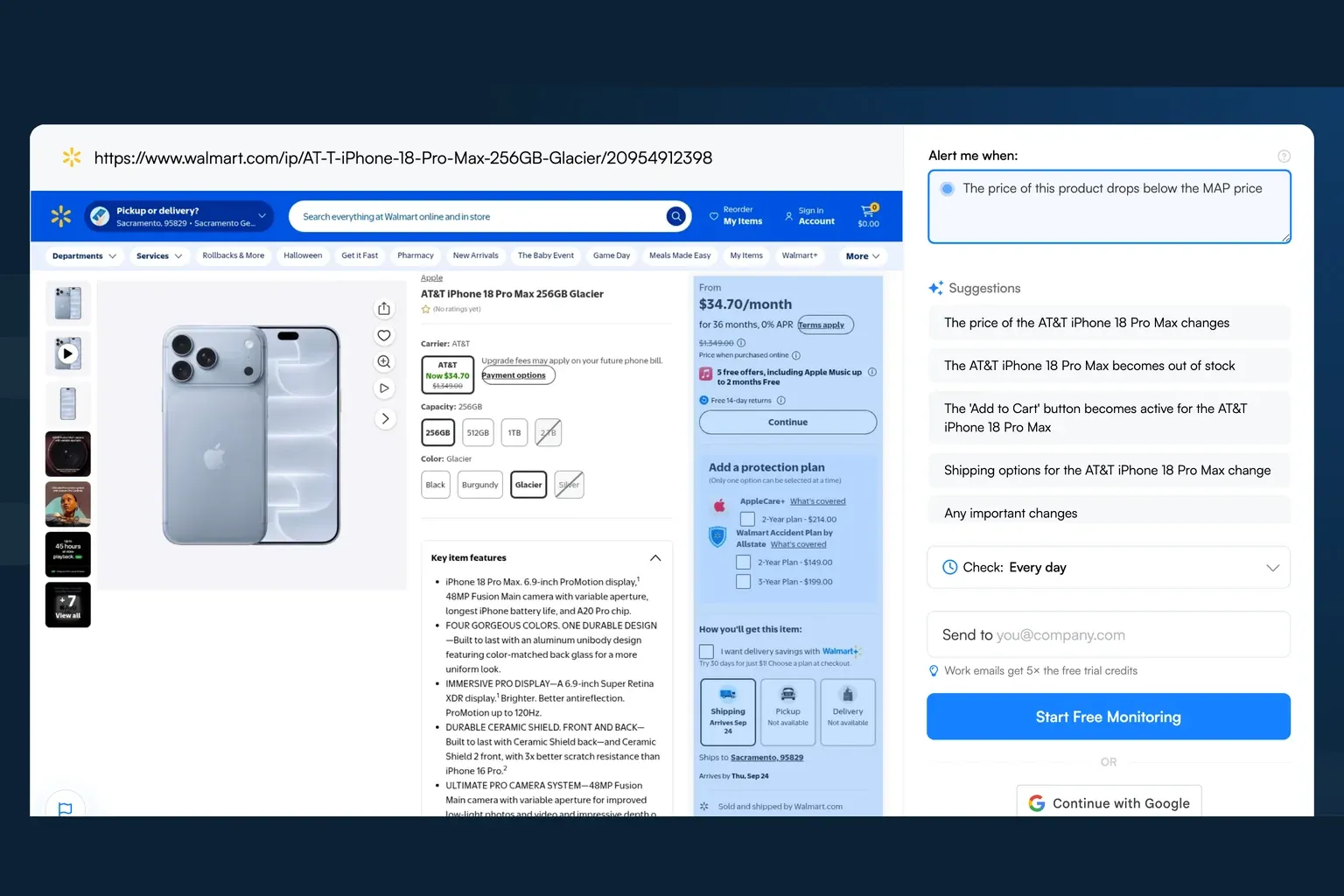
Step 1: Copy the URL of the Reseller’s Listing for the Product in Question or Category Page Featuring a Selection of Your Products and Their Prices, Then Paste It into the Search Field on Visualping’s Homepage
The first thing you need to do to keep tabs on third-party retailer pricing is to find the product page you want to track and copy the URL. Then, head to the Visualping homepage and paste the URL into the search field. The page will load in the tool, allowing you to select what you want to monitor.
Step 2: Select the Part of the Page You Want to Monitor
Next, choose the part of the page you want to have Visualping scan for changes. During this step, you can also refine your notifications so you only get messages for important updates.
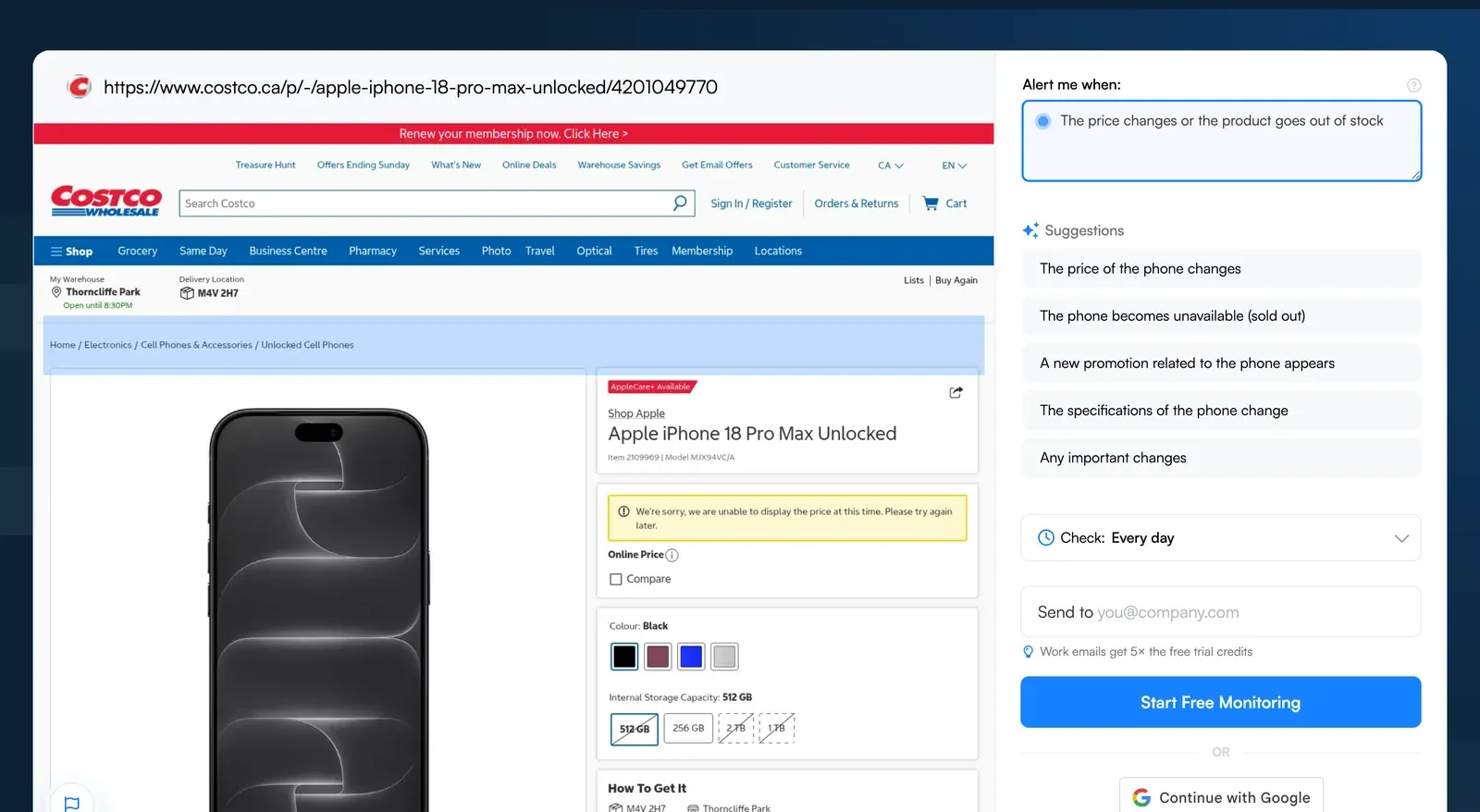 Paste the reseller listing URL and describe the price or stock change you want flagged
Step 3: Decide How Often You Want Visualping to Scan the Page for New Changes
Choose a check schedule that fits the listing and your plan’s limits. The Free plan includes 5 pages and 150 checks per month. Distribute those checks across your monitored pages; more frequent checks use the allowance faster. Paid plans offer higher allowances and shorter check intervals.
Step 4: Enter the Email Address Where You Want to Receive Retailer Price Change Alerts
Provide the email address where you want to receive notifications. Enter a valid email address for your change alerts. Make sure you provide an address you check regularly to ensure that you don’t miss out on important updates.
Step 5: Check Your Email to Complete the Signup Process
To finalize the setup process, open your email and locate the message sent to you by Visualping. Clicking on the included link will take you back to your Visualping account for verification.
Once you confirm your account, Visualping checks the selected pages on your chosen schedule and alerts you when it detects changes.
Visualping Lets You Make the Most of Your Retailer Price Monitoring
Retail price monitoring is essential for businesses that contract sales to third parties, but ensuring that all the relevant terms and conditions are being followed to the letter can be difficult without the right setup.
Fortunately, selling via third parties doesn’t have to be complicated. With Visualping, you can monitor the pricing of your brand’s products and maintain consistent quality across retailers.
Visualping checks the retailer pages you select and records detected changes. Review the alerts against your listing inventory to decide which prices or offers need attention.
We’re dedicated to making the internet work for everyone, which is why we’re trusted by Fortune 500 companies worldwide. Deploying Visualping for your website detection, monitoring, and alerts will make it easier to stay on top of any price drops and promotions.
Try Visualping absolutely free today to see how it can help you stay on top of ecommerce monitoring and third-party sales.
Want to monitor web changes that impact your business?
Sign up with Visualping to get alerted of important updates, from anywhere online.
Emily Fenton
Emily was the Product Marketing Manager at Visualping. She has a degree in English Literature and a Masters in Management.
More articles by Emily Fenton