Stay updated on Act! CRM (formerly SwiftPage) Latest Updates
Sign up to get notified when there's something new on the Act! CRM (formerly SwiftPage) Latest Updates page.


Latest updates to the Act! CRM (formerly SwiftPage) Latest Updates page
- Check4 days agoChange DetectedThe page continues to present Act! product updates and feature announcements.SummaryDifference0.9%
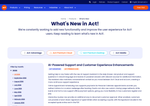
- Check11 days agoChange DetectedNew features are highlighted on the What's New page, including an AI Support Assistant in the Help Drawer and enhancements to scheduling and payments. It also introduces Interactive Quotes with hand-drawn signatures or typed initials for customer approvals.SummaryDifference6%
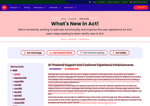
- Check18 days agoChange DetectedA marketing line introducing Ava as Act!'s personal assistant has been added. The extra '!' and 'a' appear to be stray fragments tied to that line.SummaryDifference0.5%
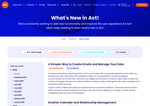
- Check25 days agoChange DetectedSeptember 2026 updates have been added, including a refreshed look and improved workflows for Custom Industry Tables with an in-page side drawer and column customization. The page also introduces a guided, AI-assisted email creation experience with templates and the rebranding of campaigns to Workflows under the heading "A Simpler Way to Create Emails and Manage Your Data."SummaryDifference3%
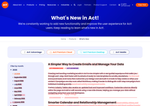
- Check32 days agoChange DetectedNo textual changes were supplied for evaluation on the What's New page. The page describes various feature updates across Act! products, but these are not represented as discrete changes in the input data.SummaryDifference0.7%
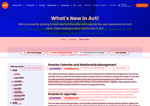
- Check39 days agoChange DetectedAct! Cloud's calendar now handles untimed activities more smoothly, allowing them to be viewed and managed alongside scheduled items. The update also improves the editing and removal experience for relationships and secondary contacts with clearer, more intuitive controls, reducing friction in everyday record and activity management.SummaryDifference2%
Stay in the know with updates to Act! CRM (formerly SwiftPage) Latest Updates
Enter your email address, and we'll notify you when there's something new on the Act! CRM (formerly SwiftPage) Latest Updates page.