How to Monitor US Election Candidate Websites for the 2026 Midterms
By Kayla Zhu
Updated September 24, 2026

The 2026 midterms are on Tuesday, November 3. All 435 House seats, 35 Senate seats and 36 governor's races are on the ballot, and nearly every candidate in those races runs a campaign website.
A campaign website is where a candidate describes themselves in their own words. The homepage headline, the order of the issues list and which endorsements get top billing are all choices the campaign makes. Those choices change over the course of a race, usually without an announcement. Anyone who visits later sees only the current version.
Website change monitoring keeps the "before." Visualping checks the campaign pages you pick and emails you when something changes, with the old and new versions side by side. This guide covers what a 2026 campaign-site change looks like in practice, which pages to watch and how to set up alerts in a few minutes.
A 2026 example from the Florida governor's race
On September 22, 2026, the Miami Herald reported that Byron Donalds, the Republican nominee for Florida governor, had launched an updated campaign website. Citing Visualping, the Herald reported that at least eight references to President Donald Trump came off the homepage. The earlier version included a "Chip in to Support Trump Endorsed Byron Donalds" button, a "TRUMP-ENDORSED" headline and a yellow "ENDORSED BY PRESIDENT TRUMP!" banner.
The Guardian followed up the same day and linked the same Visualping comparison. Both outlets also pointed to an August 19 Wayback Machine capture of the issues page, which listed "Enact the Trump Agenda" first. The updated issues page leads with affordability.
This is the comparison both stories linked:
The Herald included a statement from campaign spokesperson Gates McGavick, who said the website "reflects Byron's focus on the issues that matter most to Floridians" and that Donalds "is proud to have President Trump's endorsement." A comparison shows what changed on a page. The campaign's explanation of why is part of the story too.
For the full breakdown of what changed and how the reporting layered its evidence, read what the Donalds campaign website case shows about monitoring the midterms.
Which campaign pages to monitor
For each candidate, start with the pages where messaging lives:
- Homepage. Headlines, banners and featured endorsements. In the Donalds case, the endorsement language sat in the homepage headline, a banner and the donate button.
- Issues or agenda page. The order of issues is a signal. So is a policy that quietly drops off the list.
- About or biography page. Watch for changes to how a candidate describes their record, party ties or career.
- Endorsements page. Names get added, moved down or removed.
- News, press and events pages. New statements and appearances often land here before they reach social media.
Watch the same set of pages, with the same settings, for every candidate in a race. You'll catch changes on every side, and your coverage stays even.
How to set up alerts for a candidate website
Step 1: Paste the campaign URL into Visualping
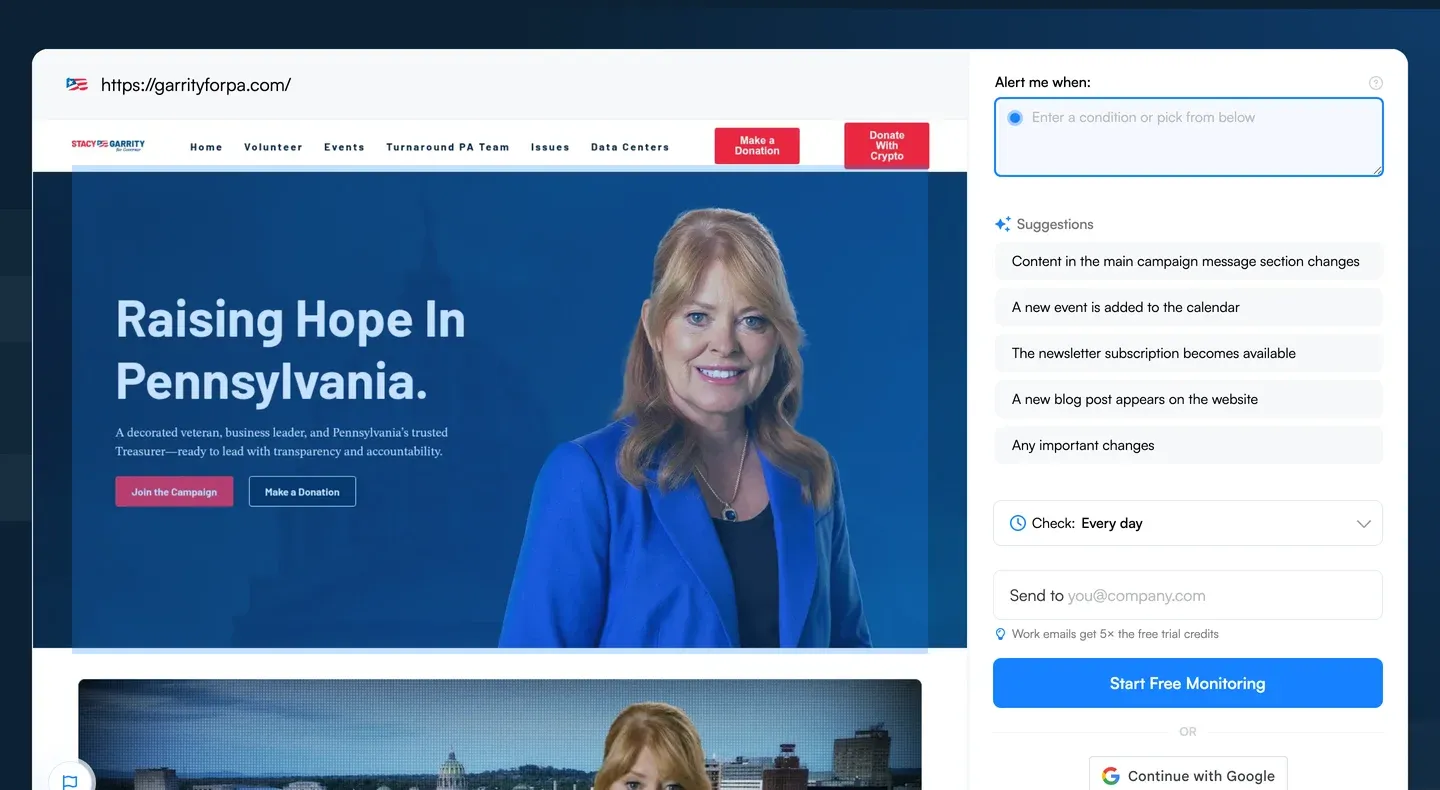
Copy the URL of the candidate page you want to watch and paste it into the search bar on the Visualping homepage. Hit "Go" and a preview of the page loads. Here's the setup screen with the homepage of Stacy Garrity, the Republican nominee for Pennsylvania governor, loaded. Visualping AI suggests alert conditions based on what's on the page.
Step 2: Tell Visualping what counts as a change
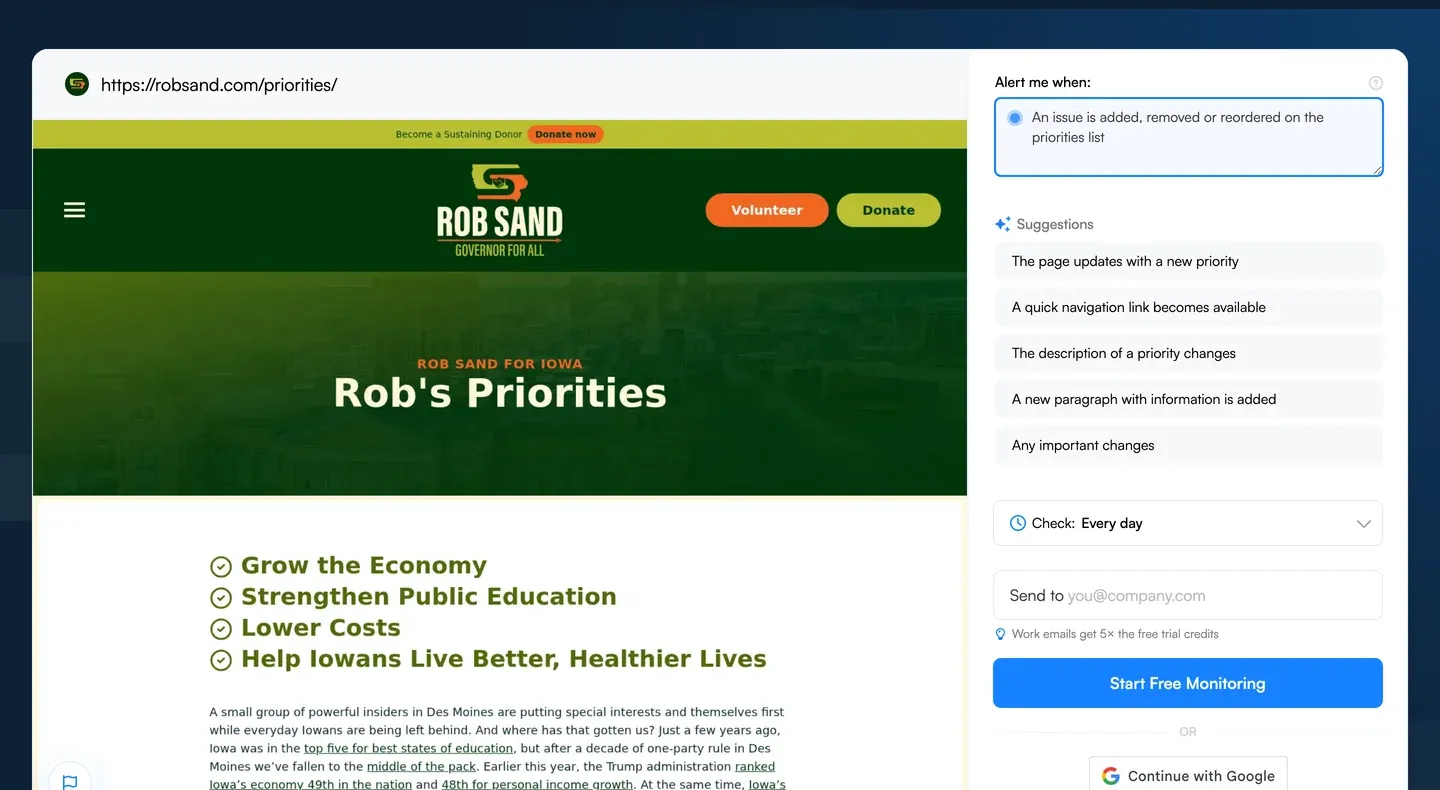
In the "Alert me when" box, describe the change you care about in plain language. For a campaign homepage, that could be "Alert me when an endorsement is added or removed" or "Alert me when the issues list changes order." Visualping AI reads each change against that condition, so a new event date doesn't set off the same alert as a rewritten platform. Below, the condition is set on the priorities page of Rob Sand, the Democratic nominee for Iowa governor.
You can also drag a box over the preview to watch only one part of the page, such as the issues list. Changes outside that area are ignored. To watch everything, select "Full page."
Step 3: Pick a check frequency and enter your email
For most campaign pages, daily checks are enough. Check more often around debates, ad launches, major news and the final weeks before November 3. Enter the email where you want alerts, and Visualping sets up your account if you're new.
Step 4: Read the alert
When a change lands, the alert email includes an AI summary of what changed and before-and-after screenshots with removed content in red and added content in green. Each alert links to a comparison page you can open, save and share with an editor.
Tips for monitoring campaign sites
- Block the moving parts. Campaign sites are full of rotating carousels, donation counters, event countdowns and social feeds. Use the Block action in Advanced settings to hide them, or narrow your selection, so real edits stand out. A rolling endorsements banner like the one on the Donalds homepage can show different names from one check to the next without anyone editing the page.
- Click past donation pop-ups. Many campaign sites open a fundraising modal on first visit. Add a Click action to close it before each check.
- Monitor the issues page separately from the homepage. They change for different reasons and on different schedules, and a separate alert for each keeps the signal clear.
- Save the evidence when a change lands. Keep the comparison link, take your own screenshots and submit the page to the Wayback Machine's Save Page Now. For more on building a record that holds up, see website monitoring for journalists and the audit trail.
- Describe the change, then ask why. "Removed" is something a comparison shows. The reason is reporting, and the campaign's answer belongs in the story.
Earlier examples from the 2024 presidential race
Visualping users tracked candidate sites through the 2024 cycle too. Two changes from that race:
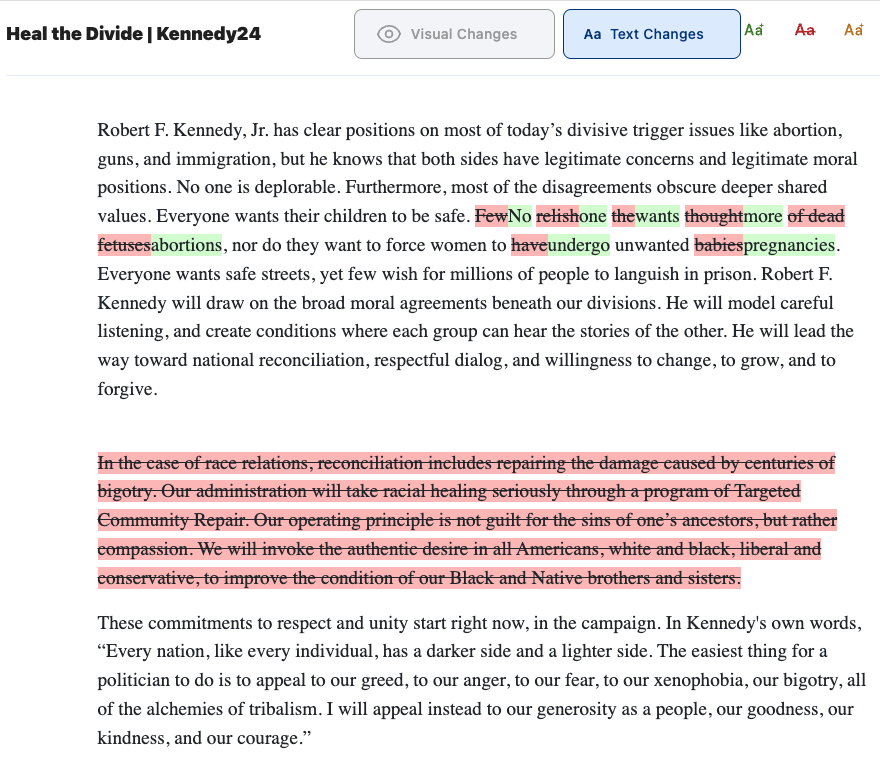
Robert F. Kennedy Jr. Visualping captured a significant rewrite of the text on Kennedy's campaign website. On abortion, the wording shifted from "Few relish the thought of dead fetuses" to a more neutral "No one wants more abortions," while restating that the campaign did not want to force women to carry unwanted pregnancies. The update also removed all language about race relations.
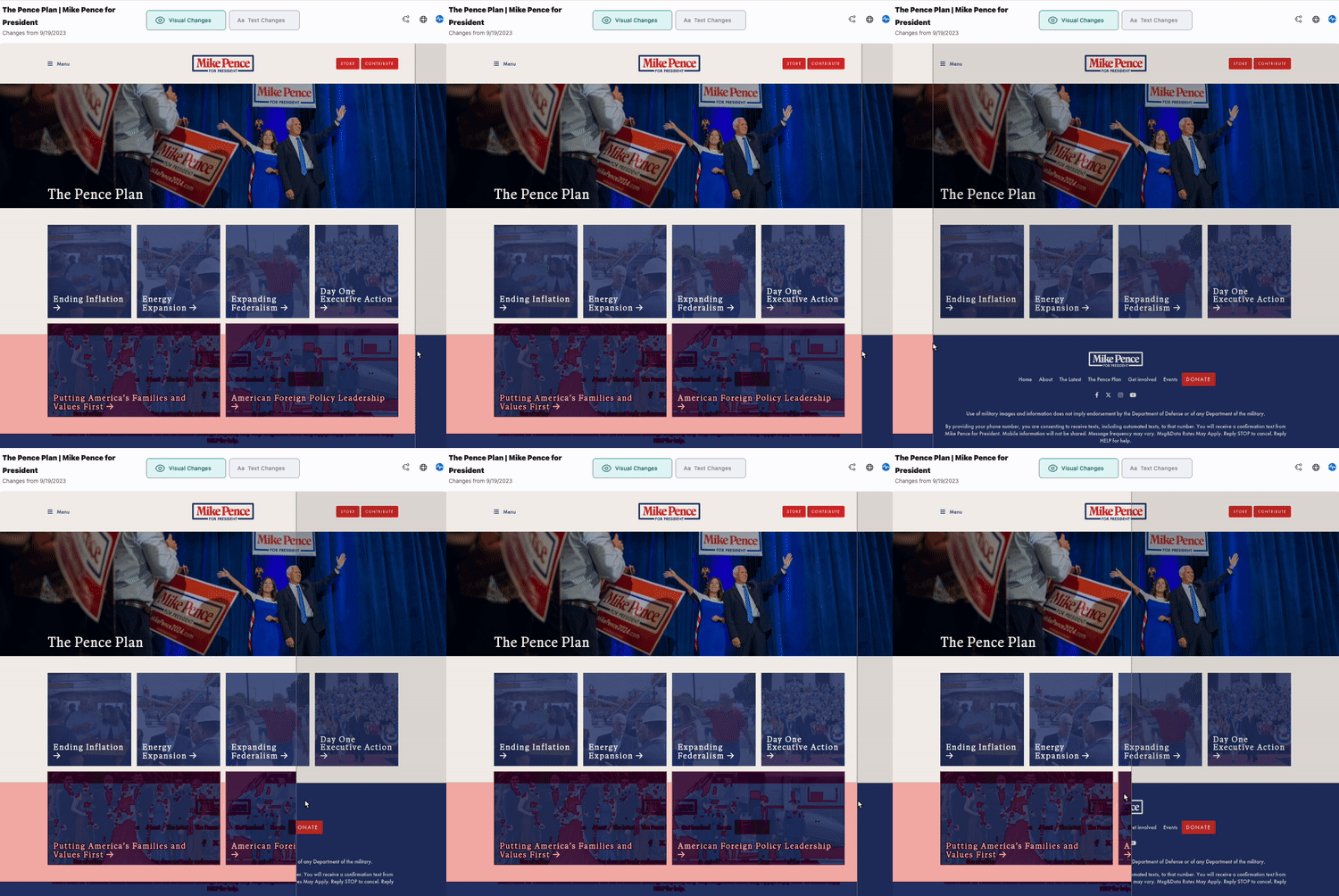
Mike Pence. Visualping captured Pence publishing new "Family values" messaging, which introduced his positions on transgender issues and LGBTQ education in public schools. The same update added his foreign policy positions.
Free Journalist Plan for election coverage
Working journalists can get Visualping's Starter plan free for life through the Journalist Plan. It includes 1,000 checks a month across up to 25 pages, with checks as often as every 15 minutes. That's enough to watch the homepage and issues page for a dozen candidates at a daily check, with room left over for faster checks in the final weeks.
To claim it, create a free Visualping account with your organizational email, then request the upgrade from the journalists page.
Not a journalist? The free plan includes 150 checks a month across up to 5 pages, enough to watch the homepage and issues page for both candidates in one race at a daily check. Start monitoring a campaign website today, and you'll have a before-and-after record ready the next time a candidate's message shifts.
Power your journalism with automatic change alerts.
Get notified of updates from all your sources, for free, with Visualping.
Kayla Zhu
Kayla is the Public Relations Specialist at Visualping and manager of Visualping's Journalist Program. She manages Visualping's media relations, content marketing, and social media.
More articles by Kayla Zhu