Stay updated on Close Latest Updates
Sign up to get notified when there's something new on the Close Latest Updates page.


Latest updates to the Close Latest Updates page
- CheckyesterdayChange DetectedClose’s changelog announces a unified meeting-scheduling skill for voice agents, with scheduling links as a fallback, and the ability to save drafted emails or SMS messages as reusable templates. Older announcements about Chloe Chat and Opportunity-note formatting are no longer shown, and the navigation now includes “Put AI to Work.”SummaryDifference3%

- Check8 days agoChange DetectedThe page no longer displays an 'Office hours' section/label, removing visibility of scheduling availability from that area.SummaryDifference0.1%
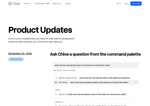
- Check15 days agoChange DetectedClose introduces a unified Phone Number Management system with per-number settings, removes the personal/group number distinction, and expands admin visibility to manage numbers across the organization. The changes also add an audit-ready Event Log, Chloe Chat notifications, navigation enhancements, and security/operational updates such as mandatory email verification and richer Auto Update feedback.SummaryDifference16%
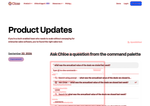
- Check22 days agoChange DetectedNew and improved features include Chloe Chat unread notifications, enhanced Auto Update with actionable guidance for low-confidence results, and a new AI Credit Usage setting under Billing. These updates reflect continued enhancements to communication, AI-assisted automation, and cost visibility.SummaryDifference4%
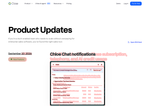
- Check30 days agoChange DetectedIt adds a capability for users with the Manage Organization permission to query Chloe for invoices and usage details, including copies of invoices/receipts and analysis of subscription charges, telephony usage, and AI credit usage. This change surfaces cost information for variable expenses like phone, SMS, and AI credits within Close.SummaryDifference2%

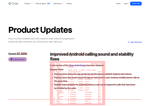
- Check37 days agoChange DetectedAdds stability improvements for the Close Android app, including better handling when responding to calls terminated by the caller and fixes for crashes that occur when multiple calls arrive at once. It also fixes an issue where the app would not use the device’s default ringtone and volume.SummaryDifference3%
Stay in the know with updates to Close Latest Updates
Enter your email address, and we'll notify you when there's something new on the Close Latest Updates page.