Stay updated on InstantQ Pricing
Sign up to get notified when there's something new on the InstantQ Pricing page.


Latest updates to the InstantQ Pricing page
- Check6 days agoChange DetectedThe page now presents revised Shopify plan details and a comparison of features and limits, alongside updated customer testimonials and pricing FAQs. Some former promotional and feature sections have also been removed.SummaryDifference42%

- Check13 days agoNo Change Detected
- Check20 days agoNo Change Detected
- Check34 days agoChange DetectedAdded marketing lines 'Instant 2.0 is here!' and 'Discover the new Instant'; removed items include Liquid code blocks, Publish draft themes, Shopify markets, Liquid code block, Custom CSS Classes, Sections, All layout types, New in Instant!, and See product updates.SummaryDifference0.9%
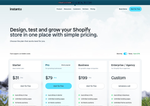
- Check48 days agoChange DetectedThe pricing page updates replace cart-focused analytics with advanced page analytics and heatmaps/scrollmaps; cart analytics and cart drawers are removed.SummaryDifference1.0%
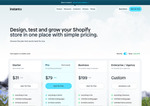
- Check55 days agoChange DetectedAdds emphasis on real-time collaboration, stand-out visuals, 800+ templates, and customizable store-building to highlight collaboration and design flexibility. Removes the ✨ symbol and onboarding prompts about connecting content and layering components.SummaryDifference0.6%
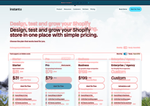
- Check62 days agoChange DetectedThe 'Migrate' entry was removed from the pricing page. This removes a migration-related option/label from the navigation or plan comparison, aligning the listing with current offerings and reducing potential confusion.SummaryDifference0.0%

- Check69 days agoChange DetectedThe pricing page adds mentions of 'Connect to Content' and 'Add layers or components to swipe between,' while removing references to '800+ Templates' and 'No credit card required.' This alters how editor features are presented and what is emphasized on the page.SummaryDifference0.7%

Stay in the know with updates to InstantQ Pricing
Enter your email address, and we'll notify you when there's something new on the InstantQ Pricing page.