Stay updated on Lead411 Pricing
Sign up to get notified when there's something new on the Lead411 Pricing page.


Latest updates to the Lead411 Pricing page
- Check6 days agoChange DetectedThe chat prompt now offers to show a product tour or connect visitors with the team, replacing the previous product-tour and support-contact options.SummaryDifference0.2%
- Check13 days agoChange DetectedThe support prompt now says “Contact our support team” instead of “Reach out to support,” with the same support contact option remaining available.SummaryDifference0.1%
- Check19 days agoChange DetectedThe support chat widget now asks what would help visitors evaluate Lead411 and offers a product tour or support contact, replacing options to compare plan features or book a tour.SummaryDifference0.2%
- Check26 days agoChange DetectedPricing page CTAs were updated from 'Explore a product tour' to 'Book a product tour' and from 'Contact support' to 'Reach out to support', clarifying how users can engage with a tour or get help directly from the pricing section.SummaryDifference0.2%
- Check33 days agoChange DetectedThe pricing page adds two CTAs: 'Book a product tour' and 'Contact support'. The previous CTAs 'See a product tour' and 'Reach out to support' have been removed.SummaryDifference0.2%
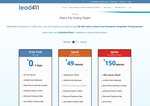
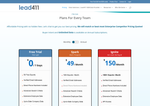
- Check40 days agoChange DetectedThe pricing page now includes two new CTAs: 'See a product tour' and 'Reach out to support'. The options 'Explore plan options' and 'Request a product tour' have been removed.SummaryDifference0.3%
Stay in the know with updates to Lead411 Pricing
Enter your email address, and we'll notify you when there's something new on the Lead411 Pricing page.