
Stay updated on Rulecontent.com Pricing
Sign up to get notified when there's something new on the Rulecontent.com Pricing page.

Latest updates to the Rulecontent.com Pricing page
- Check 3 days agoNo Change Detected
- Check 10 days agoNo Change Detected
- Check 17 days agoNo Change Detected
- Check 66 days agoChange Detected
SummaryThe pricing page no longer displays the 'Start free' and 'Select' actions, removing direct entry points to begin a free plan or choose a pricing tier. Without these CTAs, users must rely on other navigation elements to sign up or compare plans.
Difference0.3%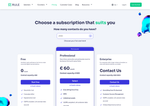
- Check 73 days agoChange Detected
SummaryTwo new call-to-action buttons, Start free and Select, were added to the pricing page to guide users toward starting a free plan or selecting a pricing option. These additions clarify available actions and streamline the pricing flow for visitors.
Difference0.3%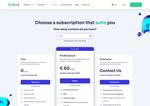
- Check 101 days agoChange Detected
SummaryThe pricing page no longer shows the CTAs 'Start free' and 'Select', removing direct paths for users to initiate a free trial or pick a plan from the pricing section. Users may need to navigate elsewhere to start a trial or choose a plan.
Difference0.3%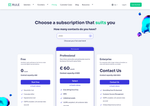
- Check 108 days agoChange Detected
SummaryThe pricing page gains two new call-to-action labels, 'Start free' and 'Select', outlining paths to start a free plan and to pick a subscription within the pricing options.
Difference0.3%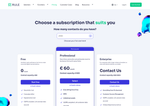
- Check 123 days agoChange Detected
SummaryThe pricing page's navigation was restructured, adding new sections such as Job openings, Rule enterprise, About Rule, Contact us, Product, and industry-specific links, and policy resources like Terms & policies and Privacy Policy. Several older items such as Tools, Integrations, Why choose Rule?, and About us were removed, indicating a broader information architecture update across the site.
Difference4%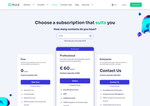
- Check 159 days agoChange Detected
SummaryThe pricing page now displays explicit CTAs on pricing tiers: a Start free button on the Free tier and a Select button on other plans, clarifying the primary action users should take to engage with the plans.
Difference0.3%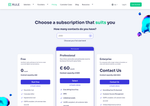
Stay in the know with updates to Rulecontent.com Pricing
Enter your email address, and we'll notify you when there's something new on the Rulecontent.com Pricing page.