
Automation at a glance
What it does: Monitors SEC EDGAR for new 10-K and 8-K filings from your target accounts, extracts strategic insights with Visualping AI, and routes personalized outreach angles to your CRM and Slack.
Tools: Visualping (trigger) + Zapier (orchestration) + Visualping AI (analysis) + Salesforce/HubSpot (delivery)
Workflow: EDGAR filing detected -> Visualping AI parses filing for sales signals -> Visualping AI generates outreach angles -> CRM task created and assigned to account owner -> Slack notification to sales leader
Setup time: ~15 minutes | Ongoing effort: 2-3 min per alert
Part of the Automation Workflows Series. 12 ready-to-use workflows for Sales, Marketing, Partnerships, Engineering, and Legal teams.
In this guide:
- Why SEC filings are your highest-signal sales data
- The automated filing intelligence workflow
- Before and after: manual vs. automated
- Building the automation: step by step
- Tuning your SEC filing monitoring
- Common SEC filing monitoring challenges and fixes
- From filing to qualified conversation in 24 hours
- Frequently asked questions
Your top prospect just filed a 10-K that details a major strategic shift into adjacent markets. Your competitor discovered it first and is already in the door with positioning angles. You're reading about the pivot in a Slack message three weeks later.
This is what manual filing monitoring costs you. Public company filings are packed with sales intelligence: budget allocation, strategic initiatives, risk exposures, expansion announcements. But most teams only see them when one happens to land in someone's inbox or someone remembers to check EDGAR.
SEC filing monitoring automation captures these signals the moment they appear, extracts the useful parts, and routes them directly into your sales process. You stop missing things. You stop being surprised.
Why SEC filings are your highest-signal sales data
If you're selling to publicly traded companies, their filings are the best source of competitive intelligence about where the business is heading. A 10-K discloses risk factors and capital allocation. An 8-K signals major events: acquisitions, divestitures, leadership changes, or regulatory issues. Earnings transcripts reveal CFO concerns, product strategy shifts, and resource reallocation.
Traditional sales intelligence tools rely on news aggregation and third-party data. Filings are primary source material: the words and numbers from the company itself, filed under legal obligation. According to Crayon's 2025 State of Competitive Intelligence report, sellers go head-to-head with competitors in 68% of deals. Most compete programs still rely on manual processes for capturing signals from primary sources like SEC filings.
Across a sample of Visualping users, nearly 900 active monitors track SEC.gov pages covering over 300 unique companies on EDGAR. More than half are run by business teams, not individuals. Filing intelligence is already an organizational function for the teams that have it.
Access is free (EDGAR is public). The hard part is scale and timing. Monitoring even 20 target accounts manually for filing updates across multiple document types creates unbearable noise. You miss patterns. You're always behind. The volume backs this up: about 4 in 10 SEC.gov monitors on our platform detected at least one change in the past month. Filings update frequently enough that manual checking falls behind within days.
Automated SEC filing monitoring solves this by tracking EDGAR for changes, extracting the signal, and presenting it in a format your team can act on.
Go deeper: What is competitive intelligence? | Top competitive intelligence sources | How to Monitor SEC Filings
The automated filing intelligence workflow
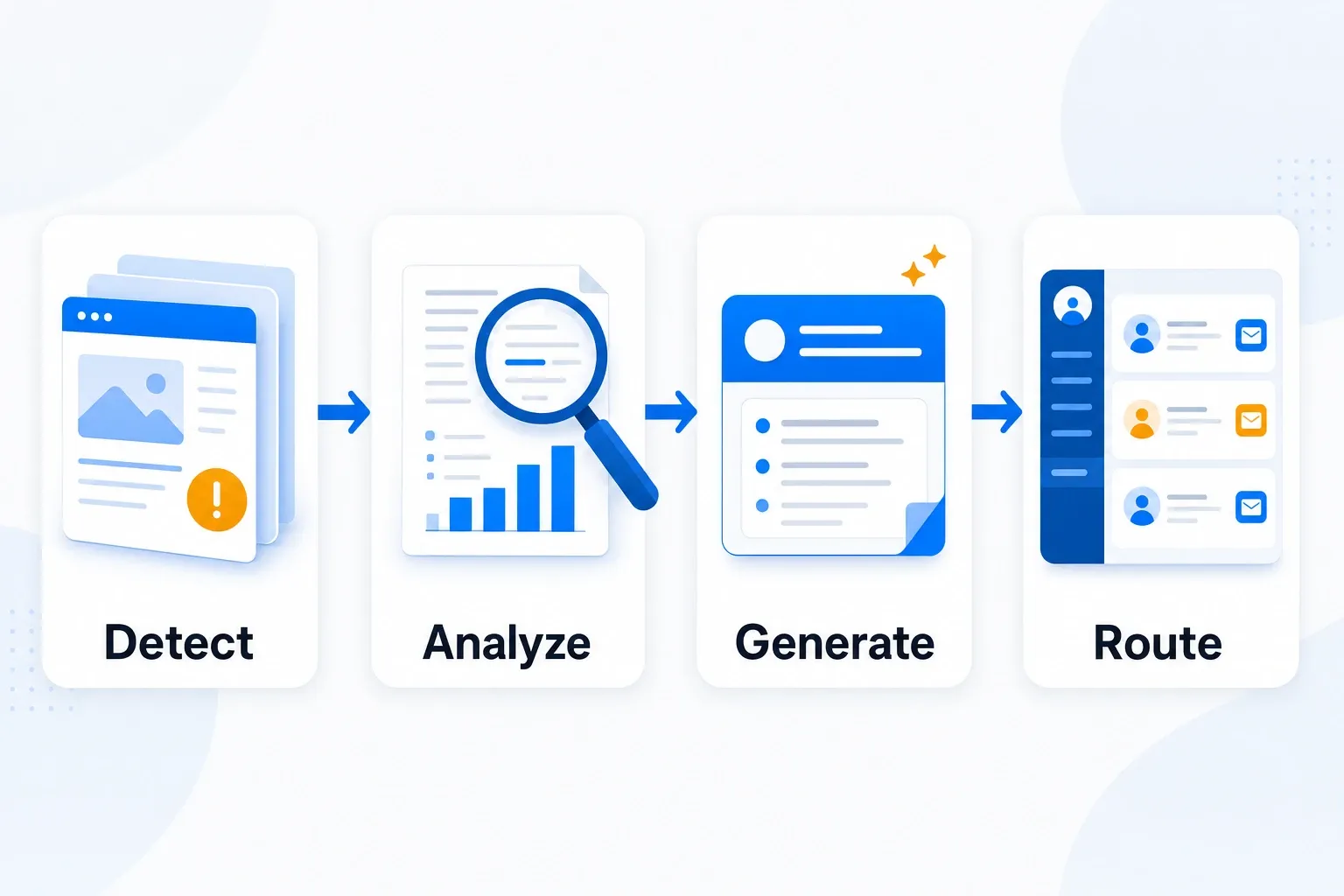
The complete pipeline runs in four steps:
Step 1: Trigger on new filings
Visualping monitors the SEC EDGAR website for specific filing types (10-K, 10-Q, 8-K) from a curated list of target account CIK numbers. When a new filing appears, the automation triggers.
Step 2: Extract and analyze
Visualping AI parses the filing document, searching for:
- New revenue streams or product lines
- Capital expenditure changes
- Personnel announcements (new hires in key functions)
- Risk factor additions or changes
- Guidance revisions
- Acquisition or partnership announcements
- Margin or profitability trends
Visualping AI generates a brief summary of the strategic implications for your business.
Step 3: Generate outreach angles
The same analysis step produces personalized talking points for your sales team. For example:
Filing: Acme Corp 10-K mentions 40% increase in cloud infrastructure spending Outreach angle: "I noticed in your recent 10-K you're investing heavily in cloud infrastructure. We've helped similar companies optimize that spend by 23% through [specific capability]. Thought it might be relevant."
Step 4: Route to CRM with context
The automation creates a task or activity record in Salesforce, HubSpot, or Pipedrive, populated with:
- Filing link and filing date
- Visualping AI insights
- Suggested outreach messaging
- Account context (stage, owner, last contact)
Before and after: manual vs. automated
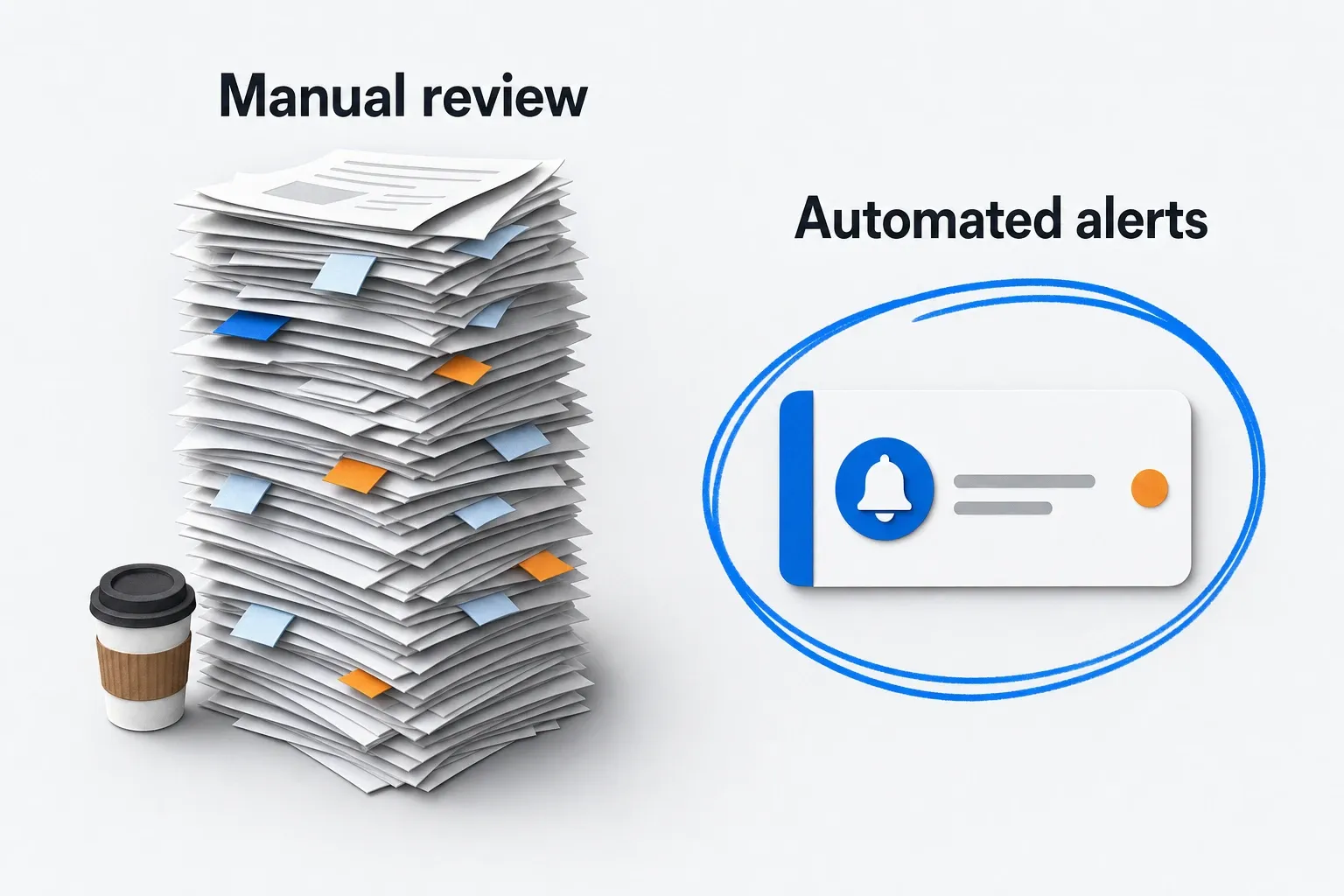
Manual process:
Monday morning, your sales leader asks the team if anyone has reviewed recent filings for target accounts. One AE remembers a filing from two weeks ago. Another checks EDGAR but only for their book of business. The competitive intelligence person was supposed to summarize key filings but is backlogged with other requests.
By Friday, maybe three filings have been reviewed. One triggered a conversation with an existing champion. The others sit in a shared folder.
Time investment: 4-6 hours per week per person, inconsistent coverage, delayed insights, no systematic follow-up.
Automated process:
A Visualping monitor watches 50 target accounts. When Acme Corp files their Q3 10-Q, the automation runs within minutes. Visualping AI analyzes the filing, identifies a shift from on-premise licensing to SaaS recurring revenue (very relevant to your platform), and drafts three outreach angles tailored to your solution.
The automation creates a Salesforce task assigned to Acme's account owner with the insight summary and suggested messaging. An email notification goes to the sales leader and competitive intelligence team with a link to the full analysis.
The account owner reads the context and has a conversation opener ready by lunchtime. A similar approach works for competitor pricing monitoring, where automated alerts catch pricing shifts that affect active deals.
Time investment: 15 minutes to set up, 2-3 minutes per alert to act on insights, 100% coverage of target accounts, immediate routing.
Building the automation: step by step
Prerequisites
- Access to Visualping for EDGAR monitoring and Visualping AI analysis
- Zapier or similar automation platform
- CRM account with API access
Zapier workflow
-
Trigger: Visualping detects new filing
- Set up a Visualping monitor on SEC EDGAR for your target account list
- Configure as: "Monitor for new filings by CIK [list]"
- Webhook trigger in Zapier when new filing detected
-
Action: Fetch filing document
- Use an HTTP webhook step to retrieve the full filing from EDGAR API or Visualping's data
- Store raw text in Zapier's internal storage
-
Action: Parse with Visualping AI
- Send filing text to Visualping AI via Zapier
- Prompt: "Analyze this SEC filing. Extract: (1) Strategic initiatives, (2) Budget/capital changes, (3) Personnel or leadership moves, (4) Risk factors, (5) Revenue impacts. Then generate 3 specific, actionable outreach angles for a B2B SaaS sales team."
-
Action: Look up account in CRM
- Use Zapier's CRM action to find the matching account in Salesforce/HubSpot by company name
- Retrieve account owner and account stage
-
Action: Create task with insights
- Create a new task/activity in Salesforce/HubSpot
- Task fields:
- Title: "[Account Name] - Filed [Filing Type] on [Date]"
- Description: Visualping AI insights + outreach angles
- Assigned to: Account owner
- Due date: Today
- Links: Filing URL, account URL
-
Action: Slack notification
- Post to #sales-intelligence or relevant channel
- Message: Account name, filing type, date, top 1-2 insights, and link to CRM task
If your CRM doesn't have API access
Use Zapier's table storage or Airtable as an intermediate step. Create a new record with:
- Account name
- Filing type and date
- Visualping AI summary
- Outreach angles
- Status field (To Review / Actioned / Archived)
Then manually create the CRM task from this table, or use Zapier's table-to-CRM connectors if available.
Tuning your SEC filing monitoring
Narrow the account list first. Don't monitor all public companies; focus on your actual ICP, the accounts that fit your ACV, vertical, and geography. 100 highly relevant accounts beat 1,000 random targets, and effective competitor tracking starts with a focused list.
Then filter by filing type, because not all filings have equal value. For most sales use cases, prioritize 10-K and 8-K. 10-Qs are quarterly snapshots with less drama, and proxy filings and Form 4s are noise for most teams. The exception is insider-trade tracking, which has its own workflow: SEC Form 4 alerts piped to Slack.
Add a time filter so the workflow only triggers on filings from the past 5 days. Otherwise you'll inherit a backlog of historical filings the first time you set this up.
Segment your outreach angles by what you sell. If you sell security software, have Visualping AI emphasize risk factors. If you sell data platforms, point it at analytical investments. Conditional Visualping AI prompts handle the branching.
And test with 3-5 accounts before going live with 100. Run the workflow manually (or with Zapier test mode) for a week on your highest-priority accounts, verify the insights are accurate and worth acting on, then scale. For additional monitoring approaches, see our guide on tracking websites for investments.
Common SEC filing monitoring challenges and fixes
The filing is 100+ pages and Visualping AI misses key details
Add a pre-processing step. Use Zapier to send only specific sections (Item 1A Risk Factors, Item 7 Management's Discussion) instead of the entire filing. This sharpens accuracy and keeps the analysis focused. The SEC's EDGAR full-text search can help you identify the most relevant sections for your use case.
Multiple filings from the same account create duplicate noise
Add a deduplication step. Check if a task for this account + filing type already exists in the past 30 days. If yes, skip the automation. If no, proceed.
The CRM task gets created but the account owner doesn't act on it
This is partly workflow design. Make sure you:
- Assign tasks to actual people, not queues
- Set the due date to "today" or "tomorrow" (not next month)
- Include a direct link to the task in the Slack notification
- Have the sales leader review the summary before cold outreach (some insights need context)
From filing to qualified conversation in 24 hours
The scenario below shows the pipeline end to end. Company names, numbers, and outreach angles are examples, not real data.
Let's say you're an account-based marketing team selling data infrastructure to financial services companies. Your target accounts include JPMorgan, Goldman Sachs, and Morgan Stanley.
Monday morning: Visualping detects that JPMorgan filed their latest 10-K. The Zapier automation triggers within 5 minutes of the filing posting on EDGAR.
Visualping AI analyzes the full 10-K and extracts: "JPMorgan increased capital expenditure in technology infrastructure by $1.2B YoY, with specific focus on 'machine learning and data analytics for risk modeling.' New Chief Analytics Officer hired in Q3."
Visualping AI generates outreach angles:
- "Saw in your 10-K that you're building a major analytics capability. We've helped similar banks accelerate that timeline by 40% with our platform."
- "Your tech capex is up significantly YoY. That's often a signal for tooling changes. Happy to discuss how we're helping peers reduce costs while scaling."
- "New Chief Analytics Officer in Q3? That's usually a sign of shifting priorities. Would be worth a conversation about [specific capability]."
The automation creates a Salesforce task and assigns it to JPMorgan's account owner with all three angles and the filing link.
Monday 9:30am: The sales leader receives a Slack message: "JPMorgan filed their 10-K. Visualping AI insights in Salesforce task [link]. Top signal: Major analytics infrastructure investment."
Monday 10am: Account owner reads the task, finds it relevant to an open opportunity, and forwards one of the suggested angles to their champion contact with minor customization.
Tuesday: The champion responds positively, and you have a conversation scheduled.
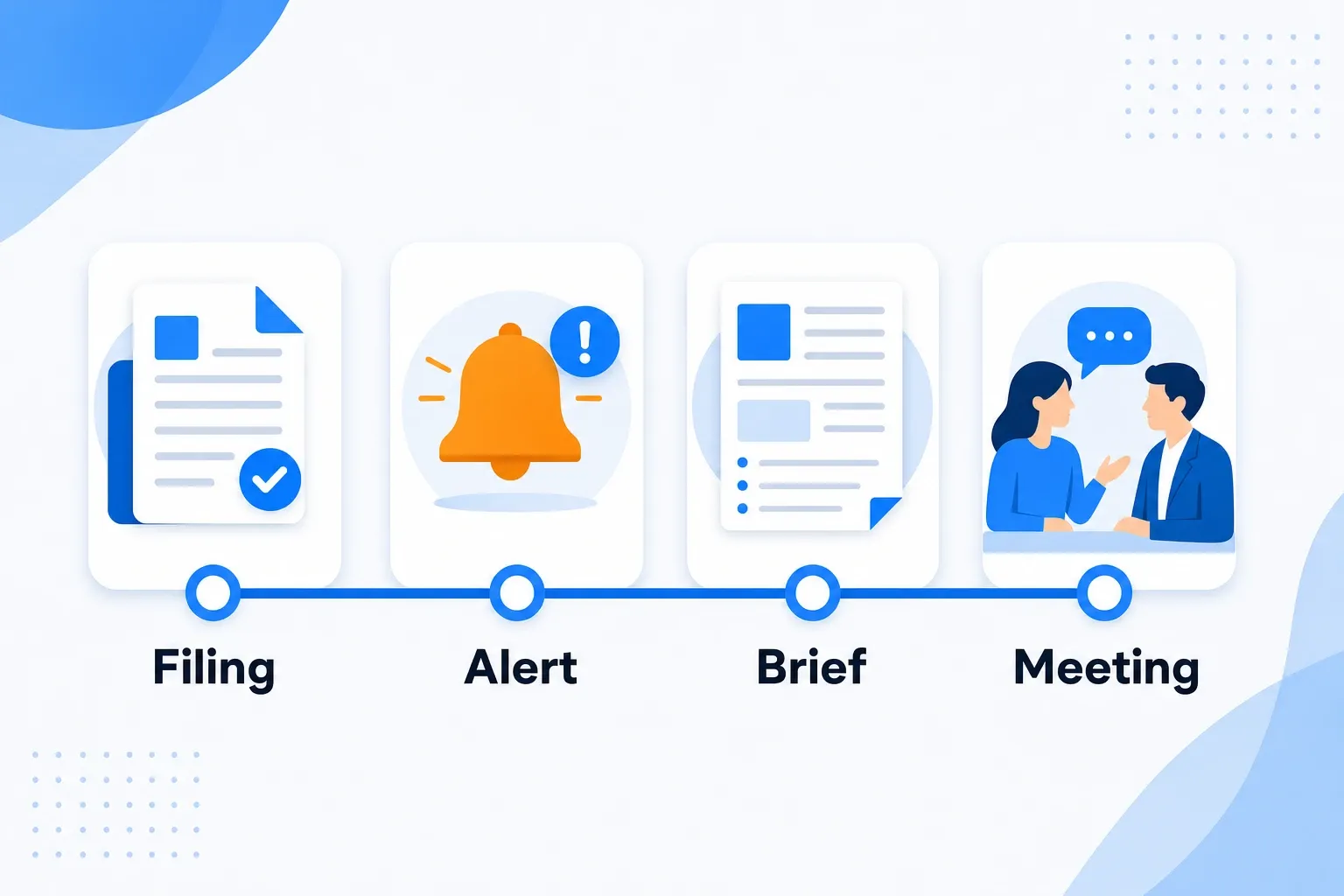
Time from filing to qualified conversation: 24 hours. Without SEC filing monitoring automation, you'd discover this insight through a news clipping weeks later, or not at all. This is why competitive intelligence gathering from primary sources outperforms relying on secondhand reports.
Start small, scale smart
-
Define your target account list. 50-150 accounts with real ACV and clear buying authority in your solution.
-
Identify 3-5 filing types that matter for your business (usually 10-K and 8-K).
-
Set up Visualping monitoring for these accounts on EDGAR or your industry-specific filing databases (for private companies, monitor news aggregators instead).
-
Build the Zapier automation using the step-by-step workflow above. Test with one account first.
-
Refine your Visualping AI prompts. What insights does your team actually use? Bake that into your prompt.
-
Measure. Track how many insights convert to conversations or pipeline. After a month, you'll know if this is worth scaling.
The filings are already there
SEC filings are public, free, and full of strategic intent. Most teams miss them because they haven't set up SEC filing monitoring that runs consistently.
Combining Visualping's website change detection with Visualping AI analysis and CRM routing turns regulatory documents into outreach triggers. Your sales team gets current intelligence instead of stale news clippings, and they can act on it the same day.
The filings keep arriving whether you read them or not. Watching them is the cheap part.
Ready to automate your filing intelligence? Try this Zapier template to get started with SEC filing monitoring in 10 minutes.
Want to monitor any website for similar signals? Start a free Visualping trial and watch for changes on competitor sites, customer career pages, and industry data sources.
Frequently asked questions
What SEC filing types are most useful for sales intelligence?
10-K annual reports and 8-K current reports carry the strongest sales signals. 10-Ks disclose strategic direction, risk factors, capital allocation, and competitive positioning in detail. 8-Ks announce material events like acquisitions, leadership changes, and major contracts as they happen. 10-Q quarterly reports are useful for tracking trends over time but contain less strategic signal per filing. For most sales teams, starting with 10-K and 8-K monitoring covers the majority of useful intelligence.
How quickly can SEC filing monitoring detect new filings?
Visualping can check EDGAR pages as frequently as every 2 minutes on Business plans, or hourly on the free plan. Across the platform, nearly half of SEC.gov monitors run sub-hourly checks. These users want to know about new filings within minutes, not days. The full automation pipeline (detection, Visualping AI analysis, CRM routing, Slack notification) typically completes within 10-15 minutes of a filing appearing on EDGAR. Compare that to the days or weeks most teams take to manually discover the same filing.
What CRM integrations work with this workflow?
Any CRM with a Zapier integration works: Salesforce, HubSpot, Pipedrive, Zoho, Close, and others. The workflow creates tasks or activity records via Zapier's native CRM connectors. If your CRM lacks a Zapier integration, you can use Airtable or Google Sheets as an intermediate step and route insights from there.
Is it legal to monitor SEC filings for sales purposes?
Yes. SEC filings are public documents filed with a federal agency specifically for public disclosure. Accessing and analyzing them for business intelligence is a standard, legal practice. EDGAR's full-text search and company filings are freely available at sec.gov. Automated monitoring of these public pages is no different from checking them manually.
How many accounts should SEC filing monitoring cover?
Start with 3-5 high-priority accounts to validate the workflow and confirm your team acts on the insights. Once the process is working, expand to 50-150 accounts. Going beyond 150 typically introduces more noise than signal unless you have a dedicated competitive intelligence function to triage alerts. Match your monitoring scope to your team's capacity to act on what surfaces.
Can this approach work for private companies that don't file with the SEC?
Not with SEC filings directly, since private companies don't file public documents. But the same automation pattern applies to other public data sources: monitoring competitor websites for competitive pricing analysis, tracking press release pages, watching job posting pages for hiring signals, or monitoring industry news aggregators. Visualping can monitor any public web page, so the trigger step adapts to whatever source carries the intelligence you need.
Related automation workflows
- Competitor Pricing Monitoring: Never Get Caught Off Guard. Track pricing page changes across your competitor set.
- Account Expansion Signals: Catch Growth Before Competitors. Detect hiring velocity spikes on customer careers pages.
- Terms of Service Monitoring: Automate Vendor Compliance. Catch vendor contract changes before they create compliance risk.
- See all 12 workflows →
Questions about setting this up? Reach out to our automation team, or check out our guide on detecting account expansion signals for more sales intelligence automation workflows.
Want to monitor web changes that impact your business?
Sign up with Visualping to get alerted of important updates from anywhere online.
Eric Do Couto
Eric Do Couto is the Head of Marketing at Visualping. He leads content strategy, growth operations, and brand positioning for website change detection.
More articles by Eric Do Couto