Upgrade Your Government Grant Monitoring with Visualping
By Emily Fenton
Updated August 20, 2024

How to Monitor Government Grants with Visualping
At a glance
What it does: Monitors any government grant webpage and emails you the moment a deadline, eligibility requirement, funding amount, or new round changes.
Tools: Visualping (monitoring + alerts) + email (delivery)
Workflow: Paste grant URL -> Select section to watch -> Set check frequency -> Add email -> Receive instant alerts on changes
Setup time: ~5 minutes | Ongoing effort: Review alerts as they arrive
Government grant pages change without warning. A deadline shifts, a new funding round opens, or eligibility criteria update, often buried in a table revision that never gets announced anywhere. For nonprofits, research institutions, and government contractors that depend on public funding, missing those changes can mean losing a grant entirely.
Visualping monitors any government grant webpage and sends an email alert the moment something changes. This guide covers why grant monitoring matters, what specific changes to watch for, and how to set up Visualping in four steps.
Why Monitor Grants?
Government funding programs operate on tight windows. Grant programs can close early, funding amounts shift mid-cycle, and application requirements get amended without email announcements to current applicants.
The consequences of missing an update range from submitting an incomplete application to missing a deadline extension that a competing organization caught. Compliance requirements in particular change frequently: a federal grant with strict reporting conditions can add new documentation requirements mid-award, and organizations that miss those updates risk clawbacks or disqualification from future funding rounds.
Manual checking by refreshing the same pages weekly is not a reliable system. Pages change between checks, and no human can watch dozens of grant databases simultaneously.
What Grant Page Changes Should You Monitor?
Not all grant page changes carry equal urgency. The highest-priority changes to catch:
Application deadlines: Extensions and early closures happen regularly. A deadline that moves two weeks earlier can cut your preparation time in half.
Eligibility criteria: Funders revise who qualifies, sometimes adding or removing entire categories of applicant organizations. An eligibility change that excludes your entity type is worth knowing the day it posts.
Funding amounts: Grant sizes get adjusted when appropriations change. Knowing a program increased its award ceiling mid-cycle can affect whether you apply at all.
New funding rounds: Recurring programs announce new rounds on the same URLs where previous rounds lived. Monitoring those pages means you see the announcement when it goes live, not when someone emails a listserv about it days later.
Relying on Manual Tracking of Grant Information
Many organizations rely on traditional methods of tracking grants: manually checking pages for updates, subscribing to newsletters, or waiting for alerts from grant aggregators. Manual checking is time-consuming and prone to gaps; pages change between your visits, and spam filters can divert important messages.
Ineffective monitoring leads to compliance gaps, missed application windows, and in some cases, lost grants that a better-informed competitor secured. If your organization is checking grant pages manually across multiple funding sources, the process itself becomes a bottleneck.
What is Visualping?
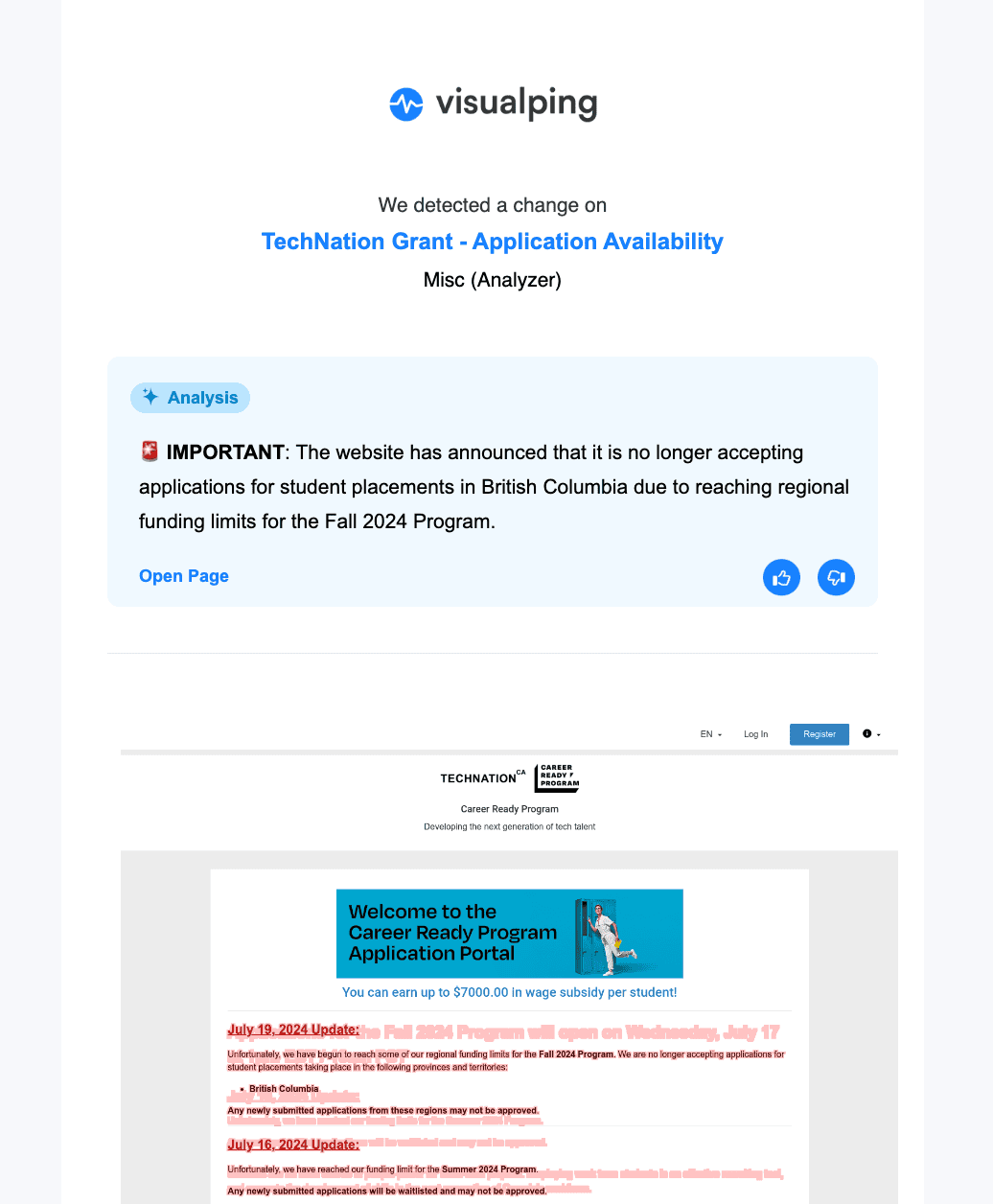
Visualping is a web monitoring tool that tracks any webpage and alerts you by email when changes appear. Set up a monitor on a grant page and Visualping checks it at whatever interval you choose, from every five minutes to once a day, then sends an email with an AI-generated summary of what changed and a visual comparison showing exactly where on the page the change appeared.
Its core features for grant tracking: you can select a specific section of the page (useful for watching just the "Open Grants" table rather than the full site), configure keyword alerts to trigger only when specific terms like "deadline" or "amendment" appear, and manage multiple grant pages from a single dashboard. For grant managers handling several funding sources at once, this replaces the manual refresh cycle with a single notification inbox.
How to Monitor Grants with Visualping
Step 1: Input the Web Address into the Search Box on Visualping's Main Page
Open your browser and locate the grant page you want to track, then copy the link from the URL bar. Visit Visualping and paste the URL into the search box to open the viewfinder, where you can specify which portion of the page to watch.
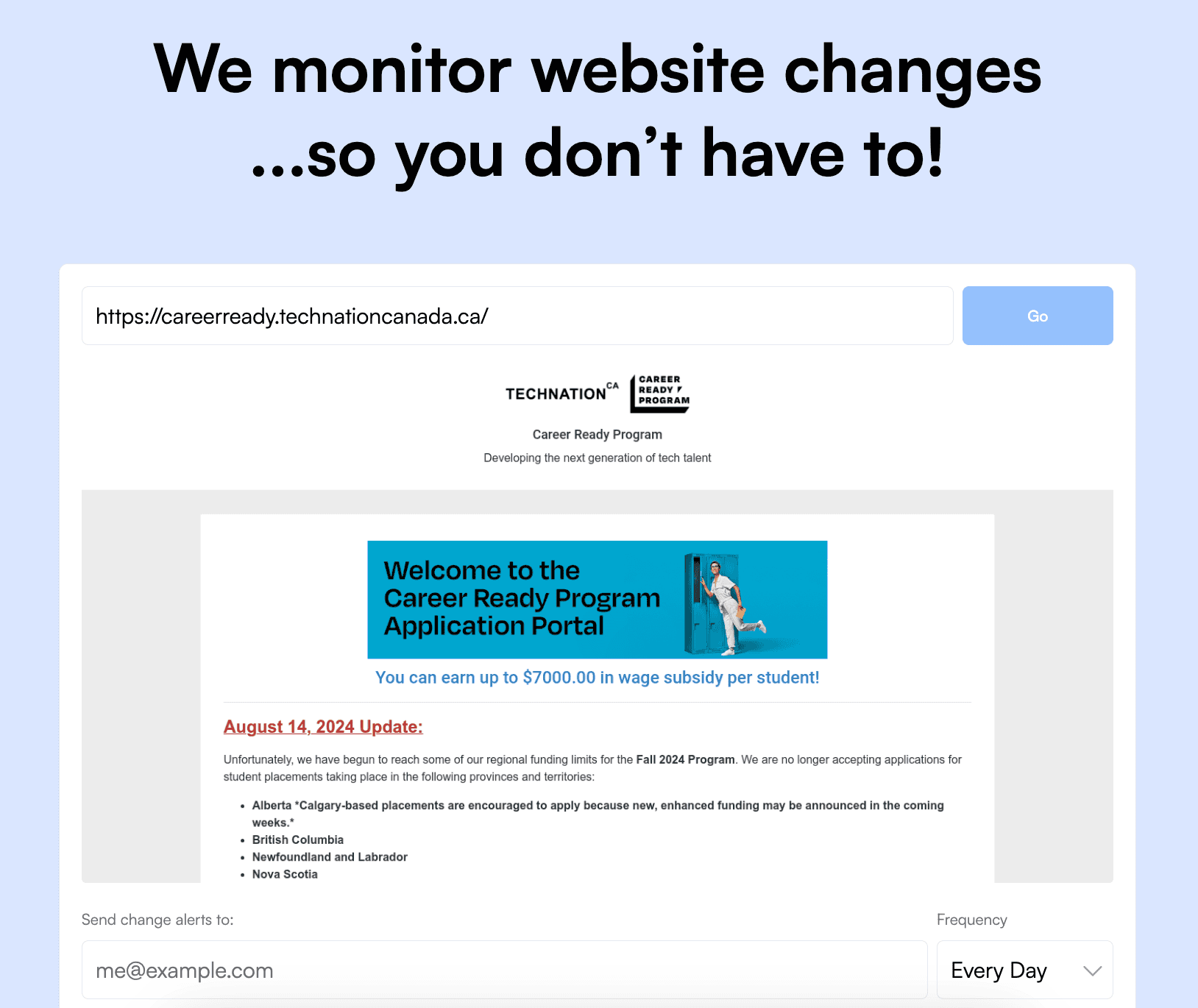
Step 2: Specify the Part of the Webpage You Wish to Track
Select the specific section of the page you want to monitor: the funding table, the deadline row, or the eligibility section. You can also configure keyword alerts so Visualping only notifies you when particular words like "extended" or "closed" appear in that section.
Step 3: Set the Frequency for Visualping to Check for Updates
Choose how often Visualping checks the page. Intervals range from every five minutes for high-priority grants approaching their deadline, up to once a month for programs you want to keep on your radar without daily noise. Match the check frequency to the urgency of the grant.
Step 4: Provide the Email Address for Update Notifications on Grant Publications
Enter the email address where you want alerts sent. Use an address you check regularly so you see grant page changes as soon as Visualping detects them. You can add multiple email recipients on team plans.
Frequently Asked Questions About Grant Monitoring
How often do government grant pages update?
Federal and state grant pages update irregularly; some change daily during active funding cycles, others sit dormant for months. The safest approach is automated monitoring at a frequency matched to the grant's urgency. Visualping lets you set check intervals from every 5 minutes to once a month.
Can I monitor multiple grant pages at once?
Yes. You can add as many URLs as your Visualping plan allows. Free accounts support up to 5 monitored pages; paid plans scale from there. Most grant managers monitor the main program page, the application guidelines page, and the awardee list as separate monitors.
What types of changes does Visualping detect?
Visualping detects any visual change to a webpage: text added or removed, tables updated, new sections appearing, or content shifting. You can limit monitoring to a specific region of the page (for example, just the "Upcoming Deadlines" table) to reduce noise from unrelated site updates like navigation changes.
What happens when Visualping detects a change?
You receive an email with an AI-generated summary of what changed and a before-and-after visual comparison of the page. The summary explains the change in plain language so you can judge its relevance without reopening the grant page.
Is grant monitoring free on Visualping?
Visualping's free plan supports up to 5 monitored pages checked every 24 hours. For organizations monitoring many funding sources or needing faster check intervals, paid plans start at $10 per month billed annually.
Conclusion
Government grant monitoring is straightforward to configure and prevents the kind of missed-deadline mistakes that cannot be undone after the fact. Visualping runs in the background and alerts you when something changes, so checking whether the grants page updated today is never on your to-do list.
On the contracts side of federal spending, our guide to the federal procurement data system covers where award data lives after the 2026 SAM.gov migration.
Want to know when there's new info on a grant?
Sign up with Visualping to start monitoring grant web pages now.
Emily Fenton
Emily was the Product Marketing Manager at Visualping. She has a degree in English Literature and a Masters in Management.
More articles by Emily Fenton