Faster Checks Than ChangeTower's Self-Serve Plans
ChangeTower's self-serve plans check daily or hourly. Visualping checks every 15 minutes from $10/mo billed annually, and as often as every 2 minutes on higher plans, with an AI summary in every alert.
Pricing alert: SEMRush raised Starter from $139 to $199/mo (+43%). Visualping caught it within 2 minutes. On ChangeTower Lite's daily check, it would show up tomorrow.
| Monitored Page | Type | What Changed | When | Flag | |
|---|---|---|---|---|---|
| 1 | semrush.com/pricing Pricing page | Visual | Starter plan increased from $139 to $199/mo | Apr 4 | IMPORTANT |
Visual Difference Detected 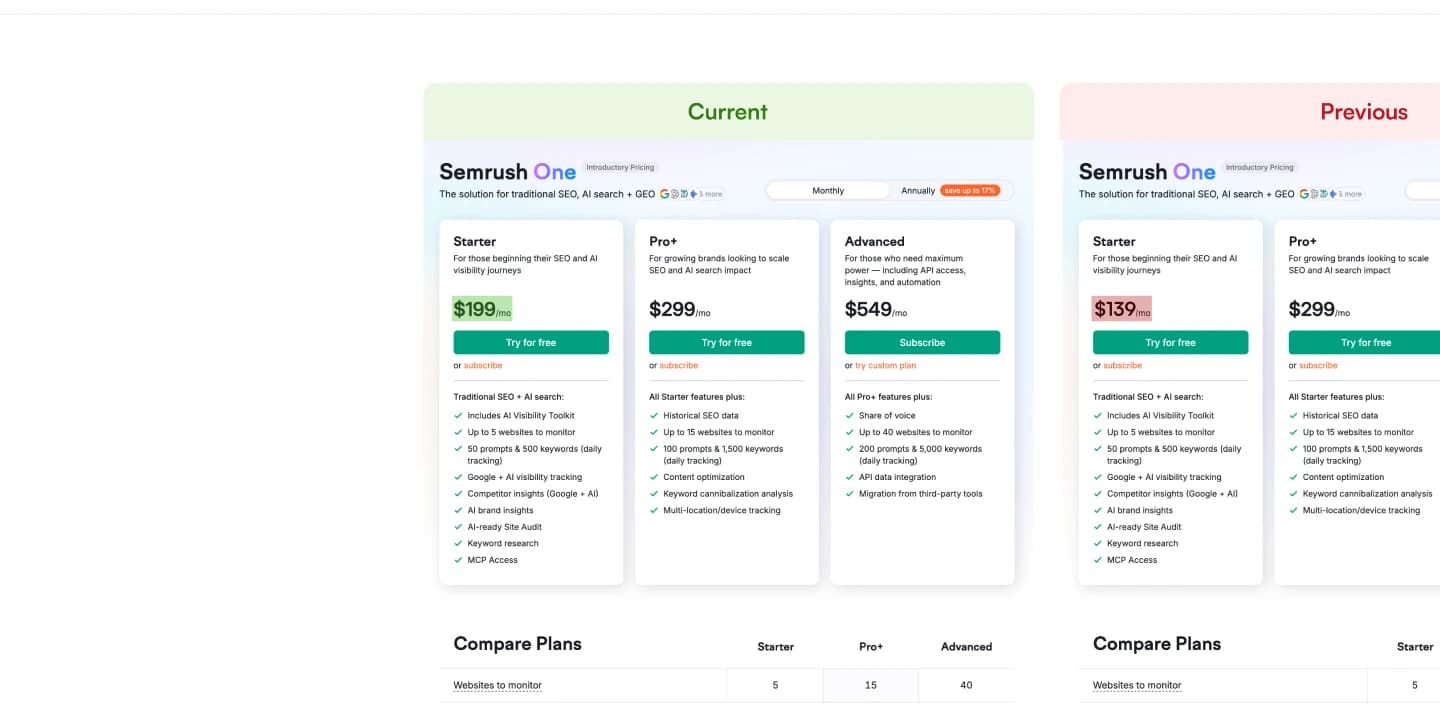 | |||||
| 2 | competitor.com/features Product page | Text | Added “AI-powered analysis” to feature list | Apr 3 | |
| 3 | rival.co/pricing Pricing page | Visual | Pricing table redesigned, new tier cards | Apr 2 | |
| 4 | changetower.com Homepage | Keyword | New tagline: “Your AI website monitoring assistant” | Apr 1 | |
Fast Alerts Win Deals.
15-Minute Checks on the Entry Plan
ChangeTower Lite checks daily, and Essential and Business check hourly. Visualping Personal checks every 15 minutes from $10/mo billed annually, and as often as every 2 minutes on higher plans.
Every Change in One Plain Sentence
Alerts lead with a sentence like "Competitor raised Enterprise pricing from $499 to $699/mo." Your sales team can paste it straight into Slack.
Webhooks and API on Every Plan
Webhooks and the API come with every Visualping plan, including Free, and Business adds Slack and Microsoft Teams from $100/mo billed annually. ChangeTower starts Slack and webhooks at Business ($78/mo), and its native Teams integration is still on a waitlist.
A 24-Hour-Old Alert Is Yesterday's News
ChangeTower Lite checks once a day. ChangeTower Essential checks hourly. By then your competitor shipped the pricing page.
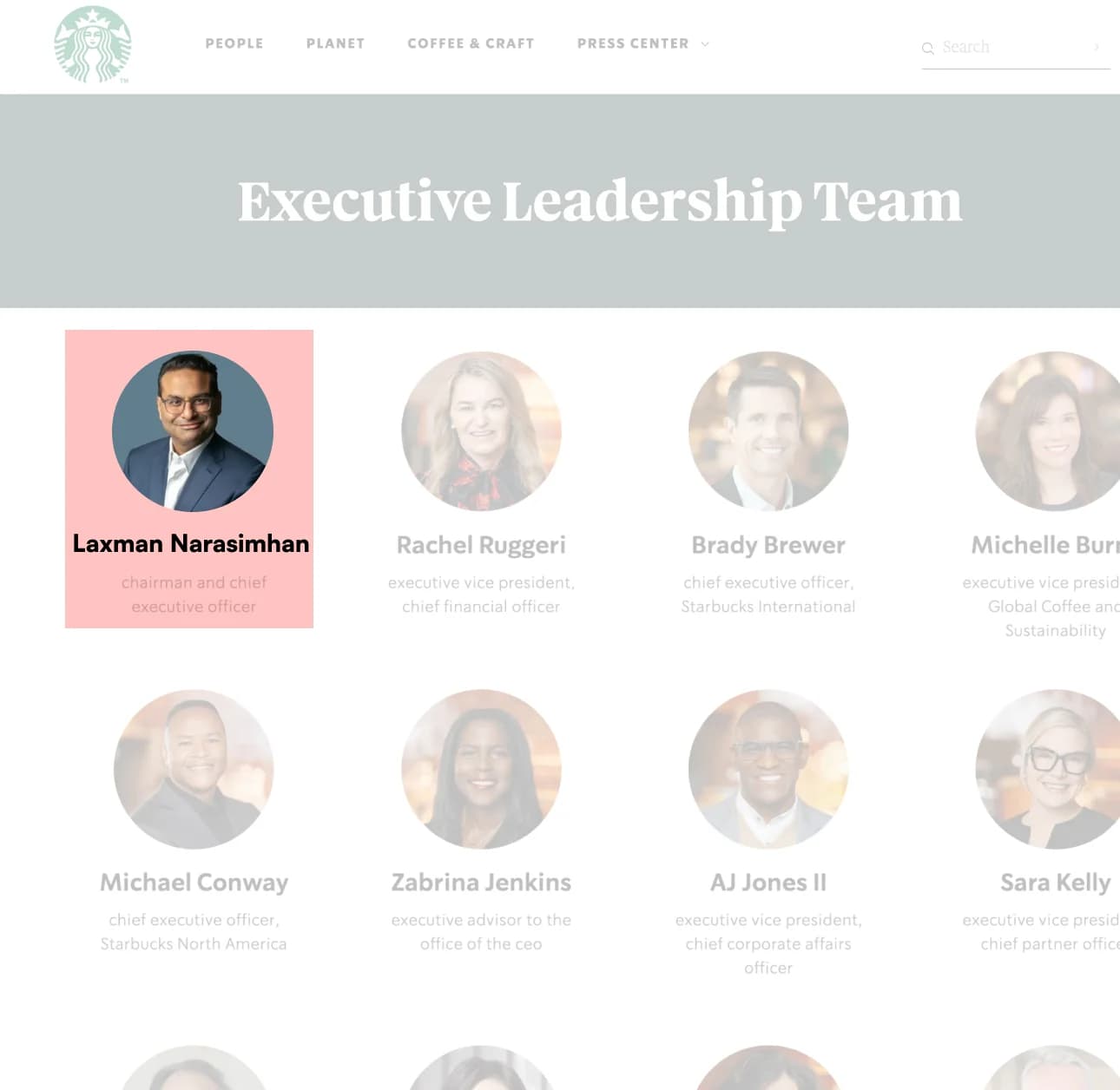
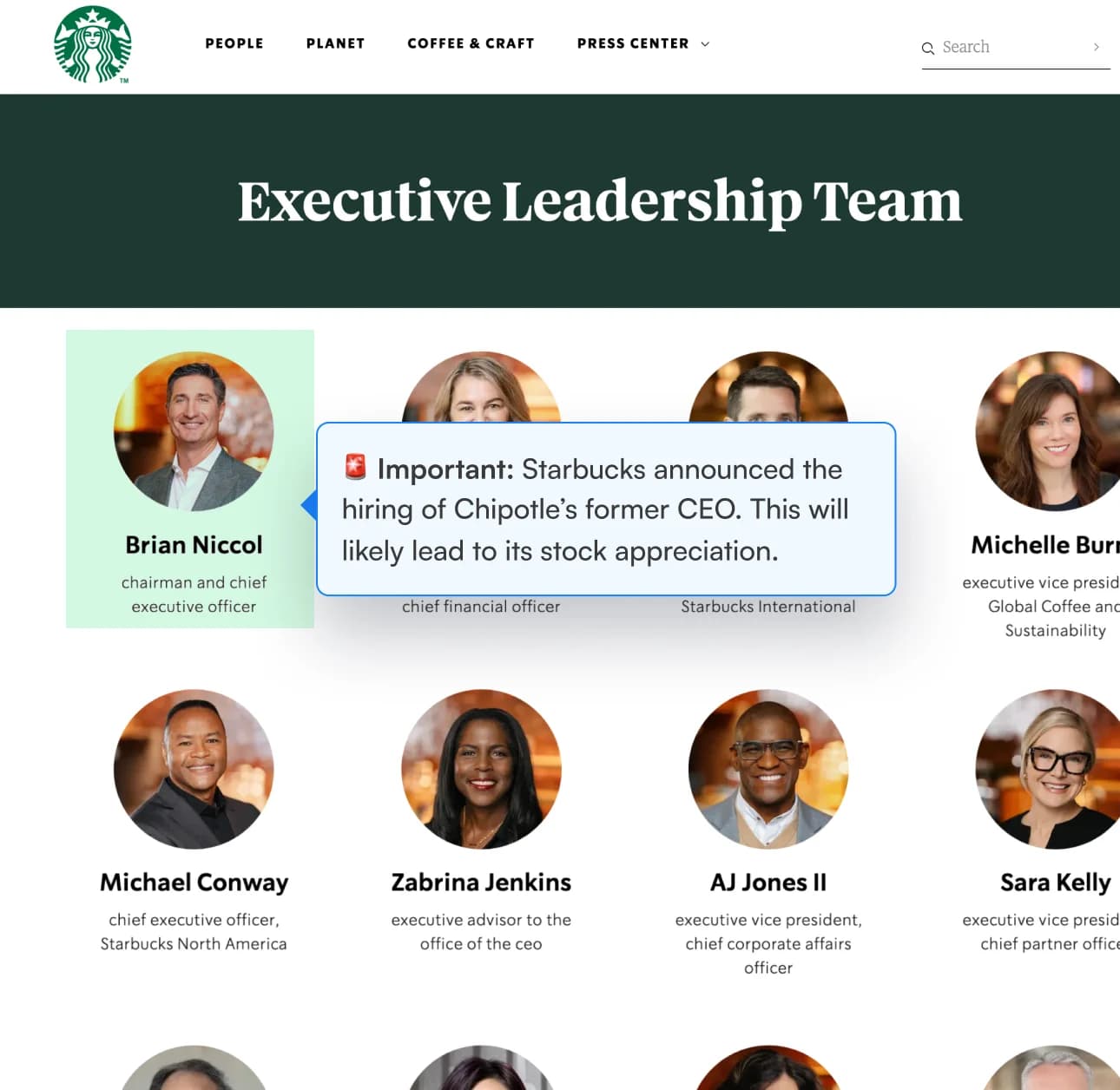
15-minute checks on the entry plan.
Visualping Personal starts with 15-minute checks at $10/mo billed annually ($14 month to month) and goes as fast as every 2 minutes on higher plans. ChangeTower Lite ($12) checks daily, and Essential ($36) and Business ($78) check hourly. Every self-serve ChangeTower plan checks hourly or slower.
One verdict per change: IMPORTANT or not.
Visualping AI labels every change IMPORTANT or not, so your team reads the changes that matter first. Tell it what counts in plain words with an "Alert me when" condition, on every plan.
One weekly briefing, for your whole team.
Individual alerts catch each change. Visualping rolls a week of changes into one Report.
Reports come with Business plans, with AI summaries, team comments, and IMPORTANT flags at the top.
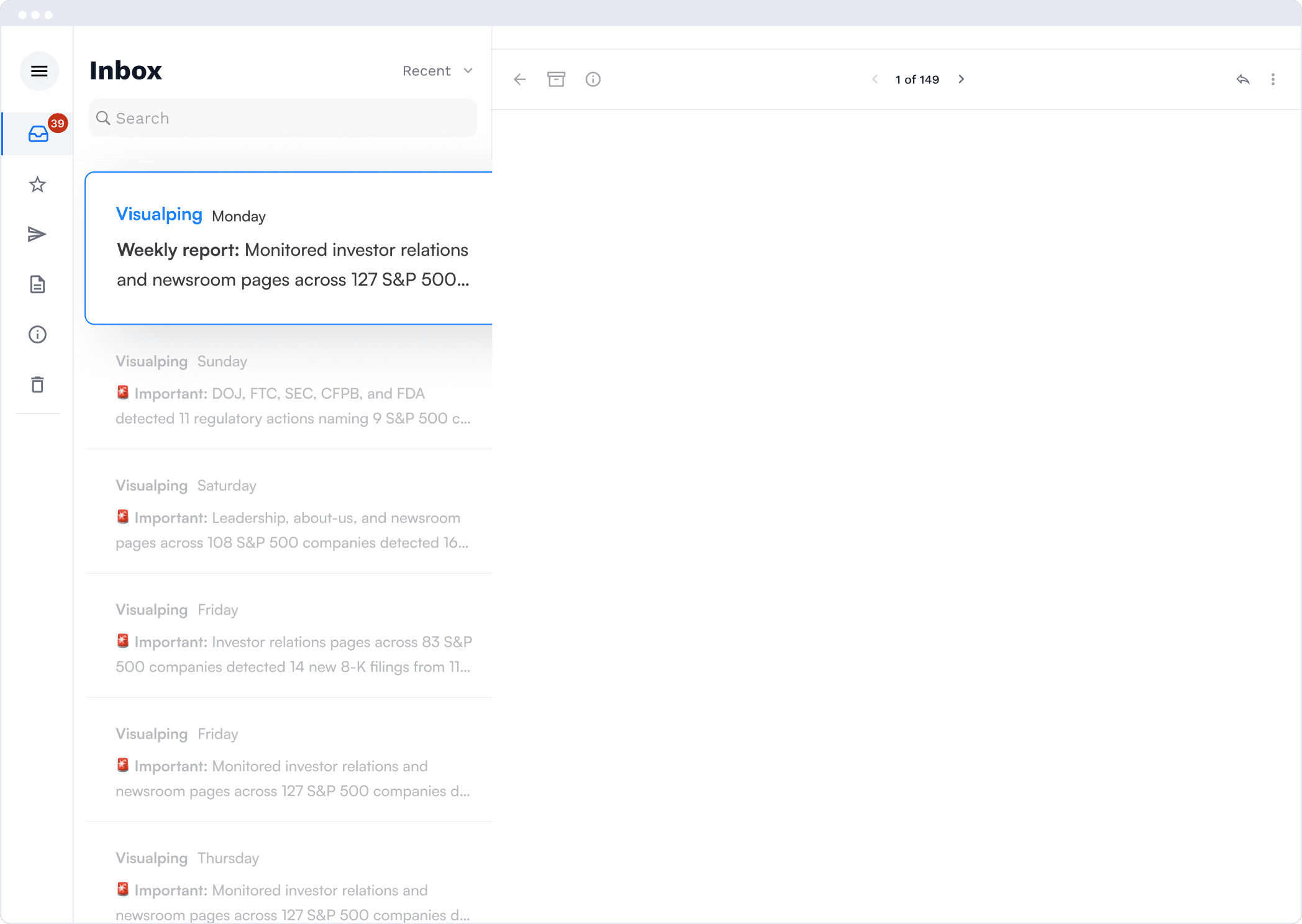
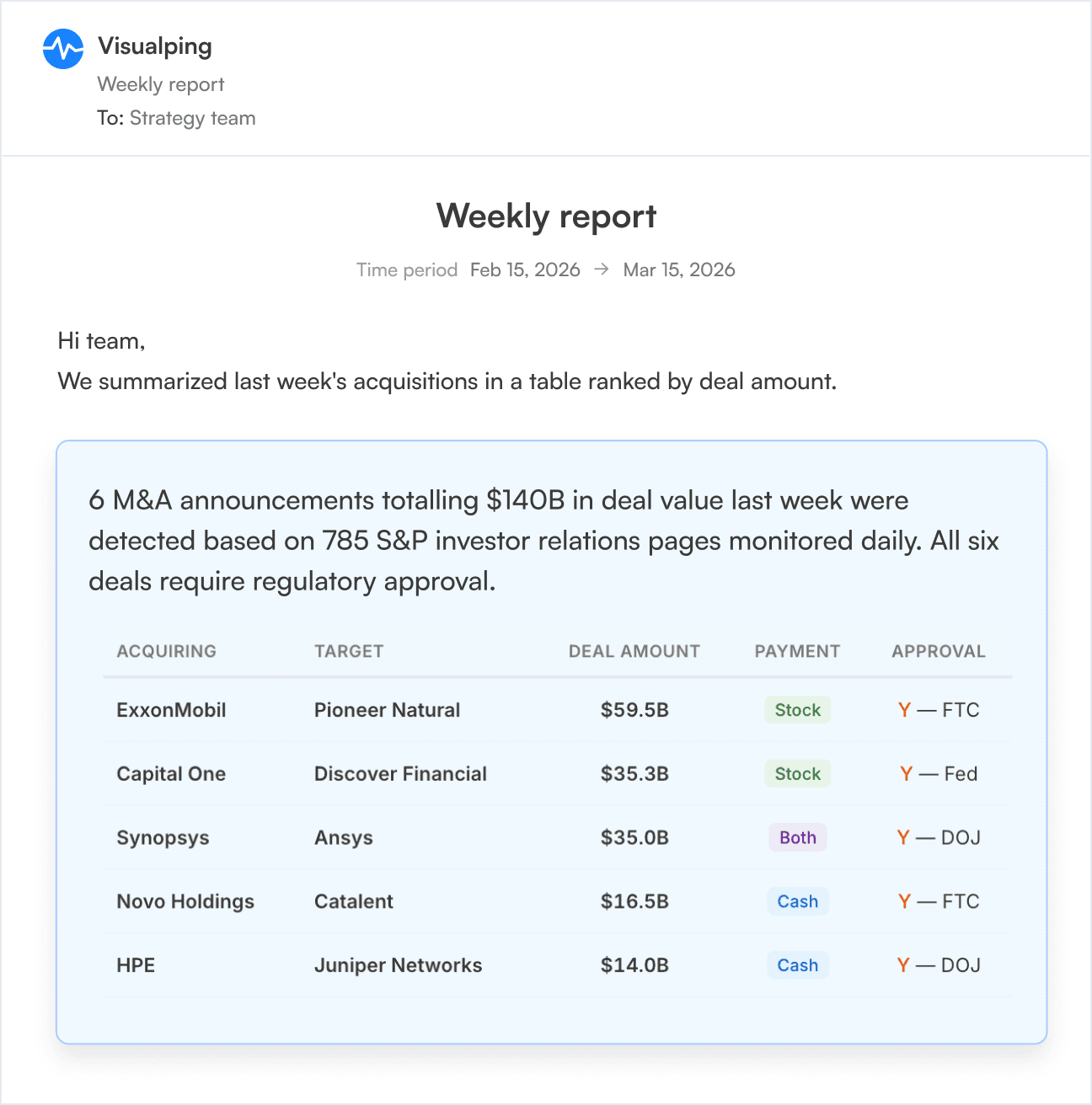
Inside Visualping: the AI summary
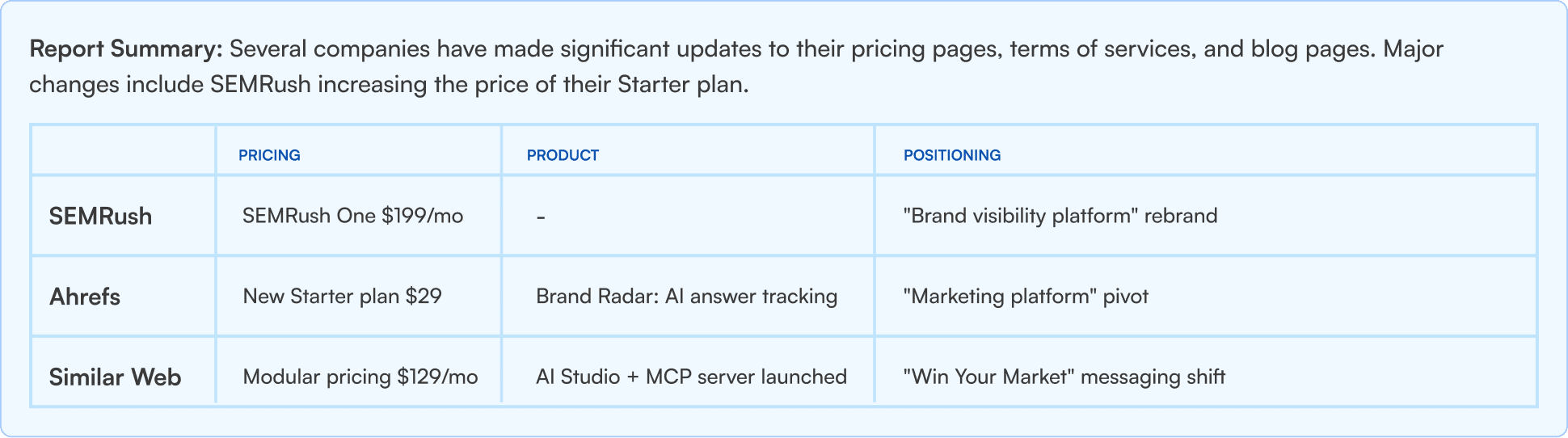
The AI tells you what to read first. Big moves up top. Share in one click.
Let Visualping Find the Pages for You
ChangeTower's Domain Scan, on its Enterprise plan, hands you a list of URLs to sort through. Visualping's Domain Monitoring starts the pages that matter and pauses the ones that stop mattering, on its own.
Visualping Assistant
Chat inside your dashboard. Ask it to create a monitor, change a schedule or notifications, run a check, or flag a change. It knows your monitors and answers questions about Visualping.
Every plan, in betaDiscovery
Describe what you want to watch, in your own words. Discovery suggests up to five pages at a time, with the reason each one fits, matched to what your workspace already monitors. Start the ones you like in one click. Searches use no credits.
Every planDomain Monitoring
Point it at a domain you already monitor. Visualping watches for new URLs, starts monitoring the pages that match what you care about, and pauses the pages that stop mattering. Your page allowance, and your alerts, go to the pages that count.
Solutions plans, on requestBulk Import and Bulk Update
Paste a list of URLs, with names if you have them, and create every monitor at once. Then select monitors in your list to pause, run, delete, or change the check frequency, notifications, and alert condition in one go.
Every plan, including FreeBulk import creates monitors up to your plan's page limit. Domain Monitoring is available with Solutions plans, on request.
Three playbooks worth stealing
Best AI competitor monitoring tools, ranked
How ChangeTower, Visualping, and the rest compare on signal quality, pricing, team features, and enterprise readiness.
See the comparison →What AI monitoring does (and doesn’t)
What AI summaries, visual diffs, and smart alerts really do, what's marketing, and what to test first.
Open the guide →Monitor at scale with the Visualping API
Webhooks, bulk creation, team workspaces, and automation, with the API on every plan, including Free.
See the API docs →85% of the Fortune 500 Use Visualping
One caught a pricing change 4 hours before their sales team did.



What ChangeTower Switchers Ask
Why do ChangeTower users switch to Visualping?
Speed, integrations, and setup. Visualping Personal starts with 15-minute checks at $10/mo billed annually and goes as fast as every 2 minutes on higher plans. ChangeTower Lite at $12/mo checks once a day. Webhooks and the API come with every Visualping plan, SMS starts at Personal $25/mo billed annually, and Business, from $100/mo billed annually, adds Slack and Microsoft Teams. ChangeTower keeps domain scanning, multi-region checks, and workflow review on Enterprise. On Visualping, Discovery suggests pages from a description on every plan, and Domain Monitoring is available with Solutions plans, on request.
Can I import my ChangeTower monitors into Visualping?
Yes. Copy the URLs from your ChangeTower monitor list and paste them into the Bulk tab under Start monitoring, one URL per line. To keep names, paste two columns from a spreadsheet: the URL, then the name. Bulk import works on every plan, including Free, up to your plan's page limit (Free: 5, Personal: 10–40, Business: 200 to 500).
Does Visualping cover the same change types ChangeTower does?
Yes. Visual, text, keyword, HTML, and source-code changes all work. Visualping compares full-page screenshots and alerts on the visual change itself, which catches layout shifts, image swaps, and pricing-table redesigns.
Does Visualping have AI summaries like ChangeTower?
Yes. Both products put an AI summary in the alert. Visualping adds the binary IMPORTANT flag: every change is either IMPORTANT or not, so your team reads the important ones first. Visualping's AI summaries and flag come with every plan, including Free.
Can I run ChangeTower and Visualping side-by-side during migration?
Yes. Run both for a week or two. Compare alert speed and signal quality. Cancel ChangeTower when you're ready. Our free plan makes the comparison risk-free.
Do I have to find every page to monitor myself?
No. Describe what you want to watch on the Discovery tab and Visualping suggests pages, matched to what your workspace already monitors, without using credits. With Solutions plans, on request, Domain Monitoring watches the domains you monitor for new URLs, starts monitoring the relevant pages, and pauses the ones that stop mattering. And when you already have the list, paste it into the Bulk tab on any plan.
Can I manage monitors by chatting with Visualping?
Yes. The Visualping assistant lives in your dashboard on every plan. Ask it to create a monitor, change a schedule or notifications, run a check, or flag a change, and it does it. Chat history is kept on paid plans.
Start free. Plans from $10/mo billed annually.
Switch from ChangeTower and check pages as often as every 2 minutes.