The Fluxguard Alternative With AI Summaries on Every Plan
Visualping AI summarizes every change and flags whether it matters, with unlimited summaries on every plan, including Free. Business teams add labels, scheduled Reports, and Slack or Microsoft Teams alerts.
Pricing alert: SEMRush raised Starter from $139 to $199/mo (+43%). Visualping flagged it IMPORTANT and recorded the other 16 changes as minor.
| Monitored Page | Type | What Changed | When | Flag | |
|---|---|---|---|---|---|
| 1 | semrush.com/pricing Pricing page | Visual | Starter plan increased from $139 to $199/mo | Apr 4 | IMPORTANT |
Visual Difference Detected 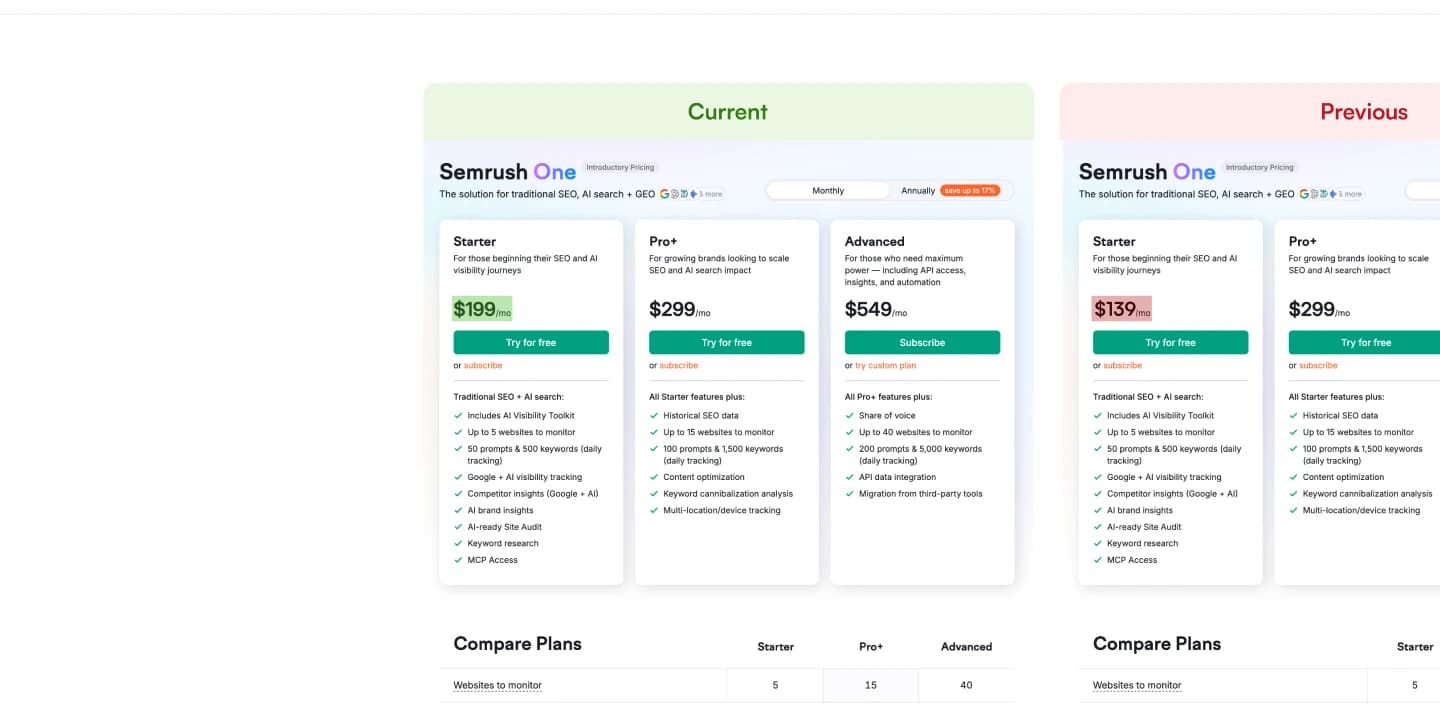 | |||||
| 2 | competitor.com/features Product page | Text | Added “AI-powered analysis” to feature list | Apr 3 | |
| 3 | rival.co/pricing Pricing page | Visual | Pricing table redesigned, new tier cards | Apr 2 | |
| 4 | fluxguard.com Homepage | Keyword | New hero image | Apr 1 | |
Visualping Summarizes Every Change and Flags the Important Ones
Binary IMPORTANT Flag
Visualping AI gives every change one verdict: important or not. Important-only alerts are on by default, so minor edits are recorded without pinging anyone. Tell it what counts in plain words with "Alert me when", on every plan.
Plain-English AI Summaries
Each alert puts a Visualping AI summary above the raw text changes, such as "Enterprise plan price rose from $499 to $699 a month." Read it by email on any plan, or in Slack or Microsoft Teams on Business.
Unlimited AI Summaries
On Visualping, a check is one visit to one page, and AI summaries are unlimited on every plan. Fluxguard runs on credits: one per page crawled, plus extra credits for AI summaries (3 or 5 per new version), English translation (4 per page crawled), and enhanced proxies (4 or 9 per page crawled), per its public FAQ in October 2026.
Tell Visualping What Matters in Plain Words
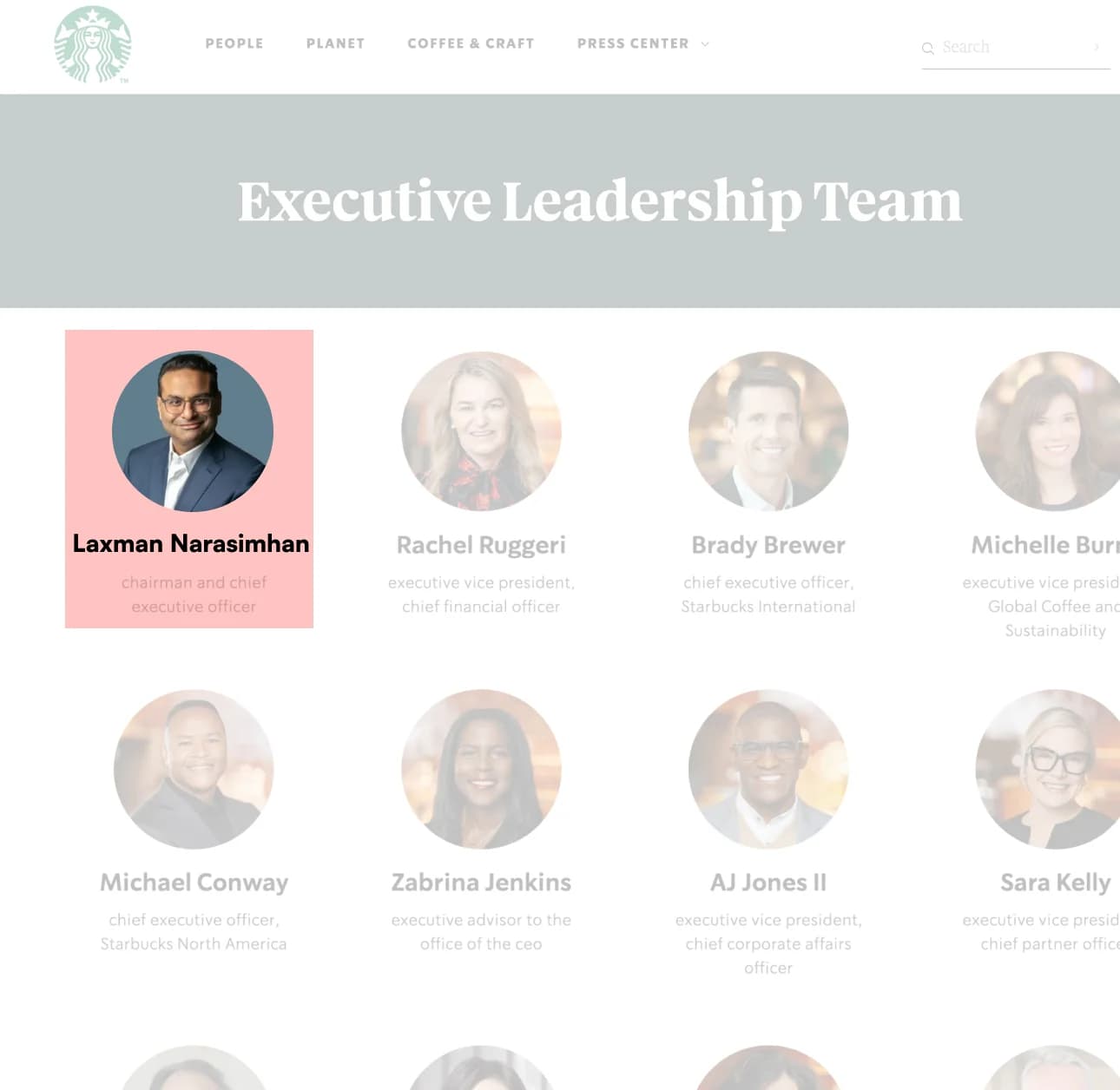
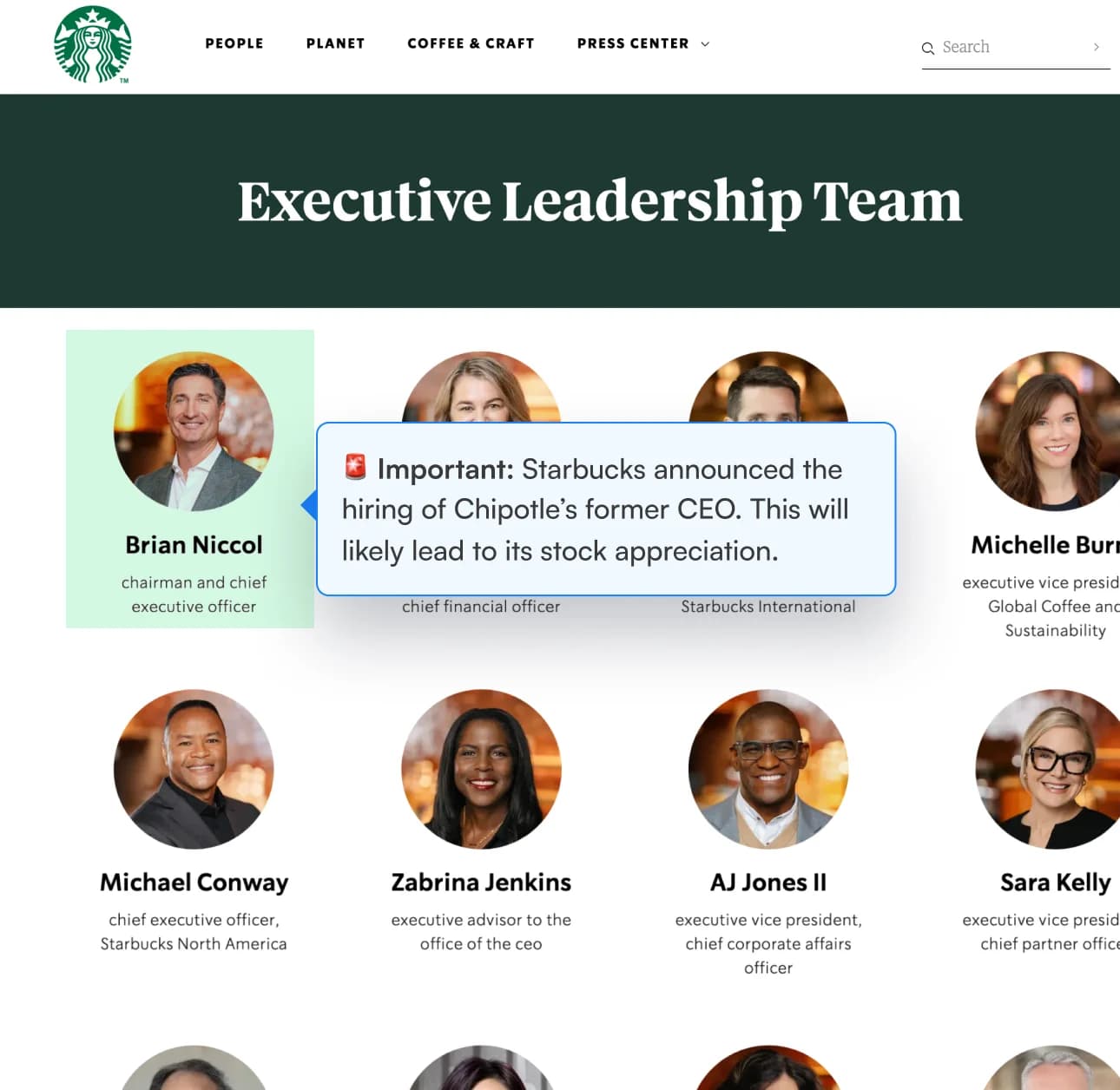
One verdict per change.
Visualping AI reads each change once and decides whether it is important or minor. Minor changes are still recorded, so you can review them in each monitor's timeline, and in Reports on Business plans.
Priced by pages and checks.
Visualping Business starts at $100/mo billed annually ($140 month to month) for 200 pages, 20,000 checks a month, and five users. Business plans go up to 500 pages per workspace, and Solutions plans start at $3,000/yr for larger volumes.
One Report, shared with your whole team
On Business plans, a Report gathers the period's changes into one email and one page. Schedule it daily, weekly, or monthly, or build one on demand. Filter by label, flag what needs follow-up, and comment as a team. Scheduled Reports go to everyone in the workspace, and any Report exports to CSV, Excel, or HTML.
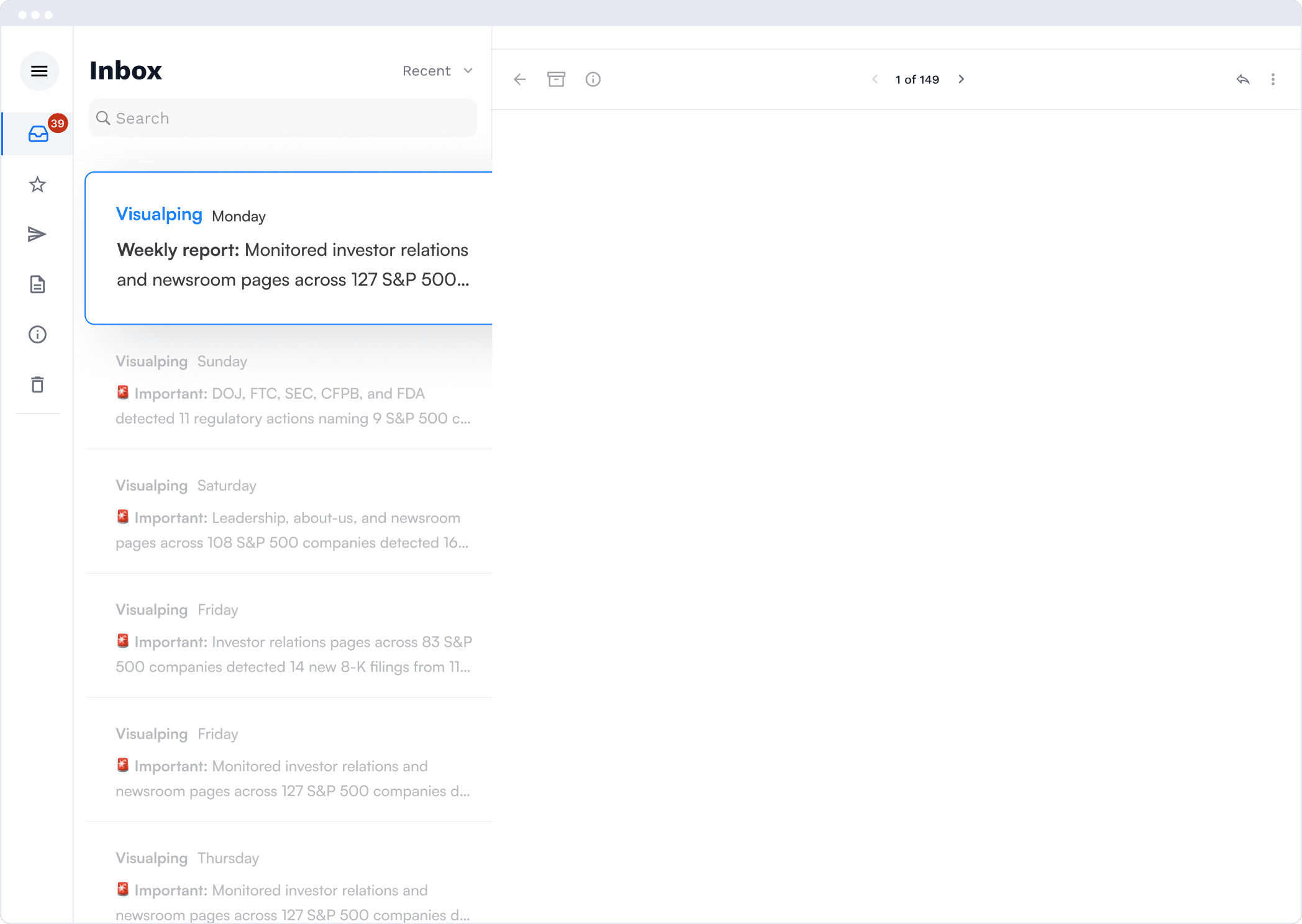
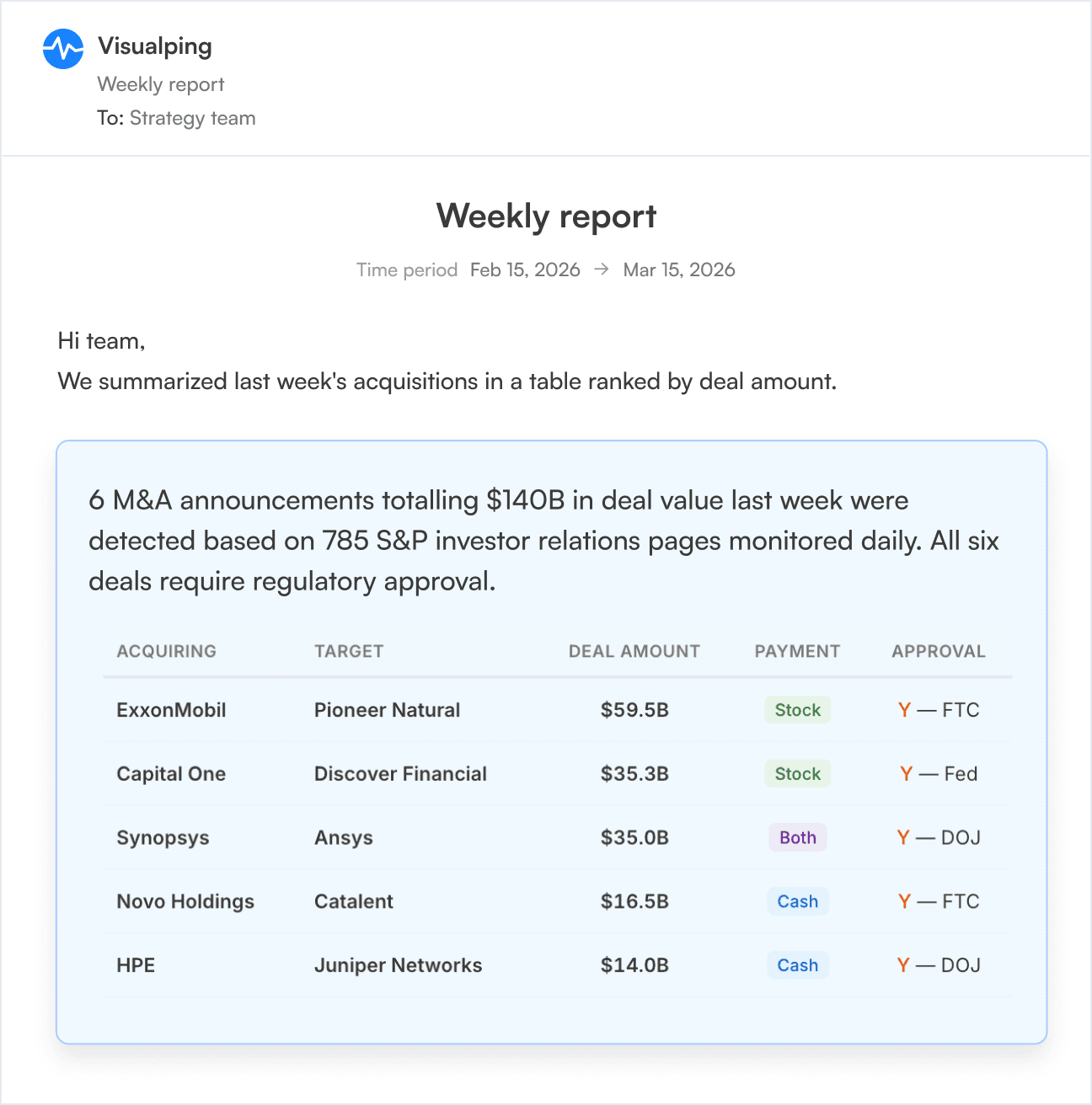
The AI tells you what to read first. Big moves at the top. Skim the rest. Share with your team in one click.
Let Visualping Find the Pages for You
Fluxguard crawls whole sites and can use AI to skip links that look unrelated. Visualping's Domain Monitoring also pauses pages that stop mattering and resumes them when they matter again, so your page allowance follows what you care about.
Visualping Assistant
Chat inside your dashboard. Ask it to create a monitor, change a schedule or notifications, run a check, or flag a change. It knows your monitors and answers questions about Visualping.
Every plan, in betaDiscovery
Describe what you want to watch, in your own words. Discovery suggests up to five pages at a time, with the reason each one fits, matched to what your workspace already monitors. Start the ones you like in one click. Searches use no credits.
Every planDomain Monitoring
Point it at a domain you already monitor. Visualping watches for new URLs, starts monitoring the pages that match what you care about, and pauses the pages that stop mattering. Your page allowance, and your alerts, go to the pages that count.
Solutions plans, on requestBulk Import and Bulk Update
Paste a list of URLs, with names if you have them, and create every monitor at once. Then select monitors in your list to pause, run, delete, or change the check frequency, notifications, and alert condition in one go.
Every plan, including FreeBulk import creates monitors up to your plan's page limit. Domain Monitoring is available with Solutions plans, on request.
Three playbooks worth stealing
Fluxguard vs Visualping for compliance monitoring
Regulatory changes, bank rates, and audit trails: how the two compare on setup, AI, and cost at scale.
Read more →Monitor 500 pages in one workspace
How bulk import, team comments, and role-based access keep 500 pages in one workspace.
Read more →Monitor at scale with the Visualping API
Webhooks, bulk creation, team workspaces, and automation, with the API on every plan, including Free.
Read more →85% of the Fortune 500 Use Visualping
One caught a pricing change 4 hours before their sales team did.
Start free monitoring
What Fluxguard Switchers Ask
Can I migrate my Fluxguard configuration to Visualping?
Does AI cost extra?
How does pricing compare?
Can I monitor 100+ government websites in one workspace?
Can I run Fluxguard and Visualping side-by-side during migration?
Do I have to find every page to monitor myself?
Can I manage monitors by chatting with Visualping?
We monitor hundreds of pages. How do we switch without a rushed cutover?
Start free. Plans from $10/mo billed annually.
Monitor 5 pages free with no card, or try Business free for 14 days. Business from $100/mo billed annually.