Know Your Monitors Are Still Watching.
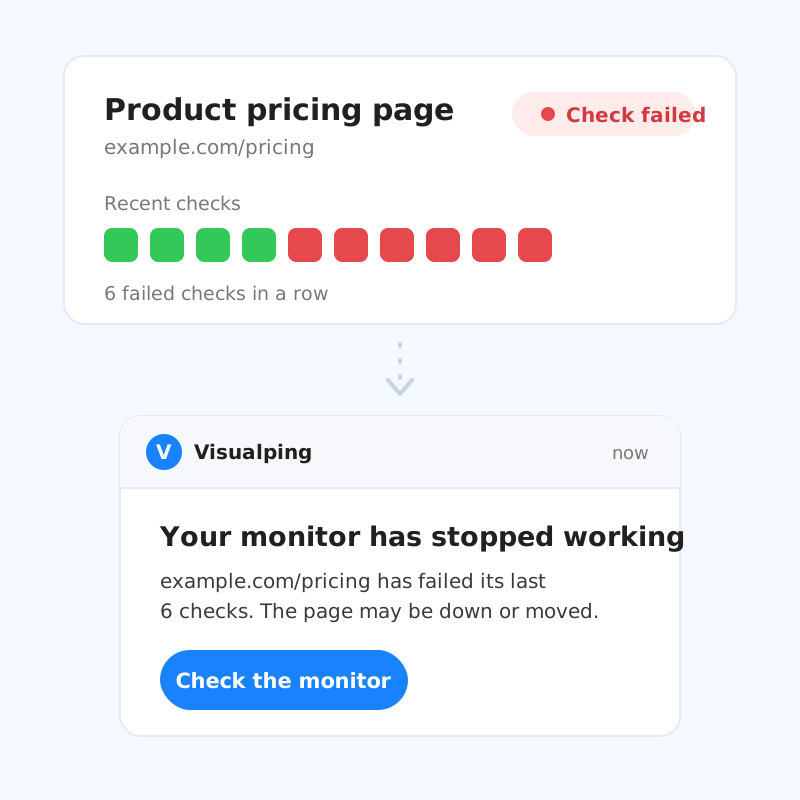
A broken monitor looks exactly like a page that never changed. Health shows every check and every failure with its cause, and Visualping emails you when a monitor stops working.
Included on every plan, including Free. Already a customer? Open Health
We tell you when a monitor stops working.
When a monitor keeps failing, Visualping emails you with links to the monitor and to a screenshot of the error, so you can fix it or pause it. You can switch to an email on every error, or turn error emails off, in the monitor’s settings.
See every check your monitors ran.
Each day stacks checks that found a change, checks that found nothing new, and checks that failed. In Health, click a day to list the monitors that errored, or compare this week with last week.
Find the broken monitor before it costs you.
Health lists every monitor that keeps failing, longest first, with the reason.
Each row shows why the monitor failed and how many checks in a row have failed, and opens straight to the monitor.
Some causes have a quick fix. Sign-in needed: add the login steps with Actions. Bad URL: the page moved, so update the monitor’s URL.
Know before you run out of checks.
Monitoring pauses if an account runs out of checks. Health projects your month against your plan, and Visualping emails you two days before you run out.
This month’s projection at your current schedules, against the checks in your plan.
When each monitor runs next, hour by hour, for the next 24 hours. Your plan’s allowance is monthly, so there’s no hourly limit to manage.
Questions about Health
Which plans include Health?
Every plan, including Free. Open it from your account menu.
How up to date is it?
Health pulls your latest data each time you open it.
When does a monitor count as failing?
When it keeps failing: for a day if it checks hourly or more often, two days if it checks up to every six hours, and a week if it checks daily. Monitors that check less often take longer. Every failed check appears in the chart right away.
Will Visualping tell me when a monitor fails?
Yes. By default, Visualping emails you once a monitor keeps failing. You can switch to an email on every error, or turn error emails off, in the monitor's settings.
Do failed checks use my plan's checks?
Yes, each failed check uses one check. That's one more reason to fix a failing monitor quickly.
What happens if I run out of checks?
Monitoring pauses until your checks refill. Visualping emails you two days before you run out.
Can I see Health for one workspace?
Business accounts can filter Health by workspace.
View all your monitors at a glance.
See how your monitors are doing, down to the last check.