Nordstrom Restock Alerts: Get Notified When Back in Stock
Updated April 16, 2026

By the Visualping research team, analyzing live monitor logs across the Nordstrom product catalog since 2024.
Last updated April 2026.
Nordstrom restock alerts notify shoppers when sold-out items return. The most reliable method is to monitor the product URL with Visualping, which checks the page on a fixed interval and pushes a binary IMPORTANT signal plus a plain-English AI summary the moment stock returns. The free tier covers basic monitoring; paid plans add faster check intervals.
Track sold-out Nordstrom items around the clock
The designer boots in your size sell out in the first hour of the Anniversary Sale. A Free People dress flips to unavailable with no ETA. Nordstrom Rack pushes a flash drop of marked-down luxury items that's gone before lunch. The shopper finds out too late.
This guide covers Nordstrom and Nordstrom Rack alert setup with Visualping, what monitor logs reveal about how Nordstrom inventory actually behaves, and how the result stacks up against Nordstrom's native notifications.
Nordstrom shows a "Notify Me" button on some product pages, but it's inconsistent and slow. During peak events like the Anniversary Sale, Half-Yearly Sale, and Cyber Monday, the email lands 30 minutes to a few hours after the item is back. By then, it has sold out again.
Visualping monitors any Nordstrom or Nordstrom Rack product page and pings you the moment availability changes. As of April 2026, over 780 shoppers have already set up more than 1,250 Nordstrom monitors on Visualping, with 30% checking hourly or faster. No more manually refreshing. No more missed restocks.
TL;DR: Nordstrom items sell out fast during the Anniversary Sale, Rack flash drops, and limited designer restocks (UGGs, Birkenstocks, Free People). The native "Notify Me" email is product-level, often delayed, and frequently arrives after stock is gone. Visualping watches any Nordstrom or Nordstrom Rack product URL, flags every change with a binary IMPORTANT signal, and includes a plain-English AI summary so the shopper knows whether to act. The free tier covers basic restock monitoring; paid plans add 5-minute checks for sale events. Setup takes about two minutes at visualping.io/sign-up.
What Visualping data shows about Nordstrom restocks
Among 141 Nordstrom-targeted monitors set up by 121 shoppers in our sample (all-time through April 2026), patterns line up with how the Nordstrom shopping calendar actually works.
About a third of those monitors (48 of 141) point at Nordstrom Rack rather than Nordstrom.com, even though Rack offers only an in-app notify-me with no web equivalent. Direct product pages (nordstrom.com/s/...) account for 48% of monitors in the sample, with brand landing pages and /browse/sale rounding out most of the rest. By category, apparel leads at 29%, shoes at 14% (a mix of sneakers, boots, and heels), and handbags at 6%. Beauty and jewelry barely register, which tracks with how Nordstrom shoppers behave: they hunt for size-specific apparel and footwear restocks first.
Check frequency skews patient. Daily checks make up the largest bucket at 47%, with another 11% running hourly or faster for shoppers tracking flash inventory. Sixty-two percent of monitors in the sample have detected at least one change since they were set up, which gives a rough sense of how often Nordstrom pages actually move.
Monitor creation peaks in October and November (40 monitors combined across years), in line with the holiday rush, and stays elevated through January markdowns.
Why Nordstrom's notifications aren't enough
Inconsistent "Notify Me" availability
Nordstrom shows a "Notify Me" button on some out-of-stock items but skips others. Sale items, low-quantity drops, and listings with size or color variants frequently load with no notification option at all.
Sale event overload
During the Anniversary Sale, Half-Yearly Sale, and holiday events, the notification system strains under volume. Popular items restock in small batches across the event. Nordstrom's batch email delivery can lag 30 minutes to a few hours behind actual availability. By then, your size is gone again.
Are Nordstrom restock alerts size-specific?
Nordstrom's notifications are product-level, not variant-level. You might get an alert that a dress is "back in stock" when only size XS is available and you need a Medium. There's no way to specify which size or color you want alerts for.
Does Nordstrom Rack have restock alerts?
Nordstrom Rack offers a Notify Me feature inside its mobile app, but no on-site web alerts and no per-variant control. Rack's inventory rotates constantly in small batches of discounted items, so web shoppers tracking specific brands or deals refresh the page by hand.
How to set up Nordstrom restock alerts with Visualping
Step 1: Find the product page
Go to Nordstrom.com (or NordstromRack.com) and find the item you want to track. If the item has size or color variants, select the specific variant you want before copying the URL. That way you're monitoring availability for your exact size and color.
Copy the full URL. Nordstrom URLs look like https://www.nordstrom.com/s/product-name/1234567.
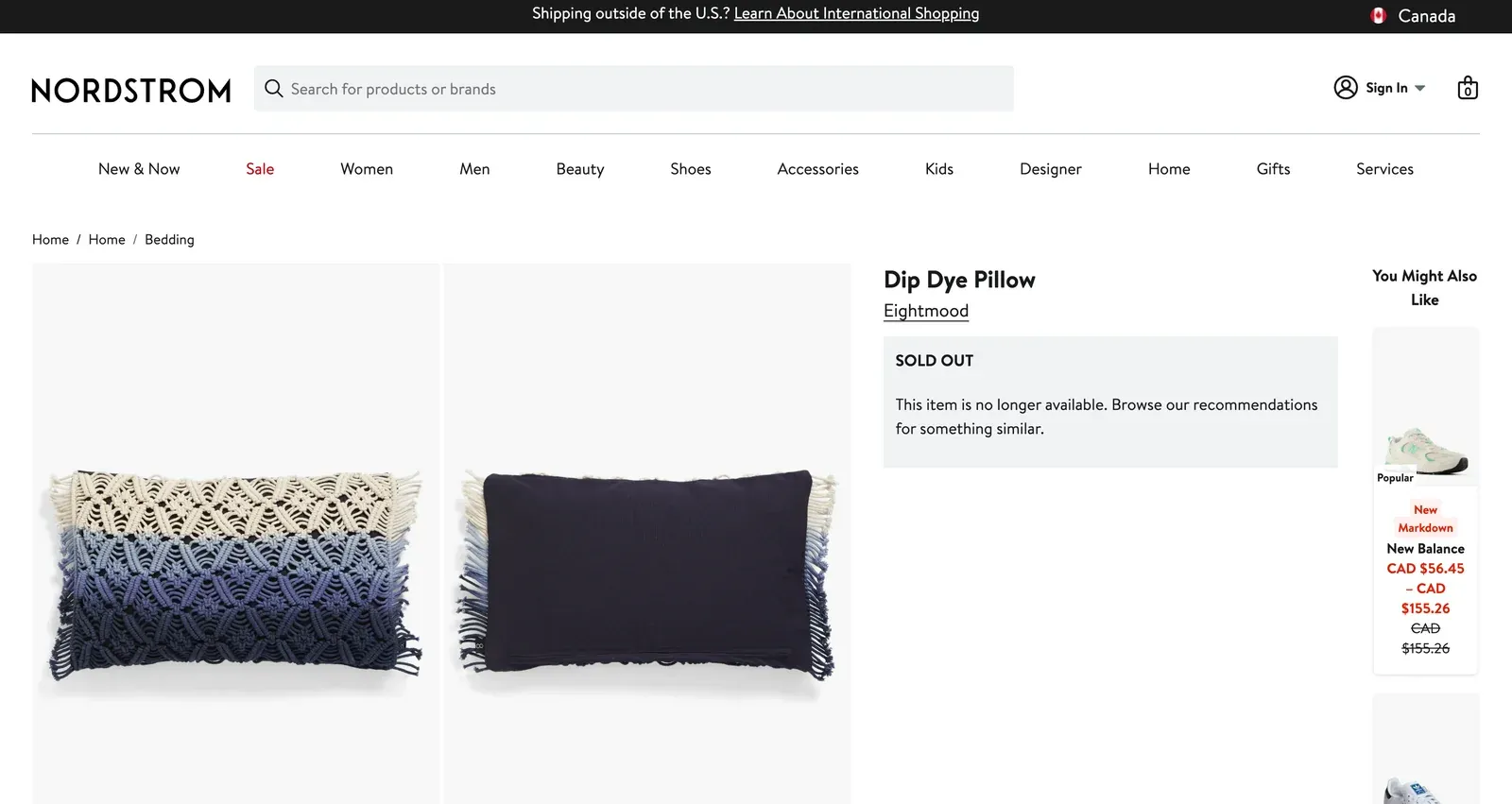
Step 2: Paste the URL into Visualping
Go to visualping.io and paste the Nordstrom URL. Visualping loads a preview of the page and monitors the whole page by default. To zero in, drag a box over the size availability grid, "Add to Bag" button, or the "Sold Out" message, or add an AI criteria like “alert me when this item is back in stock” so you only hear about the change that matters.
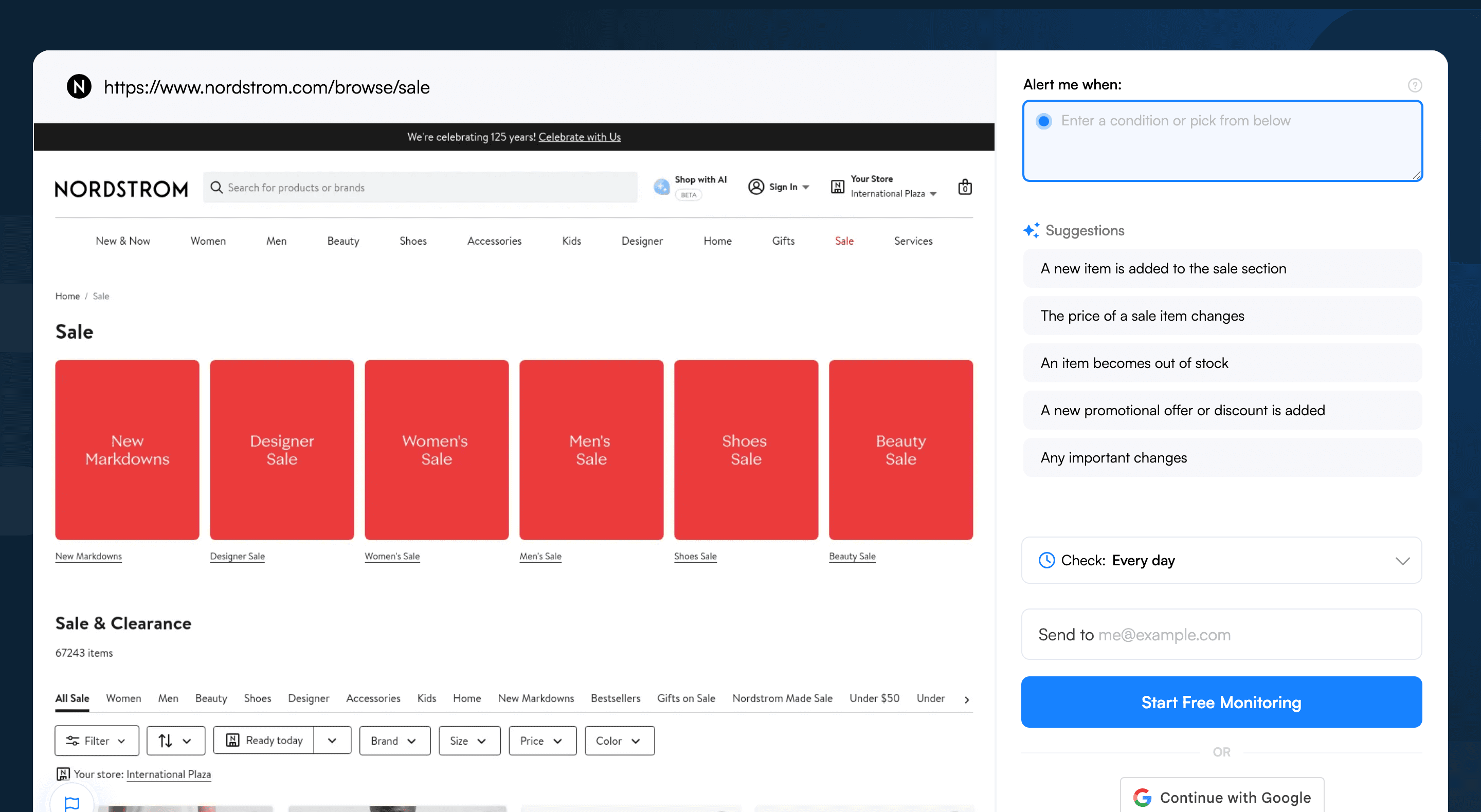
Step 3: Select the availability area
Review your selection and tighten it to focus on:
- The size/color selector grid (shows which variants are available)
- The "Add to Bag" or "Sold Out" button
- The price display (handy during sales when prices shift alongside availability)
Exclude the "You May Also Like" section, editorial styling images, and reviews. These change often and will fire false alerts.
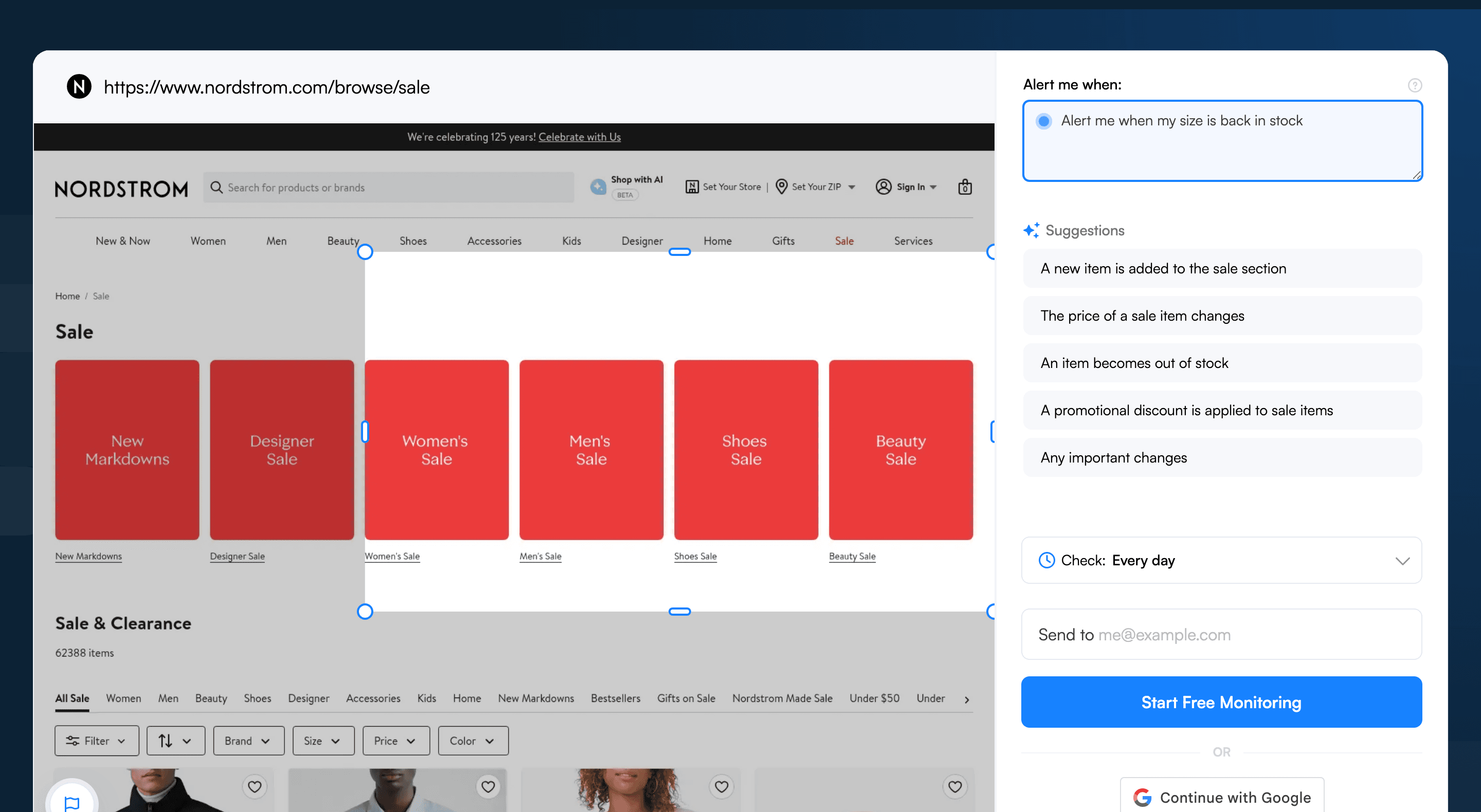
Step 4: Choose your check frequency
For the Anniversary Sale and other major events, set checks to every 5 minutes. Sale items restock in small batches and sell out fast. For regular inventory tracking, every 30 minutes to 1 hour works well.
Step 5: Add an AI criteria
In the "Alert me when" field, enter a prompt like: "Alert me when my size becomes available, the Add to Bag button appears, or the price changes." This filters out styling image updates and editorial content changes so you only see restock and pricing events.
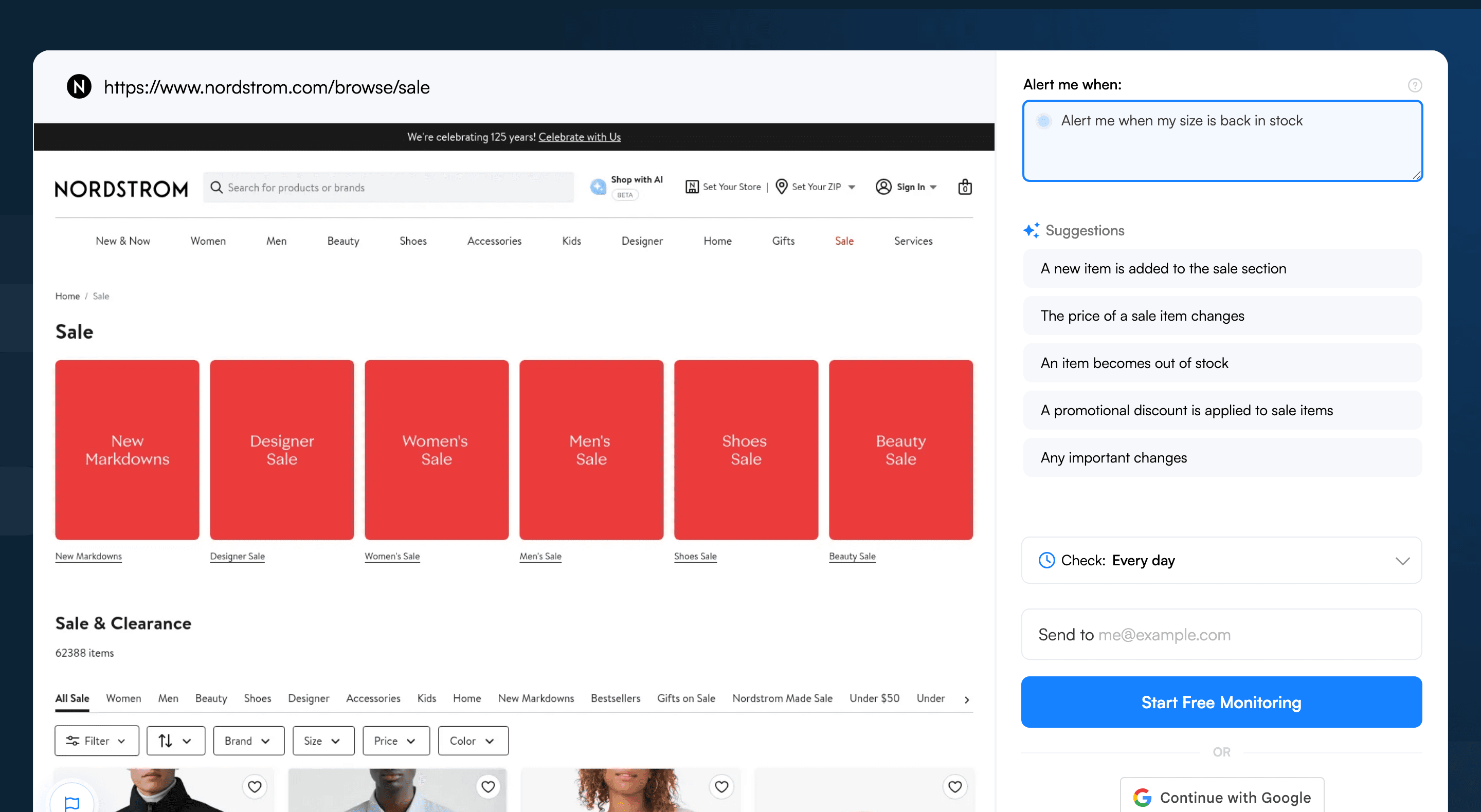
Step 6: Set up notifications
Enable email alerts as your baseline. During sale events, bolt on SMS text messages so you can act immediately. If you're tracking multiple Nordstrom items, Slack notifications keep all alerts organized in one channel.
Pro tips for catching Nordstrom restocks
-
Monitor during Anniversary Sale access windows. Nordstrom cardholders get early access to the Anniversary Sale in tiers (Icon, Ambassador, Influencer, then public). Restocks land at each tier transition. Set monitors before the sale starts, then push frequency to every 5 minutes once the event opens.
-
Track Nordstrom Rack separately. NordstromRack.com inventory runs separately from Nordstrom.com. Many items sell out on Nordstrom and later surface on Rack at a discount. Monitor both sites for the brands worth chasing.
-
Watch the "New Markdowns" page. Nordstrom regularly moves items to sale pricing, and a brief restock often rides alongside. Monitor
nordstrom.com/browse/salefiltered by your preferred category to catch these price-drop restocks. -
Monitor by brand. Tracking a specific designer (Free People, Good American, Zella)? Point a monitor at the brand's Nordstrom landing page and add keyword triggers for the product name. That catches restocks even when the product URL changes.
-
Set alerts for price adjustments. Nordstrom offers price adjustments on eligible items within a short window after the shipment date (the request form lists 14 days, the policy page lists 10; eligibility excludes Anniversary Sale items). If you bought an item at full price, monitor it for price drops. When Visualping flags a markdown, you can request the adjustment. For more on price tracking, see the Visualping Amazon price tracking guide.
-
Use keyword triggers for specific sizes. If you know your size code (e.g., "Size 8" or "Medium"), add it as a keyword trigger so Visualping only pings you when that size text appears on the page.
Frequently asked questions
What's the best way to get notified when Nordstrom restocks an item?
The most reliable approach is to monitor the product page directly with a page monitoring agent (also known as a website monitoring tool). Visualping watches the exact Nordstrom URL, flags every visible change with a binary IMPORTANT signal, and adds a plain-English AI summary so the shopper knows whether stock is back or the page just shuffled an editorial image. Native "Notify Me" emails frequently arrive after the size sells out. Setup takes about two minutes at visualping.io/sign-up.
Is there a free tool to track Nordstrom restocks?
Visualping offers a free tier that covers basic restock monitoring, with daily checks on a handful of pages and email alerts. That cadence is fine for slower-moving full-price inventory at Nordstrom or for casual Anniversary Sale wishlist items. Shoppers chasing Nordstrom Rack flash drops or limited UGGs and Birkenstocks tend to upgrade for 5-minute checks, but the free plan is enough to start. Sign up at visualping.io/sign-up and add the first product URL.
Can I monitor multiple Nordstrom products for restocks at once?
Yes. Visualping lets a shopper set up monitors for any number of product URLs from one dashboard, including a mix of Nordstrom.com and NordstromRack.com pages. Each monitor runs on its own schedule, so a sold-out designer bag can poll every 5 minutes during the Anniversary Sale while a less urgent Free People dress checks once a day. All alerts route to one inbox, Slack channel, or SMS line.
How fast does Visualping detect a Nordstrom restock?
It depends on the check frequency. The free plan polls daily; paid plans go down to every 5 minutes, and the data in this post shows about 11% of Nordstrom monitors run hourly or faster. When the page changes, the alert goes out within seconds of the next check. For Anniversary Sale items that sell out in under 30 minutes, the 5-minute interval is the sweet spot. For regular inventory, every 30 to 60 minutes catches restocks well before they vanish.
Why don't Nordstrom's own back-in-stock notifications work reliably?
Nordstrom's "Notify Me" feature is product-level, not size-specific, so a shopper waiting on a women's 7.5 may get pinged when a size 11 reappears. Emails also batch and oversubscribe during major drops, meaning the message can land hours after the item is gone again. Nordstrom Rack's only native option is an in-app notify-me with no web alert and no size-specific control. A third-party monitor like Visualping polls the page directly and filters with the IMPORTANT flag, so the alert lines up with what actually changed.
Does Visualping work for Nordstrom shoes (UGGs, Birkenstocks, Anniversary Sale boots)?
Yes, and shoes are one of the strongest use cases. About 14% of Nordstrom monitors in the data sample track footwear, especially limited UGG and Birkenstock drops and Anniversary Sale boot restocks. The recommended setup: select the specific size and color variant before copying the URL, then point Visualping's visual selector at the size grid plus the "Add to Bag" or "Sold Out" button. An AI criteria like "alert me when my size becomes available" filters out editorial image swaps. Start a free monitor at visualping.io/sign-up.
Shop smarter at Nordstrom
Nordstrom restocks come fast and at random, especially during sale events when demand spikes. Visualping watches any product page on a fixed interval and pings the shopper the second their item lands back in stock.
Setting up the first Nordstrom alert takes about two minutes on the free plan. Start at visualping.io/sign-up.
Want to monitor web changes that impact your business?
Sign up with Visualping to get alerted of important updates from anywhere online.
Eric Do Couto
Eric Do Couto is the Head of Marketing at Visualping. He leads content strategy, growth operations, and brand positioning for website change detection.
More articles by Eric Do Couto