How to Monitor an X (Twitter) Profile Without the API
By Emily Fenton
Updated April 22, 2026

TL;DR. You can track any public X (formerly Twitter) profile without touching the X API. Paste the profile URL into Visualping, pick a check frequency, and get an email every time the bio, pinned tweet, follower count, or profile fields change. Free tier covers daily checks on five profiles. 692 people on our platform already do it. The X API, by contrast, starts at $200/month for Basic and goes up to $5,000/month for Pro.
Why people track X (Twitter) profiles in 2026
The old "follow" button gave way to X's algorithmic feed, which hides tweets from accounts you actually care about and surfaces posts you do not. If you want to know the exact moment something changes on a specific X profile, the follow button no longer cuts it.
Based on 692 active X and Twitter monitors running on Visualping in April 2026, the five most-watched accounts are:
- @elonmusk (58 monitors), the platform's owner, tracked for platform changes, policy hints, business signals
- @realDonaldTrump (8 monitors), political statements
- @cz_binance (5) and @binancezh (5), crypto founder communications
- @IOHK_Charles (4), Cardano founder
- @RockstarGames (3), gaming community watching for GTA 6 drops
The pattern across all 692 monitors is consistent. People watch three kinds of X accounts: tech founders who telegraph decisions on the platform, crypto and political figures whose bio or pinned-tweet changes carry market signal, and brand accounts where a shipping notice or product drop lands first on X before the press release.
If you fall into any of those three buckets, the follow button is too leaky. You need a profile-change monitor.
Why the X API is not the answer anymore
Before 2023, developers could build free X profile monitors using the X (then Twitter) API. Elon Musk ended that. The current X API pricing looks like this:
- Free tier: writes only, 1,500 posts/month, no profile-read endpoints of note
- Basic: $200/month for 10,000 reads
- Pro: $5,000/month
- Enterprise: negotiated, typically five figures
On top of the pricing, X has been aggressive with rate limits and anti-scraping measures, which breaks most third-party trackers that tried to route around the API. The practical options for 2026 profile monitoring boil down to: pay for the X API, subscribe to X Pro for internal tools, or watch the public profile page externally the same way a human visitor would.
Visualping is the third option. It loads the public profile page on a schedule, takes a screenshot, compares it against the previous snapshot, and emails you the diff. No API, no authentication, no rate-limit costs.
How to track an X (Twitter) profile with Visualping
The setup is under two minutes on any public X profile. The walkthrough below uses @elonmusk because it is our most-monitored profile, but the flow is identical for any handle.
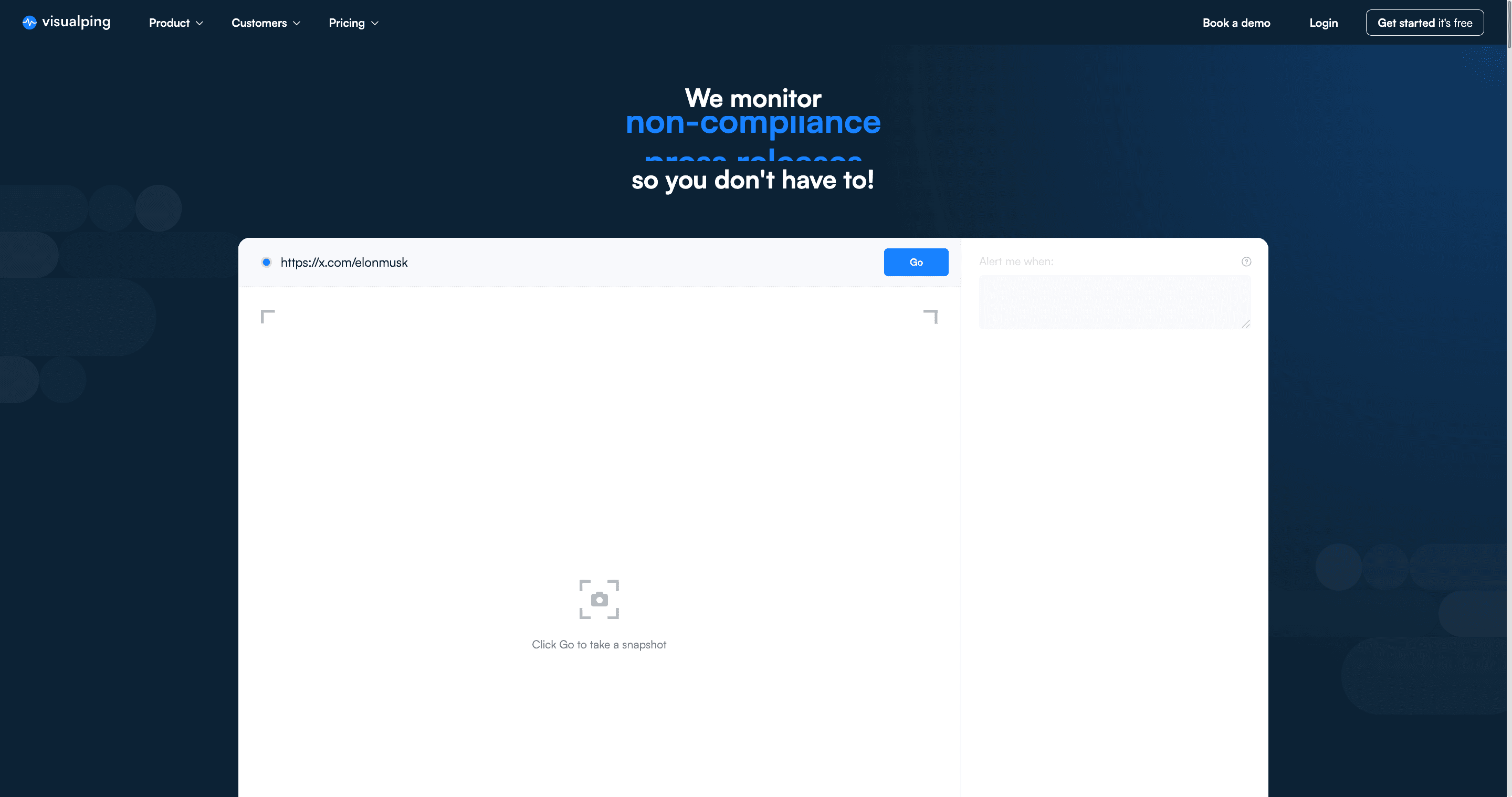
Step 1. Open visualping.io and paste the profile URL
Go to visualping.io. The homepage has a single URL input in the hero. Paste a full profile URL. Both host variants work: https://x.com/elonmusk or https://twitter.com/elonmusk (X still redirects the old domain).
Step 2. Click "Go" and review the snapshot
Visualping takes a live snapshot of the profile page and opens the configuration panel on the right.
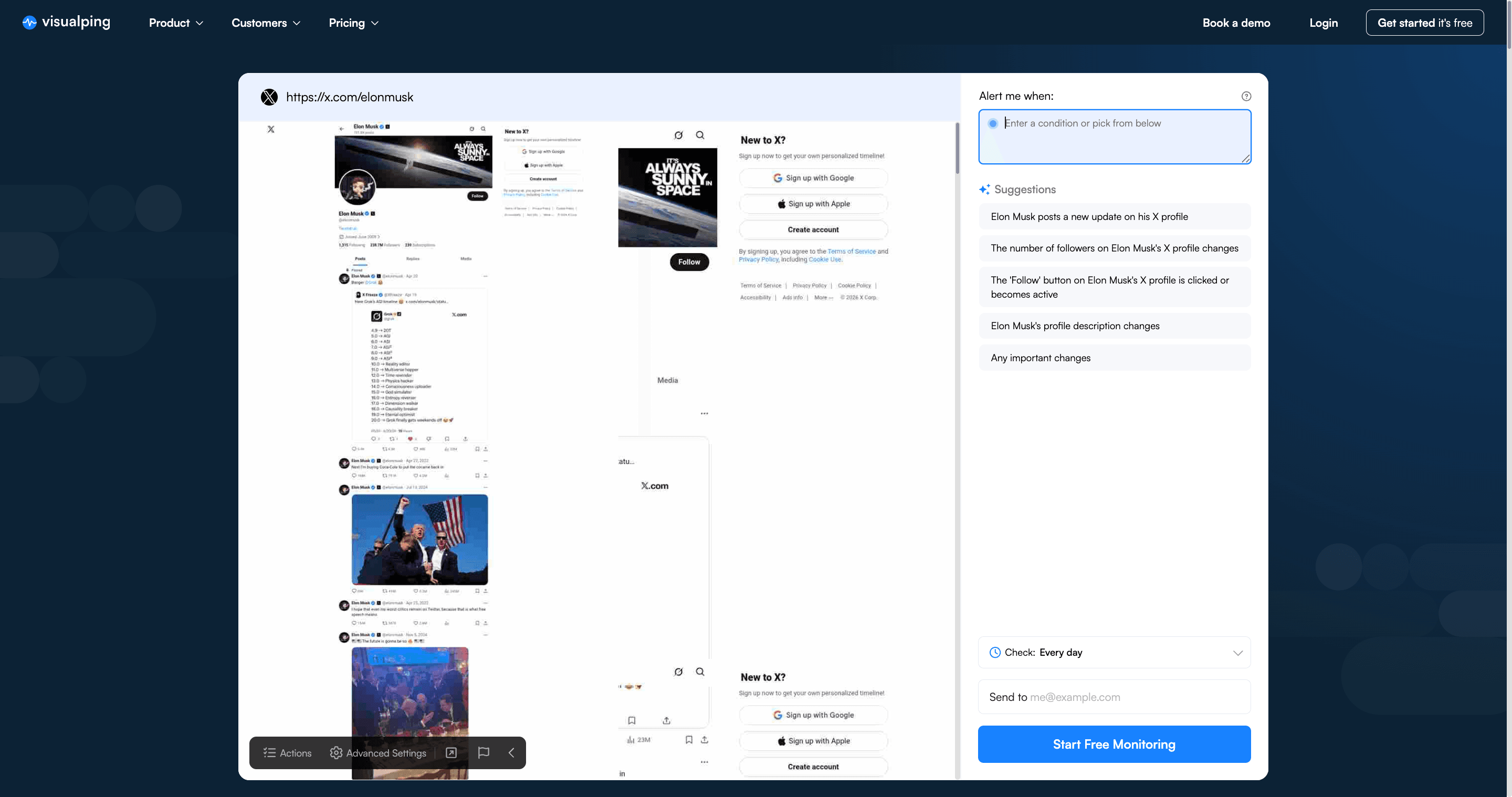
A note on what Visualping actually captures. X rolled out aggressive login walls in 2023-2024. For most profiles, the default snapshot shows the profile header (name, handle, bio, follower count, pinned tweet, profile picture, header image) with "Sign up" overlays on the parts behind the auth wall. Those header fields are the ones that carry signal anyway, and they all come through clean. For the feed below the fold, the Actions feature described below lets you dismiss the overlay and scroll past it before the snapshot is taken.
The "Alert me when" panel shows AI-generated suggestions pulled from the profile. For @elonmusk, the current suggestions include "Elon Musk posts a new update on his X profile," "the number of followers on Elon Musk's X profile changes," "the Follow button becomes active," and "Elon Musk's profile description changes." Pick one or write your own condition.
Step 3. Pick a check frequency
How often Visualping should look for changes.
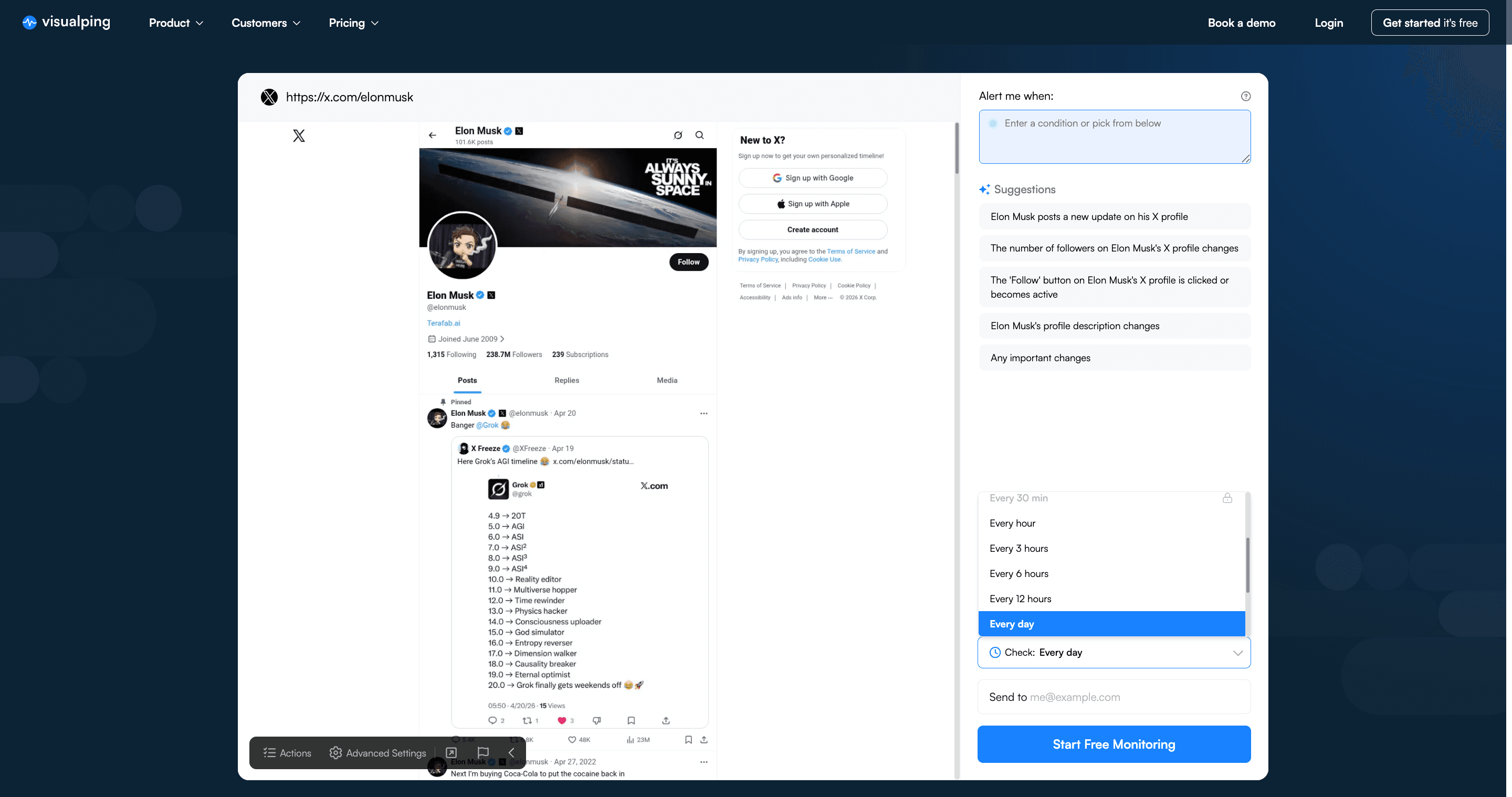
On X, the right frequency depends on the account:
- Every few minutes for tech-founder or crypto accounts where a single bio edit can move markets
- Hourly for political figures and news accounts
- Daily for brand and corporate accounts
- Weekly or monthly for low-change profiles you want to revisit passively
Across our 692 active X monitors, 75% check monthly, 17% daily, and 6% hourly or faster. The 6% running hourly are almost entirely crypto-adjacent.
Step 4. Enter your email and start monitoring
Type the email where the alert should land, then click "Start Free Monitoring."
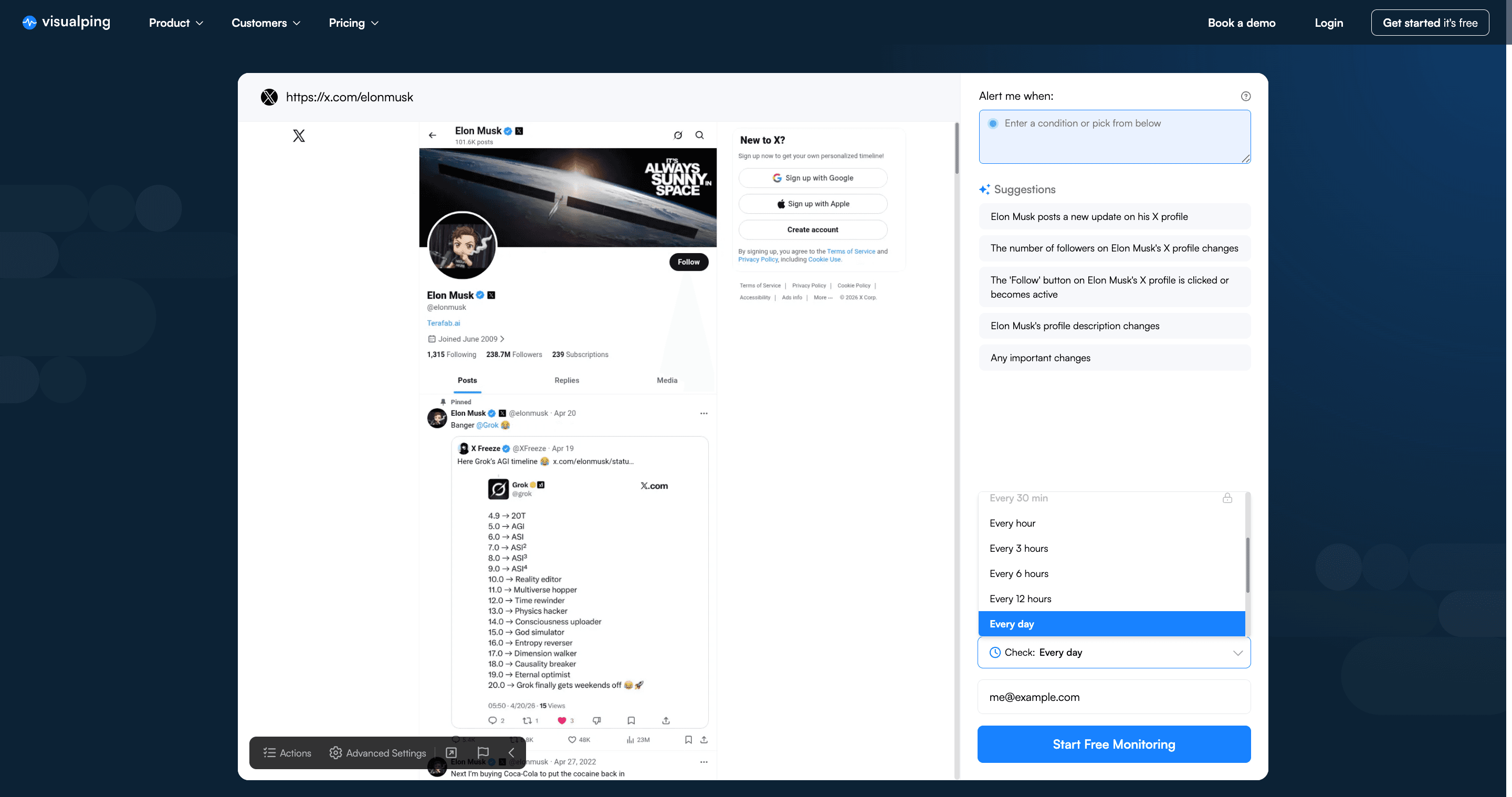
You get an email the next time the profile page changes. No account required for a single watch. A free account lets you watch up to five profiles and route alerts by webhook. Tighter check intervals need a paid plan, SMS alerts start on the $25/month tier, and native Slack and Google Sheets delivery are Business features.
What changes Visualping actually catches on X profiles
Every alert arrives with three things: a before-and-after screenshot, a plain-English AI summary of what moved, and a binary IMPORTANT flag so you can filter cosmetic changes from meaningful ones. Across 6,486 X profile alerts fired in the last 90 days, the most common IMPORTANT: YES changes are:
- Bio updates, new role, new company, new stance, a removed clause
- Pinned tweet changes, the account's current "headline"
- Display-name tweaks, rebrands, emoji additions, title changes (a Bloomberg reporter changing their title to a new outlet lands here)
- Follower-count milestones, when a rounded-up number crosses 10k, 100k, 1M
- Profile picture or header image swaps, usually signal-dense
- Account status flips, verified badge gained or removed, handle changed, account suspended or restored
What Visualping does not catch on X anymore is tweet-by-tweet content inside the feed. X gates the timeline behind a login wall for unauthenticated visitors, so the tweet list loads partial and behind "Sign up to see more" overlays. The profile header (name, handle, bio, pinned tweet, follower count, display name, profile image, header image) still loads for the public visitor and carries most of the high-signal changes.
IMPORTANT: NO changes get filtered automatically. That includes relative timestamps ticking up, "X Premium" badge restyles that X pushes, and login-wall prompt variations.
64% of active X monitors (441 out of 692) caught at least one change in the last 90 days. If you set one up and never hear anything, you are in the minority.
Three specific X monitoring use cases
Monitor a tech founder for platform signal
Visualping's most-watched profile is @elonmusk at 58 monitors. Two use cases drive that:
- X platform operators watching for policy hints before they go through formal channels
- Tesla and SpaceX equity investors using Musk's profile as a leading market indicator
The same pattern applies to other founder accounts on our platform: @cz_binance, @IOHK_Charles, and a long tail of crypto and AI founders whose profile updates routinely lead market moves.
Monitor a brand for announcement timing
Corporate X accounts still break news on-platform before press releases. Our data shows monitors on @RockstarGames (3 active), @CoinbaseAssets (3), and UPS (2). The use case is obvious: a pinned-tweet change or a new post on these accounts triggers the first wave of public interest.
Monitor a political figure for statement updates
Political X activity still drives news cycles. Our platform has multiple monitors on @realDonaldTrump (8 across casing variants). For news desks and research teams, a profile monitor is a cheaper, simpler alternative to maintaining a full X API integration.
Power move: use Actions to get past X's login walls
X gates the timeline feed for unauthenticated visitors. That limits what a default Visualping snapshot captures. The Actions feature lets you script interactions on the page before the snapshot is taken, which recovers most of what the login wall hides.
Open the Actions panel from the top-left of the snapshot preview.
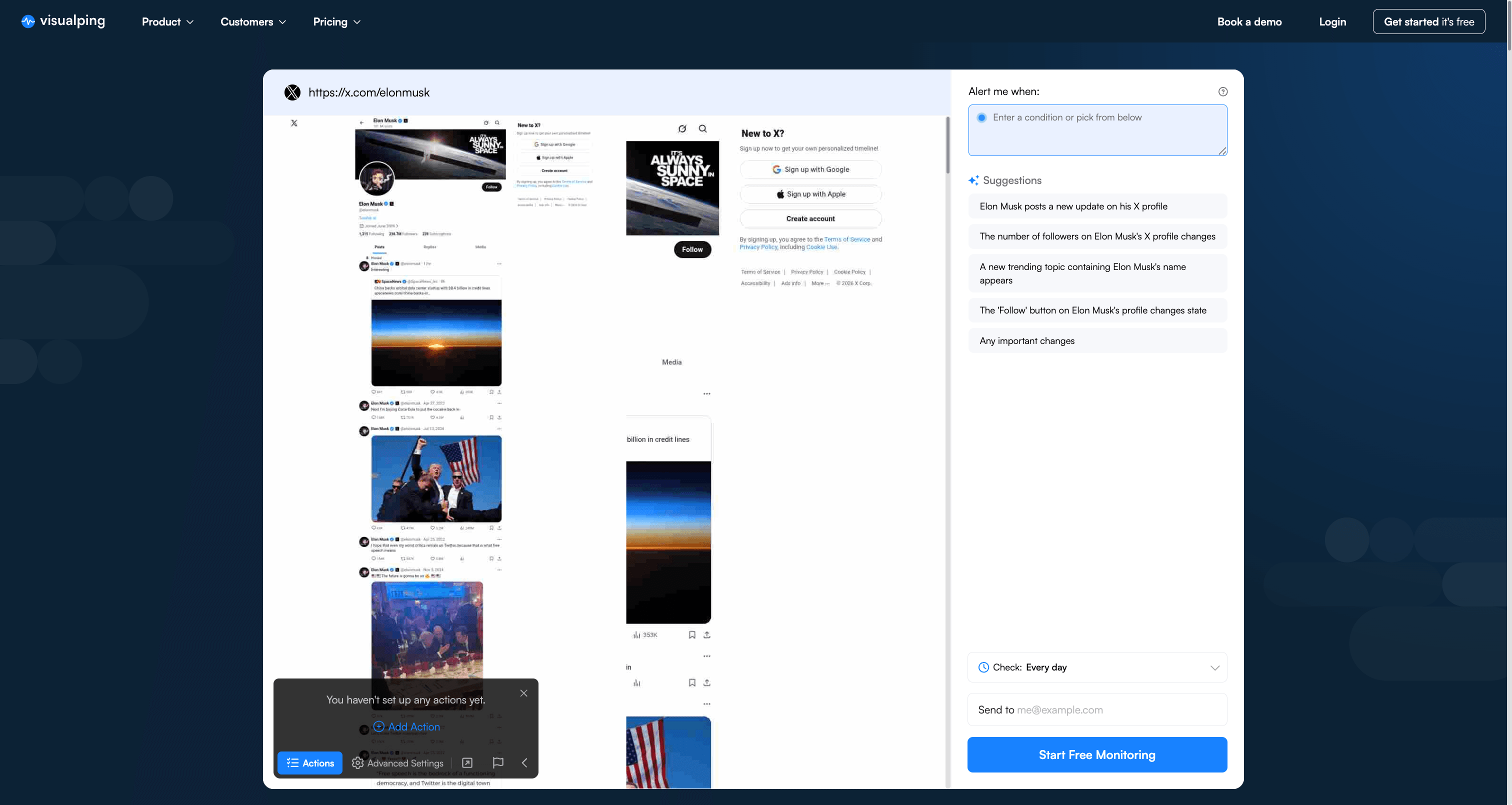
Click "Add Action" to open the action editor. Each action has a type and a target.
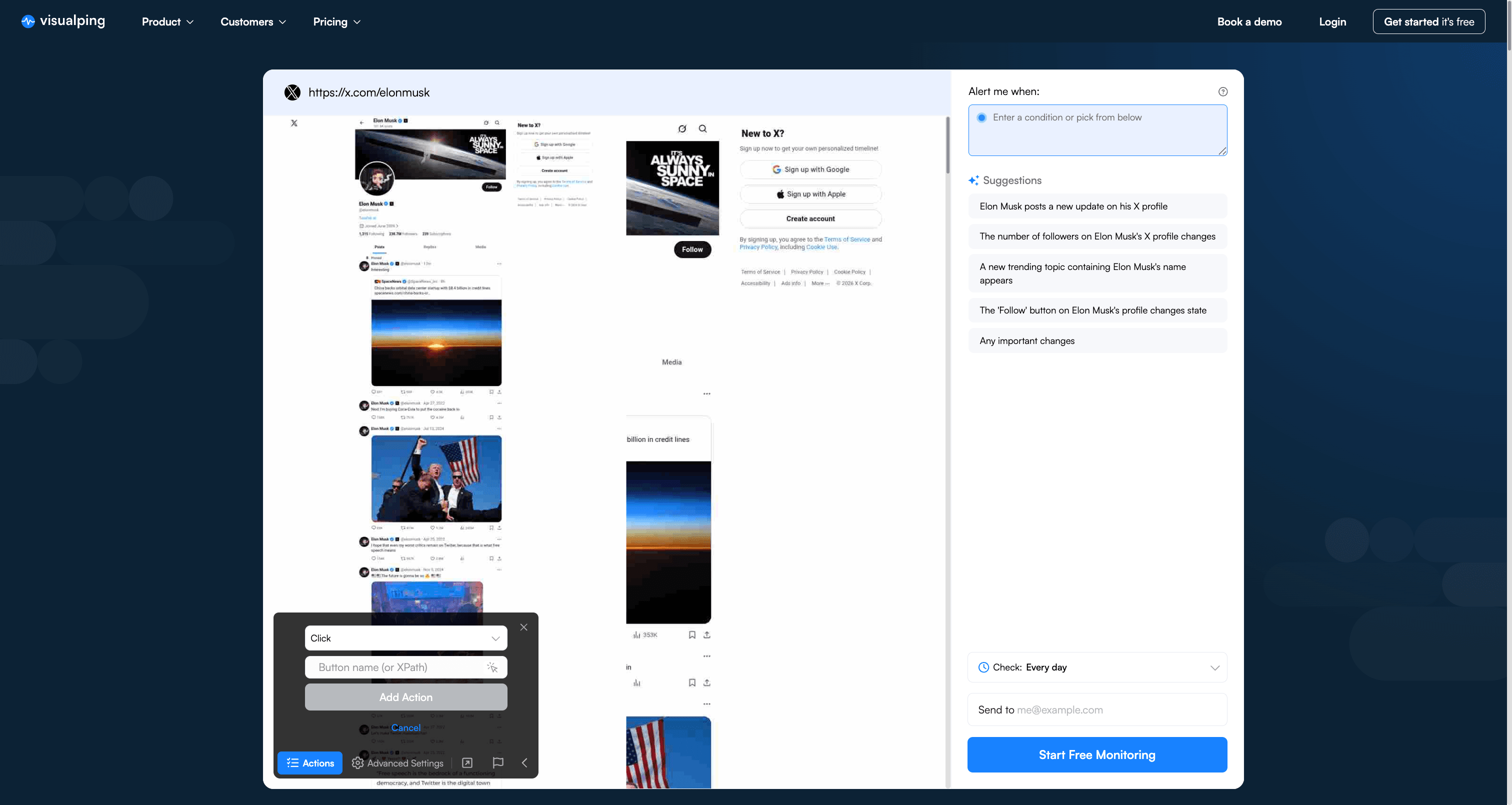
Visualping ships eleven action types that chain together before the snapshot is locked in (our Actions tutorial for logged-in pages works through a full sequence): Click, Type, Select, Block, Wait, IFrame, Cookie, Refresh, Scroll, Go to, Script.
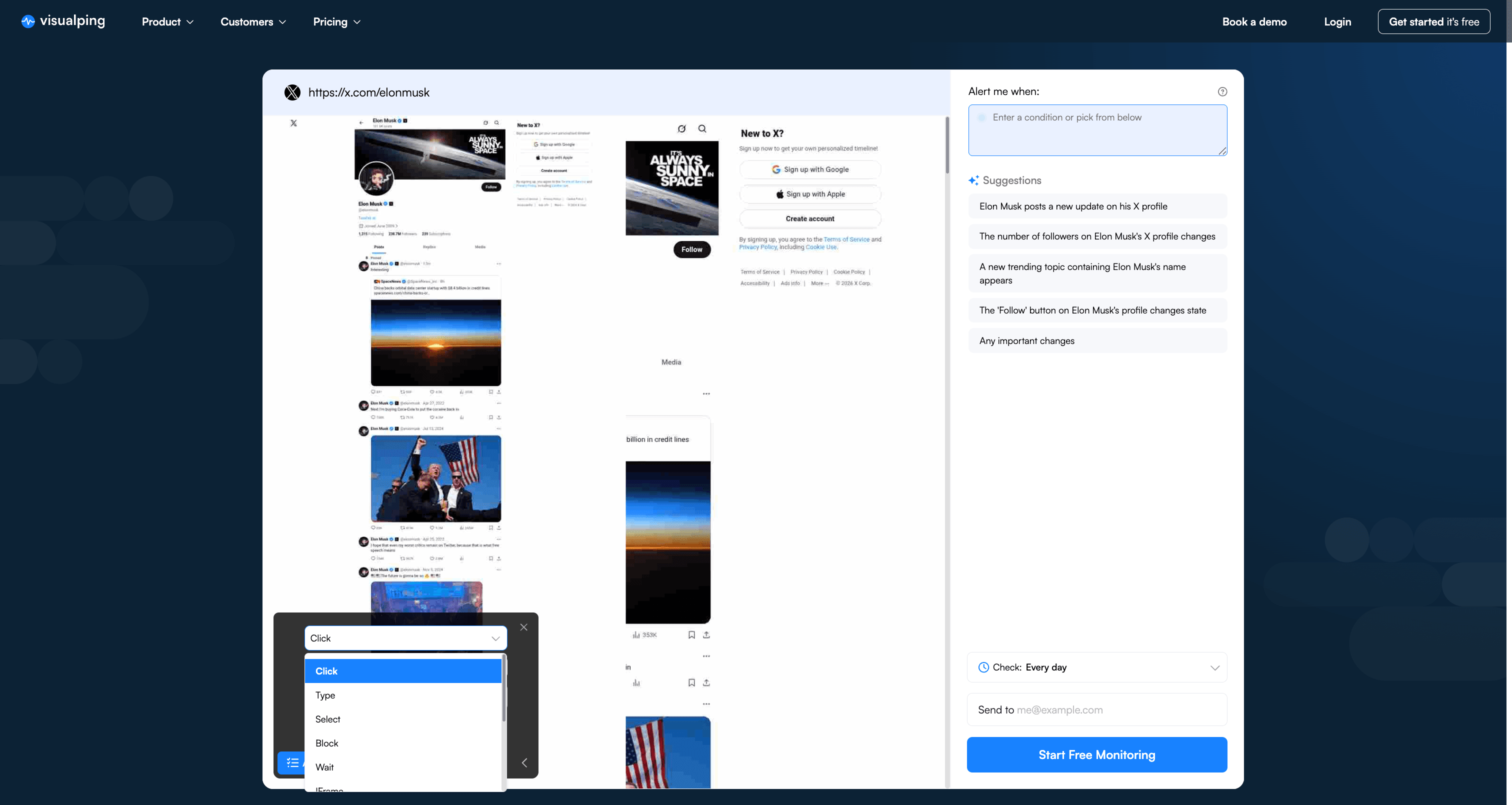
The useful ones for X profiles
- Click, dismiss the "Sign up to see more" modal by targeting its close button. One Click gets you past the most aggressive overlay.
- Scroll, advance past the auth wall to reveal the tweet list below. Scroll 2000 pixels is usually enough on a default viewport.
- Block, hide the sign-up prompt entirely via CSS selector. Safer than Click when X rotates the modal markup.
- Wait, pause 3-5 seconds so the JS-rendered timeline loads before capture. Useful on any single-page-app surface, not just X.
- Cookie, inject a pre-authenticated X session cookie. The account your cookie is tied to still sees the full feed, and Visualping captures that rendered state. Cookie actions are available on every plan. Treat the cookie like a credential and use a throwaway account rather than your main one.
- Script, arbitrary JavaScript for edge cases X throws at you (the fake captcha loop, the trending-topics sidebar that only loads on hover).
A working recipe for @elonmusk or any X profile
- Click → target the "X" close button on the sign-up modal (class selector works across re-renders)
- Wait → 3 seconds for the timeline to hydrate
- Scroll → 2000 pixels down
With those three actions in order, the snapshot now captures the profile header and the top portion of the visible timeline. Bio edits, pinned-tweet swaps, and the most recent 3-5 posts all come through. The unauth wall never reappears in the saved snapshot.
When Actions still doesn't get you what you need
Some X account states need a logged-in session:
- Protected or follower-only profiles
- The full reply tree for a specific tweet
- Quote-posts more than a few deep
- DMs and private lists
For those, the Cookie action with a real session cookie is the next step. Past that, the X API on the Basic tier ($200/month) is the only path.
Limitations you should know
Profile monitoring works well for the fields visible on the public profile page. It does not work for:
- Tweet content inside long threads, Visualping sees the profile timeline as it loads, not the expanded thread
- Replies and quote-posts, X hides most replies behind an additional click; they are not part of the profile snapshot
- DMs, private lists, and protected accounts, Visualping is an unauthenticated external visitor
- Trending hashtags or platform-wide search, those live on different URLs (we cover them below)
- Sub-minute latency, the fastest consumer tier on Visualping is one-minute checks, which misses some high-frequency trading signals
For those cases, the X API is still the right tool. For everything else, the public profile page carries enough signal.
Alternatives to Visualping for X monitoring
| Tool | Strength | Weakness |
|---|---|---|
| Visualping | Any URL, free tier, screenshot + AI summary on change | One-minute minimum interval, no deep-thread crawl |
| X API (developer.x.com) | Real-time, full firehose on Pro/Enterprise | $200/mo minimum, complex integration |
| X Pro (formerly TweetDeck) | Official, column view, real-time | Requires X Premium subscription ($8/mo+), X account required |
| Tweepy or twarc | Python wrappers for the X API | Still need a paid API tier |
| Nitter mirrors | Read-only public viewer | Mirrors get blocked by X; uptime is spotty |
For most public-profile use cases, Visualping is cheaper than the API, simpler than setting up X Pro column filters, and more reliable than a Nitter mirror.
Frequently asked questions
How do I monitor an X (Twitter) profile without using the API?
Use a general-purpose website change detection tool. Visualping is the common pick. Paste the public profile URL (for example https://x.com/username), set a check frequency, and enter the email where you want alerts. The tool loads the profile page on a schedule the same way a browser would and compares each snapshot. No X API, no developer account.
Can I track changes to an X profile's bio?
Yes. A bio change is one of the most common IMPORTANT: YES alerts Visualping fires on X profiles. The monitor compares the rendered profile page each check; when the bio text changes, the alert email contains the before and after.
Can I get notified of new tweets without following someone?
Yes, with Actions configured. The default Visualping snapshot stops at the X login wall, but a Click + Scroll sequence in the Actions panel dismisses the overlay and captures the top of the timeline. On most profiles you will see the most recent 3-5 posts in the snapshot after setup. For the full tweet history or reply threads, the X API on the Basic tier ($200/month) is still the better path.
Does this work for X accounts that I don't follow?
Yes. The monitor is an unauthenticated visitor to the public profile page. It works for any X account that is not protected or suspended. Accounts that have restricted their visibility to logged-in users only will not fully load.
How often does X actually update a profile page?
Based on our platform data, most X profiles change less often than monitors run. 64% of active X monitors caught at least one change in the last 90 days, with an average of ~15 changes per changed monitor over that window. Bio updates, pinned-tweet swaps, and header-image changes are the dominant signals.
How much does this cost?
Visualping's free tier runs up to 150 checks per month across 5 pages. For profile monitoring, that covers daily checks on all five profiles. Webhook delivery and the REST API are on every plan, including Free. Paid plans start at $10/month billed annually, or $14 month to month, and add faster check intervals; SMS alerts start on the $25/month tier.
Can I monitor an X hashtag or a search query?
Yes, but with caveats. Paste the search URL (for example https://x.com/search?q=visualping) and Visualping will monitor the rendered results page. X caps public search results and rotates them aggressively, so this is less reliable than profile monitoring. 10 active monitors on our platform track X searches, versus 490 on profiles.
Will this alert me on replies and quote-posts?
No. Replies and quote-posts load behind an additional click on the X profile page. The monitor sees the top-level timeline posts only.
Is scraping X profiles against X's terms of service?
Visualping reads public pages the same way any web browser does, at a respectful frequency, without bypassing captchas or authentication walls. For high-volume commercial scraping, the X API is the right path. For personal or small-team monitoring of specific profiles, the public-page approach is the same activity a human visitor performs.
Start monitoring an X profile in under two minutes
Most people set one up and forget about it until the first alert fires. Paste the profile URL, enter your email, and get back to work.
Data on this page was generated from Visualping's internal monitoring platform: 692 active X and Twitter profile monitors across 511 distinct users, with 6,486 alerts fired between January and April 2026. Supplemented with X's official developer pricing page and The Verge's reporting on X rate limits. Updated April 2026.
Want to monitor web pages for changes?
Sign up with Visualping to get notified of alerts from anywhere online, so you can save time, while staying in the know.
Emily Fenton
Emily was the Product Marketing Manager at Visualping. She has a degree in English Literature and a Masters in Management.
More articles by Emily Fenton