When Will the Steam Deck Be Back in Stock? How to Check
Updated October 29, 2026
TL;DR. We cannot establish a dependable Steam Deck restock day or time from the records behind the earlier version of this article. Check Valve's new Steam Deck page or Certified Refurbished page for the model and region you want. A page-change alert can prompt you to check the store after a detected update; it cannot reserve stock or guarantee a purchase.
New and refurbished units are separate offers. Valve's product page warns that OLED units may be intermittently unavailable in some regions because of memory and storage shortages. Check the current store listing rather than treating an old restock calendar as a forecast.
The short answer
There is no verified weekly restock schedule in this guide. Open the official store for current availability, confirm the exact model and region, and check the purchase options before acting on an alert. A change to a price, layout or stock label can trigger a page-change notification without establishing that a unit is available to buy.
A correction to our earlier restock data
The earlier version presented monitoring alerts as confirmed restocks and used them to recommend particular days and times. We could not recover the dated query, result records and stock-validation evidence needed to support those conclusions, so we have removed the schedule, chart and event tables.
A monitor is not a unique person, and a page-change alert is not necessarily a restock. Multiple monitors can report the same page update. Establishing a restock would require evidence of the relevant model's stock state, region and time, rather than a count of notifications.
What Valve's pages can tell you
Use Valve's Steam Deck product page for current model and regional information, and its Certified Refurbished page for refurbished offers. Availability on one listing does not establish availability on the other. This guide does not establish a fixed refurbished schedule or a guaranteed Valve restock-email service.

How to get notified when the Steam Deck is back in stock
Use the steps below to review a page-change alert setup. They do not guarantee that a short restock window will be captured.
Step 1. Open the Steam Deck alerts page
Open the Visualping Steam Deck refurbished alerts page. It provides an email signup and notification-frequency control for updates to the refurbished page. Review the change history and settings before relying on the alert.
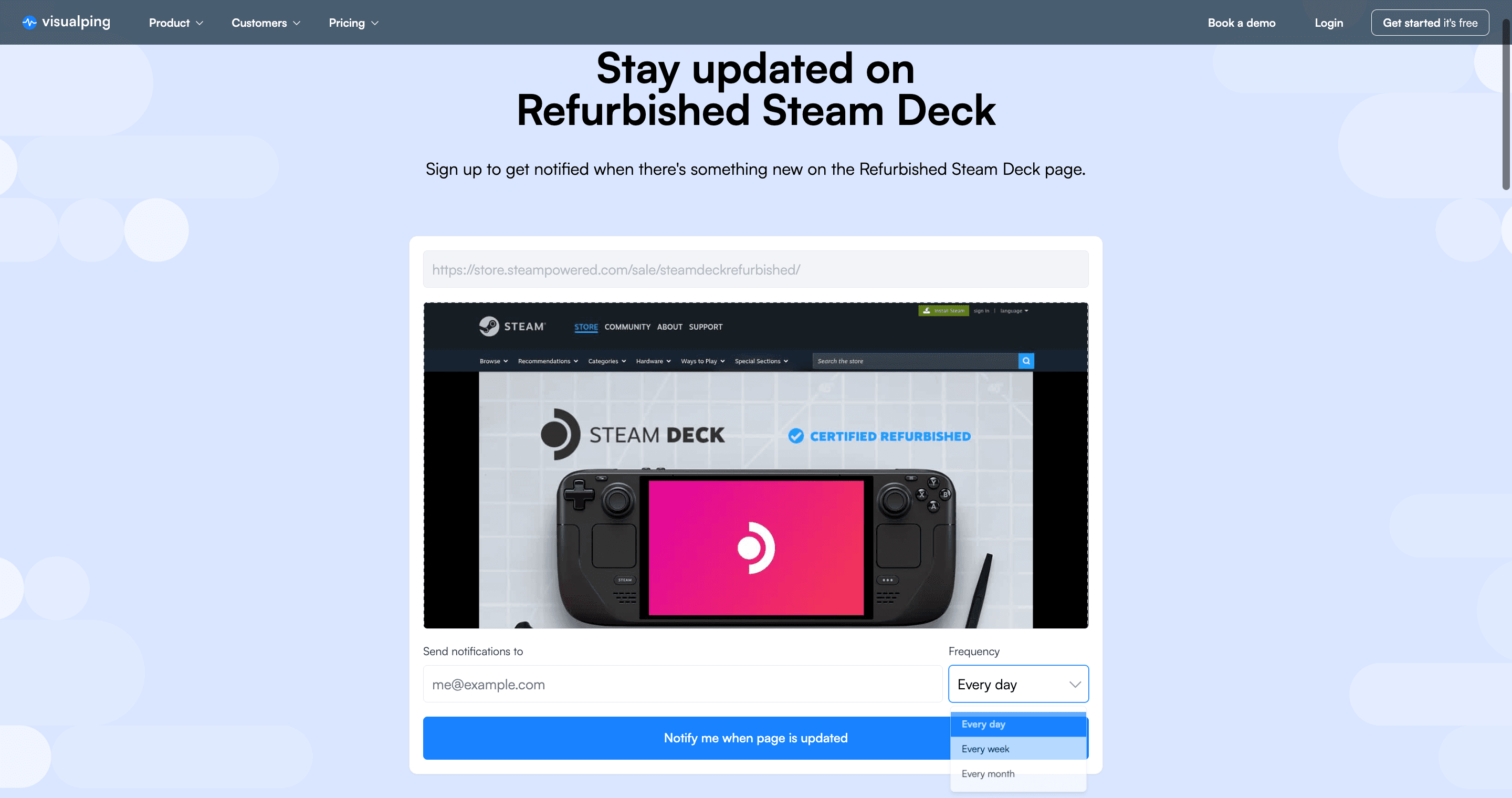
Earlier interface example. The screenshot does not show current Steam Deck availability.
Step 2. Enter your email
Enter the address where you want notifications and complete any confirmation steps shown. If you create your own monitor in the dashboard, check that the preview contains the model and stock information you need. See the monitor creator instructions.
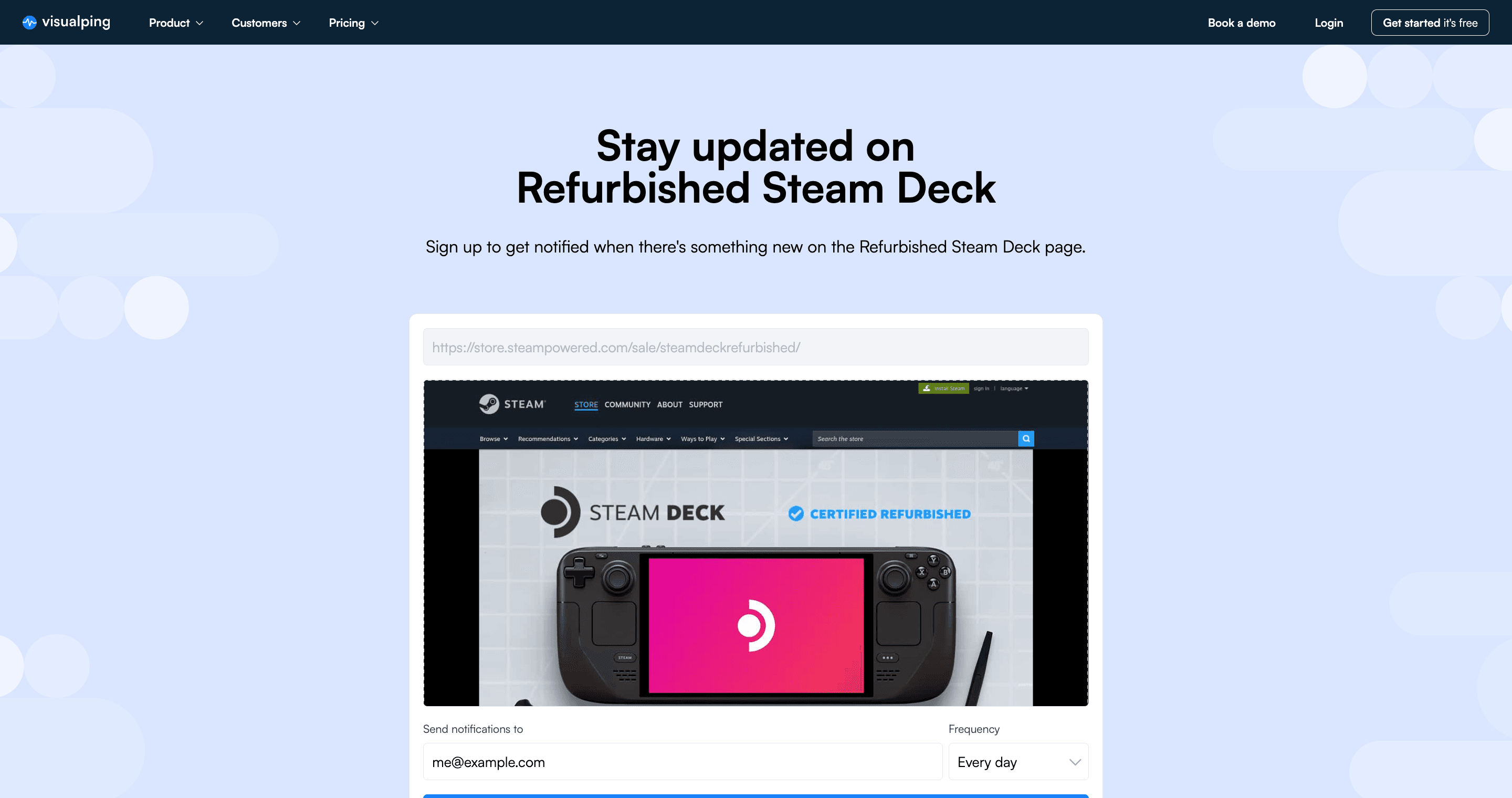
Earlier signup example.
Step 3. Review the schedule and detected changes
For your own cloud monitor, choose a check interval and a monthly allowance that fit together. The Free plan allows 5 active pages and 150 checks per month, with a fastest cloud interval of 60 minutes. One hourly monitor needs 720 checks over 30 days, so Free cannot sustain that schedule for the whole period. Five daily monitors need 150 checks in 30 days and 155 in 31 days; the latter exceeds the Free allowance. Failed checks also consume checks, and monitoring pauses when the allowance is exhausted. See current plan limits.
A notification follows a successful check that detects a change and meets your configured alert settings. A brief stock window can occur between checks. The notification-frequency control on a public signup page should not be treated as a promise of equally frequent source checks.
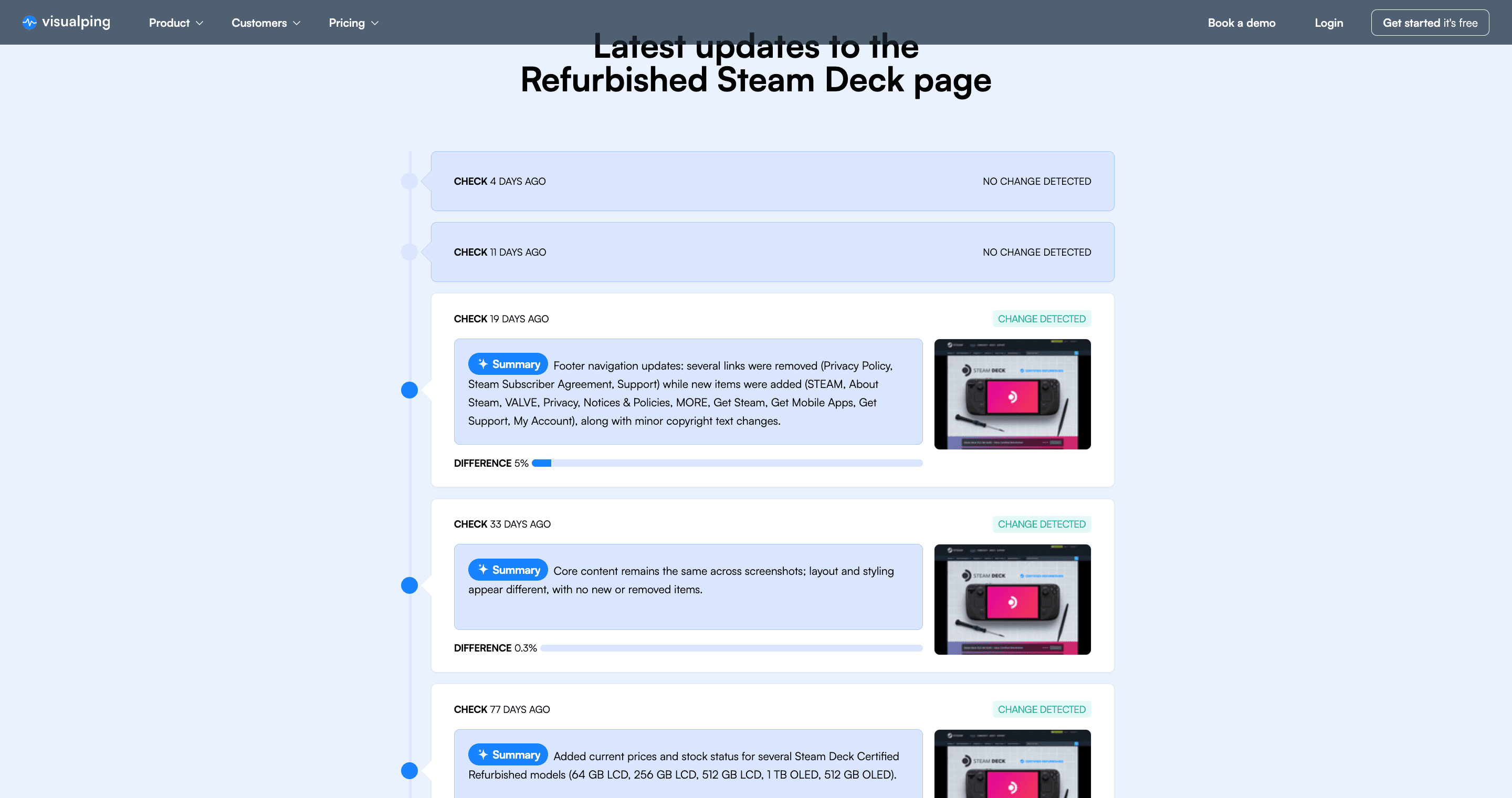
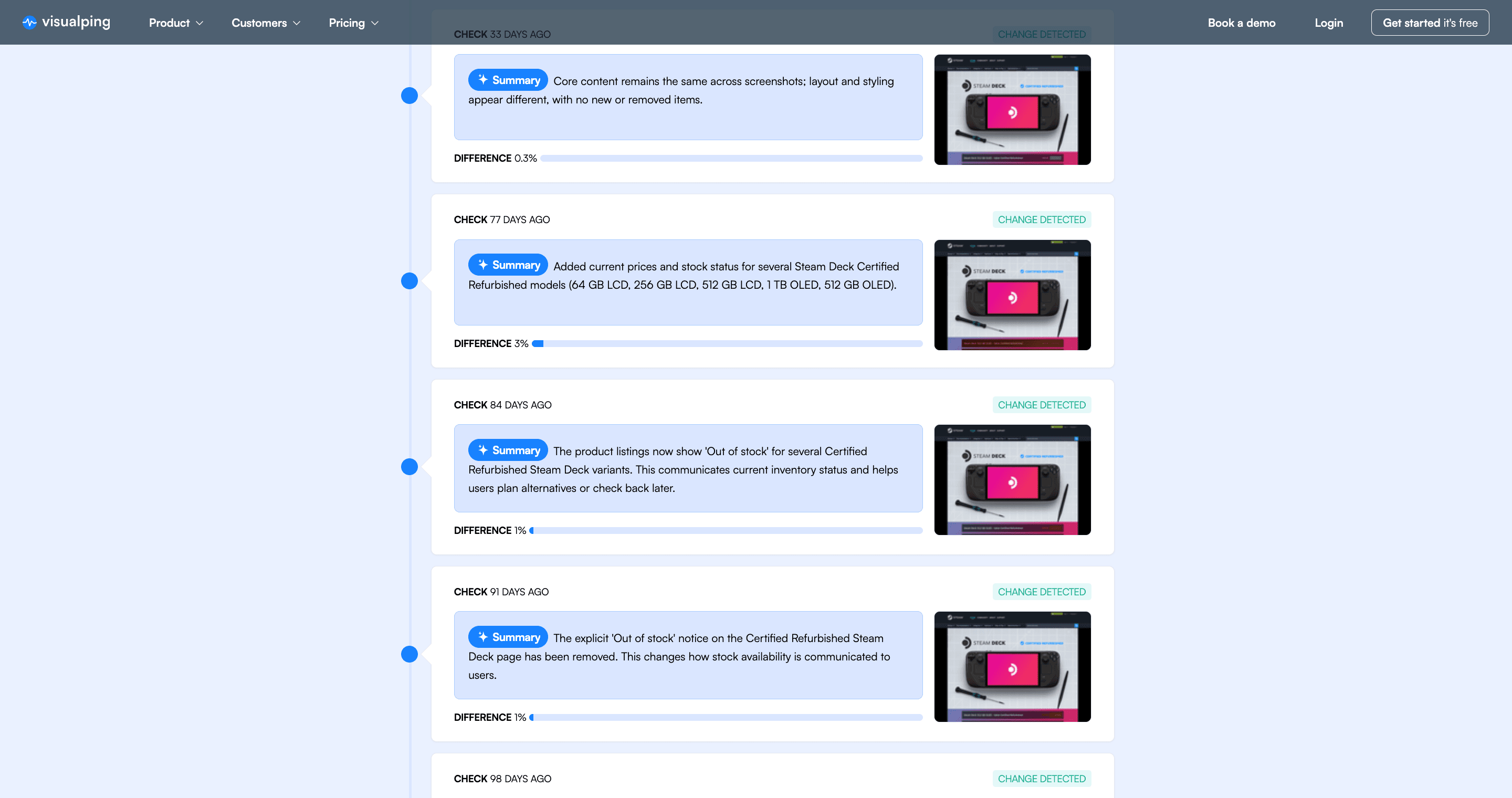
Earlier change-history example. Entries include layout and text changes as well as stock-related wording.
The example below mentions prices and stock-status text being added. That supports reviewing a page difference; it does not independently confirm that a particular model could be purchased. Read the captured comparison and open Valve's store before treating an AI summary as a restock.
Step 4. Optional SMS upgrade
SMS is available on Personal 5K, Personal 10K and Business plans. It changes the delivery channel, not the source-check interval or stock availability. There is no seconds-from-restock delivery guarantee.
How to focus alerts on stock-related changes
For your own monitor, describe the model and availability change you care about in the AI prompt. To limit delivery to changes the AI marks important, enable Alert me only when the AI condition is met and your notification channel. AI can misclassify changes, so inspect the comparison and the store. Writing a prompt normally turns this setting on automatically; verify that it remains enabled along with your notification channel. Filtering can withhold a change the AI misjudges as unimportant. See the important-alert instructions.
Alternatives compared
| Approach | What to check | Main limitation |
|---|---|---|
| Open Valve's store directly | Exact model, regional listing and purchase options | You see the page state at the time you visit |
| Read a stock report or community post | Original source, model, region and report time | A report does not establish current checkout availability |
| Use a page-change monitor | Successful captures, interval, allowance and delivery settings | Changes can be unrelated to stock, or occur between checks |
Choose the source and alert method that fit your model and region. This guide has not measured comparative notification latency.
For related setup guides, see Amazon restock alerts, Best Buy stock tracking, Nintendo Switch OLED restock tracking, GameStop restock alerts, and Pokemon Center restock notifications. Check capture access and the relevant product settings for each site.
FAQ
Why are Steam Decks out of stock now?
Check the specific model and region. Valve's product page warns that Steam Deck OLED may be intermittently unavailable in some regions because of memory and storage shortages. That statement does not establish the cause of every refurbished model's stock status.
How do I know when the Steam Deck is back in stock?
Check the official listing directly, or review the Visualping refurbished-page signup. A page-change notification is a prompt to verify the current offer, not a reservation. Review the schedule and allowance if you configure your own monitor.
Why is there a global shortage of the Steam Deck?
The earlier claim that new OLED models had faced no major supply constraints does not match Valve's current product page. Valve's product page explicitly warns of intermittent regional shortages linked to memory and storage. It does not support treating every out-of-stock message as a worldwide shortage or a refurbished-only issue.
Why is Steam Deck not available in the USA?
Read the regional store message for the exact model you want. Valve's product page directs buyers in Japan, South Korea, Taiwan and Hong Kong to KOMODO; those markets should not be described as direct Steam shipping regions. This guide has not verified the cause of a particular US out-of-stock message or a complete current refurbished-region list.
How often does Valve restock?
We do not have verified records that establish a weekly restock frequency. The schedule reported in the earlier version has been withdrawn. Check current offers rather than relying on the withdrawn weekday pattern.
What time of day do restocks happen?
No dependable time-of-day pattern is established here. Check the model and region that matter to you; a monitor can only observe the page when its checks run successfully.
Is the refurbished Steam Deck worth it?
Valve advertises savings of up to 20% on Certified Refurbished units and a one-year warranty. Compare the actual model's listed price, condition terms and warranty before deciding. The maximum advertised discount does not mean every model is discounted by 20%.
Is the refurbished Steam Deck OLED ever in stock?
Check the Certified Refurbished page for the current model list and availability. The earlier version did not establish that OLED refurbished units restock less often than LCD units or sell out within minutes. We have removed those comparisons.
Summary
Start with the official listing for your model and region. If you add an alert, review its check schedule and treat each notification as a reason to inspect the current store offer.
Source note: Valve product information and Visualping help pages were checked for this correction. Store availability can change. Earlier platform totals and restock-timing conclusions remain unverified and are not used to predict the next restock.
Want to monitor web changes that impact your business?
Sign up with Visualping to get alerts about changes on the web pages you monitor.
Eric Do Couto
Eric Do Couto is the Head of Marketing at Visualping. He leads content strategy, growth operations, and brand positioning for website change detection.
More articles by Eric Do Couto