Uptime Tells You It's Up. It Doesn't Tell You What Changed.
Visualping screenshots any webpage and tells you exactly what changed. Text, layout, images. You get an AI summary, not a raw diff.
Pricing alert: AWS reduced free-tier hours from 750 to 500. SEC proposed new AI disclosure rules. Your hero image broke after Tuesday's deploy. An uptime monitor would have said all four pages were “UP.”
| Monitored Page | Type | What Changed | When | Flag | |
|---|---|---|---|---|---|
| 1 | aws.amazon.com/free Free tier page | Text | Free-tier EC2 hours reduced from 750h to 500h/mo | Apr 8 | IMPORTANT |
| 2 | sec.gov/rules/proposed Regulatory filings | Keyword | New "AI disclosure" requirement added to proposed rule | Apr 7 | IMPORTANT |
| 3 | yoursite.com/features Your product page | Visual | Hero image missing after Tuesday deploy | Apr 5 | |
| 4 | competitor.com/pricing Pricing page | Visual | Enterprise tier increased from $499 to $599/mo | Apr 3 |
Uptime Monitoring Solves the Wrong Problem
UptimeRobot tells you a site is reachable. Visualping tells you what changed on it.
Visual Change Detection
Screenshots every page and highlights pixel-level differences. Catches layout shifts and redesigns that status checks miss.
AI Change Summaries
Every alert includes a plain-English summary of what changed. Skip the raw diffs. Get the insight.
Keyword Monitoring
Track specific words appearing or disappearing on any page. Monitor competitor pricing language, compliance terms, or product announcements.
Three Things Uptime Monitors Can't Tell You
Your uptime tool confirms the page loaded. Here's what it's missing.
1.Whether a competitor changed their pricing.
Visualping flags the exact content that changed on any public webpage. Pricing pages, product catalogs, feature lists. AI summary included.
2.Whether a regulation was updated.
Scan government and regulatory websites as often as every 2 minutes. Side-by-side screenshot with changes highlighted in color.
3.Whether your own site broke visually.
Catch broken layouts, missing images, and rogue edits before your customers notice. Visual monitoring catches what ping tests never will.
This Is What a Change Looks Like
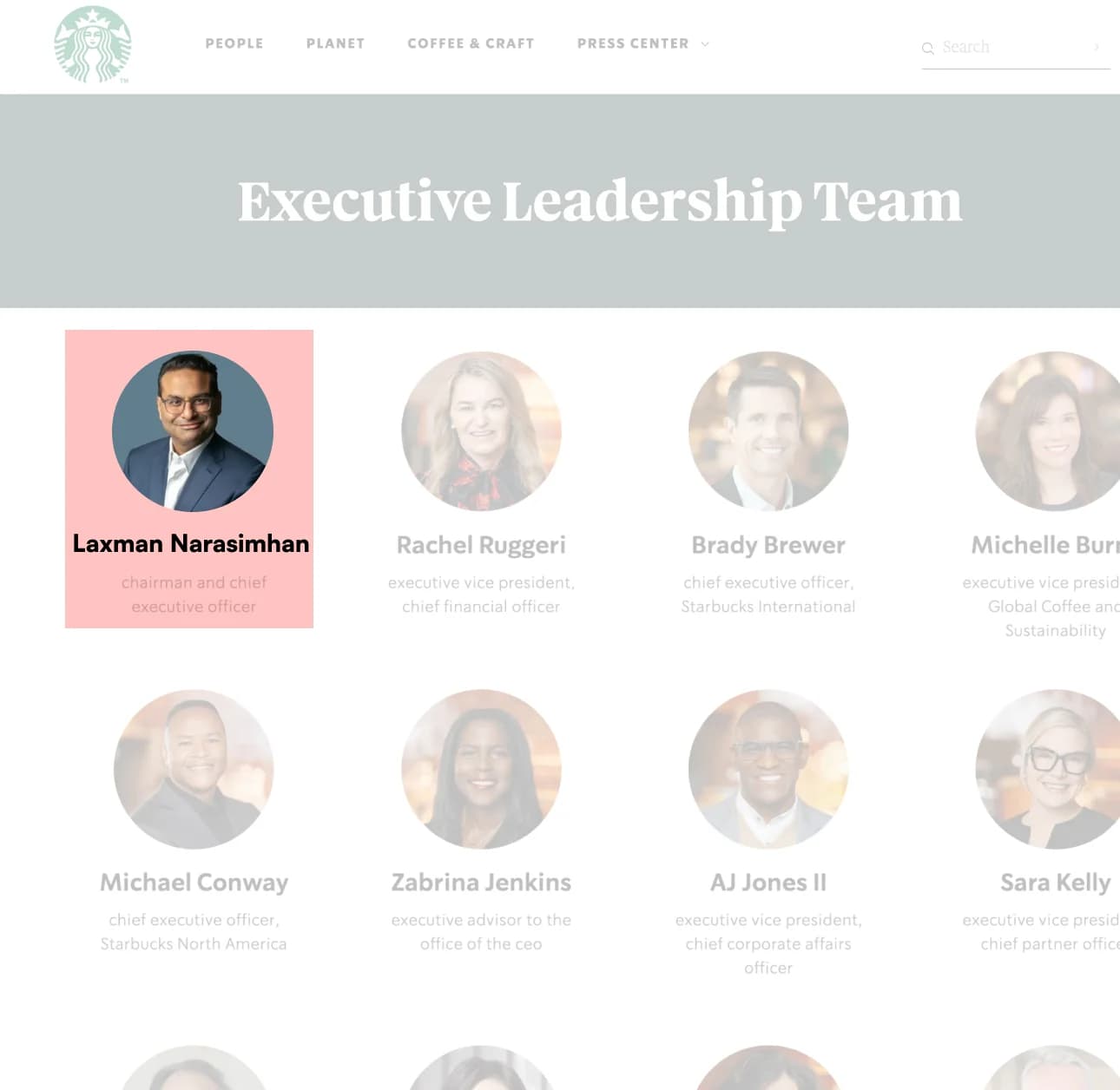
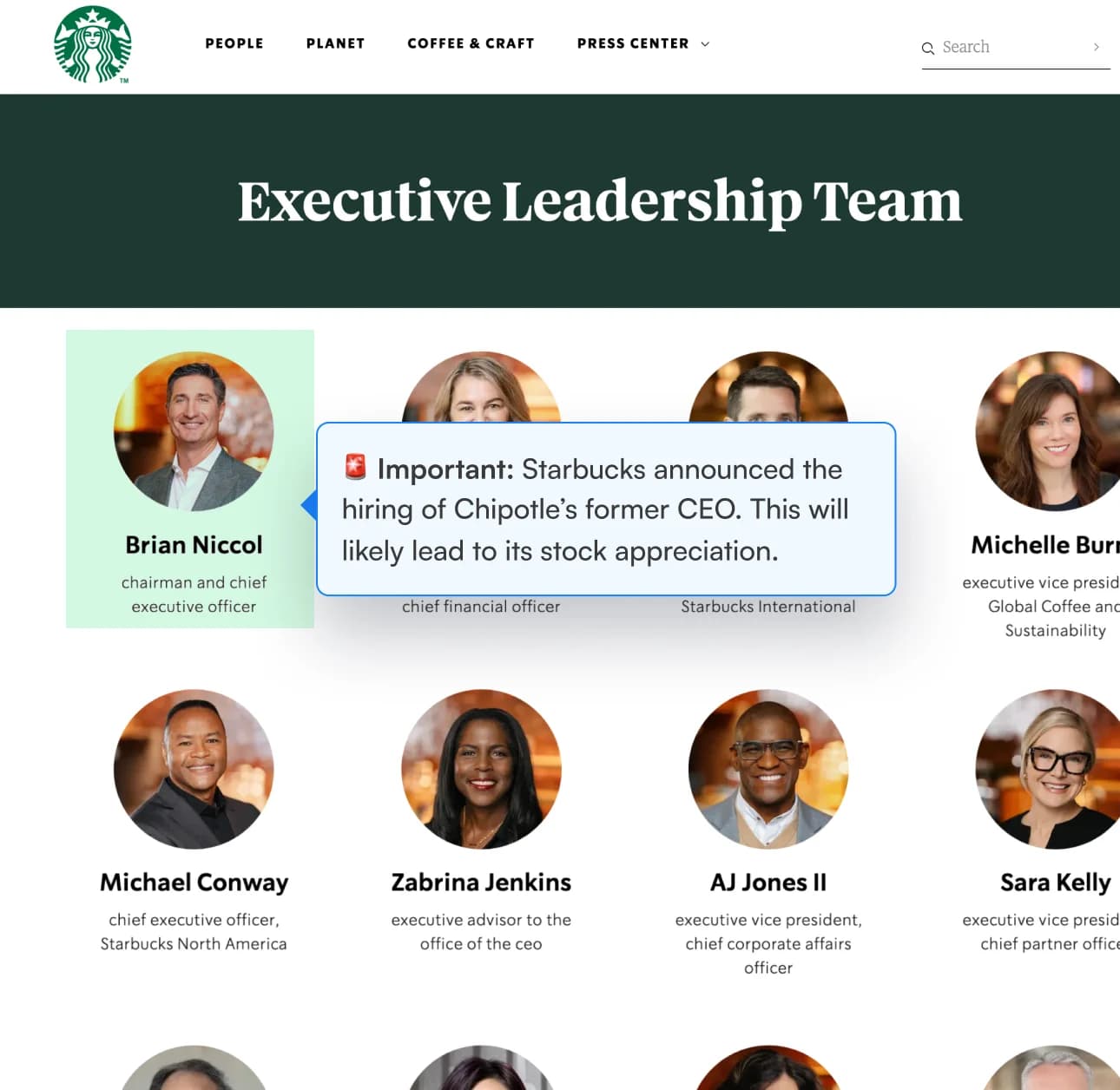
Starbucks replaced their CEO. An uptime monitor said the page was “UP.” Visualping showed the whole picture.
One Report. Every Change. Every Week.
Individual alerts catch each change. Reports roll them into one weekly briefing.
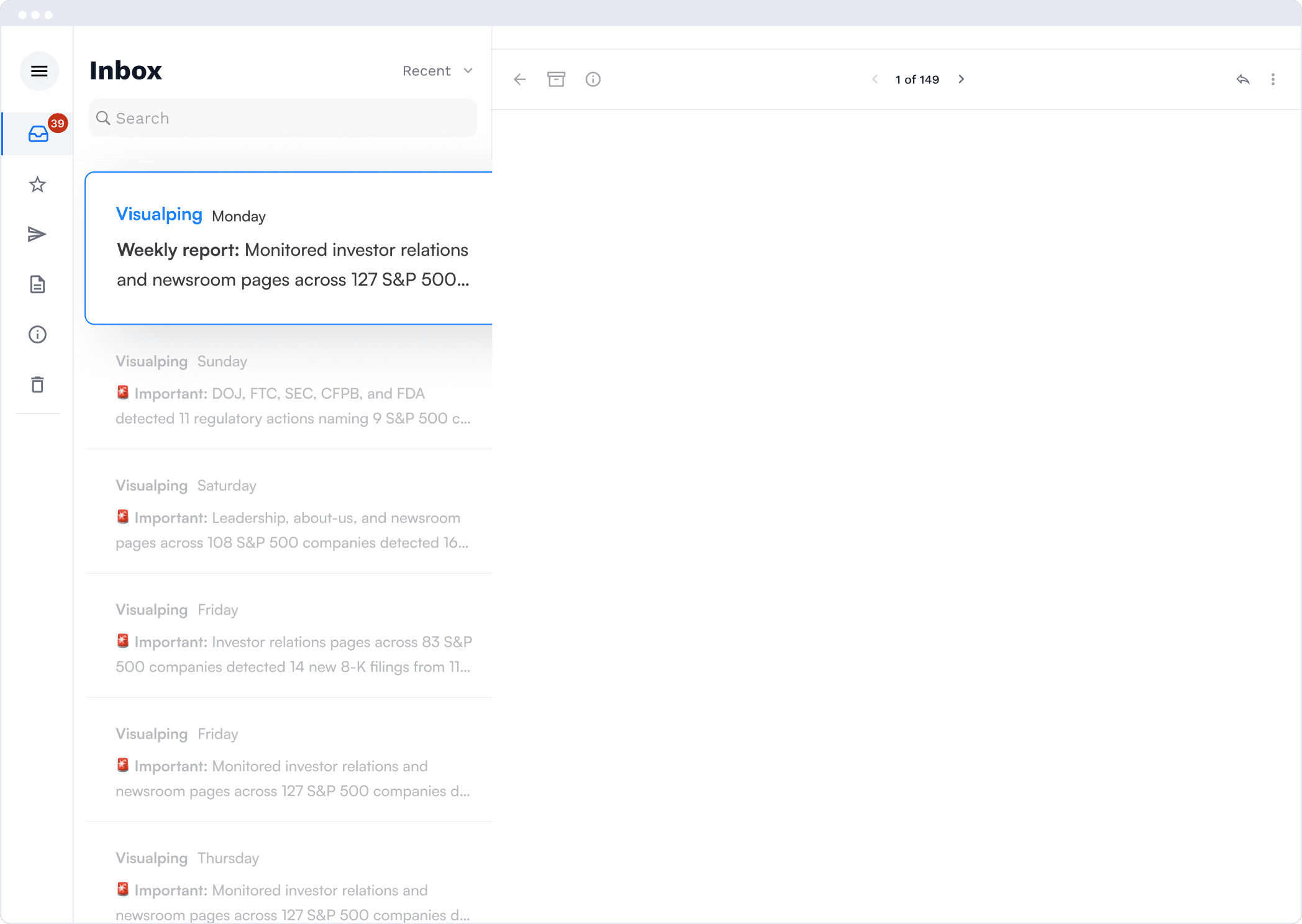
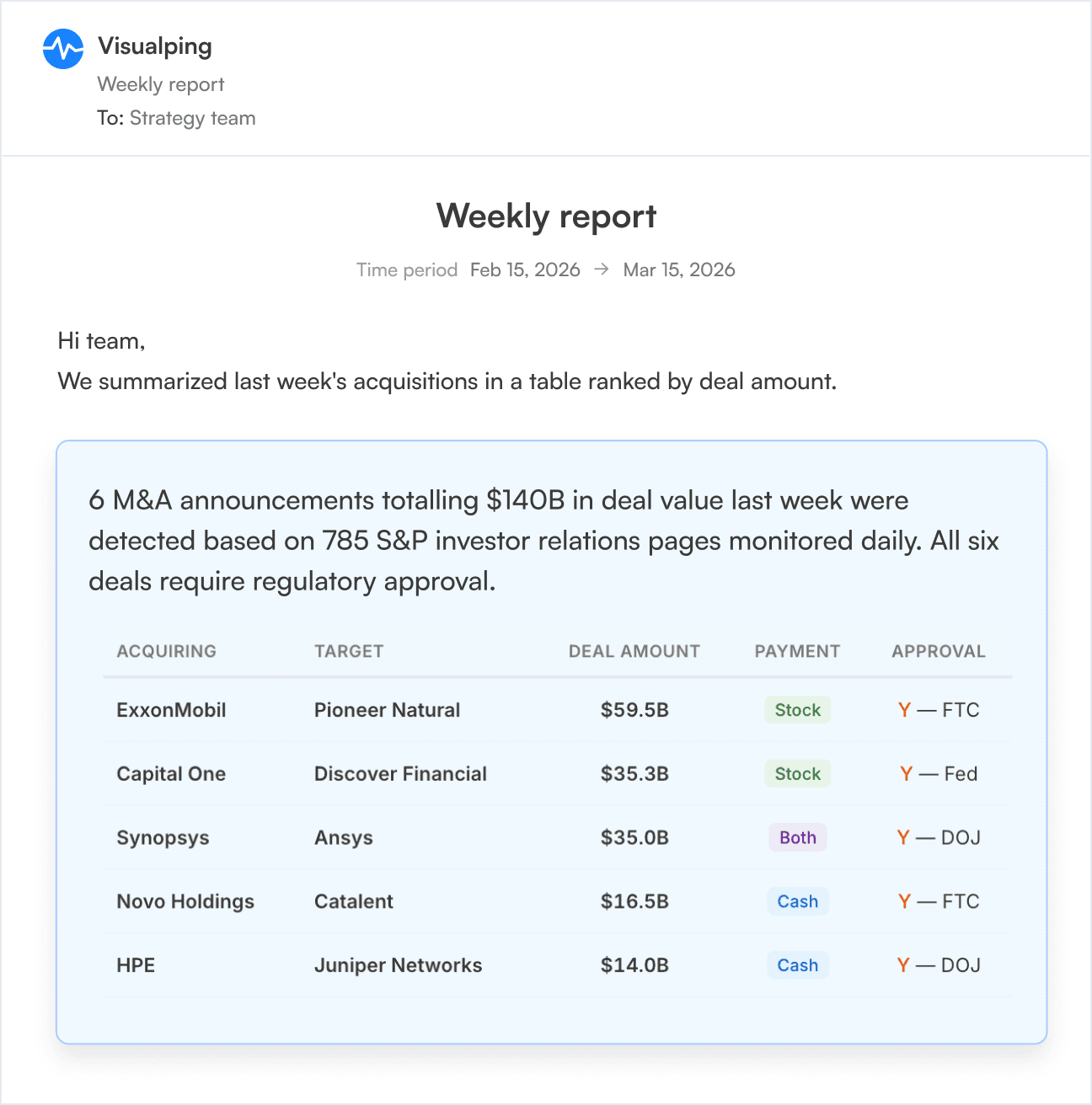
The AI tells you what to read first. Big moves at the top. Skim the rest.
“When I discovered Visualping, I was searching for a tool that could automate the process of alerting me of changes. It wasn’t just text monitoring; I wanted visual, as well.”
“We’ve used other services, but Visualping is, by far, the one we’re using the most.”
85% of the Fortune 500 Use Visualping
Join 200,000+ companies monitoring websites for content changes.



Change Detection vs Uptime Monitoring: Common Questions
Is Visualping an uptime monitor?
Can I use Visualping alongside UptimeRobot?
How often does Visualping check pages?
What kind of changes does Visualping detect?
Where do I receive alerts?
No bells or whistles. Free trial, then $10/mo billed annually.
Start monitoring content changes in under 2 minutes.