Introducing Domain Monitoring for Whole Websites
By Kayla Zhu
Updated November 5, 2026
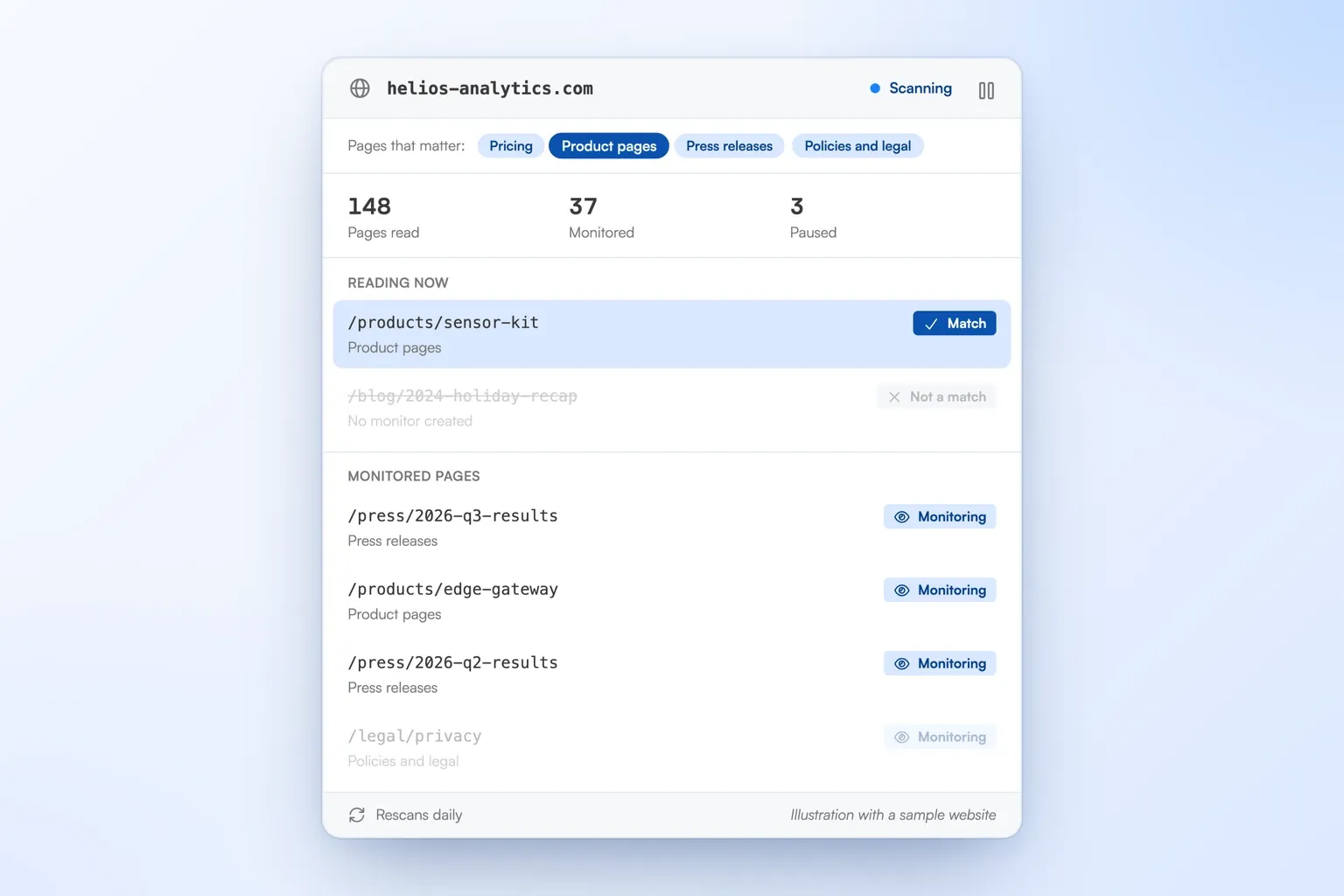
TL;DR: Domain Monitoring lets you monitor an entire website for changes. Give Visualping one website and describe the pages that matter on it, like pricing, product pages, press releases or regulatory updates. Visualping scans the site, starts a monitor for every matching page, pauses pages that stop matching, and rescans daily, weekly or monthly to pick up new ones. Scans cost no credits. Domain Monitoring is available with Solutions plans, on request, and only your Visualping team can set it up.
Visualping is good at telling you what changed on a page you already know about. Paste a URL, pick a schedule, and you get an alert with an AI summary when something moves.
The hard part is the list of URLs. A competitor adds a product page. A regulator publishes each new notice at a new address. A reseller adds a pricing page nobody on your team has seen. Someone on your team has to find those pages and add them by hand, usually after the change you cared about has already happened.
Domain Monitoring removes that step. You describe the pages that matter, and Visualping finds them and keeps the list current.
Describe the pages once, and Visualping finds them
Start by telling your Visualping team which website to watch and which pages you care about. They set it up for you using page types such as Pricing, Product pages, Press releases, Policies and legal, or Regulatory updates, plus anything you describe in your own words.
That definition does the work a URL spreadsheet used to do. Visualping AI reads each page the scan finds and checks it against your description. Pages that match become monitors. Skipped pages don't appear in your account, but your Visualping team can share that list with you.
The scan follows the links most likely to lead to matching pages and stays within the website's own domain. Links out to partners, social profiles or other sites are left alone.
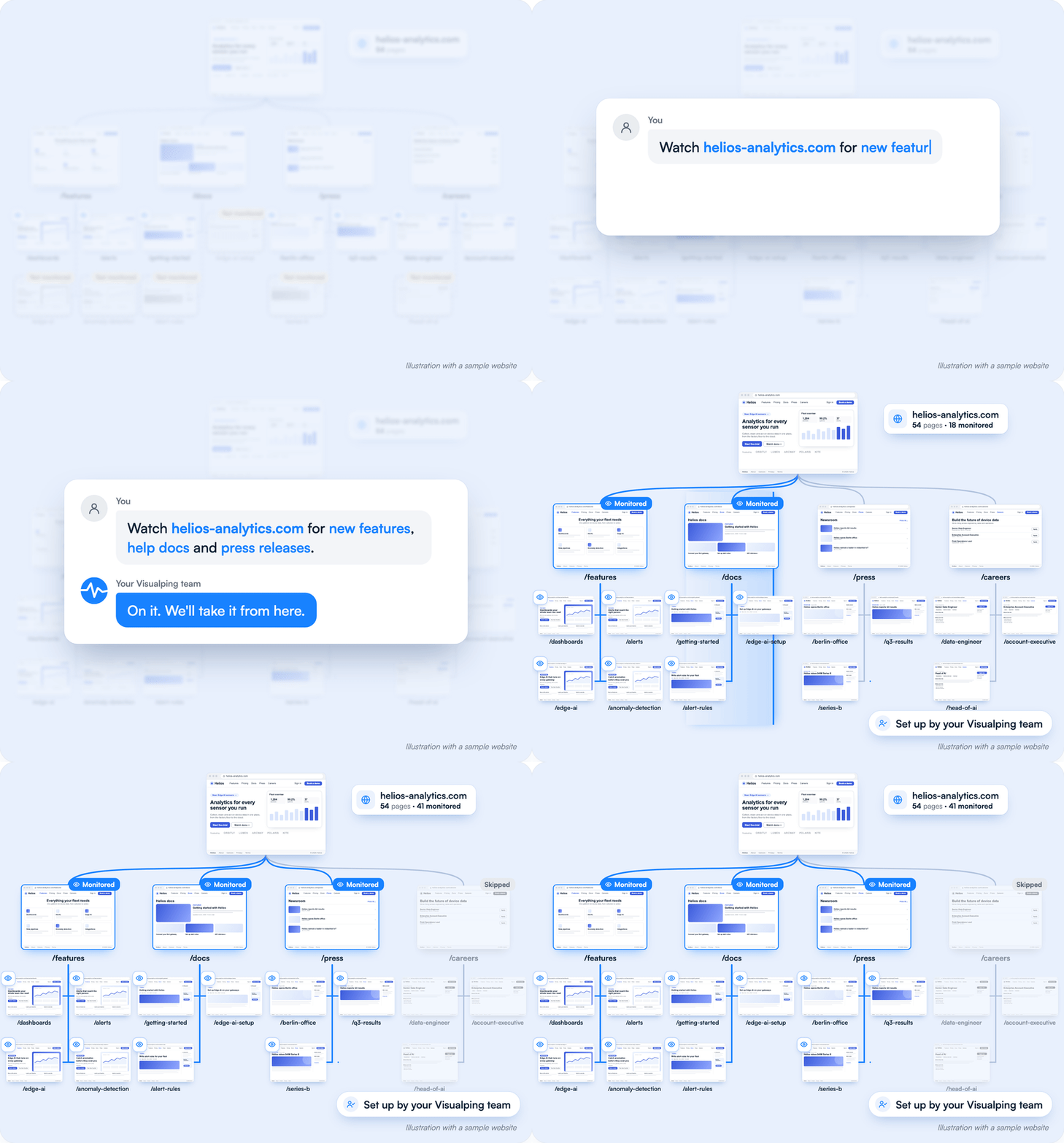
Illustration with a sample website. You tell your Visualping team what to watch, they set it up, and Visualping monitors every matching page.
Newly found pages get monitors on the next rescan
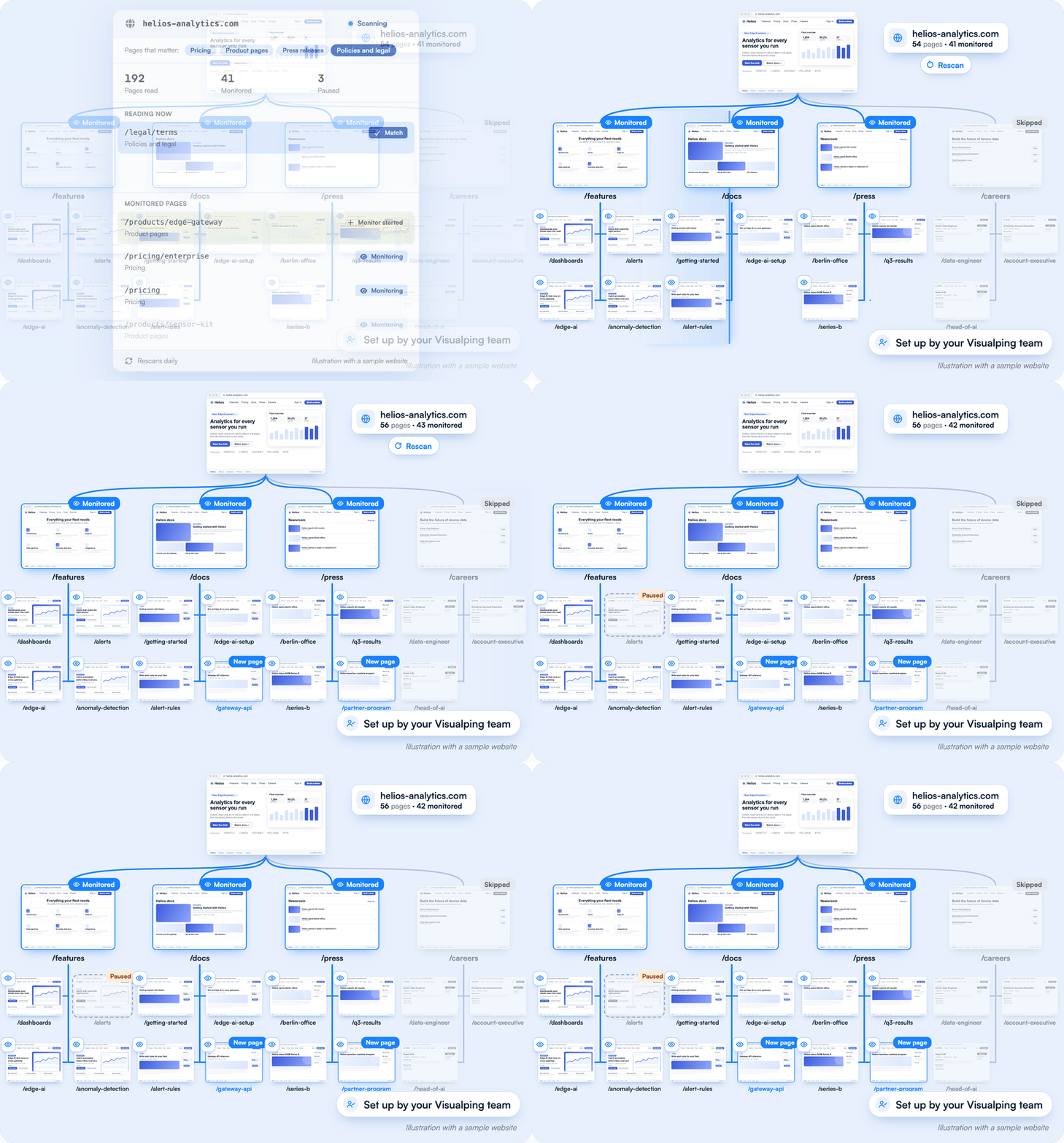
Illustration with a sample website. On each rescan, new matching pages get monitors and a page that stops matching is paused.
The first scan reads the site and starts a monitor for every page that fits your definition. After that, Visualping rescans on the schedule you choose: daily, weekly or monthly.
This matters most on sites that publish at new addresses. A regulator that posts each consultation at its own URL, or a competitor that launches each product on its own page, gets covered as it grows, with no one re-checking the site map.
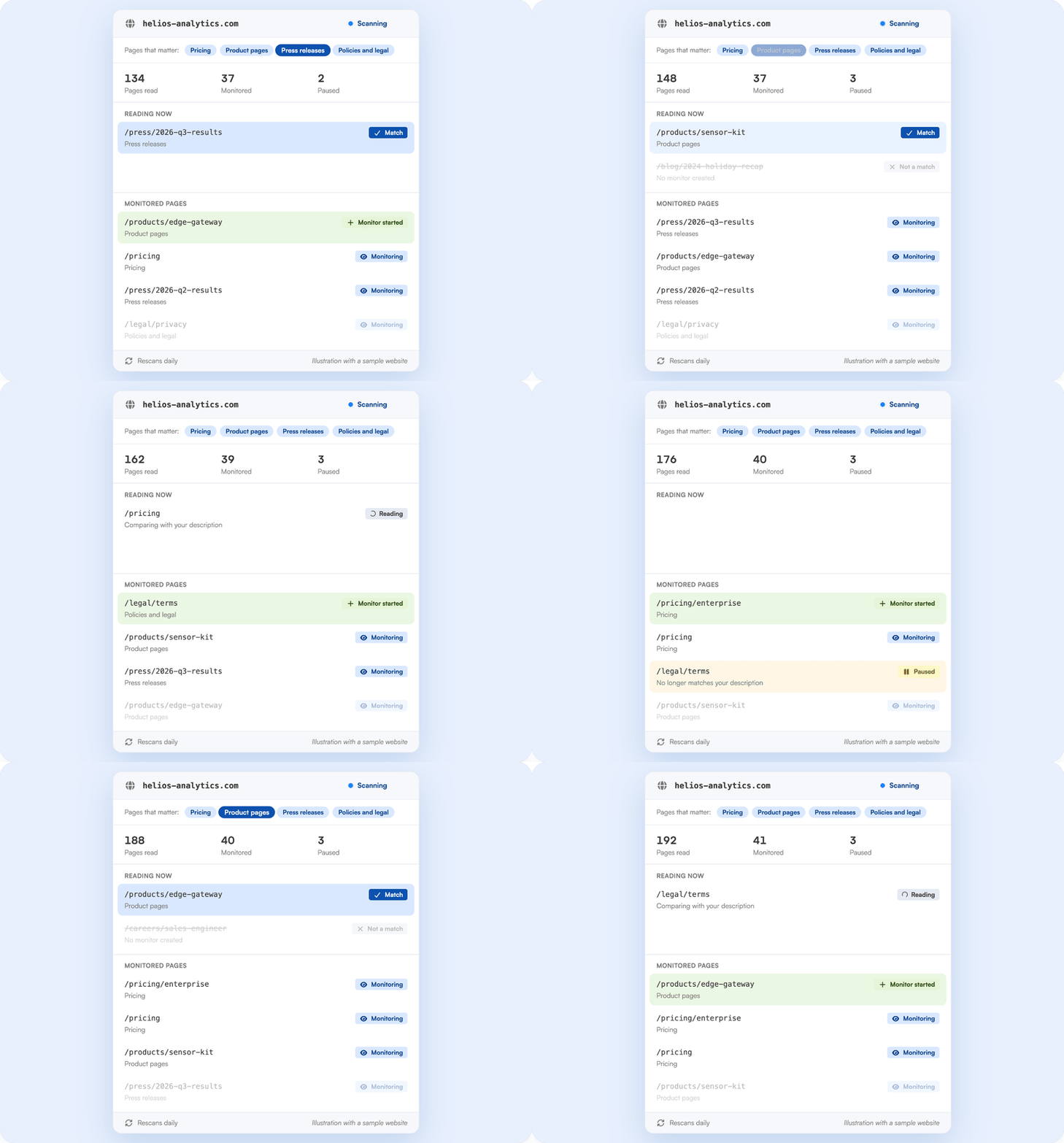
Illustration with a sample website. Visualping reads each page, checks it against your description and starts a monitor for every match.
The list of monitored pages maintains itself
Websites change shape. Pages get renamed, retired or rewritten into something else. Domain Monitoring handles all three on every rescan.
A page that stops matching your definition, or that the scan can no longer find, is paused automatically. A paused page that matches again is resumed. New matching pages get new monitors. The monitored list tracks what is actually on the site today, without a quarterly cleanup.
Duplicate addresses are handled too. The http and https versions of a page, with or without www and with or without a trailing slash, take one slot. If you were already monitoring a page before the scan found it, the scan adopts your existing monitor instead of creating a second one, and its change history stays intact.
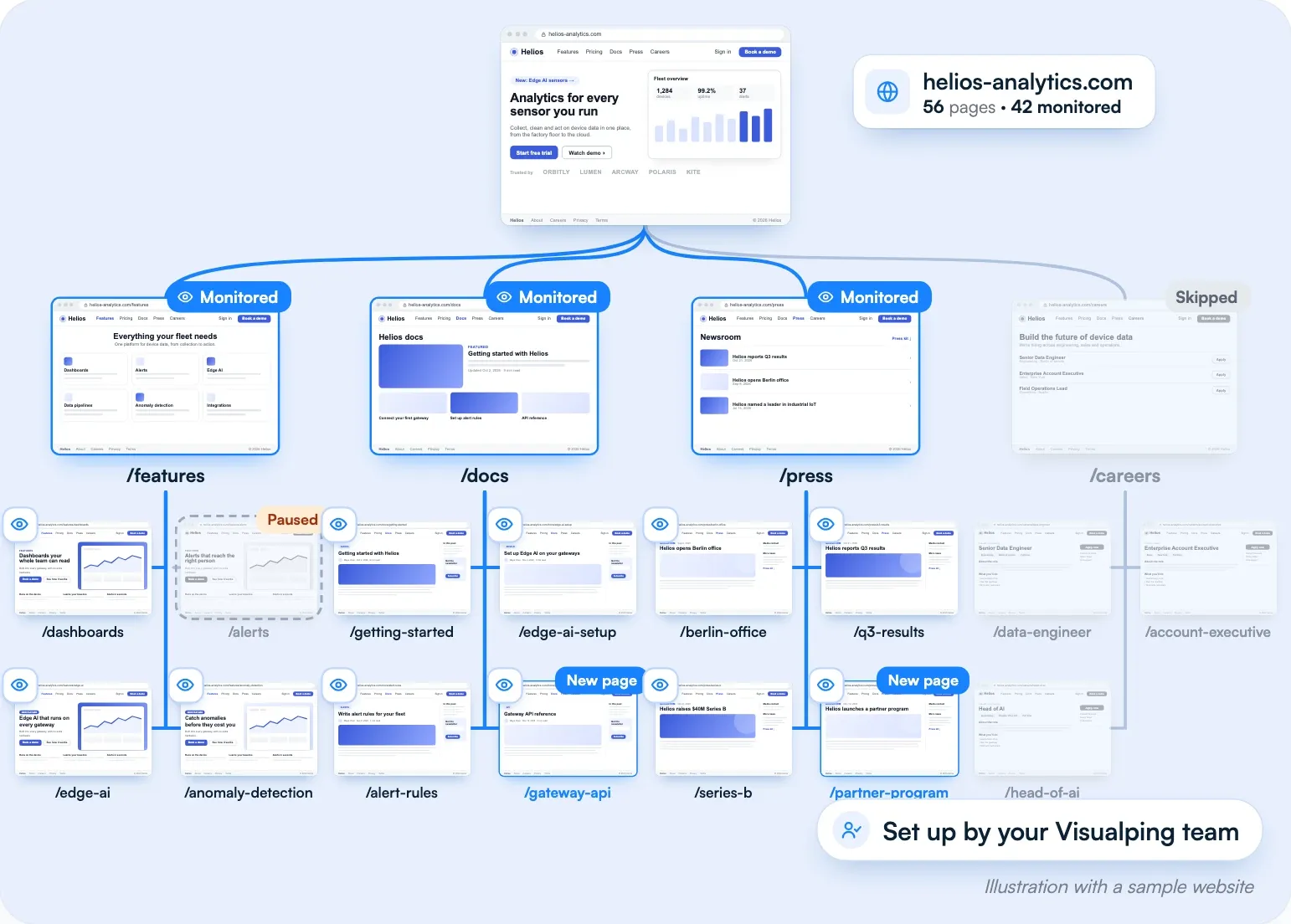
Illustration with a sample website. New matching pages get monitors, and a page that stops matching is paused.
Every page it finds is a normal Visualping monitor
Each matching page gets its own monitor, with the schedule, labels and AI settings your workspace already uses. When the page changes, the alert opens with an AI summary and an importance flag, so an analyst reads the new pricing tier or the new rule in one line instead of re-reading the page.
Alerts go wherever your team already gets them: email, Slack, Microsoft Teams, Google Sheets, webhooks or the API. Changes across every monitored page also roll into Reports, so a weekly briefing can cover a whole competitor site or a whole regulator in one place.
Each page keeps its own change history, screenshots included, the same as any monitor you set up by hand.
Who this is for
If you work in competitive intelligence, define product pages, pricing and press releases once per competitor. New pages and changed ones report on the same schedule, so a new product page can show up before the launch post goes out.
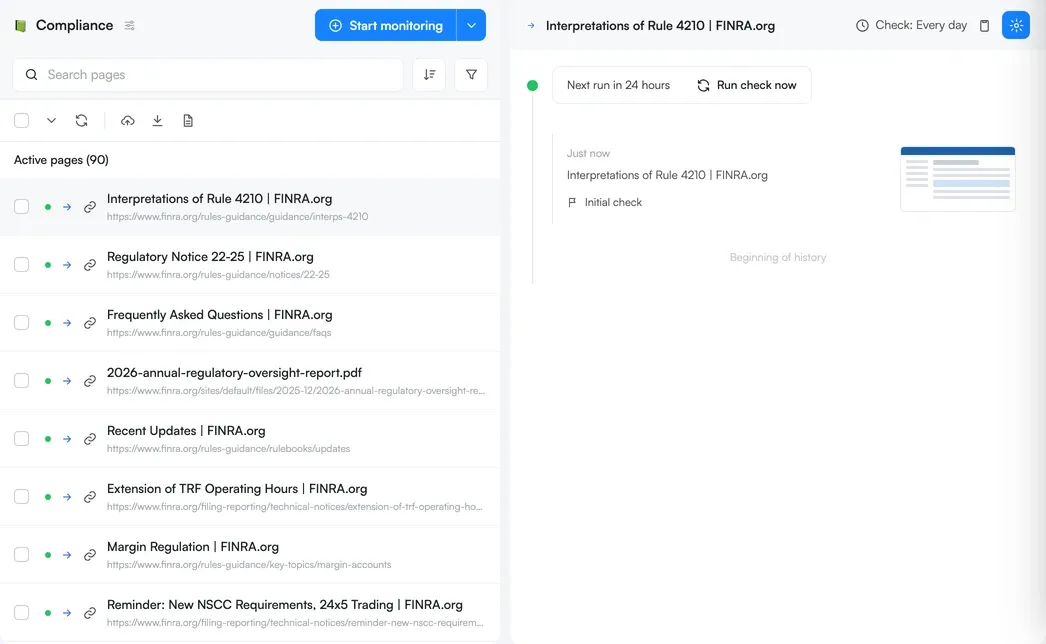
If you work in compliance or regulatory affairs, point Domain Monitoring at a regulator's site and describe the guidance, notices and enforcement actions you track. Each new notice is picked up on the next scan and watched from then on.
If you manage partner, reseller or brand compliance, cover terms, pricing claims and brand use across many partner domains without collecting the URLs by hand.
If you do market or investment research, follow a company's key pages, from the press room to leadership and careers pages, as one feed of changes per company.
Getting started
Domain Monitoring has been available since October 27, 2026, with Solutions plans, on request. Solutions plans start at $3,000 a year and are sized around your number of pages, check frequency and workspaces.
Only your Visualping team can set up Domain Monitoring. There's no setup screen in your account. Ask your Visualping team, or talk to sales, and they'll enable Domain Monitoring for your account, set up the websites and page descriptions with you during onboarding, and adjust them as your coverage grows.
Scans themselves cost no credits. The monitors a scan creates run like any other monitor and count toward your plan's pages and checks.
On every plan, including Free, two related tools are already in the monitor creator. The Discovery tab suggests pages to monitor from a plain-language description, and the Bulk tab imports a list of URLs you already have.
Frequently asked questions
How does Domain Monitoring decide which pages to monitor? From your definition. You tell your Visualping team the page types that matter, like pricing, product pages or regulatory updates, or describe the pages in your own words, and they set the definition up for you. Visualping AI checks each page the scan reads against that definition, and matching pages become monitors.
How often does Domain Monitoring look for new pages? Daily, weekly or monthly, on the schedule you choose.
Which plans include Domain Monitoring? Solutions plans, on request. Your Visualping team enables it for your account as part of a new or existing Solutions engagement. Solutions plans start at $3,000 a year.
Can I set up Domain Monitoring myself? No. Only your Visualping team can set up Domain Monitoring. They add the websites and page descriptions for you and change them whenever you ask.
Does Domain Monitoring use credits? Scans cost no credits. The monitors Domain Monitoring creates run like any other Visualping monitor and count toward your plan's pages and checks.
Does the Domain Monitoring scan follow links to other websites? No. The scan stays within the website's own domain, so a competitor's site never pulls in its partners' sites by accident.
Is Domain Monitoring the same as WHOIS or domain-name monitoring? No. Domain Monitoring watches the pages published on a website for new pages and changes. For registration, DNS or expiry monitoring, read our complete guide to domain monitoring.
Cover the whole site with one definition
Pick one website your team still checks by hand. More than 2 million people already monitor the web with Visualping. Talk to sales to see what Domain Monitoring finds on it.
Want to monitor web changes that impact your business?
Sign up with Visualping to get alerted of important updates from anywhere online.
Kayla Zhu
Kayla is the Public Relations Specialist at Visualping and manager of Visualping's Journalist Program. She manages Visualping's media relations, content marketing, and social media.
More articles by Kayla Zhu