Tracking Competitors: How to Monitor Competitor Sites (2026)
Updated October 27, 2026

TL;DR. Five steps to track competitors through their websites:
Looking for step-by-step monitoring setup? See set up competitor monitoring. That guide covers setup, cadence, and alert routing in a step-by-step walkthrough. This guide focuses on which pages to monitor and how to choose a checking schedule.
- Pick the pages that move. Pricing, product, blog, changelog, investor relations, and social profiles.
- Set a cadence that matches the content. Daily for news and pricing, weekly for product pages, monthly for legal. Set up a daily monitor on your top competitor's pricing page →
- Route alerts where your team already works. Email or webhooks are available on every Visualping plan; native Slack and Teams alerts require Business. Choose a channel your team checks.
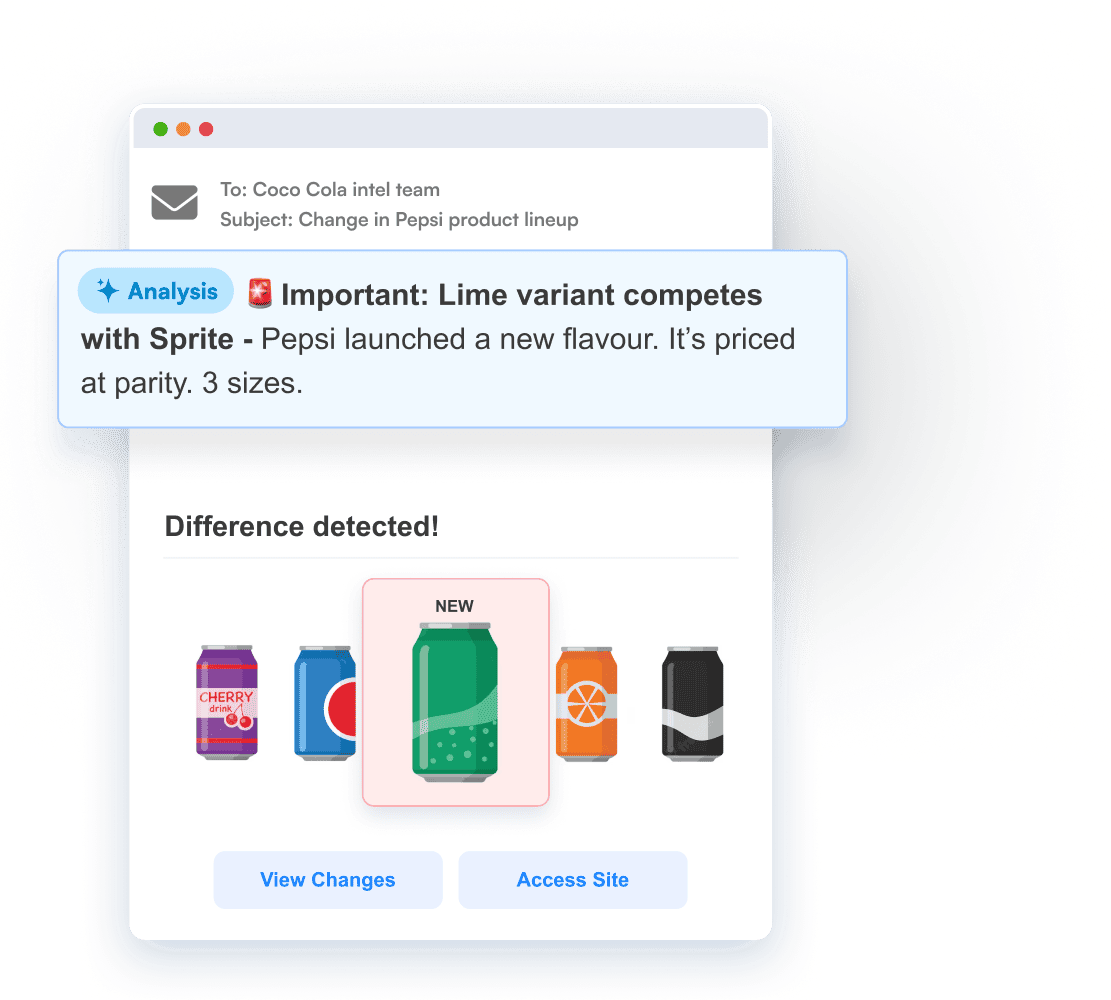
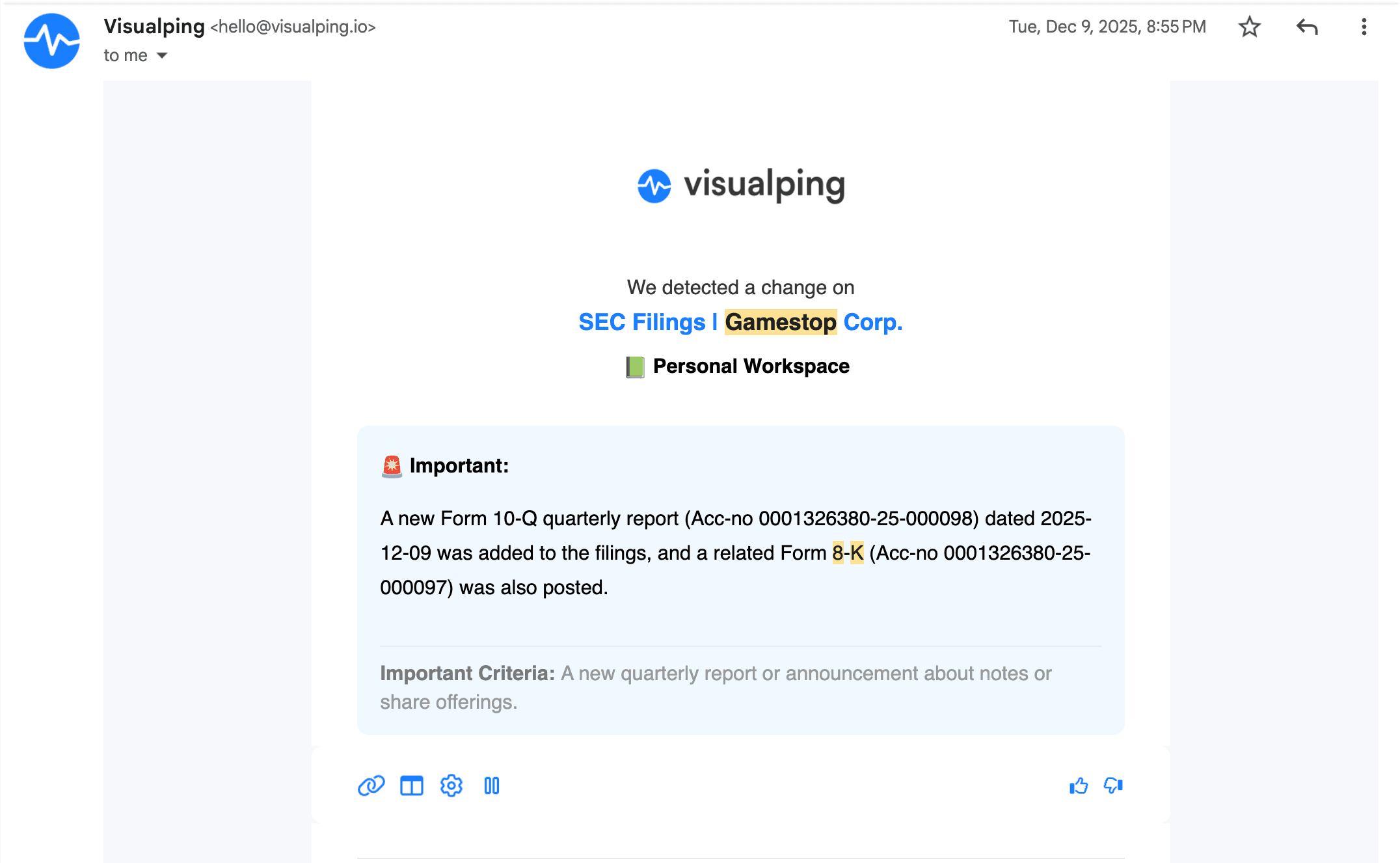
- Filter for importance. Use the AI summary and binary Important flag to decide which detected changes need review. A change-alert rate measures detections; business relevance depends on your criteria.
- Review monthly, not daily. Cadence audit on a fixed schedule catches URL changes and monitor drift before they break the program.
Need tools? Start with our 15 best competitor intelligence tools for general CI or 5 best competitor price tracking tools if pricing is the primary target. The rest of this guide covers the method in depth.
Quick setup by team goal
| Goal | Pages to monitor first | Best starting cadence |
|---|---|---|
| Catch pricing moves | Pricing, packaging, promotion pages | Daily or faster |
| Spot product shifts | Product pages, changelogs, docs | Daily to weekly |
| Track GTM changes | Homepage, landing pages, blog, press | Weekly |
| Watch strategic signals | Careers, leadership, investor pages | Weekly to monthly |
Whether you're a marketing lead watching messaging shifts, a product manager keeping tabs on feature releases, or a sales team that needs to know the moment a rival changes their pricing, tracking competitors through their websites is one of the highest-signal, lowest-cost intelligence practices available to any team.
Gartner's Market Guide for Competitive and Market Intelligence calls automated website monitoring a foundational CI capability.
This guide covers exactly what to monitor on competitor sites, how to set up tracking on a regular schedule, and how to turn raw change data into competitive intelligence your team can act on. Every section includes real examples so you can see what this looks like in practice.
In an October 2026 sample of 828 personal accounts categorized from their declared interest in competitor monitoring, 406 (49.0%) had active monitors on more than one distinct stored URL.
Sample method: an October 28, 2026 UTC snapshot of active Visualping monitors with standard schedules. Internal and special-access accounts, members of internal organizations, deleted accounts, and automatically created or spider monitors were excluded. Accounts were grouped by their declared-use-case classification at extraction, which can prioritize one of several selections. The count includes each sampled account's eligible URLs, regardless of page topic; several URLs can lead to the same underlying page. Business outcomes were outside this analysis.
What to Monitor on Competitor Sites (and Why It Matters)
Choose pages for specific decisions
Choose pages that answer a specific question for your team, such as whether a competitor changed a price or announced a product. The sections below show what each page type can tell you.
Homepage and Core Messaging
A competitor's homepage is their most carefully curated public statement. Changes to headline copy, hero sections, value propositions, or navigation structure can suggest a strategic shift: a new target audience, a repositioned product, or preparation for a launch. Confirm that interpretation against other evidence.
What this looks like in practice: Stripe announced a $95 billion valuation in its March 2021 funding announcement, which also described plans to expand its enterprise capabilities. Comparing homepage messaging with announcements like this can help you assess which buyers a competitor is pursuing.
Pay attention to how competitors frame the primary problem they solve and who they frame it for. If a B2B competitor shifts from "enterprise-grade security" to "security teams can deploy in minutes," that may suggest a different target buyer. Monitoring their sitemap can also reveal structural changes at a glance, like new landing pages being added for verticals they previously didn't serve.
Product and Feature Pages
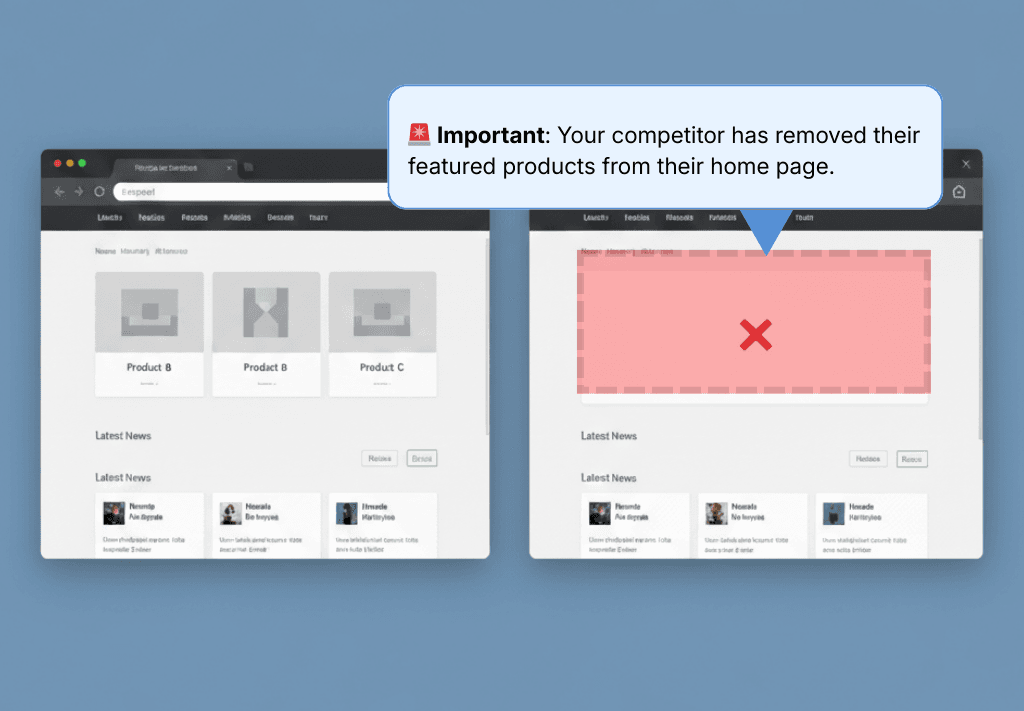
Tracking changes to product pages shows how a competitor presents its current offering and any plans it makes public. New feature descriptions, updated screenshots, reorganized pricing tiers, and changes to comparison tables all tell a story.
Look beyond what's added. What gets removed from a product page is equally revealing. Deprecated features, sunset integrations, or language that quietly drops can signal struggles or pivots you'd otherwise miss entirely.
What this looks like in practice: GitHub launched the Copilot technical preview on June 29, 2021, introducing AI-assisted code suggestions. A competitor monitoring that announcement could use it to assess the new capability and its own product positioning.
Go deeper: How to Analyze a Competitor's Website | Competitor Website Analysis Tools
Pricing and Promotions
Price changes are among the most time-sensitive competitive signals. A competitor dropping prices may indicate they're losing deals on cost. A new enterprise tier may signal they're moving upmarket. Seasonal promotions and limited-time offers reveal their demand-generation playbook.
What this looks like in practice: On September 1, 2022, Mattermost published a Slack message-history export guide explaining Slack's change to a 90-day message-history window for free workspaces. The guide also invited readers to migrate to Mattermost. This provides a documented example of a competitor responding publicly to a plan change.
The pattern matters more than any single change: recurring quarterly discounts, annual price increases that follow a predictable cadence, tier restructuring that signals a target-market shift. Catching one change is luck. Catching the pattern requires automated tracking over time.
Set up a pricing-page monitor on your top competitor → Free plan, no credit card. Each detected change includes a Visualping AI summary and an Important flag to help you review the update.
News, Press Releases, and Blog Content
A competitor's newsroom and blog are where they announce what they want the market to know: funding rounds, partnerships, customer wins, executive hires, and product launches. Monitoring these pages gives you early warning of moves that will eventually reach your prospects and customers.
Don't stop at their own site. External press coverage, especially negative coverage, creates opportunities. A competitor's public misstep is a signal to lean into your own strengths in the areas where they've stumbled.
Customer Reviews and Testimonials
Competitors' customer reviews are a form of unfiltered market research. They reveal pain points the competitor hasn't solved, feature requests their users care about, and the specific language customers use to describe their experience.
When a competitor adds a new case study or quietly removes a testimonial, it often reflects shifts in their customer base or satisfaction levels. Reputation-monitoring tools can automate this tracking across review platforms so the review happens without manual spot checks.
Social Media Profiles
Social media is where many companies test messaging before committing to website changes. New taglines, campaign themes, partnership announcements, and hiring pushes often surface on LinkedIn and X (Twitter) before they appear anywhere else.
Tracking competitor LinkedIn pages and Facebook profiles for changes gives you a leading indicator of strategic direction that website monitoring alone might miss.
Job Postings and Team Changes
Job listings are one of the most underused competitive signals. A competitor hiring five machine learning engineers tells you something different than one hiring a VP of Enterprise Sales. New roles reveal where they're investing next, and leadership departures can signal instability or a pivot.
SEO and Technical Changes
Competitors' SEO strategies leave visible footprints: new pages targeting specific keywords, restructured URLs, updated meta titles, and shifts in content strategy. Monitoring these changes with SEO change monitoring tools can reveal which markets they're trying to capture and where they see organic growth opportunities.
Go deeper: 27 competitive intelligence sources worth monitoring covers the broader signal landscape beyond competitor websites.
How to Start Tracking Competitors: A Step-by-Step Process
Knowing what to monitor is only useful if you have a repeatable system for doing it. The teams that monitor competitors most effectively focus on a manageable set of pages and build a process that turns raw alerts into decisions. Here's a practical framework.
Step 1: Identify Your Key Competitors
Before you set up monitoring, get clear on who to watch. Most businesses have three tiers:
Direct competitors sell similar products to similar customers. These are your highest-priority monitoring targets.
Indirect competitors solve the same problem differently (a different product category, a different approach).
Aspirational competitors are larger players whose strategy can inform your direction, even if they sit outside today's head-to-head deals.
Start with 3-5 direct competitors. Expanding too early creates noise. You can use SEO tools like SEMrush or SpyFu to discover competitors you may not be aware of by identifying which sites rank for the same keywords you target.
Step 2: Map the Pages Worth Monitoring
For each competitor, identify the specific URLs that carry the most strategic weight. A practical starting list:
- Homepage (messaging and positioning shifts)
- Primary product/feature page (roadmap signals)
- Pricing page (pricing strategy and tier changes)
- Blog or newsroom index (announcements, content strategy)
- Careers/jobs page (investment and hiring signals)
- Key landing pages (go-to-market focus areas)
Don't monitor every page. Five to ten URLs per competitor is the right range. When you monitor competitors this way, with a focused set of high-signal URLs rather than a sprawling list, you get cleaner data and less noise.
Step 3: Set Up Automated Monitoring
Manual checks miss both scale and timing, especially when a competitor changes something you were not specifically looking for. Automated monitoring solves both problems.
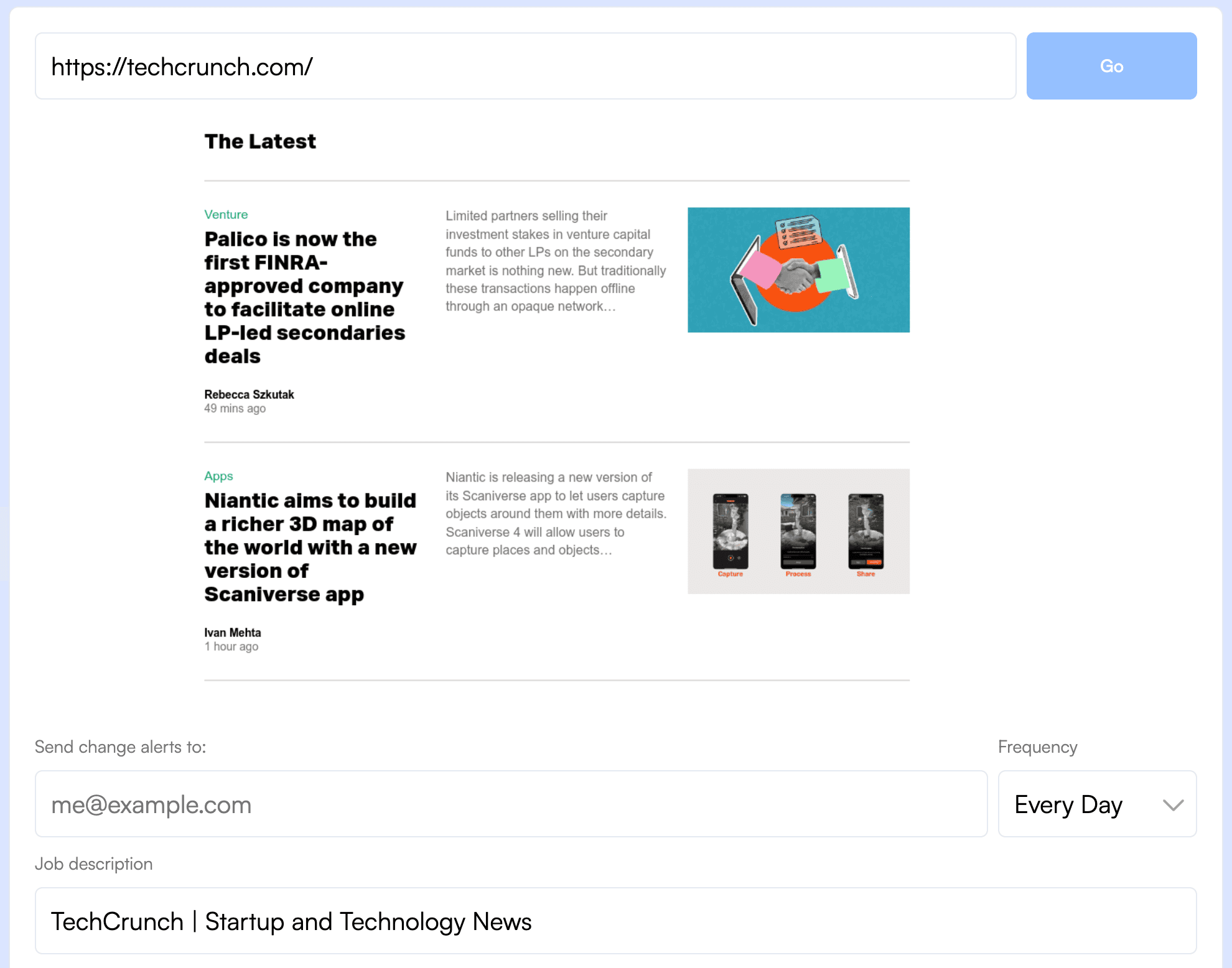
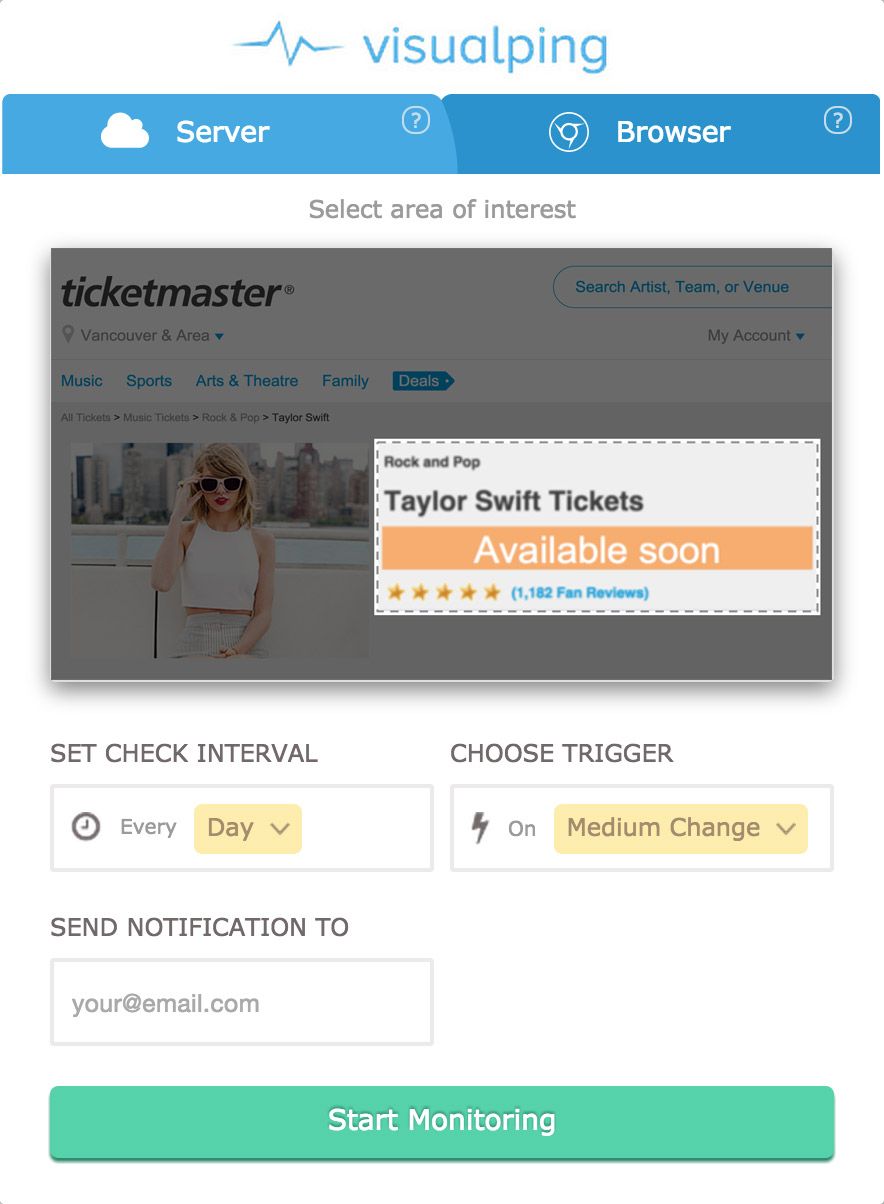
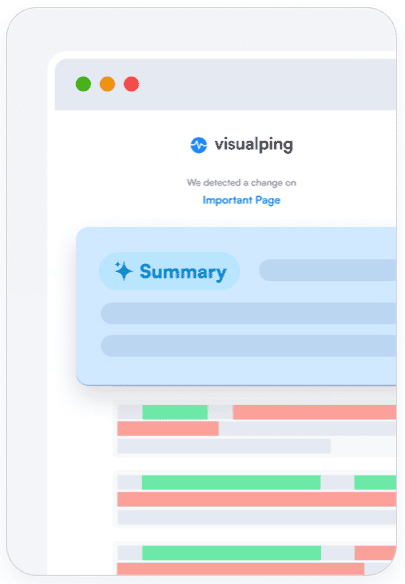
This is where a dedicated website change monitoring tool earns its keep. Visualping, for example, lets you paste in the URLs you want to track and set the frequency of cloud checks, from every 2 minutes to monthly, depending on your plan. When a check detects a change, the change entry includes a highlighted before-and-after screenshot, an AI summary, and an Important flag so you can assess its relevance. Notification delivery follows the monitor's settings.
Key setup tips that save time later:
Use an "Alert me when" prompt to describe the changes that matter to your team, such as pricing or product updates. In default AI Mode, the prompt guides the binary Important classification. Choose whether to receive notifications only for important changes, and enable the delivery channels you want in the monitor's Notifications settings. Keyword alerts are available in Text mode.
Check your alert criteria. Default AI Mode ignores style-only CSS changes. Use the "Alert me when" prompt to describe relevant content changes.
Route alerts to the right team. Pricing changes go to sales. Product updates go to product management. Messaging shifts go to marketing. Visualping includes email alerts on every plan. Native Slack integration and Microsoft Teams alerts require Business.
Visualping's free plan includes 150 checks per month across 5 pages, enough to test this on your top competitor's most important URLs before committing. Personal 1K starts at $14/month or $120/year ($10/month billed annually), with 10 pages and 1,000 monthly checks. Business 20K starts at $140/month or $1,200/year ($100/month billed annually), with team features, native Slack/Teams alerts, and Reports. Two-minute cloud checks are available on Personal 10K and Business plans, within each plan's check budget.
Step 4: Turn Changes Into Decisions (Not Just Alerts)
This is where most competitor tracking efforts stall. Alerts pile up, nobody reads them, and the whole system becomes background noise. The fix is building a review habit and giving different teams clear playbooks for what to do when specific types of changes come in.
For marketing teams: When you detect a homepage messaging change or a new content piece, screenshot it, compare it to your own positioning, and bring it to your next weekly standup with one question: "Does this affect how we tell our story?" Don't react to everything. Just keep a running log that informs quarterly positioning reviews.
For sales teams: When a competitor changes pricing or adds a new tier, update your battlecard within 24 hours and send your AEs a one-line summary: "Competitor X dropped their starter price to $Y, here's our talk track." Speed matters here because reps encounter this in live deals.
For product teams: When you detect new feature pages, integration announcements, or deprecation notices, log them in your competitive feature matrix and flag anything that changes how your product compares. A competitor sunsetting an integration your customers rely on is an opportunity.
Build a regular cadence for reviewing changes at a higher level too, whether that's a weekly Slack digest or a monthly competitive intelligence brief. Use Visualping's a competitive intelligence strategy framework to aggregate changes across multiple competitor sites over time and spot trends that individual alerts won't reveal.
How Often Should You Monitor Competitors?
Choose your cadence based on how quickly your team needs to act on a change and the checks available in your plan.
Daily or more frequent monitoring works best for pricing pages, product pages, and news sections, especially in fast-moving markets like SaaS, e-commerce, or financial services. Visualping can run cloud checks as frequently as every 2 minutes on Personal 10K and Business plans, within each plan's check budget.
Weekly monitoring is appropriate for blog content, social media profiles, careers pages, and landing pages that change less frequently.
Monthly check-ins work for broader strategic reviews: sitemap structure, navigation changes, and long-term messaging trends.
A daily checking schedule with a weekly review session is one starting point. Adjust it to your response needs and check budget. Visualping's flexible scheduling lets you set different frequencies for different pages, so a pricing page can be checked daily while a blog index gets weekly checks.
Common Mistakes When Tracking Competitors
Monitoring too many competitors at once. Start with 3-5 direct competitors. Expand only after your review process is established and your team is actually reading and acting on alerts.
Tracking low-signal pages. Choose each page for a specific question you want to answer, such as a pricing change or product launch.
Collecting data without a review process. Alerts that nobody reads are worse than no alerts at all, because they create a false sense of coverage. Assign ownership: one person per team who reviews and routes competitive alerts weekly.
Reacting to every change. Not every competitor move warrants a response. Develop criteria for what triggers action versus what gets filed as context. A minor copy tweak is context. A pricing restructure is action.
Relying on manual checks. A page can change between monthly checks, leaving your team unaware until the next visit. Automated website change monitoring tools check on a chosen schedule and send notifications for detected changes according to your notification settings.
Keep the monitoring process useful by reviewing alerts, checking monitored URLs, and adjusting criteria as your priorities change. Here's the minimum viable setup.
Get Started With a Competitor Monitor
A lightweight setup is enough to start tracking competitors. Here's the minimum viable version:
- Pick your top competitor's pricing page and homepage (2 URLs).
- Start tracking your first competitor for free (no credit card required).
- Paste in the two URLs and set daily monitoring.
- When your first alert arrives, forward it to one teammate and ask: "Did you know about this?"
That first "I had no idea they changed that" moment is usually what gets a team to take competitor monitoring seriously. From there, you can expand to more pages, more competitors, and more structured review processes.
Used by teams at 85% of Fortune 500 companies. 400+ G2 reviews, 4.6 stars.
Conclusion
The best competitor tracking setups are lightweight: a focused list of URLs, automated alerts, and a weekly review habit. That's enough to keep your team informed of the changes that matter, at the speed the market demands.
The combination of knowing what to monitor, checking for changes on a regular schedule, and having clear playbooks for turning changes into action is what separates teams that lead their market from those that follow it.
The detection and alerting part should be effortless. That's where tools like Visualping fit: they handle the watching so your team can focus on analysis, strategy, and execution. The free plan is enough to get started with your top competitor's most important pages. From there, expand as competitor monitoring becomes part of how your team operates.
Start tracking your top competitor for free
Free plan: 150 checks/month, no credit card. Used by teams at 85% of Fortune 500 companies. Enter a competitor URL to set up your first monitor.
Frequently Asked Questions
What is the best tool for tracking competitors' websites?
It depends on what you need to track:
- Website content changes (pricing, product pages, messaging, press releases): Visualping is purpose-built for this. Detected changes include AI summaries, Important flags, and visual diffs.
- SEO keywords and ad spend: SEMrush, SpyFu, or Crayon cover different angles.
- Combination approach: You can pair Visualping (scheduled change monitoring) with an SEO tool (keyword and traffic analysis).
For deeper tool comparisons: 15 best competitor intelligence tools, 5 best competitor price tracking tools, or 10 best AI tools for competitor analysis. Or skip the comparison and try Visualping free →
Does Visualping have a free plan?
Yes. The free plan includes 150 checks per month across up to 5 pages, with cloud checks as often as hourly within that shared monthly budget. Monitoring two pages once a day uses about 60 checks in a 30-day month.
Personal 1K starts at $14/month or $120/year ($10/month billed annually). Business 20K starts at $140/month or $1,200/year ($100/month billed annually) and includes native Slack/Teams alerts and Reports. Two-minute cloud checks are available on Personal 10K and Business plans, within the plan's check budget. See all plans, or start with the free plan now →.
How often should I check competitor websites?
Pricing and product pages in fast-moving markets benefit from daily or more frequent checks. Blog content, social media, and careers pages can be checked weekly. Broader structural elements like sitemap and navigation changes warrant monthly reviews. Automated monitoring tools check on your chosen schedule, and alert criteria help you focus on relevant detected changes.
If pricing is your first target, set up a daily competitor-pricing monitor on the free plan →.
Is it legal to monitor competitor websites?
Whether monitoring is permitted depends on the site, the information, how it is accessed, and the applicable rules. Review access restrictions and terms before setting up a monitor. For this competitor workflow, start with public pages. Visualping also supports password-protected page monitoring when you have authorization to access the page.
What types of website changes reveal the most about a competitor's strategy?
Pricing page changes, new product or feature page additions, homepage messaging rewrites, and job posting patterns can provide strategic clues. Pricing shifts may suggest a positioning move. New product pages show what the company is presenting to buyers. Homepage messaging changes may suggest a target audience shift, while job postings can indicate investment priorities. Compare these signals over time and check your interpretation against other evidence.
How do I identify which competitors to monitor?
Start with your direct competitors: the companies your sales team encounters most often in deals. Then add indirect competitors who solve the same problem differently. Use SEO tools to discover competitors you might not be aware of by checking which sites rank for your target keywords. Limit your initial list to 3-5 competitors so the process stays manageable and actionable.
Can I monitor competitor websites without them knowing?
A website's server logs and bot-detection tools can reveal automated requests. Identifying the customer who configured a cloud monitor would require additional evidence. Treat monitoring as observable web traffic, and avoid assuming anonymity.
Want to know when competitors change pricing, messaging, or product pages?
Set up Visualping on your competitors' key pages and receive alerts after detected changes, with AI summaries and Important flags. Free plan available.
Eric Do Couto
Eric Do Couto is the Head of Marketing at Visualping. He leads content strategy, growth operations, and brand positioning for website change detection.
More articles by Eric Do Couto