Tracking Competitors: How to Monitor Competitor Sites (2026)
Updated April 24, 2026

TL;DR. Five steps to track competitors through their websites:
Looking for the step-by-step real-time process rather than the framework? See how to monitor competitors in real time. That guide covers setup, cadence, and alert routing in a step-by-step walkthrough. This guide focuses on which pages to monitor and how fast each page type changes.
- Pick the pages that move. Pricing, product, blog, changelog, investor relations, and social profiles. Our data shows changelog pages sent a change alert on 58% of monitors in a 30-day window; pricing on 51%; legal and terms on 38%.
- Set a cadence that matches the content. Daily for news and pricing, weekly for product pages, monthly for legal. The median check on pricing pages across 9,679 active Visualping monitors runs on a daily schedule. Set up a daily monitor on your top competitor's pricing page →
- Route alerts where your team already works. Email, Slack, Teams, or webhook. Do not route to an inbox nobody opens.
- Filter for importance. Raw diffs are noise. Use AI summarization or importance flags to cut the 11 to 16% of checks that actually matter from the 85%+ that do not.
- Review monthly, not daily. Cadence audit on a fixed schedule catches URL changes and monitor drift before they break the program.
Need tools? Start with our 15 best competitor intelligence tools for general CI or 5 best competitor price tracking tools if pricing is the primary target. The rest of this guide covers the method in depth.
Quick setup by team goal
| Goal | Pages to monitor first | Best starting cadence |
|---|---|---|
| Catch pricing moves | Pricing, packaging, promotion pages | Daily or faster |
| Spot product shifts | Product pages, changelogs, docs | Daily to weekly |
| Track GTM changes | Homepage, landing pages, blog, press | Weekly |
| Watch strategic signals | Careers, leadership, investor pages | Weekly to monthly |
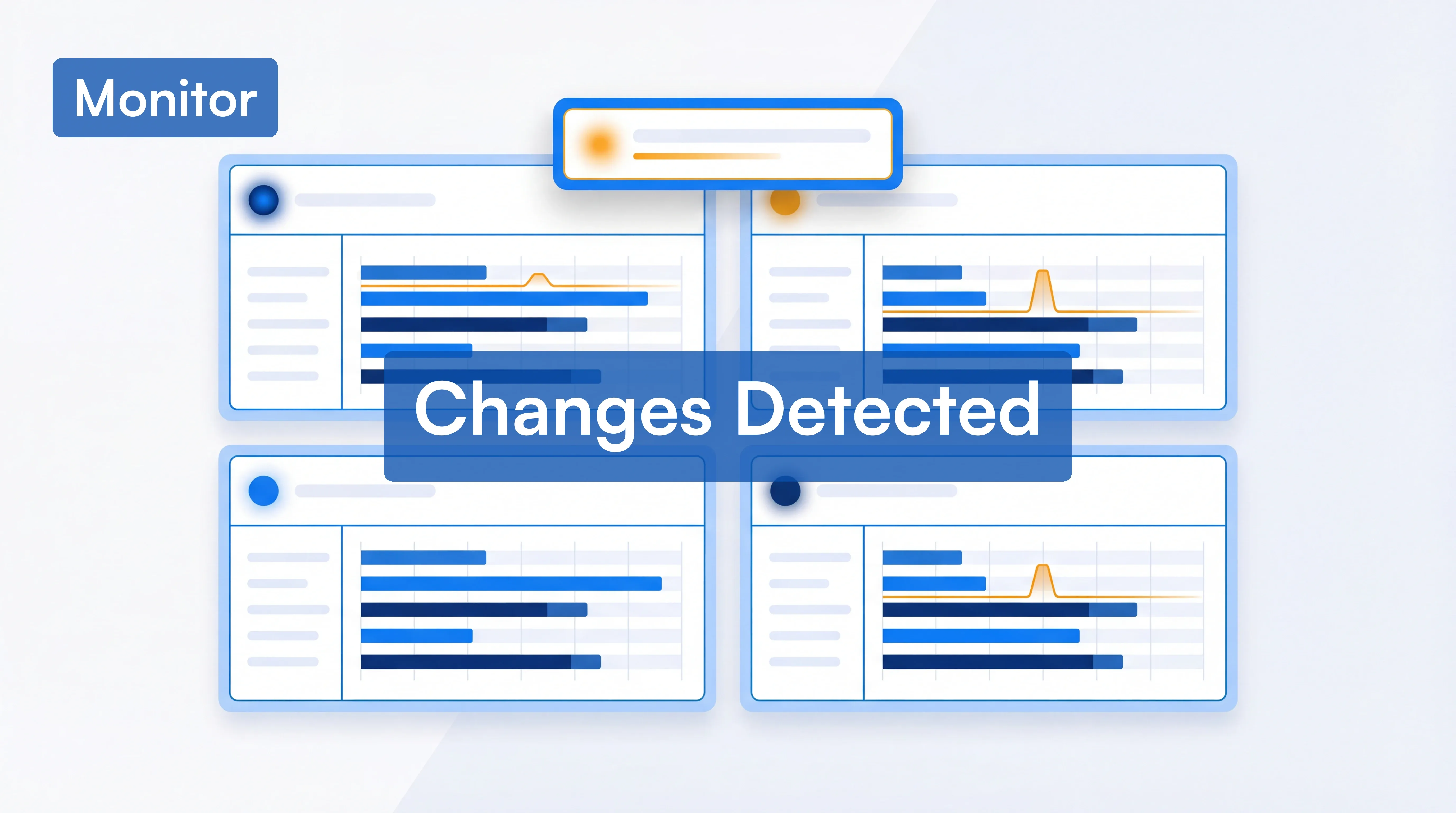
Whether you're a marketing lead watching messaging shifts, a product manager keeping tabs on feature releases, or a sales team that needs to know the moment a rival changes their pricing, tracking competitors through their websites is one of the highest-signal, lowest-cost intelligence practices available to any team.
Gartner's Market Guide for Competitive and Market Intelligence calls automated website monitoring a foundational CI capability. Most teams still rely on manual spot-checks. That gap is the opportunity.
This guide covers exactly what to monitor on competitor sites, how to set up automated tracking so nothing slips through, and how to turn raw change data into competitive intelligence your team can act on. Every section includes real examples so you can see what this looks like in practice.
In an April 2026 sample of 170,000 active monitors on competitor pricing and product pages, about 1 in 3 caught a change to copy, pricing, or layout within a single month. The signal is there. The question is whether you're catching it.
What to Monitor on Competitor Sites (and Why It Matters)
Which pages actually change (first-party Visualping data)
We pulled all 27,721 active Visualping monitors owned by users who declared competitor tracking as their primary use case at signup, and measured the share that sent at least one change alert in the 30 days to October 5, 2026. The 30-day change rate by page type:
| Page type | 30-day change rate |
|---|---|
| Blog and press releases | 59% |
| Changelog and release notes | 58% |
| Investor relations | 54% |
| Careers and job pages | 52% |
| Pricing pages | 51% |
| Government sites (compliance) | 43% |
| Product and features pages | 40% |
| Legal and terms of service | 38% |
The takeaway: blog, press, and changelog pages move the fastest, with investor relations, careers, and pricing close behind. Legal and terms pages are the slowest. Cadence should match the page, not a one-size-fits-all default.
At the per-check level across Visualping's full platform sample, pricing pages fire a change alert on 12.3% of checks, news pages on 13.6%, investor relations on 5.9%. Different content types, different signal density. Align your monitoring cadence with that reality.
Not everything on a competitor's website is worth watching. The sections below zero in on the pages that carry the strongest strategic signal, with specific examples of what a change on each type of page can tell you.
Homepage and Core Messaging
A competitor's homepage is their most carefully curated public statement. Changes to headline copy, hero sections, value propositions, or navigation structure almost always signal a strategic shift: a new target audience, a repositioned product, or preparation for a launch.
What this looks like in practice: When Stripe redesigned their homepage in 2020-2021, the company doubled down on developer-first messaging rather than pivoting toward enterprise sales language, even at a $95 billion valuation. For payments competitors watching that page, the signal was clear: Stripe believed it could win on developer experience rather than enterprise relationships, and competitors needed to decide how to position themselves in response.
Pay attention to how competitors frame the primary problem they solve and who they frame it for. If a B2B competitor shifts from "enterprise-grade security" to "security teams can deploy in minutes," that tells you they're chasing a different buyer. Monitoring their sitemap can also reveal structural changes at a glance, like new landing pages being added for verticals they previously didn't serve.
Product and Feature Pages
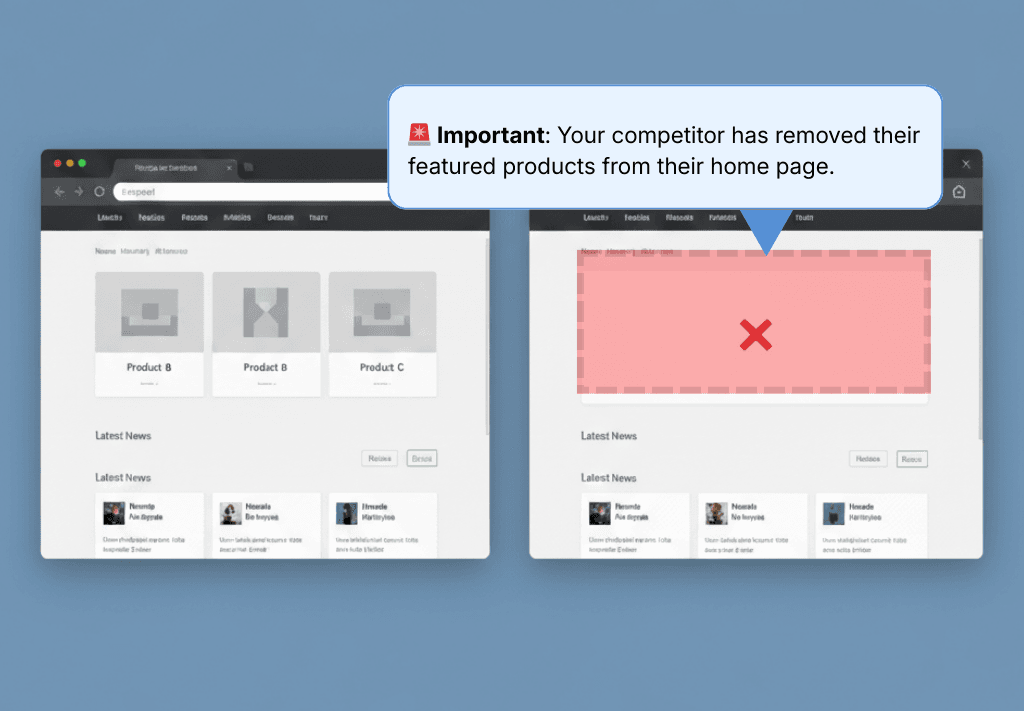
Tracking changes to product pages gives you a direct window into a competitor's roadmap. New feature descriptions, updated screenshots, reorganized pricing tiers, and changes to comparison tables all tell a story.
Look beyond what's added. What gets removed from a product page is equally revealing. Deprecated features, sunset integrations, or language that quietly drops can signal struggles or pivots you'd otherwise miss entirely.
What this looks like in practice: When GitHub launched Copilot in mid-2021, their product messaging shifted noticeably toward AI-assisted development. What had been a platform centered on collaboration and code hosting started positioning itself around AI-powered code completion. Competitors monitoring those product pages got months of advance signal that AI-assisted development was about to become table stakes across the developer tools market, while those not watching scrambled to respond after the public launch.
Go deeper: How to Analyze a Competitor's Website | Competitor Website Analysis Tools
Pricing and Promotions
Price changes are among the most time-sensitive competitive signals. A competitor dropping prices may indicate they're losing deals on cost. A new enterprise tier may signal they're moving upmarket. Seasonal promotions and limited-time offers reveal their demand-generation playbook.
Pricing pages change far more often than most teams assume. In one sample month on our platform, 95% of users monitoring HubSpot's pricing page caught at least one change. Datadog's followed at 84%. Those numbers show how active pricing pages can be.
What this looks like in practice: In September 2022, Slack restructured its free plan to cap message history at 90 days, replacing the old 10,000-message limit. Teams monitoring Slack's pricing page caught this change the day it was announced. Open-source alternatives like Zulip and Mattermost moved quickly, publishing migration guides and targeting Slack's displaced free-tier users within days. Companies that weren't monitoring missed a narrow window to capitalize on the disruption.
The pattern matters more than any single change: recurring quarterly discounts, annual price increases that follow a predictable cadence, tier restructuring that signals a target-market shift. Catching one change is luck. Catching the pattern requires automated tracking over time.
Set up a pricing-page monitor on your top competitor in 60 seconds → Free plan, no credit card. Visualping AI flags every pricing change with a plain-language summary so you don't sift raw diffs.
News, Press Releases, and Blog Content
A competitor's newsroom and blog are where they announce what they want the market to know: funding rounds, partnerships, customer wins, executive hires, and product launches. Monitoring these pages gives you early warning of moves that will eventually reach your prospects and customers.
Don't stop at their own site. External press coverage, especially negative coverage, creates opportunities. A competitor's public misstep is a signal to lean into your own strengths in the areas where they've stumbled.
Customer Reviews and Testimonials
Competitors' customer reviews are a form of unfiltered market research. They reveal pain points the competitor hasn't solved, feature requests their users care about, and the specific language customers use to describe their experience.
When a competitor adds a new case study or quietly removes a testimonial, it often reflects shifts in their customer base or satisfaction levels. Reputation-monitoring tools can automate this tracking across review platforms so the review happens without manual spot checks.
Social Media Profiles
Social media is where many companies test messaging before committing to website changes. New taglines, campaign themes, partnership announcements, and hiring pushes often surface on LinkedIn and X (Twitter) before they appear anywhere else.
Tracking competitor LinkedIn pages and Facebook profiles for changes gives you a leading indicator of strategic direction that website monitoring alone might miss.
Job Postings and Team Changes
Job listings are one of the most underused competitive signals. A competitor hiring five machine learning engineers tells you something different than one hiring a VP of Enterprise Sales. New roles reveal where they're investing next, and leadership departures can signal instability or a pivot.
SEO and Technical Changes
Competitors' SEO strategies leave visible footprints: new pages targeting specific keywords, restructured URLs, updated meta titles, and shifts in content strategy. Monitoring these changes with SEO change monitoring tools can reveal which markets they're trying to capture and where they see organic growth opportunities.
Go deeper: 27 competitive intelligence sources worth monitoring covers the broader signal landscape beyond competitor websites.
Nearly three-quarters of competitor page monitors on our platform are run by teams and businesses, not individuals. The pages above are shared intelligence feeding weekly standups and quarterly strategy reviews.
How to Start Tracking Competitors: A Step-by-Step Process
Knowing what to monitor is only useful if you have a repeatable system for doing it. The teams that monitor competitors most effectively focus on a manageable set of pages and build a process that turns raw alerts into decisions. Here's a practical framework.
Step 1: Identify Your Key Competitors
Before you set up monitoring, get clear on who to watch. Most businesses have three tiers:
Direct competitors sell similar products to similar customers. These are your highest-priority monitoring targets.
Indirect competitors solve the same problem differently (a different product category, a different approach).
Aspirational competitors are larger players whose strategy can inform your direction, even if they sit outside today's head-to-head deals.
Start with 3-5 direct competitors. Expanding too early creates noise. You can use SEO tools like SEMrush or SpyFu to discover competitors you may not be aware of by identifying which sites rank for the same keywords you target.
Step 2: Map the Pages Worth Monitoring
For each competitor, identify the specific URLs that carry the most strategic weight. A practical starting list:
- Homepage (messaging and positioning shifts)
- Primary product/feature page (roadmap signals)
- Pricing page (pricing strategy and tier changes)
- Blog or newsroom index (announcements, content strategy)
- Careers/jobs page (investment and hiring signals)
- Key landing pages (go-to-market focus areas)
Don't monitor every page. Five to ten URLs per competitor is the right range. When you monitor competitors this way, with a focused set of high-signal URLs rather than a sprawling list, you get cleaner data and less noise.
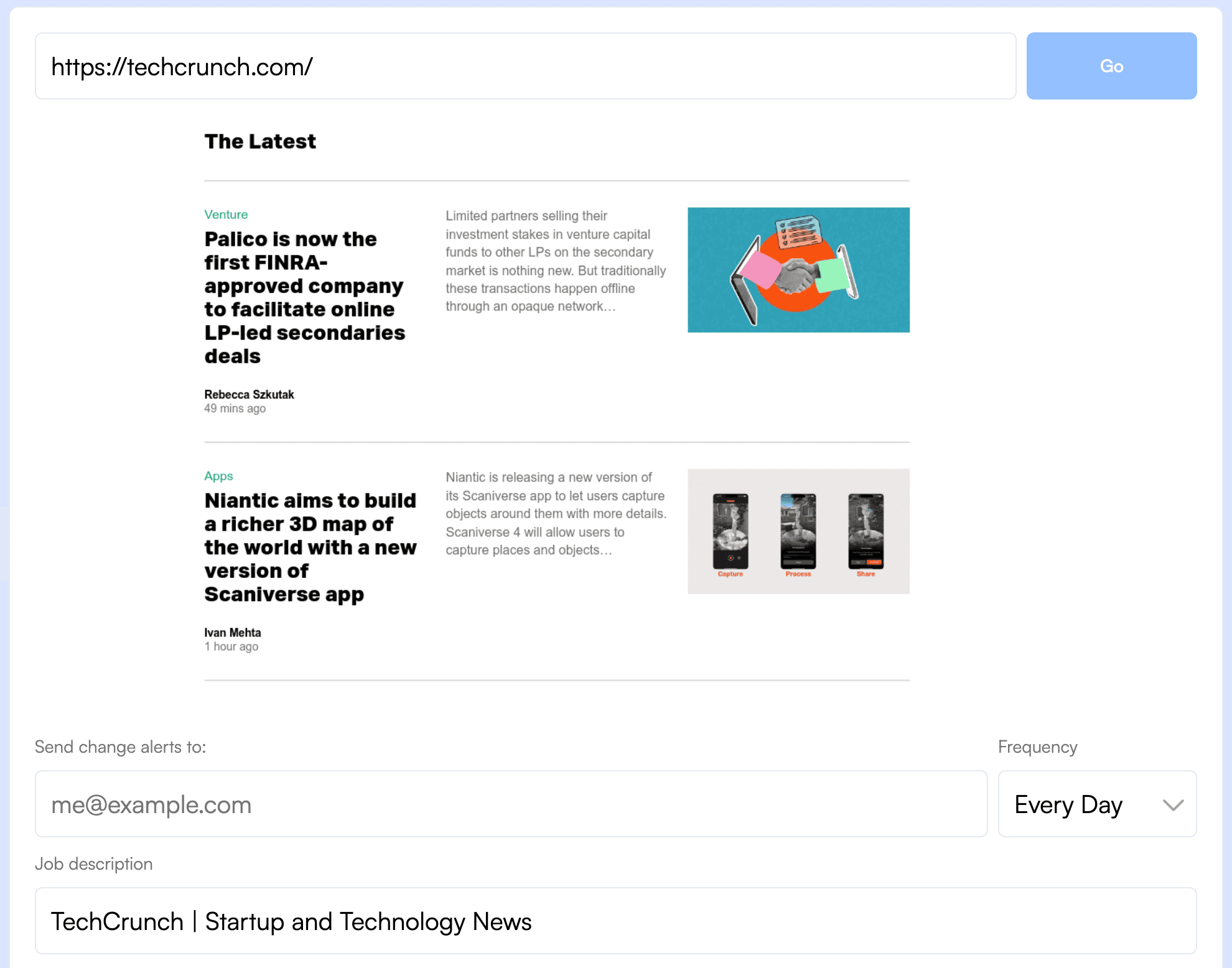
Step 3: Set Up Automated Monitoring
Manual checks miss both scale and timing, especially when a competitor changes something you were not specifically looking for. Automated monitoring solves both problems.
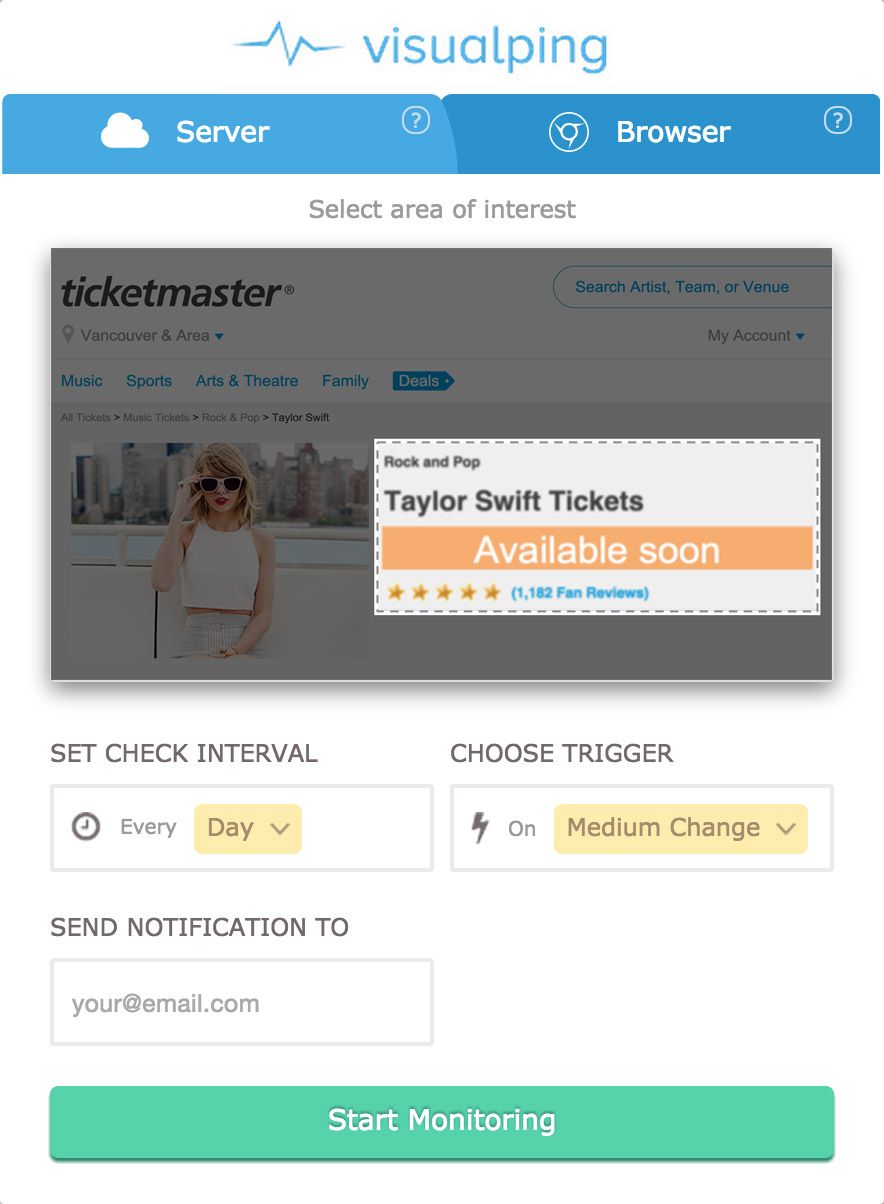
This is where a dedicated website change monitoring tool earns its keep. Visualping, for example, lets you paste in the URLs you want to track, set a check frequency (from every 5 minutes to weekly), and then get out of the way. When something changes, you get an alert with a highlighted before-and-after screenshot and an AI-generated summary, so you can assess relevance in seconds without opening the page yourself.
Key setup tips that save time later:
Use keyword filters so you only get alerted when changes mention specific terms you care about (competitor names, product categories, pricing language) and you skip irrelevant updates like footer copyright changes or cookie banner tweaks.
Adjust sensitivity levels. Minor formatting changes shouldn't trigger alerts. Substantive content additions should.
Route alerts to the right team. Pricing changes go to sales. Product updates go to product management. Messaging shifts go to marketing. Visualping supports Slack integration, Microsoft Teams, and email routing so the right person sees the right alert.
Visualping's free plan includes 150 checks per month across 5 pages, enough to test this on your top competitor's most important URLs before committing. Personal plans start at $10/month for more checks and pages, with Business plans at $100/month adding team features, Slack/Teams integration, and 2-minute check frequency.
Step 4: Turn Changes Into Decisions (Not Just Alerts)
This is where most competitor tracking efforts stall. Alerts pile up, nobody reads them, and the whole system becomes background noise. The fix is building a review habit and giving different teams clear playbooks for what to do when specific types of changes come in.
For marketing teams: When you detect a homepage messaging change or a new content piece, screenshot it, compare it to your own positioning, and bring it to your next weekly standup with one question: "Does this affect how we tell our story?" Don't react to everything. Just keep a running log that informs quarterly positioning reviews.
For sales teams: When a competitor changes pricing or adds a new tier, update your battlecard within 24 hours and send your AEs a one-line summary: "Competitor X dropped their starter price to $Y, here's our talk track." Speed matters here because reps encounter this in live deals.
For product teams: When you detect new feature pages, integration announcements, or deprecation notices, log them in your competitive feature matrix and flag anything that changes how your product compares. A competitor sunsetting an integration your customers rely on is an opportunity.
Build a regular cadence for reviewing changes at a higher level too, whether that's a weekly Slack digest or a monthly competitive intelligence brief. Use Visualping's a competitive intelligence strategy framework to aggregate changes across multiple competitor sites over time and spot trends that individual alerts won't reveal.
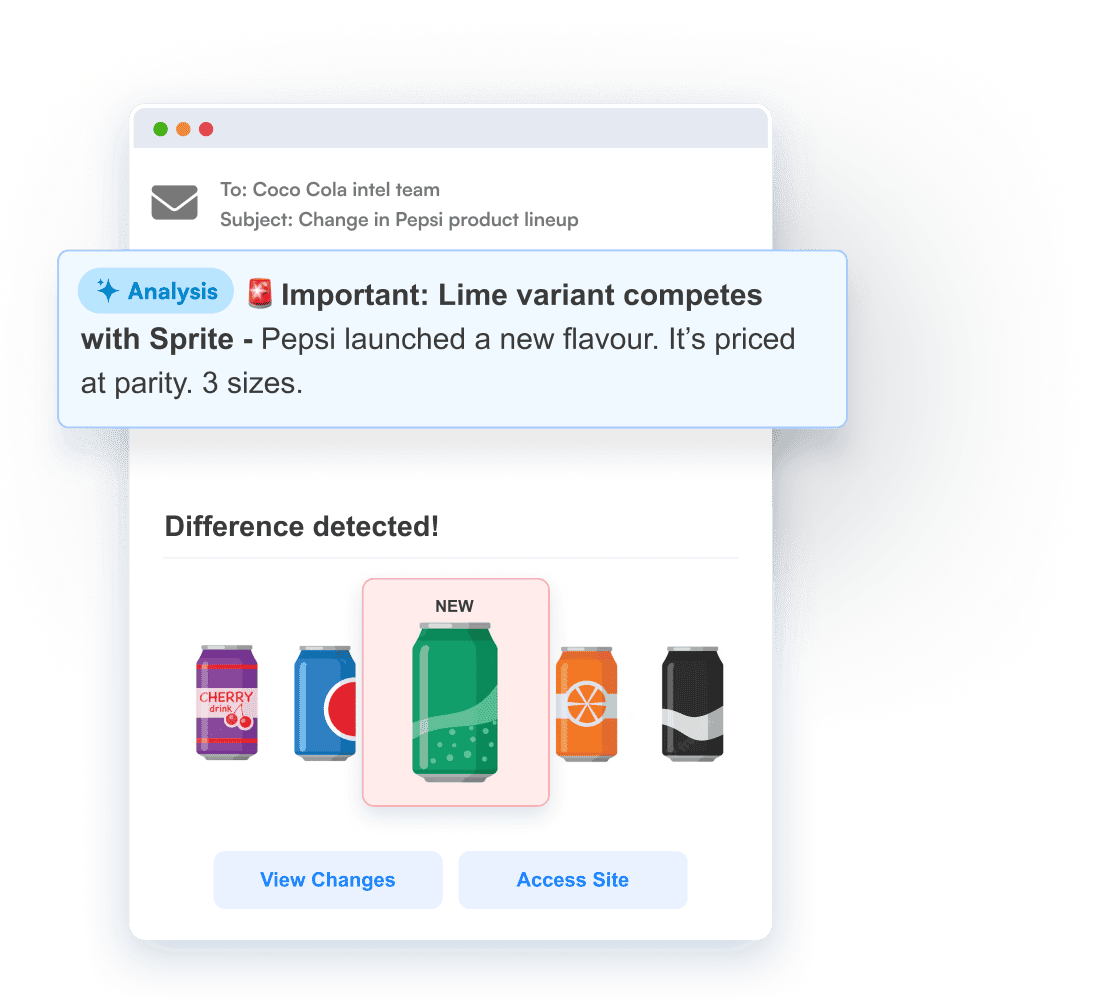
How Often Should You Monitor Competitors?
Most checks by competitor trackers on our platform (72%) run on an hourly to daily cadence. About 13% come from monitors that check more often than once per hour. For pricing pages especially, that higher frequency pays off.
Here's how to think about it:
Daily or real-time monitoring works best for pricing pages, product pages, and news sections, especially in fast-moving markets like SaaS, e-commerce, or financial services. Visualping can check as frequently as every 2 minutes on Business plans.
Weekly monitoring is appropriate for blog content, social media profiles, careers pages, and landing pages that change less frequently.
Monthly check-ins work for broader strategic reviews: sitemap structure, navigation changes, and long-term messaging trends.
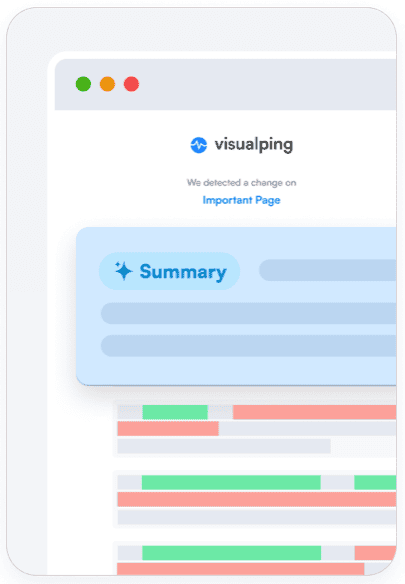
Most teams land on automated daily monitoring with a weekly review session. That balances staying informed with avoiding alert fatigue. Visualping's flexible scheduling lets you set different frequencies for different pages, so a pricing page can be checked daily while a blog index gets weekly checks.
Common Mistakes When Tracking Competitors
Monitoring too many competitors at once. Start with 3-5 direct competitors. Expand only after your review process is established and your team is actually reading and acting on alerts.
Tracking low-signal pages. A competitor's "About Us" page changes less frequently and reveals less than their pricing or product pages. Prioritize pages where changes correlate with strategic decisions.
Collecting data without a review process. Alerts that nobody reads are worse than no alerts at all, because they create a false sense of coverage. Assign ownership: one person per team who reviews and routes competitive alerts weekly.
Reacting to every change. Not every competitor move warrants a response. Develop criteria for what triggers action versus what gets filed as context. A minor copy tweak is context. A pricing restructure is action.
Relying on manual checks. Even the most disciplined team will miss changes. The Slack pricing change mentioned earlier was announced and implemented within weeks. If you were checking manually on a monthly cycle, you'd have missed the entire window when competitors were capitalizing on the disruption. Automated website change monitoring tools exist specifically to eliminate this gap.
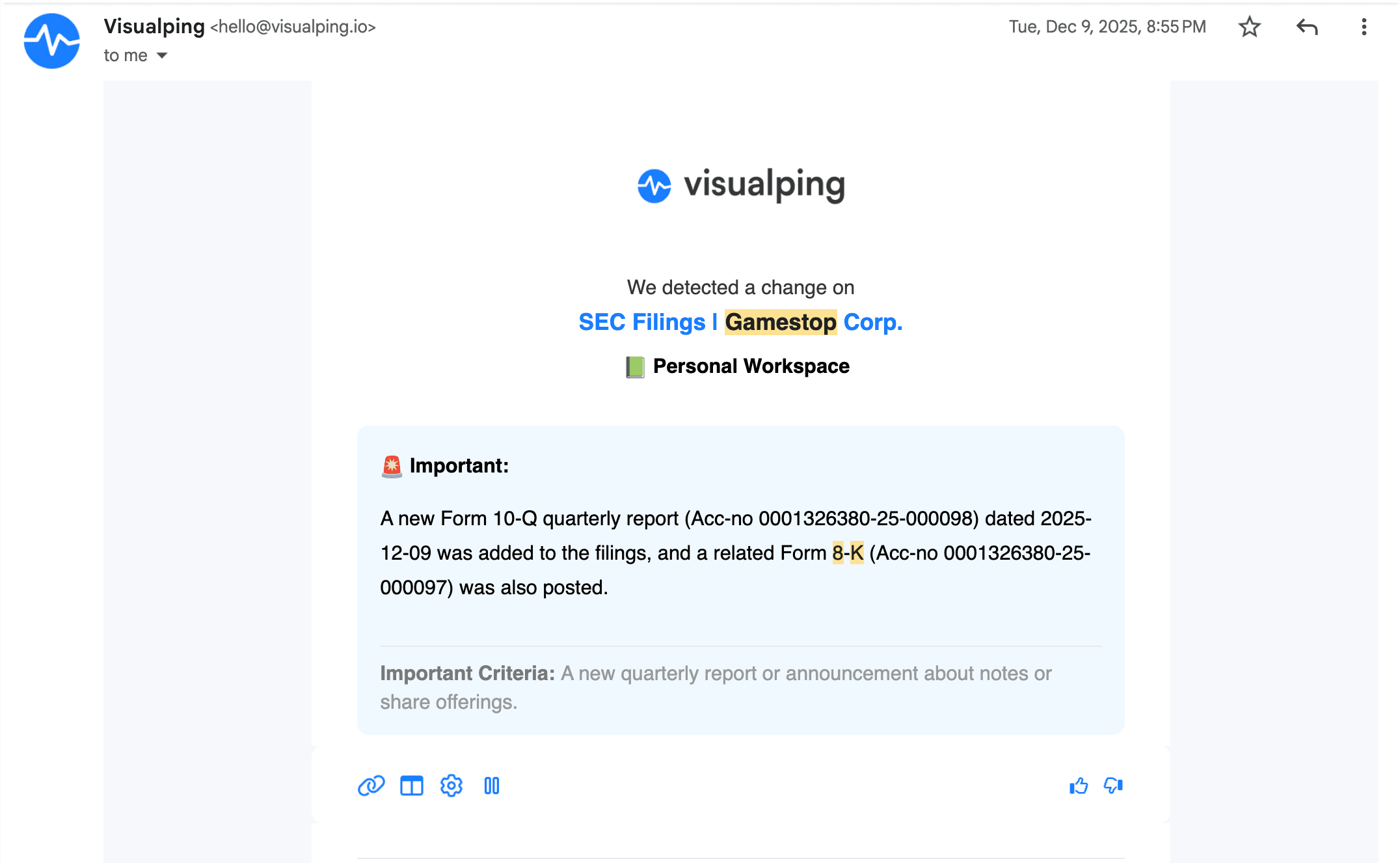
Avoiding all five mistakes comes down to one thing: setting the monitoring up once and letting it run. Here's the minimum viable setup.
Get Started in Five Minutes
A lightweight setup is enough to start tracking competitors. Here's the minimum viable version:
- Pick your top competitor's pricing page and homepage (2 URLs).
- Start tracking your first competitor for free (no credit card required).
- Paste in the two URLs and set daily monitoring.
- When your first alert arrives, forward it to one teammate and ask: "Did you know about this?"
That first "I had no idea they changed that" moment is usually what gets a team to take competitor monitoring seriously. From there, you can expand to more pages, more competitors, and more structured review processes.

Used by teams at 85% of Fortune 500 companies — including Berkley Insurance pictured above. 400+ G2 reviews, 4.6 stars.
Conclusion
The best competitor tracking setups are lightweight: a focused list of URLs, automated alerts, and a weekly review habit. That's enough to keep your team informed of the changes that matter, at the speed the market demands.
The combination of knowing what to monitor, automating detection so nothing slips through, and having clear playbooks for turning changes into action is what separates teams that lead their market from those that follow it.
The detection and alerting part should be effortless. That's where tools like Visualping fit: they handle the watching so your team can focus on analysis, strategy, and execution. The free plan is enough to get started with your top competitor's most important pages. From there, expand as competitor monitoring becomes part of how your team operates.
Start tracking your top competitor for free
Free plan: 150 checks/month, no credit card. Used by teams at 85% of Fortune 500 companies. Set up your first monitor in 90 seconds.
Frequently Asked Questions
What is the best tool for tracking competitors' websites?
It depends on what you need to track:
- Website content changes (pricing, product pages, messaging, press releases): Visualping is purpose-built for this. Automated alerts, AI summaries, visual diffs.
- SEO keywords and ad spend: SEMrush, SpyFu, or Crayon cover different angles.
- Combination approach: Most teams pair Visualping (real-time change detection) with an SEO tool (keyword and traffic analysis).
For deeper tool comparisons: 15 best competitor intelligence tools, 5 best competitor price tracking tools, or 10 best AI tools for competitor analysis. Or skip the comparison and try Visualping free →
Does Visualping have a free plan?
Yes — 150 checks per month across up to 5 pages, hourly frequency. Enough to monitor your top competitor's pricing page and homepage to feel out automated tracking.
Paid plans start at $10/month billed annually (more checks and pages) or $100/month for Business teams (2-minute frequency, Slack/Teams, advanced reporting). See all plans — or start with the free plan now →.
How often should I check competitor websites?
Pricing and product pages in fast-moving markets benefit from daily or real-time monitoring. Blog content, social media, and careers pages can be checked weekly. Broader structural elements like sitemap and navigation changes warrant monthly reviews. Automated monitoring tools eliminate the need for manual checking by alerting you only when meaningful changes happen.
If pricing is your first target, set up a daily competitor-pricing monitor on the free plan →.
Is it legal to monitor competitor websites?
Yes. Monitoring publicly available information on competitor websites is a standard, legal business practice. Website change monitoring tools access only public pages, the same way you would by visiting the site in a browser. They avoid login walls, restricted data, and private systems. Competitive intelligence gathering from public sources is widely practiced across industries.
What types of website changes reveal the most about a competitor's strategy?
Pricing page changes, new product or feature page additions, homepage messaging rewrites, and job posting patterns carry the strongest strategic signals. Pricing shifts indicate market positioning moves. New product pages preview their roadmap. Homepage messaging changes reflect target audience shifts. Job postings reveal where they're investing for the future. The most valuable insights often come from tracking these pages over time and spotting patterns rather than reacting to individual changes.
How do I identify which competitors to monitor?
Start with your direct competitors: the companies your sales team encounters most often in deals. Then add indirect competitors who solve the same problem differently. Use SEO tools to discover competitors you might not be aware of by checking which sites rank for your target keywords. Limit your initial list to 3-5 competitors so the process stays manageable and actionable.
Can I monitor competitor websites without them knowing?
Yes. Website monitoring tools access publicly available pages using standard web requests, the same way search engine crawlers do. The competitor has no way of knowing you've set up monitoring on their public pages. This is no different from visiting their website yourself, except the tool does it on a schedule and alerts you when something changes.
Want to know when competitors change pricing, messaging, or product pages?
Set up Visualping on your competitors' key pages and get alerted when meaningful changes happen. Free plan available.
Eric Do Couto
Eric Do Couto is the Head of Marketing at Visualping. He leads content strategy, growth operations, and brand positioning for website change detection.
More articles by Eric Do Couto