Q2 2026 Release Recap: Chrome Extension, AI Assistants, Scheduled Reports, and More
By Kayla Zhu
Updated July 28, 2026

In Q2 2026, we shipped a major update to the Visualping Chrome Extension, connected Visualping to AI assistants like Claude and ChatGPT through MCP, and brought scheduling and team collaboration to Reports. We also added Telegram alerts and Google sign-in. Here's everything that's new.
The Visualping Chrome Extension
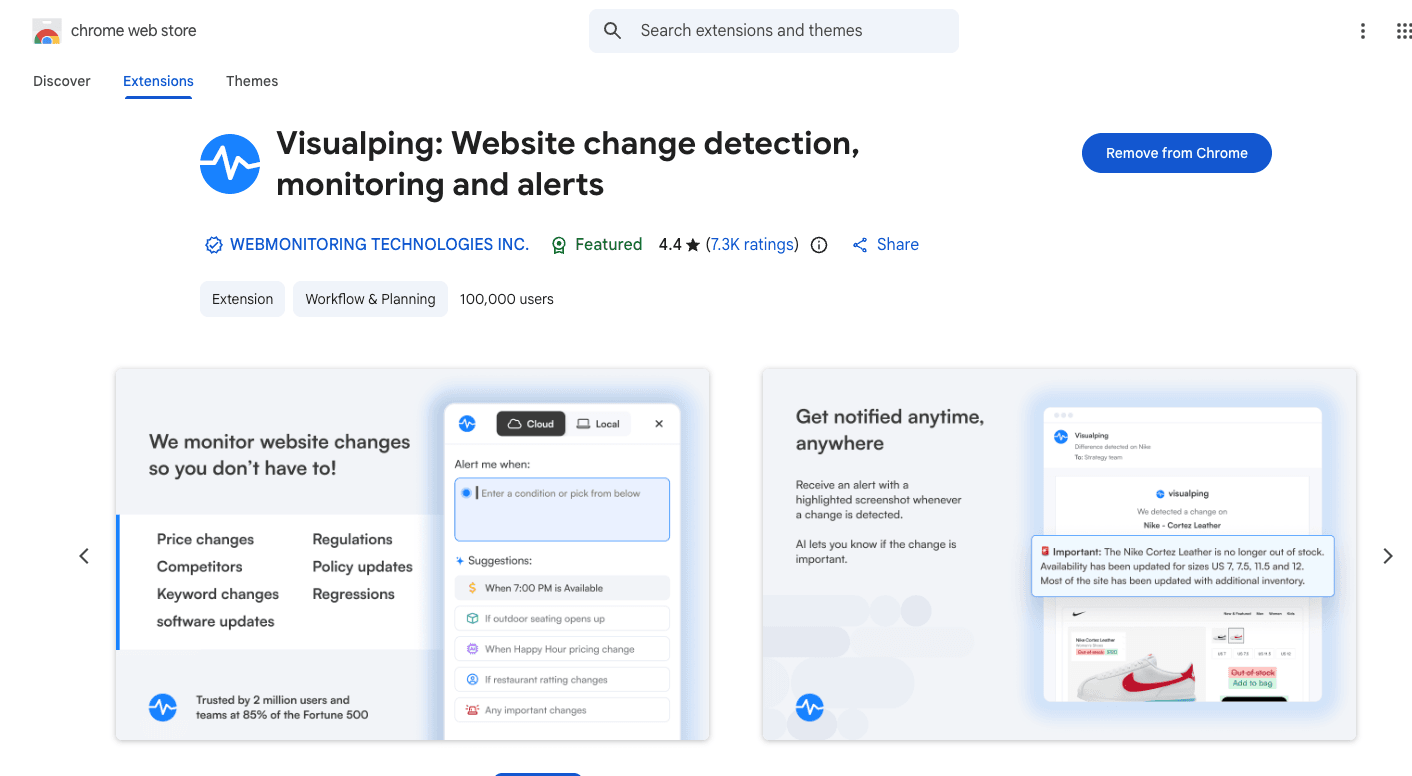
Major update: June 22, 2026 | 100,000+ extension users, free on every plan
Our upgraded Chrome extension lets you set up change alerts without leaving the page you're on: click it, choose how often checks should run, and tell Visualping what to watch. This update makes that setup work on far more pages, including ones that used to need manual configuration.
Action recording. You can now record actions directly in the extension: clicking, scrolling, logging in, navigating so Visualping captures the page exactly as you configured it. Use it to dismiss a popup, select a specific product option, or get past a login screen. Record the steps once and Visualping replays them on every check.
One-click AI cloud monitors. For pages that need round-the-clock coverage, you can now create a cloud monitor in a single click. Visualping's AI analyzes the page and configures the monitor automatically, with no manual setup required.
Faster local monitoring. Checks that run in your own browser are now faster and more reliable, which matters most for pages that are personalized, geo-specific, or sit behind a login.
The extension also got a smoother login experience and still connects to your Visualping account, so anything you set up from your browser shows up in your dashboard alongside the rest of your monitors. Together, these changes make it easier to track price drops, job postings, competitor pages, and policy updates without leaving the tab you're on.
Learn more: Introducing the Visualping Chrome Extension | Get the Chrome Extension
Connect Visualping to your favorite AI assistant
Launched June 2026 | Available on all plans
This quarter we made Visualping work inside the AI tools your team already uses.
With our custom MCP connector, you can plug Visualping into any MCP-compatible assistant, including Claude Code and Codex. Add the connector once, then set a Visualping monitor on any page, check recent changes, and pull results just by asking in plain English. Your monitoring lives right alongside your everyday AI workflow.
We also gave the Visualping app for ChatGPT a major upgrade with full MCP support. You can create and manage monitors, trigger instant checks, and review exactly what changed and when, all without leaving the chat. No code required.
Learn more: Set up the MCP connector | Get the app for ChatGPT | Visualping in your MCP stack
Reports, now on your schedule and built for teams
Expanded through Q2 2026 | Included free with all Business plans
We launched Reports in Q1 to turn a pile of individual alerts into one AI-written briefing.
Q2 was about getting those briefings to the people who need them, and trimming each one down to what a given team actually tracks.
Share a report in a couple of clicks. A new Share menu in the reports toolbar lets you copy a direct link, send it by email, or hand off a CSV, Excel, or HTML version. Exported HTML reports also picked up a card-based layout that matches the in-app view.
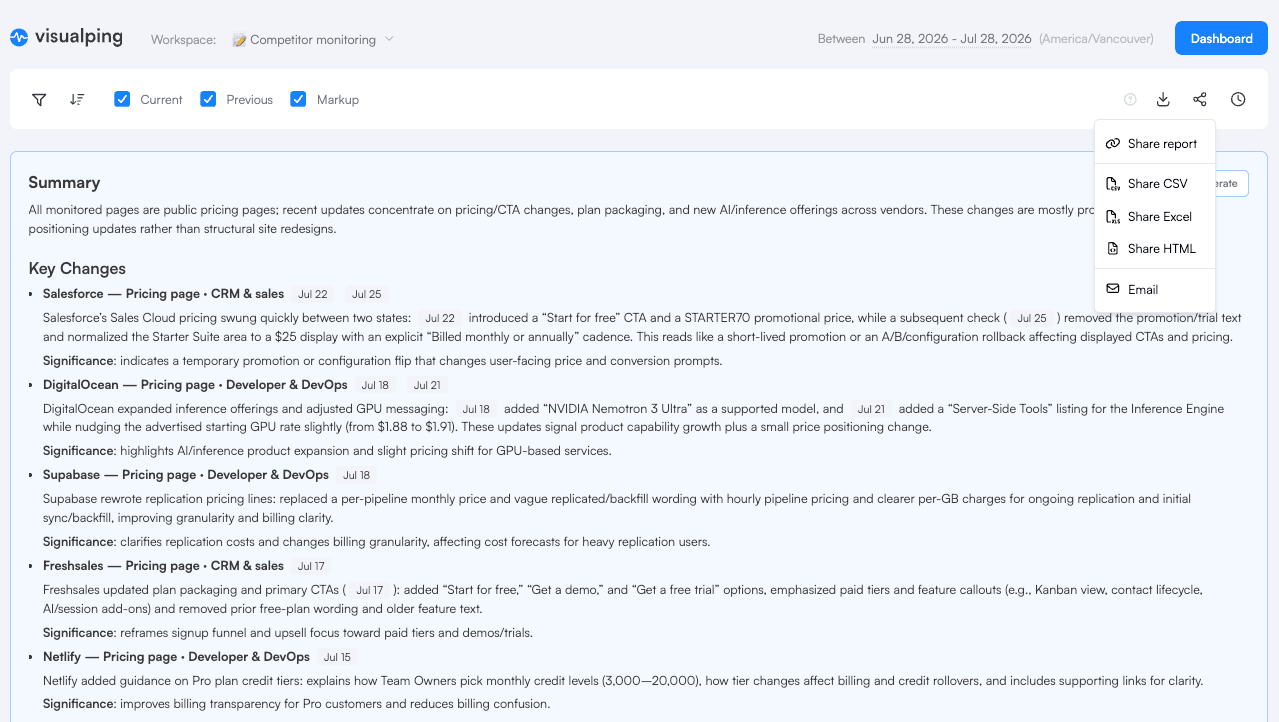
Filter and run reports by label. Slice a report by your monitor labels to cover one region, one project, or any grouping you already use. Labels you've applied carry over automatically, and they now support AND and OR logic for tighter control over which monitors show up.
Manage scheduled delivery from one panel. A new Schedule Reports tab lets you set up, adjust, and cancel scheduled reports without leaving the reports side panel, including running more than one schedule per workspace. Send a weekly digest to one team and a daily summary to another.
Go deeper: Introducing Visualping Reports | Visualping Reports Help Guide | Visualping Reports feature page
Send alerts to Telegram
Launched May 27, 2026 | Available across plans
You can now connect Visualping to your Telegram account to receive Visualping alerts right in your chats and channels, alongside email, Slack, and webhooks. Just select " and it gives international users a fast, reliable way to stay on top of changes.
Learn more about Visualping's integrations.
Sign in faster with Google SSO
Launched May 25, 2026 | Available on all plans
Visualping now supports Google Single Sign-On. Click "Continue with Google" and you can log in or create an account in seconds using your existing Google credentials. Email and password login is still available if you prefer it.
A few more updates
Here are a few more improvements we shipped in Q2.
Saved Settings (April). You can now save any combination of actions, labels, and notification channels as a reusable preset, then apply it to new or existing jobs in one click. Set one as your workspace default and it gets added automatically whenever a new monitor is created.
Workspace-level timezones (May, Business). Business users can set a timezone at the workspace level, so every monitor schedule and report delivery aligns with your team's preferred time. You'll find the setting in the admin menu under Workspaces.
Under the hood
Alongside the features above, we spent Q2 making monitoring more reliable on the pages that are hardest to track. That includes better handling of complex, JavaScript-heavy sites, more accurate full-page screenshots on modern web app layouts, and an upgraded rendering engine for sharper, more consistent captures across the platform.
Help center refresh
We refreshed and updated our support documentation this quarter to make it easier to fine-tune your monitoring jobs and cut down on false alerts.
The updated articles walk through key settings with clearer guidance and practical tips. Visit the Help Center to explore the updates.
What's next
Heading into Q3, we're continuing to expand how Visualping connects to the AI tools teams already use, deepening Reports, and keeping monitoring reliable across more of the web.
To stay updated, follow us on LinkedIn or check this blog for new posts.
FAQ
Is the Chrome Extension free? Yes. The extension is free and works with any Visualping account, on every plan.
Which AI assistants can I connect Visualping to? Any MCP-compatible tool, including Claude, Cursor, and Copilot, plus the dedicated Visualping app for ChatGPT. You add the MCP connector once from Account Settings under Integrations.
Do I need a Business plan to use Reports? Reports is included at no extra cost with all Business plans. If you're on a Personal plan, you can try it with a free 14-day Business trial, no credit card needed.
How do I get Visualping alerts in Telegram? Connect your Telegram account under the Notifications tab in your Visualping Dashboard.
Want to monitor web changes that impact your business?
Sign up with Visualping to get alerted of important updates from anywhere online.
Kayla Zhu
Kayla is the Public Relations Specialist at Visualping and manager of Visualping's Journalist Program. She manages Visualping's media relations, content marketing, and social media.
More articles by Kayla Zhu