Introducing Visualping's Upgraded Chrome Extension: Action Recording, One-Click AI Monitors, and More
By Kayla Zhu
Updated July 28, 2026
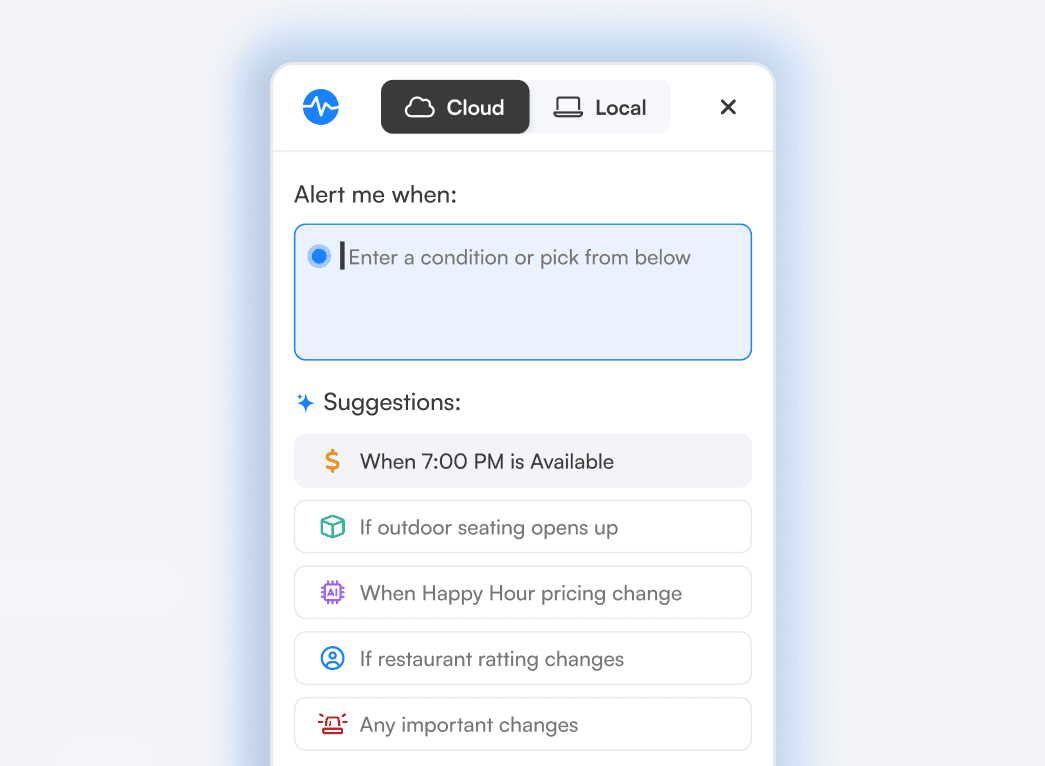
TL;DR: The Visualping Chrome extension just got a major update for its 100,000+ users. You can now record actions (clicking, scrolling, logging in, navigating) so Visualping captures a page exactly as you set it up, create a cloud monitor in one click and let AI configure it for you, and run faster local checks in your own browser. Available now on the Chrome Web Store. Existing users get the update automatically.
The Visualping Chrome extension has always been the fastest way to start page monitoring: click it on any page, choose how often checks should run, and tell Visualping what to watch. No dashboard, no second tab.
That works well on a simple page. It works less well on the pages people actually want to track. A product page hides the size you care about behind a dropdown. A cookie banner covers the content. The pricing table you need sits behind a login. Until now, those pages meant configuring the monitor by hand, or giving up and doing it from the dashboard.
This update closes that gap. Here's what shipped.
Record the steps once, and Visualping repeats them
You can now record actions directly in the extension instead of having to configure them manually in the dashboard. Click, scroll, log in, navigate. Visualping captures the page the way you left it and replays those same steps on every check.
Use it to dismiss a popup before the screenshot fires, select a specific product option, or get past a login screen. Record once. Every check after that starts from the same state.

Create a cloud monitor in one click
For pages that need round-the-clock coverage, you no longer have to configure anything. Click once and Visualping's AI analyzes the page and builds the monitor for you.
Cloud monitors run on our infrastructure instead of your browser, so checks continue whether or not Chrome is open.
"Setting up page monitoring used to mean configuring everything by hand," said Matthew Fane, Head of Product at Visualping. "Now you just show us what you care about. You can record the steps once, or let our AI build the monitor in a single click. We're moving toward a world where you never have to remember to check a page again, and never miss an update that matters."
Faster, more reliable local monitoring
Local monitors run checks inside your own browser rather than in the cloud. That matters for pages that look different depending on who is viewing them: personalized dashboards, geo-specific pricing, anything behind a login.
Those checks are now faster and more reliable. If you tried local monitoring before and it felt inconsistent, it's worth another look.
A smoother log-in
Signing in to the extension is cleaner now, and the whole experience lines up more closely with the Visualping dashboard. Monitors you create from your browser show up in your dashboard alongside everything else, with the same labels, settings, and notification options.
Getting started
The updated extension is available now on the Chrome Web Store. If you already have it installed, the update arrives automatically.
Open any page you want to track, click the extension, set an AI criteria, and set your check frequency.
For a walkthrough of monitoring options in the browser, see our guide on how to monitor a website for changes in Chrome.
Everything here works on every plan, including Free.
Watch more of the web with less setup
Visualping already helps over 2 million users, including teams at 85% of Fortune 500 companies, track price drops, job postings, competitor pages, and policy updates. This update means fewer of those pages need manual configuration to watch.
The extension update shipped alongside MCP connections for Claude and ChatGPT, scheduled Reports, and Telegram alerts. See everything in the Q2 2026 release recap.
Frequently asked questions
Is the extension free? Yes. It works with any Visualping account on every plan, including Free. Local monitoring does not require an account.
Do I need to reinstall it to get the update? No. Existing users receive the update automatically through Chrome.
What is the difference between a local and a cloud monitor? Local monitors run checks in your own browser, which suits pages that are personalized, geo-specific, or behind a login. Cloud monitors run on Visualping's infrastructure and keep checking whether or not your browser is open.
Can I monitor a page that requires logging in? Yes. For a cloud monitor, record the login steps once with action recording and Visualping repeats them on each check. You can also build those steps by hand if you prefer picking selectors yourself. A local monitor checks the page in your own browser, in the session you are already signed in to, which also covers logins that use two-factor authentication or SSO.
Do monitors I create in the extension appear in my dashboard? Yes. Any cloud monitor you set up from the browser shows up in your Visualping account with the rest of your monitors.
Want to monitor web changes that impact your business?
Sign up with Visualping to get alerted of important updates from anywhere online.
Kayla Zhu
Kayla is the Public Relations Specialist at Visualping and manager of Visualping's Journalist Program. She manages Visualping's media relations, content marketing, and social media.
More articles by Kayla Zhu