How to Check Costco Inventory and Get Restock Alerts
Updated April 22, 2026
Check Costco inventory in 2026: the fastest three methods
To check Costco inventory in 2026, three methods cover it. Use the warehouse inventory finder on costco.com for a one-shot look at a product's availability. Use the Costco Shopping app when you are walking the warehouse. Use an automated monitor when you want to be told the moment something changes.
How often do Costco pages actually change? In a 30-day Visualping sample, 12% of 80,462 checks flagged an update. Roughly 1 in 8 checks on a Costco product or category page finds something new. If the idea of watching a URL for changes is new, our intro to website tracking covers the basics.
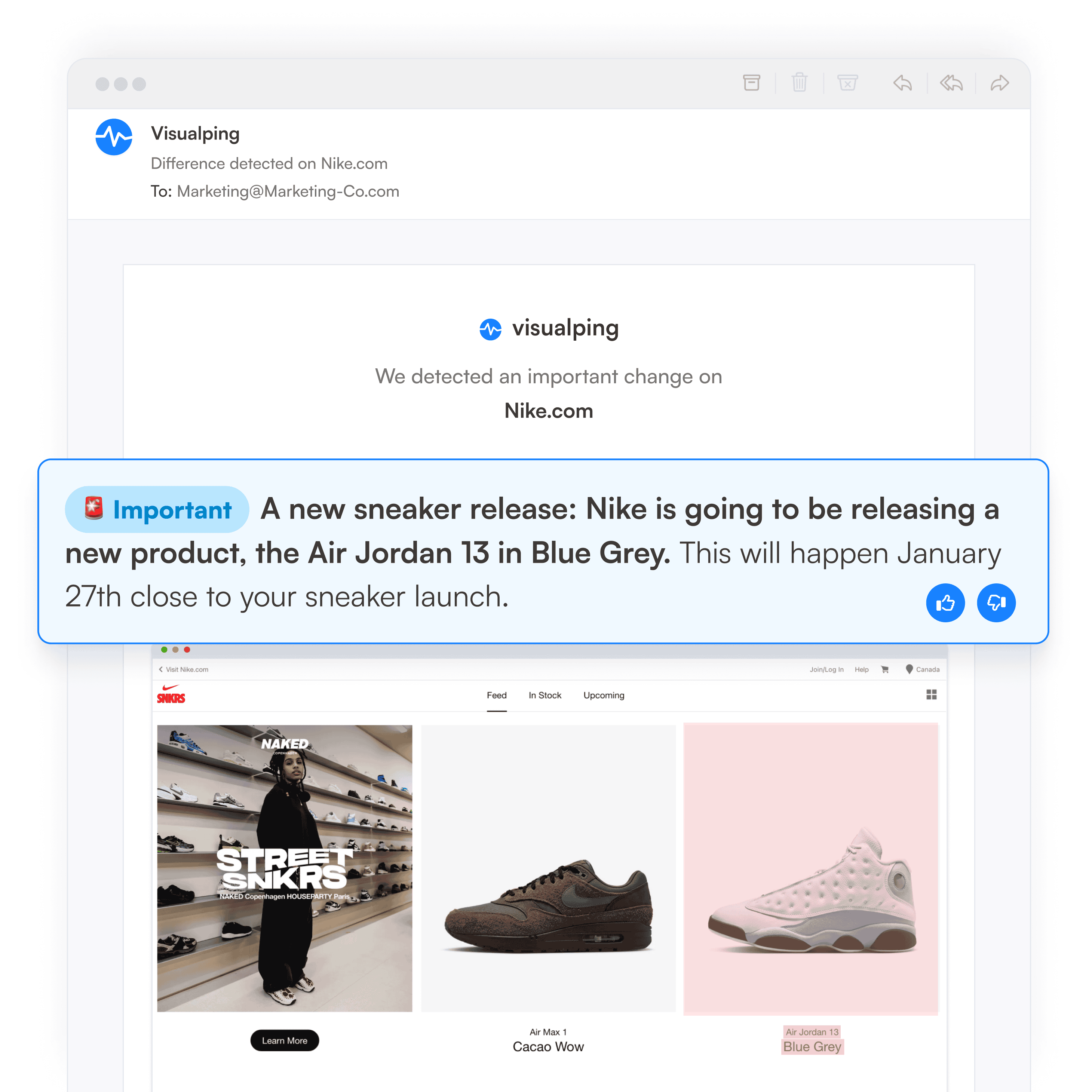
What 5,518 Costco monitors actually track
Before the methods, one finding from our platform that shapes everything below. Across 5,518 active Costco monitors on Visualping, the most-watched URLs are not groceries. They are precious metals, high-end gaming hardware, and scarce-drop electronics.
The top-five most-alerted Costco URLs in the last 90 days:
- Precious metals landing page: 642 alerts
- Silver keyword search: 519 alerts
- Gold-bar keyword search: 312 alerts
- Uber $50 e-gift card two-pack: 273 alerts
- MSI 265 QD-OLED gaming monitor: 238 alerts
Other URLs in the top 15 include an Almost Heaven outdoor sauna, two CyberPowerPC and MSI gaming desktops, the Nintendo Switch 2 Mario Kart bundle, and the Lenovo Legion Go 2. The pattern is consistent: Costco shoppers with the money and the patience to watch a page are watching scarce, high-ticket items that sell out in bursts.
That shapes method choice. The warehouse finder handles everyday items you can drive to pick up. An automated monitor handles the items that disappear in hours.
Check Costco warehouse inventory on costco.com
Costco's own warehouse inventory finder is the fastest way to check in-store availability without leaving your desk. It works on any product page that shows the "Find in Warehouse" feature.
Steps
- Go to costco.com and search for the item.
- Open the product page.
- Scroll to "Find in Warehouse" below the price.
- Enter your ZIP code.
- Costco lists the closest warehouses with a stock indicator for each.
What it does not cover
The finder covers most Costco-branded product lines but skips seasonal holiday items, fast-selling electronics, and anything tagged "online only." If the finder shows stock but you arrive at an empty shelf, blame the lag. Costco's own customer service confirms that warehouse inventory updates periodically, not in real time. Consumer Reports has noted that warehouse club inventory systems generally lag real stock by several hours, which lines up with what Costco publishes.
Product URL or category URL?
Watch a product page, or a category page? The choice matters. To check Costco inventory effectively, pick the level that matches what you want to know. In a sample of 5,518 active Costco monitors on Visualping, 28% track individual /p/ product pages, and 72% track category, sale, keyword-search, or listing URLs.
The split tracks intent. If you want to know the moment one specific SKU comes back in stock, watch the product page. If you want a wider net (for example, "alert me whenever anything in the precious metals category changes"), watch the category or keyword-search URL. The majority of Costco monitors use the wider net because that is where the scarce drops live.
Check Costco inventory from the mobile app
The Costco Shopping app layers the same warehouse inventory finder onto your phone, plus member-only same-day delivery through Costco Same-Day.
The mobile app earns its keep in two spots:
- In-warehouse scanning. Point your camera at a shelf tag and the app shows stock at nearby warehouses instantly.
- Digital membership card. If you forgot your physical card, the in-app card lets you check out and shows inventory tied to your specific warehouse.
The app does not push alerts for specific items. Its notifications fire for membership renewals and broad promotions, not for a product you care about coming back in stock. If you want to hear the moment a restocked unit lands online, the app alone will miss it.
Call or visit your local warehouse
For items the website hides (bakery trays, fresh produce, local-only promotions, and anything in the seasonal aisle), a phone call still beats the web. Costco publishes a phone number for every warehouse on its store locator page.
Three questions to ask when you call:
- "Do you have [item] in stock right now?"
- "When did your last shipment arrive?"
- "Do you expect a restock this week?"
Phone works best for Kirkland Signature SKUs, bakery, and fresh goods that often skip the online inventory finder. It is slow but accurate, and the person on the other end can walk the aisle.
Third-party tools: Costco Same-Day, Warehouse Runner, Reddit
Three third-party options are worth knowing in 2026:
Costco Same-Day
Costco's grocery partnership at sameday.costco.com. Shows live stock at your specific warehouse for delivery. Good for groceries and household items, limited beyond that.
Warehouse Runner
A separate tracker focused on Costco product prices and stock. Useful for catalog browsing, but it does not cover every SKU and does not alert on arbitrary URLs.
r/Costco PSAs
r/Costco runs a steady stream of "just saw [product] back in stock at my warehouse" posts. Good for regional signal, poor for reliability. The Verge has documented how subreddit-driven stock signals outrun official retailer updates during high-demand drops.
None of these watches a specific URL for you in the background. Automated monitoring does. If your focus is price drops rather than stock, the companion guide on Costco price tracking covers the same tooling with a pricing lens.
Get automated alerts when Costco restocks with Visualping
Visualping watches any Costco product or category page and emails you the moment it changes. You paste the URL, pick a check interval, and the tool takes screenshots on a schedule, compares them against the previous version, and sends an alert when the page moves.
Step 1. Open visualping.io and paste a Costco URL
Go to visualping.io. The homepage has a single URL input in the center.

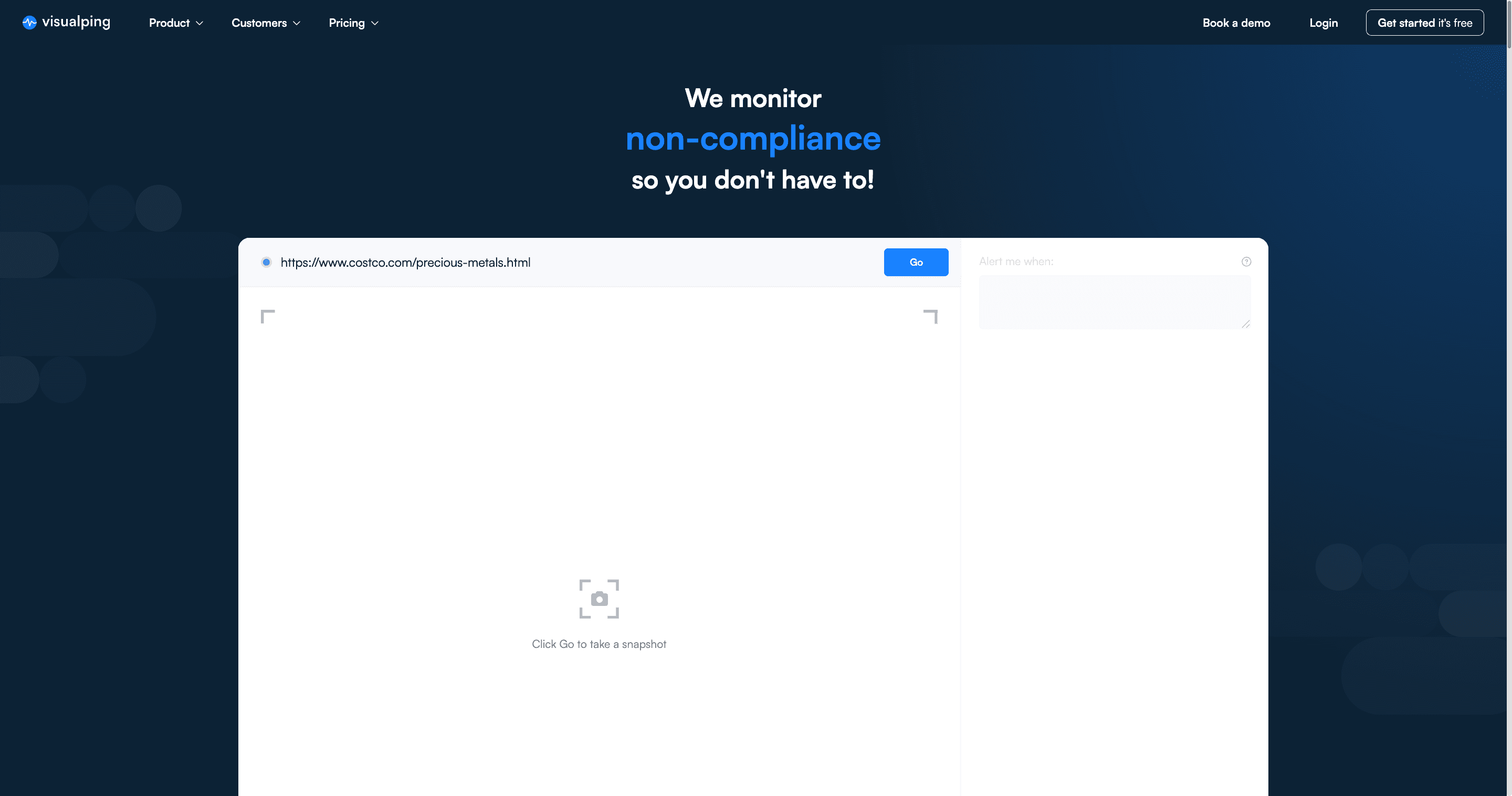
Paste any Costco URL. For this walkthrough, we are using the Costco precious metals category page (https://www.costco.com/precious-metals.html) because that surface leads our top-alerted list across 5,518 active Costco monitors.
Step 2. Click "Go" and review the snapshot
Visualping takes a live snapshot of the Costco page and opens the "Alert me when" panel. You can read the current state of stock, price, and featured products right inside the preview.

The AI suggestions on the right are generated from the actual content of this Costco page. For precious metals, Visualping proposes conditions like "a new precious metal product is added to the page," "the price of a precious metal product changes," "a featured precious metal product is updated," and "an Add to Cart button for a product becomes available." Pick one or write your own.
Step 3. Pick a check frequency
Open the "Check" dropdown and choose how often Visualping should look for changes.

For Costco, the right frequency depends on what you are watching. Precious metals and sauna pages usually refresh every few weeks, so daily is plenty. Fast-moving drops (Switch 2 bundles, limited gaming desktops) reward sub-hourly checks, which sit on the paid tier.
Step 4. Enter your email and start monitoring
Type the email where the alert should land, then click "Start Free Monitoring." You will get an email the next time the page changes.

For one-off watches no account is required. If you want SMS alerts, webhooks, or multiple pages on tighter intervals, a free account opens the standard tier. Paid plans add sub-hourly checks and integrations.
What every alert contains
Every alert arrives with three things. The first is a screenshot of the page before and after the change. The second is a plain-English AI summary of what moved. The third is a binary IMPORTANT flag that tells you whether the change is worth opening.
The IMPORTANT flag matters on Costco pages because the site updates constantly. Header banners rotate, recommended products shuffle, and review counts tick up. Without a filter, a busy product page can send dozens of alerts a day and you stop opening them. Visualping's classifier reads the change and marks IMPORTANT: YES only when the change touches price, stock, availability, or a new product state. A shuffled carousel stays silent. A "back in stock" button fires an alert.
What frequency people pick
Among 5,518 active Costco monitors, the majority run on slow cycles. 73% check monthly, 17% check daily, 3% check hourly, and roughly 0.5% check faster than once an hour. That pattern makes sense for the top use case: people watching precious-metals, gift-card, or sauna pages for a restock that happens every few weeks. If you are hunting a fast-moving drop (a new Switch 2 bundle, a limited gaming desktop), the faster intervals matter. For Kirkland groceries or tires, monthly is plenty.
Automation note. Visualping's free tier runs up to 150 checks per month across 5 pages, enough to watch a handful of Costco items on a daily check. Paid plans add sub-hourly intervals, SMS alerts, and webhook delivery for Slack, Google Sheets, or n8n.
When Costco pages actually change
Costco updates cluster on midweek afternoons and evenings Eastern Time.
Day of week
Across 24,153 Costco change alerts on Visualping over the last 90 days, the distribution by day-of-week (Eastern Time):
- Tuesday: 16%
- Wednesday: 16%
- Monday: 15%
- Thursday: 14%
- Saturday: 14%
- Friday: 12%
- Sunday: 12%
Tuesday, Wednesday, and Monday together account for 47% of all Costco change events. Weekends are the quietest.
Hour of day
The primary peak lands between 3 p.m. and 6 p.m. Eastern, with 5 p.m. the strongest single hour (1,302 alerts). A secondary peak runs from 9 p.m. to 11 p.m. Eastern. If you check manually once a day at 10 a.m., your data is already lagging the main update window by roughly six hours. An automated monitor catches the afternoon drop the moment it happens.
Hit rate
Monitors here also hear back often. 49% of active Costco monitors caught at least one change in the last 90 days, and 39% did in the last 30. If you set one up and never hear anything, you are in the minority.
Want to do this without leaving ChatGPT? Open ChatGPT and type: Visualping, monitor [the URL you want to track]. Our app handles the rest. Open Visualping in ChatGPT →
Which method to use when
| Scenario | Best method | Why |
|---|---|---|
| One-time "is it there right now?" | Costco warehouse inventory finder | Fastest, no setup |
| Fresh goods, bakery, seasonal aisle | Phone the warehouse | Finder does not cover them |
| Groceries and household for delivery | Costco Same-Day | Live inventory at your warehouse |
| Specific SKU restock alert | Visualping on the product page | Screenshot + AI summary on change |
| Any restock in a category | Visualping on the category URL | Wider net for seasonal and intermittent items |
| Competitor price moves for MAP compliance | Visualping with webhook to Google Sheets | Automated logging, timestamped |
| Sub-hourly polling on high-demand drops | Visualping paid plan | Free tier runs daily |
Troubleshooting: when the data is wrong
Costco's warehouse inventory finder lags real stock by a few hours, and the Same-Day delivery layer lags differently. Here is what to check when the signals disagree.
Finder says in stock, shelf is empty
The finder updates every few hours. Call the warehouse to confirm before you drive.
Finder says out of stock, automated monitor fires
Trust the monitor. It reads the live page at check time. The finder is likely stale.
Costco Same-Day shows different availability than costco.com
Same-Day ties to a specific warehouse. Costco.com shows national shipping inventory. They diverge when one has stock that the other does not.
An alert fired, but the change looks minor
Check the IMPORTANT flag on the alert. A YES means the change touched price, stock, or availability. A NO means the change was cosmetic (a banner swap, a carousel shuffle) and can be ignored.
The monitor never fires
Confirm your check interval matches the item's update rhythm. Grocery items may change weekly; tires may change monthly. Hourly is the safe default for most Costco SKUs you actively watch.
Frequently asked questions
How do I check Costco inventory online?
Search for the item on costco.com, open the product page, and look for "Find in Warehouse" below the price. Enter your ZIP. Costco lists the closest warehouses with a stock indicator for each. The feature does not cover fresh goods, seasonal items, or online-only SKUs.
Does Costco show real-time inventory?
No. Costco's warehouse inventory finder updates every few hours, not in real time. Costco Same-Day shows closer-to-live inventory for the warehouse that delivers your order, but still lags by minutes.
What time does Costco update its website?
On Visualping, detected changes to Costco URLs peak between 3 p.m. and 6 p.m. Eastern, with 5 p.m. the strongest single hour. A secondary peak runs from 9 p.m. to 11 p.m. Eastern. If you check once a day, check in the late afternoon or early evening.
What day of the week does Costco restock?
Tuesday and Wednesday are the strongest days. Across 24,153 Costco change alerts in the last 90 days, Tuesday (16%) and Wednesday (16%) lead. Monday is close behind. The weekend is the quietest stretch.
How often does Costco restock?
Restock frequency depends on the item. Grocery and Kirkland staples restock multiple times a week. Seasonal and imported items restock on longer cycles. Gaming consoles, Switch 2 bundles, and holiday specials restock in waves, often in the afternoon or evening Eastern Time.
Can I get a text alert when Costco restocks?
Yes. Visualping's paid tiers (Personal $25/mo and up) include SMS alerts. You set the monitor on the product page, pick SMS as the alert channel, and a text fires when the IMPORTANT flag hits YES.
Is there a Costco app that shows inventory?
Yes. The Costco Shopping app includes the same warehouse inventory finder as costco.com, plus in-warehouse barcode scanning and your digital membership card. It does not push notifications for specific-item restocks.
What Costco items sell out the fastest?
Based on 90 days of Visualping alert data, the most-monitored Costco surfaces are precious metals (gold and silver bars), scarce gift-card two-packs, high-end gaming monitors and desktops, outdoor saunas, and new gaming-console bundles. These are the items that disappear within hours of landing on the site.
Warehouse Runner or Visualping for Costco?
Warehouse Runner focuses only on Costco, which makes its catalog view cleaner. Visualping watches any URL (Costco or otherwise) and ships alerts with a screenshot and an AI summary. If you monitor only Costco, either works. If you also track Target, Best Buy, or Amazon, Visualping covers all of them from one dashboard.
Why does my Visualping alert sometimes fire on pages that look unchanged?
Costco pages include rotating banners, recommendation carousels, and dynamic review counts. Those can trigger a pixel-level change. The IMPORTANT flag catches these. A cosmetic change marks IMPORTANT: NO and you can filter the alert inbox to YES only.
Start monitoring a Costco page in under two minutes
Stock and price tracking rank among the most common reasons people use Visualping. The free tier is open, and the setup takes under two minutes on any Costco URL you care about.
Data on this page was generated from Visualping's internal monitoring platform (5,518 active Costco monitors, 24,153 detected changes over 90 days) and supplemented with publicly available information from costco.com, r/Costco, and Consumer Reports. Updated April 2026.
Want to get back in stock alerts?
Sign up with Visualping to get back in stock alerts for any product you've got your eye on.
Eric Do Couto
Eric Do Couto is the Head of Marketing at Visualping. He leads content strategy, growth operations, and brand positioning for website change detection.
More articles by Eric Do Couto