Shein Restock Alerts: Get Notified When Items Restock
Updated April 16, 2026
By the Visualping research team, analyzing live monitor logs across the Shein product catalog since 2024.
Last updated April 2026.
Shein restock alerts notify shoppers when sold-out items return. The most reliable method is to monitor the product URL with Visualping, which checks the page on a fixed interval and pushes a binary IMPORTANT signal plus a plain-English AI summary the moment stock returns. The free tier covers basic monitoring; paid plans add faster check intervals.
TL;DR: Shein's viral, ultra-fast inventory turns over in minutes, and the native "Remind Me" email rarely lands before items sell out a second time. Visualping watches any Shein product URL directly, flags every change with a binary IMPORTANT signal, and includes a plain-English AI summary so shoppers know whether to act. The free tier covers basic restock monitoring; paid plans add check intervals as fast as every minute and SMS delivery. Setup takes under two minutes from any product page on shein.com.
Shein moves fast and so should your alerts
Shein drops thousands of new styles a day, and the trending ones vanish just as fast, part of an ultra-fast-fashion model documented by TIME. A dress that blew up on TikTok, shoes with 50,000 wishlist saves, a basics set at $4. Gone before you finish hitting cart.
Shein's "Remind Me" button covers some sold-out items, not most. Many product pages never show the option. When the email does land, it's hours late, long after the restock cleared a second time. Shein's daily promo blast buries any restock note under marketing.
Visualping watches any Shein product page directly and pings the moment availability changes. See the broader back-in-stock guide for retailer-by-retailer guidance. As of April 2026, Shein shoppers on Visualping average nearly 2.5 monitors each, the highest per-user ratio among fashion retailers tracked on the platform, because Shein's inventory moves that fast. No more wishlisting and hoping.
Why Shein's "Remind Me" falls short
Why doesn't Shein's "Remind Me" button appear on every product?
The "Remind Me" button shows up on some out-of-stock products and not others, with no clear pattern. Some popular items have it, some don't. Many size-specific stockouts (your size is gone but the page still reads "available" in other sizes) don't trigger the remind option at all.
How late do Shein restock emails arrive?
When Shein does send a restock email, it's batched with the rest of the day's promo blast. In Visualping monitoring data during flash sales and high-demand periods, those emails lag 1-4 hours behind actual availability. For items that sell out in under an hour, the alert lands after the window has already closed.
Extreme product turnover
Shein runs on ultra-fast fashion. Some items are limited-run; once gone, they're swapped for lookalike styles instead of restocked. Other popular items cycle back in waves. Without watching the page, there's no way to tell which path a given product will take.
Wishlist doesn't alert you
Adding an item to your Shein wishlist saves it for later. Wishlist is a bookmark, nothing more. There's no notification when the item comes back in stock, so you still have to check manually.
How to set up Shein restock alerts with Visualping
Step 1: Copy the Shein product URL
Go to shein.com and open the product page you want to track. Pick your preferred size and color if the options are visible. Copy the full URL from your browser.
Shein URLs look like https://www.shein.com/Product-Name-p-12345678.html.
Step 2: Paste into Visualping
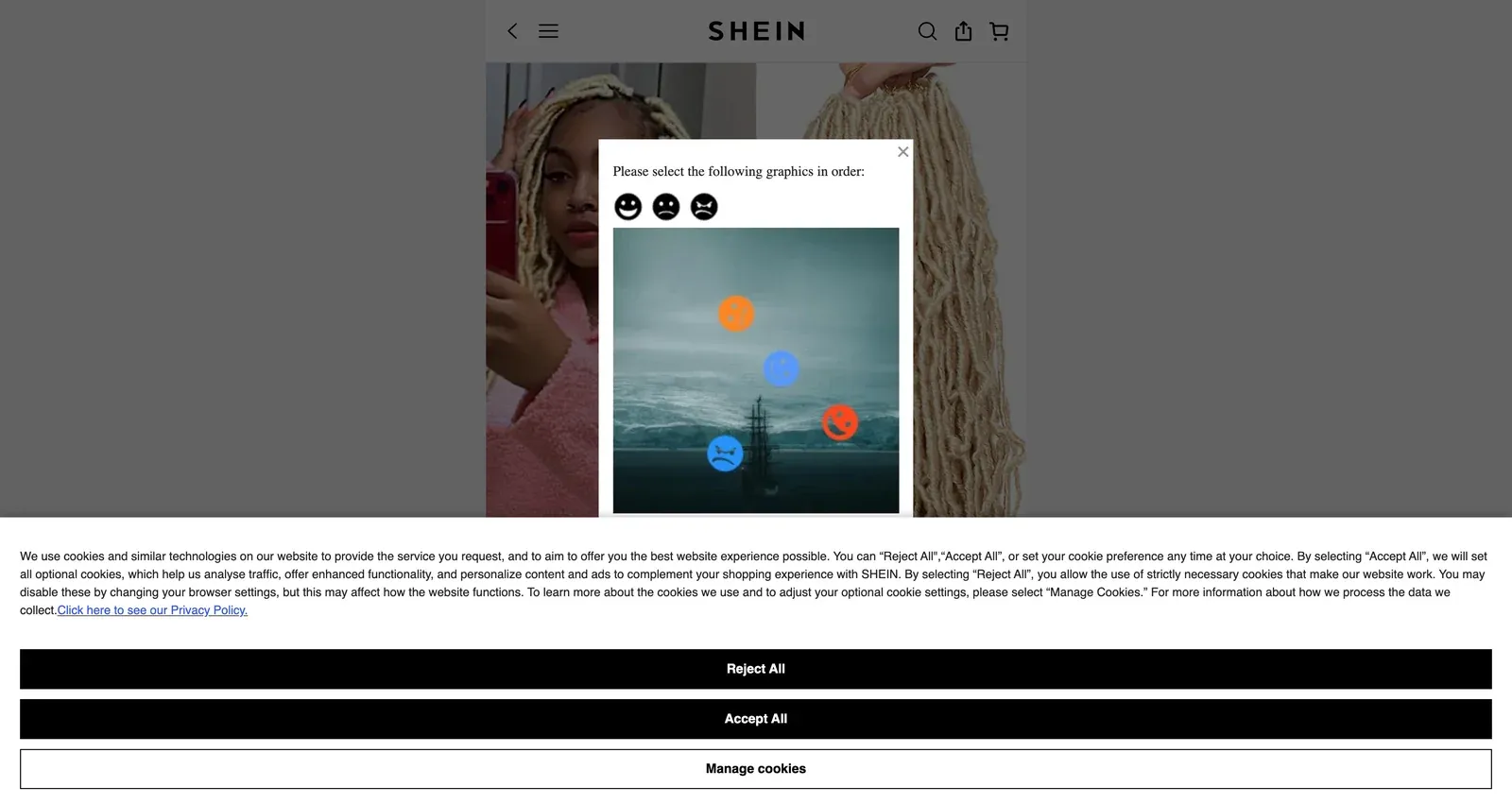
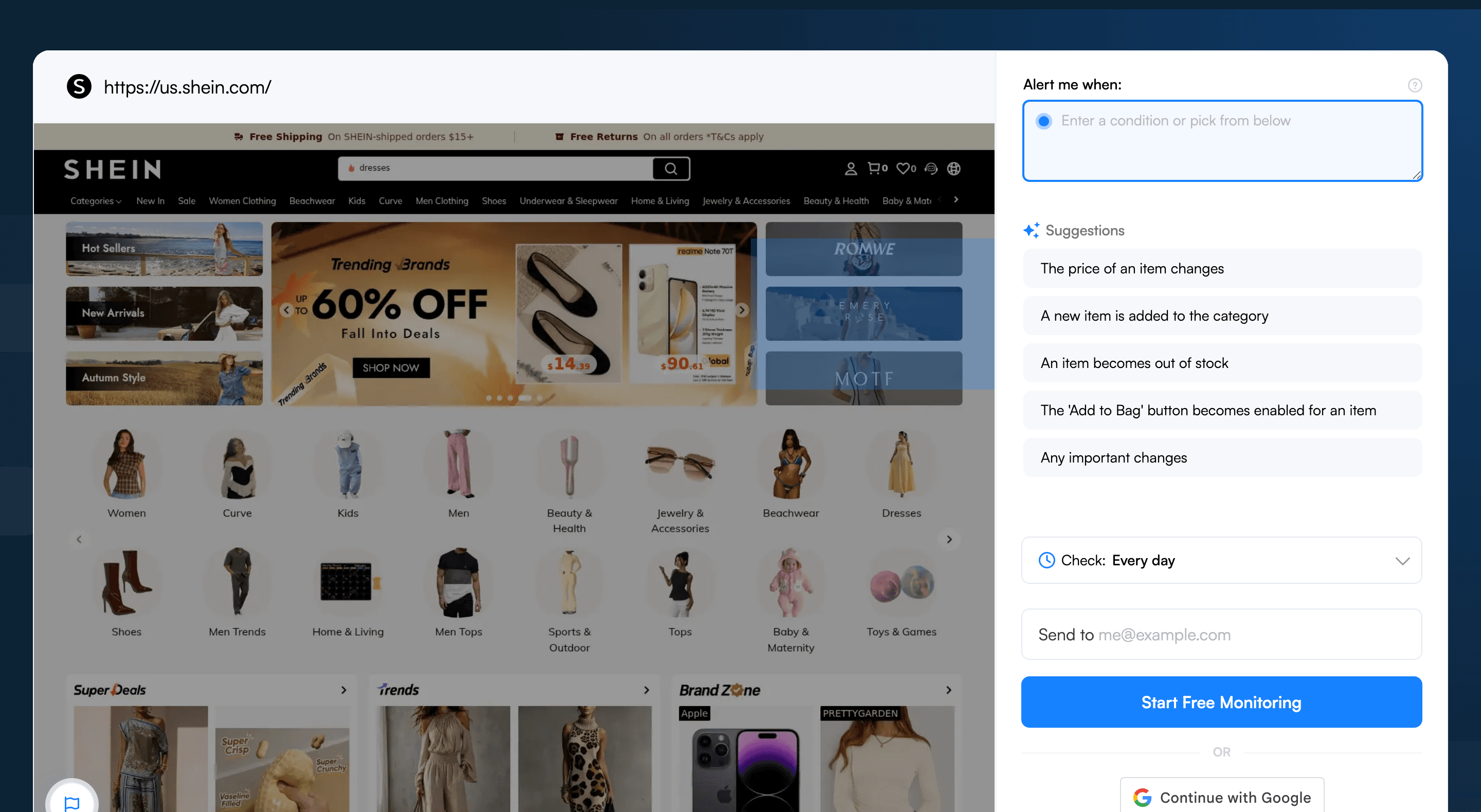
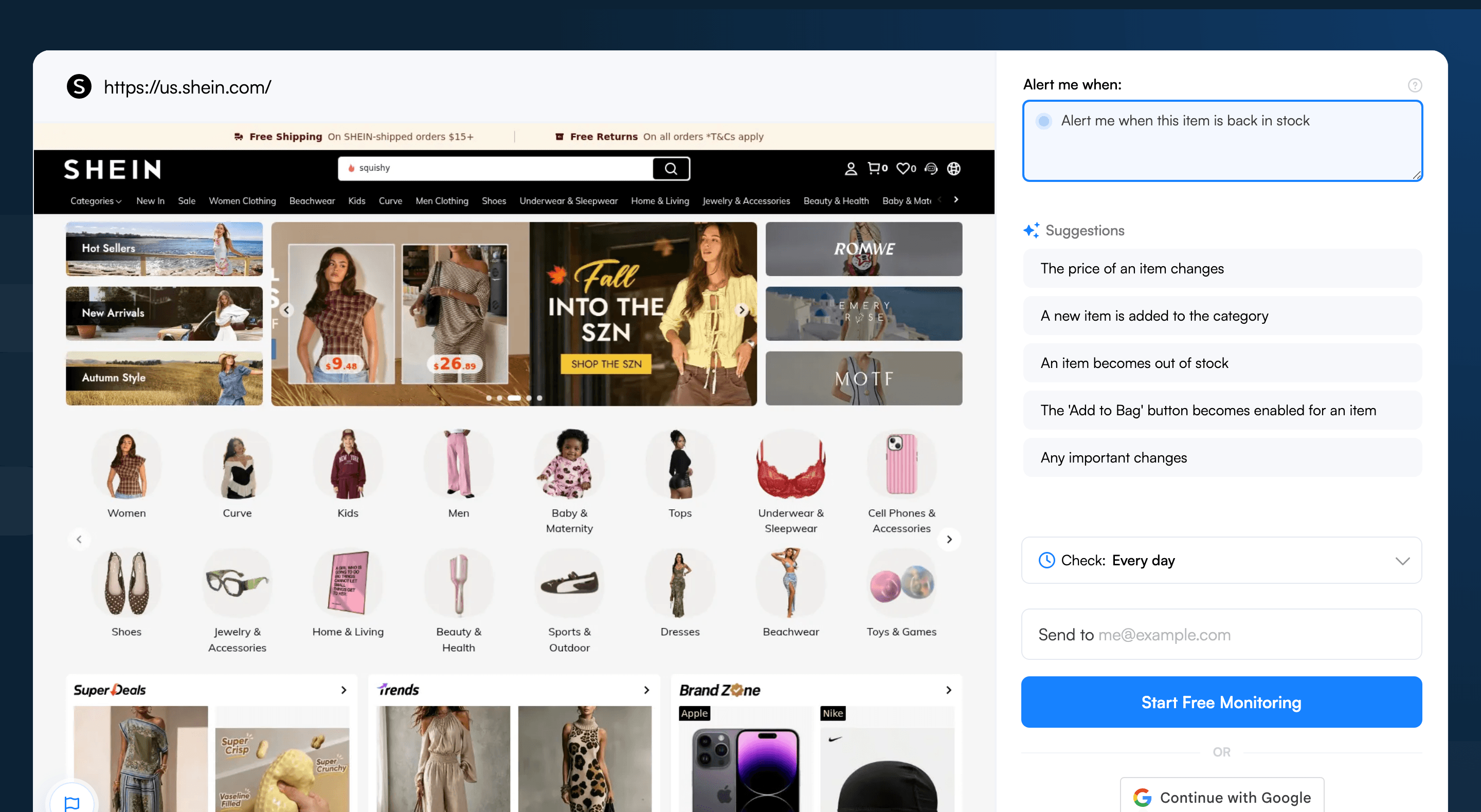
Go to visualping.io and paste the Shein URL. Visualping loads a preview of the page and monitors the whole page by default. To zero in, drag a box over the "Add to Cart" button, size availability, or price display, or add an AI criteria like “alert me when this item is back in stock” so you only hear about the change that matters.
Step 3: Select the availability section
Review and tighten your selection. For Shein pages, focus on:
- The size buttons (showing which sizes are available vs. sold out)
- The "Add to Cart" or "Add to Bag" button
- The price and discount display (handy for catching flash sale restocks)
Exclude the "You May Also Like" section, customer reviews, and outfit recommendations. Shein refreshes those sections constantly and they'll fire false alerts.
Step 4: Set check frequency
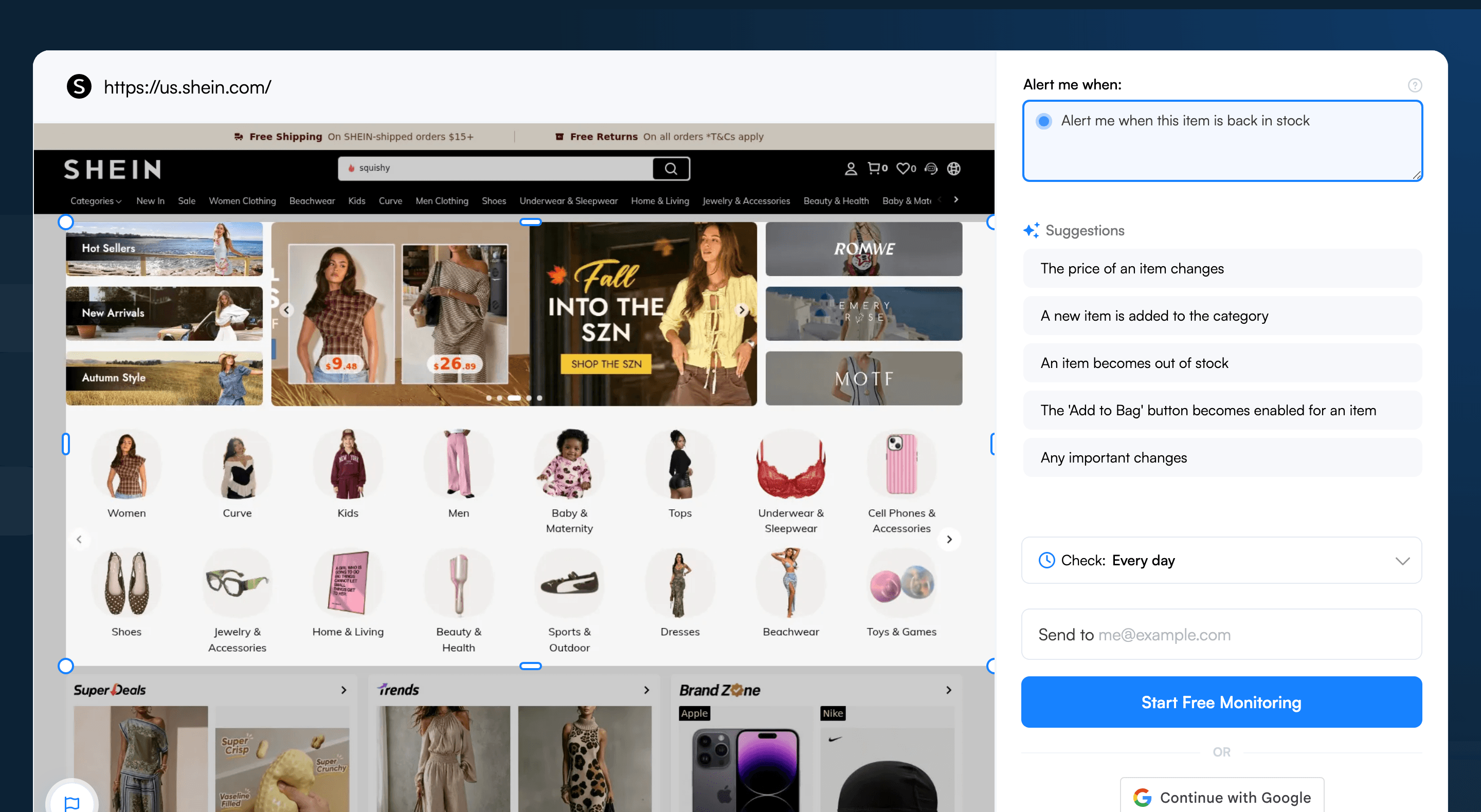
For trending items and flash sales, set checks to every 5 to 15 minutes (available on paid plans; the free tier runs daily). Viral Shein products can restock and sell out again inside an hour or two. For regular items you're watching casually, every 1-6 hours is fine.
Step 5: Add an AI criteria
In the "Alert me when" field, enter: "Alert me when this item becomes available to add to cart or when my size is back in stock." This filters out Shein's constant page changes (new review photos, updated shipping estimates) so you only see actual restocks.
Step 6: Enable SMS for viral drops
For items selling out fast, bolt on SMS text alerts. An email might sit unread for an hour. A text message gets your attention immediately.
Visualping handles restock monitoring across other retailers too. See the same setup adapted for Zara restock alerts, Sephora back-in-stock notifications, Lululemon drops, Abercrombie restock alerts, American Eagle restocks, Vans back-in-stock alerts, and the full back-in-stock guide.
What Visualping data shows about Shein restocks
Among the ~162 Shein-targeted monitors set up by Visualping users over the last 24 months (sample, not total), the patterns offer a useful guide for anyone tuning their own restock alerts.
Shein shoppers run their checks fast. Roughly 1 in 9 active Shein monitors poll every 15 minutes or less, and 14 of them check every 5 minutes. That share is well above what shows up on slower-turnover retailers, where most monitors sit on a daily cadence. The remaining 72% in the sample run on a daily check, the standard setting for casual wishlist-style tracking. If a Shein item tends to sell out within hours of restock, a sub-15-minute interval is the safer call; for slow-moving wishlist pieces, daily is enough.
Of the 117 active Shein monitors, 37 (about 32%) detected a page change in the last 90 days, and 17 of those were flagged IMPORTANT by Visualping's AI summarizer, the binary flag that separates a real restock or price drop from cosmetic page noise. Women's apparel and individual product pages account for the largest segment of monitored URLs, so shoppers tracking specific SKUs are getting more useful signal than those watching broad category pages. Kids' and men's categories trail, with home and flash-sale pages making up the long tail.
Pro tips for catching Shein restocks
-
Monitor the exact product URL, not the search page. Shein's search results refresh constantly as new SKUs enter the catalog, so a search-page monitor will fire on noise instead of your item. Always point Visualping at the individual product page.
-
Track the "Hot" and "Trending" sections. Shein's trending pages highlight items gaining momentum. Set up a monitor on
shein.com/trending(or a category-specific trending page) with keyword triggers for the product types you care about. This catches items before they blow up and sell out. -
Watch for flash sale restocks. Shein often restocks items inside flash sales at deeper discounts. Monitor the flash-sale landing page to catch those limited-time restocks. Use an AI criteria like "Alert me when [product name] appears in the sale."
-
Use color and size keywords. Need a specific color-size combination? Add those as keyword triggers. For example, trigger on "Black - M" or "Available" to narrow alerts to your exact variant.
-
Check 3-7 days after sellout. Visualping logs put the most common restock window for popular Shein items at 3-7 days after the initial sellout. Set your alert before that window opens so the bounce-back doesn't slip past.
-
Monitor across Shein regional sites. Shein runs different regional sites (shein.com, shein.co.uk, etc.) with different inventory levels. If an item is sold out on yours, check the other regional versions. Stock may still be there.
Frequently asked questions
What's the best way to get notified when Shein restocks an item?
The most reliable approach is to monitor the product page directly with a page monitoring agent (also known as a website monitoring tool). Visualping watches any shein.com product URL, flags every change with a binary IMPORTANT signal, and adds a plain-English AI summary so shoppers know whether the alert is a real restock, a price drop, or cosmetic page noise. Shein's own "Remind Me" emails are inconsistent and often arrive after the second sellout, so a third-party monitor is the more dependable path. Set up a free monitor in about two minutes.
Is there a free tool to track Shein restocks?
Yes. Visualping offers a free tier that covers basic Shein restock monitoring, with daily checks on any product URL and email alerts when the page changes. The free plan is a good fit for casual wishlist tracking. For viral drops that resell within hours, faster intervals (every 5 to 15 minutes) and SMS delivery are available on paid plans. Most shoppers start free and upgrade only after a near-miss on a fast-moving item. Start free.
Can I monitor multiple Shein products for restocks at once?
Yes. Visualping lets a single account set up monitors for any number of Shein product URLs from one dashboard, each with its own check frequency, alert keyword, and notification channel. The Shein cohort on Visualping averages nearly 2.5 monitors per user, the highest ratio across the fashion retailers tracked on the platform, because shoppers typically watch several SKUs at once. Each monitor stays independent, so a restock on one product fires only the alert tied to that page.
How fast does Visualping detect a Shein restock?
Detection speed equals the check interval set on the monitor. Free accounts run daily checks. Paid plans support intervals down to every minute, with every 5 to 15 minutes being the common setting for viral Shein items, since trending products can restock and sell out again within an hour. Once the page change is captured, the alert fires immediately by email, push, or SMS. For high-stakes drops, the binary IMPORTANT flag plus AI summary helps shoppers act before the second sellout.
Why don't Shein's own back-in-stock notifications work reliably?
Shein's "Remind Me" button only appears on some out-of-stock SKUs, never on wishlist items, and the resulting email is bundled with the day's promo blast. By the time the email lands, the restock has often sold out a second time. Coverage is also patchy across regional sites. A third-party monitor like Visualping polls the product page directly on a fixed cadence, so the alert is tied to the actual page change instead of Shein's batched send. Try it free.
Does Visualping work for Shein flash sales and trending pages?
Yes. Visualping monitors any public shein.com URL, including individual product pages, the trending and "Hot" sections, and flash-sale landing pages. For flash sales, the recommended setup is to monitor the sale-event page with an AI criteria like "Alert me when [product name] appears in the sale" so the AI summarizer filters out unrelated page noise. For app-exclusive deals that never appear on the website, the Shein app is still required.
Track it before it's gone
Shein's ultra-fast model burns through stock in minutes. Visualping watches the page, fires the alert the second your size is back, and kills the manual refresh loop. Set up your Shein restock alerts in under two minutes.
It's free to start.
Want to monitor web changes that impact your business?
Sign up with Visualping to get alerted of important updates from anywhere online.
Eric Do Couto
Eric Do Couto is the Head of Marketing at Visualping. He leads content strategy, growth operations, and brand positioning for website change detection.
More articles by Eric Do Couto