7 Website Monitoring Tools: AI, Social Listening and Uptime
Updated October 28, 2026

Product documentation and public pricing checked October 28, 2026. This is a documentation-based comparison, not a hands-on performance benchmark.
Disclosure: This article is published by Visualping. We've included pricing, features, and limitations for every tool, including our own, so you can compare on equal footing. We encourage you to test free trials before committing.
Website monitoring tools serve several purposes: tracking changes to pages, researching online conversations, and checking service availability. Some add AI summaries, classification, or research assistance. Those features and their plan requirements differ by product. For free change-detection options, see our guide to page monitoring agents.
This guide covers 7 tools across three categories: website change detection, social listening, and uptime monitoring. Choose the category first, then test whether the tool captures the information and delivers the alerts you need.
Table of Contents
- How to Choose the Right AI Page Monitoring Agent
- Quick Comparison: Website Monitoring Tools at a Glance
- Page Monitoring Agents
- Social Listening and Brand Monitoring Platforms
- Website Uptime Monitoring
- Common Use Cases for Website Monitoring
- Key Considerations When Evaluating Tools
- Frequently Asked Questions
- The Bottom Line
- Try These Tools
How to Choose the Right AI Page Monitoring Agent
Understanding which category fits your needs saves time. This decision framework points you to the most relevant section of this guide.
Choose a page monitoring agent (Visualping, Fluxguard, Distill, Hexowatch) if you need to:
- Track competitor website changes (pricing, products, messaging)
- Monitor regulatory or compliance pages for updates
- Detect unauthorized changes to your own website
- Track job postings, real estate listings, or product availability
- Receive alerts when specific pages update
Consider social listening or content research (Brandwatch, BuzzSumo) for these tasks, then confirm the specific product covers each one:
- Monitor brand mentions across social media and news
- Track industry conversations and sentiment
- Identify influencers and journalists in your space
- Analyze competitor content performance
- Manage PR campaigns and media outreach
Choose an uptime monitor (UptimeRobot) if you need to:
- Check whether your website is reachable
- Receive alerts when monitoring detects downtime
- Create public status pages for customers
- Monitor SSL certificate expiration
- Track server and service availability
Quick Comparison: Website Monitoring Tools at a Glance
USD prices below are examples of the published plans checked October 28, 2026. Annual equivalents require annual billing. Capacity units differ: a monitor, a site estimate, a check unit, and a token are not interchangeable.
| Tool | Category | Paid plan example | Free or trial option | Important scope |
|---|---|---|---|---|
| Brandwatch | Social listening and consumer research | Quote from sales | Contact sales | Confirm data sources and products in the quote |
| BuzzSumo | Content research and PR | $199/month, billed annually | Trial available | Media database starts with PR & Comms |
| Distill | Website change detection | Starter $15/month billed monthly | 25 monitors total, including up to 5 cloud | AI summaries require Flexi or Enterprise cloud monitoring |
| Fluxguard | Website change detection | Standard $110/month billed monthly | Free credit allowance, estimated at 3 sites | Site estimates depend on pages, frequency, and credits |
| UptimeRobot | Uptime monitoring | Solo $9/month, billed annually | 50 monitors | Availability monitoring complements page-change detection |
| Hexowatch OR:ON | Website change detection | Personal $15/month billed monthly | 2 watches, daily checks | Free excludes AI change analysis and alert summaries |
| Visualping | Website change detection | Personal 1K $14/month billed monthly, or $10/month billed annually | 5 pages, 150 checks/month | Native Slack, Teams, and Google Sheets require Business |
Page Monitoring Agents
These tools check selected pages for changes. AI features can help summarize or classify the results, with availability depending on the tool and plan. Test the pages you need to monitor before choosing a service.
Visualping
Useful for: Website content changes, competitor monitoring, and regulatory updates
Visualping checks web pages for changes. Its default AI Mode detects content and image changes; CSS-only styling changes do not trigger alerts. Email alerts and change entries include an AI summary and an Important classification.
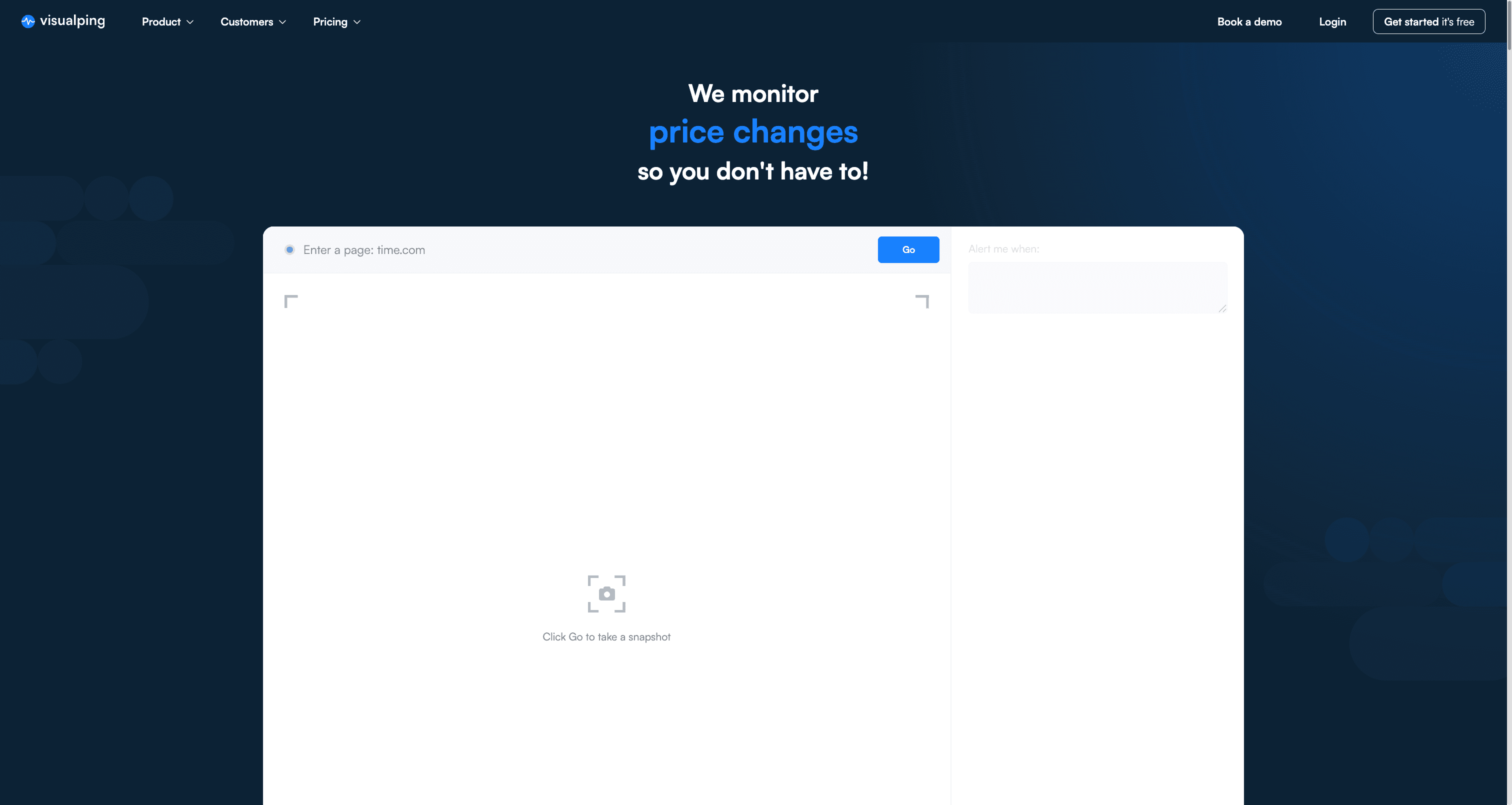
Earlier Visualping homepage. Interface and messaging may differ today.
Key AI Features:
- AI Summaries: AI-powered summaries describe detected changes. Prompts can guide the language and format of the summary.
- Custom criteria: All plans support an “Alert me when” prompt to guide what the AI classifies as Important.
- Notification filtering: To receive only matching alerts, confirm “Alert me only when the AI condition is met” is enabled and enable the delivery channels you want.
How It Works:
Enter a URL, review the page preview, optionally select an area, and set a check schedule within your allowance. Describe what matters, such as a price change in the selected product area. Check the captured page and a sample change before relying on the monitor. AI classifications can be wrong.
Additional Features:
- Email, webhooks, Telegram, API, and MCP access on every plan, within account limits
- Native Google Sheets, Slack, and Microsoft Teams integrations on Visualping for Business
- Browser extension for starting setup from a page
- Actions that perform supported clicks or other steps before the page is captured
Pricing:
- Free: 5 pages, 150 checks/month, with a 60-minute minimum cloud interval
- Personal 1K: $14 billed monthly or $120/year ($10/month equivalent), with 10 pages and 1,000 checks/month
- Business 20K: $140 billed monthly or $1,200/year ($100/month equivalent), with 200 pages and 20,000 checks/month
View full Visualping pricing and plans
Limitations:
- The minimum interval and monthly allowance are separate limits. Five monitors checked once daily use 150 checks in 30 days and 155 in 31 days, exceeding Free's allowance in the latter case.
- Failed checks also consume the allowance. Checks pause when it is exhausted until the allowance resets or the plan is upgraded.
- Login, interactive content, or site access restrictions can affect capture. Test Actions on the target page.
- AI Mode is not a pixel-perfect regression test for styling changes.
Best suited for: Teams or individuals who need page-change summaries and can test the capture, classification, and delivery settings for their pages.
Fluxguard
Useful for: Teams comparing page captures, HTML, and text changes
Fluxguard crawls pages and reports changes. TechRadar includes it in its 2025 website change monitoring roundup. Its current plans separate basic capture from AI summarization and filtering.
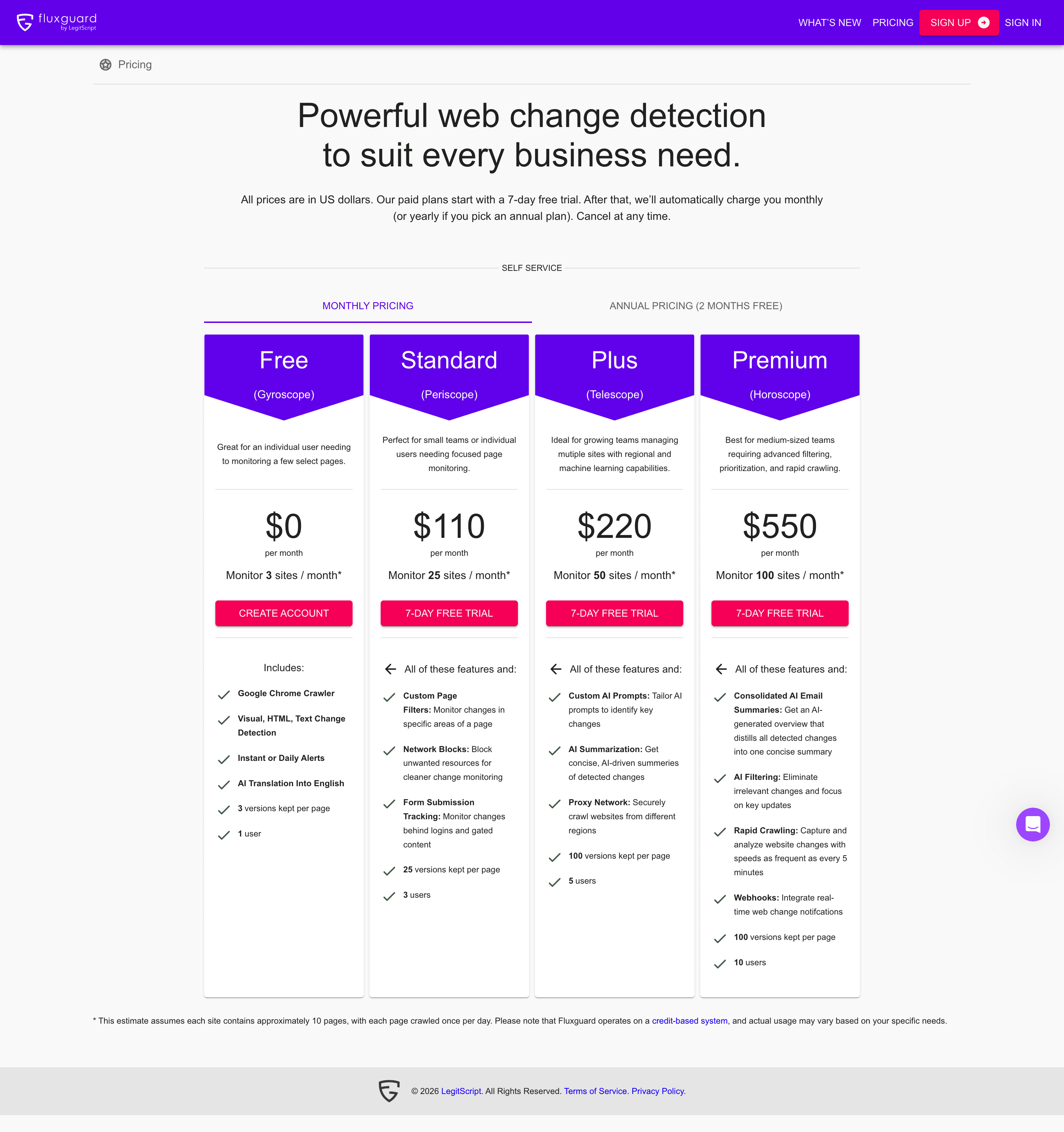
Earlier Fluxguard pricing screenshot. Current plan details and the site-estimate assumptions are listed below.
Key AI Features:
- Plus adds AI summarization and custom AI prompts.
- Premium adds consolidated AI email summaries and AI filtering. Evaluate the output on your pages before relying on its classifications.
How It Works:
Fluxguard uses Chrome-based crawling for visual, HTML, and text monitoring. Its credit allowance governs usage. A page crawl consumes a credit; optional AI, translation, and proxy features consume additional credits. Monthly credits reset rather than rolling over.
Additional Features:
- English translation is listed on Free.
- Standard adds area filters, network blocks, and form submission for pages behind logins.
- Plus adds regional proxy options.
- Premium adds webhooks and checks as often as every 5 minutes.
Pricing (monthly billing):
- Free: estimated 3 sites, 1 user, 3 stored versions per page
- Standard: $110/month, estimated 25 sites, 3 users, 25 versions per page
- Plus: $220/month, estimated 50 sites, 5 users, 100 versions per page
- Premium: $550/month, estimated 100 sites, 10 users, 100 versions per page
Limitations:
The vendor's site estimates assume about 10 pages per site checked once daily. Actual capacity depends on credit usage, including optional features. Compare the pages, schedule, and AI processing you need, rather than treating the site estimates as guaranteed capacity.
Best suited for: Teams that need capture comparisons and can budget credits for their page count and selected AI features.
Hexowatch
Useful for: Page, feed, and technical changes for competitive intelligence
Hexowatch's public pricing route now opens Hexowatch OR:ON. Its current plans use watches and tokens, so the older Pro, Business, and Business+ prices are not the basis of this comparison.
Key AI Features:
- Personal includes AI change analysis.
- Plus adds AI alert summaries and Ask OR:ON.
- Free excludes those AI features.
How It Works:
Choose a supported watch type and check the plan's watch capacity, check interval, and token allowance. Page, RSS, sitemap, and JSON watches are included on Free. Personal adds WHOIS and technology-stack monitoring; Plus adds HTML, uptime, and API monitoring.
Additional Features:
- Residential proxies are listed from Personal.
- Slack, API access, webhooks, and MCP integrations are listed from Plus.
- Plus includes 3 users; Scale includes 10.
Pricing (monthly billing):
- Free: 2 watches, daily checks, 500 one-time tokens, 1 user
- Personal: $15/month, 25 watches, checks as often as every 5 minutes, 5,000 monthly tokens, 1 user
- Plus: $55/month, 50 watches, checks as often as every 5 minutes, 50,000 monthly tokens, 3 users
- Scale: $190/month, 400 watches, checks as often as every 5 minutes, 200,000 monthly tokens, 10 users
- Custom: Contact sales for limits and pricing
Limitations:
A token allowance is a separate limit from the number of watches. Confirm the token cost of your intended checks and AI features before selecting a schedule. The free token grant is one-time, not a recurring monthly allowance.
Best suited for: Users who want several kinds of watches and can match their workload to the current token-based plans.
Distill
Useful for: Local checks and configurable cloud monitoring
Distill supports local monitoring through its browser extension or desktop app, as well as cloud monitoring. Local checks require the device and the selected browser or app to remain running. See our guide to Distill alternatives for other options.
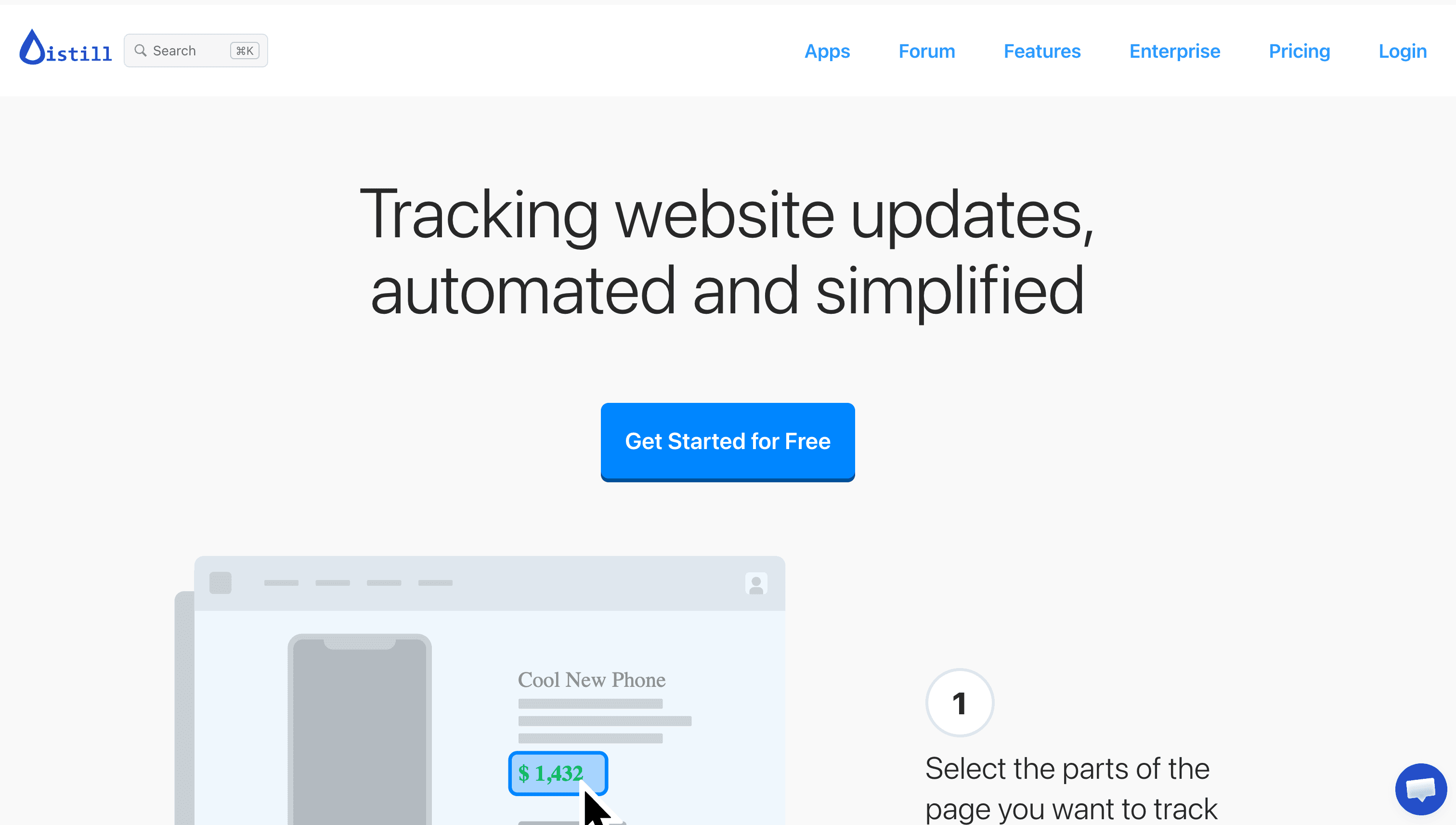
Earlier Distill homepage; the capture date is unconfirmed.
Key Features:
- Select page elements and use conditions to filter notifications.
- Manage monitors and change histories in a watchlist.
- Use macros for multi-step monitoring on paid plans.
- Access the API on Enterprise.
- Generate AI summaries on Flexi and Enterprise cloud monitors. The documented feature supports webpages and PDFs when monitored text exceeds 200 characters.
How It Works:
Choose a local or cloud monitor, select the content, and configure conditions and notification actions. Distill's AI settings support a custom prompt; summaries can appear in the change history and in email when email actions are enabled. Review the underlying change if the summary matters to a decision.
Pricing (monthly billing):
- Free: 25 monitors total, including up to 5 cloud; 1,000 monthly cloud check units; 6-hour minimum cloud interval
- Starter: $15/month, 50 monitors, 30,000 monthly cloud check units, 10-minute minimum cloud interval
- Professional: $35/month, 150 monitors, 100,000 monthly cloud check units, 5-minute minimum cloud interval
- Flexi: From $80/month, 500+ monitors, 200,000+ monthly cloud check units, 2-minute minimum cloud interval
Limitations:
- Cloud usage is metered in 10-second check units; a longer-running check can consume multiple units.
- Local checks do not consume the cloud allowance, but require the device and chosen browser or app to be running.
- AI summaries require the documented plan, cloud execution, supported file type, and text length.
- API access requires Enterprise. Check channel-specific allowances separately from monitor capacity.
Best suited for: Users who want local monitoring or condition-based alerts, with cloud AI summaries available on the specified higher tiers.
Social Listening and Brand Monitoring Platforms
These platforms support research into conversations, content, and media coverage. Source access and analysis differ by product, so confirm the networks and publications you need before buying.
Brandwatch
Useful for: Consumer research, social listening, and brand reputation work
Brandwatch offers consumer intelligence, social media management, and influencer marketing products. Its published announcement identifies it as a Strong Performer in The Forrester Wave: Social Suites, Q4 2024.
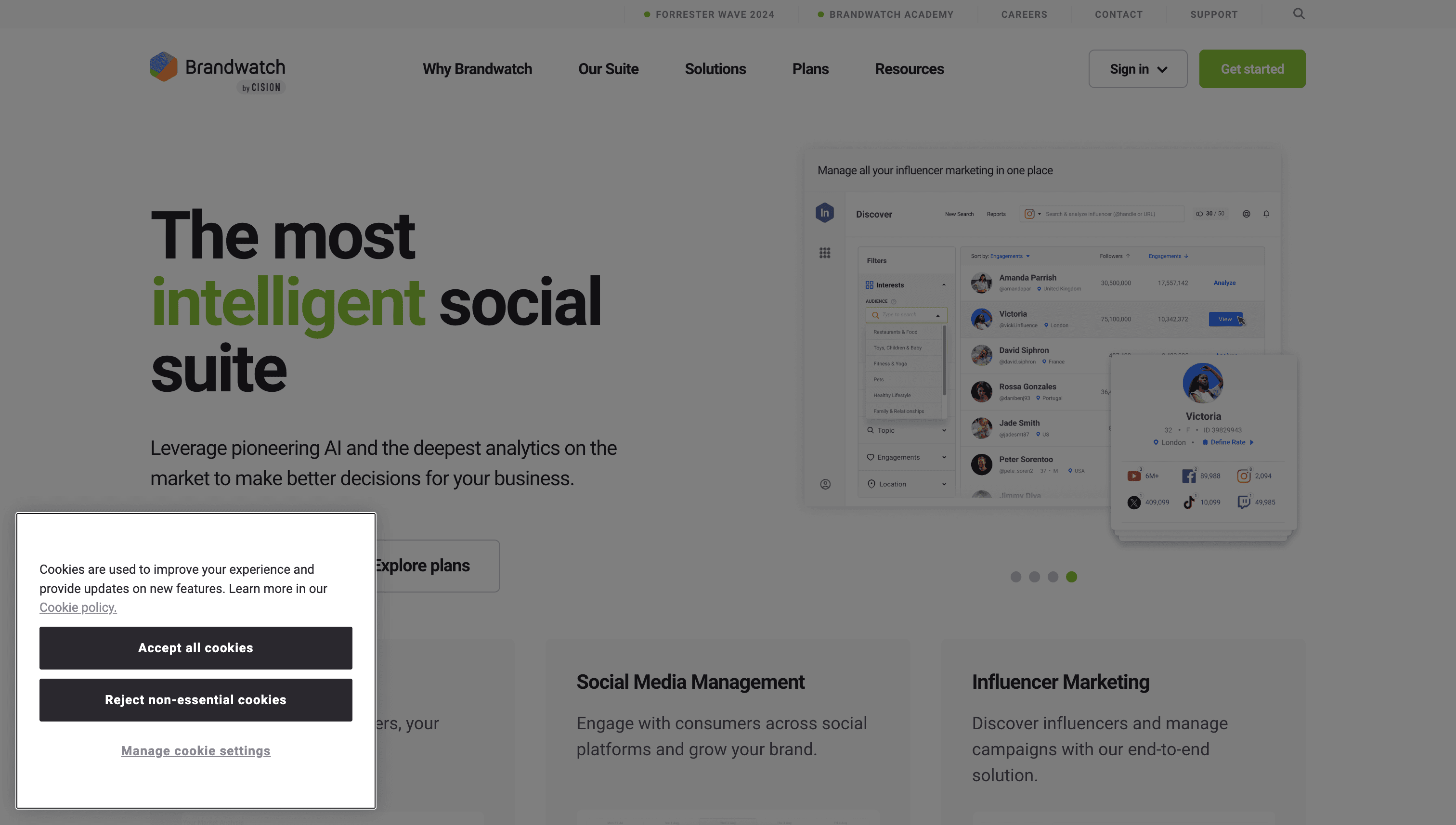
Earlier Brandwatch homepage with a 2024 recognition banner. This is historical recognition, not a current ranking.
Key AI Features:
- Iris: Supports natural-language questions, charts, and summaries.
- AI Query Writer: Helps create Boolean queries with suggested keywords, hashtags, and subreddits.
- Dashboard summaries: Describe trends, spikes, and anomalies.
- Image analysis: Brandwatch describes detection of objects, scenes, actions, and logos in supported visual content.
Platform Coverage:
Brandwatch lists networks including Threads, YouTube, TikTok, and LinkedIn, with different capabilities across its products. Confirm whether you need listening, publishing, engagement, or creator research on each network. A listed network does not imply unrestricted access to all its content.
Additional Features:
Brandwatch reports a historical corpus of 1.7 trillion conversations dating back to 2010. Its suite also includes publishing and engagement tools, influencer campaign tools, alerts, and reporting. The corpus figure is the vendor's claim, not an independent measurement of coverage.
Pricing:
Request a quote for the required Consumer Intelligence, Social Media Management, or Influencer Marketing products. The public plans page describes standard through enterprise packages without a single published entry price.
Limitations:
Confirm source access, history, products, users, and integrations in the quote. Ask sales to show results for representative queries before treating them as comprehensive coverage of a topic.
Best suited for: Teams that need conversation or audience research and can evaluate the required data coverage with the vendor.
BuzzSumo
Useful for: Content research, journalist outreach, and PR campaign planning
BuzzSumo combines content research with media outreach tools. Use it to investigate topics and content engagement, identify journalists, and manage outreach. Its historical journalist research describes patterns in published content and engagement; it does not establish that a particular pitch will earn coverage.
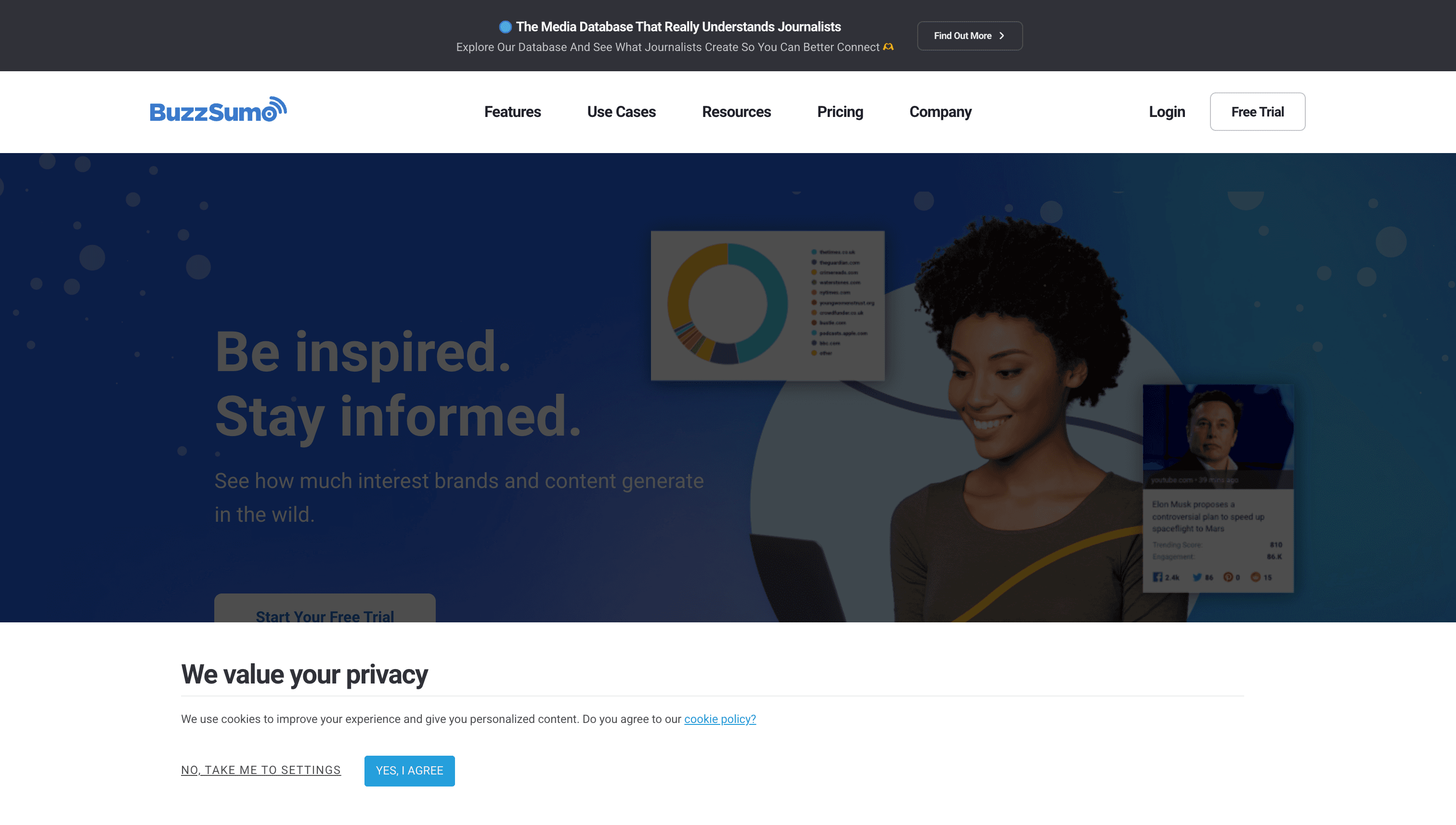
Earlier BuzzSumo homepage, not a pricing screenshot.
Key AI Features:
BuzzSumo's documented AI pitching workflow generates a general pitch template from your campaign description. You then personalize it using the journalist's profile, outlets, and articles. The documentation does not describe automatic journalist-specific personalization of every draft.
How It Works:
Search for relevant content, review engagement information, and use the media database to research contacts. For outreach, review and personalize the generated text before sending it. Outreach reporting includes opens, clicks, and replies; these measures do not prove resulting media coverage.
Additional Features:
- Content research tools
- Media database, outreach tools, and coverage reports from PR & Comms
- YouTube Analyzer from Suite
- Monitoring alerts, with allowances that depend on the plan
Pricing (monthly equivalents billed annually):
- Content Creation: $199/month, 1 user, unlimited searches, 2 alerts
- PR & Comms: $299/month, 5 users, 5 alerts, media database and outreach tools
- Suite: $499/month, 10 users, 10 alerts, YouTube Analyzer
- Enterprise: $999/month, 30 users, 50 alerts; annual billing only
Limitations:
The listed prices require an annual commitment. Media database access starts with PR & Comms. This is a content research and outreach workflow; use a page-change monitor when you need a record of edits to a particular URL.
Best suited for: PR and content teams that need research and outreach features, with human review of AI-generated pitches.
Website Uptime Monitoring
Uptime monitors check service availability and can alert when checks detect a problem. They complement page-change tools. Scheduled checks and notification delivery introduce delay, so they do not guarantee an alert at the exact moment an outage begins.
UptimeRobot
Useful for: Uptime checks, downtime notifications, and public status pages
UptimeRobot monitors website and service availability. Its current product menu includes HTTP(S), keyword, ping, port, cron-job, and SSL checks. Feature access depends on the plan.
Key Features:
- Availability checks for websites and services
- Keyword checks for expected page content
- SSL-expiration checks on paid plans
- Status pages for communicating incidents
- Additional team integrations, including webhooks, on Team and above
How It Works:
Add the endpoint, choose the supported monitor type, and configure notification settings. Confirm the plan's interval and channels. Test delivery so the people responsible for responding receive the alert.
Pricing (USD, billed annually):
- Free: 50 monitors; the rendered plan card lists 5-minute checks and basic status pages
- Solo: $108/year ($9/month equivalent), 10 monitors, 60-second checks
- Team: $420/year ($35/month equivalent), 100 monitors, 30-second checks, 3 login seats
- Scale: $780/year ($65/month equivalent), 200 monitors, 15-second checks, 5 login seats
- Enterprise: Custom quote
Limitations:
- Availability checks do not prevent outages or establish the cause of a failure.
- The Free plan's published retention is 3 months; confirm plan details before relying on older records.
- Uptime checks serve a different purpose from a history of page-content changes.
Best suited for: Teams that need availability checks and status pages alongside their page-change workflow.
Go deeper: Best Free Page Monitoring Agents | Distill Alternatives

Common Use Cases for Website Monitoring
Understanding specific use cases can help you select the right tool for your needs:
Competitor Monitoring
Tracking competitor websites helps businesses stay informed about pricing changes, new product launches, messaging updates, and strategic shifts. Tools such as Visualping, Hexowatch, and Distill can watch selected pages and alert on changes, with AI-powered competitor monitoring features depending on the tool and plan. A social listening platform can add conversation-level information.
Product Management
Product managers use website monitoring to turn competitor launches, pricing moves, and regulatory changes into roadmap decisions. The workflow starts with a monitoring tool that flags the change and ends with a PRD or backlog entry that captures the response. For the broader toolkit PMs pair with this, see our list of the AI tools product managers are using in 2026.
Price Tracking
E-commerce businesses use competitor price tracking tools to maintain competitive pricing. Test whether the monitor captures the relevant product, variant, location, and currency. In Visualping, selecting a price area can focus the monitor on that content; site access and dynamic content can still affect the capture.
Compliance and Regulatory Monitoring
Teams tracking regulatory updates can monitor relevant agency and industry pages. Review the source document and effective date before acting on an alert. Automated checks and AI summaries can miss or misinterpret changes, so they should support the team's review process.
Brand Protection and MAP Monitoring
Monitoring reseller and distributor pages can help teams review advertised prices against their MAP (Minimum Advertised Price) policies. Confirm the captured product and price before treating an alert as evidence of a policy violation.
Visual Regression Testing
For layout or styling checks, evaluate a dedicated visual regression testing workflow. Visualping AI Mode focuses on content and image changes; CSS-only changes do not trigger alerts. Verify the exact change type you need before using a monitoring tool for QA.

Key Considerations When Evaluating Tools
-
Define your primary use case: Different tools excel at different tasks. Competitor price tracking requires different capabilities than brand sentiment monitoring or compliance documentation.
-
Consider your budget: Pricing varies dramatically, from free plans to enterprise custom pricing. Evaluate whether advanced features justify premium costs for your specific needs. Note that pricing changes frequently, so verify current rates before committing.
-
Assess AI capabilities: Test summaries and classification against the actual changes on your pages. Check what each plan includes and whether notification filtering is a separate setting.
-
Evaluate integration needs: Check whether tools integrate with your existing workflows (Slack, Teams, Google Sheets, CRM systems, webhooks for custom automation).
-
Test before committing: Use available free plans, trials, or demonstrations to evaluate captures, alert relevance, and delivery before purchasing annual plans.
-
Check monitoring limits: Understand how pricing scales with the number of pages monitored and check frequency required. High-volume monitoring needs can significantly impact total cost.
-
Consider implementation complexity: Some tools require technical expertise for optimal setup, while others prioritize ease of use. Match the tool's complexity to your team's capabilities.
Frequently Asked Questions
What is an AI page monitoring agent?
An AI page monitoring agent checks pages and uses AI to help describe or classify changes. Capabilities vary: one tool may summarize differences, while another can apply your written criteria. Test the classification and delivery settings separately; a generated summary is not a guarantee of a correct or useful alert.
What is the best free AI page monitoring agent?
Visualping offers 5 pages and 150 checks per month, including AI summaries and Important classification. Other free options include Distill's 25 monitors total (up to 5 cloud) and Fluxguard's credit allowance estimated at 3 sites; AI summaries require Distill Flexi or Enterprise and start on Fluxguard Plus. Hexowatch OR:ON's free plan includes 2 daily watches and excludes AI change analysis and alert summaries. UptimeRobot covers availability monitoring for 50 monitors. Compare their different tasks, limits, and AI features. Self-hosted change-detection software is another option, but hosting, maintenance, and capacity still need a budget.
How do AI page monitoring agents detect changes?
Tools can compare captured images, HTML, or extracted text. AI can then summarize or classify the detected differences. Check which method the product uses: Visualping's default AI Mode detects content and image changes and excludes CSS-only changes from alerts.
Can AI monitoring tools track competitor websites?
Yes. Competitor monitoring can cover selected pricing, feature, job, and marketing pages. Build the list around the information you need, then check page capacity, frequency, monthly usage, and site access. There is no single useful monitor count for every team.
What is the difference between website change detection and uptime monitoring?
Website change detection records changes in supported page content. Uptime monitoring checks service availability; SSL and other checks are separate capabilities with plan requirements. A team can use change detection on competitor pages and uptime monitoring on its own services.
How often should I monitor a website for changes?
Choose a schedule based on how soon you need to learn about a change, the plan's minimum interval, and the monthly allowance. Calculate the cost across all monitors and allow for failed checks or extra processing where the vendor meters them. Check frequency is not a guarantee of notification arrival time.
The Bottom Line
Choose a tool around the information you need to monitor. Page-change tools, social listening platforms, and uptime monitors serve different tasks. For a competitive intelligence workflow, the guide to AI tools for competitor analysis covers how these sources can fit together.
Before paying, test a representative page or query, review the output, and confirm that the alert reaches the intended channel.
Try These Tools
Start with a free plan where it fits your use case:
- Visualping - Free plan with 150 checks/month
Product documentation and public pricing checked October 28, 2026.
Prices and plan features can change. Confirm billing terms, capacity, and required features before purchasing.
Looking for alternatives to a specific tool? See our guide to Distill alternatives, compare the best Visualping alternatives, or learn how to monitor website changes via API.
Want to monitor web changes that impact your business?
Sign up with Visualping to get alerted of important updates, from anywhere online.
Eric Do Couto
Eric Do Couto is the Head of Marketing at Visualping. He leads content strategy, growth operations, and brand positioning for website change detection.
More articles by Eric Do Couto