
Last updated: April 2026 | Pricing verified: April 2026
Disclosure: This article is published by Visualping. We've included pricing, features, and limitations for every tool, including our own, so you can compare on equal footing. We encourage you to test free trials before committing.
AI page monitoring agents (also known as website monitoring tools) track web pages for changes and tell you what happened in plain language. Instead of manually checking competitor pricing pages or regulatory filings, you set up a monitor and get an alert when something changes. (For a broader look at free options, see our guide to page monitoring agents.) The AI layer filters noise, flags what matters, and summarizes the change so you can act on it.
These tools serve different purposes across marketing, competitive intelligence, IT, and compliance teams. This guide covers 7 tools across three categories: website change detection, social listening, and uptime monitoring.
Table of Contents
- How to Choose the Right AI Page Monitoring Agent
- Quick Comparison: AI Page Monitoring Agents at a Glance
- Page Monitoring Agents
- Social Listening and Brand Monitoring Platforms
- Website Uptime Monitoring
- Common Use Cases for Website Monitoring
- Key Considerations When Evaluating Tools
- Frequently Asked Questions
- The Bottom Line
- Try These Tools
How to Choose the Right AI Page Monitoring Agent
Understanding which category fits your needs saves time. This decision framework points you to the most relevant section of this guide.
Choose a page monitoring agent (Visualping, Fluxguard, Distill, Hexowatch) if you need to:
- Track competitor website changes (pricing, products, messaging)
- Monitor regulatory or compliance pages for updates
- Detect unauthorized changes to your own website
- Track job postings, real estate listings, or product availability
- Receive alerts when specific pages update
Choose a social listening platform (Brandwatch, BuzzSumo) if you need to:
- Monitor brand mentions across social media and news
- Track industry conversations and sentiment
- Identify influencers and journalists in your space
- Analyze competitor content performance
- Manage PR campaigns and media outreach
Choose a website performance monitor (UptimeRobot) if you need to:
- Ensure your website maintains uptime
- Receive instant alerts when your site goes down
- Create public status pages for customers
- Monitor SSL certificate expiration
- Track server and service availability
Quick Comparison: AI Page Monitoring Agents at a Glance
Note: Pricing and ratings change frequently. We recommend verifying current pricing on each vendor's website before making purchasing decisions. All ratings link to their source pages.
| Tool | Category | Starting Price | Free Plan | Best For | Rating |
|---|---|---|---|---|---|
| Brandwatch | Social Listening | Custom pricing | No | Enterprise social intelligence, brand monitoring | 4.4/5 on G2 |
| BuzzSumo | Content Research and PR | $199/month | No | Journalist outreach, content analysis | 4.5/5 on G2 |
| Distill | Website Change Detection | $15/month | Yes (25 monitors) | Budget-friendly monitoring, local monitoring | 4.2/5 on G2 |
| Fluxguard | Website Change Detection | $99/month | Yes (3 sites free) | Enterprise compliance, regulatory monitoring | Limited reviews on G2 |
| UptimeRobot | Website Performance | $7/month | Yes (50 monitors) | Uptime monitoring, status pages, alerts | 4.6/5 on G2 |
| Hexowatch | Website Change Detection | $29/month | Yes (free plan) | Multi-type monitoring, price tracking | 4.5/5 on G2 |
| Visualping | Website Change Detection | $10/month | Yes (150 checks/month) | Visual change tracking, competitor monitoring | 4.6/5 on G2 |

Page Monitoring Agents
These AI page monitoring agents track specific web pages for changes and alert you when something updates. They cover competitor tracking, regulatory monitoring, price surveillance, and detecting unauthorized changes to your own site.
Visualping
Best for: Visual or text website change detection, competitor monitoring, and compliance tracking
Visualping monitors any web page for visual, text, and HTML changes using AI. Over 2 million users (including 85% of Fortune 500 companies, per the company) rely on it for change detection. Every alert includes a binary IMPORTANT flag and a plain-English AI summary of what changed.
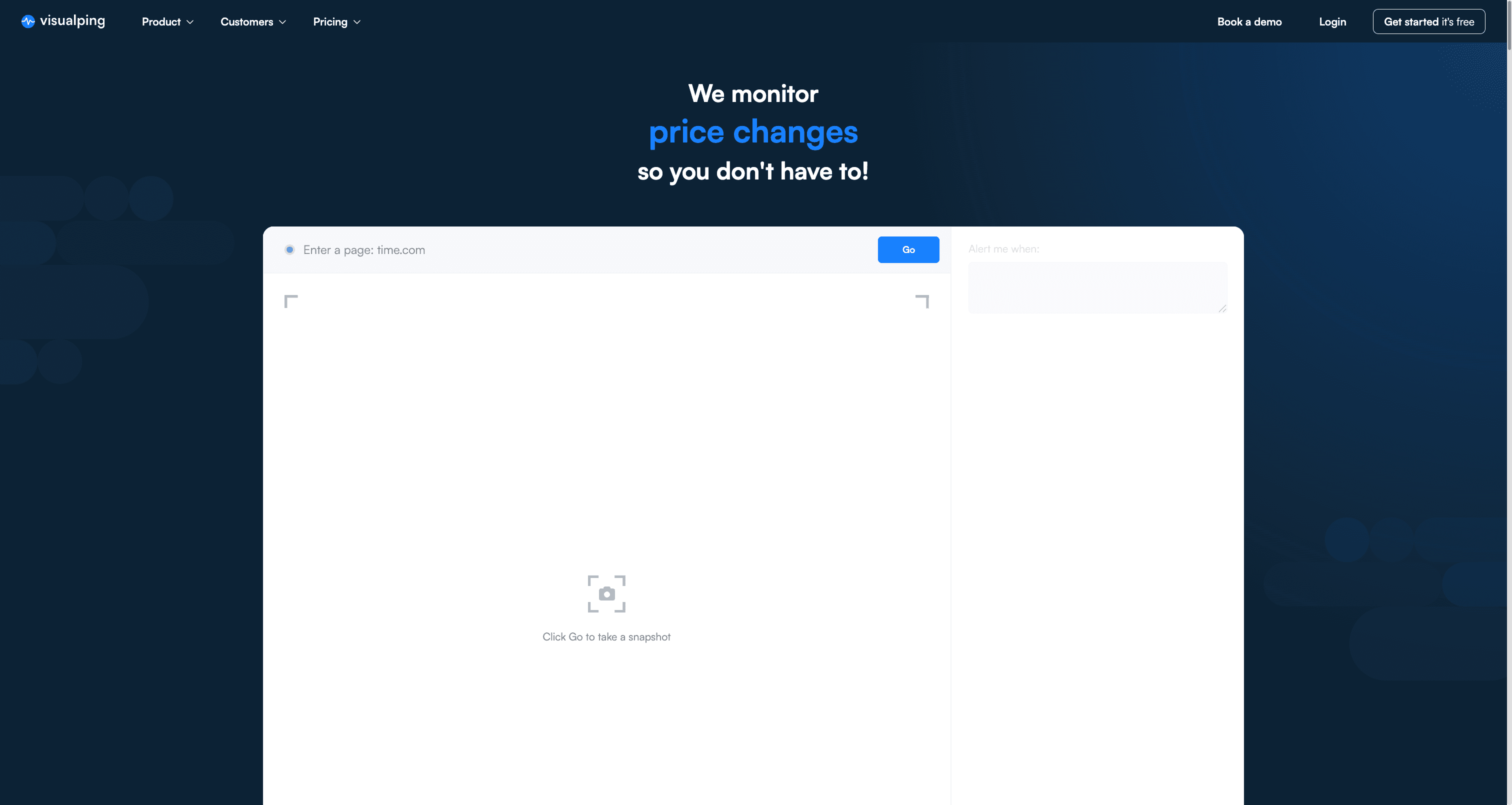
Visualping homepage, captured April 2026.
Key AI Features:
The AI layer is where Visualping pulls ahead of most tools on this list:
- AI Summaries: Generates AI-powered summaries of detected changes in two to three lines, helping users quickly understand what changed without reviewing full page comparisons. Users can customize the summary outputs with their prompts using natural and simple language. For example, users can request summaries in different languages, table formats, or in markdown formatting.
- AI analysis: Advanced analysis is available on Visualping for Business and Solutions plans. This feature allows custom prompts tailored to specific monitoring objectives, providing context-aware interpretations of changes
- Important alerts: Available to all users, AI-powered filters reduce false positives by understanding the context of changes and ignoring irrelevant updates like timestamps or ad rotations
How It Works:
Paste a URL, select the area to monitor with a visual selector, and write what you're looking for in plain language (for example: "Alert me when the Yen decreases against the USD by 2% or more"). Set the check frequency. When something changes, you get an email with highlighted screenshots showing exactly what's different.
Additional Features:
- Natural language prompts allow AI filtering for targeted alerts
- Zapier, n8n, Google Sheets integrations and webhook support for workflow automation
- Web scraping capabilities with the ability to turn any web page into an API
- Bulk monitoring for enterprise users managing hundreds of pages
- Browser extension for quick setup directly from any webpage
- Actions for clicking on buttons, selections, blocking banners and more
Pricing:
- Free: 150 checks/month, 5 pages
- Starter plan: From $10/month billed annually (1,000 checks, 10 pages)
- Business plans: From $100/month billed annually (20,000 checks, 200 pages, team features, Slack/Teams integration)
View full Visualping pricing and plans
Limitations:
- Premium pricing can escalate quickly for high-volume monitoring needs
- Free and basic plans restrict check frequency to longer intervals
- JavaScript content may require use of actions to properly monitor content that changes on every load
- Some users report occasional false positives on pages with dynamic elements (ad rotations, timestamps). The AI importance filter helps, but tuning the sensitivity takes a few iterations
Best suited for: Enterprise compliance teams, marketing teams tracking competitors, and any organization that needs visual or text change detection with AI summaries and team collaboration.
Fluxguard
Best for: Technical monitoring teams
Fluxguard is built for mid-sized and large businesses that need compliance monitoring, competitive intelligence, and defacement detection from one platform. TechRadar includes Fluxguard in its 2025 website change monitoring roundup alongside other enterprise-focused options. The GPT-4 integration filters and summarizes changes, which matters most when your team processes hundreds of page updates per week (at that volume, reading raw diffs is a full-time job).
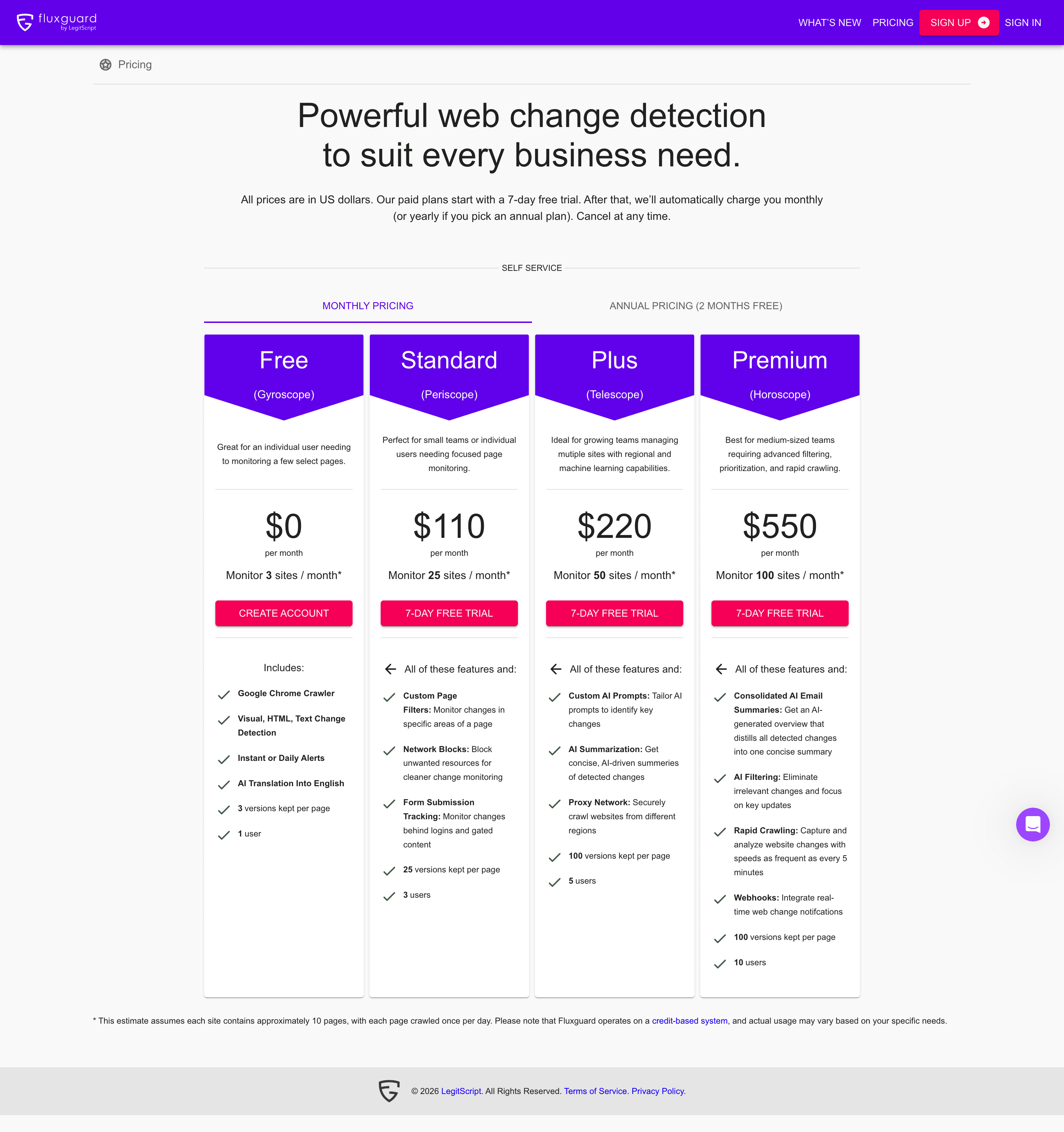
Fluxguard live pricing page (app.fluxguard.com/pricing), captured April 2026.
Key AI Features:
- AI-curated change reports: GPT-4 powered summaries that distill detected changes into concise reports, reducing manual review time
- AI filtering: Eliminates irrelevant changes such as timestamps, ad rotations, and dynamic content to focus on meaningful updates
- Custom AI prompts: Tailor AI analysis to specific industry or use case requirements (available on Plus tier and above)
- AI translation: Translates monitored pages to English, available even on the free plan
How It Works:
Fluxguard uses a headless Chrome browser to crawl pages, capturing screenshots, text, and HTML changes. Users can view side-by-side HTML comparisons, screenshot sliders, and network activity differences. Reports can be delivered in real-time or as consolidated daily/weekly summaries. The platform supports multi-step sequences for monitoring complex web applications that require login or navigation.
Additional Features:
- Multi-step sequence monitoring for complex web applications
- Form submission tracking for gated content behind logins
- Proxy network for geo-specific crawling (Plus tier and above)
- Visual regression testing for development teams
- Point-in-time website archiving for compliance documentation
- Webhook and API integration for workflow automation
Pricing (verified April 2026):
- Free: 3 sites, AI translation, basic monitoring, 3 versions per page
- Standard: $110/month (25 sites, 3 users, custom filters, login page monitoring)
- Plus: $220/month (50 sites, 5 users, custom AI prompts, proxy network)
- Premium: $550/month (100 sites, 10 users, consolidated AI summaries, rapid crawling every 5 minutes, webhooks)
- Enterprise: Custom pricing for larger requirements
Limitations:
- Higher price point than consumer-focused alternatives
- More complex setup process requiring technical understanding
- Best AI features reserved for premium tiers ($199/month and above)
- Smaller user community compared to established tools like Visualping
- Free plan limited to just 3 sites
Best suited for: Financial institutions, healthcare providers, government agencies, legal teams, and enterprises requiring comprehensive compliance monitoring, regulatory intelligence, and audit-ready documentation.
Hexowatch
Best for: Price tracking and comprehensive competitive intelligence
Hexowatch packs 13 monitoring types into one platform: visual, HTML, keywords, technology stacks, source code, availability, pricing, WHOIS, and more. That breadth is its selling point (and its complexity tradeoff: you'll spend time deciding which of the 13 types to activate for each page).
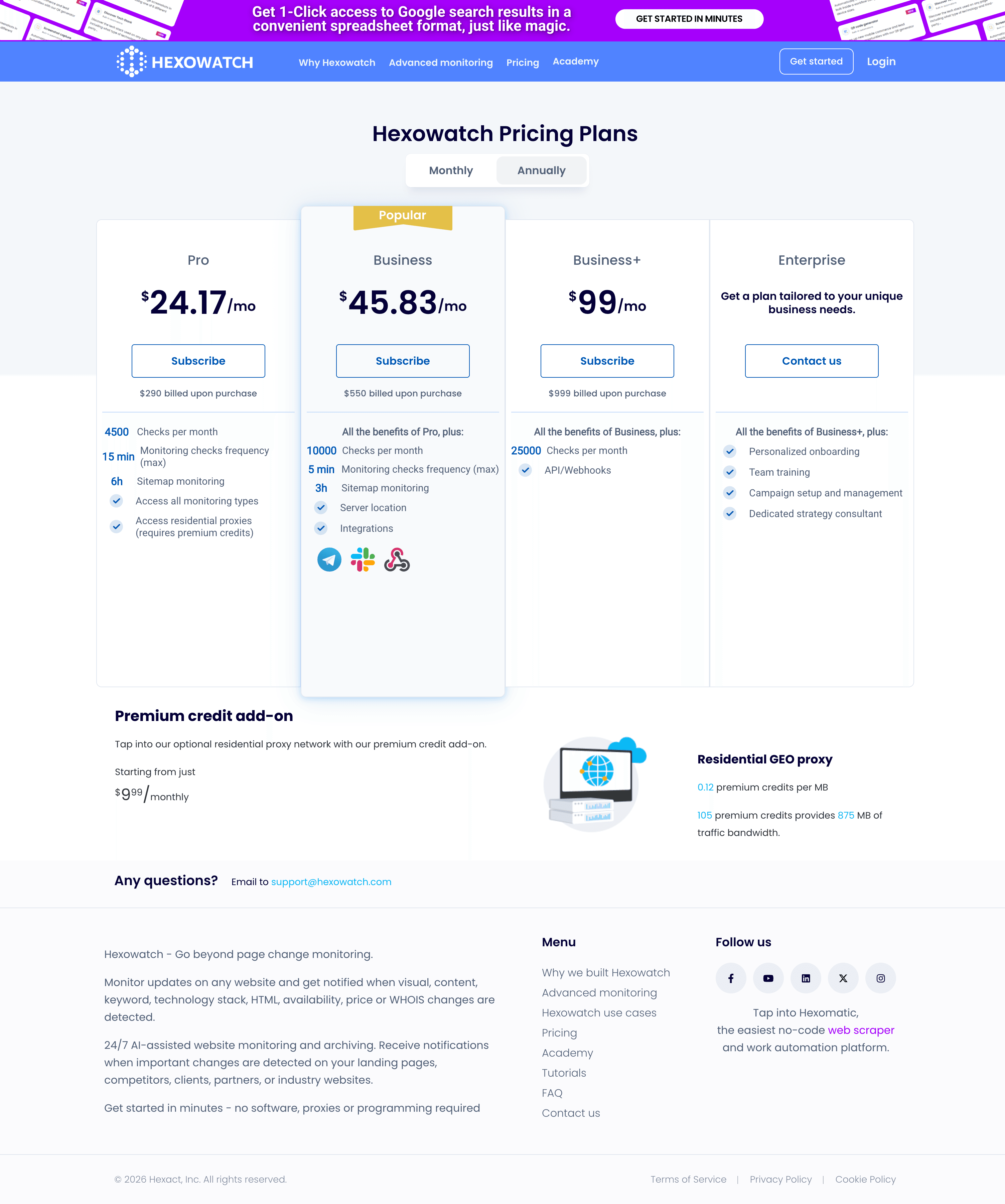
Hexowatch pricing tiers, captured April 2026.
Key AI Features:
- AI monitoring mode: Scans pages based on custom parameters, tracking multiple elements simultaneously
- Automated change detection: Uses AI to identify meaningful changes and filter noise from irrelevant updates
- Technology tracking: Monitors changes to third-party scripts, analytics tools, and tech stacks competitors use
How It Works:
Users add URLs, select from 13 monitoring types, configure check frequency and sensitivity levels, and receive alerts via email, Slack, Telegram, or other integrated platforms. Each change is archived with before-and-after comparisons, creating a historical record of website evolution.
Additional Features:
- HTML element monitoring for specific fields (prices, availability, stock status, descriptions)
- Source code monitoring for security verification and backlink tracking
- Keyword presence and absence tracking for content changes
- Technology stack change detection to monitor competitor tools
- WHOIS and domain monitoring for expiration and ownership changes
- Sitemap and RSS feed monitoring for content updates
- Archive snapshots for compliance, legal purposes, and competitive research
Pricing:
- Pro: $24/month billed annually (4,500 checks)
- Business: $46/month billed annually (10,000 checks)
- Business+: $99/month billed annually (25,000 checks, geo-location selection)
- Enterprise: Custom pricing
Limitations:
- Steeper learning curve due to extensive monitoring options
- No API currently available for custom integrations
- Limited bulk editing capabilities for managing many monitors
- Some users report AI monitoring can trigger false alerts on slider and carousel content
Best suited for: Users tracking ticket pricing or needing diverse monitoring types beyond basic visual changes.
Distill
Best for: Budget-conscious users, local monitoring, and simple change tracking
Distill takes a different approach: it runs as a browser extension that checks pages locally while your computer is on, with optional cloud servers for 24/7 monitoring. Over 500,000 users (per the company) rely on it, mostly individuals and small businesses who want a lightweight setup. The tradeoff is that local monitoring stops when your laptop closes. (For a deeper comparison, see our guide to Distill alternatives.)
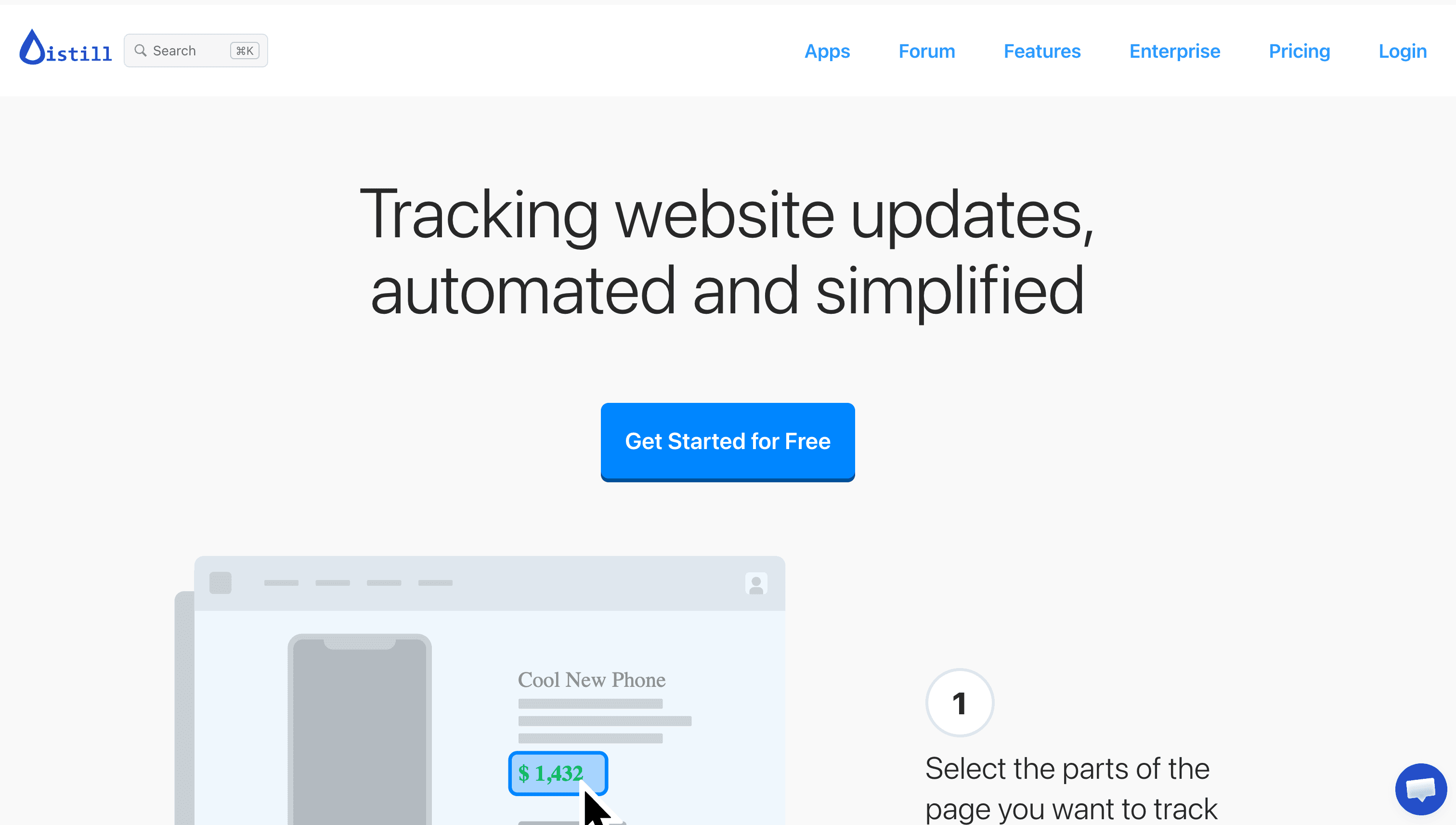
Distill homepage, captured April 2026.
Key Features:
- Visual selection of tracked page elements using a point-and-click selector
- PDF and text file monitoring capabilities
- Local monitoring option that runs when your computer is on
- Mobile app with push notifications for iOS and Android
- API access for customization and workflow integration
- Macro support for multi-step monitoring sequences
How It Works:
Users install the browser extension or desktop app, navigate to a page they want to monitor, and use the visual selector to choose specific elements. Distill can run checks locally (requiring the browser or app to be running) or on cloud servers for 24/7 monitoring. Notifications can be delivered via email, SMS, push notifications, webhooks, or integrations with Slack, Discord, and Teams.
Pricing (verified April 2026):
- Free: 25 local monitors, 5 cloud monitors, 1,000 checks/month, 6-hour minimum cloud interval
- Starter: $15/month (50 monitors, 10-minute minimum checks, 30K checks/month)
- Professional: $35/month (150 monitors, 5-minute minimum checks, 100K checks/month)
- Flexi: From $80/month (scalable limits based on requirements)
Limitations:
- No AI-powered summaries or intelligent filtering
- Local monitoring stops when computer is off or browser is closed
- Less sophisticated change visualization than some competitors
- User interface feels dated compared to newer tools
- Cloud monitoring has stricter limits on free plan
Best suited for: Individual users, freelancers, small businesses, and anyone seeking an affordable entry point into website monitoring without requiring advanced AI features.
Social Listening and Brand Monitoring Platforms
These tools scan social media, news sites, forums, and blogs for brand mentions, sentiment shifts, and industry chatter. They solve a different problem than AI page monitoring agents: instead of tracking what changed on a specific page, they track what people are saying about you (or your competitors) across the web.
Brandwatch
Best for: Enterprise social intelligence, consumer research, and brand reputation management
Brandwatch is an enterprise-level consumer intelligence platform that monitors online conversations across social media, blogs, forums, news sites, and reviews. It is part of the Cision family of brands and serves Fortune 500 companies requiring comprehensive social listening capabilities. Forrester named Brandwatch a Strong Performer in The Forrester Wave™: Social Suites, Q4 2024, citing its advanced sentiment analysis, competitive benchmarking, and audience segmentation.
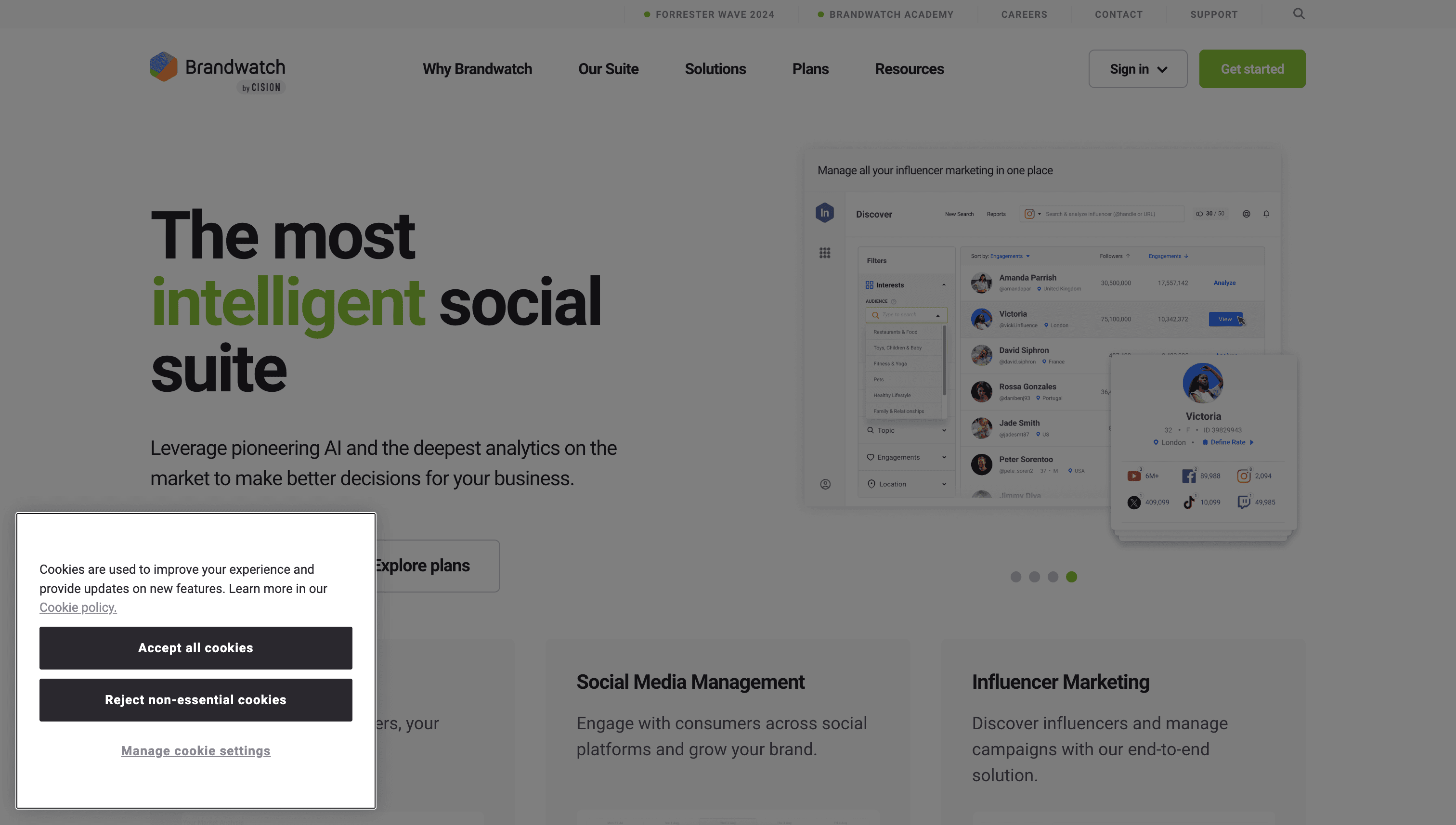
Brandwatch homepage with the Forrester Wave recognition in the header, captured April 2026.
Key AI Features:
- Iris AI Assistant: Allows users to ask natural-language questions and receive instant, data-driven answers. It searches and analyzes data without requiring manual query building, automatically creates charts and summaries, and supports conversational refinement of insights.
- AI Query Writer: Creates complete Boolean queries from scratch with suggested hashtags, keywords, and subreddits relevant to your monitoring needs
- AI Dashboards: Generates narrative summaries explaining the meaning behind data trends and anomalies
- Image analysis: Identifies objects, scenes, actions, and logos in visual content shared across social platforms
Platform Coverage:
Brandwatch includes data from major platforms including Threads, YouTube, TikTok, LinkedIn, over 70,000 trending podcasts with transcript analysis, and expanded search data. Coverage continues to expand as new platforms gain relevance.
Additional Features:
- Consumer intelligence platform with 1.7+ trillion historical conversations dating to 2010
- Social media management suite for publishing and engagement
- Influencer marketing tools for campaign management
- Real-time alerts and crisis monitoring
- Competitive benchmarking against industry peers
- Developer APIs for custom integration
Pricing:
- Custom pricing based on requirements
- Contact sales for Consumer Intelligence, Social Media Management, or Full Suite options
- Enterprise agreements typically required
Limitations:
- Significant learning curve due to platform complexity and extensive features
- High price point excludes small businesses and individual users
- Some users report interface could be more intuitive for new users
- Coverage gaps on smaller or niche sources (can be added upon request)
Best suited for: Large enterprises requiring comprehensive consumer intelligence, PR teams managing brand reputation at scale, and organizations needing real-time social monitoring with advanced analytics.
BuzzSumo
Best for: Content research, journalist outreach, and PR campaign planning
BuzzSumo sits at the intersection of content research and media monitoring. If your primary question is "what content is performing in my space, and which journalists should I pitch?", this is the tool. It indexes 8 billion articles and 300 trillion social engagements (their numbers), which gives it a depth of historical content data that newer platforms can't match. BuzzSumo publishes industry-referenced research on journalist behavior and content engagement, including a 600,000-journalist analysis that surfaces what pitches get covered.
BuzzSumo homepage with pricing tiers, captured April 2026.
Key AI Features:
- AI-powered media database: Contains profiles for over 700,000 journalists from 7,000+ global publications, integrated with BuzzSumo's index of 8 billion articles and 300 trillion social engagements
- AI-generated pitch templates: Creates customized pitch drafts based on journalist profile data, recent articles, and topic relevance
- Journalist alerts: Notifies users when tracked journalists publish new stories relevant to your industry
How It Works:
Users search for topics, keywords, or domains to discover top-performing content. The platform shows engagement metrics, identifies who shared the content, and helps users find journalists covering specific beats. The media database allows filtering by publication tier, recent article count, and topic relevance to find the right contacts.
Additional Features:
- Content analyzer showing top-performing content by topic and time period
- Backlink and social share analysis for competitive research
- Brand mention monitoring and alerts across web and social
- Competitor content tracking to understand what resonates in your space
- Coverage reports with engagement metrics for PR measurement
- Outreach tracking (open, forward, reply rates) for campaign management
Pricing:
- Content Creation: $199/month (1 user, unlimited searches, 2 alerts)
- PR and Comms: $299/month (5 users, 5 alerts, journalist database access)
- Suite: $499/month (10 users, 10 alerts, advanced features)
- Enterprise: $999/month (30 users, 50 alerts, YouTube analytics)
Limitations:
- Higher price point than basic monitoring tools
- Primary focus on content and PR rather than website change detection
- Media database requires PR and Comms plan ($299/month) or higher
- Best value requires annual commitment with significant savings
Best suited for: PR professionals seeking journalist contacts, content marketers researching trending topics, and agencies managing multiple client campaigns with measurable outreach.
Website Uptime Monitoring
These tools watch your own website's availability and alert you the moment downtime hits. They complement AI page monitoring agents by covering a different angle: not what changed on a page, but whether the page is reachable at all.
UptimeRobot
Best for: Uptime monitoring, downtime alerts, and public status pages
UptimeRobot is one of the most popular uptime monitoring services, trusted by over 3.2 million users, including named customers like WordPress VIP, Microsoft, and Heineken. Founded in 2010, it focuses on doing one thing exceptionally well: checking if your website is up and alerting you instantly when it goes down.

UptimeRobot pricing plans, captured April 2026. Note: Solo at $7/month covers 10 monitors and is billed annually.
Key Features:
- HTTP(S) monitoring: Checks website availability from multiple global locations to confirm outages are real, not location-specific
- Keyword monitoring: Verifies specific content appears on your pages, catching errors even when pages load successfully
- Ping and port monitoring: Monitors server availability and specific services at the network level
- SSL certificate monitoring: Alerts before certificates expire to prevent security warnings
- Heartbeat monitoring: Tracks cron jobs and scheduled tasks by expecting regular check-ins
- Public status pages: Create branded status pages to keep customers informed during outages or maintenance
How It Works:
Users add URLs or IP addresses, select the monitoring type, and configure notification preferences. UptimeRobot checks from multiple global locations at intervals ranging from 30 seconds to 5 minutes depending on the plan. When downtime is detected, instant alerts are sent via email, SMS, voice call, push notification, or integrations with Slack, Discord, Microsoft Teams, PagerDuty, and 15+ other platforms.
Pricing (verified April 2026):
- Free: 50 monitors, 5-minute intervals, basic status page, email and push notifications
- Solo: $7/month, billed annually (10 monitors, 1-minute intervals, SSL monitoring)
- Team: $29/month, billed annually (100 monitors, 1-minute intervals, 3 team seats)
- Enterprise: $54/month, billed annually (200 monitors, 30-second intervals, 5 team seats)
Limitations:
- Focused purely on uptime monitoring, not comprehensive site health (no SEO auditing, broken link detection, or Core Web Vitals tracking)
- No real user monitoring (RUM) or transaction monitoring for complex user flows
- Free tier limited to 5-minute check intervals
- Limited historical data retention on free plan (3 months)
- No performance diagnostics beyond basic response time tracking
Best suited for: Startups, small to medium businesses, developers, and agencies who need reliable uptime monitoring without complex setup. Particularly strong for teams wanting to create public status pages for customers.
Go deeper: Best Free Page Monitoring Agents | 8 Best Distill Alternatives

Common Use Cases for Website Monitoring
Understanding specific use cases can help you select the right tool for your needs:
Competitor Monitoring
Tracking competitor websites helps businesses stay informed about pricing changes, new product launches, messaging updates, and strategic shifts. Tools like Visualping, Hexowatch, and Distill excel at AI-powered competitor monitoring by watching specific pages and alerting you to changes. For comprehensive intelligence, combining a change detection tool with a social listening platform covers both website-level and conversation-level signals.
Product Management
Product managers use website monitoring to turn competitor launches, pricing moves, and regulatory changes into roadmap decisions. The workflow starts with a monitoring tool that flags the change and ends with a PRD or backlog entry that captures the response. For the broader toolkit PMs pair with this, see our list of the AI tools product managers are using in 2026.
Price Tracking
E-commerce businesses use competitor price tracking tools to maintain competitive pricing. Monitoring competitor product pages, distributor pricing, and marketplace listings lets you respond quickly to market changes. Hexowatch's dedicated price monitoring type and Visualping's element selection make them strong choices for this use case.
Compliance and Regulatory Monitoring
Legal, financial, and healthcare organizations must track regulatory updates across government websites, industry bodies, and compliance portals. Compliance monitoring tools automate this process, ensuring teams never miss critical updates. Fluxguard's enterprise focus and AI-powered summaries make it particularly strong for organizations processing large volumes of regulatory content.
Brand Protection and MAP Monitoring
Businesses monitor reseller and distributor websites to ensure MAP (Minimum Advertised Price) compliance and brand guideline adherence. Automated monitoring catches violations faster than manual checks, protecting brand value and channel relationships.
Visual Regression Testing
Development teams use visual regression testing to catch unintended visual changes after website updates. This catches design inconsistencies and bugs before they reach users. Visualping and Fluxguard both offer capabilities suited to QA workflows.

Key Considerations When Evaluating Tools
-
Define your primary use case: Different tools excel at different tasks. Competitor price tracking requires different capabilities than brand sentiment monitoring or compliance documentation.
-
Consider your budget: Pricing varies dramatically, from free plans to enterprise custom pricing. Evaluate whether advanced features justify premium costs for your specific needs. Note that pricing changes frequently, so verify current rates before committing.
-
Assess AI capabilities: AI-powered summaries and filtering can significantly reduce alert fatigue and manual review time. Consider whether these features provide enough value to justify higher-tier plans.
-
Evaluate integration needs: Check whether tools integrate with your existing workflows (Slack, Teams, Google Sheets, CRM systems, webhooks for custom automation).
-
Test before committing: Most tools offer free trials or free tiers. Use these to evaluate accuracy, ease of use, and relevance of alerts before purchasing annual plans.
-
Check monitoring limits: Understand how pricing scales with the number of pages monitored and check frequency required. High-volume monitoring needs can significantly impact total cost.
-
Consider implementation complexity: Some tools require technical expertise for optimal setup, while others prioritize ease of use. Match the tool's complexity to your team's capabilities.
Frequently Asked Questions
What is an AI page monitoring agent?
An AI page monitoring agent checks web pages on a schedule and uses machine learning to detect, classify, and summarize changes. The AI layer separates meaningful updates (a competitor raising prices, a regulation changing) from noise (footer tweaks, copyright year updates). Most tools deliver alerts via email, Slack, or webhooks.
What is the best free AI page monitoring agent?
Visualping offers a free plan with 5 pages and 150 checks per month, including visual monitoring and AI summaries. UptimeRobot provides free uptime monitoring for 50 monitors. For self-hosted setups, changedetection.io is open-source with unlimited monitors at no cost.
How do AI page monitoring agents detect changes?
Three main methods: visual comparison (screenshot diffing to catch layout and design changes), DOM/HTML comparison (tracking code-level changes in page structure), and text extraction (monitoring raw text content). Some tools, including Visualping, combine visual and text analysis in a single check for more comprehensive detection. The AI layer sits on top of whichever method the tool uses, filtering noise and writing plain-English summaries of what changed.
Can AI monitoring tools track competitor websites?
Yes. Competitor monitoring is one of the most common use cases. In a sample of Visualping users, over 15,600 report it as their primary use case. Typical setups track 50 to 200+ competitor URLs covering pricing pages, feature lists, job postings, and marketing messaging.
What is the difference between website change detection and uptime monitoring?
Website change detection tracks what changed on a page (content, layout, pricing, images). Uptime monitoring tracks whether a page is accessible at all (server responding, SSL valid, response time within thresholds). Different problems, different tools. Some teams run both: change detection on competitor sites, uptime monitoring on their own.
How often should I monitor a website for changes?
It depends on the page. Competitor pricing pages and job boards that update frequently benefit from checks every 30 to 60 minutes. Regulatory and compliance pages that change less often work well with daily or weekly checks. Monitoring too frequently wastes check quota; monitoring too infrequently means you miss time-sensitive changes.
The Bottom Line
The "best" AI page monitoring agent depends entirely on what you need to monitor and why. Page monitoring agents like Visualping, Hexowatch, Fluxguard, and Distill excel at tracking specific pages for updates, each with different strengths in pricing, AI capabilities, and target users. Social listening platforms like Brandwatch and BuzzSumo provide broader intelligence across conversations and media. Website uptime monitors like UptimeRobot ensure your own digital properties stay online and accessible.
For most competitive intelligence and compliance monitoring needs, dedicated page monitoring agents with AI-powered summaries offer the best balance of functionality and usability. For enterprise-scale social intelligence, platforms like Brandwatch go deeper. For technical website health, specialized performance monitors deliver focused insights. The best AI tools for competitor analysis covers the CI side of that stack.
We recommend taking advantage of free trials across multiple categories to identify which combination of tools best serves your specific requirements.
Try These Tools
Most tools in this guide offer free trials or free tiers:
- Visualping - Free plan with 150 checks/month
Last updated: April 2026
Pricing was verified in April 2026. SaaS pricing changes frequently. Confirm current rates on each vendor's website before purchasing.
Looking for alternatives to a specific tool? See our guide to Distill alternatives, compare the best Visualping alternatives, or learn how to monitor website changes via API.
Want to get started with website monitoring? Start monitoring for free today with Visualping
Want to monitor web changes that impact your business?
Sign up with Visualping to get alerted of important updates, from anywhere online.
Eric Do Couto
Eric Do Couto is the Head of Marketing at Visualping. He leads content strategy, growth operations, and brand positioning for website change detection.
More articles by Eric Do Couto