10 Best AI Tools for Competitor Analysis (2026)
Updated September 9, 2026
TL;DR. Pick your AI competitor analysis tool by the job it does best:
AI job Best tools Starting price AI change detection and page monitoring Visualping Free (150 checks/mo), paid from $10/mo (annual) AI SEO and keyword intelligence Semrush, Ahrefs Paid from $129/mo (Ahrefs) and $139/mo (Semrush) AI traffic and market intelligence Similarweb, SpyFu Free tier + paid from $39/mo AI social listening and brand monitoring Sprout Social, BuzzSumo, Brandwatch Paid from $199/mo AI competitive enablement for sales Klue Quote-based (median ~$30K/yr) Free AI-adjacent foundation Google Alerts Free Per Crayon's 2025 State of Competitive Intelligence report, 60% of CI teams now use AI tools daily, up 25% from last year. In the same survey, teams that enable sales daily report 84% higher competitive sales effectiveness. For a broader guide that covers non-AI CI tools too (battlecards, enterprise market research, ad libraries), see our competitor intelligence tools guide.
Disclosure: This article is published by Visualping, a page monitoring agent. We include our product alongside other tools to provide a transparent market overview, and we list its limits the same way (see "Where it falls short" under the Visualping entry). All pricing and feature information is sourced from official websites and independent review platforms, most recently audited July 15, 2026.
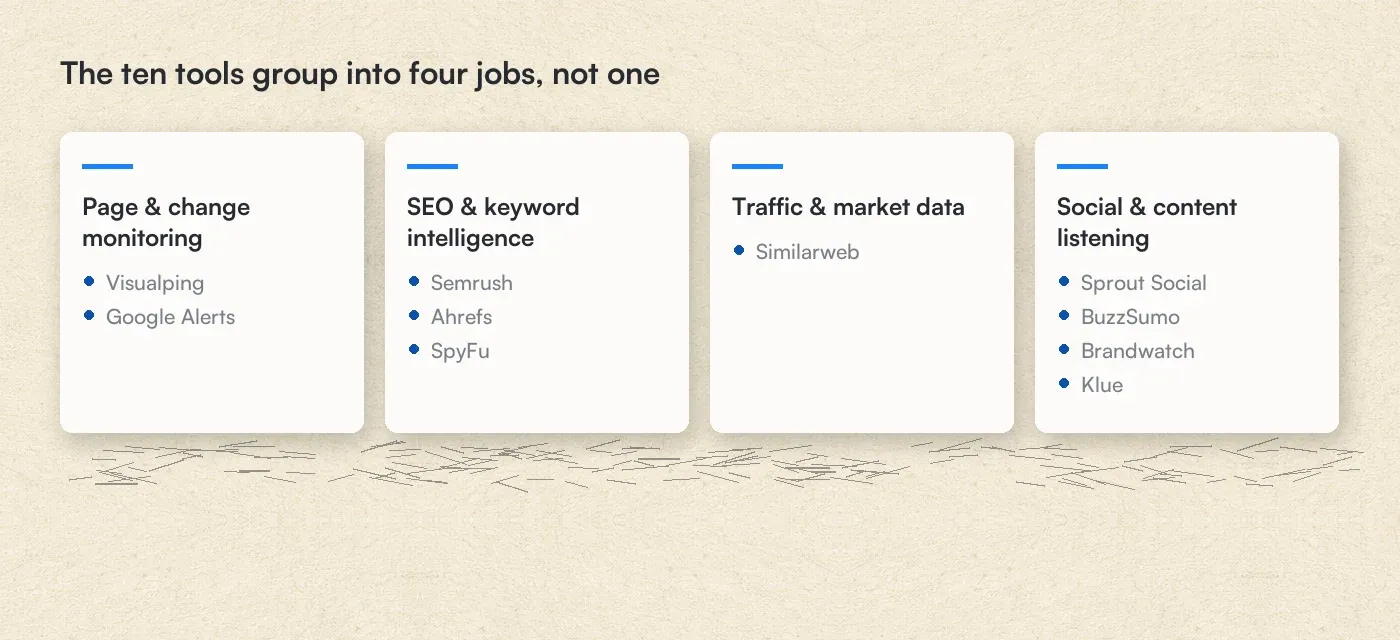 The ten tools group into four jobs, not one
Disclosure: Visualping publishes this blog, and Visualping is one of the ten tools reviewed below. We tested our own product hands-on across 50 URLs for 30 days; the other nine were assessed from free trials and published review evidence, which is an uneven basis and is noted per tool in the scoring table. Where a competitor does something better, the table says so.
Quick Summary
The best AI competitor analysis tools in 2026 include Visualping for website change and competitor monitoring, Semrush for SEO intelligence, Ahrefs for backlink analysis, Similarweb for traffic insights, and SpyFu for affordable PPC research. Prices range from free (Google Alerts) to $3,000+/month for enterprise solutions.
In this guide:
- How We Evaluated These Tools
- What Is AI-Powered Competitor Analysis?
- Where AI Assistants Fit
- Top 10 AI Tools for Competitor Analysis
- Tool Selection Decision Matrix
- Building Your Strategy
- FAQ
Why AI-Powered Competitor Analysis Matters in 2026
Manual competitor tracking breaks down fast. You miss the pricing change that happened on a Friday afternoon. You find out about a product launch three weeks after everyone else. A competitor rewrites their homepage messaging and nobody on your team notices for a month.
AI tools for competitor analysis fix this by watching the pages you can't. They check every hour (or every five minutes, if the stakes are high enough), flag what changed, and tell you why it matters.
The shift is already measurable. From a sample of 9,985 active Visualping monitors watching pricing or plans pages (September 2026, 30 days to September 24):
| What 9,985 pricing-page monitors show | Figure |
|---|---|
| Monitors that flagged at least one change in 30 days | 40% |
| Monitors watching HubSpot's pricing page that saw a change | 93% |
| Monitors watching Zoom's pricing page that saw a change | 74% |
| Checks that fired a change alert | 9.5% |
Different content types, different signal density. Across all Visualping monitors in the same 30 days, 14.5% of checks on pages Visualping AI tags as news fired a change alert, against 13.2% on pricing pages and 7.9% on investor relations pages. The AI layer in Visualping classifies every change for importance and writes a plain-language summary, so the human work is deciding what to act on instead of reading diffs.
For a wider view, our broader guide covers 15 competitor intelligence tools across 5 categories, including the AI-native platforms here: best competitor intelligence tools.
This guide covers 10 AI competitor analysis tools for 2026, with current pricing, verified features, and practical recommendations for different team sizes and budgets.
How We Evaluated These AI Competitor Analysis Tools
We assessed each tool against five criteria that matter for day-to-day competitive intelligence work: monitoring accuracy (does it catch real changes?), alert speed (how fast do you know?), signal-to-noise ratio (false positives vs. actionable intelligence), integration options (where does the data go?), and cost per insight (what you actually get per dollar, whatever the sticker price).
For Visualping, we tested competitor website monitoring across 50 URLs over 30 days, tracking detection accuracy and alert latency. For the other nine tools, we combined hands-on evaluation of free trials and demo accounts with verified user feedback from G2, TechRadar, and Gartner Peer Insights.
What our platform data tells us about competitor monitoring
Visualping has over 2 million users. When we looked at how people actually use AI tools for competitor analysis on our platform, a few patterns stood out:
- 14,797 users selected "competitor monitoring" as their primary use case during onboarding. It ranks as the 4th most popular reason people sign up, after out-of-stock alerts, price tracking, and news monitoring.
- 393 new users joined specifically for competitor monitoring in March 2026 alone, and that number has held steady for months.
- 68% of competitor monitors run on a 1-to-24-hour cycle. Another 32% check every 5 to 60 minutes. In this sample, nobody doing serious competitive intelligence checks daily or less often. Competitor websites change often enough that hourly monitoring is the baseline.
- 35% of competitor monitors belong to business teams (workspace accounts), not individual users. Competitive intelligence scales from a personal project to an organizational function.
- Across the platform, 160 active monitors specifically track competitor analysis tool websites (Semrush, Ahrefs, Similarweb, SpyFu, and others). People monitor the monitors.
Nearly 1 in 10 Visualping users work in marketing or SEO, and competitor website tracking is one of their top activities alongside SERP monitoring and pricing page surveillance. (You can explore more of these patterns in our March 2026 monitoring trends report.)
These numbers shaped how we weighted our evaluation criteria. Tools that support frequent automated checks, team collaboration, and multi-channel monitoring scored higher because that matches how teams actually run competitive intelligence.
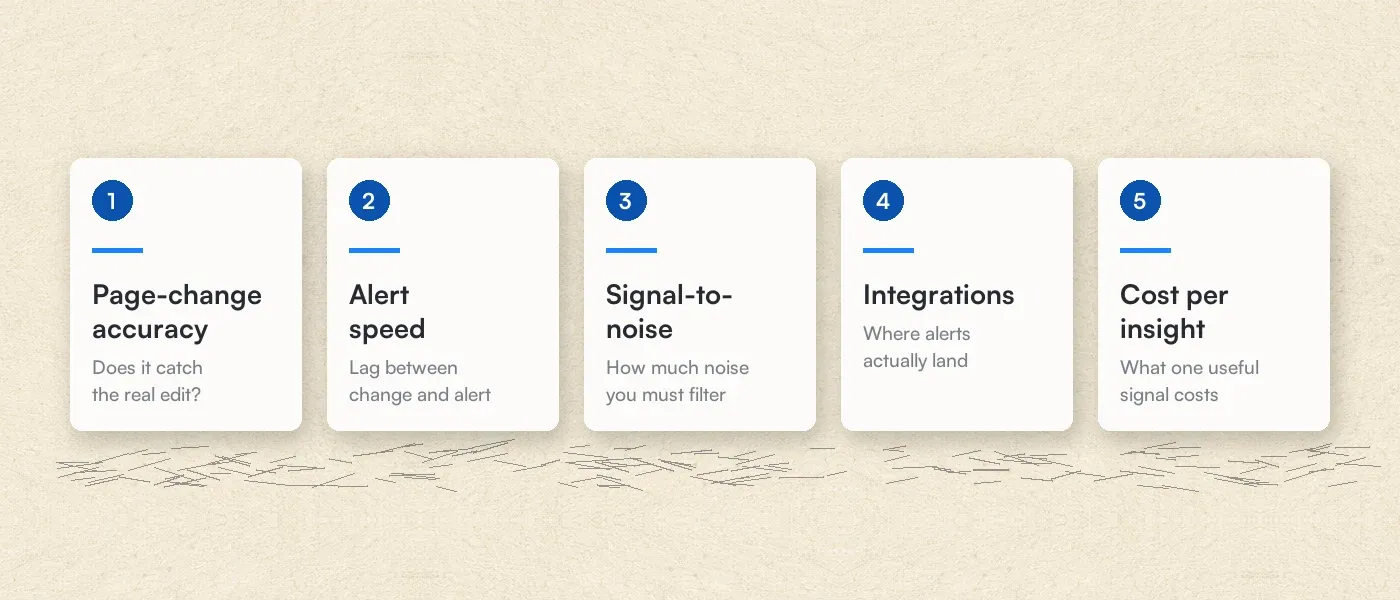 The five criteria each tool was scored against
How the 10 tools scored
| Tool | Access for this review | Page-change accuracy | Alert speed | Signal-to-noise | Integrations | Cost per insight | Main limitation |
|---|---|---|---|---|---|---|---|
| Visualping | 50-URL, 30-day hands-on test | Strong | Fast once a check runs; the schedule sets the lag (2-minute minimum on Business and top Personal plans) | Strong (binary IMPORTANT flag + AI summary) | Slack, Teams, Discord, Sheets, webhooks, API | Free tier; from $10/mo billed annually ($14 month-to-month) | Pages only: no rank tracking or social listening |
| Semrush | Free trial + G2 review evidence | n/a (rank and keyword tracking, not page diffs) | Daily position updates | Good | Wide marketing-stack coverage | From $139/mo | Real learning curve for beginners (G2) |
| Ahrefs | Free-trial evaluation + Capterra evidence | n/a | Scheduled rank tracking | Good | Moderate | From $29/mo (Starter) | Credit limits burn fast for heavy users (Capterra) |
| Similarweb | Free tier + Capterra evidence | n/a (traffic estimates; rough under ~50K monthly visits) | n/a (trend data, not alerts) | Moderate | Moderate | Free tier; self-serve from $199/mo | Estimates weaken on small sites; full platform is quote-based |
| SpyFu | Basic-plan evaluation + GetApp evidence | n/a | n/a (research tool, not alerting) | Good | Limited | From $39/mo ($29 annual) | No change monitoring or social coverage |
| Sprout Social | 30-day trial + pricing-page verification | n/a (social posts, not web pages) | Social streams and listening queries | Good (AI listening classification) | Good (social + CRM) | From $199/user/mo; Listening is a paid add-on | Per-seat pricing compounds fast for teams |
| BuzzSumo | 30-day trial + Capterra evidence | n/a (content performance) | Brand and competitor mention alerts | Good | Moderate | From $199/mo billed yearly | Steep for small businesses (Capterra) |
| Brandwatch | Demo + TrustRadius and third-party pricing data | n/a (social listening) | Continuous social coverage | Strong (Iris AI sentiment and themes) | Good (Cision suite) | ~$800-3,000/mo (third-party reports) | Quote-only and enterprise-oriented |
| Klue | Demo + SelectHub review analysis | Good (breadth-first competitor monitoring) | Intel digests and battlecard pushes | Good | Strong (Salesforce, Slack, Teams, Gong) | Quote-based; ~$30K/yr median (Vendr) | Needs dedicated CI or PMM ownership |
| Google Alerts | Free account, long-term use | Indexed-text mentions only; misses visual and pricing changes | As-it-happens to weekly digests | Weak (no AI filtering) | Email only | Free | Only sees what Google indexes |
Rating scale: Strong means best-in-class for that criterion among these 10, backed by our testing or consistent review evidence. Good means it does the job reliably with minor caveats. Moderate means it works, with limits you'll notice in daily use. Weak means the capability exists but you shouldn't depend on it for serious competitive intelligence work. n/a means the criterion doesn't apply to that tool's category. Ratings distill our hands-on evaluation plus the linked review-platform evidence; Klue and Brandwatch were assessed through demos and third-party review data, not paid deployments.
Methodology note: The pricing-page statistics in this article (September 2026, 30 days to September 24) come from a sample of 9,985 active Visualping monitors watching pricing or plans pages (URLs containing /pricing, /plans, or /prices), set up by 1,387 customer accounts. Per-monitor figures (40% flagged a change in 30 days) count each monitor once; per-check figures (9.5% of checks on these monitors fired an alert) count every check in the window. The alert rates by page type (14.5% news, 13.2% pricing, 7.9% investor relations) cover checks on all Visualping monitors in the same window, grouped by the page type Visualping AI assigns each monitor. A detected change can be a non-price edit, and several monitors can watch the same page. The 50-URL hands-on test ran for 30 days ahead of this guide's June 2026 publication, tracking detection accuracy and alert latency.
What Is AI Competitive Analysis?
AI competitive analysis (also called AI-powered competitor analysis) uses machine learning to gather, process, and flag competitor activity automatically. Instead of a person checking 20 competitor websites every morning (and inevitably missing things), an AI tool watches all of them around the clock and tells you when something changes.
The practical difference matters more than the technical one. Manual monitoring caps out at about 5-10 competitor pages before someone starts cutting corners. AI tools monitor hundreds of pages across websites, social media, search results, and pricing databases without the coverage gaps a manual rotation develops.
What AI adds beyond basic automation:
- Change detection with interpretation. The tool compares today's version of a page to yesterday's and tells you what's different, whether that's a price drop, a new feature announcement, or a rewritten value proposition.
- Pattern recognition across time. Seasonal pricing shifts, gradual messaging pivots, hiring surges before product launches. AI catches the slow-moving signals a weekly manual check misses.
- Hours back in your week. The Visualping users who monitor competitors check an average of 14 pages each. At 5 minutes per manual check, that's over an hour a day. Automation cuts that to the 2 minutes it takes to read the alert summary.
- Coverage that scales. Adding 10 more competitors to your watchlist takes 10 clicks of "add monitor" and zero new hires.
Where General-Purpose AI Assistants Fit in Competitor Analysis
A fair question, since it's where many teams start: can't ChatGPT or a similar assistant handle competitor analysis on its own?
For one-off research, yes. AI assistants summarize a competitor's positioning well, compare published feature sets, and draft a SWOT from pages you paste in. If you need a market overview by Friday, an assistant plus an afternoon gets you a presentable first draft.
Here's how the two categories compare on the dimensions that decide the choice:
| Dimension | General AI assistants (ChatGPT, Claude, Perplexity, NotebookLM) | Dedicated monitoring and CI tools |
|---|---|---|
| Source freshness | Web-search modes help, but answers can mix live results with training data | Read the live page on every check |
| Continuous monitoring | On-demand only; nothing runs between prompts | Scheduled checks around the clock |
| Historical change context | No record of what a page said last Tuesday | Keep before-and-after snapshots and change logs |
| Hallucination risk | Can quote pricing that no longer exists; every figure needs verification | Show the actual diff |
| Collaboration and alerts | Copy-paste into the channel yourself | Native Slack, Teams, email, and webhook routing |
| Cost and setup | Free to ~$20/user/mo; works immediately | Free tiers to enterprise contracts; minutes to configure |
If you do use an assistant for competitor research, a short validation pass keeps it honest: ask for sources and dates on every claim, verify any price against the vendor's live pricing page (assistants and scrapers both misread first-month promos as list prices), and treat anything it can't cite as unverified.
The practical split: use an assistant for ad-hoc questions, and a monitoring tool for standing coverage. The tools below run on schedules, keep page history, and send alerts, which is the part an assistant can't do. Several of them, including Visualping, then apply AI on top of that monitoring to summarize and classify each change.
Top 10 AI Tools for Competitor Analysis in 2026
Best AI tool for each job:
- Visualping for website change detection and page monitoring
- Semrush for all-in-one SEO and competitive research
- Ahrefs for backlink analysis and SEO intelligence
- Similarweb for traffic and market intelligence
- SpyFu for affordable PPC keyword history
- Sprout Social for social media competitive analysis
- BuzzSumo for content performance and influencer tracking
- Brandwatch for enterprise social listening
- Klue for AI-powered sales enablement and battlecards
- Google Alerts for free indexed-web mentions
For pricing-specific AI-augmented tools, see our 5 best competitor price tracking tools guide, which goes deeper on dynamic repricing and managed price intelligence than this broader list does.
One inclusion note before the list: nine of these tools run AI on some part of the job, and one (Google Alerts) has no AI layer at all. It stays because it's the free foundation nearly every competitive intelligence stack starts with, and the AI capabilities table below labels exactly what each tool does and doesn't run AI on.
Visualping: AI-Powered Website Change Detection and Monitoring
Visualping monitors any webpage for changes and tells you what happened. Point it at a competitor's pricing page, product page, or homepage, and it checks on a schedule you set (from every 2 minutes on Business and top Personal plans to once a month). When something changes, you get an alert with an AI-generated summary explaining what's different and why it might matter.
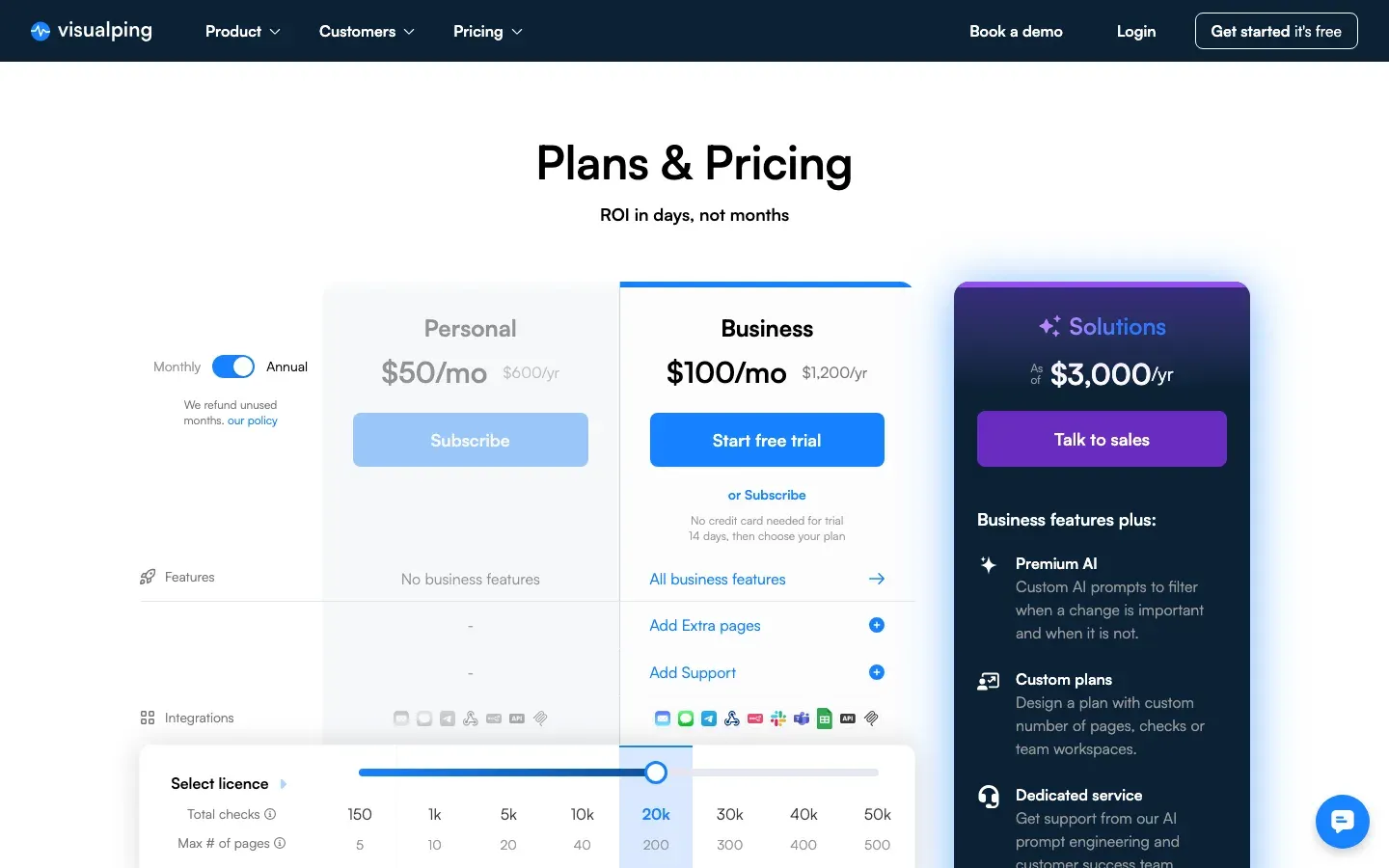 Visualping, September 2026
The platform has over 2 million users. TechRadar reviewed it independently and rated it positively for content monitoring.
How it differs from the SEO tools below: Semrush and Ahrefs track search rankings. Visualping tracks the actual content on the page. When a competitor rewrites their pricing page at 2 AM, changes a product description, or adds a new integration to their features list, Visualping catches it. Keyword tools can't see those changes.
Key features:
- AI change detection that filters noise from real updates (built to treat a footer copyright-year change as noise and flag a pricing tier restructure)
- Plain-language AI summaries of what changed and why it matters
- AI Mode by default, which flags visual and text changes with a before/after view, plus Text mode for keyword alerts
- Alerts via email, SMS, Slack, Microsoft Teams, or API
- Custom AI prompts: tell the system what you care about, and it filters accordingly
Pricing (Source: Visualping pricing page, verified July 2026):
| Plan | Price | Key Features |
|---|---|---|
| Free | $0 | 150 checks/month, 5 pages |
| Personal | From $10/month billed annually | 1,000 checks on 10 pages, scaling to 10,000 checks on 40 pages |
| Business | From $100/month billed annually ($140 month-to-month) | 20,000 to 50,000 checks on 200 to 500 pages, plus add-on support plans |
| Solutions (Enterprise) | From $3,000/year | 50,000+ checks, priority support, structured data projects |
Business plans include a 14-day free trial. No credit card. Monitoring stops when the trial ends unless you pick a plan.
Best for: CI professionals, product managers, and marketers who need to know the moment competitor websites change, on top of how they rank. Connects with Slack, Teams, Discord, Google Sheets, and CRMs through webhooks and APIs.
Where it falls short: Visualping watches pages, and that's the boundary. There's no rank tracking, keyword research, or social listening, so SEO-focused teams pair it with Semrush or Ahrefs rather than replacing them. The AI summaries also describe what changed on the page; connecting that to the why (a strategy shift, funding, a reorg) is still the analyst's job.
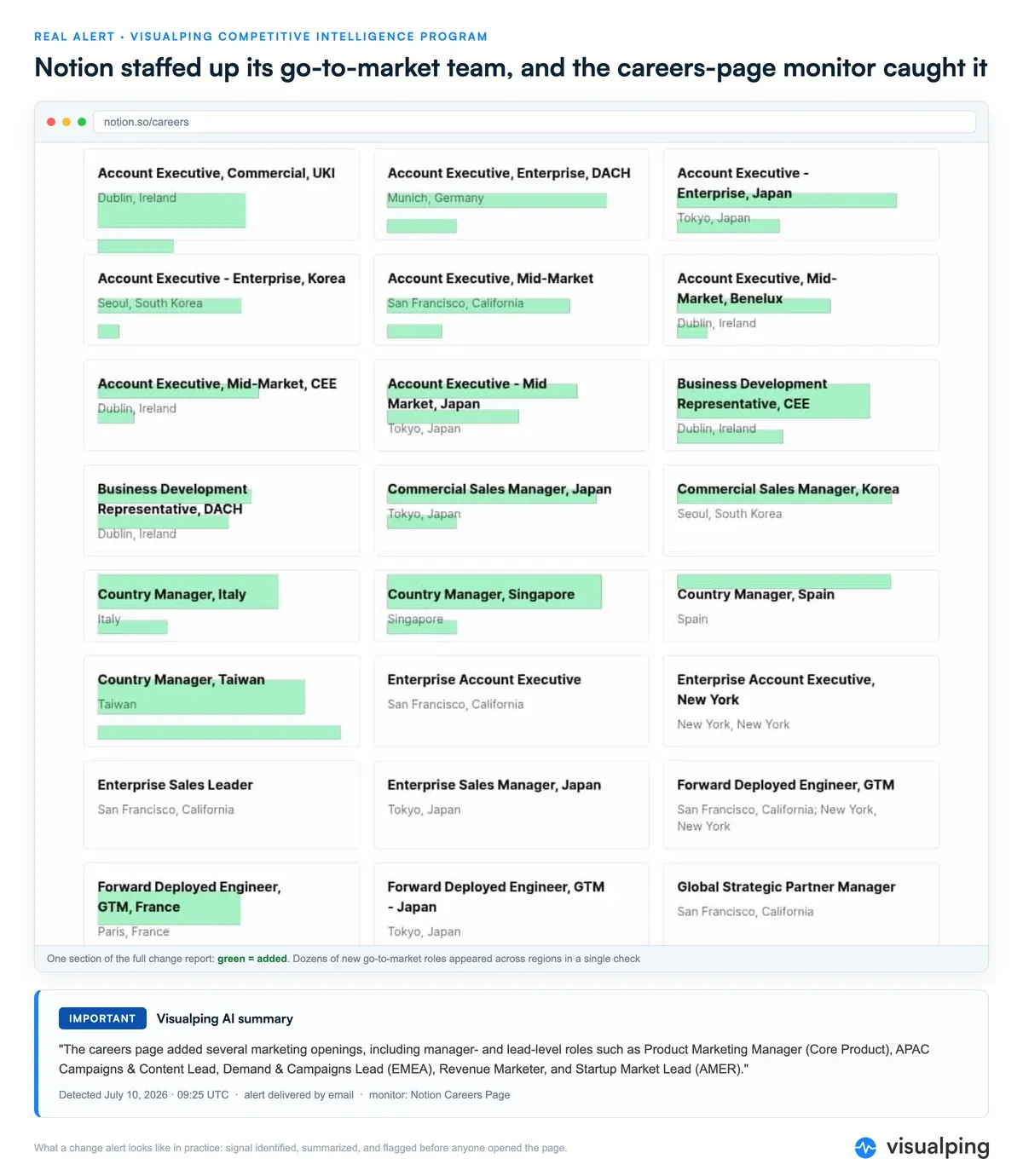 A real alert from our own CI program: Notion's careers page added a wave of go-to-market roles, caught, summarized, and flagged IMPORTANT on July 10, 2026
Learn more about Visualping's capabilities:
- Complete Competitive Intelligence Guide
- How to Monitor Website Content Changes
- Competitor Price Tracking Strategies
- Free Competitor Analysis Tools
- Top Competitor Tracking Tools
- Best Free Page Monitoring Agents
Semrush: SEO and Competitive Research Platform
Semrush is a digital marketing platform with a database of over 26 billion keywords. It's the tool most SEO teams default to for keyword research, rank tracking, and competitive analysis. The feature set is wide: SEO, PPC, content marketing, social media, and competitive research all live under one roof.
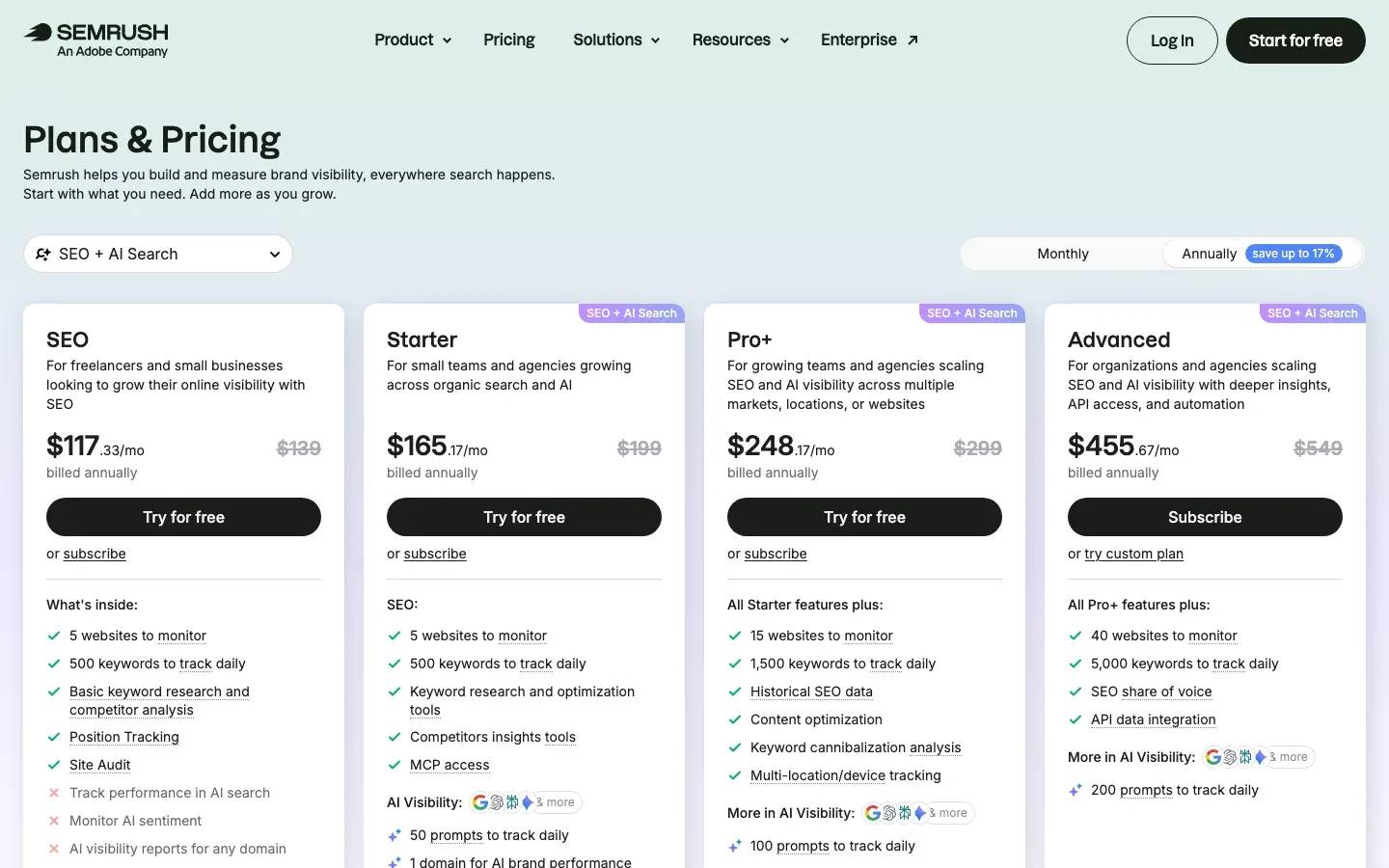 Semrush, September 2026
Key Features:
- Domain Overview for rapid competitor website analysis
- Keyword Magic Tool with search volume, difficulty, and intent data
- Keyword Gap analysis identifying opportunities competitors capture
- Backlink Analytics for full link profile comparison
- Traffic Analytics estimating competitor traffic sources and volume
- Organic Research revealing competitor ranking keywords and pages
- Position Tracking for daily keyword ranking monitoring
- Semrush One: unified dashboard combining SEO and AI visibility tracking
Pricing (Source: Semrush official website, verified March 2026):
SEO Classic Plans:
| Plan | Monthly Price | Projects | Keywords Tracked |
|---|---|---|---|
| Pro | $139 | 5 | 500 |
| Guru | $249 | 15 | 1,500 |
| Business | $499 | 40 | 5,000 |
Semrush One (SEO + AI Visibility):
| Plan | Monthly Price | Key Features |
|---|---|---|
| Starter | $199 | SEO toolkit + AI visibility tracking |
| Pro+ | $299 | Enhanced limits + 3 user seats |
| Advanced | $549 | Full enterprise features |
Annual billing saves approximately 17%. Free trial available.
Best for: Digital marketers, SEO agencies, and teams that want SEO + PPC + content intelligence in one platform. G2 reviewers praise the data depth but note the learning curve is real, especially for beginners.
Ahrefs: Backlink Analysis and SEO Intelligence
Ahrefs has one of the largest live backlink indexes on the web, and that's what it's best known for. If you need to know who links to your competitors, what content earns the most links, and where the gaps are in your own backlink profile, Ahrefs is the standard.
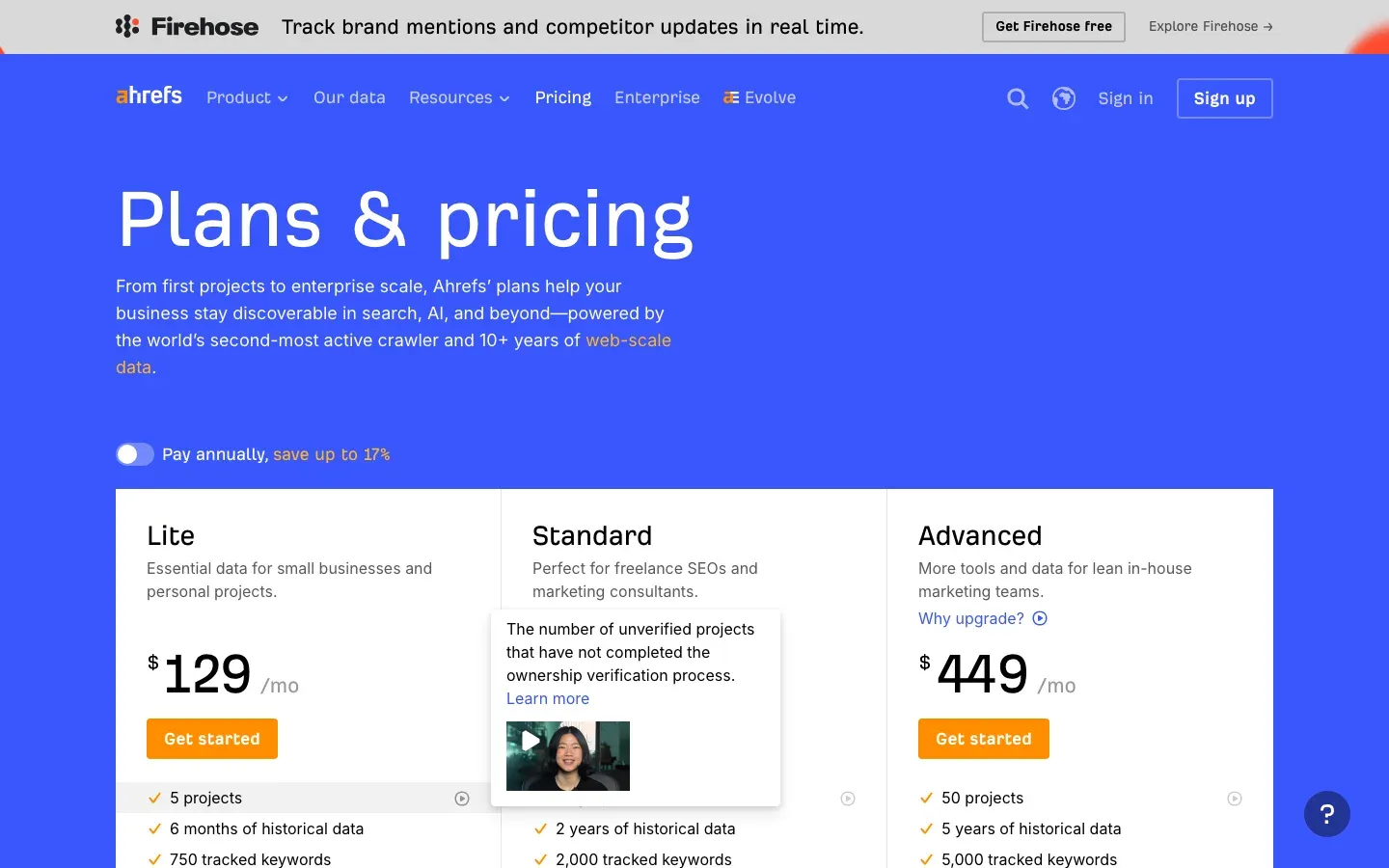 Ahrefs, September 2026
Key Features:
- Site Explorer for organic traffic and backlink profile analysis
- Keywords Explorer with extensive keyword database
- Content Explorer identifying top-performing content across the web
- Content Gap analysis revealing ranking opportunities
- Site Audit for technical SEO issue identification
- Rank Tracker for keyword position monitoring
- AI Content Helper for content optimization guidance
Pricing (Source: Ahrefs official website, verified March 2026):
| Plan | Monthly Price | Projects | Keywords Tracked | History |
|---|---|---|---|---|
| Starter | $29 | Limited | Limited | 1 month |
| Lite | $129 | 5 | 750 | 6 months |
| Standard | $249 | 20 | 2,000 | 2 years |
| Advanced | $449 | 50 | 5,000 | 5 years |
Enterprise plans available at $1,499/mo. Annual billing provides additional savings.
Best for: SEO teams focused on organic growth and link building. The backlink data is excellent. One thing to watch: Ahrefs uses credit-based pricing on lower tiers. Heavy users burn through credits fast, and Capterra reviewers flag this as the main frustration. Check whether your typical usage fits within plan limits before committing.
Similarweb: Website Traffic and Market Intelligence
If you need to answer "how much traffic does this competitor get?", Similarweb is where most analysts start. It tracks data across over 1 billion websites and gives you traffic estimates, source breakdowns, engagement metrics, and geographic distribution that you can't get from SEO tools alone.
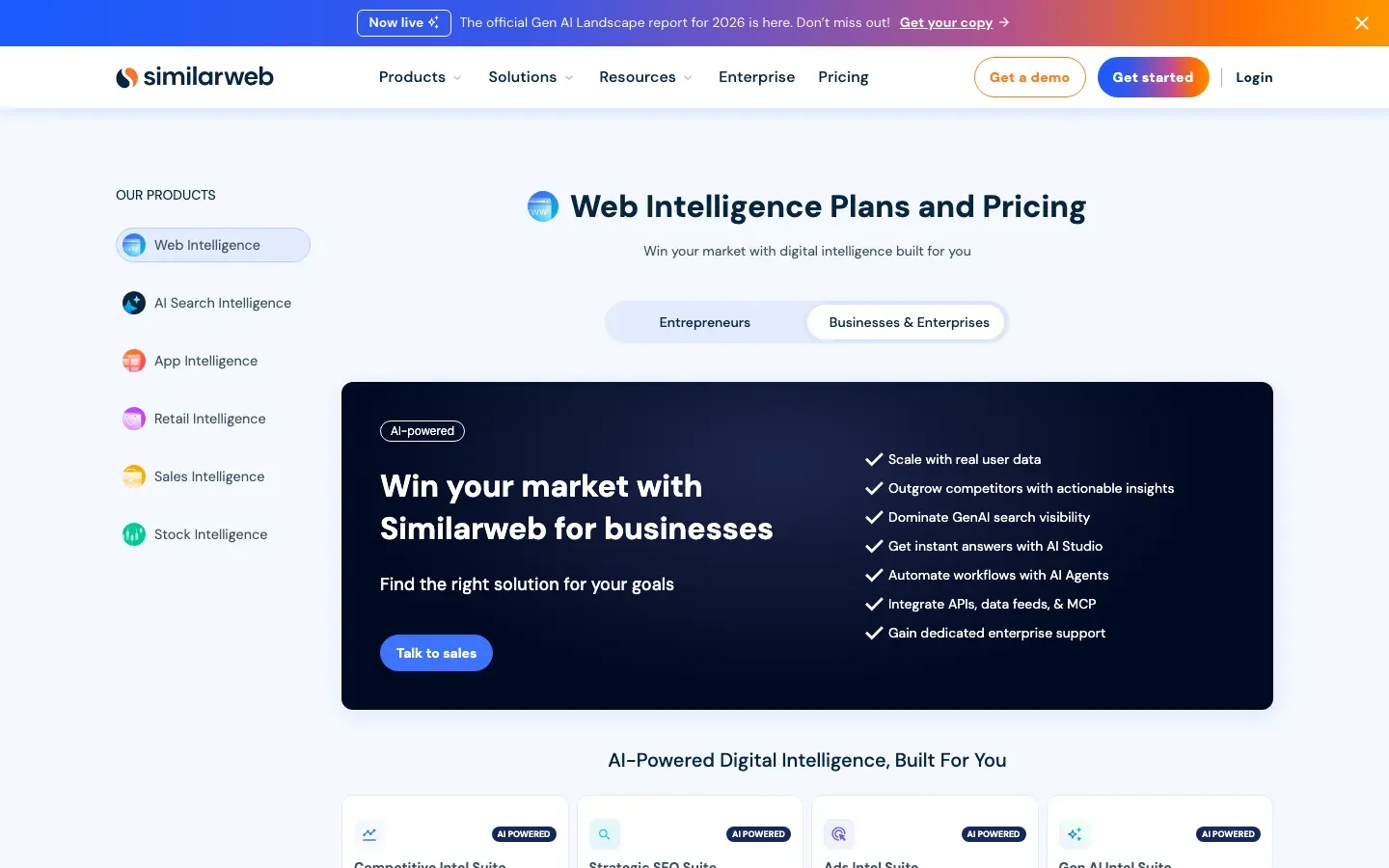 Similarweb, September 2026
The catch: pricing is split. Self-serve Web Intelligence plans are published (from $199/month, or $125/month billed annually as of July 2026), but the full platform is sales-led. A free version exists with basic traffic snapshots, and it holds up for quick competitive checks. Self-serve plans add a limited window of historical data on top. But for deep multi-year history, benchmarking across 25+ sites, or the newer AI Chatbot Traffic analysis, you're in "request a demo" territory. (AI Chatbot Traffic tracks how your competitors show up in AI-powered search.)
What it does well: Traffic source breakdown (organic, paid, social, direct, referral), engagement metrics (bounce rate, pages per visit, session duration), geographic distribution, and historical trending up to 3 years. The competitor benchmarking view, where you stack up to 25 sites side by side, is the feature most users cite as the reason they pay.
Where it falls short: Capterra reviewers consistently flag two things. Data accuracy drops for niche or low-traffic sites (under ~50K monthly visits, estimates get rough). And the pricing, once you see it, can be prohibitive for smaller companies.
Pricing: Self-serve Web Intelligence from $199/month ($125/month billed annually); the full platform is quote-based. Free tier available for basic traffic insights.
Best for: Market researchers, investment analysts, and digital strategists who need traffic intelligence across industries. Less useful for small businesses tracking a handful of local competitors.
SpyFu: Affordable SEO and PPC Intelligence
SpyFu has been tracking search marketing data since 2005, which means it has nearly two decades of historical ad campaigns and organic rankings. That history is its biggest differentiator: you can see what keywords a competitor bid on in 2019 and trace how their strategy shifted.
 SpyFu, September 2026
Key Features:
- SEO and PPC keyword analysis with extensive historical data
- Competitor ad copy and campaign history tracking
- Kombat tool for visualizing keyword overlap between domains
- Backlink prospecting and analysis
- Rank tracking for both SEO and PPC keywords
- SpyGPT AI features for content gap identification
- RivalFlow integration for automated content recommendations
- Google Ads Advisor with keyword targeting suggestions
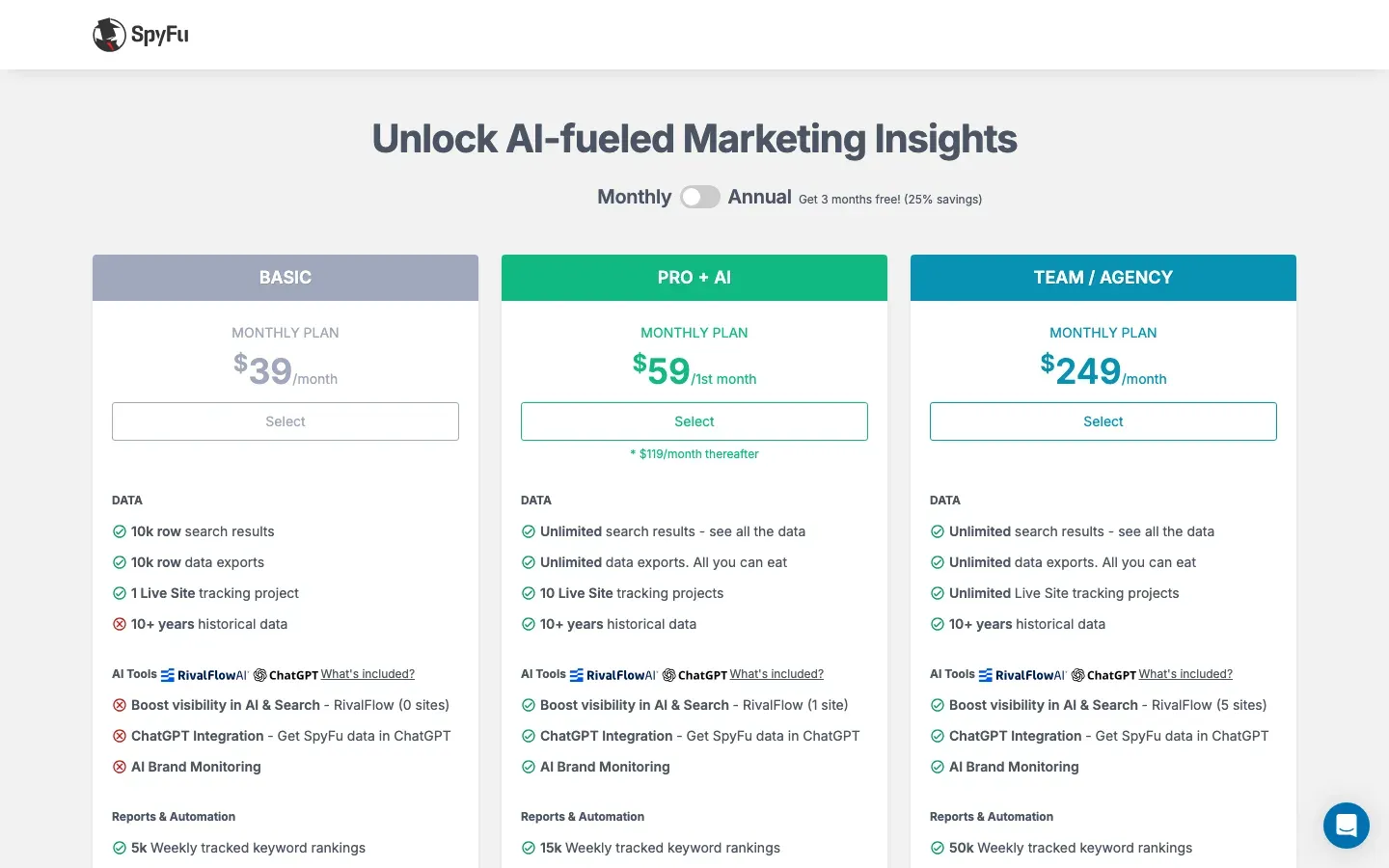
Pricing (Source: SpyFu official website, verified March 2026):
| Plan | Monthly Price | Key Features |
|---|---|---|
| Basic | $39 | 10+ years history, unlimited searches, 10,000 data exports |
| Pro + AI | $119 | 10+ years history, AI features, API access |
| Team / Agency | $249 | Multiple users, extended limits, priority support |
All plans include a 30-day money-back guarantee and unlimited searches. Annual billing: Basic $29/mo, Pro + AI $89/mo, Team/Agency $187/mo.
Best For: Small to medium businesses and marketers seeking affordable competitive intelligence with strong PPC analysis capabilities. Particularly valuable for budget-conscious teams and freelancers.
Review Insight: GetApp reviewers keep landing on the same theme: strong PPC insight at a fraction of enterprise pricing, with the unlimited searches called out most often.
Sprout Social: Social Media Competitive Analysis and Management
Most of the tools on this list track what competitors do on their websites or in search results. Sprout Social tracks what they do on social media. It covers Instagram, Facebook, TikTok, X, YouTube, LinkedIn, and Pinterest from a single dashboard, and the competitive analysis features are baked into the same platform you'd use for publishing and engagement management.
 Sprout Social, September 2026
The competitive angle works like this: pick the competitor accounts you want to watch, and Sprout shows you their posting frequency, engagement rates, content performance, and audience growth compared to yours. Social listening is a separately priced add-on (available from the Standard plan up) that goes wider, catching brand and competitor mentions across public social conversations.
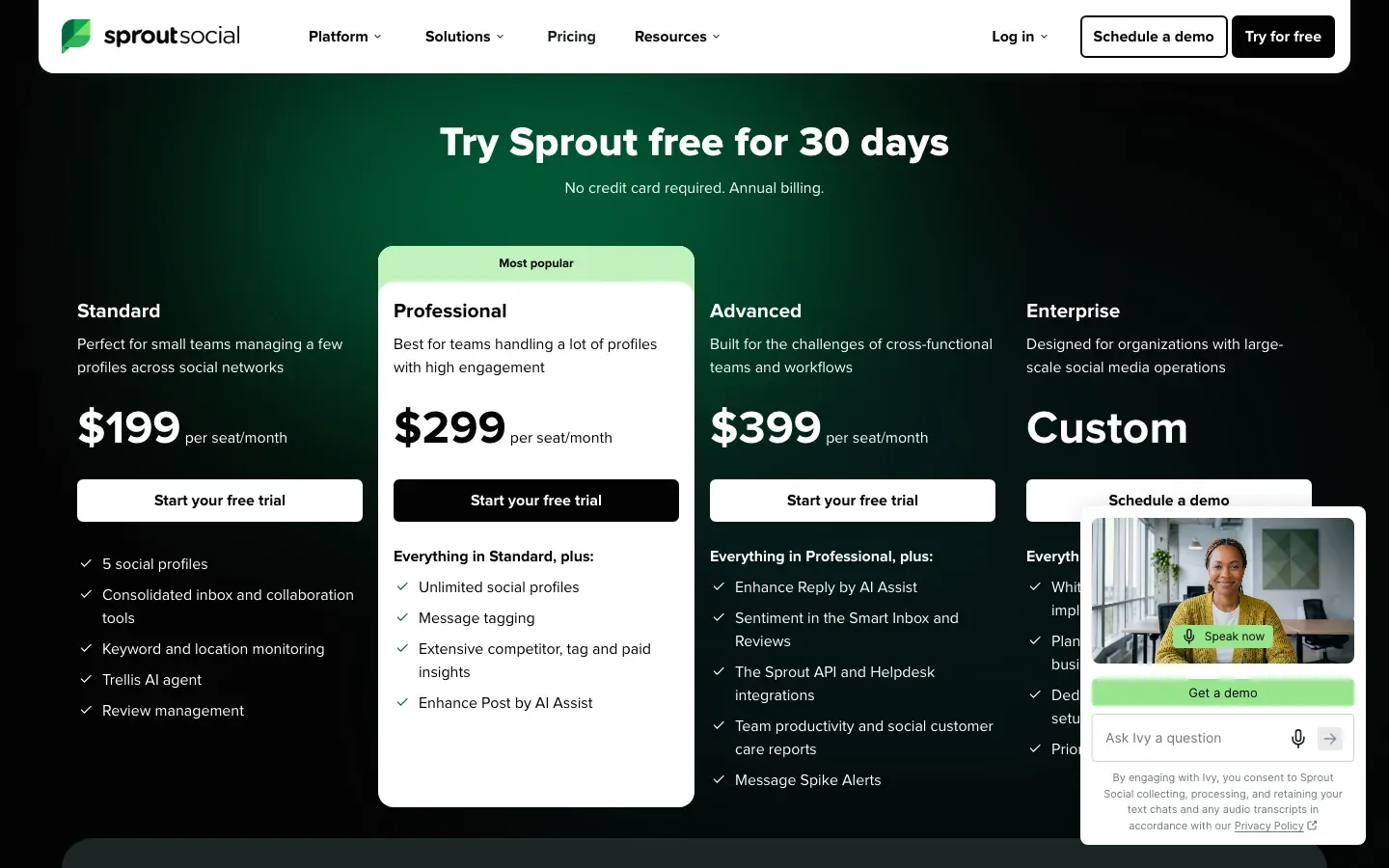
The pricing math matters here. Sprout charges per seat, and the numbers add up fast:
| Plan | Per user/month (annual) | Per user/month (monthly) | Social Profiles |
|---|---|---|---|
| Standard | $199 | $249 | 5 |
| Professional | $299 | $399 | Unlimited |
| Advanced | $399 | $499 | Unlimited |
| Enterprise | Custom | Custom | Unlimited |
A 5-person marketing team on Standard pays $995-$1,245/month. That's more than some enterprise SEO tools. The 30-day free trial (no credit card) is worth running before committing, specifically to test whether the competitive benchmarking features justify the per-seat cost for your team size.
Best for: Social-first brands where competitor social media strategy is a primary intelligence need. If social is a secondary channel for you, the competitive data probably isn't worth the per-seat premium.
BuzzSumo: Content Performance and Influencer Intelligence
BuzzSumo answers one question well: what content is working? Feed it a topic or competitor domain and it shows you the most-shared, most-linked, most-engaged content across the web.
 BuzzSumo, September 2026
Key Features:
- Content Analyzer for discovering top-performing content by topic or domain
- Content Ideas Generator with headline analysis and engagement data
- Backlink Analyzer for tracking link acquisition over time
- Influencer identification with database of millions of creators across platforms
- Media database for journalist outreach and PR campaigns
- Coverage Reports tracking media mentions and placement
- Alert system for monitoring brand and competitor activity
- Brief Generator for content planning
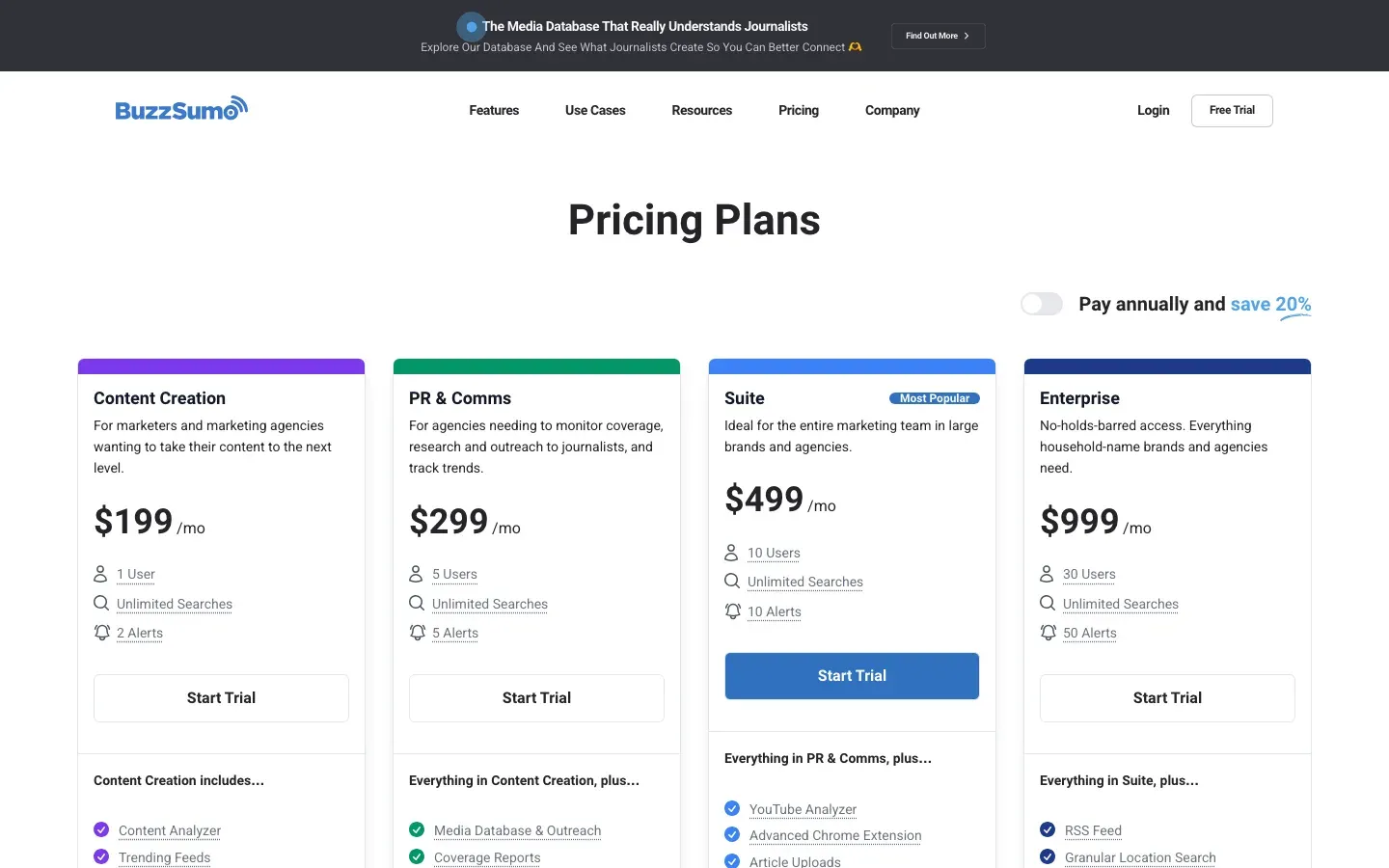
Pricing (Source: BuzzSumo official website, verified July 2026):
| Plan | Price (billed yearly) | Users |
|---|---|---|
| Content Creation | $199/month | 1 |
| PR & Comms | $299/month | 5 |
| Suite | $499/month | 10 |
| Enterprise | $999/month (annual billing only) | 30 |
Month-to-month billing runs higher on every tier.
30-day free trial available without credit card.
Best For: Content marketers, PR professionals, and digital publishers who need to identify content trends, measure content performance against competitors, and discover influencer partnership opportunities.
Review Insight: Capterra reviewers rate it highly for content research but flag the price: steep for small businesses, and the advanced features sit behind higher tiers.
Brandwatch: Enterprise Social Listening and Consumer Intelligence
Brandwatch is an enterprise-level consumer intelligence platform. Part of the Cision suite, it covers social listening, sentiment analysis, and market research across 100+ million online sources.
 Brandwatch, September 2026
Key Features:
- Social listening across social media, blogs, forums, news sites, and review platforms
- AI-powered sentiment analysis and trend detection
- Official firehose access to X (Twitter) and Tumblr data, plus Reddit, forum, news, and review-site coverage
- Customizable dashboards and data visualizations
- Demographic and psychographic audience analysis
- Image recognition for visual brand monitoring
- Integration with Cision PR and influencer marketing tools
- Historical data access for trend analysis
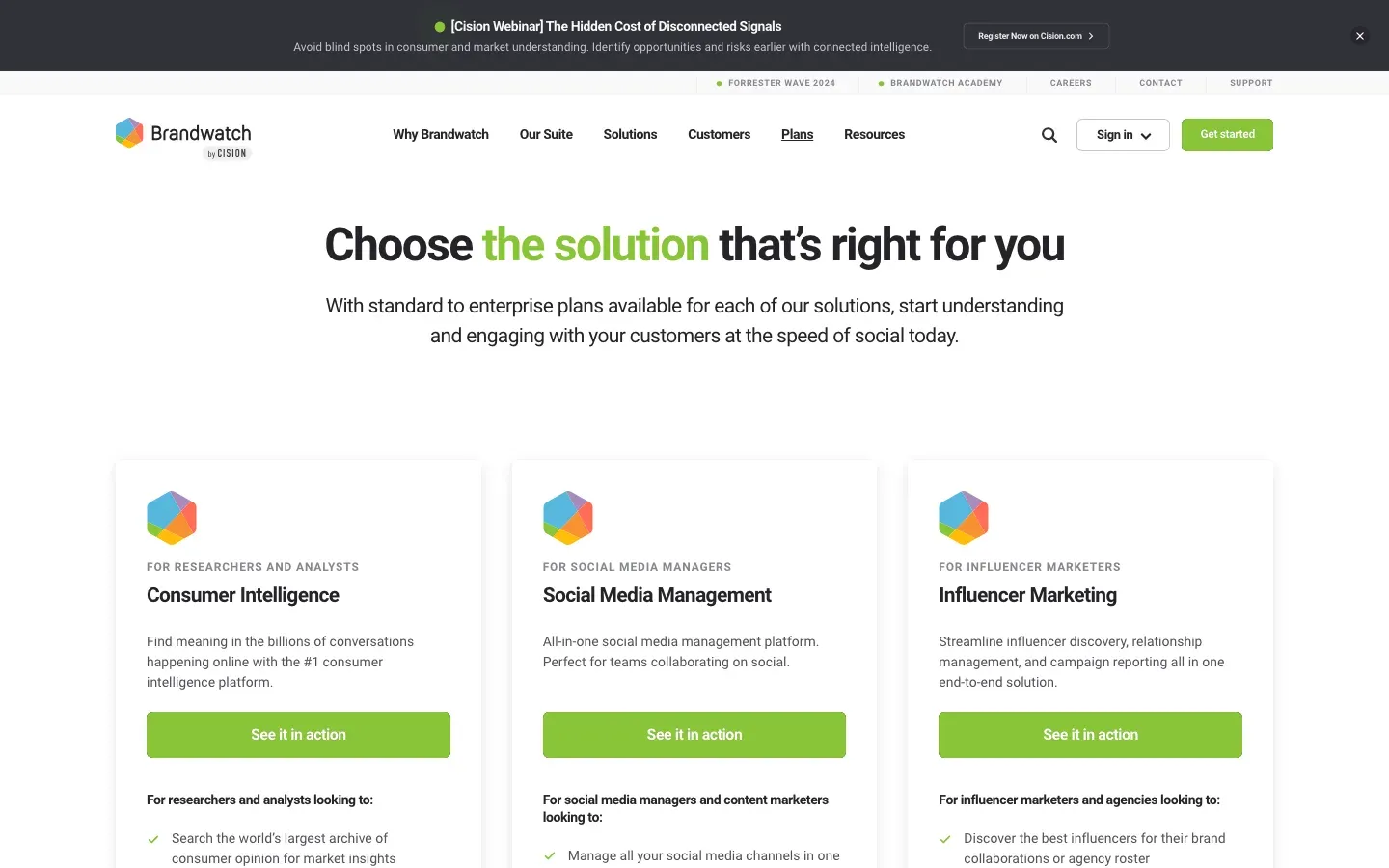
Pricing (Source: TrustRadius and user reports, January 2026): Brandwatch does not publish transparent pricing. Based on third-party reports:
| Tier | Estimated Monthly Cost |
|---|---|
| Standard | $800 - $1,500 |
| Professional | $1,500 - $2,500 |
| Enterprise | $3,000+ |
Pricing varies based on data volume, users, features, and geographic coverage.
Best for: Large enterprises and global brands that need social listening at scale with enterprise-grade security. Not for small teams (pricing starts around $800/mo and requires a sales call).
Important Consideration: Brandwatch requires sales consultation for pricing and is primarily suited for enterprise use cases.
Klue: AI-Powered Competitive Enablement for Sales Teams
Klue sits between competitive intelligence and sales enablement. Product marketers use it to collect and organize competitor insights, then push those insights directly to sales reps as battlecards, deal-specific intelligence, and win/loss analysis. It's built for B2B organizations where CI has to reach quota-carrying reps directly, beyond the strategy deck.
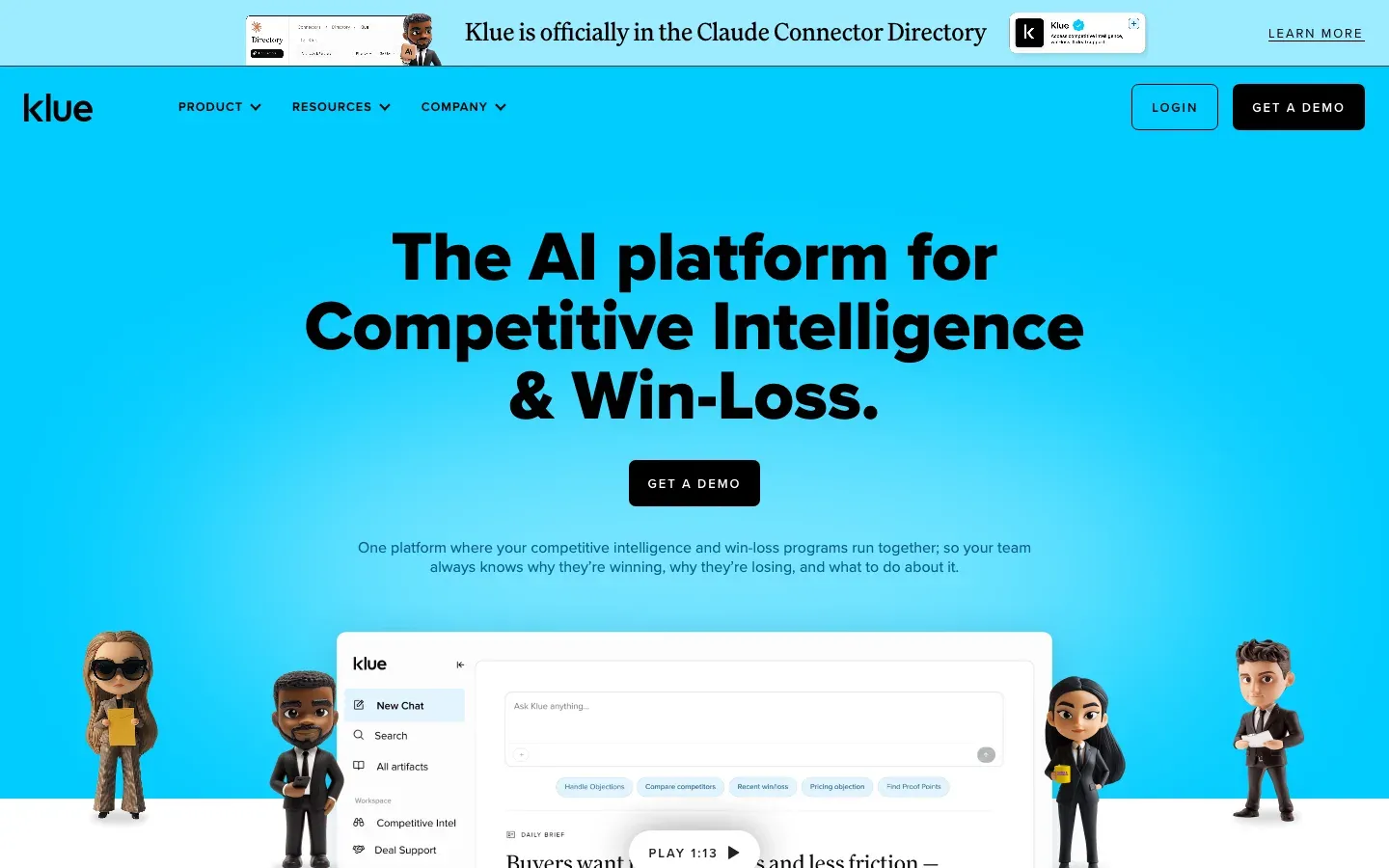 Klue, September 2026
Key Features:
- Automated competitor monitoring with intelligent alerts
- Sales battlecard creation and dynamic management
- Win-loss analysis integration for objective buyer feedback
- Compete Agent AI for automated deal intelligence delivery
- Integration with Salesforce, Slack, Microsoft Teams, Gong, Highspot, and Seismic
- Intel digests and automated newsletters for team distribution
- Competitor profile management and centralized knowledge base
- Impact reporting connecting CI to revenue outcomes
Pricing: Klue uses custom pricing that varies by features, users, and modules. Vendr's purchase data puts the median contract at about $30,000 per year, with most deals landing between $16K and $60K. Enterprise implementations typically require sales consultation.
Best For: B2B companies with dedicated competitive intelligence, product marketing, or sales enablement teams who need to operationalize competitive insights for improved win rates and sales effectiveness.
Review Insight: SelectHub's review analysis puts Klue's user satisfaction high, and G2 reviewers echo it, with the battlecard workflow and CRM integrations earning the most praise.
Google Alerts: Free Foundation for Competitive Monitoring
Google Alerts is free, simple, and limited. Set a search term, get an email when Google indexes new content matching it. It's the most basic form of competitive monitoring, and it's worth having even if you use everything else on this list.
 Google Alerts, September 2026
Key Features:
- Free monitoring for unlimited keywords and search terms
- Customizable notification frequency (as-it-happens, daily, weekly digest)
- Coverage of news articles, blogs, and indexed web content
- Simple setup requiring only a Google account
- Results delivered directly to email inbox
- Source filtering options (news, blogs, web, video, books)
Pricing: Free
Best For: Individuals, small businesses, or teams just starting competitive intelligence who need basic news and content monitoring at no cost.
Key Limitations: Google Alerts focuses exclusively on text-based content indexed by Google. It does not:
- Detect website visual changes or layout updates
- Monitor pricing changes on competitor sites
- Track social media activity or mentions
- Capture content from smaller or newer websites
- Provide AI-powered analysis or summaries
For website change monitoring beyond what Google indexes, pair Google Alerts with dedicated page monitoring agents.
Tool Selection Decision Matrix
AI capabilities at a glance
Not every "AI tool" uses AI the same way. What each tool on this list actually runs AI on:
| Tool | AI capability |
|---|---|
| Visualping | Change importance classification (binary IMPORTANT flag) plus plain-language change summaries on every monitored page |
| Semrush | AI-assisted keyword gap analysis, content-brief generation, and ContentShake AI for article drafts |
| Ahrefs | AI-assisted content recommendations and automated backlink outreach suggestions |
| Similarweb | AI traffic estimation, audience overlap clustering, and market-share forecasting |
| SpyFu | AI-driven competitor keyword discovery and PPC ad-copy performance prediction |
| Sprout Social | AI listening classification (sentiment, intent, spam), message-sentiment scoring, and reply suggestions |
| BuzzSumo | AI content performance prediction and influencer relevance scoring |
| Brandwatch | Iris AI for sentiment, theme clustering, and image-logo recognition across social data |
| Klue | Compete Agent generative AI for battlecard drafts and deal-based insight recommendations |
| Google Alerts | Keyword matching on the indexed web (no AI layer; kept as foundation) |
Use this matrix to match tools to the job in front of you:
| Factor | Website Monitoring | SEO Intelligence | Traffic Analysis | Social Analytics | Content Research | Sales Enablement |
|---|---|---|---|---|---|---|
| Best Tool | Visualping | Semrush / Ahrefs | Similarweb | Sprout Social | BuzzSumo | Klue |
| Starting Price | Free, then $10/mo annual ($14 monthly) | $139/mo | Free tier + $199/mo | $199/mo | $199/mo | Custom |
| Learning Curve | Low | Medium-High | Medium | Medium | Low | Medium |
| Free Trial | Yes (150 checks) | 7-14 days | 7 days | 30 days | 30 days | Demo only |
| Best For | All business sizes | SEO-focused teams | Market researchers | Social-first brands | Content marketers | B2B sales teams |
| AI Features | Strong | Strong | Moderate | Moderate | Moderate | Strong |
| Setup Time | Under 5 minutes | 1-2 hours | 30 minutes | 1 hour | 30 minutes | Days/weeks |
Recommendations by Business Type
Startups and Small Businesses (Budget under $100/month): Start with Visualping free tier + Google Alerts + SpyFu Basic ($39/month) for solid multi-channel coverage.
Mid-Size Marketing Teams (Budget $300-600/month): Visualping Business ($100/month billed annually, $140 month-to-month) + Semrush Pro ($139/month) + BuzzSumo Content Creation ($199/month) covers website changes, SEO, and content intelligence for about $440 a month.
Enterprise Organizations (Budget $1,000+/month): Full stack including Visualping Solutions tier + Semrush Business + Similarweb Enterprise + Klue for competitive enablement across marketing, product, and sales.
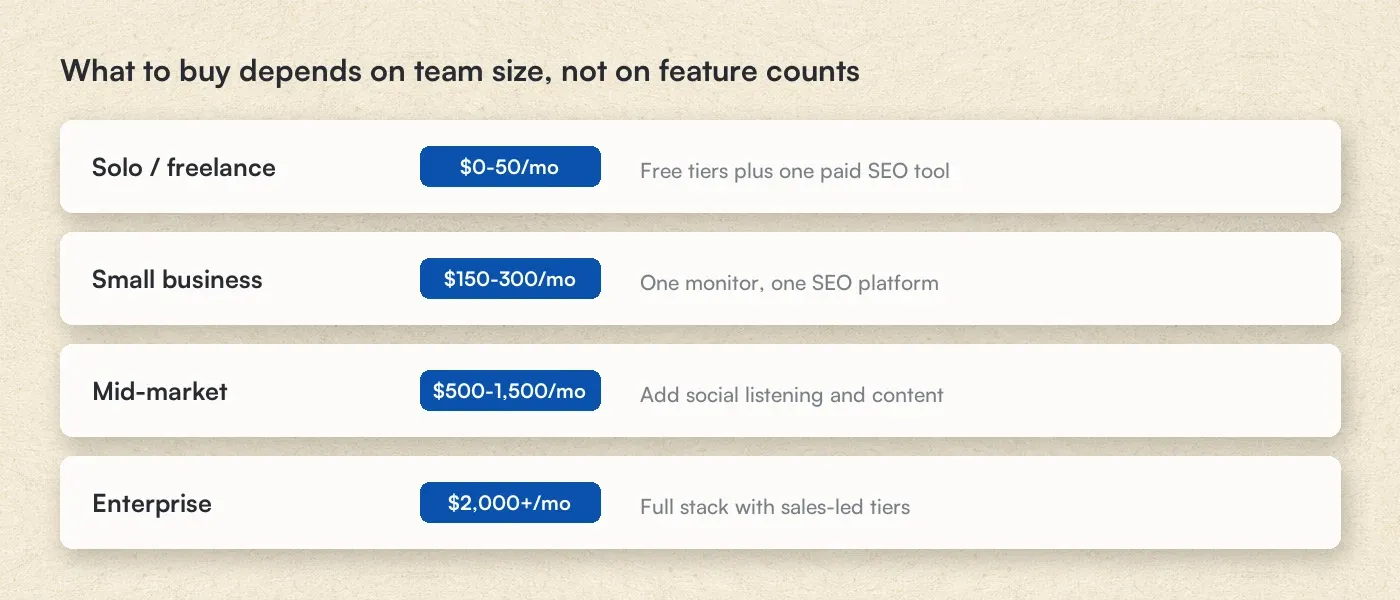 What to buy depends on team size, not feature counts
E-commerce Businesses: Prioritize Visualping for price monitoring + Similarweb for traffic analysis + SpyFu for PPC intelligence.
How to Build an Effective AI-Powered Competitor Analysis Strategy
A competitor analysis system that actually works needs three things: clear objectives (what are you watching and why?), the right tools mapped to each objective, and a distribution plan so intelligence reaches the people who can act on it. Here's how to set that up.
Step 1: Define Your Competitive Intelligence Objectives
Identify specific intelligence requirements before selecting tools:
Product Intelligence
- Feature changes and new product launches
- Pricing strategy shifts
- Product positioning and messaging
Marketing Intelligence
- Content strategy and publishing cadence
- SEO and keyword targeting changes
- Paid advertising strategies and spend
Sales Intelligence
- Competitive win/loss patterns
- Sales messaging and objection handling
- Market positioning claims
Strategic Intelligence
- Hiring patterns and organizational changes
- Partnership and integration announcements
- Funding and financial developments
Step 2: Map Tools to Intelligence Needs
| Intelligence Need | Primary Tool | Secondary Tool |
|---|---|---|
| Website changes (pricing, features, messaging) | Visualping | Google Alerts |
| SEO and keyword performance | Semrush | Ahrefs |
| Website traffic analysis | Similarweb | Semrush .Trends |
| Social media monitoring | Sprout Social | Brandwatch |
| Content performance | BuzzSumo | Semrush |
| PPC and advertising | SpyFu | Semrush |
| Sales enablement | Klue | Visualping (for battlecard updates) |
| News and PR monitoring | Google Alerts | BuzzSumo |
Step 3: Establish Monitoring Cadences
| Priority | Content Type | Recommended Frequency | Example Tool Setting |
|---|---|---|---|
| Critical | Pricing pages | Every 1-4 hours | Visualping: 4x daily |
| High | Product feature pages | Daily | Visualping: Daily |
| High | Homepage messaging | Daily | Visualping: Daily |
| Medium | Blog content | Weekly | BuzzSumo alerts |
| Medium | SEO rankings | Weekly | Semrush Position Tracking |
| Standard | Backlink profiles | Monthly | Ahrefs Site Explorer |
| Standard | Traffic trends | Monthly | Similarweb |
Step 4: Create Intelligence Distribution Workflows
Product Teams: Automated Visualping alerts for competitor feature pages, filtered to product Slack channel. Product managers increasingly layer in AI-powered product management tools alongside competitor monitoring to speed up roadmap decisions and prioritization.
Marketing Teams: Weekly digest combining SEO ranking changes, content performance data, and messaging updates
Sales Teams: Real-time battlecard updates via Klue or Slack integration when competitive positioning changes
Executive Leadership: Monthly competitive dashboard covering the key moves and what they mean
Step 5: Measure Intelligence Program Effectiveness
| Metric | Measurement Method | Target |
|---|---|---|
| Win rate in competitive deals | CRM analysis | Improve 10-15% |
| Time to competitive response | Track from alert to action | Under 48 hours |
| Intelligence coverage gaps | Audit quarterly | Zero critical gaps |
| Team satisfaction | Quarterly survey | >80% satisfaction |
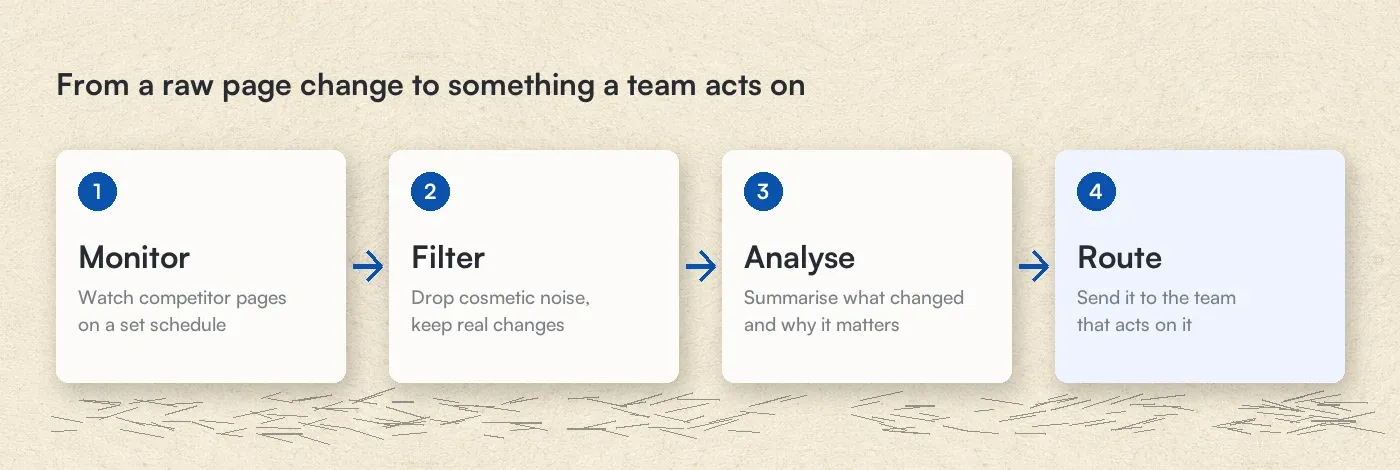 From a raw page change to something a team acts on
Ready to put an AI monitor on your first competitor? Start with Visualping's free plan and paste 5 competitor URLs in under 2 minutes. The AI change summarizer classifies every change for importance and writes a plain-language summary, so you decide what to act on instead of reading diffs.
Frequently Asked Questions
What is the difference between traditional and AI-powered competitor analysis tools?
Traditional competitor analysis is manual: someone collects the data, reads it, and decides what it means. AI-powered tools detect the changes, spot the patterns, and write the first draft of the analysis on their own. They also work 24/7 and process far more data than a manual review, which is where the subtle signals surface. For example, Visualping's AI can summarize website changes in plain language and automatically distinguish significant updates from routine noise.
How do I use AI to do competitor analysis?
Point an AI monitoring tool at the competitor pages that change most, let it check on a schedule, and read the summaries instead of the pages. A working setup takes four steps:
- Pick 5-10 pages worth watching. Start with pricing and news pages. In September 2026 (30 days to September 24), alerts fired on 14.5% of Visualping checks on news pages and 13.2% on pricing pages, against 7.9% on investor relations pages.
- Set check frequency by page type. Hourly for pricing, daily for product pages and homepages, weekly for blogs.
- Write an alert prompt. Tell the AI what matters ("alert me when prices or plan limits change") so routine edits stay out of your inbox.
- Route alerts where the team already works. Slack or Teams for real-time response, an email digest for weekly review.
For one-off questions (market overviews, feature comparisons), a general-purpose AI assistant works fine. For knowing when something changed, you need a monitor running on a schedule.
How accurate are AI-based competitor monitoring tools?
Accuracy varies by function. SpyFu's keyword volume estimates hold up well in user reviews. Ahrefs' traffic estimates can drift from what Google Search Console reports, a gap third-party studies have flagged. Visualping combines visual and text comparison to cut false positives without missing the changes that matter.
Can AI competitor analysis tools access password-protected websites?
Most professional tools including Visualping's page monitoring agent can monitor password-protected pages when you provide legitimate access credentials. That's useful for partner portals, distributor pricing pages, or membership-based competitor resources.
How much should I budget for AI competitor analysis tools?
| Organization Size | Recommended Monthly Budget | Suggested Tool Stack |
|---|---|---|
| Solopreneur/Freelancer | $0-50 | Visualping Free + Google Alerts + SpyFu Basic |
| Small Business (1-10) | $150-300 | Visualping Personal + Semrush Pro |
| Mid-Market (11-200) | $500-1,500 | Visualping Business + Semrush + BuzzSumo |
| Enterprise (200+) | $2,000-10,000+ | Full stack with enterprise tiers |
What should I monitor on competitor websites?
Priority monitoring areas for competitor website analysis include:
- Pricing pages - Track price changes, discount offers, packaging modifications
- Product/feature pages - Monitor new capabilities, deprecations, positioning changes
- Homepage - Watch for messaging pivots, campaign launches, rebranding
- Careers page - Identify hiring patterns indicating growth areas or strategic shifts
- Press/newsroom - Capture announcements, partnerships, funding news
- Customer pages - Track new logos, case studies, testimonial updates
- Landing pages - Monitor campaign messaging and conversion optimization tests
How do I choose between Semrush and Ahrefs?
| Factor | Semrush | Ahrefs |
|---|---|---|
| Best for | All-in-one marketing | Backlink-focused SEO |
| Starting price | $139/month | $129/month |
| PPC features | Full suite | Limited |
| Content tools | Extensive | Moderate |
| Usage limits | Reports-based | Credit-based |
Choose Semrush if you need integrated PPC research, content marketing tools, and social media features alongside SEO.
Choose Ahrefs if backlink analysis is your primary focus and you prefer depth over breadth in SEO tools.
Can I use free tools for effective competitor analysis?
Yes. The right free stack covers more than you'd expect:
- Visualping Free - 150 checks/month on 5 competitor pages
- Google Alerts - Unlimited news and content monitoring
- Ahrefs Webmaster Tools - Free access to Site Explorer for your own site
- Similarweb Free - Basic traffic insights for any website
- Social media native analytics - Platform-specific competitor insights
This combination covers website changes, news monitoring, basic SEO, and traffic analysis at zero cost.
How quickly should I respond to competitor changes?
| Change Type | Recommended Response Time |
|---|---|
| Pricing decrease | Within 24-48 hours |
| New feature launch | Within 1 week |
| Messaging pivot | Within 2 weeks |
| Leadership change | Within 1 month |
| Market exit | Immediately |
Visualping's Slack integration pushes alerts into the channel your team already watches, so critical changes get seen in minutes.
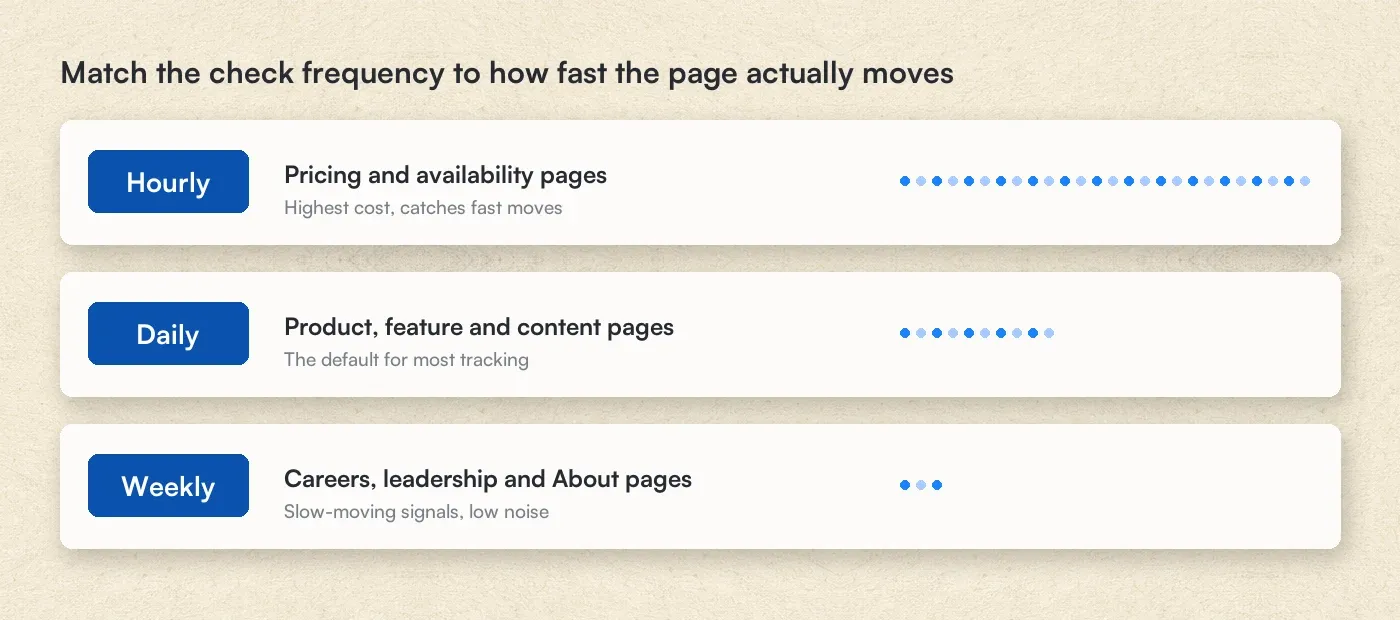 Match the check frequency to how fast the page actually moves
Getting Started with AI-Powered Competitor Analysis
Knowing what your competitors changed last week is table stakes. The actual value is in the pattern: why did they restructure pricing? Why did three competitors all add the same feature within a month? Why did a product page disappear overnight? Those questions only surface when you have consistent monitoring data over time.
The First 30 Days, Week by Week
Week 1: Foundation
- Identify your top 5-10 competitors requiring monitoring
- Set up a Visualping free account monitoring competitor pricing and product pages
- Create Google Alerts for competitor brand names and key industry terms
- Document current competitive positioning baseline
Week 2: Expansion
- Add SEO monitoring via Semrush or Ahrefs free trial
- Configure social monitoring if social channels are strategic
- Establish internal distribution channels (Slack, email, wiki)
- Define response protocols for different change types
Week 3: Optimization
- Refine monitoring frequency based on the first two weeks of alerts
- Eliminate false positive sources
- Add secondary competitors to monitoring
- Create first competitive intelligence report for your team
Month 2+: Scaling
- Upgrade tools based on demonstrated value
- Expand coverage to additional competitive dimensions
- Implement formal competitive review cadence
- Measure and report on intelligence program ROI
Start monitoring competitors this week
Pick your top 5 competitor pages (pricing, product, homepage). Set up a free Visualping account and point it at those 5 URLs. It takes about 3 minutes. By this time next week, you'll have a baseline of what changed and what didn't. That's the foundation everything else builds on.
Additional Resources
From Visualping
- Complete Guide to Competitive Marketing Intelligence
- Top Competitor Tracking Tools Compared
- Best Free Page Monitoring Agents
- How to Monitor Competitor Pricing Effectively
- Competitor Website Analysis Tools Guide
- Building a Competitive Analysis Arsenal
- Carefully Monitor Competitors: Best Practices
- Spy on Competitors' Websites Ethically
- Price Monitoring Tools for E-commerce
- Web Domain Monitoring
External Resources
- Google Search Quality Evaluator Guidelines
- Semrush Blog: Competitive Analysis Framework
- Ahrefs Academy: SEO Training
Pricing and feature details were last audited July 15, 2026 against official vendor pages where published. Where a vendor does not publish pricing (Brandwatch, Klue), figures come from third-party purchase data and review platforms, noted inline. Pricing changes frequently, so visit the linked vendor sites for current figures.
Have questions about competitive intelligence tools? Contact the Visualping team for recommendations based on what you need to monitor.
Related Articles:
Related reading
- MAP Pricing Compliance: Key Strategies for Retail Success
- How to Monitor Executive Leadership Changes
- Monitoring Competitor Facebook and Instagram Ad Libraries: How...
- Best Intent Data Providers for B2B Teams in 2026
- The 4 Types of B2B Intent Data (and the One Most Teams Miss)
- Competitor Monitoring Study 2026: What 12,000 Tracking Jobs Re...
Visualping: competitor monitoring made simple
Get targeted updates from the competition on autopilot. Trusted by 85% of Fortune 500 companies.
Eric Do Couto
Eric Do Couto is the Head of Marketing at Visualping. He leads content strategy, growth operations, and brand positioning for website change detection.
More articles by Eric Do Couto