10 Tools for AI-Assisted Competitor Analysis (2026)
Updated October 29, 2026

Choose competitor-analysis tools by the question you need to answer.
Job Tools to consider Price reference Monitor changes to selected web pages Visualping Free; Personal 1K is $14/month billed monthly Research search rankings, keywords and backlinks Semrush, Ahrefs, SpyFu See the plan and billing details below Compare website traffic and market trends Similarweb Confirm the package and quote Research social activity and published content Sprout Social, BuzzSumo, Brandwatch Subscription plans; Brandwatch by quote Distribute competitive intelligence to sales Klue Custom quote Follow new matching Google Search results Google Alerts Free
Disclosure: Visualping publishes this guide and is one of the ten products discussed. This is a comparison of documented capabilities and prices, checked against public vendor sources on October 29, 2026. It is not a controlled performance test. The list includes AI features and complementary research tools, including BuzzSumo and Google Alerts. Prices are in US dollars; annual billing and add-ons are identified where relevant.
For a broader overview, see our competitor intelligence tools guide.
Quick Summary
Start with the source you need: a specific page, search data, estimated traffic, social conversations, published content or internal sales intelligence. These products answer different questions. An AI summary can help you review collected evidence, but it still needs a source and a human check before you change a price, battlecard or strategy.
In this guide:
- How We Evaluated These Tools
- What Is AI-Powered Competitor Analysis?
- Where AI Assistants Fit
- Ten Tools for AI-Assisted Competitor Analysis
- Tool Selection Decision Matrix
- Building Your Strategy
- FAQ
Why AI-Powered Competitor Analysis Matters in 2026
A competitor can change its pricing, product description or homepage between your manual visits. Scheduled page monitoring gives you another way to check those sources. Search, traffic and social research tools provide different evidence, such as keyword rankings, modeled visits or public conversations.
AI can summarize that evidence and help you decide what deserves attention. A summary of a new job listing, for example, can identify the role and location. It does not establish why the company is hiring or whether the role will be filled.
This guide separates documented product capabilities from recommendations for evaluating them. For other categories, see our broader competitor intelligence tools guide.
How We Evaluated These AI Competitor Analysis Tools
We reviewed official product pages, pricing and help documentation. The comparison below describes supported uses and plan limits. It does not assign accuracy, speed or value scores: those require a defined test on the sources your team actually needs.
For a pilot, measure whether the tool captures the intended content, how long collection and delivery take, how much irrelevant material it returns, where results can be sent, and the cost of your planned usage. Record failures as well as successful examples.
Plan your monitor capacity
Among 2,693 eligible external individual (non-workspace) accounts with competitor monitoring among their declared use cases and at least one parseable HTTP(S) host, 615 (22.8%) had multiple distinct saved URLs on the same host in an October 29, 2026 snapshot. Accounts were included regardless of subscription plan. This is a watchlist-sizing observation: one website can consume more than one monitor slot.
Method: Each account counted once. Internal accounts, deleted owners, inactive/deleted monitors and monitors flagged as spider or auto-created were excluded; monitors with custom checking schedules were included. Hostnames were lowercased and a leading www was collapsed. Another 173 eligible accounts with no parseable host were outside the denominator. Saved URLs were not verified as competitor sites, and URL variants count separately. These are saved settings, not successful captures or outcomes.
List the actual URLs you need before choosing a plan. A competitor's pricing page, product page and careers page can require separate monitors. Count active monitors and scheduled checks separately: a plan's capacity does not mean you can check every monitor at its fastest interval throughout the month.
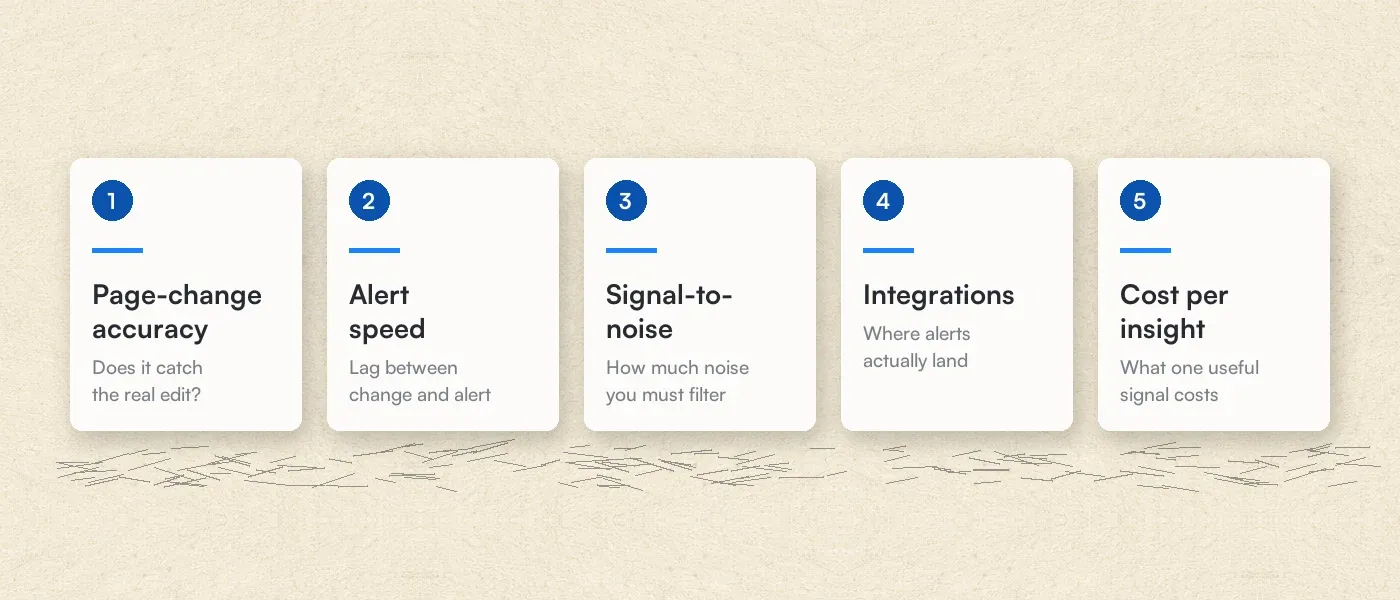 Suggested pilot questions. This graphic is not a set of measured product scores.
How the 10 tools compare
| Tool | Useful evidence | Evaluate before buying |
|---|---|---|
| Visualping | Changes captured from selected web pages | Preview coverage, check allowance, importance settings and delivery channels |
| Semrush | Search rankings, keyword research and AI-search visibility | Which toolkit, tracked sites and prompts your plan includes |
| Ahrefs | Backlinks, keywords, rankings and site research | Project limits, credits and separate AI content add-ons |
| Similarweb | Modeled traffic and market research | Data coverage for your sites, countries and requested history |
| SpyFu | SEO and paid-search competitor research | Results limits, historical-data access and AI package |
| Sprout Social | Social publishing, reporting and competitor insights | Per-seat price, Professional reporting and Listening add-on |
| BuzzSumo | Content research and mention alerts | Alert allowance and research modules |
| Brandwatch | Social and consumer research | Contracted sources, modules and reporting needs |
| Klue | Competitive content and sales enablement | Required integrations, modules and ownership of battlecards |
| Google Alerts | New matching Google Search results | Query relevance and whether the sources you need appear |
What Is AI Competitive Analysis?
AI competitive analysis uses AI to help organize, summarize or interpret evidence about competitors. Collection may come from scheduled page checks, search databases, social listening or material your team supplies. The collection method determines what the analysis can see.
Useful tasks include summarizing an observed page change, extracting differences from published feature descriptions, grouping related mentions and drafting a battlecard update. Keep the source, observation date and interpretation separate. A changed page is evidence of an edit; a strategic explanation remains a hypothesis until corroborated.
Where General-Purpose AI Assistants Fit in Competitor Analysis
A general-purpose AI assistant can help you compare source material and draft questions for further research. Its access to web search, connected services, scheduled tasks and saved history depends on the product, plan and configuration.
Before relying on an assistant or a dedicated CI tool, check the same things:
| Question | What to verify |
|---|---|
| Where did the answer come from? | Open the cited source and confirm the claim, date and scope |
| What runs automatically? | Check the configured schedule, permissions and usage limits |
| Is an earlier version available? | Confirm that the required capture or source history was actually saved |
| How will the team receive it? | Test the enabled channel and any plan requirements |
| Can the summary be trusted? | Compare consequential statements with the underlying evidence |
Use an assistant to interpret evidence you can inspect. Use a monitoring workflow when you need repeated collection from specified sources. Neither removes the need to verify a consequential conclusion.
10 Tools for AI-Assisted Competitor Analysis in 2026
The entries below distinguish AI capabilities from the research and monitoring features that supply their evidence.
Visualping: AI-Powered Website Change Detection and Monitoring
Visualping checks selected web pages on a schedule and summarizes detected changes. For competitor monitoring, start with a pricing, product or news page and confirm that the preview contains the information you need.
Key features:
- AI Mode is the default. It evaluates captured page content; CSS-only styling changes do not trigger AI Mode alerts.
- Optional area selection focuses importance assessment and alerts on one rectangular region; changes elsewhere on the page can still appear in the change list. An optional Alert me when prompt guides the Important classification.
- To restrict notifications to changes matching that condition, confirm that Alert me only when the AI condition is met and your chosen channels are enabled.
- Email alerts, webhooks and API access are available on all plans. SMS starts with Personal 5K; native Slack, Microsoft Teams and Google Sheets require Business.
- Email change alerts include a summary, text changes and current/previous images to review.
Pricing and capacity:
| Plan | Price | Active monitors / monthly checks | Fastest cloud interval |
|---|---|---|---|
| Free | $0 | 5 / 150 | 60 minutes |
| Personal 1K | $14/month billed monthly, or $120/year | 10 / 1,000 | 15 minutes |
| Personal 5K | $35/month billed monthly, or $300/year | 20 / 5,000 | 5 minutes |
| Personal 10K | $70/month billed monthly, or $600/year | 40 / 10,000 | 2 minutes |
| Business 20K | $140/month billed monthly, or $1,200/year | 200 / 20,000 | 2 minutes |
| Solutions | From $3,000/year | Custom volumes and dedicated service | Confirm the configuration |
Five monitors checked once daily require 150 checks over 30 days and 155 over 31 days. Failed checks also consume the allowance. Monitoring pauses when the allowance is exhausted until reset or upgrade. Faster intervals require a larger check budget.
The Business trial lasts 14 days with no credit card required. Free is a separate ongoing option with its own limits. See current plan details before choosing capacity.
Best for: Checking specified competitor pages for changes and reviewing the supporting captures.
Where it falls short: Access restrictions and failed checks can limit coverage. When an area is selected, importance and alerts focus on that region. A short-lived change between checks may be missed. A summary describes observed content; an analyst still needs to verify explanations about strategy, funding or hiring. Pair page monitoring with search or social research when you need those datasets.
Learn more about Visualping's capabilities:
- Complete Competitive Intelligence Guide
- How to Monitor Website Content Changes
- Competitor Price Tracking Strategies
- Free Competitor Analysis Tools
- Top Competitor Tracking Tools
- Best Free Page Monitoring Agents
Semrush: SEO and Competitive Research Platform
Semrush combines keyword research, competitor research, rank tracking and site audits. Its SEO + AI Search bundles add AI-search visibility and prompt tracking. Check the toolkit before comparing prices: a bundle does not automatically include every Semrush product.
| Plan | Monthly billing | Main scope |
|---|---|---|
| SEO | $139/month | 5 websites and 500 daily tracked keywords |
| Starter, SEO + AI Search | $199/month | SEO research plus 50 daily tracked prompts |
| Pro+, SEO + AI Search | $299/month | 15 websites, 1,500 daily tracked keywords and 100 daily tracked prompts |
| Advanced | Custom quote | Expanded limits and enterprise requirements |
Annual billing is also offered. Pro+ includes historical SEO data, content optimization, keyword cannibalization analysis and multi-location/device tracking. Treat AI visibility tracking as its own measurement task: visibility in tracked prompts is different from visits referred by an AI service.
Best for: Teams comparing competitors' search presence and planning keyword research. Confirm separate toolkit and user costs for your intended workflow.
Ahrefs: Backlink Analysis and SEO Intelligence
Ahrefs offers Site Explorer, Keywords Explorer, Site Audit and Rank Tracker. These help investigate backlink profiles, search queries and site performance.
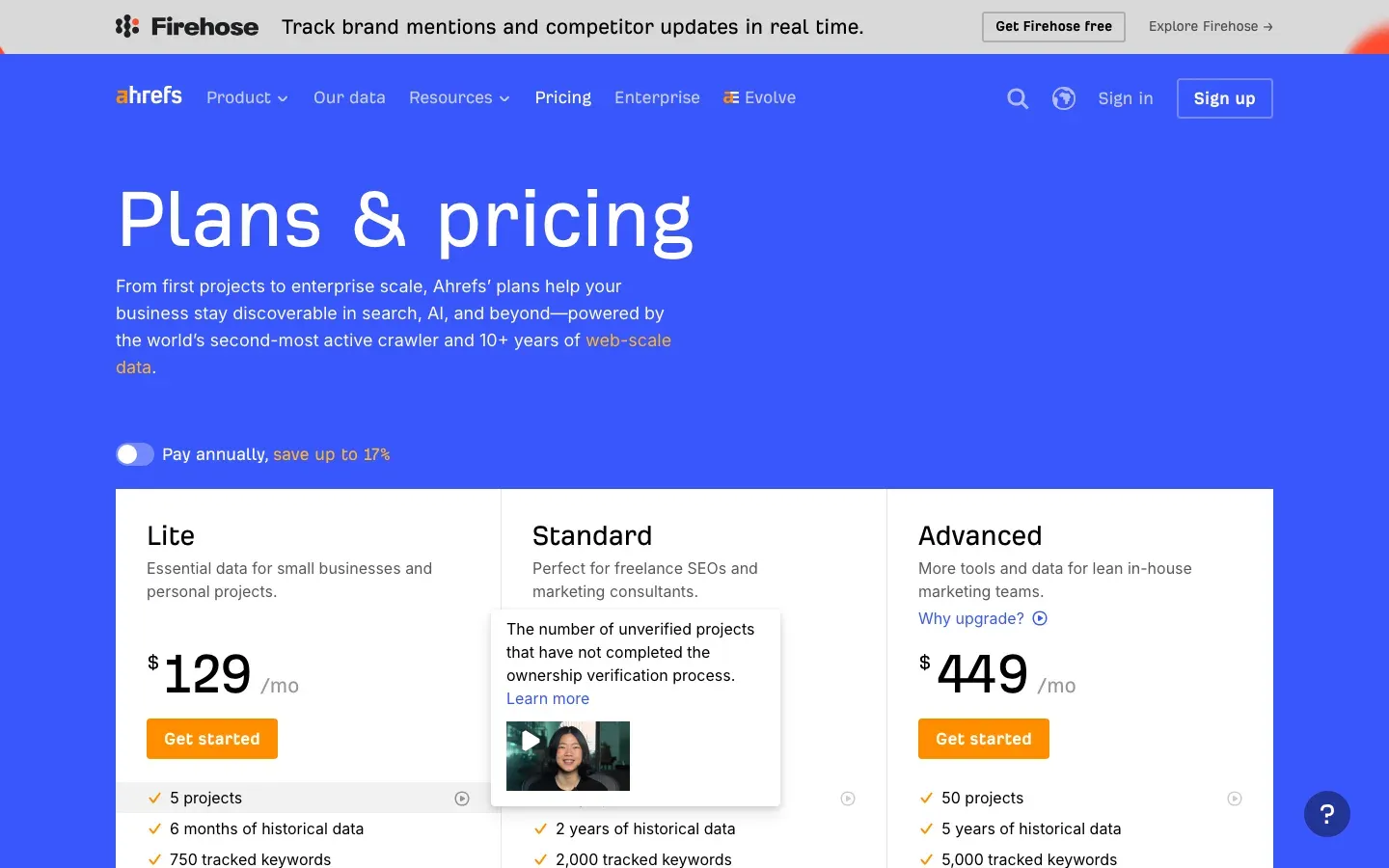 Ahrefs pricing-page excerpt. The tooltip describes non-verified project limits.
| Plan | Price | Selected limits |
|---|---|---|
| Starter | $29/month | Limited entry plan |
| Lite | $129/month | 5 non-verified projects; 750 tracked keywords |
| Standard | $249/month | 20 non-verified projects; 2,000 tracked keywords |
| Advanced | $449/month | 50 non-verified projects; 5,000 tracked keywords |
| Enterprise | From $1,499/month with an annual commitment | Custom requirements |
Lite has a credit allowance; Standard and Advanced list unlimited credits. Other limits still apply. Content Explorer starts with Standard. AI Content Helper and Content Grader are part of the separate Content Kit add-on, starting at $99/month. Ahrefs also lists limited free AI Content Helper access without website verification.
Best for: Teams researching backlinks and organic search. Compare the plan's projects, history and add-ons with the specific work you need.
Similarweb: Website Traffic and Market Intelligence
Similarweb provides modeled website traffic and market intelligence. Use it to compare traffic patterns and channels, while checking coverage for your target sites and countries.
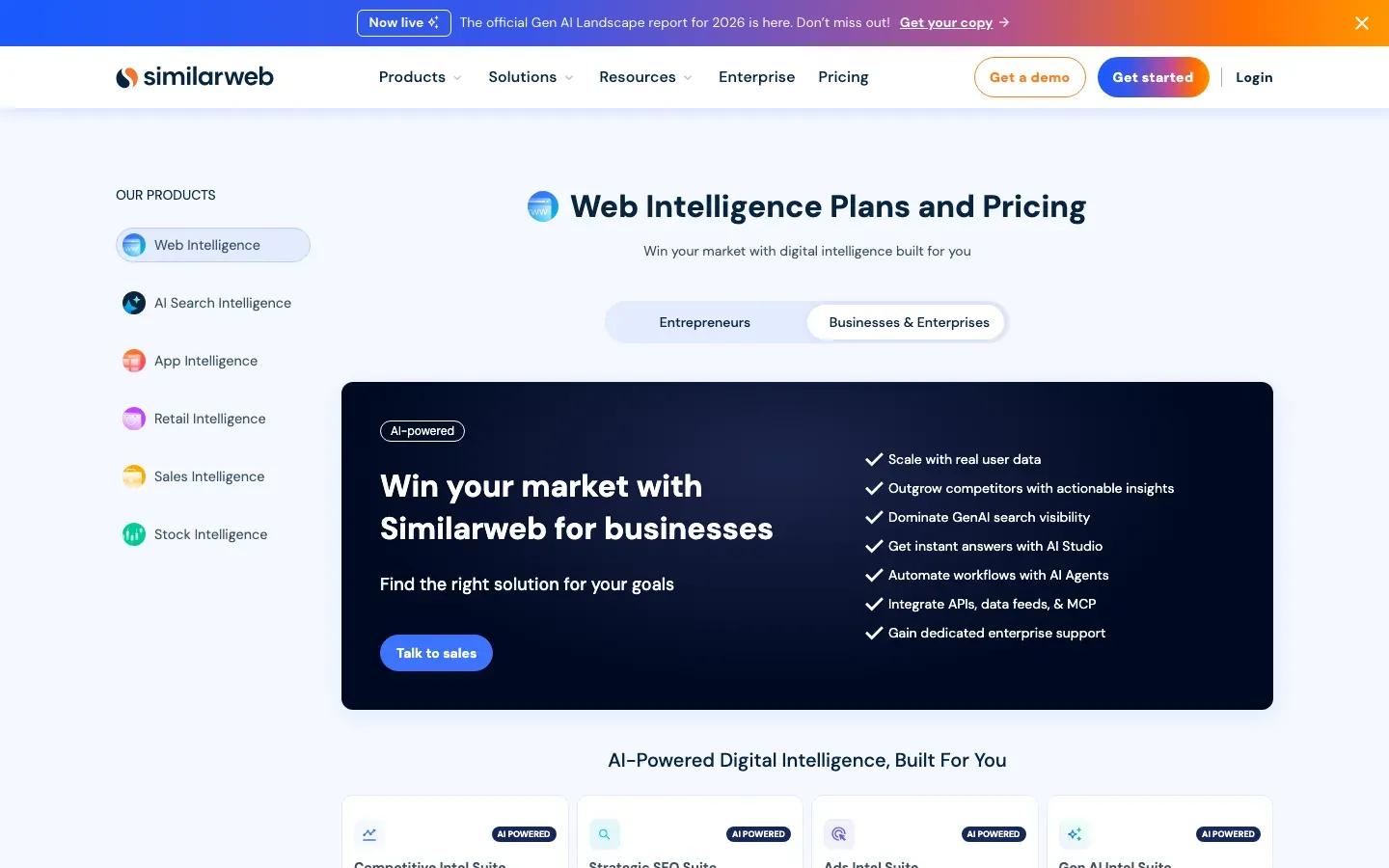 Similarweb Web Intelligence page, presenting a sales-led business offering.
Its AI Chatbot Traffic feature measures referral visits from AI services, with chatbot and landing-page breakdowns. This is different from whether a brand is mentioned or cited in an AI answer. Similarweb also offers separate AI Search Intelligence capabilities.
Pricing: Similarweb provides free research tools and paid packages. Confirm the current package, data access and quote.
Best for: Comparing modeled traffic and market patterns. Estimates are not a competitor's first-party analytics. Check whether sufficient data exists for the sites you care about before committing.
SpyFu: Affordable SEO and PPC Intelligence
SpyFu focuses on competitor keyword, organic-search and paid-search research. Its Pro + AI package includes RivalFlow content recommendations and an AI integration.
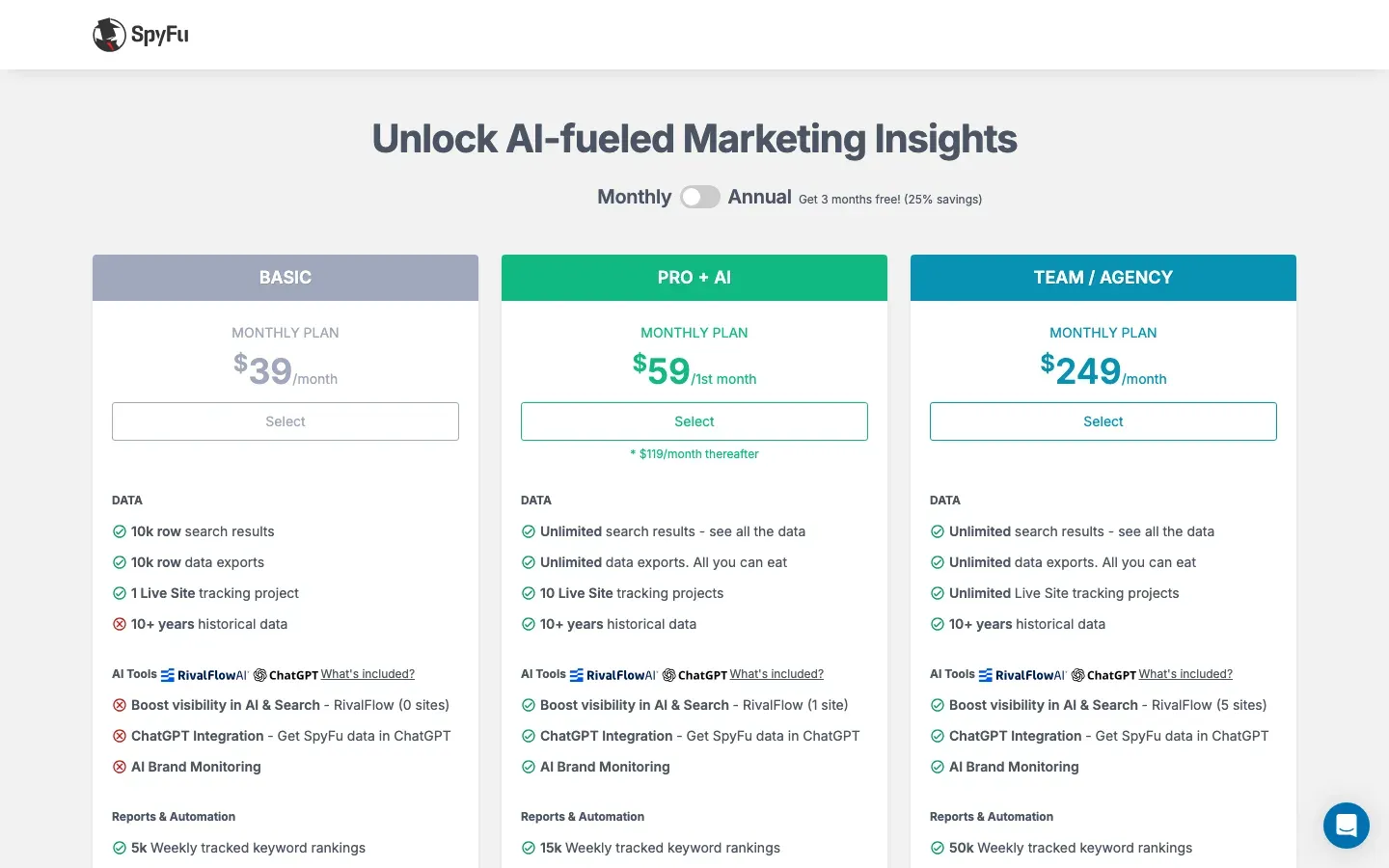 The Pro + AI card shows a first-month promotion; its regular monthly price is higher.
| Plan | Regular monthly billing | Annual-billing monthly equivalent |
|---|---|---|
| Basic | $39 | $29 |
| Pro + AI | $119 | $89 |
| Team / Agency | $249 | $187 |
The current Pro + AI monthly offer starts at $59 for the first month, then $119/month. Basic limits search results and exports to 10,000 rows. Pro + AI includes RivalFlow for one site; Team includes it for five sites. Confirm historical-data access for the chosen plan.
Best for: Focused SEO and PPC competitor research. Keep search-database evidence separate from direct observation of a competitor's page changes.
Sprout Social: Social Media Competitive Analysis and Management
Sprout Social combines publishing, engagement and social reporting. Its competitor-reporting and AI features have different plan gates.
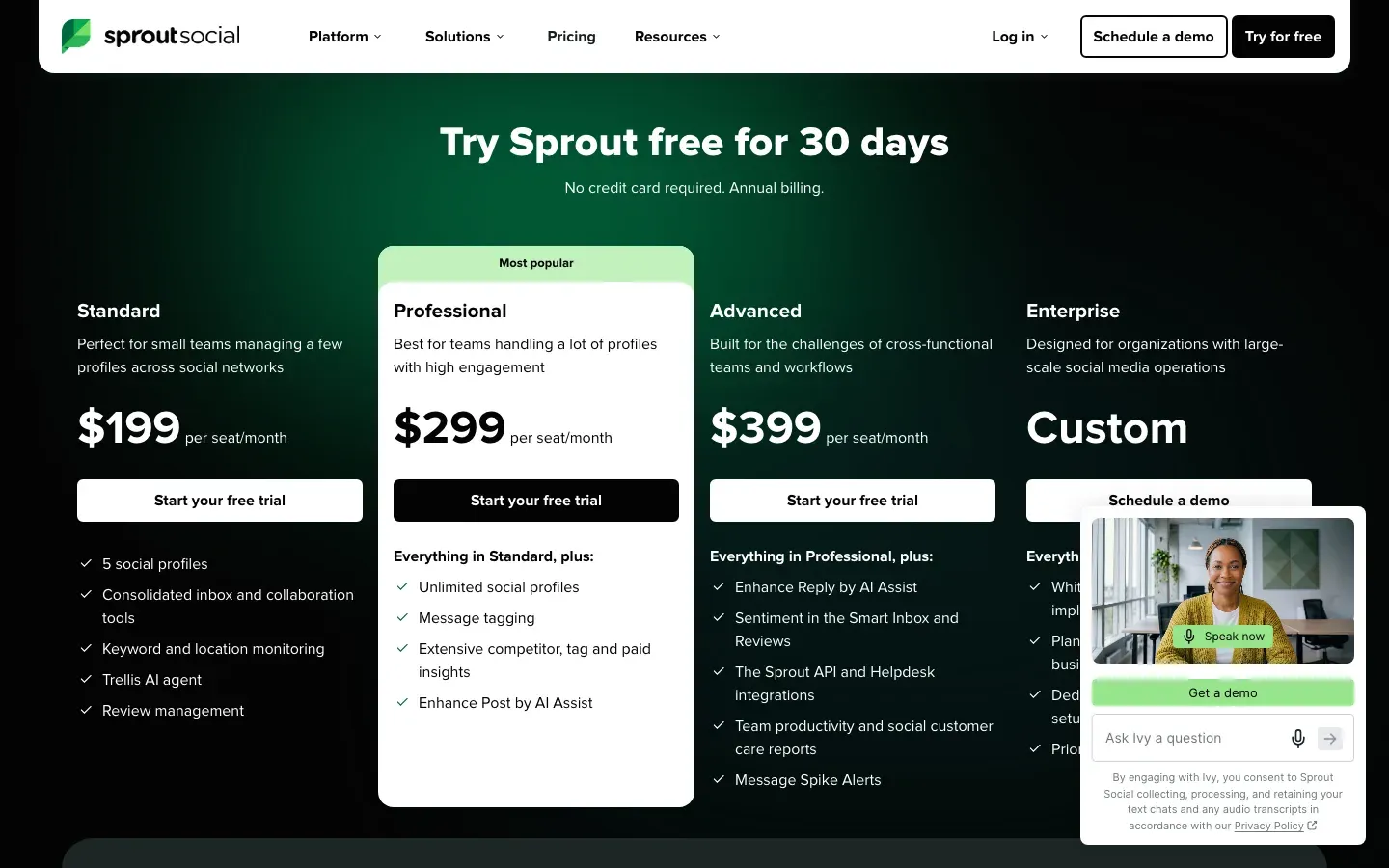 Partial pricing-page view. The Essentials plan is not shown in this excerpt.
| Plan | Per-seat monthly equivalent, billed annually |
|---|---|
| Essentials | $79 |
| Standard | $199 |
| Professional | $299 |
| Advanced | $399 |
| Enterprise | Custom quote |
Essentials is also $99/seat/month when billed monthly. Professional adds extensive competitor, tag and paid insights and Enhance Post by AI Assist. Advanced adds reply assistance and sentiment in the Smart Inbox and Reviews. Trellis AI is included across plans with a credit allowance.
Listening and Premium Analytics are separate add-ons available from Standard. Listening includes AI-assisted categories, sentiment and filtering. Confirm the networks and metrics supported by the report you need. Sprout offers a 30-day trial with no credit card required.
Best for: Teams managing social channels alongside competitor reporting. Budget for seats and required add-ons together.
BuzzSumo: Content Research and Media Monitoring
BuzzSumo supports content research and mention monitoring. Content Analyzer searches by topic, URL or domain; Trending Feeds and Question Analyzer help research topics. Use them to investigate published content and questions.
| Plan | Monthly equivalent, billed annually | Users / alerts |
|---|---|---|
| Content Creation | $199 | 1 / 2 |
| PR & Comms | $299 | 5 / 5 |
| Suite | $499 | 10 / 10 |
| Enterprise | $999 | 30 / 50 |
PR & Comms adds media database and outreach features, Coverage Reports and Slack integration. Suite adds YouTube Analyzer. The published offer includes a 30-day trial without a credit card.
Best for: Content and PR teams researching published material and mentions. Check the sources and alert allowance against your watchlist.
Brandwatch: Enterprise Social Listening and Consumer Intelligence
Brandwatch offers Consumer Intelligence, Social Media Management and Influencer Marketing products. Its Consumer Intelligence package supports audience and conversation segmentation, dashboards, automated reports and alerts.
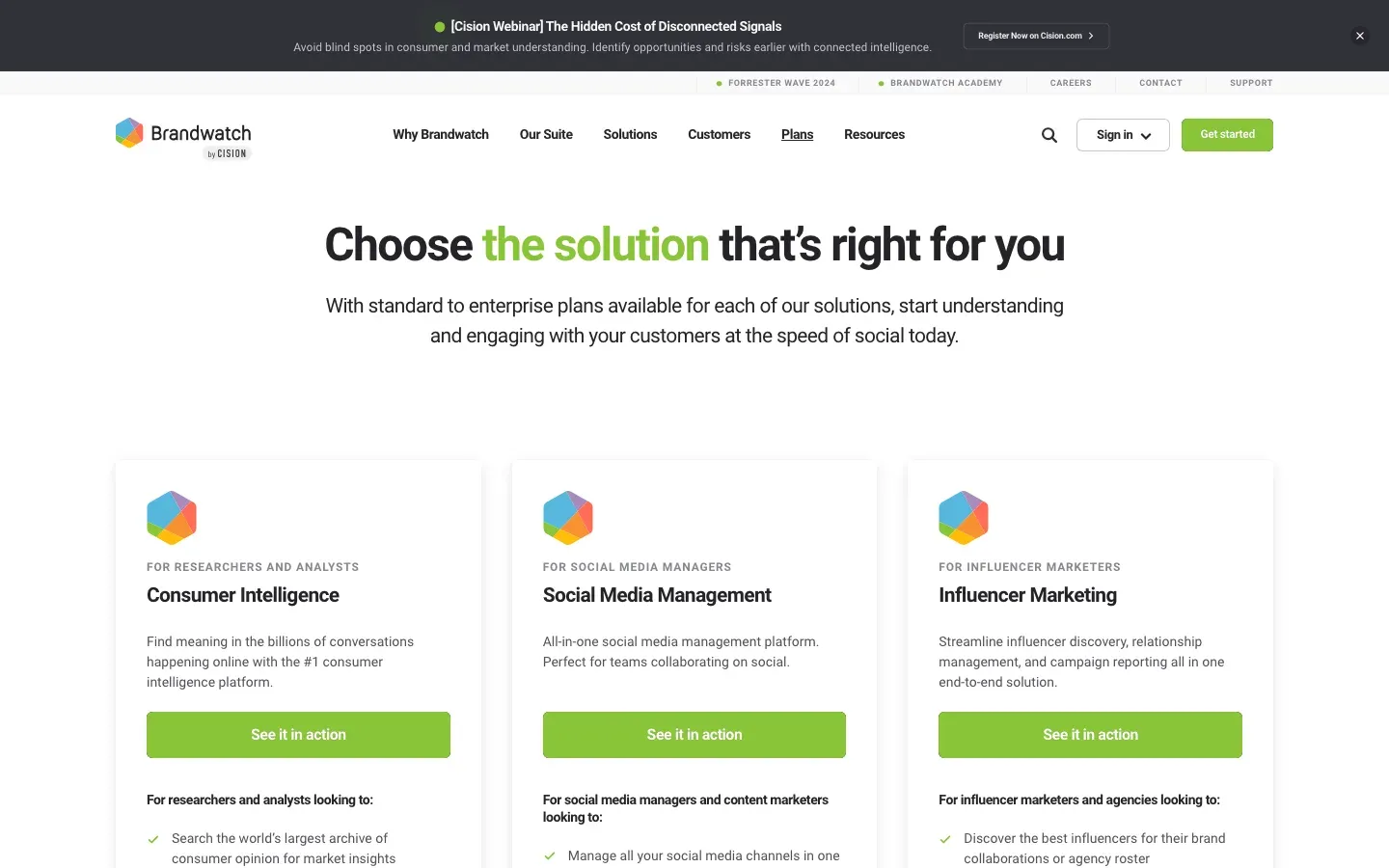 Brandwatch presents separate products for research, social management and influencer marketing.
Iris AI supports conversational exploration, query writing and summaries of themes and competitor social posts. Confirm which capabilities and data sources are included in the proposed contract.
Pricing: Contact sales for a quote. The official plans page does not publish a dollar starting price.
Best for: Teams that need social and consumer research across a defined set of sources. Test source coverage, query quality and reporting against your own requirements.
Klue: AI-Powered Competitive Enablement for Sales Teams
Klue combines competitive intelligence with sales enablement. Its Compete Agent collects, curates and shares intelligence; Auto Insights supports competitive research and deal-specific content. Battlecards give teams a place to maintain positioning and supporting evidence.
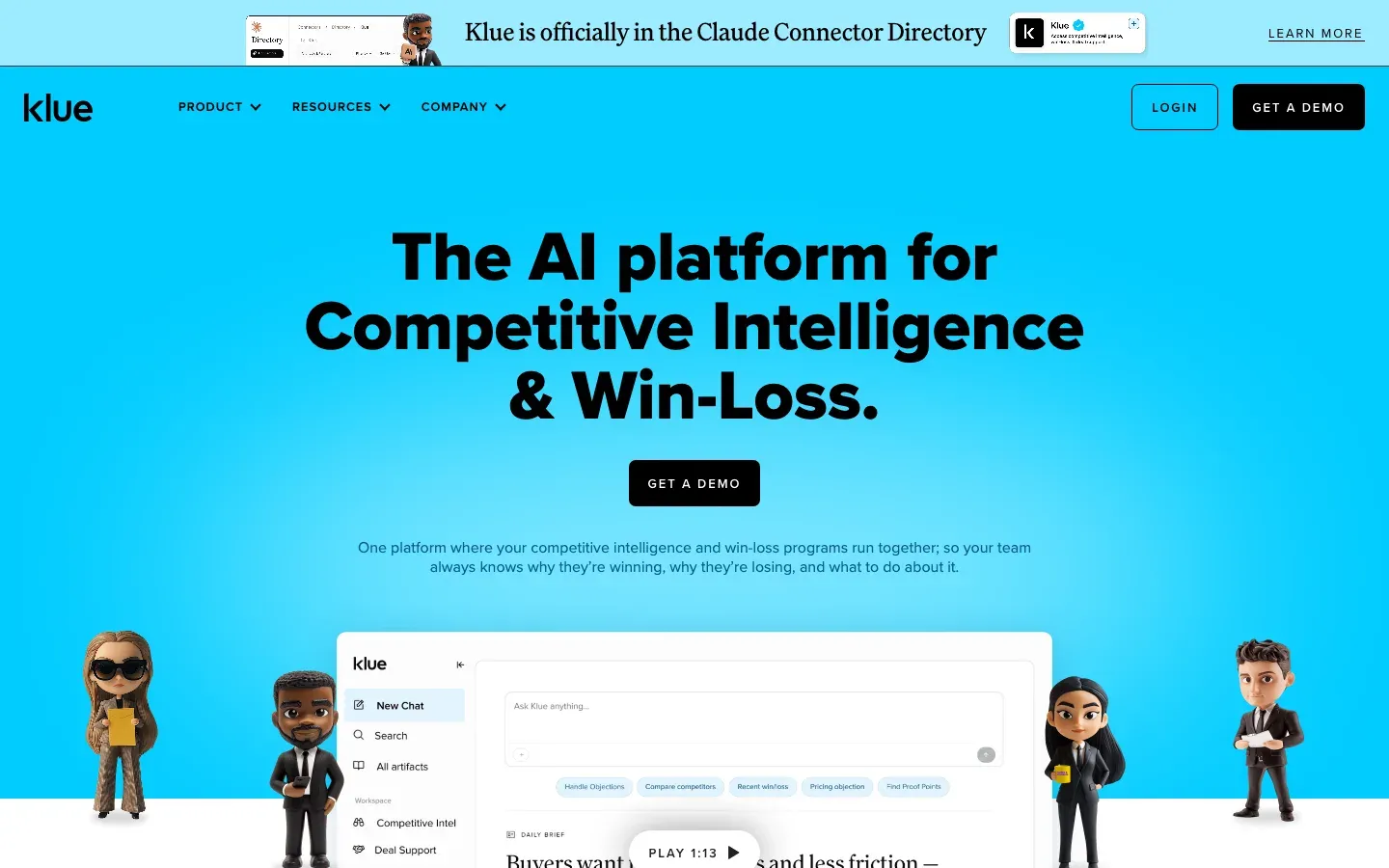 Klue homepage excerpt.
Klue also offers win-loss research, including interviews and analysis of CRM data and call recordings. Its integration directory lists Salesforce, Highspot, Seismic and Slack for accessing content, plus Teams and Gong among tools used to contribute intelligence. Check the integration's function and required modules during procurement.
Pricing: Custom quote. Confirm the required modules and user access in the quote.
Best for: Product marketing and sales-enablement teams maintaining competitive content. Assign an owner to review AI drafts, preserve sources and update battlecards. Adoption and revenue effects need separate measurement.
Google Alerts: Free Foundation for Competitive Monitoring
Google Alerts emails you when it finds new Google Search results matching a topic. It is a useful complement to this guide's AI tools, with a different collection method from a monitor checking a specified URL.
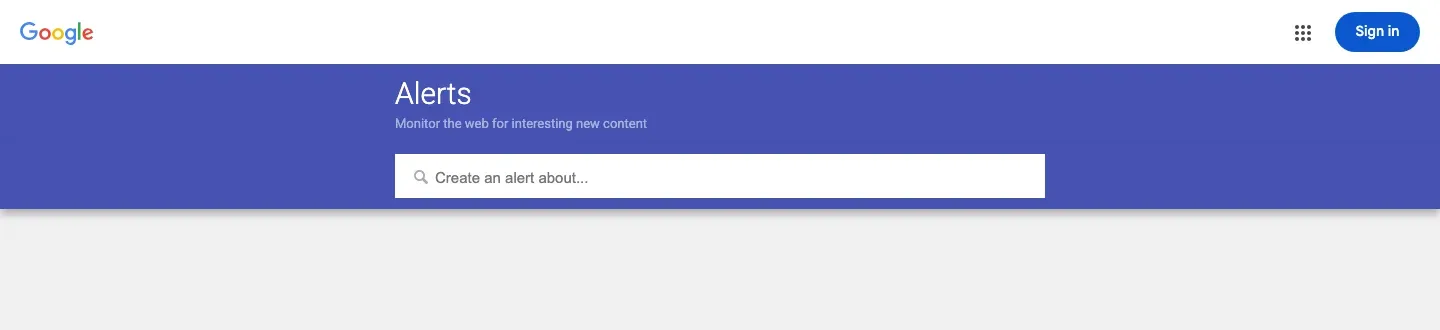 Google Alerts topic-entry screen.
Enter a topic, open Show options, and choose notification frequency, source type, language, region, result volume and destination account, then select Create Alert. Google then emails matching results it finds.
Pricing: Free.
Best for: Following names, topics and mentions that appear in Google Search. Matching results can include product or pricing information, but an alert does not establish that every edit to a target page was checked.
For repeated checks of a particular URL, consider dedicated page monitoring tools.
Tool Selection Decision Matrix
AI capabilities at a glance
| Tool | Documented capability or complementary role |
|---|---|
| Visualping | Change summaries and Important classification, guided by an optional prompt |
| Semrush | AI-search visibility and tracked prompts in SEO + AI Search bundles |
| Ahrefs | AI Content Helper and Grader in Content Kit; limited free Helper access is also listed |
| Similarweb | AI-service referral analysis and separate AI-search intelligence |
| SpyFu | RivalFlow content recommendations in Pro + AI and Team packages |
| Sprout Social | Trellis AI, plus plan-specific writing, sentiment and Listening features |
| BuzzSumo | Content research and mention monitoring to inform analysis |
| Brandwatch | Iris query assistance and summaries of conversation themes and social posts |
| Klue | Compete Agent and Auto Insights for competitive research and sales content |
| Google Alerts | Matching new Google Search results; complementary to AI analysis |
Compare the collection method, plan gate and source evidence before comparing AI labels. A feature being available does not establish its accuracy on your sources.
Recommendations by Business Type
Individuals and small teams: Start with the decision you need to make. A limited page watchlist and Google Alerts may be enough for a pilot. Add a paid search-research tool when you need its dataset.
Marketing teams: Choose search, content or social research based on the channels you manage. Count seats, add-ons and annual commitments before combining subscriptions.
Sales-enablement teams: Evaluate how competitive evidence reaches reps and who maintains the content. A battlecard workflow needs a review owner as well as integrations.
E-commerce businesses: Separate price monitoring, traffic research and PPC analysis. Each answers a different question.
How to Build an Effective AI-Powered Competitor Analysis Strategy
Define what you need to know, choose a source for it, and assign someone to review and distribute the evidence. The steps below are a planning framework, not measured performance benchmarks.
Step 1: Define Your Competitive Intelligence Objectives
Identify specific intelligence requirements before selecting tools:
Product Intelligence
- Feature changes and new product launches
- Pricing strategy shifts
- Product positioning and messaging
Marketing Intelligence
- Content strategy and publishing cadence
- SEO and keyword targeting changes
- Paid advertising strategies and spend
Sales Intelligence
- Competitive win/loss patterns
- Sales messaging and objection handling
- Market positioning claims
Strategic Intelligence
- Hiring patterns and organizational changes
- Partnership and integration announcements
- Funding and financial developments
Step 2: Map Tools to Intelligence Needs
| Intelligence need | Tools to evaluate | Source check |
|---|---|---|
| Website changes | Visualping | Review the page preview and saved changes |
| SEO and keywords | Semrush, Ahrefs, SpyFu | Check country, date, metric definition and plan coverage |
| Traffic trends | Similarweb | Inspect modeled data coverage for the target site |
| Social activity | Sprout Social, Brandwatch | Confirm supported networks and contracted sources |
| Published content | BuzzSumo | Confirm the source and date behind a reported result |
| Sales enablement | Klue | Keep battlecards linked to current evidence |
| Search-result mentions | Google Alerts | Open the matching result and verify the claim |
Step 3: Establish Monitoring Cadences
Choose a schedule based on the cost of a missed change, your review capacity and the tool's allowance. The following arithmetic illustrates scheduled demand; it does not predict actual execution or successful captures.
| Schedule for one monitor | Checks over 30 days |
|---|---|
| Once daily | 30 |
| Four times daily, or every six hours | 120 |
| Once hourly | 720 |
Multiply by the number of monitors and account for the billing period's length, additional checks and failures. Review whether faster checks produce information you can act on. Database refresh schedules and alert-delivery schedules may differ from page-check intervals.
Step 4: Create Intelligence Distribution Workflows
Product teams: Route relevant page changes to a review owner. Visualping's native Slack and Teams integrations require Business. Webhooks are available on all plans. Confirm the channel and only-important notification setting if you want filtered delivery. See our guide to AI-powered product management tools for adjacent workflows.
Marketing teams: Combine source-backed search, content and messaging observations into a digest at a cadence your team can review.
Sales teams: Update battlecards after checking the source and deciding whether the change affects current positioning.
Executive leadership: Summarize verified developments, unresolved questions and proposed actions. Keep speculation visibly separate from observed changes.
Step 5: Measure Intelligence Program Effectiveness
| Metric | Define before measuring |
|---|---|
| Competitive win rate | Which closed opportunities qualify, and whether the result is a percentage-point or relative change |
| Time to review and response | Separate observation time, delivery time, human review and action |
| Source coverage | The required source list, successful captures and known gaps |
| Team usefulness | Who responded, the question asked and the response rate |
Set targets against your own baseline. A change in win rate does not by itself show that a CI tool caused it.
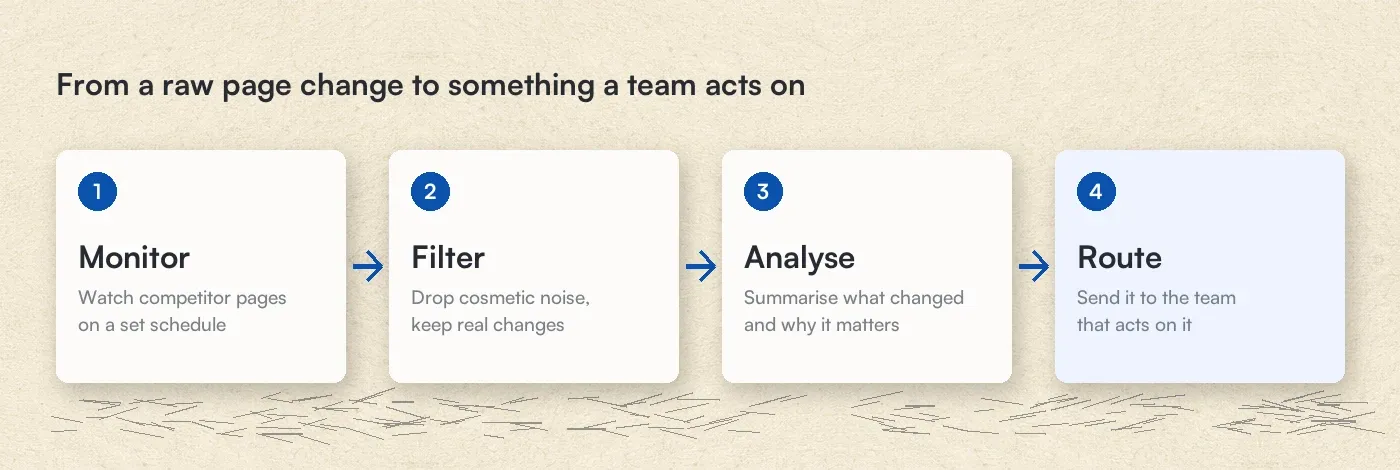 A workflow to configure and test, with human review of the source evidence.
Ready to start? Create a Visualping account, check the preview of your first page, and confirm the schedule and notification settings before adding more monitors.
Frequently Asked Questions
What is the difference between traditional and AI-powered competitor analysis tools?
Automation can collect data without AI. AI adds capabilities such as summarization and classification. For example, Visualping's AI can summarize a detected page change and assess its importance. You still need to verify the source, capture coverage and interpretation.
How do I use AI to do competitor analysis?
- Choose the specific sources that answer your question.
- Confirm that the tool can access and collect the relevant content.
- Set a schedule and budget, then define the changes that matter.
- Check summaries against the evidence and route useful findings to an owner.
In Visualping, an Alert me when prompt guides Important classification. To limit delivery to matching changes, confirm the only-important notification setting and enabled channels. Treat strategy explanations as hypotheses to investigate.
How accurate are AI-based competitor monitoring tools?
Accuracy depends on what you are measuring. A traffic estimate, a captured page change and an AI summary need different tests. Use a known set of source changes to assess missed events and irrelevant alerts. Compare consequential statements with the underlying source. This guide does not provide a measured accuracy ranking.
Can AI competitor analysis tools access password-protected websites?
Visualping supports Actions that can log in, click, type or scroll before a check. Use pages you are authorized to access, and confirm that the intended content appears in the preview. Authentication flows, bot protection or expiring sessions can prevent a successful capture. Other tools have their own access and collection limits.
How much should I budget for AI competitor analysis tools?
Price the workflow: active monitors, check frequency, seats, datasets, add-ons and billing commitment. Use the plan tables above as a starting point, then obtain a quote where pricing is custom. A company-size label alone does not establish the right budget. Annual-billing monthly equivalents are not month-to-month prices.
What should I monitor on competitor websites?
Useful candidates for competitor website analysis include:
- Pricing pages: Published prices, offers and packaging.
- Product pages: Feature descriptions and deprecation notices.
- Homepages: Positioning and campaign messaging.
- Careers pages: Posted roles and locations, without assuming filled positions or strategic intent.
- Newsrooms: Announcements to corroborate with their underlying sources.
- Customer pages: Published logos, case studies and testimonials.
- Landing pages: The version actually captured, which may vary by visitor or location.
Confirm the region and page state you are monitoring, especially when prices or content vary by session.
How do I choose between Semrush and Ahrefs?
Test the research tasks you need on the domains you care about. Compare keyword and backlink coverage, tracked projects, historical data, reports and add-ons. Semrush separates toolkits and offers SEO + AI Search bundles. Ahrefs separates its core plans from the Content Kit add-on. A price comparison should use the required features and the same billing commitment.
Can I use free tools for effective competitor analysis?
You can run a limited pilot with Visualping Free and Google Alerts. Visualping has 5 active monitor slots and 150 monthly checks; Google Alerts follows matching new Search results. Semrush offers a limited free account, and Similarweb provides free research tools. Ahrefs Free's Site Explorer and Site Audit access require website verification; other free tools have their own limits. Confirm each tool's current limits and coverage before building a workflow around it.
How quickly should I respond to competitor changes?
Set a response policy based on the decision at risk. Verify a price or product claim before changing your own messaging. Assign an owner for urgent items and a review cadence for lower-priority updates. A delivered alert does not prove someone saw or acted on it. Test your routing and escalation process.
Getting Started with AI-Powered Competitor Analysis
Start with a question your team needs to answer, collect a baseline and review subsequent observations. Keep an evidence log with source URLs, dates, known gaps and the decisions that followed.
The First 30 Days, Week by Week
This is an example rollout plan, not a promised time to results.
Week 1: Foundation
- Choose a small set of competitor sources within your plan limits.
- Set up a Visualping account, inspect previews and configure notifications.
- Create Google Alerts for relevant names and terms.
- Record the initial source state and your questions.
Week 2: Research
- Evaluate the search, content or social research you actually need.
- Confirm pricing and available evaluation options before subscribing.
- Assign review owners and distribution channels.
Week 3: Refinement
- Review irrelevant alerts, missed content and capture failures.
- Adjust prompts, selected areas and schedules.
- Check remaining monitor capacity and check allowance before expanding.
Week 4: Decision
- Review what the evidence helped your team decide.
- Keep useful sources and remove unnecessary collection.
- Document gaps and choose the next review date.
Start monitoring competitors this week
Choose one competitor page and set up a Visualping monitor. Confirm the preview, check schedule, importance condition and delivery settings. Add further URLs only after checking the monitor capacity and monthly check budget.
Additional Resources
From Visualping
- Complete Guide to Competitive Marketing Intelligence
- Top Competitor Tracking Tools Compared
- Best Free Page Monitoring Agents
- How to Monitor Competitor Pricing Effectively
- Competitor Website Analysis Tools Guide
- Building a Competitive Analysis Arsenal
- Carefully Monitor Competitors: Best Practices
- Spy on Competitors' Websites Ethically
- Price Monitoring Tools for E-commerce
- Web Domain Monitoring
External Resources
Pricing and feature details were checked against public vendor sources on October 29, 2026. Confirm the selected plan, billing commitment and add-ons before subscribing.
Related Articles:
Related reading
- MAP Pricing Compliance: Key Strategies for Retail Success
- How to Monitor Executive Leadership Changes
- Monitoring Competitor Facebook and Instagram Ad Libraries: How...
- Best Intent Data Providers for B2B Teams in 2026
- The 4 Types of B2B Intent Data (and the One Most Teams Miss)
- Competitor Monitoring Study
Monitor competitor pages
Choose the source pages you need, verify their previews and receive alerts after relevant changes are detected on scheduled checks.
Eric Do Couto
Eric Do Couto is the Head of Marketing at Visualping. He leads content strategy, growth operations, and brand positioning for website change detection.
More articles by Eric Do Couto