5 Visualping Reports Workflows That Save Hours Weekly
Updated March 10, 2026
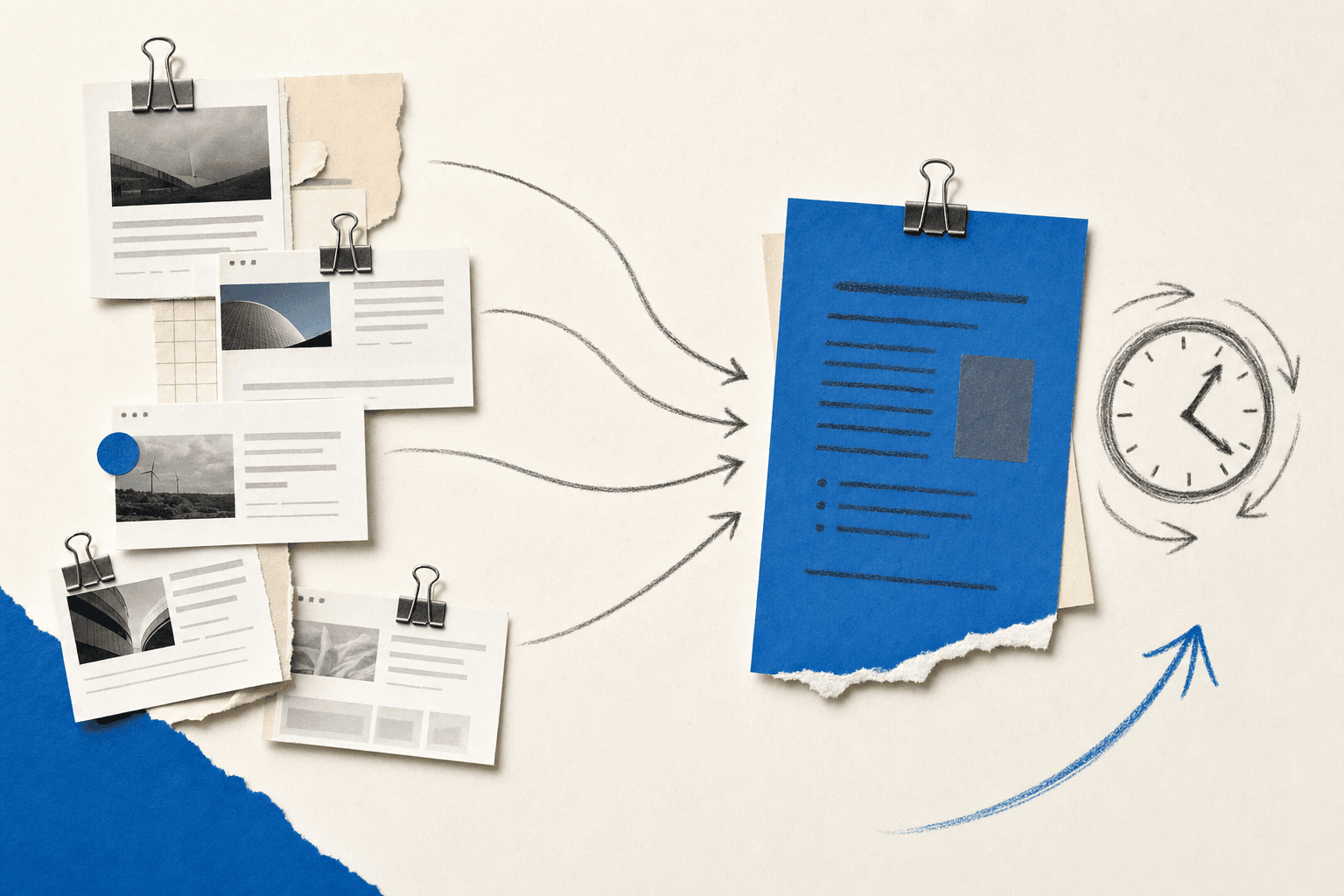
TL;DR: Five ready-to-use Visualping Reports workflows: (1) weekly competitive briefing for leadership, (2) agency client reporting that cuts 9 hrs/week to 3, (3) daily compliance audit trail with timestamped records, (4) e-commerce pricing digest at 8 AM every morning, (5) one-paragraph executive updates delivered on schedule. Each includes recommended settings (filter, cadence, layout, export format).
Visualping Reports consolidates changes detected across your selected monitoring jobs into a single briefing, with AI-generated summaries, visual diffs, and importance flags. You choose which jobs to include before each report. But the feature is only as valuable as the workflow you build around it. Here are five Visualping Reports workflows that deliver ongoing value with zero recurring effort.
The weekly competitive briefing
You track five competitors. You're monitoring their pricing pages, feature pages, homepages, career sections, and blogs. Somewhere between 20 and 30 pages total. Every week, changes trickle in as individual alerts. Someone on the team is supposed to synthesize those into a summary for leadership. In practice, that synthesis happens inconsistently, or not at all.
Here's the Visualping Reports workflow that replaces it.
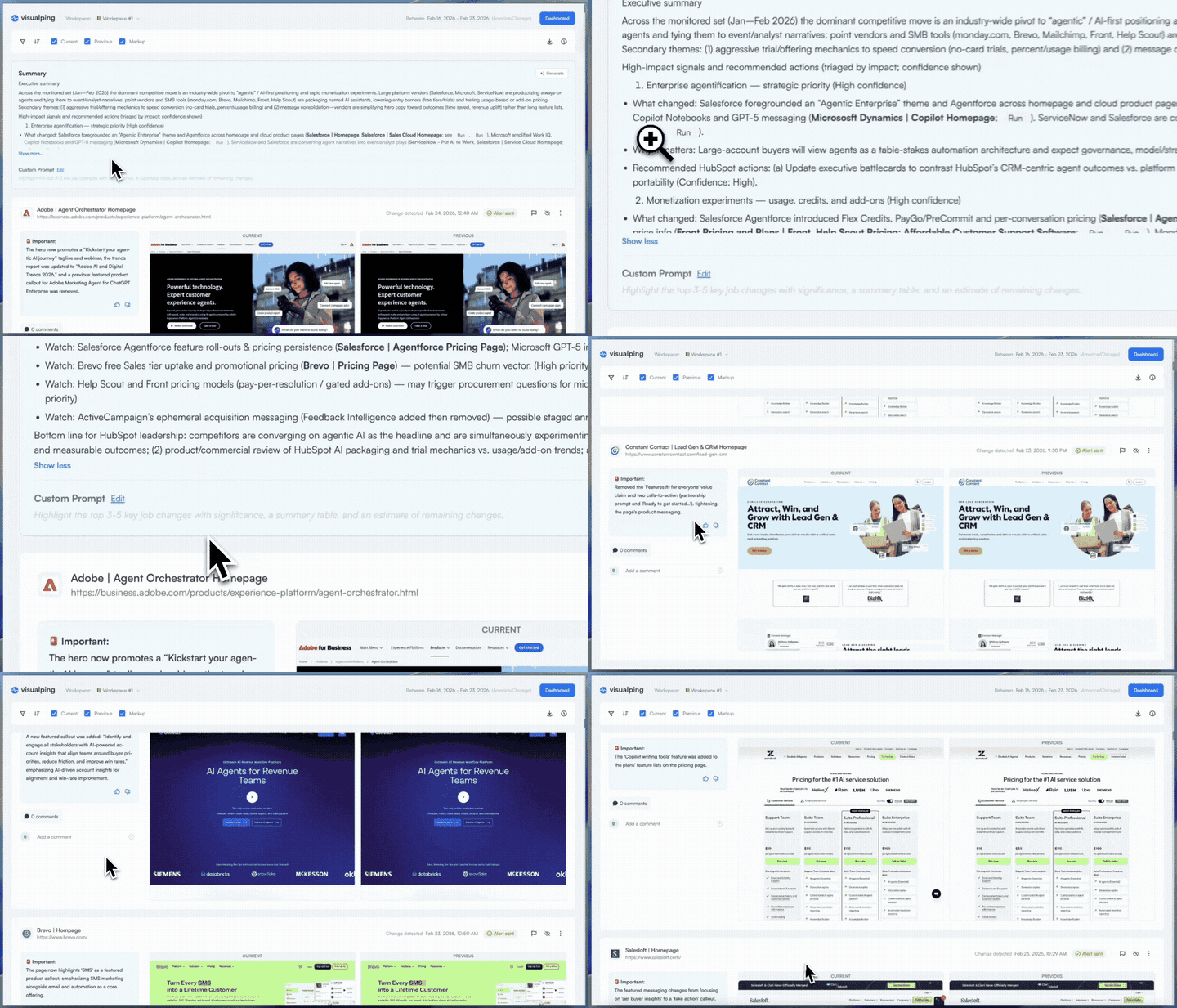
Create a workspace dedicated to competitive monitoring and add monitoring jobs for each competitor's key pages. Select the jobs you want to include, toggle on "Report Summary & Analysis," and schedule a weekly report with the "Important Changes" filter. The AI surfaces the changes that matter and filters out minor copy tweaks, footer updates, and other noise.
What arrives in every workspace member's inbox is a single briefing. At the top, an AI-generated summary highlights the most significant competitive moves across all monitored pages: a pricing page update from Competitor A, a new feature announcement from Competitor B, a careers page expansion suggesting a hiring push at Competitor C. Below the summary, each detected change gets its own entry with an importance flag, an AI-written description, and a visual diff.
When your product marketer spots a pricing shift in the report, they can flag it and add a comment right on the change entry: "Competitor A undercut us by 15%, recommend matching by Friday." The discussion happens where the evidence is, not in a Slack thread where the screenshots get lost.
This workflow fits product marketing teams, competitive intelligence analysts, founders, and strategy leads. For a closer look at how Reports fits into the broader CI tool landscape, see our competitive intelligence positioning guide. Anyone who needs to answer "what did our competitors do this week?" gets that answer delivered on schedule, without anyone spending Friday afternoon compiling it.
Agency client reporting
This is the use case where the time savings are easiest to quantify.
Before Reports: An agency monitoring competitive landscapes for 12 clients assigns an analyst to each account. Every Monday, the analyst opens each client's monitoring dashboard, reviews the past week's alerts, screenshots the important changes, pastes them into a Google Slides deck, adds context, and emails it to the client. Per client: about 45 minutes. Total weekly time across all accounts: 9 hours. That's more than a full day per week spent on assembly, not analysis.
After Reports: The agency creates one workspace per client. Each workspace contains the monitoring jobs for that client's competitive landscape. A weekly report is scheduled in each workspace, and the client contacts are added as workspace members. Every Monday at 9 AM, each client receives a complete competitive briefing in their inbox: AI summary at the top, visual diffs below, with no login or training required.
The math: 12 clients. 9 hours per week of manual compilation. Reduced to roughly 15 minutes of review per client (about 3 hours total), just enough time to verify the AI summary and add a personal note before forwarding. The agency saves 6+ hours per week, and clients get their deliverable earlier and more consistently than before. Before forwarding a report, use comments to add agency context: "This pricing change aligns with the Q1 promo cycle we discussed." The client gets intelligence plus your analysis in one view.
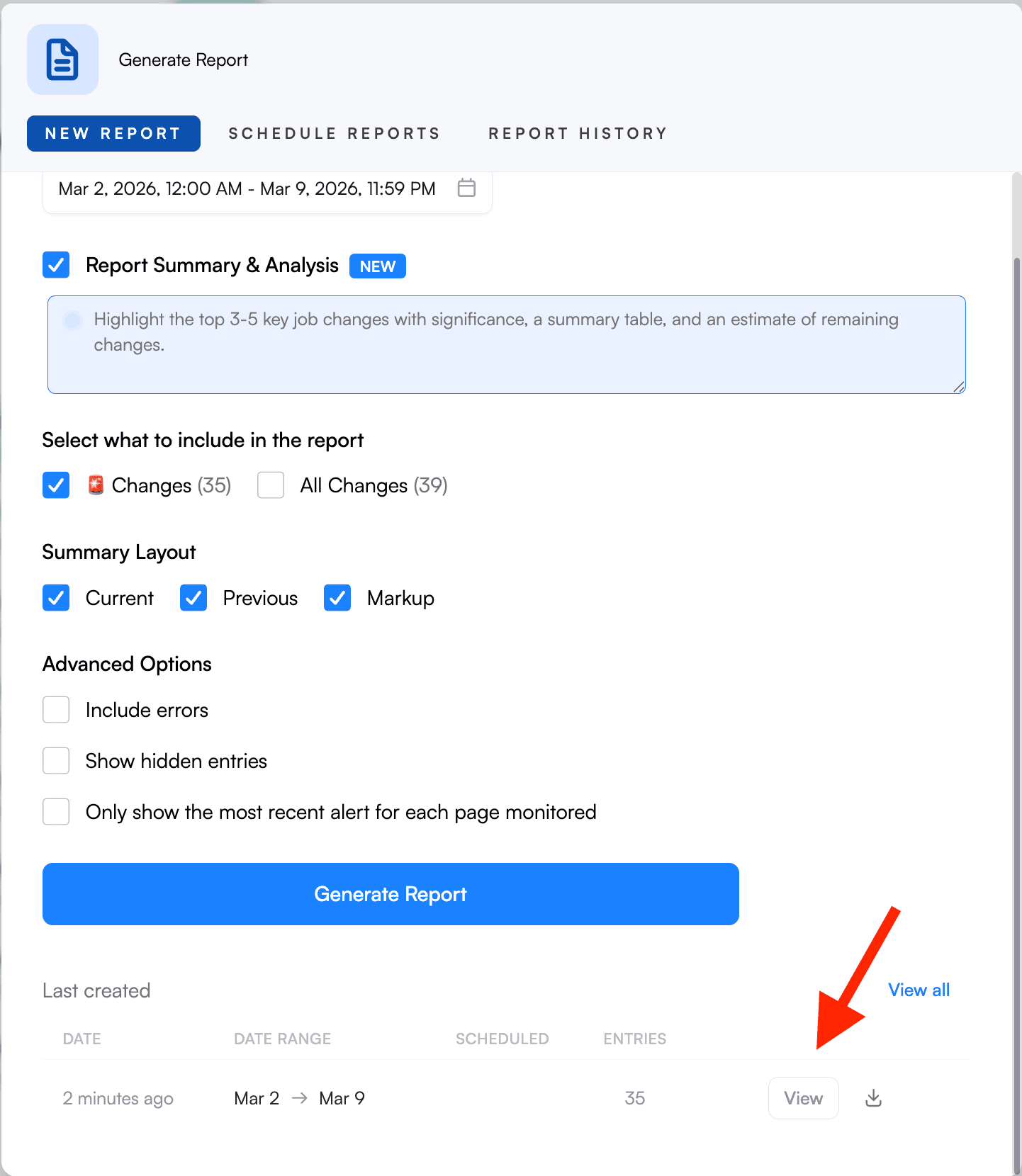
The setup scales linearly. An agency with 15 clients creates 15 workspaces, each with its own scheduled report. New clients get a workspace, existing clients get automatic delivery. The agency's role shifts from manual compilation to curation: making sure the right pages are monitored and the right people are in each workspace. Export to PDF for clients who want a polished attachment. Use the web link for clients who prefer to click through.
Already see a Visualping Reports workflow that fits? Create your first report → Your first briefing takes under two minutes.
Compliance and regulatory change tracking
Missing a competitor's pricing change is a missed opportunity. Missing a regulatory change is a risk event. The difference matters.
Picture the audit scenario: a regulator asks your compliance team, "How did you track changes to this guidance page between March and June?" Without a system of record, the answer is uncomfortable. Searching through hundreds of individual alert emails, hoping nothing was missed, reconstructing a timeline from memory and inbox searches. The compliance officer knows the pages were monitored. Proving it is a different problem.
Now picture the same question with Reports running. The compliance officer opens Report History, selects the custom date range (March 1 through June 30), and exports a timestamped record of every change detected across all 15 monitored regulatory URLs. Each entry includes an AI-generated description of what changed, a visual diff showing exactly what's different, and the detection timestamp. Export to Excel or CSV, and the audit artifact is ready.
The critical difference from the competitive intelligence workflow: compliance needs completeness, not curation. Use the "All Changes" filter instead of "Important Changes." AI filtering is useful when you want to surface signal from noise. In compliance, everything is signal. Schedule daily so every change is documented within 24 hours of detection.
Comments add a decision trail alongside the change trail. When your compliance team reviews each change in the report, they can document the disposition directly on the entry: "Reviewed, no impact to current filing" or "Escalated to legal; guidance language affects our Q2 submission." Auditors see what changed on the monitored pages, plus the record that your team reviewed each change and what they decided. This turns the report from a passive record into active evidence of your review process.
The audit trail isn't something you build after the fact. It builds itself, one daily report at a time. Legal teams, compliance officers, regulatory affairs departments, and risk management professionals get the most value. Any team where proving you tracked changes matters as much as actually tracking them.
E-commerce price and product monitoring
It's 8:02 AM. Your daily report just landed. You open it and the AI summary tells you: one direct competitor dropped their flagship product price by 12% overnight, two competitors added new promotional banners, and a third listed three new products in your category.
You scan the visual diffs to confirm. The pricing change is clear. The Markup view highlights the old and new numbers in the side-by-side screenshot. You forward the report to your pricing team with a note: "Competitor X undercut us on [product]. Recommend matching by end of day." By 8:15 AM, your team has the intelligence they need to act.
That's the daily routine with a Visualping Reports workflow built for e-commerce monitoring.
Setup: Create a workspace organized by competitor category. Add monitoring jobs for each competitor's pricing pages, product category pages, and homepage banners. Schedule a daily report for 8 AM so the pricing team starts every morning with a current view. Use the "Important Changes" filter to keep daily reports focused on meaningful shifts, and enable the Markup layout. It makes price drops and new promotional banners visible at a glance.
A note on timing: E-commerce pricing can change multiple times per day. A daily report captures the state as of the scheduled time, not real-time movements. For markets where competitors adjust prices intraday, combine Reports with real-time alerts. Use Reports for the daily summary and pattern analysis, and rely on individual alerts for time-sensitive price movements that can't wait until the next morning.
Category managers, pricing analysts, and e-commerce directors get the most value from this workflow. Anyone making daily pricing or assortment decisions can replace hours of manual competitor site-checking with one morning briefing. The Markup layout is particularly useful here: price changes show up as highlighted numbers in the side-by-side view, so you can scan a dozen competitor pages in seconds instead of clicking through each site manually.
Executive and stakeholder updates
The problem: Leadership wants to know what's happening in the market. Here's what they will not do: log into a monitoring tool, read 30 individual alert emails, attend a standing meeting to hear the update, or ask someone to walk them through a dashboard. The insight has to come to them, pre-synthesized, in a format they'll consume in under 60 seconds.
The solution: One paragraph. That's it. The entire value of this workflow lives in the AI summary at the top of each report. An executive reads one paragraph and understands the competitive landscape for that week. Competitor A updated pricing. Competitor B launched a new case study. A regulatory page changed its guidance. If something warrants a deeper look, the visual diffs are right below. But most of the time, the paragraph is enough.
What the executive does not have to do: Learn a new tool. Create an account. Set up monitoring. Configure anything. Read individual alerts. Attend a debrief. Ask for the update. The briefing arrives in their inbox on schedule. They read it or they don't. The system works either way.
What you do once: Configure a workspace with the monitoring jobs that matter to leadership: top competitors, key market pages, industry benchmarks. Use the "Important Changes" filter (executives will stop reading if the digest includes footer updates). Set the schedule to match the leadership rhythm: weekly for most teams, daily for fast-moving markets. Add executives as workspace members. Total setup: 3 minutes, once.
If an executive wants to ask a question about a specific change, they can comment directly on it instead of forwarding the email and starting a separate thread. The response appears in context, visible to the whole workspace.
VPs, C-suite leaders, board members, and investors all fit this Visualping Reports workflow. It turns monitoring from a practitioner's tool into an executive information layer, and 60 seconds of reading is the only time investment required.
Quick reference: matching your Visualping Reports workflow to the right settings
| Workflow | Filter | Cadence | Layout | Primary Export |
|---|---|---|---|---|
| Competitive briefing | Important Changes | Weekly | All three (Current, Previous, Markup) | Link or email |
| Agency client reporting | Important Changes | Weekly | Current + Markup | PDF or link |
| Compliance tracking | All Changes | Daily | All three | Excel or CSV |
| E-commerce pricing | Important Changes | Daily | Current + Markup | Link or email |
| Executive updates | Important Changes | Weekly (or daily) | Current only | Email (auto-delivered) |
Go deeper: What Is Competitive Intelligence? | Compliance Monitoring Software Solutions
Frequently asked questions
Can I run different reports for different purposes within the same workspace? Yes. Before generating each report, select which monitoring jobs to include using the checkboxes. You can run a report on just your competitor pricing pages on Monday and a separate report covering regulatory pages on Friday, all from the same workspace.
How many monitoring jobs should I include for a useful AI summary? The AI summary scales with data volume. It works best with 10+ active monitors and a full week of changes. A report covering 3 pages with no activity will produce a thin summary. If you're monitoring 15+ pages across multiple competitors, the summary catches patterns you'd miss reading alerts individually. For competitive briefings, we recommend monitoring at least 5 key pages per competitor (pricing, features, homepage, careers, blog) to give the AI enough material for meaningful pattern analysis.
Can I set up different schedules for different workflows? Each workspace supports one scheduled report configuration. If you need different cadences (daily for e-commerce pricing, weekly for competitive briefings), use separate workspaces. Within a single workspace, you can always generate additional one-time reports on demand.
Do report recipients need a Visualping account? Shared report links and PDF exports do not require a Visualping login. Scheduled email delivery goes to all workspace members (who do need accounts). For external recipients like clients or executives, share via link or export to PDF.
What happens if nothing changed during my reporting period? The report will be empty or minimal. This is useful information on its own: you've confirmed your competitive landscape or regulatory environment was stable during that period, in under a minute. For compliance workflows, an empty report is still a valuable audit artifact because it proves your monitoring was active and no changes occurred.
Ready to build your Visualping Reports workflow?
Pick the use case closest to yours, head to the Reports tab in your workspace, and set it up. Your first report takes under two minutes. The second one generates itself. Need a detailed setup walkthrough? See our complete Visualping Reports guide. Want to see the format before you build one? Preview a Visualping Reports briefing.
Want to monitor web changes that impact your business?
Sign up with Visualping to get alerted of important updates from anywhere online.
Eric Do Couto
Eric Do Couto is the Head of Marketing at Visualping. He leads content strategy, growth operations, and brand positioning for website change detection.
More articles by Eric Do Couto