Visualping Solutions vs Business: AI Features and Pricing
Updated May 13, 2025
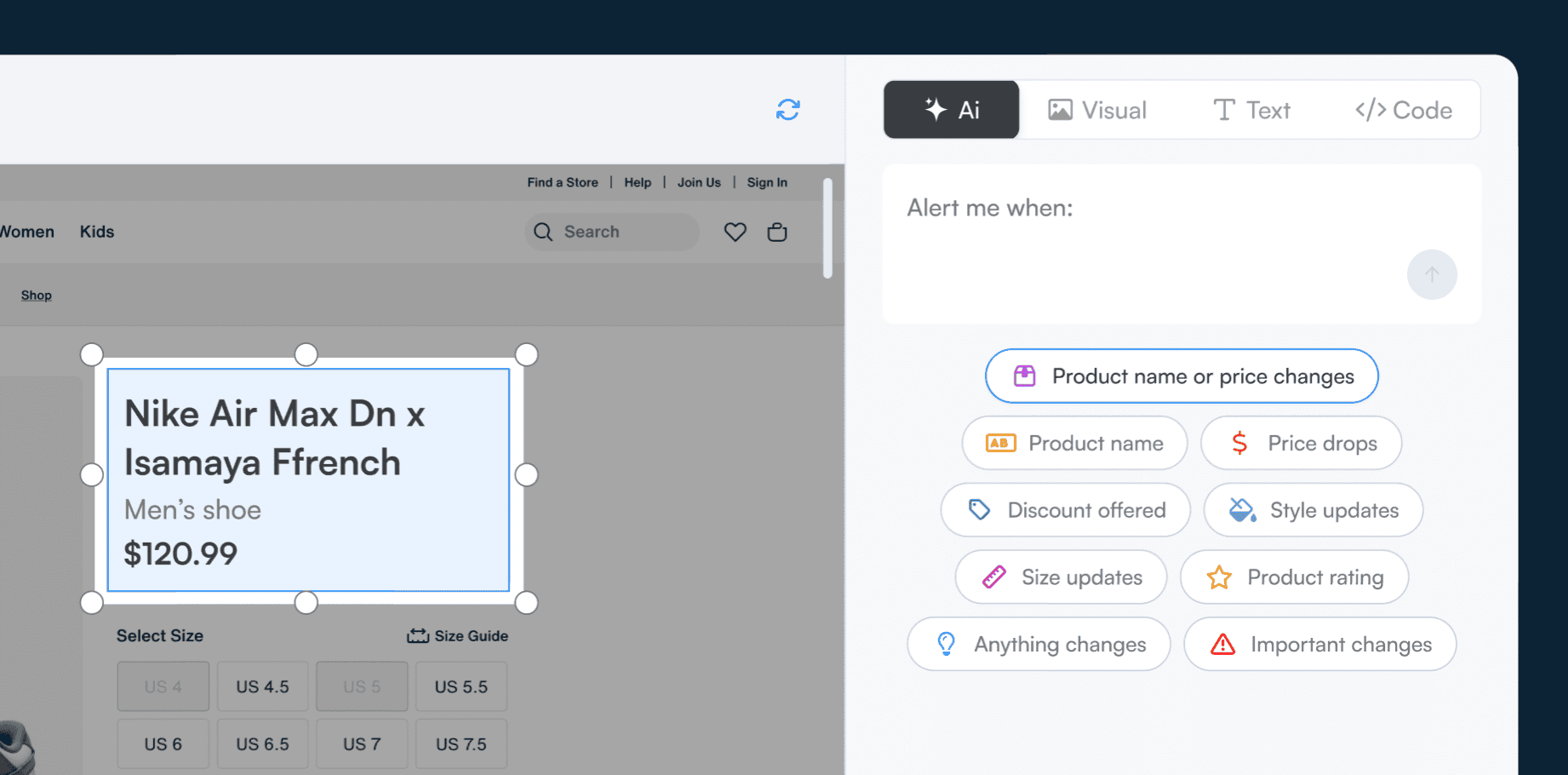
TL;DR:
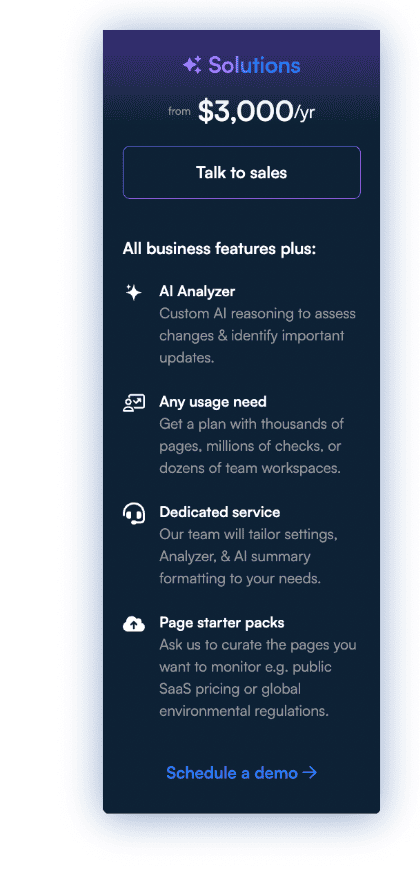
- What it is: Visualping Solutions is the enterprise tier. Starts at $3,000/year.
- When to buy Solutions: You hit Business's 500-page cap, or need premium AI, monitoring behind logins, custom data output, or a dedicated CSM.
- When Business is enough: Under 500 pages on public sources with standard alert formats. Business ($100-$250/mo) covers you.
Summary: Visualping Solutions is the enterprise tier, starting at $3,000/year. On top of Business, Solutions adds Premium LLMs for dense regulatory and technical pages, Visual Analyzer for AI-prompted image monitoring, a managed Prompt Engineering service, and Custom Data Structure output. It also covers Gated Data monitoring behind logins and paywalls, a Pre-Set URL Starter Pack, multilingual AI, 3-year retention (longer on request), a dedicated Customer Success Manager, and custom SLAs. Every Visualping plan includes AI change summaries, Important Alerts, visual change detection, and Actions for basic logins.
Every Visualping plan includes AI change summaries and Important Alerts. Free, Personal ($10-$50/mo), and Business ($100-$250/mo) are self-serve. A single user can set up a monitoring job and start catching website changes in minutes.
Visualping Solutions is the enterprise tier. It starts at $3,000/year. Visualping is trusted by 85% of Fortune 500 companies, and Solutions customers use the platform to monitor millions of pages a day. The largest Solutions deployments run over 100,000 active monitoring jobs in a single workspace, more than 10 times the biggest self-serve Business workspace on the platform today.
Solutions is for programs that hit one or more ceilings Business can't move past:
- 500 pages
- 50,000 checks a month
- 1-year retention
- Public pages only
- Standard AI model
- Fixed alert format
If any of those are blocking you, the rest of this post explains what Solutions adds and what it costs.
In this post:
- Visualping tiers at a glance
- When Business stops working: the 11 Solutions upgrade triggers
- Premium AI, built for the hard cases
- Data that's ready for your downstream systems
- Sources standard monitoring can't reach
- The team behind your program
- Who uses Solutions
- What Solutions costs
- FAQ
Visualping tiers at a glance
Visualping runs four tiers. Free, Personal, and Business are self-serve. Solutions is the enterprise tier with custom limits, managed AI services, and a dedicated customer success manager.
Capacity
| Capability | Free | Personal ($10-$50/mo) | Business ($100-$250/mo) | Solutions (from $3,000/yr) |
|---|---|---|---|---|
| Pages monitored | 5 | 10-40 | 200-500 | Custom (runs at millions of pages) |
| Checks per month | 150 | 1K-10K | 20K-50K | Custom |
| Check frequency | 60 min | 2-15 min | 2 min | Custom |
| Users | 1 | 1 | 5-11 | Custom |
| Workspaces | 1 | 1 | 4-10 | Custom with hierarchy |
| Data retention | Limited | Limited | 1 year | 3 years (longer on request) |
AI features
| Capability | Free | Personal | Business | Solutions |
|---|---|---|---|---|
| AI change summaries | Yes | Yes | Yes | Yes |
| Important Alerts (prompt-based) | Yes | Yes | Yes | Yes |
| Visual change detection | Yes | Yes | Yes | Yes |
| Premium LLM for dense documents | No | No | No | Yes |
| Visual Analyzer (AI on image changes) | No | No | No | Yes |
| Adaptive AI feedback (thumbs training) | No | No | No | Yes |
| Custom Data Structure output | No | No | No | Yes |
| Managed prompt engineering | No | No | No | Yes |
Data access and integrations
| Capability | Free | Personal | Business | Solutions |
|---|---|---|---|---|
| Actions for basic logins | Yes | Yes | Yes | Yes |
| Gated Data (multi-step logins, IP-restricted, paywalled) | No | No | No | Yes |
| Pre-Set Data Starter Pack | No | No | No | Yes |
| Global coverage and multilingual AI | No | No | No | Yes |
| Email and webhook alerts | Yes | Yes | Yes | Yes |
| SMS alerts | No | $25/mo and up | Yes | Yes |
| Zapier (via webhooks) | Yes | Yes | Yes | Yes |
| Slack, Teams, Google Sheets, n8n, API | No | No | Yes | Yes |
Support
| Capability | Free | Personal | Business | Solutions |
|---|---|---|---|---|
| Email and chat support | Yes | Yes | Yes | Yes |
| Dedicated Customer Success Manager | No | No | Optional add-on ($250/mo) | Included |
| Custom SLA | No | No | No | Yes |
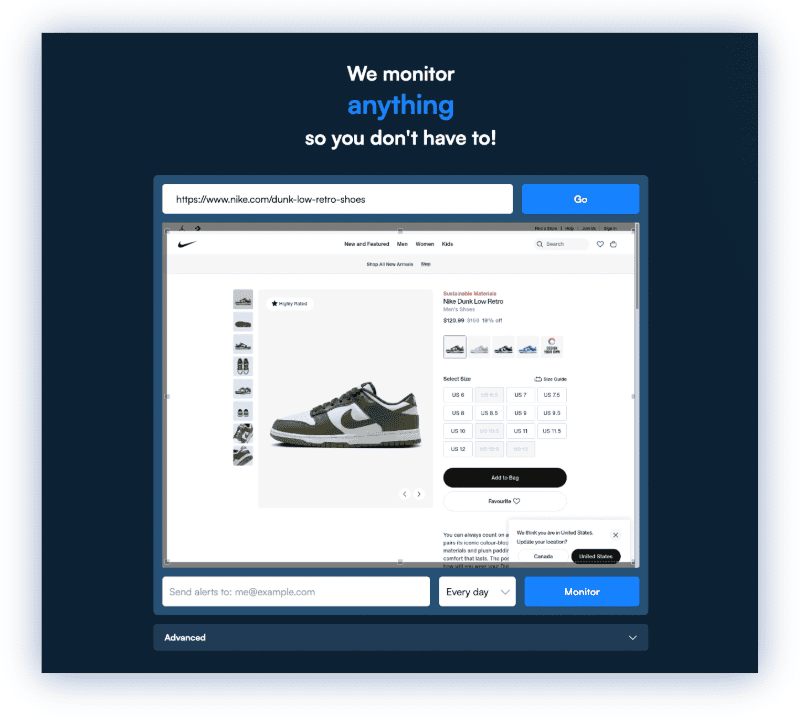
When Business stops working: the 11 Solutions upgrade triggers
Business ($100-$250/mo) is built for self-serve teams up to 500 pages and 11 users. Solutions starts where Business ceilings force a workaround.
| Business ceiling | Your trigger | Solutions removes it by |
|---|---|---|
| 500 pages maximum | You need to monitor more than 500 pages | Custom page limits. Solutions customers run programs at millions of pages daily. |
| 50,000 checks per month | Your frequency multiplied by page count exceeds 50K checks | Custom check volume |
| 11 users, 10 workspaces | Your team or business units outgrow the seat cap | Custom user and workspace count with hierarchy |
| 1-year data retention | Audit, legal, or compliance requires multi-year history | 3 years included, longer on request |
| Email and chat support | You need guaranteed response times or a named contact | Dedicated CSM plus custom SLA |
| Standard AI model | Source pages are dense (regulatory filings, nested pricing tables, technical specs) | Premium LLM built for those page types |
| Public pages only | Critical sources sit behind logins, IP allowlists, or paywalls | Gated Data monitoring |
| Fixed alert format | You need change data piped into BI, CRM, or compliance databases in specific schemas | Custom Data Structure (Google Sheets and custom formats) |
| DIY prompt writing | Your domain has jargon or multi-condition criteria that general prompts fumble | Prompt Engineering service. Visualping's team builds, tests, and tunes prompts. |
| Self-service page selection | Starting a 100+ page compliance or competitive intelligence program from scratch | Pre-Set Data Starter Pack (curated URLs for your industry) |
| English-only AI | You monitor country-specific domains or non-English content | Global coverage with multilingual AI summaries and alert classification |
If you said yes to one of these, Solutions is the fit. If you said yes to three or more, Business will cost more in workarounds than Solutions costs outright. For context, roughly 30,000 monitoring jobs on Visualping run at sub-minute check frequency today. That cadence is only available in Solutions.
Premium AI, built for the hard cases
Standard LLMs handle general tasks well. Enterprise monitoring programs run on tuned models for specific document types, plus human review loops on borderline cases. McKinsey tracks this pattern across enterprise AI deployments in its State of AI annual report.
Premium LLM upgrade
Standard Visualping AI handles most pages well. When the page is dense (a regulatory filing, a pricing page with nested tiers and bundled features, a technical spec where one parameter change cascades downstream), the standard model can miss a meaningful change or summarize it imprecisely.
The Solutions Premium LLM is built for those pages. It reads longer context. It parses nested structure. When a single word swap in a regulatory document carries legal weight, the premium model reads it that way. The result is more detailed summaries and more accurate Important Alert classifications on the page types where precision matters.
Visual Analyzer: AI for image-based changes
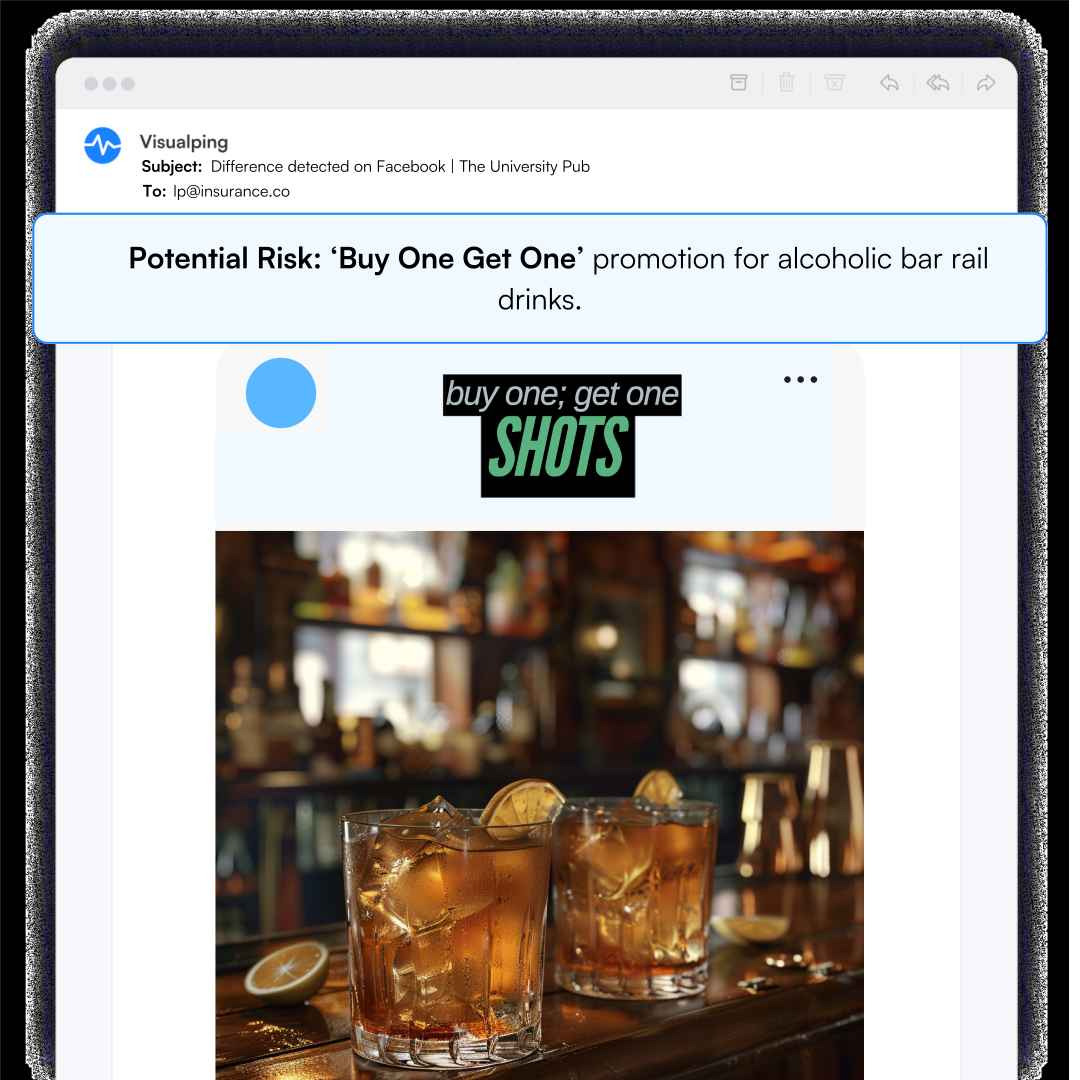
Every Visualping plan catches visual changes and shows you what changed. Visual Analyzer, on Solutions, adds AI-prompted analysis on top of that detection.
You write a prompt describing what matters. The AI evaluates each visual change against your criteria. Examples:
- Ad creative rotations on competitor landing pages, where the headline stays the same but the hero image, CTA button, or layout shifts.
- Product catalog images where a new photo, color variant, or "sold out" badge appears without any text change.
- Brand compliance across partner or reseller sites, where unauthorized logo modifications need to be flagged.
- Design changes to competitor homepages that signal a repositioning before any copy moves.
Visual Analyzer extends Important Alerts to image-based changes, so your noise filter works on pixels as well as words.
Prompt Engineering service
Prompt quality is what makes Important Alerts precise. For most users, writing a good prompt takes a few tries and the Visualping prompt guide. At enterprise scale, it's a bigger job.
With the Prompt Engineering service, Visualping's team builds, tests, and tunes prompts for your use case. You describe what you're monitoring and what matters. The team handles the rest.
The service is useful when:
- Your prompts span hundreds of pages with varying criteria.
- Your domain has jargon (legal, medical, financial) where general-purpose prompts produce false positives.
- Your deployment is large enough that prompt quality directly affects operational cost.
Tuning is ongoing. As your sources evolve, the team adjusts prompts before alerts start drifting.
Data that's ready for your downstream systems
Custom Data Structure and Output
Standard alerts arrive with AI summaries in Visualping's default format. Custom Data Structure lets you define every field.

Say you're monitoring competitor pricing across 50 SaaS products. You ask for alerts that include current price, previous price, percentage change, plan tier, and product name. Data arrives in that schema, pre-formatted.
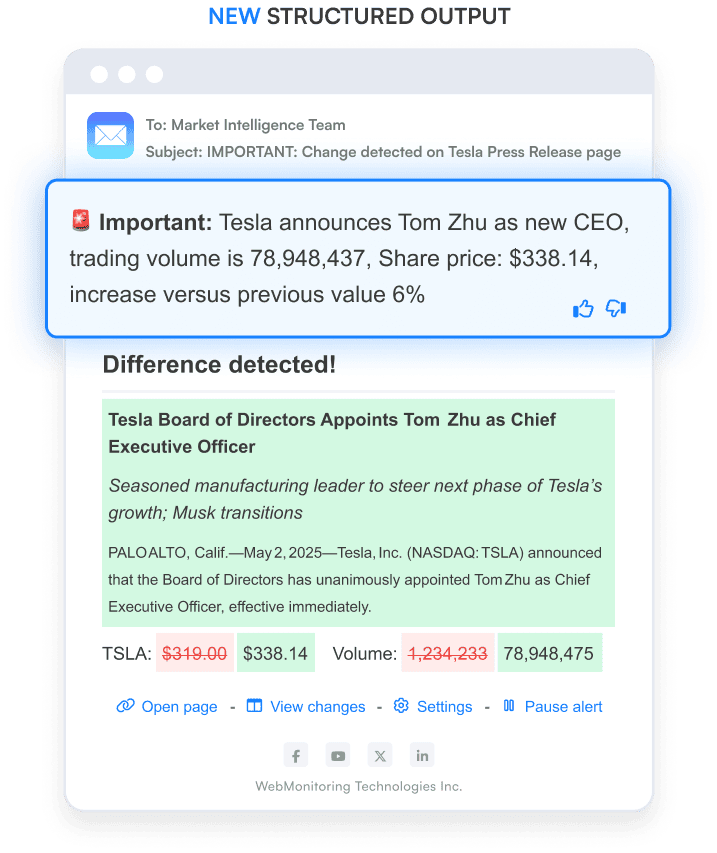
The team can wire the same structured output into your Google Sheets or your internal data pipeline, matching your schema before the data touches your BI tool.
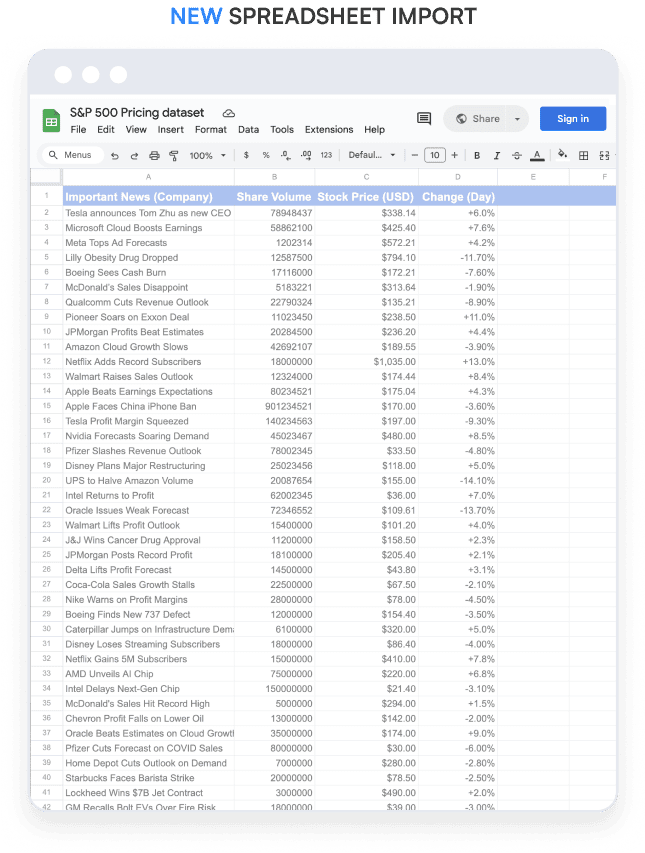
This is what turns Visualping from an alerting tool into a data feed. For teams pulling change data into dashboards, CRM records, compliance databases, or reporting pipelines, it removes the manual parsing step.
Adaptive AI Feedback
Every alert includes a thumbs up or thumbs down control. Each time you rate an alert, the AI uses that feedback to sharpen detection on that specific monitoring job.
Over multiple cycles, Important Alert accuracy improves. You train the system by using it. For large monitoring programs, this compounding effect keeps alert volume useful instead of noisy. Nobody has to rewrite the prompt every quarter.
Sources standard monitoring can't reach
Gated Data: logins, IP restrictions, paywalls
Standard monitoring works on public pages. Gated Data extends that to sources behind authentication:
- Competitor portals requiring login credentials.
- Subscription-only regulatory databases.
- Authenticated dashboards and internal tools.
- Paywalled content sources like trade publications and research feeds.
For compliance teams, this is often the difference between catching a regulatory update on the day it's posted versus the day a colleague happens to log into the source. For alternative-data teams, it's the difference between tracking public filings and tracking the full research feed a fund pays for.
Your monitoring data stays private to your account. It is not used to train AI models for other Visualping customers.
Pre-Set Data Starter Pack
Starting a monitoring program means identifying every URL worth tracking. For compliance programs, the list can run past 300 pages. That's weeks of research before a single alert fires. And regulatory change volume keeps climbing year over year, per Thomson Reuters' Cost of Compliance annual survey.
The Pre-Set Data Starter Pack gives Solutions customers a curated URL list tailored to their industry: competitive pricing sets, global environmental regulations, financial compliance sources. Day one, you start monitoring instead of researching.
Global coverage
Solutions covers country-specific domains (.co.uk, .de, .fr, .jp) and monitors non-English content. AI change summaries and Important Alert classification work across languages. For multinational compliance programs and global brand protection teams, this is the difference between a regional tool and an enterprise one.
The team behind your program
Dedicated CSM and custom SLAs
Business support runs on email and chat, with response times in hours to a business day. Business customers can add Dedicated Support (onboarding for deployments over 1,000 pages, monthly reviews, remote hands) for $250/mo on top of the plan.
Solutions bundles the named contact and priority response in. Every Solutions account has a dedicated Customer Success Manager. Response SLAs are custom, calibrated to the use case rather than a one-size service level. For a compliance program where missing a regulatory update is a material risk, that SLA is a line in the vendor file. For a brand protection firm serving downstream clients, it's how they explain what their own customers get.
Who uses Solutions
Solutions deployments fall into a few repeating patterns. Across Visualping's monitoring jobs today, government, legal, financial, and investor-relations pages make up about one in four classified jobs. That's the single largest cluster of use cases we track on the platform. Here are the five most common enterprise deployment patterns:
| Program | What they monitor | Top Solutions features | Typical deal size |
|---|---|---|---|
| Regulatory horizon scanning (Compliance) | Government and industry regulatory sources | Premium LLM, Prompt Engineering, Pre-Set Starter Pack, Gated Data | $7K-$8K/year |
| Alternative data (Investment funds) | Corporate filings, patent data, rival websites | Custom Data Structure, Premium LLM, custom page limits at scale | $25K-$100K+/year |
| Risk monitoring (Business insurers) | Insured clients' websites, news mentions, social coverage | Visual Analyzer, Prompt Engineering, Custom Data Structure | $15K-$25K+/year |
| Brand protection (Ecommerce) | Marketplaces, reseller sites, partner creative | Visual Analyzer, Gated Data (marketplaces behind login) | $12K-$20K+/year |
| Platform monitoring (competitive-intelligence firms) | Client-facing competitive surfaces | Custom plans at scale, API priority, Advanced reports | $10K-$30K+/year |
The pattern across all five: a team that can't run the program without AI-filtered alerts, a source surface that Business can't fully cover, and an output format that needs to land in another system. Investment funds call this alternative data when the source surface covers public filings, patents, and rival-website signals. The industry association tracks it as one of the fastest-growing categories in quantitative research.
What Solutions costs
Visualping Solutions starts at $3,000/year. That covers a focused deployment: a few hundred pages, standard-frequency checks, one or two premium AI capabilities, email support with SLA.
Beyond that, deal size tracks three things: how wide the monitoring surface is (pages and checks), how much the Visualping team runs for you (managed-service scope), and how much of the premium AI stack you use.
Enterprise deployments typically land in one of four ranges:
- Compliance programs: $7K-$8K/year.
- Brand protection and insurance: $12K-$25K+/year.
- Alternative data for quant research: $25K-$100K+/year.
- Platform deployments for CI firms: $10K-$30K+/year.
Pricing is always quoted after a scoping call that covers your page count, check frequency, and managed-service needs.
FAQ
What's the real difference between Business and Solutions?
Business is self-service up to 500 pages, 50,000 checks a month, and 11 users. Solutions starts where Business ends: custom limits, premium LLMs for dense documents, gated-source monitoring, prompt engineering as a service, custom data output, and a dedicated CSM. If you're hitting any Business ceiling, or you need any of those capabilities, Solutions is the right tier.
Can Visualping monitor pages behind logins, paywalls, or IP-restricted portals?
Yes, through the Solutions-tier Gated Data capability. That covers multi-step logins, subscription databases, paywalled content, and authenticated portals. Standard plans include Actions for basic logins (username, password, single-step auth). Gated Data handles the rest. Monitoring data stays private to your account and is not used to train AI models for other customers.
How does the Prompt Engineering service work?
You describe what you're monitoring and what matters. Visualping's team builds, tests, and tunes the prompts. The service is useful for multi-condition prompts across hundreds of pages, domain-specific jargon (legal, medical, financial terms) where general prompts produce false positives, and large deployments where prompt quality drives operational cost. Tuning is ongoing as source pages evolve.
What does Solutions actually cost?
Visualping Solutions starts at $3,000/year. Enterprise deployments scale based on page count, check frequency, and managed-service scope. Typical ranges are $7K-$8K/year for focused compliance programs, $12K-$25K/year for brand protection and insurance, and $25K-$100K+/year for alternative-data programs feeding quant research. Pricing is always quoted after a scoping call.
Which tier should my team pick?
Under 500 pages, 11 users, standard alert formats, and no requirement for gated sources or custom data output? Business ($100-$250/mo) is designed for you. If you need any of those Solutions-tier capabilities, or you're already hitting a Business ceiling in pages, checks, or users, Solutions is the move.
Related reading
- How Visualping AI filters noise and flags what matters
- The Visualping AI guide
- Competitive intelligence reports without a $16K CI platform
Ready to see what Solutions can do?
Talk to our team. We'll walk through your page list, your AI needs, and what Solutions costs for your deployment. Talk to Solutions →
Not ready for a call? Try Visualping's AI summaries and Important Alerts on the free plan first.
Want to monitor the web with AI?
Sign up with Visualping to track web changes with AI and save time, while staying in the know.
Eric Do Couto
Eric Do Couto is the Head of Marketing at Visualping. He leads content strategy, growth operations, and brand positioning for website change detection.
More articles by Eric Do Couto