Introducing Alert on Error: Get an Email When a Monitor Stops Working
By Kayla Zhu
Updated August 27, 2026
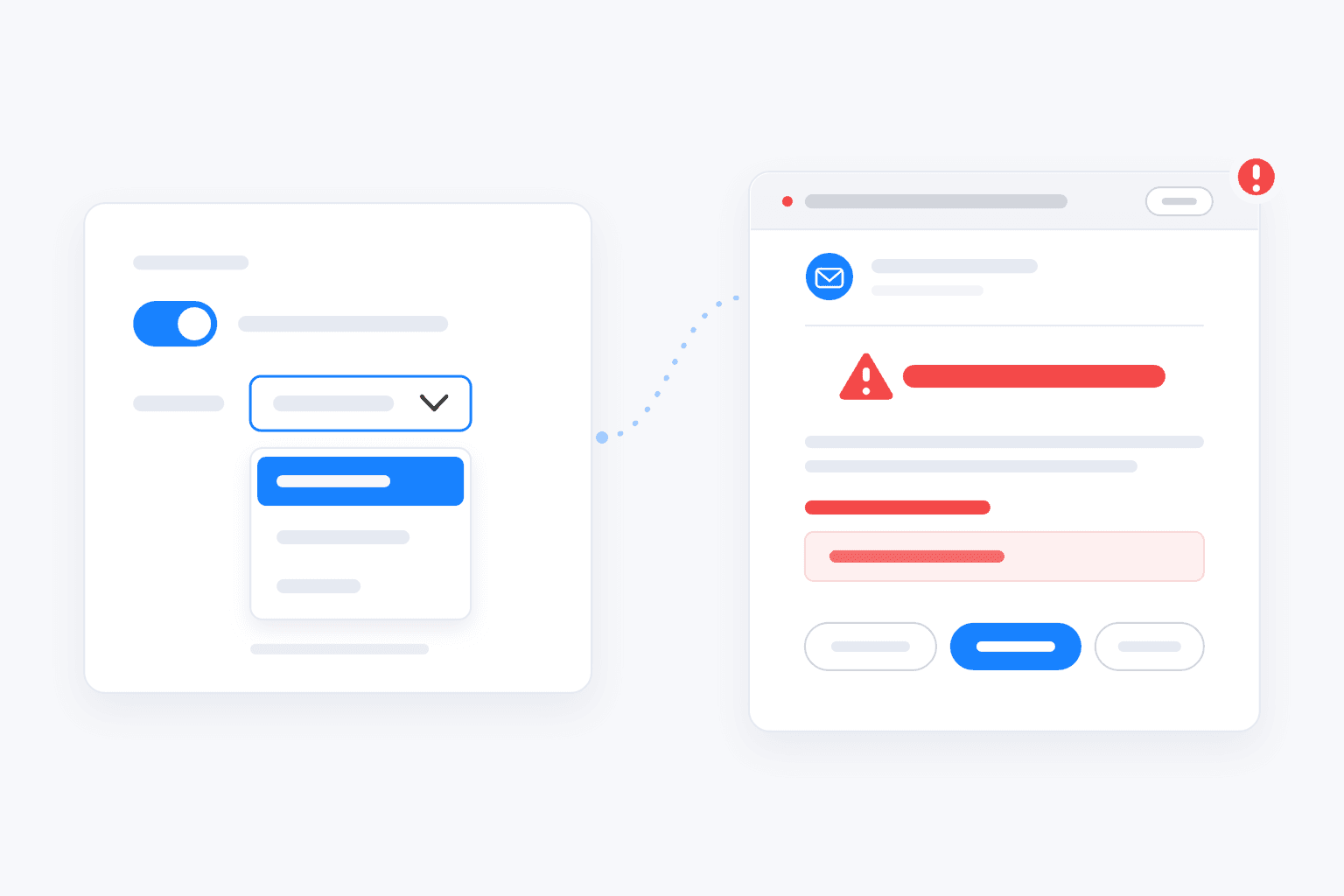
Quick summary: Visualping emails you when a monitor stops working. Since September 17, 2026, error alerts are on by default for every monitor. By default, the email goes out once a monitor has kept failing for a set time based on how often it checks, from 24 hours for hourly monitors to 60 days for monthly ones. In a monitor's settings, you can switch to every error or turn error alerts off. The email will show the monitor, the number of failed checks, and the type of error. Available on all plans, including Free.
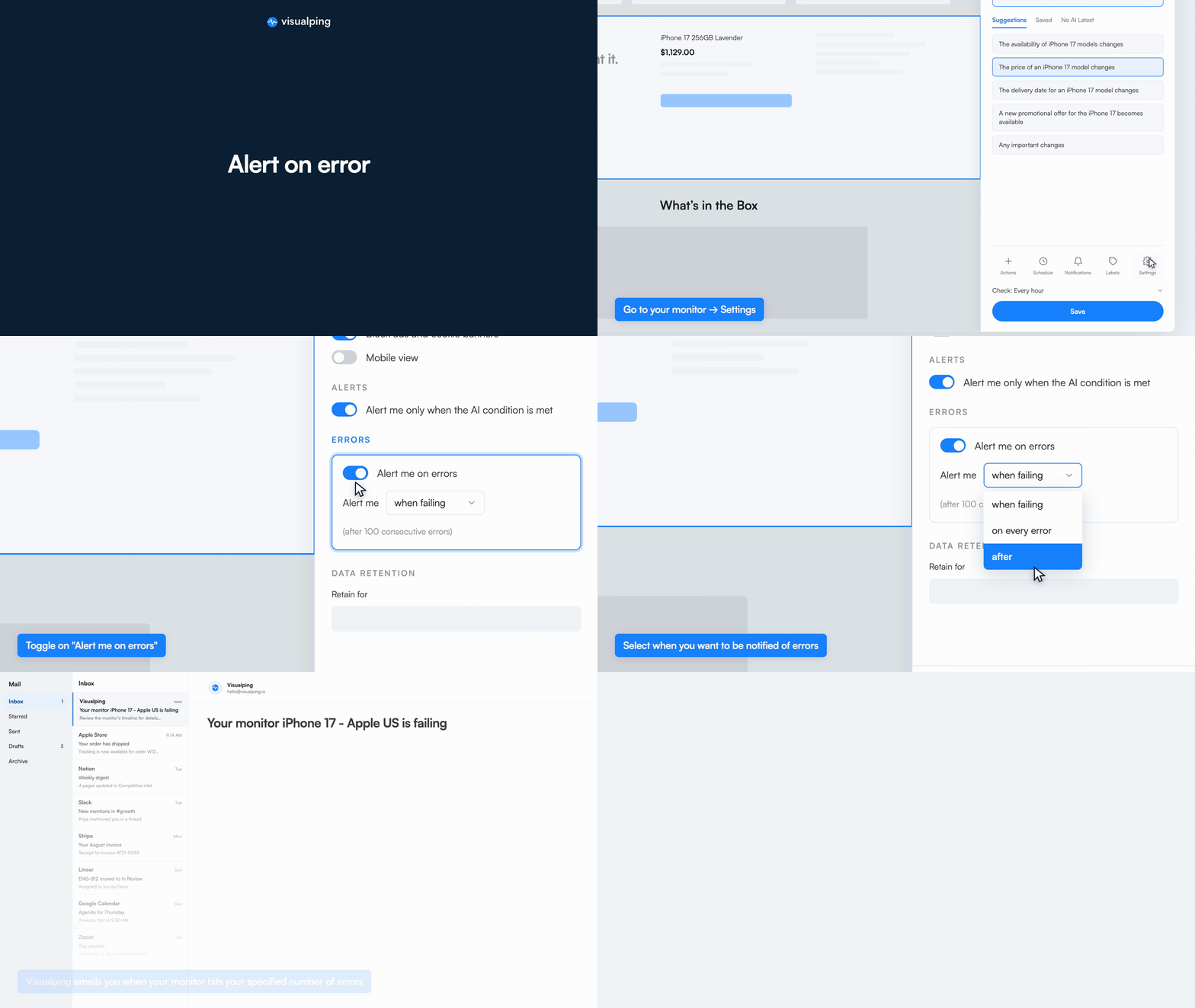 Alert me on errors is on by default: choose when to be notified, and Visualping emails you when the monitor keeps failing
Visualping tells you when a page changes. An alert arrives, you open the diff, and you act on it.
Monitors can run into problems of their own, though. A site starts blocking the crawler, a product page gets taken down and returns a 404, a login expires, or a page keeps timing out. When that happens, the monitor stops producing results, and unless you check the Health Dashboard, it's easy to miss.
Alert on Error fixes that. It's on by default, so Visualping emails you when a monitor keeps running into errors. Here's how it works.
Getting started
Alert on Error is set per monitor and on by default. To change when you get notified:
- Open the monitor and go to Settings in the bottom right corner.
- Scroll to Errors. Alert me on errors is already on.
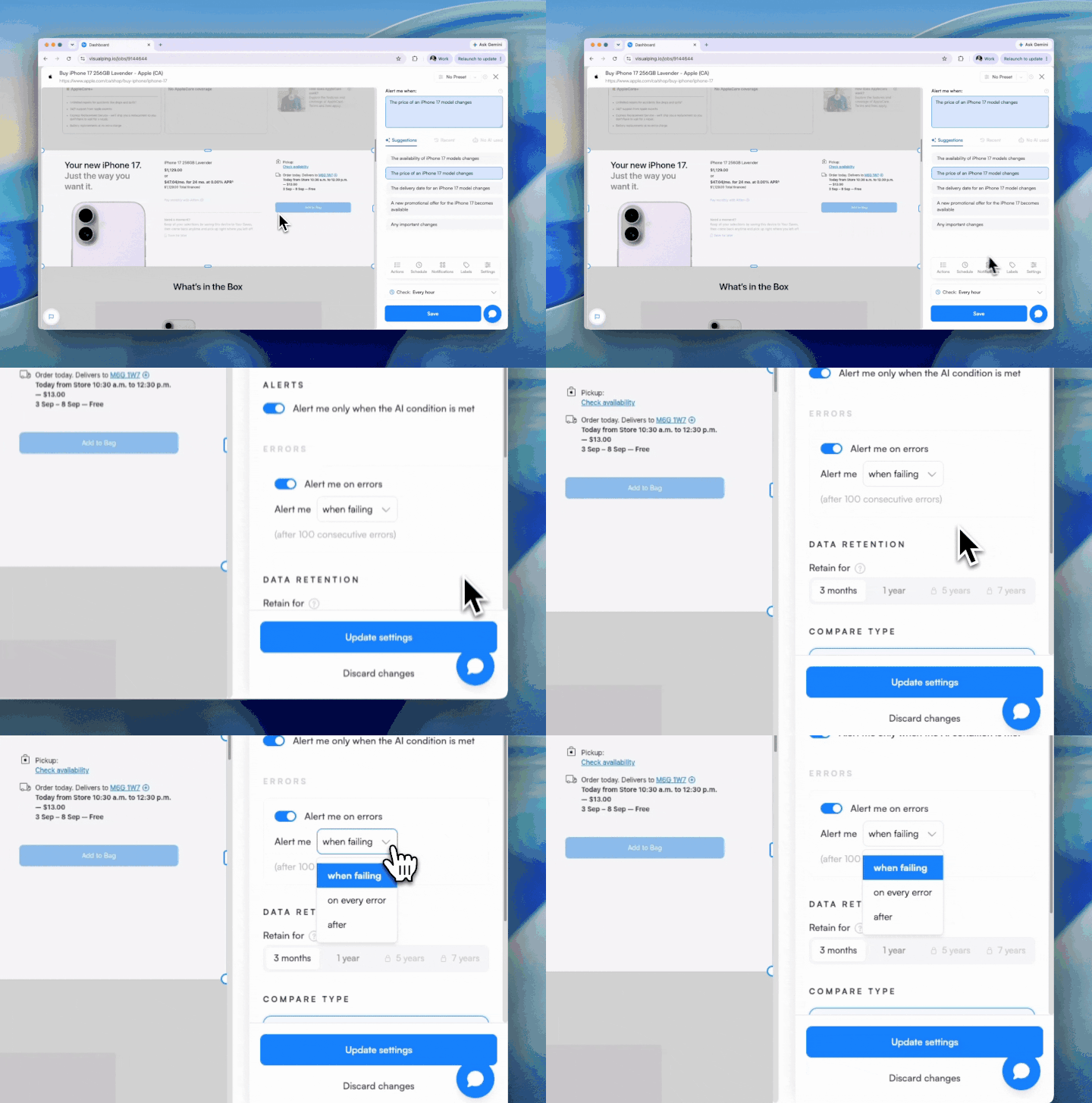
- Pick your trigger in the Alert me dropdown: when failing (the default) or on every error. To stop error emails for that monitor, switch Alert me on errors off.
- Click Update settings.
Everything here works on every plan, including Free.
If you're new to Visualping, our guide on how to monitor website changes covers setting up your first monitor. And the Health Dashboard shows which of your monitors are erroring and why, all in one place.
For a more detailed look at the new Alert on Error function, keep reading below.
Adjust error alerts in Settings
Open any monitor, and then click the bottom right icon called "Settings."
Under Errors there's a toggle: Alert me on errors. It's on by default, so Visualping will email you when that monitor's checks keep running into errors. If you change anything here, click Update settings to save it.
The setting is per monitor, so you can keep it on for the pages you rely on most and switch it off for the rest.
Review Alert on Error in your workspace →
Choose when to get notified
Not every error needs an email. A page that times out once usually recovers on the next check. A page that has failed 40 checks in a row may warrant attention.
The Alert me dropdown sets the threshold:
- When failing. This is the default. The email goes out once every check has failed for a set time, which depends on how often the monitor checks: 24 hours for monitors that check hourly or more often, 48 hours for up to every 6 hours, 7 days for up to every 2 days, 21 days for up to every 2 weeks, and 60 days for anything less frequent.
- On every error. Every failed check triggers an alert, for monitors where a single missed check matters.
One-off errors stay quiet, and persistent problems get flagged. To stop error emails for a monitor entirely, switch Alert me on errors off.
What the error email tells you
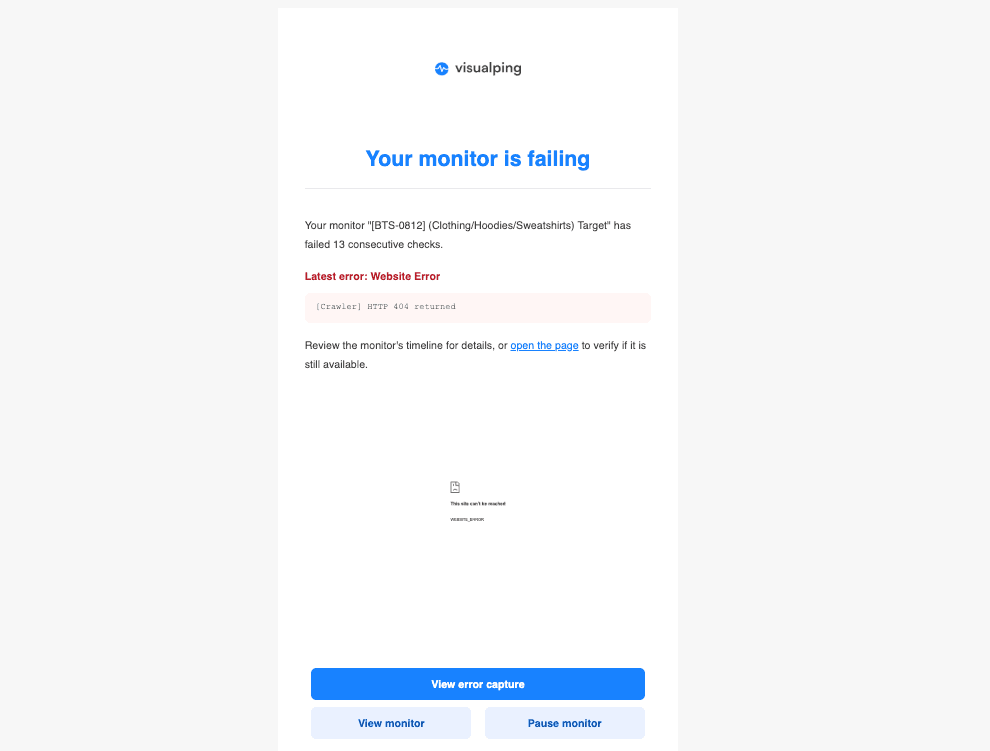
The subject line names the monitor, its workspace, and the page, so you know what broke before you open it. The body tells you how many consecutive checks have failed, the latest error type, and the specific reason. For a page that returns a 404, the email shows Website Error with the reason "[Crawler] HTTP 404 returned".
The email includes three actions: View error capture to see what Visualping saw on the last check, View monitor to open its timeline, and Pause monitor if the page is gone for good. It also links to the page itself, so you can check whether it's still live.
Sometimes the fix is adjusting the monitor. Sometimes the error is the finding: a 404 on a product page you track usually means the product was pulled.
Why this matters if you run a lot of monitors
As we noted when the Health Dashboard launched, some accounts have monitors that have been failing for weeks without anyone noticing. The monitor looks fine in the list, but it isn't checking anything anymore.
The Health Dashboard is the overview: open Account > Health to see every failing monitor in a workspace, with the reason and when it last errored. Alert on Error is the notification: it tells you when a monitor keeps failing, without you having to look.
Use the alert to catch problem monitors, and the dashboard to see the full picture.
Frequently asked questions
Where do I turn on error alerts in Visualping? They're already on. Since September 17, 2026, error alerts are on by default for every monitor. To change them, go to the monitor's settings, under Advanced Settings. Scroll to the Errors section, choose your trigger in the Alert me dropdown or switch Alert me on errors off, and click Update settings.
What does "when failing" mean? It's the default trigger. A monitor counts as failing once every check has failed for a set time, based on its check interval: 24 hours for monitors that check hourly or more often, 48 hours for up to every 6 hours, 7 days for up to every 2 days, 21 days for up to every 2 weeks, and 60 days for anything less frequent. Keep this trigger when only persistent breakage should reach your inbox.
What's in the error alert email? The monitor's name, workspace, and page in the subject, plus how many consecutive checks have failed and the latest error, such as a website timeout or an HTTP 404. Buttons let you view the error capture, open the monitor, or pause it.
Will Alert on Error flood my inbox? No, unless you choose on every error for monitors that constantly hit errors. The default "when failing" trigger only emails you once an error streak crosses its threshold, so a page that fails one check and recovers stays silent.
Which plans include Alert on Error? All plans, including Free, and it's on by default. Change it in any monitor's settings.
Know when a monitor needs attention
A monitor only helps if its checks are running. Alert on Error is on by default, so you'll hear about a broken monitor without having to go looking for it.
Alert on Error follows the Health Dashboard and Visualping Reports in a series of updates for managing monitors at scale.
Want to monitor web changes that impact your business?
Sign up with Visualping to get alerted of important updates from anywhere online.
Kayla Zhu
Kayla is the Public Relations Specialist at Visualping and manager of Visualping's Journalist Program. She manages Visualping's media relations, content marketing, and social media.
More articles by Kayla Zhu