Instagram Competitor Tracking: How to Monitor Rivals on Instagram
Updated March 16, 2026

Your competitors are posting on Instagram right now. They're testing new content formats, running promotions, shifting their brand messaging, and engaging with your shared audience. The question is whether you'll notice before your customers do.
Instagram competitor tracking gives you a system for watching what rivals do on the platform and turning those observations into decisions. It plugs into a broader competitive intelligence practice that helps teams react to market shifts with real data instead of hunches. According to a 2024 Sprout Social report, 90% of marketers say social media data informs business strategy beyond marketing alone, yet most teams still check competitor profiles manually and inconsistently.
This guide covers what to track, how to automate it, and how to turn competitor data into a content strategy you can act on.
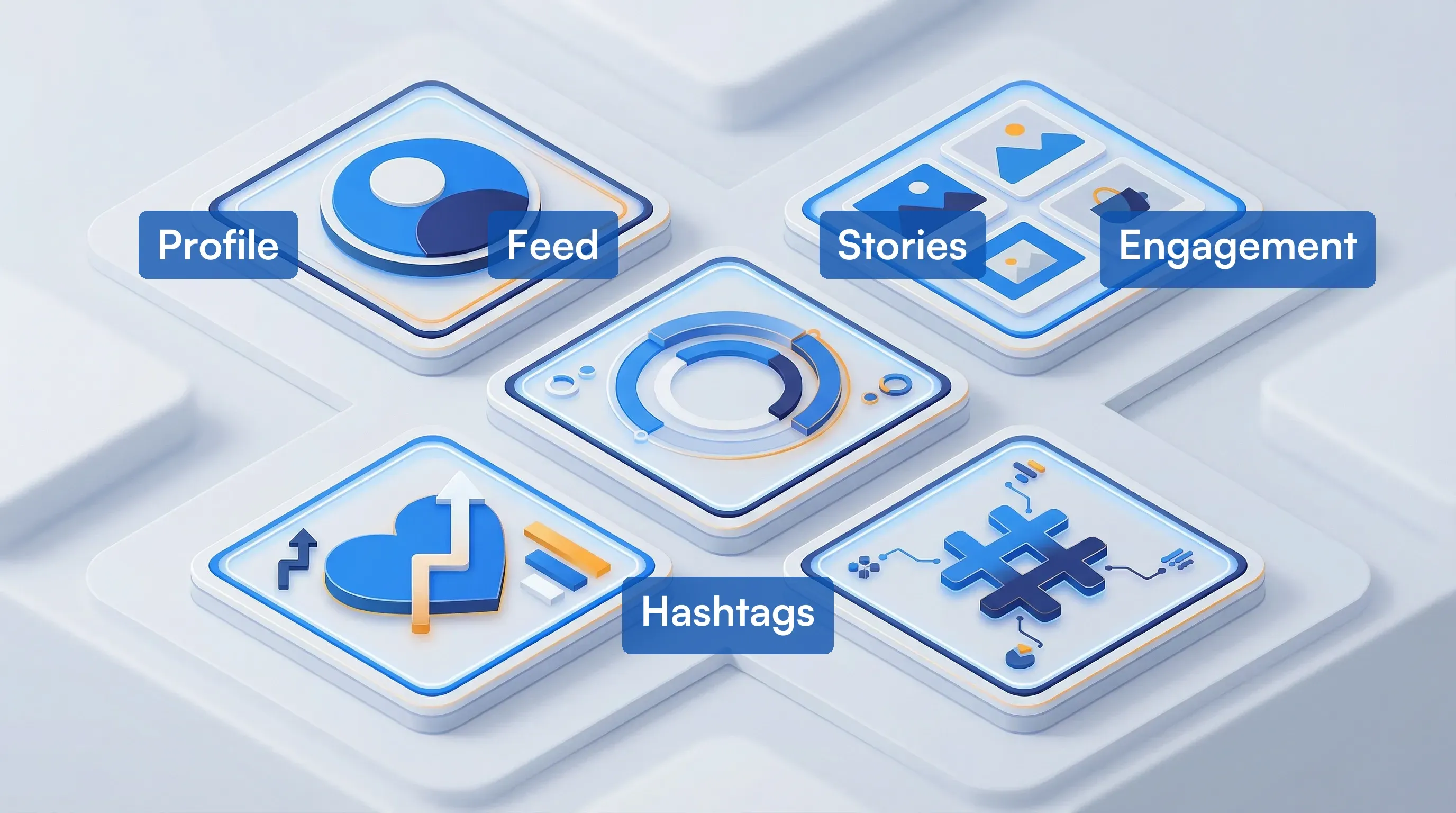
The five signals worth watching (and the dozens that aren't)
Not everything on a competitor's Instagram profile deserves your attention. Most of it is noise. The signals that matter tell you where a competitor is heading, what their audience responds to, and when they're about to launch something.
Profile and bio changes
A bio update often signals a repositioning, a new product launch, or a campaign shift. Watch for changes to:
- Bio text and tagline
- Profile photo or logo
- Link in bio (especially Linktree or landing page swaps)
- Category label and contact buttons
- Highlight cover images and titles
When a competitor updates their bio link from a generic homepage to a specific landing page, that usually means a campaign just launched. Catching that change the same day gives you time to respond.
Feed posts and Reels
Track what competitors actually post, not simply that they posted. Pay attention to:
- Post frequency: Are they ramping up or slowing down?
- Content mix: What ratio of Reels, carousels, and single images are they using?
- Themes and topics: Are they pushing a specific product, feature, or message?
- Visual style shifts: New brand colors, templates, or photography approaches
- Caption tone and length: Formal vs. conversational, short vs. long-form
Stories (the 24-hour window most teams miss)
Stories disappear after 24 hours, which makes them easy to miss and useful for exactly that reason. Competitors often use Stories for:
- Flash sales and limited-time offers
- Behind-the-scenes content that reveals priorities
- Polls and Q&A sessions that show what their audience cares about
- Product teasers before a formal launch
Engagement patterns
Raw follower counts matter less than engagement behavior. Track:
- Like-to-follower ratio on recent posts
- Comment volume and sentiment
- Share counts on Reels (when visible)
- Which post types generate the most saves
Hashtag strategy
Hashtags reveal targeting intent. Monitor which hashtags competitors use consistently, which new ones they're testing, and whether they're building branded hashtags around specific campaigns.
How to set up Instagram competitor monitoring with Visualping
Manual profile-checking falls apart within two weeks. You forget, you miss things, and you burn time scrolling instead of analyzing. Automated monitoring fixes this by pinging you only when something actually changes.
Visualping tracks visual and text changes on any public web page, including Instagram profiles. Here's how to set it up for competitor tracking.
Step 1: Identify your target profiles
Start with 3 to 5 direct competitors. Go to their Instagram profiles in a web browser (not the app) and copy the URLs. They'll look like https://www.instagram.com/competitorname/.
If you're not sure which competitors to prioritize, check out our guide on how to spy on competitors' websites for a framework that applies across platforms.
Step 2: Create your monitors
- Go to Visualping and paste the first Instagram profile URL into the search bar
- Click Go to load a preview of the profile page
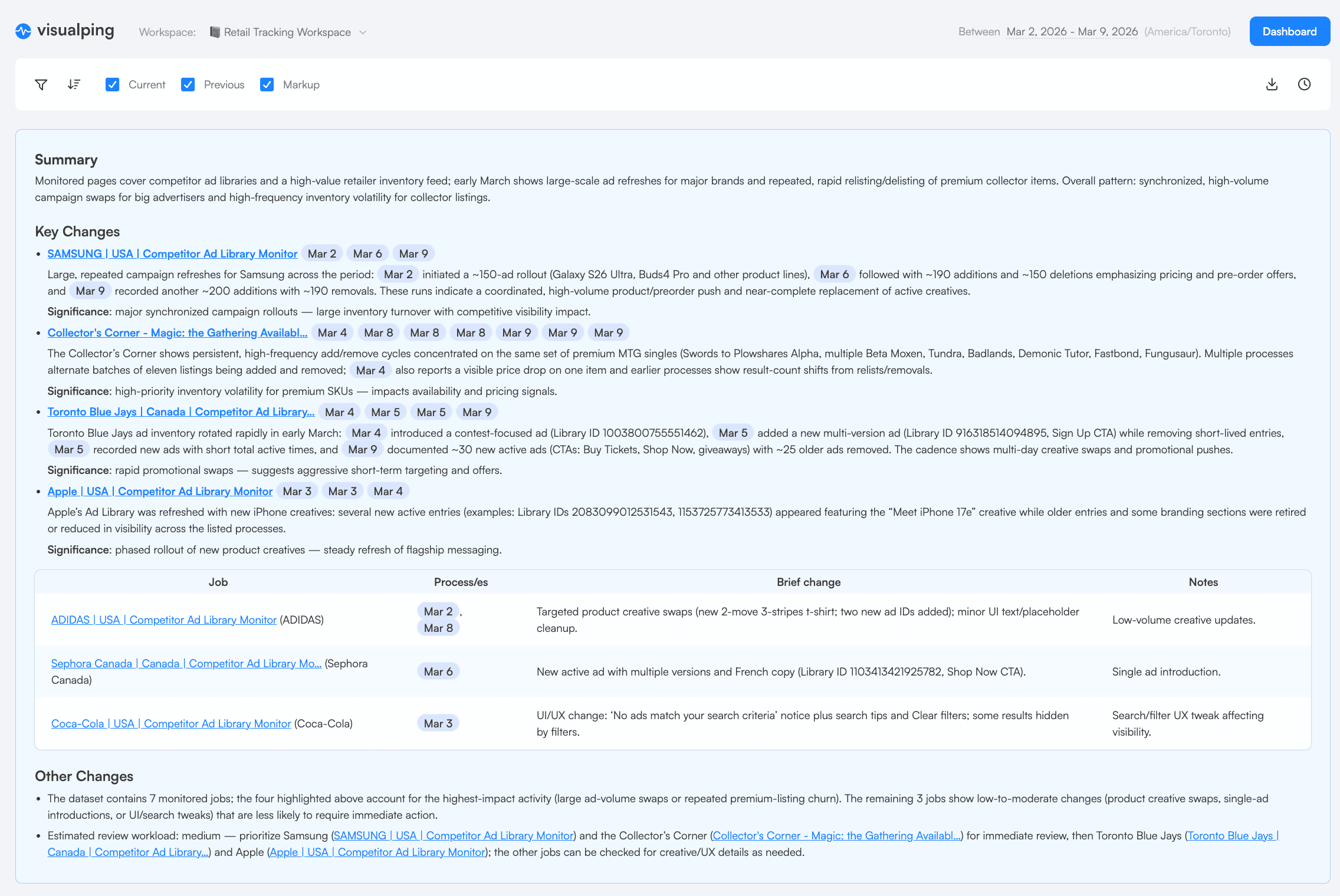
- Select the area of the page you want to monitor. For a full profile overview, select the entire visible area. For targeted tracking, select just the bio section or the post grid
Step 3: Configure your monitoring settings
- Check frequency: Set hourly checks for high-priority competitors during campaign seasons. Daily checks work for routine monitoring
- Comparison mode: Use Visual compare for Instagram profiles. This mode detects pixel-level changes in images, layout shifts, and new posts appearing in the grid
- Sensitivity: Start at 5% trigger threshold. This catches meaningful changes (new posts, bio edits) while filtering out minor rendering differences
- Alerts: Route notifications to email, Slack, Microsoft Teams, or Discord depending on your team's workflow
Step 4: Set up multiple monitors per competitor
For thorough tracking, create separate monitors for different sections of each competitor's profile:
- Bio monitor: Select only the top section (profile photo, bio text, link). Check every 6 hours
- Post grid monitor: Select the post grid area. Check every 1 to 3 hours
- Tagged posts tab: Monitor the tagged section for partnership and UGC signals
Step 5: Organize with tags and folders
Label each monitor with the competitor name and the section being tracked. Use Visualping's folder system to group all monitors for a single competitor together. This keeps your dashboard clean as you scale to 10+ monitors.
Step 6: Set up a scheduled report
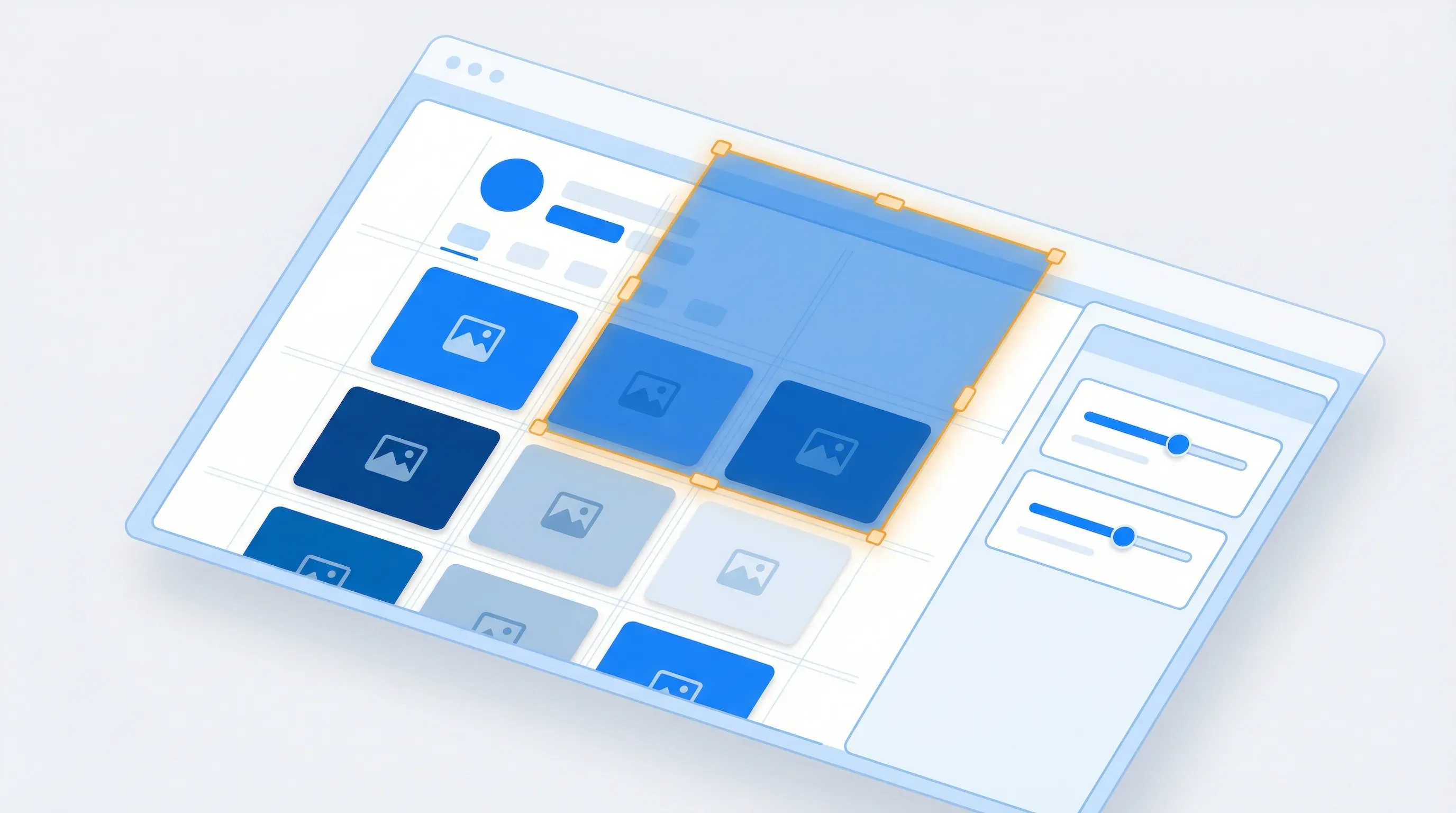
Once your monitors are running, use Visualping Reports to pull everything together. Generate a report on demand before a strategy meeting, after a product launch, or at the end of a campaign cycle. Or set a recurring daily or weekly schedule so the briefing arrives without anyone pressing a button.
Each report aggregates every change across all your Instagram monitors into one document. An AI-generated summary at the top identifies patterns: which competitors updated their profiles, who launched new campaigns, and what shifted in their content mix. Share the briefing with your team via link, PDF, or CSV. Recipients don't need a Visualping account.
Turning raw alerts into content decisions
Collecting data is the easy part. The value shows up when you spot patterns and translate them into changes to your own content calendar. If you use Visualping Reports (on demand or on a recurring schedule), the AI summary at the top of each briefing already pulls out the biggest patterns. The sections below help you go deeper.
Map their posting schedule
After two to four weeks of monitoring, you'll have enough data to map when competitors post. Look for:
- Day-of-week patterns: Do they post more on weekdays or weekends?
- Time-of-day consistency: Are posts going live at the same time daily?
- Frequency changes: A sudden jump from 3 posts/week to daily posting often signals a campaign launch or algorithm test
Use this information to find gaps in their schedule where your content has less competition for attention.
Figure out what actually works for them
Compare engagement rates across content types. Calculate engagement rate as (likes + comments) / followers x 100. A Hootsuite benchmark report found that carousel posts generate 1.4x more reach and 3.1x more engagement than regular feed posts in 2024. If your competitor hasn't caught on, that's an opening.
Sort their recent posts by estimated engagement and look for themes:
- Which topics consistently perform above their average?
- Which formats (Reels, carousels, single images) get the most interaction?
- Do educational posts outperform promotional ones?
Track campaign launches and messaging shifts
When Visualping flags a cluster of changes (new bio link, updated highlights, burst of themed posts), you're likely seeing a campaign launch in real time. Document these with dates so you can track:
- How long campaigns typically run
- Whether they follow seasonal patterns
- What messaging angles they test and which ones stick
This kind of analysis feeds directly into your broader competitive intelligence program.

Instagram competitor tracking tools compared
No single tool covers every angle of Instagram competitor analysis. Here's how the main options stack up.
Visualping
Best for: Profile page change detection, bio monitoring, visual change alerts, scheduled CI briefings
Visualping monitors the public-facing Instagram profile page for any visual or text change. It catches bio updates, new posts appearing in the grid, follower count shifts, and highlight reel changes. The advantage over social-specific tools is that it works on any web page, so you can monitor Instagram alongside competitor websites, pricing pages, and job boards from one dashboard.
On Business plans, Visualping Reports pulls changes across all your monitors into one briefing with AI-generated analysis. Generate a report on demand before a meeting, or set it on a daily or weekly schedule. Your team gets one document covering every competitor move.
- Free plan covers up to 5 pages with daily checks
- Paid plans start at $10/month for faster checks and more monitors
- Business plans include Reports with AI summaries and scheduled delivery
- Integrates with Slack, Teams, Discord, and Zapier
For a full breakdown of how Visualping fits into multi-channel monitoring, see our competitor tracking guide.
Hootsuite
Best for: Social listening, scheduled posting, cross-platform management
Hootsuite's competitive analysis streams let you watch competitor posts, engagement, and audience growth alongside your own metrics. It's strongest when you need to compare your social performance directly against competitors in one view.
- Starts at $99/month (Professional plan)
- Includes benchmarking against competitors
- Better for teams already managing their own social presence through the platform
Sprout Social
Best for: Detailed engagement analytics, sentiment analysis, reporting
Sprout Social offers competitor reports that break down posting frequency, engagement per post, audience growth, and hashtag performance. Its reporting is more polished than most alternatives, which makes it a good fit for teams that need to share insights with leadership.
- Starts at $199/month (Standard plan)
- Strong reporting and export features
- Sentiment analysis on competitor mentions
The spreadsheet approach (and why it breaks)
Some teams still track competitors using spreadsheets and calendar reminders to check profiles. This works for 1 to 2 rivals but breaks down fast. You'll miss Stories entirely, you'll skip checks during busy weeks, and you won't have the historical record that automated tools build over time.
A review cadence that doesn't eat your calendar
Tracking competitors without a process leads to a pile of alerts and no action. Here's a workflow that stays manageable. If you're on a Visualping Business plan, Reports handles the first layer. Generate a briefing on demand whenever you need one, or schedule it to land in your inbox on a set cadence. The AI analysis pulls out patterns so you start each review with context instead of sifting through individual alerts.
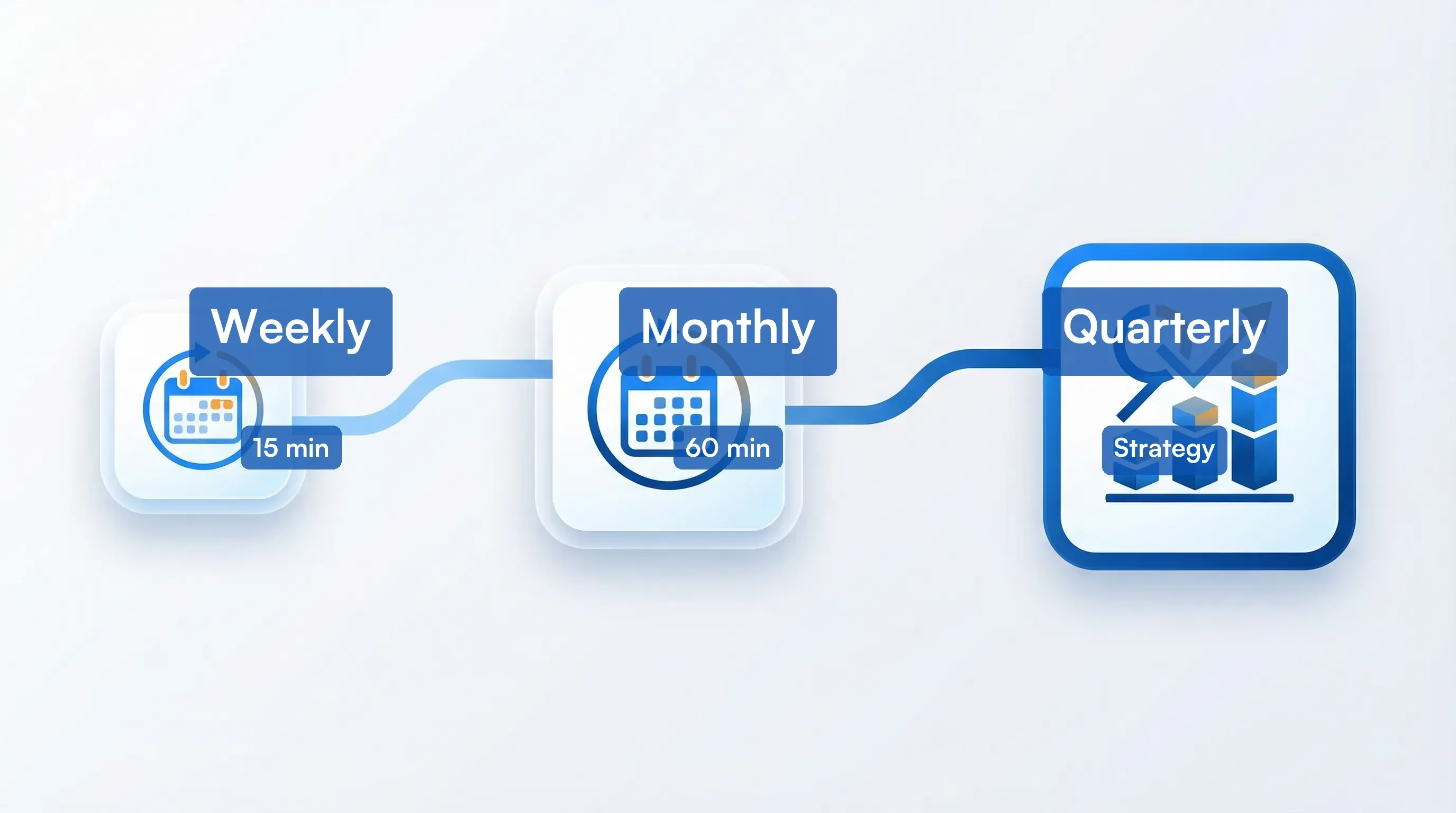
Weekly review (15 minutes with Reports, 30 without)
With Reports: Open your weekly Visualping Report. The AI summary at the top flags the most significant changes across all your Instagram monitors. Scan the summary, then drill into any changes that warrant a closer look. Forward the briefing link to your content team with a one-line note on anything relevant to this week's calendar.
Without Reports: Review all Visualping alerts from the past week. Screenshot or save significant changes. Log notable findings in a shared document. Flag anything that needs immediate team discussion.
Monthly analysis (60 minutes)
- Pull a 30-day Visualping Report with the "All Changes" filter to catch everything, not just what the AI flagged as important
- Compare competitor posting frequency and content mix month-over-month
- Calculate engagement rate trends for each tracked competitor
- Identify new hashtags, partnerships, or content themes that emerged
- Update your own content calendar based on gaps and opportunities you've spotted
Export the report as PDF or CSV to share with stakeholders who don't have a Visualping account.
Quarterly strategy brief
- Summarize the biggest competitive moves from the past quarter (your monthly Reports provide the raw material)
- Map competitor campaign timelines against your own
- Identify which competitor tactics worked (based on sustained engagement increases)
- Recommend 2 to 3 adjustments to your own Instagram strategy based on competitive insights
After two quarters, you'll have a competitive picture of your market that no single dashboard can replicate.
Related reading
- MAP Pricing Compliance: Key Strategies for Retail Success
- How to Monitor Executive Leadership Changes
- Monitoring Competitor Facebook and Instagram Ad Libraries: How...
- Best Intent Data Providers for B2B Teams in 2026
- The 4 Types of B2B Intent Data (and the One Most Teams Miss)
- Competitor Monitoring Study 2026: What 12,000 Tracking Jobs Re...
Frequently asked questions
Can you track a competitor's Instagram without them knowing?
Yes. Visualping monitors the public web version of an Instagram profile. It doesn't interact with the Instagram account in any way, so there's no follow notification, profile view trace, or engagement signal. Your competitors won't know you're watching.
How often should I check competitor Instagram accounts?
For active competitors in your market, set automated checks every 1 to 6 hours. This catches new posts and bio changes within the same business day. For less active competitors, daily checks are sufficient. The key is consistency, which is why automated monitoring beats manual checking.
Can I monitor Instagram Stories with Visualping?
Visualping monitors the public profile page, which shows the most recent highlights but not active Stories in real time. For Stories monitoring, combine Visualping's profile tracking with a social media management tool like Hootsuite or Sprout Social that includes Stories tracking features.
What's the difference between Instagram competitor tracking and social listening?
Instagram competitor tracking focuses on specific accounts and their content, profile changes, and engagement metrics. Social listening monitors broader conversations, brand mentions, and sentiment across platforms. Both are valuable. Competitor tracking tells you what rivals are doing. Social listening tells you what people are saying about them. Together, they give you a complete picture.
How many Instagram competitors should I track?
Start with 3 to 5 direct competitors. This gives you enough data to spot industry trends without overwhelming your review process. As your workflow matures, expand to include indirect competitors and aspirational brands in adjacent markets. Visualping's folder system makes it easy to scale from 5 to 50+ monitors without losing organization.
Is Instagram competitor tracking legal?
Monitoring publicly available information on Instagram profiles is legal and standard business practice. You're viewing the same information any member of the public can see. This falls under competitive intelligence, which is distinct from unauthorized access or data scraping of private accounts. For more on the ethical boundaries, see our guide on what competitive intelligence is and how it works.
Want to monitor web changes that impact your business?
Sign up with Visualping to get alerted of important updates from anywhere online.
Eric Do Couto
Eric Do Couto is the Head of Marketing at Visualping. He leads content strategy, growth operations, and brand positioning for website change detection.
More articles by Eric Do Couto