How Visualping AI Helps You Monitor Web Changes Faster
By Emily Fenton
Updated November 8, 2023
Summary: Visualping AI replaces manual alert triage with two features: AI Summaries that explain changes in plain language, and Important Alerts that only notify you when a change matches your criteria. A compliance analyst monitoring 40 pages can cut weekly review time from 3 hours to under 2 minutes.
Monitoring websites for changes used to eat hours. You'd open alert after alert, squint at highlighted diffs, cross-reference screenshots, and still wonder if you'd missed something buried in a footer update. That workflow doesn't scale, and it certainly doesn't respect your time.
Visualping AI replaces that manual triage with two features that change the daily math: AI Summaries that tell you what changed in plain language, and Important Alerts that only ping you when a change matches your criteria.
Here's what that looks like in practice, and where the hours actually come back.
The old workflow: death by a thousand alerts
Picture a compliance analyst monitoring 40 regulatory pages. Before AI, every detected change triggered an identical notification. Cookie banner refresh? Alert. Footer date update? Alert. Actual policy revision buried in paragraph 12? Also an alert, looking exactly like the other two.
The analyst's morning routine: open each alert, load the page, compare the highlighted diff, decide whether it matters, move on. At 3-5 minutes per alert and 10-15 alerts overnight, that's 30-75 minutes before any real work begins. Multiply that across a week and you've lost half a business day just reading diffs.
What happens when you stop reading diffs
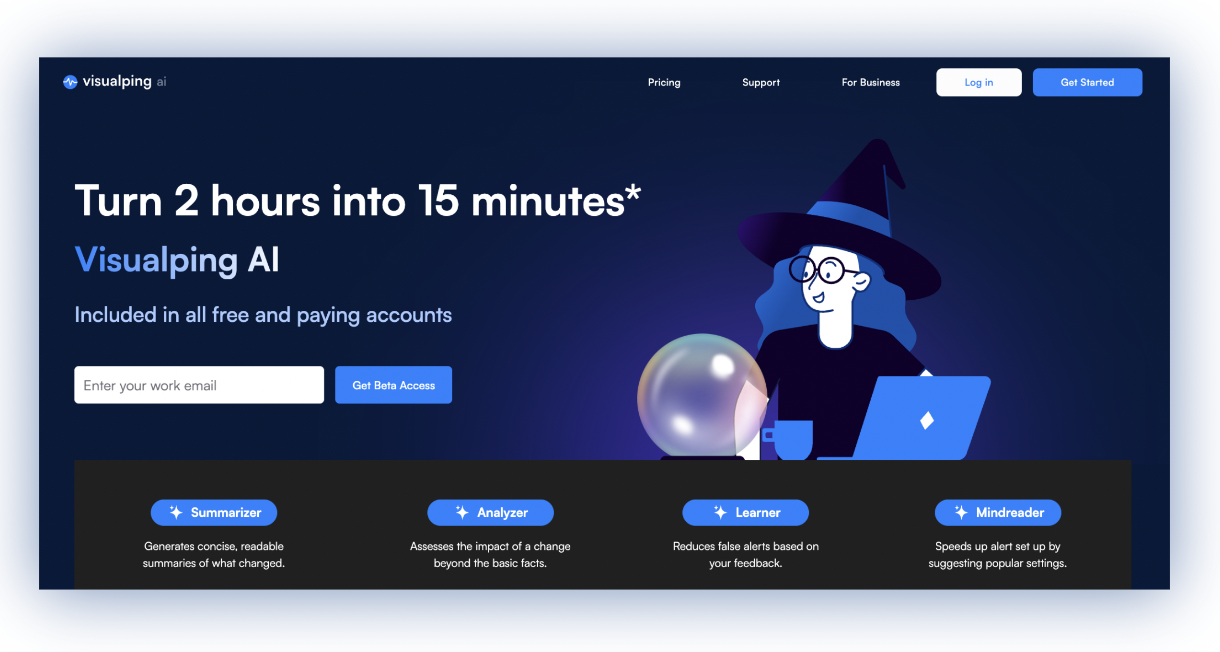
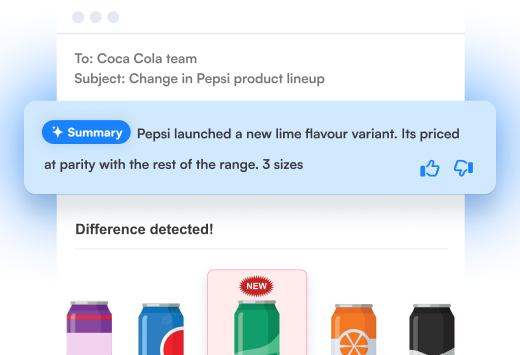
With AI Summaries, every alert arrives with a plain-language explanation of what changed. No more loading pages and comparing screenshots. You read the summary, understand the change, and move on. That 3-5 minute review drops to 10-15 seconds.
AI Summaries are available on every plan, including free accounts. They show up automatically in your alert emails and dashboard. Nothing to configure.
Summaries alone still mean you're reviewing every change, though. The bigger shift happens when you add a prompt.
Important Alerts keep your inbox clean (and your mornings short)
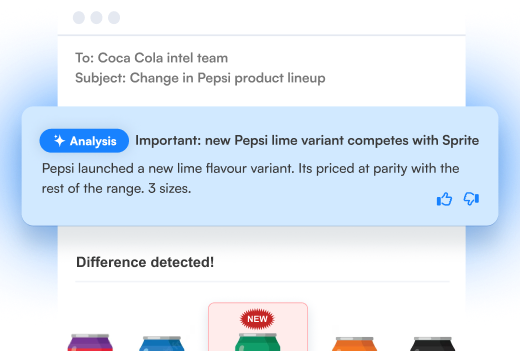
When you write a prompt during job setup (something like "flag changes to approval status or compliance deadlines"), Visualping AI evaluates every detected change against that criteria. Matches get tagged Important and fire your notifications. Everything else is captured and logged, but it won't ping you.
Before vs. after: a real scenario
Take that same compliance analyst monitoring 40 pages. In a typical week:
| Before AI | With AI Summaries | With Important Alerts | |
|---|---|---|---|
| Alerts received | 47 | 47 | 6 flagged Important |
| Time per alert | 3-5 min | 10-15 sec | 10-15 sec |
| Weekly review time | ~3 hours | ~12 min | ~90 seconds |
| Missed changes | Risk of fatigue blindness | Lower | None (all captured, just not pushed) |
Three hours of manual triage, cut to under 2 minutes. The other 41 changes are still in your dashboard if you ever want to check them. Nothing is lost.
What happens when you're monitoring 50+ pages
Once monitoring grows beyond a handful of pages (competitor pricing across 50 product pages, regulatory updates across 30 agencies, contract terms across a vendor portfolio), even Important Alerts can stack up.
Reports pull changes across multiple monitoring jobs into a single AI-summarized briefing. Instead of reviewing alerts one by one, you get a consolidated view: what changed this week, what mattered, what pattern is forming.
For a team lead briefing stakeholders every Monday, a weekly report replaces the Friday afternoon scramble of compiling change logs from individual emails. That's another 30-60 minutes shaved off per cycle.
Reports are available on Business plans and above.
When a self-service prompt isn't enough
Some monitoring jobs need more muscle. All plans include visual analysis and Actions for pages behind logins, but the Solutions tier adds upgraded AI models, the Visual Analyzer for richer image-based analysis, prompt engineering support, monitoring behind multi-step logins and IP restrictions, and custom data outputs.
For the full breakdown of every Visualping AI capability, see our complete Visualping AI overview. If you want hands-on guidance on writing effective prompts, our prompt writing guide covers the details.
Getting started
AI Summaries are already active on your account. To start using Important Alerts, open any monitoring job, add a prompt describing what matters, and let Visualping handle the filtering.
Setup takes under a minute. The time savings start with your next alert.
Want to monitor web changes that impact your business?
Sign up with Visualping to get alerted of important updates, from anywhere online.
Emily Fenton
Emily was the Product Marketing Manager at Visualping. She has a degree in English Literature and a Masters in Management.
More articles by Emily Fenton