StockX Price Alerts: How to Track Sneaker and Streetwear Prices
Updated April 16, 2026
By the Visualping research team, analyzing live monitor logs across the StockX product catalog since 2024.
Last updated April 2026.
 Buy when the market hits your number
StockX price alerts notify shoppers when sneaker and streetwear Ask prices move. The most reliable method is to monitor the product URL with Visualping, which checks the page on a fixed interval and pushes a binary IMPORTANT signal plus a plain-English AI summary the moment the Ask drops. Free covers basics; paid adds faster checks.
TL;DR: StockX prices swing by the minute on hyped sneaker drops, viral streetwear, and limited collectibles, and the platform never sends a price-drop alert. Visualping watches any StockX product URL, flags every price move with a binary IMPORTANT signal, and includes a plain-English AI summary so shoppers know whether to act. The free tier covers basic monitoring; paid plans add 15-minute checks and SMS. Setup takes about two minutes.
StockX prices move by the minute. The Jordan 4 you want might be $280 today and $220 next week. A Supreme hoodie spikes after a celebrity sighting, then settles once hype fades. Timing the buy saves real money. Refreshing the page every hour gets old fast.
StockX does let you place bids at your target price, but that locks up payment upfront. There is no simple "alert me when the price hits $X" toggle that lets you watch without bidding.
Visualping monitors any StockX product page and pings shoppers when the price moves. Over 118 resale shoppers already track 210+ StockX listings on Visualping, with the Jordan 4 Retro and Converse Chuck Taylor XXHi among the most watched. Track the Ask price, Last Sale, or price trends without placing a bid, then buy when the number is right. The cadence and product-mix patterns below come from a sample of 47 active StockX monitors run by 36 distinct shoppers through April 2026.
What Visualping data shows about StockX restocks and price drops
In our sample of 47 active StockX-targeted monitors (36 distinct shoppers, all-time through April 2026), the cadence is the headline. Sixty-eight percent run sub-30-minute checks, and 21% ping the page every 15 minutes or faster. That is the fastest cadence we see on any resale marketplace, and it lines up with how quickly the Ask price moves on hyped releases.
Monitoring pays off here. Of those 47 monitors, 30 (about 64%) detected at least one change worth surfacing, and 19% of those changes were flagged as Important by Visualping's binary IMPORTANT classifier. That matches what flippers tell us: most movements are noise, but the right Ask drop is worth a push notification.
The product mix tracks the StockX center of gravity. Air Jordan listings account for 26% of monitored URLs in the sample, retro silhouettes another 23%, and Nike 13%. Labubu and Pop Mart drops show up in the same set. StockX has quietly become a collectibles exchange beyond footwear, and the monitors follow.
Where StockX's built-in tools fall short
Is placing a StockX Bid the same as price tracking?
No. StockX lets you place a Bid, an offer to buy at a specific price. But bidding locks your payment method and commits you to the purchase if a seller accepts. Bids are a buying mechanism. Anyone who wants to watch a price without committing has no built-in option.
Does StockX send price drop alerts?
No. StockX shows historical price charts and recent sales data, then leaves shoppers to refresh the page themselves to catch a drop in the Ask or Last Sale.
Prices are volatile and time-sensitive
StockX prices swing on supply, demand, hype cycles, and seasonal trends. A sneaker can shed 20% in a week as release hype fades, or spike overnight after a celebrity wears it. Without monitoring, shoppers either buy at the wrong time or miss the dip.
Size-specific pricing varies wildly
On StockX, each size has its own price. A size 10 Jordan can sit $50 below the size 9. Movements are independent: one size can be dropping while others climb. Monitor at the size level rather than the model level.
How to set up StockX price alerts with Visualping
Step 1: Find the product on StockX
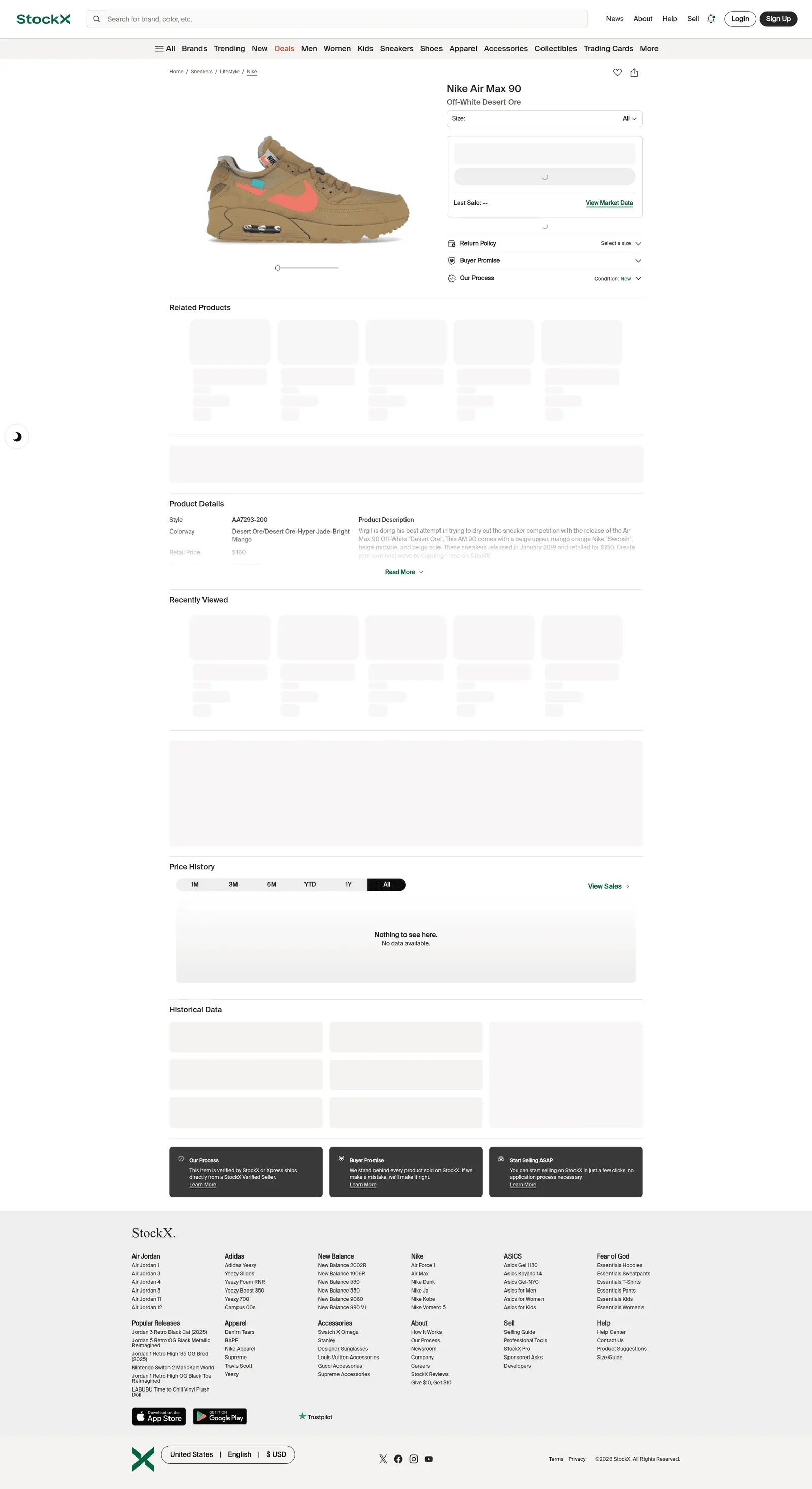
Go to stockx.com and open the exact product you want to track. Select your size. StockX shows different prices for each size, and you want to monitor the price for yours specifically.
Copy the full URL. StockX URLs look like https://stockx.com/air-jordan-4-retro-military-blue.
Step 2: Paste into Visualping
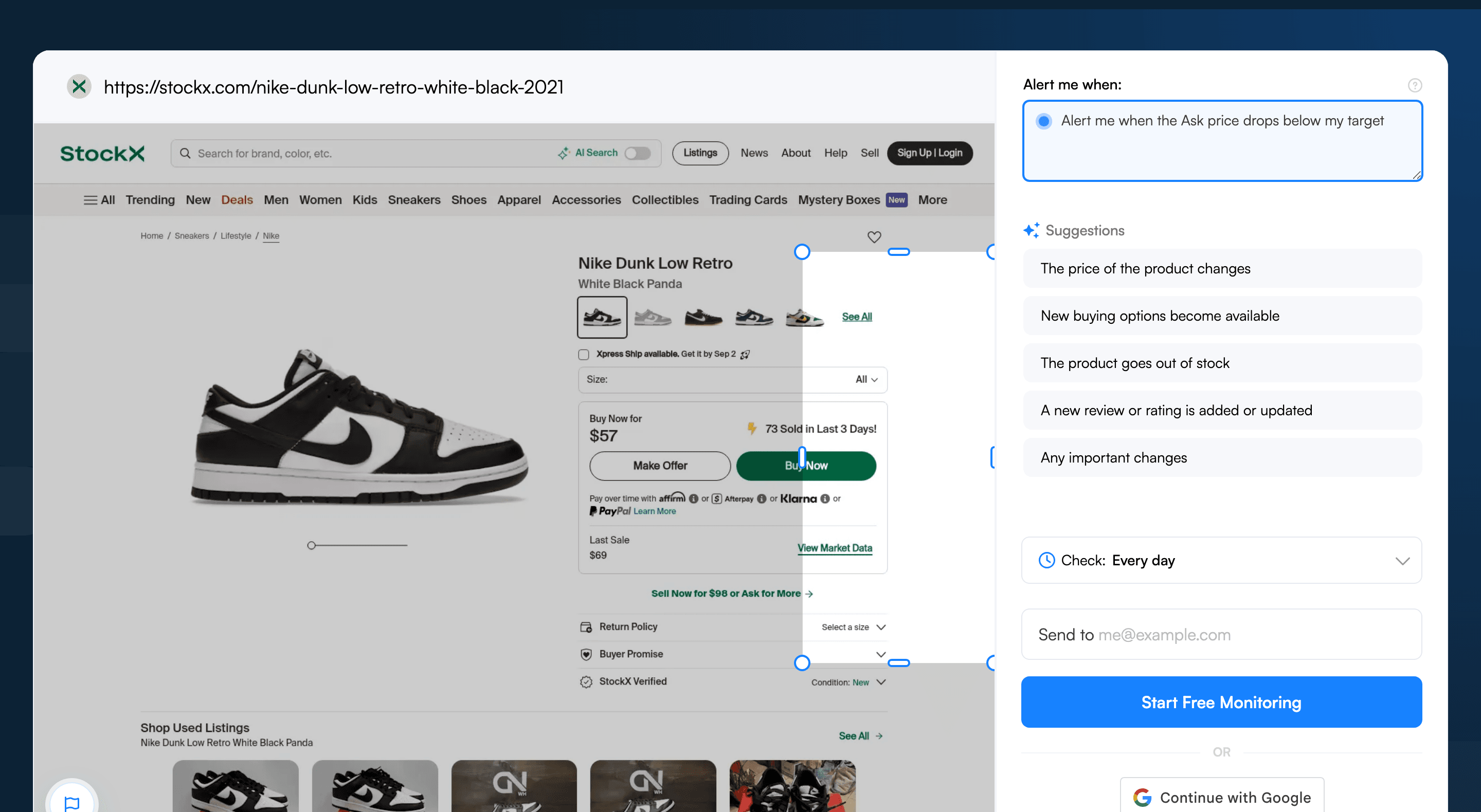
Go to visualping.io and paste the StockX URL. Visualping loads a preview of the page and monitors the whole page by default. To focus the alert, drag a box over the pricing section: the Ask price, Bid price, and Last Sale display, or add an AI criteria like “alert me when the Ask price drops below my target.”
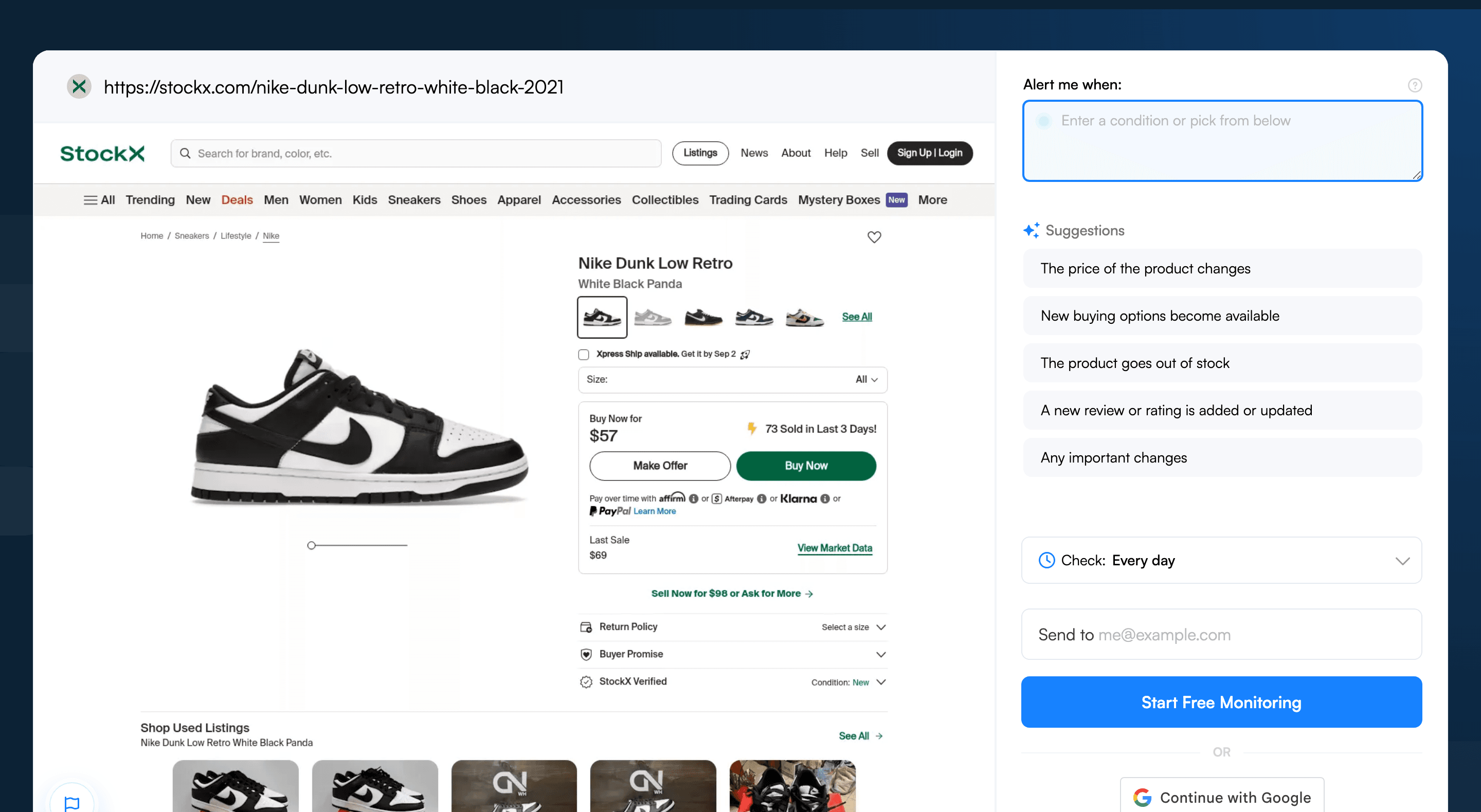
Step 3: Select the price display area
Focus your monitoring on:
- The Ask price (the lowest price a seller is willing to accept, i.e. what you'd pay)
- The Last Sale price (most recent transaction, shows market direction)
- The price chart area if you want alerts on trend changes
Rip out the "Related Products" carousel, editorial content, and authentication badges. These change without affecting the product's price.
Step 4: Set check frequency
StockX prices can move quickly, especially for hyped releases in the first 1-2 weeks. Set checks to every 15-30 minutes for items you're actively watching. For long-term price tracking (waiting for a shoe to settle months after release), every 6-12 hours works.
Step 5: Add an AI criteria for your target price
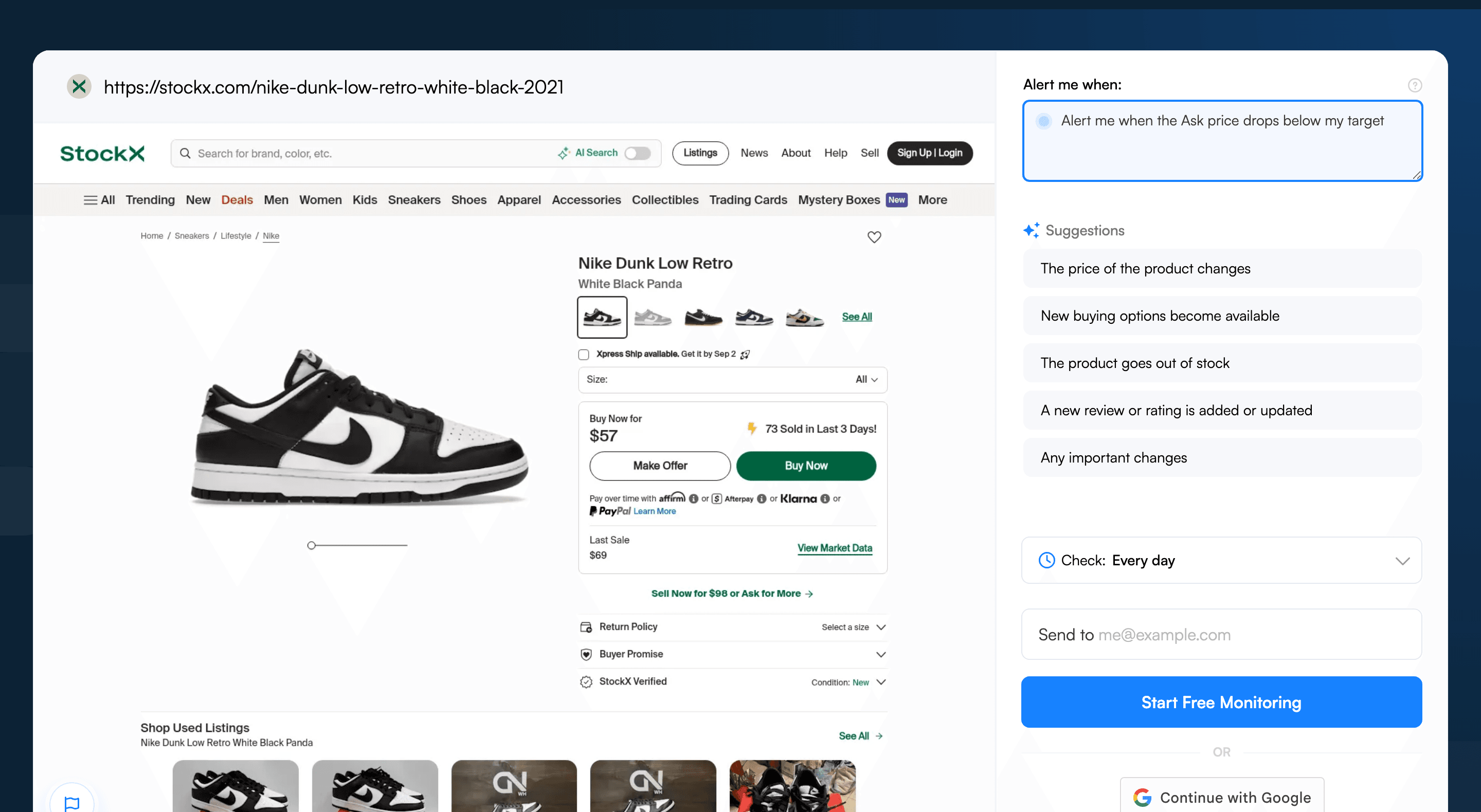
In the "Alert me when" field, enter a prompt like: "Alert me when the Ask price drops below $200 or when the Last Sale is under $200." This is the key piece: you set your target price in plain English and only get alerted when the market hits your number.
Step 6: Choose notifications
Email for casual price watching. SMS for shoes where you want to buy immediately when the price hits your target, since the market can bounce back up quickly.
Visualping handles price and restock monitoring across other retailers too. See the same setup adapted for Nordstrom anniversary sale waitlists, Apple Store launch-day in-stock alerts, Coach Outlet bag drops, Patagonia gear restocks, Dyson refurbished restocks, Ulta Beauty limited-edition launches, and the full restock alerts hub.
Pro tips for StockX price tracking
-
Monitor the 2-3 week post-release window. As of April 2026, most sneakers slide to their lowest resale price in the weeks after release, once initial hype dies and supply catches up. Set up a monitor at release and watch the price decline to your target. This is the sweet spot for buying below retail on hyped pairs.
-
Track multiple sizes. Shoppers who fit a 10 or 10.5 should monitor both. Size-specific pricing on StockX means one size can hit a target price days before the other.
-
Watch the price around holidays. StockX prices typically soften in January (post-holiday selling) and August (back-to-school selling). Set up monitors ahead of those windows to catch seasonal lows.
-
Monitor the "Sell" page for market trends. Sellers can also watch Bid prices on items they own. A rising Bid signals demand is climbing, a cue to list or hold.
-
Pair Visualping with StockX Bids. Use Visualping to watch the trend. Once the market heads toward the target price, place the StockX Bid. Beats picking a random number and hoping a seller bites.
-
Track streetwear and collectibles the same way. StockX covers more than sneakers. Supreme, BAPE, trading cards, electronics, and collectibles all use the same Ask/Bid mechanism. Visualping runs on any StockX product page.
Frequently Asked Questions
What's the best way to get notified when StockX restocks an item or drops the Ask price?
The most reliable approach is to monitor the StockX product page directly with a page monitoring agent (also known as a website monitoring tool). Visualping watches the page on a schedule, applies a binary IMPORTANT classifier to every change, and sends a plain-English AI summary so shoppers see whether the Ask actually moved or the page just reshuffled an editorial block. StockX itself only offers Bids, which lock up payment, so a third-party monitor is the only zero-commitment path. Start free here.
Is there a free tool to track StockX price drops?
Yes. Visualping offers a free tier that covers basic StockX monitoring with checks every several hours, which is enough for long-tail price tracking on settled sneakers. Shoppers chasing release-week dips usually upgrade to a paid plan for 15-minute checks and SMS alerts. Either way, monitors set up in under two minutes by pasting the StockX URL.
Can I monitor multiple StockX products for restocks and price drops at once?
Yes. Visualping lets shoppers set up monitors for any number of StockX product URLs from one dashboard, with separate target prices and check intervals per item. The 47-monitor sample analyzed in this post included multiple sizes of the same Air Jordan model on different alert thresholds. There is no per-monitor sign-up step beyond the free account.
How fast does Visualping detect a StockX price change?
Detection speed equals the configured check interval. The data above shows 21% of StockX shoppers run 15-minute checks, the fastest cadence on any resale marketplace tracked. On paid plans, 15-minute polling means the average price change is surfaced within roughly 7 minutes. The free tier polls less frequently, which suits long-term watch lists better than release-day flips.
Why don't StockX's own price drop notifications work reliably?
StockX does not actually send price-drop notifications. The only built-in option is placing a Bid, which commits the buyer's payment method and obligates a purchase if a seller accepts. There is no passive watchlist, no "alert me at $X" toggle, and no email when the Ask softens. A third-party monitor like Visualping polls the page directly, so shoppers stay informed without locking up cash. Set up the first alert here.
Does Visualping work for StockX sneakers, streetwear, and collectibles?
Yes, on every category. Air Jordans, Yeezys, Supreme, BAPE, trading cards, Pop Mart figures, and electronics all use the same StockX Ask/Bid/Last Sale display, so the same monitor works across them. For sneakers, shoppers should select the size before copying the URL because StockX scopes the price to size. Visualping also runs on GOAT, eBay, and Grailed for cross-platform price comparisons.
Buy smarter on StockX
StockX prices reward patience. Visualping watches for the dip. Pick a product page, set a target price, get pinged the moment the market meets the number. No bid. No manual refresh.
The fair objection: alerts fire on noise. Visualping's binary IMPORTANT flag plus the AI summary screen out cosmetic page shuffles, so notifications only land when the Ask, Bid, or Last Sale moves in a way worth acting on. Shoppers who want broader resale coverage can read the full restock alerts guide, or check pricing tiers for SMS and 15-minute checks.
Set up the first StockX price alert in under two minutes. Free to start.
Want to monitor web changes that impact your business?
Sign up with Visualping to get alerted of important updates from anywhere online.
Eric Do Couto
Eric Do Couto is the Head of Marketing at Visualping. He leads content strategy, growth operations, and brand positioning for website change detection.
More articles by Eric Do Couto