API Changelog Monitoring for Technology Partners
By The Visualping Team
Updated February 24, 2026
API Changelog Monitoring for Technology Partners
Automation at a glance
What it does: Monitors API changelogs and release notes from your critical technology partners, then uses AI to categorize changes by severity and route relevant alerts to your engineering team.
Tools: Visualping (trigger) + Zapier (orchestration) + Claude or GPT-4 (analysis) + Jira/Slack (delivery)
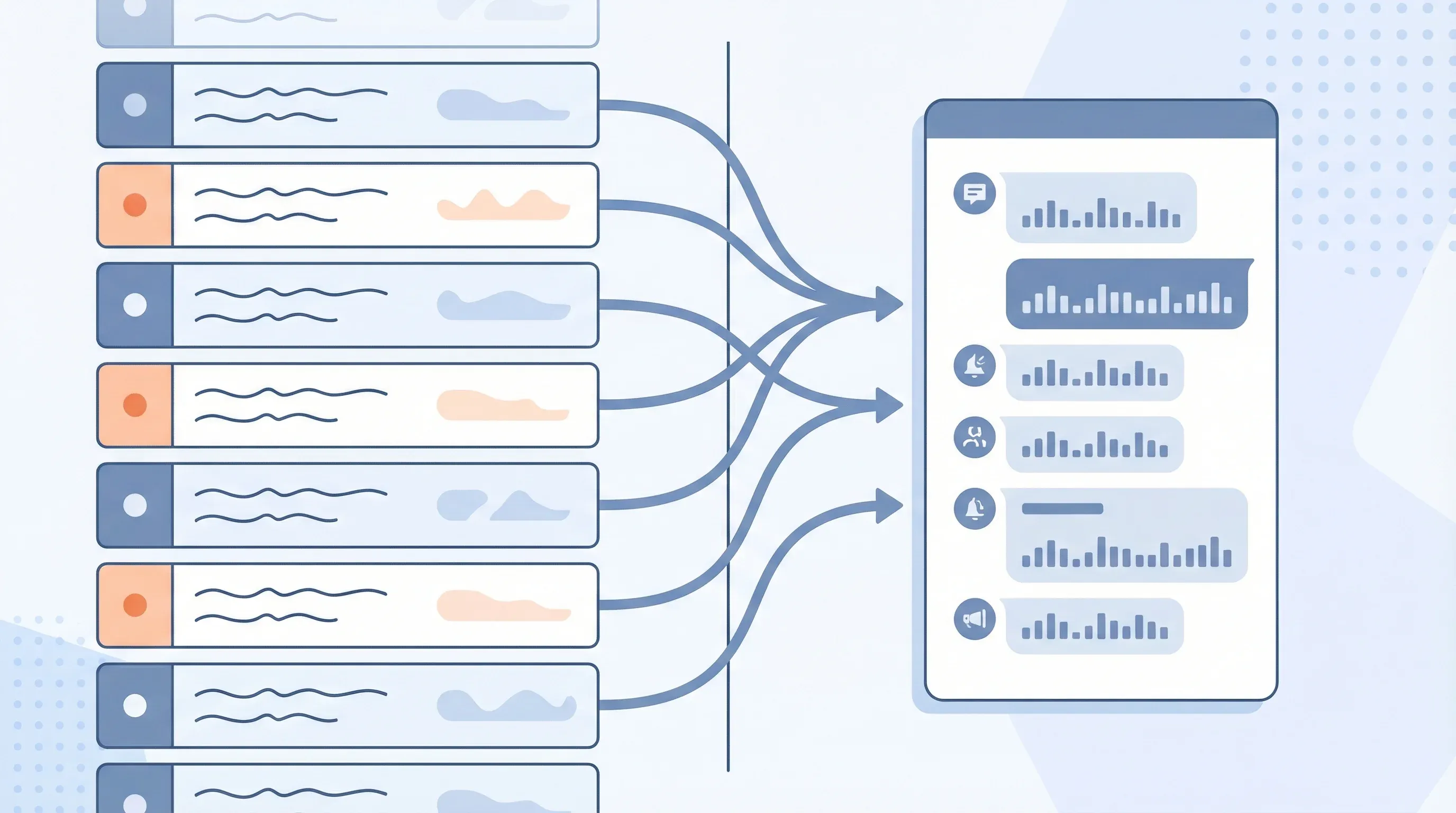
Workflow: Visualping detects changelog update -> Zapier sends content to AI -> AI categorizes severity and impact -> Jira ticket + Slack alert delivered to integration team
Setup time: ~30 minutes | Ongoing effort: 30 min per week reviewing alerts
Part of the Automation Workflows Series — 12 ready-to-use workflows for Sales, Marketing, Partnerships, Engineering, and Legal teams.
Your integration with Stripe has been humming along for two years. Then, on a Tuesday morning, your error logs light up. API requests fail with authentication errors. Your customer support team floods with reports of failed transactions.
You panic. You pull up Stripe's API documentation and find a changelog entry from three weeks ago: "Legacy API authentication method deprecated. Will be discontinued on March 31." They gave 45 days notice. You had 18 days left.
Your team missed the changelog entry. Nobody monitored Stripe's developer documentation. The integration worked fine, so nobody checked the docs. By the time you found the breaking change, you had less than three weeks to rebuild authentication and deploy the fix across your platform and to your customers.
This scenario repeats across technology partnerships. Integration engineers discover breaking API changes through outages, not through proactive monitoring. Developers find out about new capabilities weeks or months after release. Deprecation warnings go unnoticed until the deadline passes and production outages force a scramble. API documentation monitoring catches breaking changes before they reach that point.
The cost of this reactive approach compounds. Every breaking change discovered via outage becomes an emergency. It requires pulling engineers off roadmap work. It may require a rushed deployment. It might impact your customers before you can fix it. It definitely damages trust.
The alternative: systematically monitor website changes across the API documentation and changelog pages of your critical technology partners and automatically surface changes to your integration team before they cause problems. That is exactly what API changelog monitoring delivers.
What actually changes in API changelogs
API change management differs fundamentally from partnership program management. API changes are technical, versioned, and often time-sensitive. A breaking change published today is a bomb you need to diffuse in the next 30-90 days depending on the deprecation timeline.
Common API changes you need to track:
Breaking changes: Authentication method changes. Response format modifications. Endpoint path or behavior changes. Parameter requirements shift (newly required fields, removed optional fields). This category breaks things and demands immediate attention.
Deprecations: The partner announces that something will stop working on a specific date. The timeline varies from 30 days to a year, but there's always a deadline. You need to know about it immediately so you can plan your rebuild work into your sprint schedule.
New capabilities: The partner released a new endpoint or parameter that could make your integration more efficient. A webhook type that reduces polling overhead. A bulk operation endpoint that cuts API calls by 80 percent. These don't break anything, but they might unlock better performance or new features for your customers.
Rate limit changes: The partner increased or (more commonly) decreased their rate limits. This changes the performance characteristics of your integration. You might need to implement backoff logic or rearchitect your integration to work within the new limits.
Endpoint lifecycle: Endpoints move from beta to general availability, or from available to sunset. These transitions often come with requirement changes (e.g., beta endpoints don't have SLA guarantees, while GA endpoints do).
Documentation corrections: The partner clarifies behavior that was ambiguous. This doesn't break anything, but it might mean your integration depends on behavior that wasn't officially supported. You might be accidentally doing something that works today but wasn't intended.
Integration teams that use website change detection tools can rebuild before deprecation deadlines. They can optimize integrations based on new capabilities. They can avoid surprises.
Go deeper: How to Track a Website for Changes | Visual Regression Testing
How API changelog monitoring works
The architecture mirrors other monitoring workflows, but the focus targets technical change documentation specifically. According to the Postman 2025 State of the API Report, 52% of developers cite breaking changes as their top API integration concern, making proactive monitoring essential.
Trigger: Visualping monitors the API documentation, changelog, or release notes page of a critical technology partner. This could be Stripe's API changelog, HubSpot's API release notes, Slack's changelog, or Salesforce's release notes. You define the URLs and check frequency.
Detection: When the page changes, Visualping captures what the partner added. New changelog entries are easier to detect than changes to existing entries, so most services append new entries to the top of the changelog. Visualping identifies the new content.
AI Analysis: An AI step reads the changelog entries and performs triage:
- Is this a breaking change, deprecation, new capability, or documentation fix?
- What's the severity? (Critical = breaks existing functionality, High = affects performance or requires rebuild, Medium = recommended optimization, Low = informational)
- Which of your integrations does this affect?
- What's the timeline? (For deprecations, when does the old behavior stop working?)
Output: The AI generates a technical brief. Example: "Breaking change published: Stripe's list_charges endpoint pagination will change on May 15. Current pagination uses offset/limit. New pagination uses cursor-based pagination. This affects your Transaction Sync integration (uses list_charges with offset logic). Timeline: 60 days to rebuild. Recommended: Create Jira epic for pagination refactor, estimated 3-5 engineering days."
Action: The system creates a Jira ticket with the technical details, links to the relevant changelog section, and estimated work. It can also post to a #integrations Slack channel for visibility across the team.
Workflow breakdown: Changelog monitoring
Let's walk through a concrete example. Your company has a critical integration with HubSpot that syncs contact data. HubSpot constantly updates their APIs, and your integration depends on specific endpoints and behavior. You're running API changelog monitoring on HubSpot's developer docs to catch changes before they break your integration.
Step 1: Set up the monitor
You point Visualping at HubSpot's API changelog page (developers.hubspot.com/changelog). You configure it to check daily because HubSpot publishes updates frequently. You also configure it to check multiple times per day during the week leading up to major feature releases.
Step 2: Detect new changelog entries
Three days later, Visualping detects new entries on the changelog page. Three changes appear:
- "Contact APIs: New optional parameter 'sync_source' for batch operations"
- "Contacts API: Deprecation notice - limit parameter will be renamed to 'limit_per_page' on June 1"
- "Contacts API: New searchable properties in contact list filtering"
Step 3: Categorize and assess impact
The AI step reads these entries and categorizes:
- New parameter (sync_source): Low severity. Optional parameter. No action required immediately. Medium-term optimization opportunity.
- Deprecation (limit parameter rename): High severity. Your integration uses the limit parameter in list operations. You have until June 1 to update your code. This is a blocking issue that must be prioritized.
- New properties: Medium severity. Enables new filtering capability. Valuable for customer feature expansion, but not urgent.
Step 4: Build the technical brief
The AI generates a structured brief:
BREAKING CHANGE: HubSpot Contacts API - Deprecation Notice

The 'limit' parameter in Contacts List API will be deprecated June 1, 2024.
New parameter name: 'limit_per_page'

IMPACT: Your Transaction Sync > Contact Sync integration uses this parameter.
STATUS: Currently working with deprecation warning in HubSpot's API responses.
ACTION: Rebuild integration to use new parameter name before June 1.

JIRA TASK SUMMARY:
- Replace 'limit' with 'limit_per_page' in all HubSpot Contacts API calls
- Test against HubSpot sandbox environment
- Deploy to production before June 1, 2024
- Update integration documentation
- Communication: Notify customers of backend change (no customer-facing impact)

TIMELINE: 60 days (deadline June 1). Estimated work: 2-3 engineering days.
JIRA EPIC LINK: [Create epic for Q2 integration maintenance]
Step 5: Route to integration team
The system creates a Jira story with the above content, estimated at 2 days of work, and adds it to the integration maintenance backlog. It also posts to #integrations Slack:
"HubSpot breaking change: 'limit' parameter deprecated, rename to 'limit_per_page' by June 1. Affects Contact Sync. Jira ticket created: INTEG-2847."
Step 6: Integration team response
Your integration engineer sees the ticket. They schedule the work in the next sprint. They rebuild the affected code. They test in HubSpot's sandbox. They deploy the fix two weeks before the June 1 deadline. No outage. No customer impact. Crisis averted.
Before and after: Manual vs. automated
Before: Manual changelog monitoring
- Time investment: 1-2 hours per week of engineering time to manually check changelogs for critical partners
- Process: Engineer logs into HubSpot developers docs, scrolls changelog, reads entries, assesses impact, communicates to team
- Frequency: Weekly or less frequently (limited by engineer time budget)
- Latency: 1-2 weeks from changelog entry to team awareness
- Completeness: Depends on what the engineer notices. Easy to miss low-visibility or technical documentation fixes.
- False negatives: High. Partners sometimes publish breaking changes in minor changelog entries without clear escalation.
- Communication: Manual. Engineer has to decide who needs to know and tell them.
- Context: Variable. The engineer has to interpret technical impact from changelog text.
After: Automated changelog monitoring
- Time investment: 2 hours to configure monitoring for all critical partners; 30 minutes per week to review and prioritize alerts
- Process: AI reads changelog, categorizes by severity and impact, routes to engineering team
- Frequency: Daily checks, with option for multiple checks per day during major release windows
- Latency: Same-day awareness of breaking changes and deprecations
- Completeness: Every changelog entry captured, including subtle documentation fixes.
- False negatives: Eliminated. Every breaking change gets flagged with severity assessment.
- Communication: Automatic. High-severity changes route to Jira and Slack immediately.
- Context: High. You get impact assessment and technical brief with each alert.
In practice, this means your integration team never has to choose between "monitor changelogs" and "do their actual integration work." They do their actual work. The system monitors. When something important happens, they get a fully contextualized alert.
A typical team managing integrations with 5-8 critical partners can absorb same-day changelog alerts without it becoming a distraction. The alerts are specific enough that your team can immediately assess whether it requires action this sprint or next quarter.
The three types of changes that can't be late
Not all API changes are equally urgent. These three categories have strict timelines:
Breaking changes with deprecation deadlines: When a partner announces they'll discontinue support for an old authentication method on a specific date, you have until that date. If you miss it, your integration breaks. Catch these on day 1, and you have 30-90 days to rebuild. Catch them on day 28, and you're in a panic. Better to catch them at zero.
Rate limit reductions: If a partner decreases their rate limits and you're already hitting those limits, your integration will start failing immediately. You need to know about this before it takes effect so you can optimize your integration's API usage or upgrade your rate limit tier. Same-day awareness lets you plan. Post-facto discovery means outages.
Endpoint deprecations: When a partner deprecates an endpoint in favor of a new one, the timeline to migrate varies. Sometimes it's 30 days, sometimes it's a year. You need to know immediately so you can backlog the migration work. If you discover the deprecation on the deadline date, you're in trouble.
These changes require immediate attention and planned engineering work. API changelog monitoring ensures they never go unnoticed.
Configuring monitoring for your integration stack
Start by identifying your three to five most critical integrations by revenue or customer impact. For each one, identify where that partner publishes changelog or API updates. Research from SmartBear's 2025 State of Software Quality Report shows that organizations with structured API monitoring practices reduce integration-related incidents by up to 40%.
Common locations for API changelogs:
- Stripe: stripe.com/docs/upgrades
- HubSpot: developers.hubspot.com/changelog
- Slack: slack.com/changelog
- Salesforce: developer.salesforce.com/docs/release-notes
- AWS: aws.amazon.com/about-aws/whats-new/
- Twilio: twilio.com/docs/changelog
- GitHub: docs.github.com/en/rest/overview/releases
Set up a monitor for each one. Configure check frequency based on how often that partner updates. Stripe and HubSpot? Daily checks. AWS? Multiple times per day. Less active partners? Weekly or biweekly.
Configure AI categorization rules based on what affects your specific integrations. If you care deeply about rate limits, add that as a high-severity filter. If you're using a specific endpoint, add it to a watchlist. You can apply the same approach to terms of service monitoring for your vendor agreements.
Why this matters for integration stability
API dependencies are debt. Every third-party API you integrate with is a potential source of breaking changes. You can't eliminate that debt, but you can make sure you're aware of it before it becomes an outage. As Gartner's 2025 API Strategy research highlights, the average enterprise now manages over 15,000 APIs, making manual tracking virtually impossible.
Teams that monitor API changes systematically experience fewer integration incidents. They rebuild before deprecation deadlines instead of after them. They catch rate limit changes before they cause cascading failures. They stay ahead of the API dependency curve.
For larger organizations, Visualping for engineering teams also creates a scheduled cadence for integration maintenance. Instead of integration maintenance being a reactive task that happens only when something breaks, it becomes a regular (weekly or biweekly) review: "What's changed in our critical dependencies this week? What do we need to backlog?"
That shift from reactive to proactive is the difference between stable integrations and fragile ones.
Frequently asked questions
How many API changelogs can I monitor at once?
Visualping supports monitoring as many pages as you need. Most teams start with their 3-5 most critical integrations and expand from there. Each changelog URL gets its own monitor with independent check frequency settings, so you can check high-priority partners daily and lower-priority ones weekly.
What if the API changelog uses JavaScript rendering or requires authentication?
Visualping handles JavaScript-rendered pages natively. For changelogs behind authentication walls (like partner portals), you can configure Visualping to use login credentials. Some partners also offer RSS feeds or email-based changelogs as alternatives you can track alongside the web page.
How accurate is the AI severity categorization?
The AI correctly categorizes most changelog entries on the first pass. Breaking changes and deprecation notices with explicit deadlines reach near-perfect accuracy because the language patterns are consistent across providers. For ambiguous entries, the AI flags them as "needs review" so your team can assess manually. Over time, you can refine the categorization rules for each partner.
Can I customize which types of changes trigger alerts?
Yes. You can configure the AI analysis step to filter by severity level, affected endpoints, or specific keywords. For example, if your integration only uses three Stripe endpoints, you can set the system to only create Jira tickets when those endpoints appear in changelog entries. Lower-relevance changes can route to a digest email instead.
How quickly will I receive alerts after a changelog update?
Alert speed depends on your configured check frequency. With daily checks, you'll receive an alert within 24 hours of a changelog update. For critical partners where you run multiple checks per day, latency drops to a few hours. Visualping sends the notification as soon as it detects the change, and the AI categorization and routing steps add only a few minutes of processing time.
Does this replace reading API documentation entirely?
No. API changelog monitoring catches updates and changes as they happen, but your engineering team should still review full API documentation when building or significantly modifying an integration. Think of changelog monitoring as your early warning system. It tells you what changed and when, so you can decide when to dive deeper into the documentation.
Wrapping up
API changelog monitoring transforms how engineering teams manage third-party dependencies. Instead of discovering breaking changes through production outages, your team receives categorized, contextualized alerts the same day a partner publishes an update.
The setup takes less than an hour. The ongoing review takes 30 minutes per week. The alternative is hours of manual monitoring or, worse, emergency scrambles when unnoticed changes break your integrations.
Identify your three most critical API integrations. Find their changelog or API release notes page. Add those pages to Visualping. Configure daily checks. Set up a Slack channel (#integrations or #integration-alerts) where alerts post automatically.
Within a week, you'll likely catch at least one update you would have missed manually. Within a month, you'll have an integration health feed that gives you visibility into all critical API changes.
Machines handle this kind of work better than humans. Monitoring technical documentation becomes easier and more reliable through automation. Your integration engineers should build features and handle incidents, not scroll API documentation pages looking for breaking changes.
Use this Zapier template - Automatically create engineering tasks when critical API changes appear.
Start a free Visualping trial - Add Visualping to your integration stack and monitor API changelogs in under 5 minutes.
Related automation workflows
- Integration Marketplace Monitoring: Track Partner Launches — Watch partner directories for new integration listings
- Partner Program Monitoring: Catch Changes Before They Hit — Detect partner tier restructures and requirement changes
- See all 12 workflows →
Looking for more ways to monitor partner ecosystems? Check out our guide on partner program change tracking.
Want to monitor web changes that impact your business?
Sign up with Visualping to get alerted of important updates from anywhere online.
The Visualping Team
The Visualping Team is the content and product marketing group at Visualping, a leading platform for website change detection and competitive intelligence. We write about automation, web monitoring, and tools that help businesses stay ahead.