Terms of Service Monitoring: Automate Vendor Compliance
Updated February 24, 2026
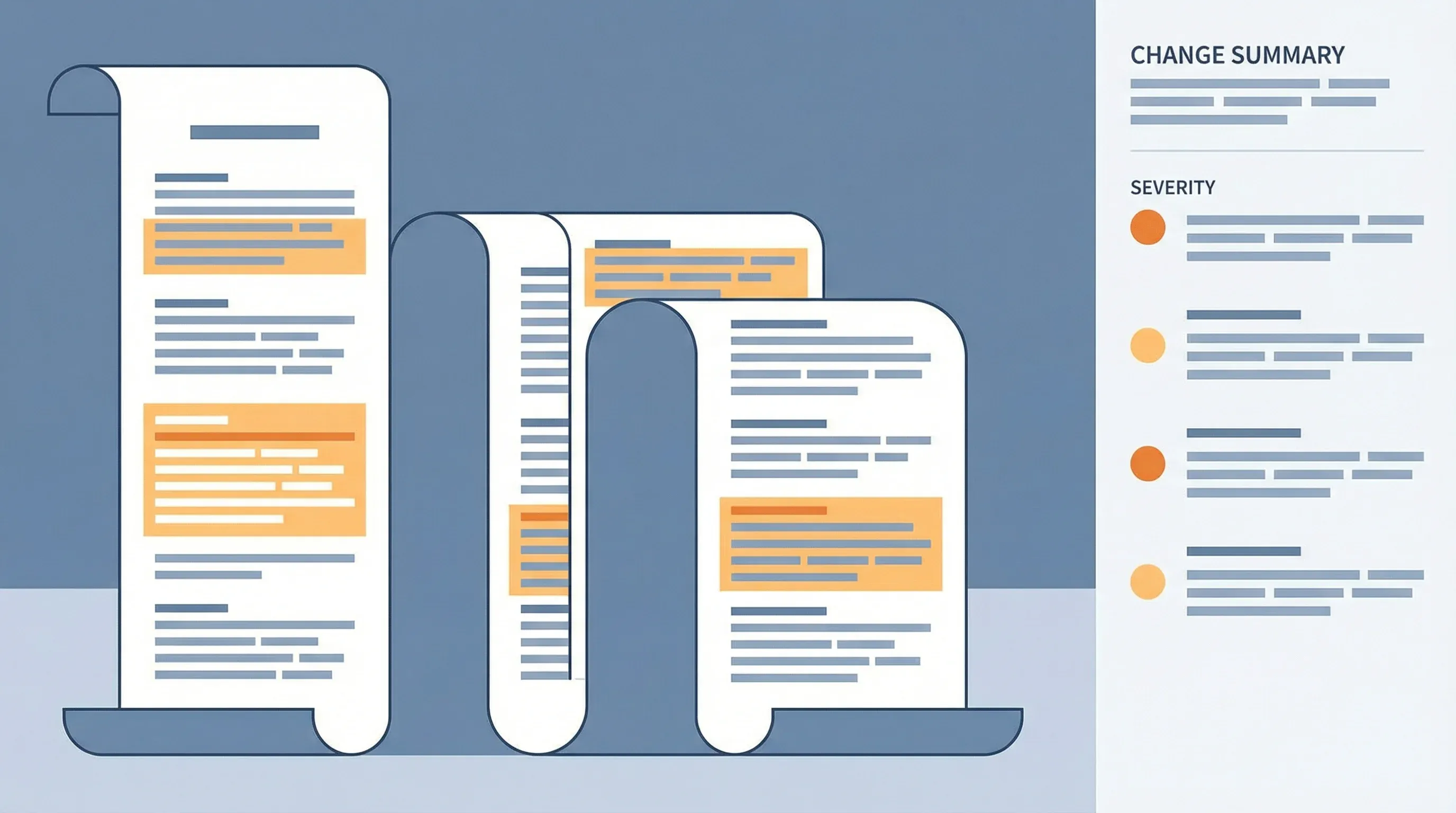
Automation at a glance
What it does: Monitors vendor terms of service pages for changes, runs AI analysis on detected updates, and routes compliance-relevant alerts to your legal team automatically.
Tools: Visualping (trigger) + Zapier (orchestration) + Visualping AI (analysis) + Slack and Airtable (delivery)
Workflow: Visualping detects ToS change -> Zapier triggers AI analysis -> AI categorizes impact level -> Alert routes to legal team or compliance log
Setup time: ~30 minutes | Ongoing effort: 5 min per alert
Part of the Automation Workflows Series — 12 ready-to-use workflows for Sales, Marketing, Partnerships, Engineering, and Legal teams.
Your company relies on Salesforce for customer data management. Three months ago, you signed their standard subscription agreement. Life moves on. You ship features, you manage customer relationships, you don't think about the Salesforce contract again until renewal time.
Then your compliance officer brings you a message from your CRM team: "Salesforce updated their terms. They're changing their data residency requirements. We need to review whether this affects our data handling commitments to customers." Your compliance team now has to scramble to understand the change, assess impact, and determine if you need to notify your customers or change your data handling policies.
You dig into Salesforce's terms history and realize they updated the agreement six weeks ago. You had no terms of service monitoring in place for their ToS page. You discovered the change through a casual conversation, not a systematic process. If your compliance team hadn't mentioned it, you might have gone a year without knowing about the change.
This scenario scales across dozens of vendors. If your company uses Stripe for payments, Twilio for communications, AWS for infrastructure, Slack for team collaboration, and HubSpot for sales, that's five separate vendors with independently updated terms of service. Each could change their data processing terms, liability limits, feature availability, or pricing structure. Each change could have legal, compliance, or operational implications. According to Gartner's research on third-party risk management, organizations that fail to monitor vendor agreements face significantly higher exposure to regulatory penalties and contract disputes.
Most companies handle vendor compliance reactively. They read the ToS when they sign it, assume it stays stable, and only revisit it if something goes wrong or if their legal team asks about a specific vendor. Meanwhile, vendors regularly update their terms. Without terms of service monitoring, teams fly blind to changes that could affect their legal obligations, data security commitments, or even their ability to operate.
What you need is a systematic way to detect vendor changes through monitoring website changes, understand what changed, and assess whether it creates compliance risk. As always, consult your legal team to determine which vendor changes require formal review under your organization's compliance framework.
What is terms of service monitoring?
Terms of service monitoring is the automated tracking of vendor ToS and legal pages, with alerts when the text changes. A monitoring tool checks each page on a schedule, compares the current version against the last one, and flags edits to clauses that affect data handling, liability, pricing, or service scope. It replaces manual re-reading, which stops working past a handful of vendors.
The pace of change makes this worth automating: 51% of the terms-of-service pages actively monitored on Visualping changed at least once in the past 90 days, and 36% logged at least one change flagged IMPORTANT by Visualping AI.
Why manual ToS review doesn't scale
Before we talk about automation, let's acknowledge why manual ToS tracking fails.
Terms of service are living documents. Vendors update them regularly, sometimes with weeks of notice, sometimes without any announcement at all. They update to reflect regulatory intelligence and compliance requirements, product changes, or business decisions. Some vendors send notification emails. Most don't.
Here's what typical vendor compliance monitoring looks like:
- When you sign up with a vendor, someone saves a PDF of their ToS (sometimes)
- When your legal team asks about a vendor during a security review, someone hunts for the current version (often different from the PDF)
- When something goes wrong, you compare your saved version to the current version and realize things changed
- You occasionally spot check important vendors by manually visiting their website and reviewing their current terms
The output is spotty coverage and delayed awareness. You know about maybe 20% of ToS changes, and you learn about them weeks after they happen.
The deeper problem is that understanding ToS changes requires legal expertise. You can't just flag every sentence that changed. You need someone to interpret what the change means for your business. Does this new liability clause reduce their responsibility for outages? Does this data processing change create GDPR problems? Does this affect your obligations according to compliance monitoring tools you rely on?
This interpretation work is expensive. Hiring a legal team to manually review every vendor's terms monthly is not realistic for most companies. You need to automate the detection and routine analysis, then escalate only the changes that require legal judgment. The IAPP's 2024 Privacy Governance Report found that organizations using automated compliance monitoring tools cut their average response time to vendor policy changes by over 60%.
Go deeper: Legislative Tracking
How automated ToS monitoring works
Here's the workflow for vendor terms monitoring:
Visualping monitors changes in terms and conditions across your critical vendors. Most modern vendors maintain a versioned ToS page (often at vendor.com/legal/terms or vendor.com/terms-of-service). When the page changes, Visualping captures the difference.
Your Zapier workflow then runs the captured change through AI analysis. The AI prompt instructs it to:
- Identify what changed in the document (specific clauses, not just word edits)
- Assess the category of change (data processing, liability, feature availability, pricing, etc.)
- Highlight anything that might affect your data handling, security posture, or legal obligations
- Flag if the change requires legal team review vs. informational awareness only
The analysis output then triggers actions:
- Post routine changes (minor language clarifications, feature additions) to a Slack summary channel for informational awareness
- Escalate material changes (new liability clauses, data handling changes, service availability changes) directly to legal with a summary
- Create a task in your legal workflow management tool with the change details and a deadline for review
- Update a central compliance tracking sheet with all detected changes and your team's response
This workflow completes in minutes. Your legal team receives alerts when something genuinely requires attention, rather than having to manually monitor dozens of vendor websites.
Setting up your terms monitoring stack
Let's build this concretely. Here's how to implement ToS monitoring for your vendors.
Step 1: Identify critical vendors to monitor
List vendors that either:
- Hold customer data on your behalf (payments, communications, CRM)
- Have security implications (infrastructure, identity management, analytics)
- Have regulatory implications (GDPR, HIPAA, compliance-related tools)
- Are mission-critical to operations (the ones that would disrupt your business if they went down or changed terms drastically)
Start with 8-12 vendors. You can expand later. Your list might look like:
- Stripe (payments, PCI implications)
- AWS (infrastructure, data hosting)
- Twilio (communications, data handling)
- Salesforce (customer data)
- Okta (identity management)
- Slack (internal comms, data security)
- HubSpot (sales/marketing data)
- SendGrid (email sending, data handling)
Step 2: Find and verify each vendor's terms page
Not all vendors make their terms equally accessible. Here's what to look for:
For most SaaS companies: Visit vendor.com/terms, vendor.com/legal/terms, vendor.com/tos
For larger vendors with multiple products: Find the terms for the specific product you use (e.g., AWS has different terms for EC2, S3, etc.)
For some vendors: Terms might be in their help center or knowledge base rather than a standard legal page
Test each URL to ensure it actually changes when the vendor updates terms. Some vendors have static pages that rarely update; others update frequently. You want to monitor pages that actually change. The same approach works for partner program monitoring when tracking vendor partnership terms.
Step 3: Set up Visualping monitors
For each vendor, create a Visualping monitor:
Example for Stripe:
- Monitor URL: https://stripe.com/us/legal/ssa
- Check frequency: Weekly (vendor terms usually change slowly, but when they do, you want to know within a week)
- Notify via: Zapier
Example for AWS:
- Monitor URL: https://aws.amazon.com/service-terms/ (or specific service terms depending on what you use)
- Check frequency: Weekly
- Notify via: Zapier
Example for Salesforce:
- Monitor URL: https://www.salesforce.com/company/legal/customer-agreements
- Check frequency: Weekly
- Notify via: Zapier
Note: Some vendors maintain terms as PDFs rather than web pages. Visualping can still monitor these; it will detect when the PDF updates. For API-specific vendor documentation, see our guide on API documentation monitoring.
Step 4: Build your Zapier analysis workflow
Create a Zap triggered by Visualping change detection.
First, add a delay step (30 seconds) before analysis. This gives Visualping time to capture the full diff.
Then add a Visualping AI analysis step:
Prompt: "A vendor has updated their terms of service. The change detected is: [CAPTURED CHANGE]

Analyze this change and provide:

1. SUMMARY: What specifically changed? (1-2 sentences)
2. CATEGORY: Choose one: [data-handling / liability / sla-availability / pricing / security-requirements / feature-changes / legal-terms / other]
3. IMPACT_LEVEL: How significant is this? [critical / high / medium / low]
4. BUSINESS_IMPACT: Does this affect our obligations to customers, data handling, or operations? [yes/no]
5. LEGAL_REVIEW_NEEDED: Does our legal team need to review this? [yes/no]
6. FLAGGED_ITEMS: List any specific items that should trigger attention:
   - New liability limits?
   - Data residency requirements?
   - New security requirements?
   - Changes to availability SLAs?
   - Restrictions on how we can use the service?
7. RECOMMENDED_ACTION: What should happen next?

Output as structured format for parsing."
Note: AI analysis can surface likely areas of concern, but it does not replace qualified legal review. Always have your legal team evaluate flagged changes before making compliance decisions.
Step 5: Route analysis based on impact level
From your analysis, branch your Zap to different destinations:
Critical/High impact path:
- Send to your legal team Slack channel or specific legal contact with @mention
- Include the full change summary and flagged items
- Add a link to the Visualping diff so legal can see the exact change
- Create a task in your compliance workflow tool with:
- Vendor name and change date
- AI analysis attached
- Target review date (within 3 business days for critical changes)
- Required reviewers assigned
Medium impact path:
- Post to a #vendor-compliance or #legal-alerts channel
- Create a task in your compliance tracker with a review deadline
- Tag so legal team can batch review these weekly
Low impact path:
- Log to a compliance tracking spreadsheet
- Surface in monthly compliance report
- Don't create immediate alerts; let legal discover through routine review
Step 6: Central compliance tracking
Create an Airtable base or Google Sheet to log all ToS changes:
Columns:
- Vendor Name
- Change Detected (date)
- Change Category
- Impact Level
- AI Summary (what changed)
- Flagged Items (risks identified)
- Legal Review Status (pending / in-progress / approved / no-action)
- Notes from Legal Team
- Review Completed Date
- Required Actions (if any)
- Due Date for Implementation
- Status
When legal reviews a flagged change, they update the row with their assessment and any required actions. This becomes your audit trail for regulatory compliance change monitoring.
Real scenario: Catching a compliance-relevant change
Here's how automated monitoring prevents a compliance issue:
Monday, 9:00 AM: Stripe updates their terms of service to add new language about data residency. Their terms now explicitly state that payment data must be processed in specific regions based on customer location.
Monday, 9:05 AM: Visualping detects the change to their terms page.
Monday, 9:07 AM: Your Zapier workflow runs the analysis. The AI determines:
- SUMMARY: New data residency requirements added. Stripe will route payment data based on customer location.
- CATEGORY: data-handling
- IMPACT_LEVEL: high
- BUSINESS_IMPACT: yes (affects how Stripe handles customer data)
- LEGAL_REVIEW_NEEDED: yes
- FLAGGED_ITEMS: Data residency restrictions, potential GDPR implications
Monday, 9:10 AM: Zapier posts an alert to your #legal-alerts channel with @legal-team mention and creates a high-priority task in your compliance tool.
Monday, 10:00 AM: Your general counsel reviews the alert and sees that payment data residency has changed. They read Stripe's detailed explanation and realize this actually gives you better GDPR compliance (data stays in EU if customer is in EU). They update the task with: "Change is favorable. No action required, but update customer data processing agreements if we have any that reference Stripe's data handling."
Monday, 2:00 PM: Your compliance team updates your customer data processing docs to reference the new Stripe terms, ensuring consistency. The task is marked complete.
By end of day, you've identified the change, assessed its impact, and taken appropriate action. You didn't discover it six weeks later through a casual conversation.
Tiered monitoring approach
Not all vendors need the same monitoring level. Implement a tiered approach:
Tier 1 (weekly monitoring): Vendors that handle sensitive data or are mission-critical
- Payment processors
- Infrastructure providers
- CRM systems with customer data
- Identity management
- Monitoring frequency: Weekly
Tier 2 (bi-weekly monitoring): Vendors important but lower risk
- Communication platforms
- Analytics vendors
- Project management tools
- Monitoring frequency: Every 2 weeks
Tier 3 (monthly monitoring): Vendors you use but could replace
- Marketing tools
- Design tools
- Monitoring frequency: Monthly
This tiered approach lets you focus attention on high-risk vendors while still keeping awareness of others.
What to watch for in ToS changes
Your legal team should train to flag these specific changes. As a general guideline, consult your legal counsel about which categories carry the highest risk for your specific industry and regulatory environment.
Data handling changes:
- New restrictions on where data can be processed
- Changes to data retention or deletion policies
- New permissions needed to use customer data
- Changes to how they handle or encrypt data
Liability and indemnification:
- Caps on liability (especially relevant if vendor goes down)
- Restrictions on their responsibility for data loss
- Changes to insurance or indemnification coverage
- New limits on what you can claim if they breach
Availability and SLAs:
- Changes to uptime guarantees
- New maintenance windows or scheduled downtime
- Restrictions on when they can take services offline
- Changes to how they handle incidents
Compliance and security:
- New security standards they require (e.g., MFA)
- New compliance certifications or requirements
- Changes to audit rights (your ability to audit their security)
- New restrictions on your subprocessors (vendors you use with their data)
Feature or pricing changes:
- Deprecation of features you rely on
- Changes to how they bill
- New features with different terms
- Changes to free tier availability
In early 2025, several major SaaS vendors updated their terms to address AI-related data usage, adding clauses about whether customer data can train machine learning models. The EFF's TOSBack project tracks these types of changes across major platforms and serves as a useful reference when evaluating vendor term updates. Teams running automated ToS monitoring caught these updates within days, while many organizations without monitoring didn't notice for months.
Common pitfalls and solutions
Monitoring pages that never update. Some vendors put their terms on a page but rarely update them. After a month, you'll see these never flag changes. Disable monitoring on these pages or expand to secondary sources (check their blog for legal updates).
Over-flagging routine language changes. Sometimes vendors update grammar, reorganize sections, or fix typos without changing terms. This creates alert fatigue. Your AI prompt should filter these: "Ignore purely cosmetic or structural changes. Only flag if the actual terms or obligations changed."
Missing implicit requirement changes. Sometimes vendors add new features with new terms embedded in product docs rather than their main ToS. You might miss these. If you can identify specific product pages (like pricing pages or feature documentation), you can monitor PDFs with AI-powered detection to catch those embedded changes.
Not escalating enough. If you route all changes to low priority, legal will deprioritize them and miss something important. Calibrate what triggers high-priority alerts carefully. Use the impact assessment consistently.
Legal team not updating tracking spreadsheet. If legal reviews a change but doesn't record their conclusion, you lose the audit trail. Make updating the spreadsheet a required step of their review process.
Implementation timeline
Week 1-2: Identify your tier 1 vendors and create Visualping monitors. Set up a basic Zapier flow that posts all changes to a Slack channel.
Week 3: Review the changes Visualping finds. Refine your tracking website URLs for changes approach to reduce false positives (e.g., monitoring specific legal pages rather than entire websites).
Week 4: Add the AI analysis step and create impact level assessment. Start routing changes to your legal team based on severity.
Week 5+: Expand to tier 2 and tier 3 vendors. Refine your AI prompts based on what your legal team finds useful. Build out the compliance tracking spreadsheet.
Frequently asked questions
How often should I check vendor terms of service pages?
For mission-critical vendors that handle sensitive data (payment processors, infrastructure providers, CRM systems), check weekly. For mid-tier vendors, bi-weekly monitoring works well. Lower-priority vendors can run on monthly checks. Visualping lets you set different frequencies per monitor, so you can match your check cadence to each vendor's risk level.
Can AI accurately analyze legal document changes?
Visualping AI can identify what changed and categorize the type of change effectively. It performs well at surfacing areas of concern and summarizing updates in plain language. However, AI analysis should supplement your legal team's review, not replace it. Use AI to triage and prioritize which changes need human legal attention, and always have qualified counsel make final compliance determinations.
What if a vendor doesn't publish their terms on a public web page?
Some vendors distribute terms via PDF, email, or customer portals behind login walls. For PDFs hosted at a stable URL, Visualping can still detect when the file changes. For gated portals, you may need to save a local copy of the terms and periodically compare manually, or use a browser-based monitoring approach. Ask your vendor account manager whether they maintain a public terms URL you can monitor.
How do I handle vendors that update terms very frequently?
Some vendors make minor formatting or language tweaks often, which can create alert fatigue. Refine your AI analysis prompt to distinguish between substantive changes (new clauses, altered liability language, data handling updates) and cosmetic edits (formatting, typo fixes, section reorganization). You can also configure Visualping's sensitivity settings to ignore small percentage changes on the page.
Do I need to monitor terms for every vendor we use?
Not necessarily. Focus your terms of service monitoring on vendors that handle customer data, provide critical infrastructure, or carry regulatory implications for your business. A company with 50 SaaS subscriptions might actively monitor 10-15 of the most important ones. Prioritize based on data sensitivity, business criticality, and the regulatory requirements specific to your industry.
What should I do when my monitoring detects a significant change?
When your system flags a high-impact change, route it immediately to your legal team with the AI-generated summary and a direct link to the Visualping diff. Your legal counsel should review the change against your existing agreements, assess whether it affects your obligations to customers or regulators, and document their findings in your compliance tracking system. For critical changes, aim to complete legal review within 3 business days. If the change materially affects your operations, your legal team may need to contact the vendor or update your own customer agreements.
Wrapping up
Automated terms of service monitoring shifts your team from reactive to proactive compliance. Instead of discovering vendor changes through support tickets or customer questions, your legal team sees changes when they happen. They have time to assess impact deliberately, rather than scrambling to determine implications.
You build an audit trail showing you detected changes and considered their impact. This matters when security auditors or regulatory bodies ask whether you maintain oversight of vendor compliance.
Most importantly, you avoid the category of compliance incidents that come from not knowing vendor obligations changed. Those incidents are preventable with the right regulatory intelligence monitoring in place.
Related automation workflows
- Turn SEC Filings Into Sales Signals — SEC filings carry compliance signals alongside sales intelligence
- API Documentation Monitoring: Catch Breaking Changes — Monitor API docs to catch breaking changes before outages
- See all 12 workflows →
Try this workflow yourself: Use this Zapier template
Start protecting your compliance posture today: Start a free Visualping trial
Your legal obligations depend on your awareness of vendor changes. Automated terms of service monitoring ensures your legal team stays informed, catches compliance-relevant changes before they become incidents, and maintains systematic oversight of critical vendor relationships. Start monitoring changes as they happen.
Looking for more compliance-related automations? Check out our guide on tracking changes in terms and conditions.
Want to monitor web changes that impact your business?
Sign up with Visualping to get alerted of important updates from anywhere online.
Eric Do Couto
Eric Do Couto is the Head of Marketing at Visualping. He leads content strategy, growth operations, and brand positioning for website change detection.
More articles by Eric Do Couto