From Side Project to Enterprise: Visualping's Evolution
Updated April 12, 2026
Visualping started as a side project. One page, one check, one email alert. The original product watched a single web page for visual changes and told you when something looked different.
That origin is real, and competitors use it as a weapon. "Consumer DNA," one rival calls it. The implication: a tool born from tracking sneaker restocks can't handle enterprise compliance workflows.
That argument leaves out one fact: the platform running today shares almost nothing with that original side project except the name. This post traces what changed, what enterprise teams actually use Visualping for, and where the platform still has gaps.

Where to start, by team:
- Compliance and regulatory teams: see "Can Visualping handle compliance and regulatory monitoring?" in the FAQ.
- Competitive intelligence teams: see the "Use cases" section under the enterprise proof.
- IR and finance teams: see "Content types" for what enterprise teams monitor at scale.
- Team admins evaluating SSO and user management: see "Team workspaces and user management" below.
Where Visualping started
The first version of Visualping solved a personal problem: knowing when a web page changed without checking it manually. Screenshot comparison, email alerts, one user at a time. It worked well for tracking price drops, product restocks, and job postings.
That consumer use case built the foundation. Price tracking and availability alerts drove millions of monitoring jobs across every kind of website: e-commerce pages behind Cloudflare, government sites with outdated HTML, JavaScript-heavy SPAs, login-gated portals. The edge cases that broke early monitoring (bot-detection, rendering failures, dynamic content triggering false alerts) got addressed faster because the volume made them impossible to ignore.
What enterprise teams needed to run monitoring at scale
The shift happened when business teams started signing up. Individual users brought Visualping into their workplaces first, then their teams asked for business infrastructure.
A compliance analyst who tracked regulatory updates at home started monitoring FDA pages at work. A competitive intelligence team that used the free plan for personal projects requested team workspaces and Slack integration for their department. A procurement officer watching government contract pages needed audit trails and shared dashboards.
The feature requests followed a pattern: the monitoring engine was strong enough, but the infrastructure around it (team management, integrations, reporting, data retention) needed to catch up. So the team built it.
Team workspaces and user management
Shared monitoring dashboards where teams split pages across members, route alerts to different channels by topic, and manage everything from one account. In a sample of over 3,100 business workspaces on the platform, the average team runs about 350 active monitors.
Integration infrastructure
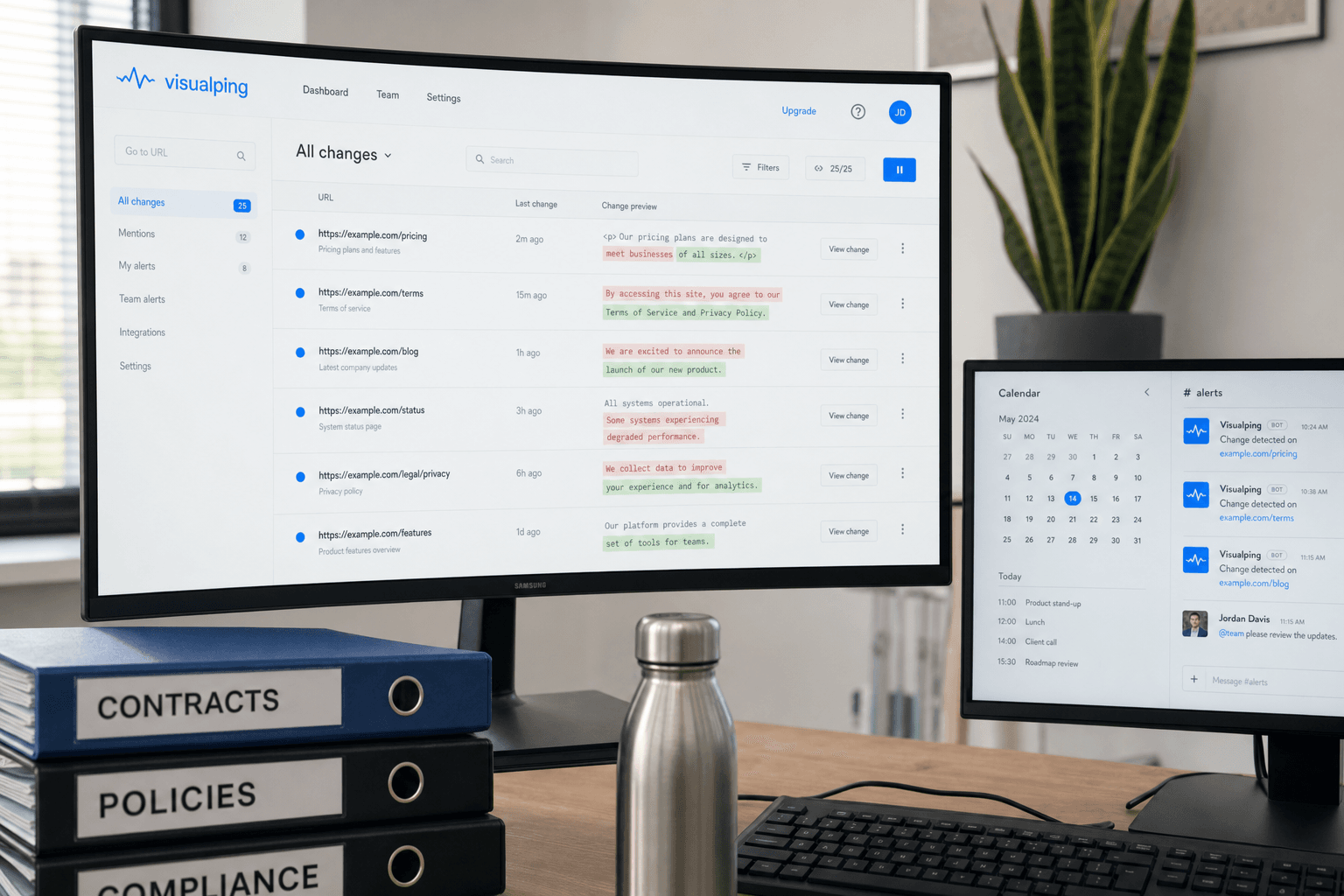
Slack, Microsoft Teams, webhooks, REST API, Zapier, and n8n connectivity. Route alerts wherever your team already works. The API is simple enough that teams create and manage monitors programmatically from scripts, CI pipelines, and AI coding agents.
AI-powered change intelligence
Every alert includes a plain-English AI summary of what changed and a binary IMPORTANT flag that classifies whether the change matters. Instead of "43 pixels changed in region X," you get something like: "The Enterprise plan price changed from $499/mo to $399/mo. The annual discount increased from 15% to 20%. No changes to feature inclusions." Solutions-tier customers can train Visualping AI with thumbs-up and thumbs-down feedback, and the engineering team continuously tests output quality against internal datasets to improve results across all tiers.
Reports
Scheduled reports that consolidate changes across monitored pages into a single document. Enterprise compliance teams use these as audit evidence. Competitive intelligence teams distribute them to leadership.
Four monitoring modes
Visual, text, element, and All mode (which runs all three on every check). All mode is the recommended default, catching changes regardless of how they appear on the page.
Solutions tier
Custom Visualping AI prompts for analyzing dense documents, Visual Analyzer for image-based changes, priority processing, dedicated support, and custom page/check volumes.
All Business features (team workspaces, Slack, API, Reports) are available on a 14-day trial. Most teams have their first monitors running within minutes.
The enterprise proof: 114,000 monitors in a single workspace
85% of Fortune 500 companies have used Visualping. The business user base spans regulatory bodies, law firms, hedge funds, commercial insurance carriers, and competitive intelligence teams across industries. Features are promises. Usage data is proof.
Unless otherwise noted, the platform data in this section comes from active Visualping workspace and monitor samples analyzed in April 2026. Counts are rounded.
Scale
In a sample of nearly 800 active workspaces running 50 or more monitors, the average team tracks about 1,300 pages. The largest single workspace runs nearly 114,000 active monitors. The infrastructure handling those workspaces (queue management, check scheduling, alert routing, AI processing) was built for that volume. Want to test enterprise-scale monitoring with your team? Start a free workspace.
Scale sets the floor for enterprise fit. The stronger proof is what those workspaces are actually monitoring.
Use cases
When users tell us why they monitor, the enterprise categories stand out. Over 15,000 users report competitive intelligence as their monitoring purpose. About 11,000 track regulatory compliance. More than 6,000 monitor software releases and API changes.
Content types
Visualping AI classifies the content being monitored. Across active monitors, over 140,000 track government pages, including SEC EDGAR filings, regulatory policy documents, and Federal Register rules, proposed rules, and notices. More than 20,000 monitor finance and investor relations content. Roughly 35,000 track legal pages (terms of service, contracts, court filings). Nearly 10,000 watch software and API documentation for changes.
Ownership
As of April 2026, about 60% of active monitors on the platform belong to team or business accounts. The remaining 40% are personal users. Monitoring at the business level is a shared workflow: teams split pages across members, route alerts to different Slack channels by topic, and manage everything from a single dashboard.
What your team gets from Visualping's consumer roots
The consumer roots created practical advantages that matter when you're rolling out monitoring across a department.
Usability that scales down
Enterprise monitoring platforms assume you have a dedicated admin. Visualping lets any team member set up a monitor in 30 seconds using the browser extension or the web interface. That low setup friction means adoption spreads across departments without IT bottlenecks. When a compliance analyst can add a new regulatory page to the monitoring list without submitting a ticket, the organization catches changes faster.
Monitors that handle the hard pages
The platform works with Cloudflare-protected sites, JavaScript-heavy SPAs, login-gated portals, and government pages with outdated HTML. Some monitors will still break. Sites evolve their bot protection, rendering behavior changes, and new blocking patterns emerge. That happens to every monitoring tool.
The difference is recovery work. Visualping's engineering team has seen millions of monitoring edge cases across many site types, and they work continuously (within whitehat, ethical rules) to resolve new blockers. When Visualping gets blocked on a site, a tool following the same access rules will often run into the same blocker. The anti-bot handling, JavaScript rendering pipeline, and false positive reduction systems reflect years of that cycle.
Go deeper: Visualping for Business | How Visualping's AI works | Understanding Visualping's pricing
Frequently asked questions
Is Visualping good for enterprise?
Yes. 85% of Fortune 500 companies have used Visualping, and business users include regulatory bodies, law firms, hedge funds, and commercial insurance carriers. Nearly 800 active workspaces run 50+ monitors, the average tracking about 1,300 pages.
The platform handles government regulatory monitoring (140K+ active monitors), financial tracking, competitive intelligence, and compliance workflows. AI summaries and IMPORTANT flags ship on every plan. A 14-day Business trial lets you test team workspaces, Slack, API, and Reports before committing.
Does Visualping have enterprise features like SSO and team management?
Business plans include team workspaces with shared dashboards, user management, and integrated alerts (Slack, Teams, webhooks, API). Solutions-tier customers get additional enterprise features including custom Visualping AI configuration, dedicated support, and flexible page/check volumes. Contact the sales team for SSO and custom security requirements.
How does Visualping compare to enterprise monitoring platforms?
Visualping occupies a specific niche: website change detection with AI-powered intelligence. Uptime monitoring (Datadog, Pingdom), APM tools (New Relic), and full-stack observability platforms answer different questions. Visualping monitors the content of web pages for changes and tells you what changed in plain English. For that specific use case, it handles enterprise scale (the largest workspace tracks 114,000 pages) with a setup process that takes seconds, not weeks.
Can Visualping handle compliance and regulatory monitoring?
About 11,000 users report regulatory compliance as their monitoring purpose, and Visualping AI classifies over 140,000 active monitors as tracking government content. The platform monitors regulatory pages, policy documents, terms of service, and legal filings. Reports consolidate changes into scheduled documents for audit trails. For regulated industries (financial services, healthcare, insurance), Solutions-tier includes deeper Visualping AI analysis for dense regulatory text.
Is Visualping still a consumer tool?
It started as one. As of April 2026, 60% of active monitors belong to business accounts. The consumer base still exists (and still matters for testing and improving the product), but the platform, pricing, and feature set are built for teams. The consumer origin means the interface stayed simple enough that any team member can use it without training.
Ready to test Visualping with your team?
Try Business features for AI summaries, Slack alerts, scheduled reports, and API access.
Eric Do Couto
Eric Do Couto is the Head of Marketing at Visualping. He leads content strategy, growth operations, and brand positioning for website change detection.
More articles by Eric Do Couto