Competitor Website Analysis: Track What Your Competitors Actually Change
By Emily Fenton
Updated September 22, 2026
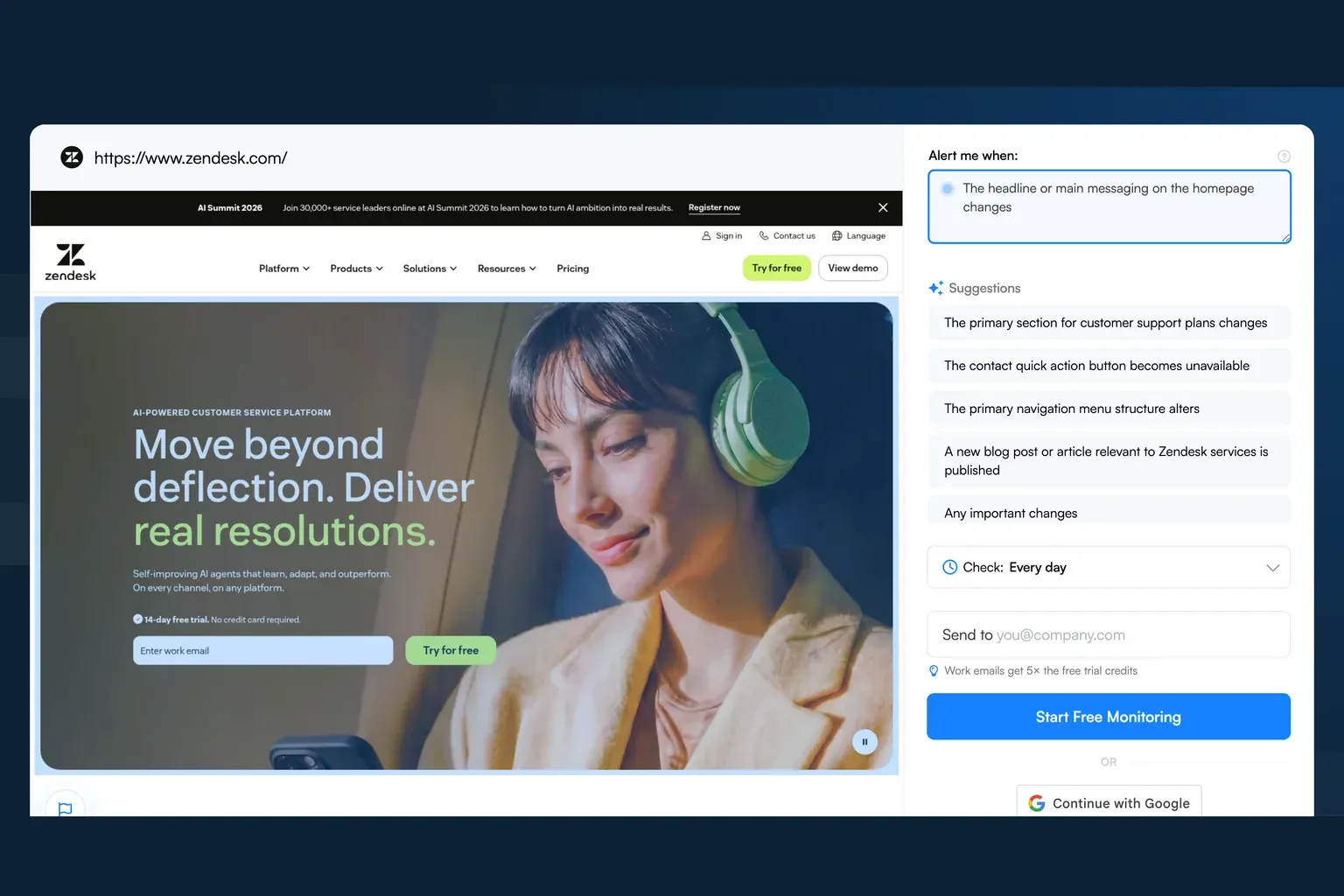
Most competitor website analysis stops at traffic estimates and keyword lists. You check a tool like SimilarWeb or SpyFu, see that a competitor gets 50,000 monthly visits, note their top-ranking keywords, and call it a day. Traffic data tells you what happened last month. It says nothing about what your competitor is doing right now. To turn the analysis into something reps can use mid-call, pour it into a one-page battlecard template.
The most actionable competitive intelligence comes from watching what competitors change on their websites: a pricing page that quietly adds a new tier, a homepage that rewrites its positioning statement, a product page that drops a feature from its comparison table. These changes signal strategic decisions in real time, and most competitive analysis workflows miss them entirely.
How to analyze a competitor's website
To analyze a competitor's website, first record what a prospective buyer can see today. Open the homepage, pricing page, product pages, and customer case studies. Use the same fields for your own site and each competitor:
- Target customer and the problem named in the headline.
- Offer, published price, billing basis, and plan limits.
- Product claims and the evidence supporting them.
- Main call to action and the steps required to buy or request a demo.
Save source URLs, screenshots, and the review date beside each observation. Keep your interpretation in a separate column. For example, a new enterprise headline suggests a positioning change; confirming a move upmarket requires more evidence. Finish with a specific action, such as checking whether your comparison page addresses a newly promoted capability. That dated record becomes the baseline for subsequent change alerts.
What Traditional Competitor Analysis Misses
SEO tools are good at what they do. They show you backlinks, keyword rankings, domain authority, and estimated traffic. For understanding a competitor's organic search strategy, those tools deliver. Which analysis a rival deserves depends on their class; sorting direct vs. indirect competitors first keeps the effort proportional.
They operate on a delay, though. Keyword data refreshes monthly. Traffic estimates lag by weeks. None of them answer the questions that matter most to product, pricing, and go-to-market teams: Knowing what you're looking for helps; these competitive advantage examples map each advantage type to the page where it shows.
When did the competitor change their pricing? What exactly did they add or remove from their feature page? Did they rewrite their homepage headline to target a different buyer persona? Are they hiring for a new product line?
These signals drive real business decisions. A VP of Product does not care that a competitor ranks for 200 keywords. They care that the competitor just added "AI-powered" to every product description on their site. A Head of Sales does not need traffic estimates. They need to know that a competitor dropped their enterprise tier price by 20% last Tuesday.
Traditional analysis tools capture the scoreboard. Change tracking captures the game film.
5 Types of Competitor Website Changes Worth Tracking
Pricing Page Changes
Pricing is the single highest-signal page on any competitor's website. When a company changes its pricing, something strategic is happening: they are repositioning upmarket, responding to competitive pressure, or testing new packaging.
Visualping usage data backs this up. In the 12 months to September 22, 2026, the number of customers monitoring pricing and plans pages rose 44 percent year over year (724, from 503), and customers watching careers pages rose 34 percent (4,464, from 3,333). Homepages remain the single most common target, with 35,273 customers creating homepage monitors in the same period.
A SaaS competitor that quietly removes its free tier is signaling a shift toward enterprise sales. One that introduces a usage-based model is responding to market trends. You want to catch these changes the day they happen, not three months later when a prospect mentions it in a sales call.
Product and Feature Page Updates
Feature pages reveal product roadmap decisions before press releases do. When a competitor adds a new integration to their product page, that integration is either live or launching soon. When they remove a feature from their comparison table, they are likely deprecating it.
Watch for new capability claims, changed screenshots (which often signal UI redesigns), and updated integration lists. These updates travel through an organization slowly. The website change is usually the first public signal. A competitor feature tracker catches these shifts before your team hears about them secondhand.
Homepage Messaging Shifts
Homepage copy reflects a company's current positioning strategy. When a competitor rewrites their hero section, they are telling you who they want to sell to and what value proposition they believe wins deals.
Track the specific language. Did they shift from "simple" to "enterprise-grade"? Did they add industry-specific language? Did they replace a product screenshot with a customer testimonial? Each change maps to a strategic choice you can learn from.
Job Posting Patterns
Career pages are an underrated intelligence source. A competitor that posts 15 machine learning engineering roles is building an AI product. One that suddenly staffs up its enterprise sales team is moving upmarket. A wave of compliance hiring signals expansion into regulated industries.
Monitor the careers page itself and, if available, the company's listings on job boards. Shifts in hiring velocity and role types are leading indicators of strategic direction.
Terms of Service and Legal Changes
Legal pages change less often, but when they do, the signal is strong. Updated terms of service can indicate new data practices, geographic expansion, or changes to service-level commitments. Privacy policy updates often precede product changes that involve new data collection.
For companies in regulated industries, compliance page changes can signal new certifications, audit completions, or market entry into new jurisdictions. Nobody checks a competitor's privacy policy manually, which is exactly why automated monitoring catches what humans miss.
How to Set Up Visual Competitor Analysis
Tracking competitor website changes manually is not realistic. Checking five competitors across three pages each means loading 15 URLs daily and trying to remember what looked different. That falls apart within a week.
Visualping automates this with screenshot-based monitoring for visual changes, text changes, and layout shifts on the web pages you select. Here is how to set it up (and if you want to go deeper on the right approach to monitoring competitors, read that guide first):
Step 1: Enter the competitor URL. Go to visualping.io and paste the URL of the competitor page you want to track. Start with a publicly accessible page. You do not need access to the competitor's analytics or CMS.
Step 2: Select the area to monitor. Visualping loads a preview of the page where you draw a selection around the specific section you care about. For a pricing page, select the pricing table. For a homepage, select the hero section. This area selection filters out irrelevant changes like rotating testimonials or ad banners that would otherwise fire false alerts.
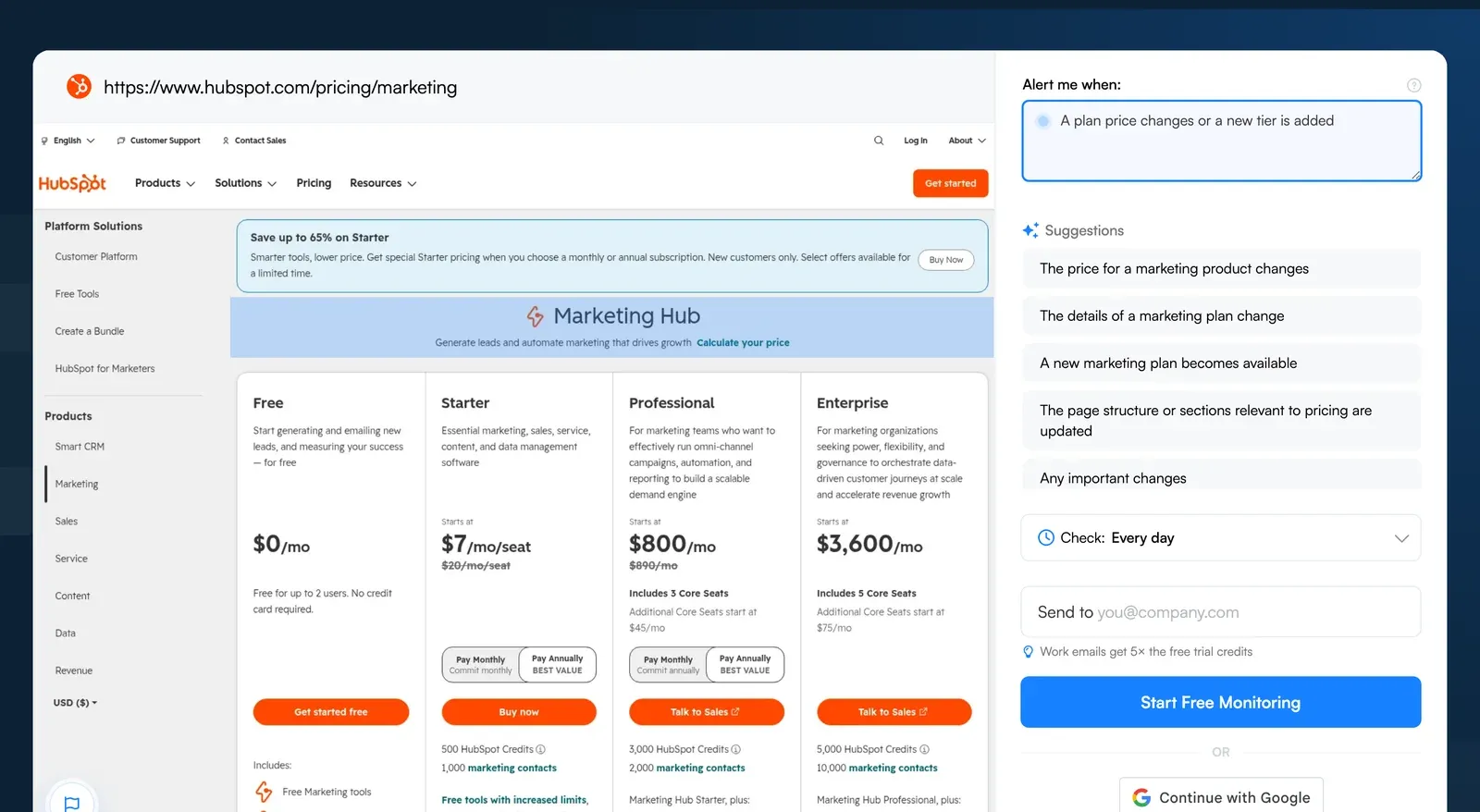 A competitor pricing page in the Visualping job creator. Draw a box around the pricing table and describe the change that matters.
Step 3: Set your monitoring frequency. Choose a schedule based on how quickly your team needs to respond. Visualping checks the page on your chosen schedule, subject to plan limits. The free plan includes 5 pages and 150 checks per month; set a schedule within that allowance.
Step 4: Configure your alerts. Visualping sends email alerts with side-by-side visual diffs that highlight exactly what changed. The before-and-after comparison shows whether a change is significant or cosmetic in seconds. Each detected change also has a Visualping AI summary and a binary IMPORTANT flag, so you can review the explanation and its classification.
Step 5: Review and act. When a change alert arrives, you see the old version alongside the new version with differences highlighted. The AI summary gives you a quick read on what happened. For pricing changes, this might say "Enterprise tier price increased from $99/mo to $149/mo." For product pages, it might note "New integration with Salesforce added to the integrations section."
Review the page preview and alert settings before adding more pages to your monitoring list.
Building a Competitive Intelligence Workflow
Setting up monitors is step one. Building a workflow that turns those alerts into action is where the value compounds.
Pick 3 to 5 Direct Competitors
Start with the competitors your sales team encounters most often in deals. These are the companies whose changes hit your positioning, pricing, and product decisions hardest. Spread monitoring across 20 companies and the signal-to-noise ratio drops. Focus on the competitors that actually affect your win rate.
Monitor 2 to 3 Pages Per Competitor
For each competitor, choose the pages that carry the most strategic weight:
Pricing page. Always. This is the single most actionable page to track. Set monitoring to daily.
Product or features page. The page where they list capabilities, integrations, or use cases. Set monitoring to twice per week.
Homepage. The summary of their current positioning. Weekly monitoring is sufficient here, since homepage changes are less frequent but highly significant when they happen.
This means 6 to 15 total monitors. Visualping's free plan includes 5 pages and 150 checks per month; set a schedule within that allowance. Paid plans offer higher page and check allowances. Choose one that covers your competitor list and check schedule.
Set a Weekly Review Cadence
Designate 30 minutes each week to review change alerts from the past 7 days. Group them by competitor and by change type. Record the changes that warrant a response and assign an owner to each follow-up.
Route Insights to the Right Teams
Competitive intelligence is wasted if it stays in one person's inbox. Build a routing habit:
Pricing changes go to Sales and Product leadership. These directly affect deal positioning and may require updating battlecards or adjusting your own pricing response.
Feature and product changes go to Product. New competitor capabilities inform roadmap prioritization. Removed features suggest areas where competitors are struggling.
Messaging changes go to Marketing. A competitor's positioning shift might open a gap you can claim, or it might signal that your current messaging needs sharpening.
Hiring patterns go to Strategy. Shifts in hiring volume and role types are leading indicators of where a competitor is investing for the next 6 to 12 months.
Webhook alerts are available on every Visualping plan. Business plans also include native Slack notifications. Use a dedicated Slack channel for competitive intelligence so colleagues can review change alerts together.
Start Watching What Competitors Actually Do
Competitor website analysis that stops at traffic estimates and keyword lists gives you a partial picture. The companies that consistently outmaneuver competitors notice changes as they happen: the pricing adjustment, the new feature claim, the messaging pivot.
Start with your top competitor's pricing page. Save its current offer as a baseline, set a check schedule within your plan allowance, and assign someone to review detected changes. Add product, homepage, or careers pages when they answer a specific question for your team.
Visualping: competitor monitoring made simple
Get targeted updates from the competition on autopilot. Trusted by 85% of Fortune 500 companies.
Emily Fenton
Emily was the Product Marketing Manager at Visualping. She has a degree in English Literature and a Masters in Management.
More articles by Emily Fenton