Competitor Pricing Monitoring: Never Get Caught Off Guard
Updated February 24, 2026
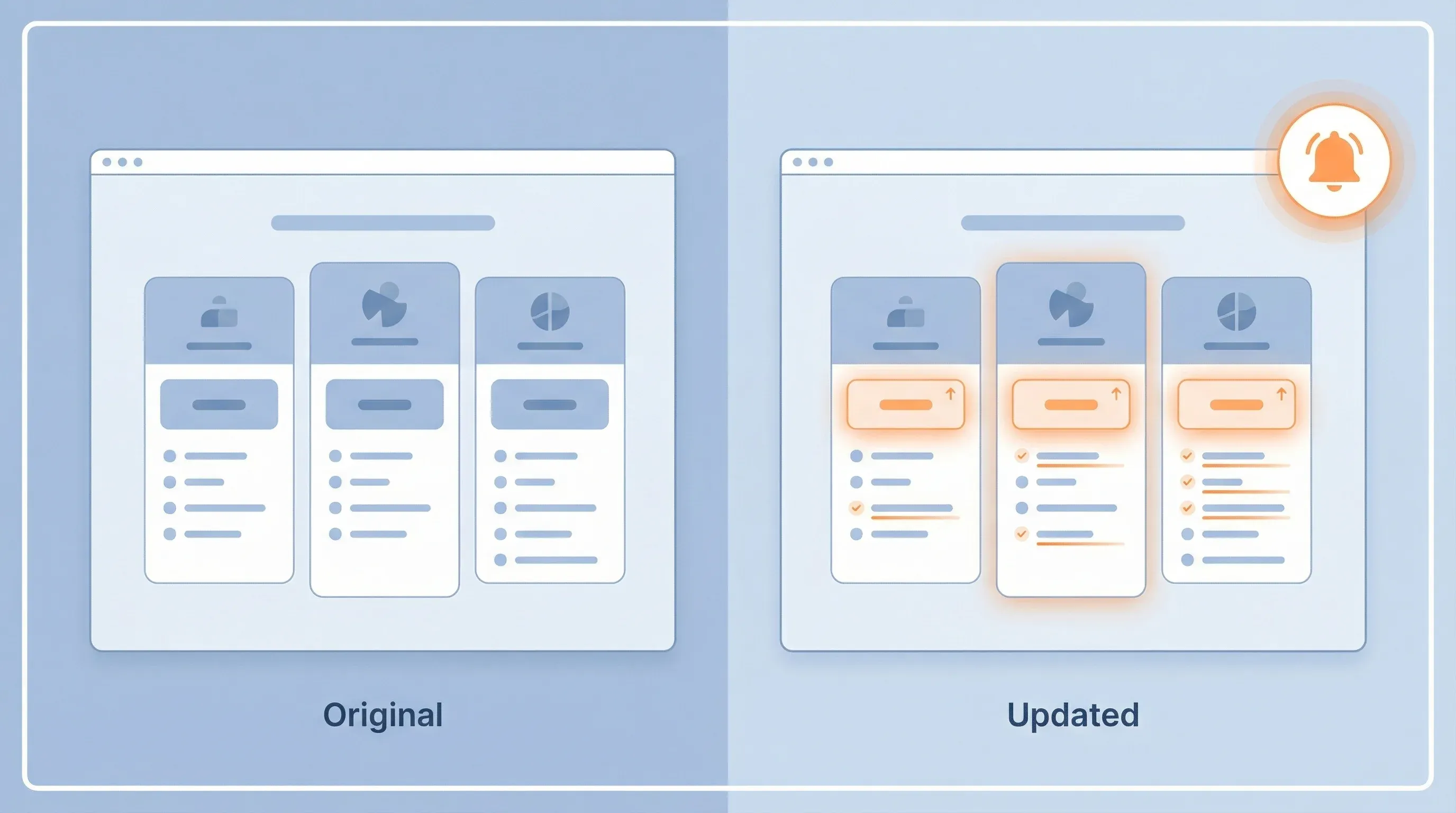
Automation at a glance
What it does: Monitors competitor pricing pages for changes, analyzes competitive implications with AI, generates battle card updates and counter-positioning, and routes alerts to Slack and your CRM.
Tools: Visualping (trigger) + Zapier (orchestration) + Visualping AI (analysis) + Slack/Notion (delivery)
Workflow: Pricing page change detected -> AI compares old vs. new pricing -> AI generates battle card updates and counter-positioning -> Slack alert to sales team -> Battle card updated in Notion/Airtable
Setup time: ~15 minutes | Ongoing effort: 2-3 min per alert
Part of the Automation Workflows Series — 12 ready-to-use workflows for Sales, Marketing, Partnerships, Engineering, and Legal teams.
You're in a customer call on Thursday afternoon. The prospect mentions they've been comparing your pricing to a direct competitor. That competitor, they say, just dropped their mid-market tier by 15% yesterday.
You don't know about it. Your competitive intelligence person is in another meeting. Your sales leader finds out about it on Friday in a post-mortem call. By Monday, three deals have slipped or stalled because your messaging hasn't caught up to the new competitive reality.
Competitor pricing changes are always happening. You just don't know about them until they've already damaged pipeline.
Automated competitor pricing monitoring catches these moves the moment they happen. Within minutes, you have a battle card update, suggested messaging, and internal communication ready. Your sales team stays ahead instead of reacting.
Why pricing intelligence moves faster than you
Competitive intelligence usually flows through this process: someone notices a change, mentions it in Slack, someone else verifies it, someone eventually updates the battle card, and messaging trickles down to sales teams two weeks later.
By then, your competitors have already talked to your prospects using their new positioning.
Pricing is the most visible, most frequently checked variable in competitive comparison. Prospects pull up your pricing page and your competitor's pricing page side by side. If your competitor moves, they notice immediately. Your sales team usually doesn't. According to Crayon's 2025 State of Competitive Intelligence report, sellers go head-to-head with competitors in 68% of deals. Most compete programs still rely on manual processes for capturing pricing changes from primary sources.
The data is also quantifiable. When a competitor drops price by 20%, there's no interpretation needed. You need a response. Fast.
Continuous competitor pricing monitoring fixes this. Watch your competitor's pricing page the same way they monitor yours. Detect changes in real time. Analyze what changed and why. Route structured intelligence to your teams.
The automated price-tracking workflow
Here's how a complete price tracking automation system works:
Step 1: Monitor competitor pricing pages
Visualping monitors 5-8 competitor websites, specifically their pricing pages, every 1-4 hours. When the HTML changes (a price update, tier rename, feature addition, or positioning shift), it triggers.
Step 2: Detect what changed
Zapier receives the change event. An AI model compares the old pricing structure to the new one, identifying:
- Price increases or decreases (by tier, by feature, by region)
- New tiers introduced or removed
- Feature additions or removals within tiers
- Positioning copy changes
- Contract term or commitment requirement changes
Step 3: Analyze competitive implications
The AI generates a brief competitive analysis:
- Why did they make this move? (Market pressure, new segment targeting, margin improvement?)
- How does it affect your positioning? (Are they now undercutting you? Moving upmarket?)
- Which of your customer segments are most at risk? (Prospects in that price band, customers using overlapping feature sets)
Step 4: Generate battle card updates
The AI produces structured updates for your battle card:
- Old pricing vs. new pricing (side by side)
- Suggested counter-positioning (if they're moving down-market, emphasize ROI; if moving upmarket, emphasize TCO)
- Talking points for your sales team
- Internal positioning guidance
Step 5: Route and notify
The battle card updates post to Slack, update your Notion competitive database, and optionally create a task for your sales leader to review before cascading. You can apply the same monitoring pattern to track competitor messaging and positioning shifts.
Before and after: manual vs. automated
Manual Process:
A sales rep on a call mentions that the competitor just launched a new pricing tier. Word gets around Slack. Your competitive intelligence lead makes a note to investigate. They pull the competitor's website, compare it manually to your last screenshot, and draft a brief summary.
Two days later, someone updates the battle card. The message goes out to the broader sales team. But three deals have already stalled because reps didn't have current information.
Your marketing team starts crafting messaging around the move. By the time it's done, there's already a second pricing change you haven't caught.
Time investment: 2-3 hours per pricing change, inconsistent analysis, delayed response, reactive rather than predictive. A thorough competitive pricing analysis requires consistent data, not periodic spot checks. In 2025, SaaS companies changed pricing an average of 2-3 times per year, and most competitive teams only caught about half of those changes in real time.
Automated Process:
Visualping detects a change to Competitor A's pricing page at 2:47pm on a Tuesday. Within seconds, Zapier triggers an analysis. Visualping AI compares the old structure to the new one and identifies:
- New "Startup" tier at $149/month (previously no entry-level option)
- Removal of annual commitment discount (now monthly only)
- Addition of "AI-powered analytics" to mid-market tier
- 12% price decrease on enterprise tier
Visualping AI generates the competitive angle: "Competitor A is clearly moving to acquire smaller deals faster (new entry tier, removed commitment friction) while maintaining enterprise margins. They're also adopting feature parity on AI. Suggest we emphasize our implementation speed and security posture for mid-market."
Suggested messaging:
- For startups: "We're built for companies that grow. Our architecture scales with you. No surprise price jumps at 10 employees."
- For mid-market: "AI is table stakes now. What matters is which platform actually delivers ROI on that AI. Our customers see 28% faster analysis time."
A Slack message hits your #sales-operations channel at 2:49pm with a link to the updated battle card and talking points. Your sales leader scans it (30 seconds) and forwards to the team with "New pricing change detected. Here's the quick take and suggested positioning."
Four reps are on calls within the hour. They have current information. That's the difference between reactive and proactive competitor tracking.
Time investment: 2-3 minutes to scan the alert and decide if action is needed, 10 minutes for sales leader to brief the team, immediate, proactive response.
Building the automation: step by step
Prerequisites:
- Visualping account with monitors set up
- Zapier or similar automation platform
- Visualping AI for analysis
- Slack workspace or alternative notification channel
- Notion or Airtable for battle card storage (optional but recommended)
Zapier Workflow:
-
Trigger: Visualping detects pricing page change
- Set up Visualping monitors for 5-8 competitor pricing URLs
- Configure frequency: every 2-4 hours for direct competitors, daily for adjacent competitors
- Webhook trigger in Zapier when changes detected
-
Action: Fetch old and new versions
- Visualping provides both versions (before/after HTML)
- Extract visible text from pricing sections only (ignore header, footer, navigation)
- Store both versions for comparison
-
Action: Analyze with AI
- Send both versions to Visualping AI via Zapier
- Prompt: "I'm sending you the old and new pricing structure for a competitor. Analyze and provide: (1) Specific price changes (show calculations), (2) New or removed tiers/features, (3) Competitive positioning implications, (4) Which customer segments this impacts most, (5) Suggested counter-positioning talking points."
-
Action: Format for team
- Use Zapier's formatting to structure the AI response into:
- Executive summary (1-2 sentences)
- Price/feature changes (formatted table)
- Competitive implication (2-3 sentences)
- Suggested talking points (bullet list)
- Risk assessment (low/medium/high impact to your pipeline)
- Use Zapier's formatting to structure the AI response into:
-
Action: Update battle card
- Create or update a Notion page or Airtable record with:
- Competitor name
- Date detected
- Change summary
- Talking points
- Status (Active / Historical)
- Create or update a Notion page or Airtable record with:
-
Action: Slack notification
- Post to #competitive-intelligence or #sales-operations
- Message format:
COMPETITOR PRICING CHANGE DETECTED
Company: [Name]
Date: [Date]
Impact: [Low/Medium/High]

Quick Take: [1-2 sentence summary from AI]

Key Changes:
- [Change 1]
- [Change 2]

Counter-Positioning: [Suggested messaging]

Full Battle Card: [Link to Notion/Airtable]
-
Action: Optional - Create task for sales leader
- Create a task in your project management tool assigned to the sales leader
- Title: "Review: [Competitor] pricing change"
- Due date: Today
- Link to battle card
Tuning the system
Choose the right competitors. Effective competitor pricing monitoring starts with focus. Monitor your top 3-5 direct competitors consistently. For adjacent competitors, monitor every other day or weekly. Monitoring 20+ competitors creates alert fatigue. Gartner's Market Guide for Competitive Intelligence (2024) recommends narrowing to the competitors that actually appear in your deal cycles.
When comparing competitors' websites side by side, focus on the pages that directly influence buyer decisions: pricing, feature comparison, and case studies.
Segment by segment. If you compete in different ways across SMB, mid-market, and enterprise, set up separate battle cards for each. Your response to a competitor dropping SMB pricing is different from enterprise pricing.
Add context to the alert. Include information about your own pricing alongside competitor changes. The AI prompt should reference your current pricing so it can assess relative positioning, not just competitive moves in isolation.
Use the confidence score. Sometimes webpage changes are formatting, not pricing. Add a step where the AI rates its confidence that a real pricing change occurred (low/medium/high). Slack notification includes this. Ignore low-confidence changes.
Archive, don't delete. Keep historical battle cards. Over time, you'll see patterns in competitor behavior: they move down-market every Q4, they add features before raising prices, etc. Historical data informs your competitive intelligence strategy.
Test with one competitor first. Get your system running smoothly for one direct competitor for two weeks before adding more. Verify the analysis is accurate and useful. For guidance on selecting the right pages to watch, see our guide on how to track a website.
Go deeper: Competitive pricing analysis fundamentals | Top tools for competitor price tracking
Common challenges and fixes
Challenge: Visualping detects design changes, not price changes. Too much noise.
Solution: Instead of monitoring the entire pricing page, create separate monitors for just the pricing table or pricing tier cards. Use CSS selectors or element-level monitoring if Visualping supports it. This reduces false positives. Our guide on how to analyze a competitor's website covers element-level monitoring techniques in detail.
Challenge: The AI analysis is technically correct but not commercially useful. "Competitor dropped price by 10%" doesn't tell reps what to do.
Solution: Make your AI prompt more specific. Instead of "analyze the pricing change," use: "Analyze the pricing change and tell me: (1) How does this affect our position in the [target segment]? (2) Which 2-3 customer segments care most about this change? (3) What's the single strongest counter-argument we can use in sales conversations?"
Challenge: Pricing changes on international sites, in different currencies, with region-specific tiers.
Solution: Specify in your Visualping monitor which region/currency you're tracking. Use the AI to normalize currencies to your home currency for comparison. If competitors use regional strategies, set up separate monitors for each region.
Challenge: Pricing page hasn't technically changed, but the sales team says the competitor is offering different pricing in conversations.
Solution: This is real, and it's a limitation of automated page monitoring. Competitors sometimes offer custom pricing via sales. Your monitor catches public pricing changes. Supplement it with a monthly or weekly manual check by your competitive intelligence person or sales leader asking "Are we seeing custom pricing in discovery conversations?"
Putting it together: an example workflow
Let's say you're a marketing automation platform competing against Marketo, HubSpot, and three smaller players. You're most concerned about HubSpot's pricing because they own your SMB segment.
Tuesday 2:43pm: Visualping detects a change to HubSpot's pricing page. The monitor triggers Zapier.
Visualping AI analyzes the change: HubSpot removed their $800/month Professional tier and replaced it with two new tiers at $600 and $1,200. They're also bundling their new AI feature (predictive lead scoring) into Professional now.
AI assessment: "HubSpot is moving to acquire SMB deals faster (lowered entry to $600) and pushing customers to higher ACV (new $1,200 tier). They're also using AI as a motivator to upgrade. We're vulnerable on SMB acquisition. Counter-play: emphasize implementation speed and ROI clarity for smaller teams. They're adding features; we deliver faster time-to-value."
Tuesday 2:47pm: Slack message hits your #sales-operations channel:
COMPETITOR PRICING CHANGE DETECTED
Company: HubSpot
Date: Feb 18
Impact: HIGH (affects SMB segment)

Quick Take: HubSpot dropped entry pricing to $600/month and restructured tiers to push upsells. New AI bundling in Professional tier.

Key Changes:
- New Professional tier: $600/month (was $800)
- New Advanced tier: $1,200/month (previously Enterprise)
- Predictive lead scoring now in Professional (was premium feature)

Counter-Positioning: Emphasize implementation speed. HubSpot's adding features; we deliver faster time-to-value for resource-constrained SMB teams.

Full Battle Card: [Link]
Confidence: 95% (clear pricing table change)
Tuesday 3:00pm: Your VP of Sales reads the alert. Within 10 minutes, she sends a message to the team: "New HubSpot pricing detected. We're now price-competitive on entry (we're $595). Play the speed angle in discovery. See battle card link for talking points."
Wednesday morning: Your sales team is in discovery calls saying, "HubSpot is adding more features, which is great if you want a platform that does everything slowly. We've optimized for teams that need to move fast."
The messaging is timely, specific, and based on the competitive move from 24 hours ago. Pairing this with competitor content monitoring gives you a complete picture of how competitors position themselves beyond just price.
Going deeper: advanced monitoring
Option 1: Monitor historical pricing. Set up a separate Airtable base that records competitor pricing every week (even if nothing changes). After 3-6 months, you'll have a dataset showing seasonality and patterns. You'll spot competitor strategy shifts before they're complete.
Option 2: Add customer review monitoring. Pair pricing changes with review site monitoring (G2, Capterra). When a competitor lowers price, their reviews often shift. Customers either praise the value or complain the product got cheaper. That's valuable context.
For a step-by-step setup, see our guide on G2 review monitoring automation.
Option 3: Correlate with feature releases. Integrate your monitoring with competitor product release notes (usually on their blog or release page). When they release AI features and simultaneously raise price, that's a move upmarket. When they lower price and add entry-level features, they're going downmarket. Context matters. Our guide on competitor feature tracking automation covers how to set this up.
Next steps: launch your monitoring
-
List your top 3-5 direct competitors. Be specific about pricing pages (not general website URLs).
-
Set up Visualping monitors for each competitor's pricing page. Test that the webhook connection works in Zapier.
-
Design your AI prompt. What does your sales team actually need to know about a pricing change? Bake that into your Visualping AI prompt.
-
Choose your notification channel. Will alerts go to Slack? Email? A dedicated battle card database?
-
Create an initial battle card template. Structure it the same way for every competitor so your team knows what to expect.
-
Test with one competitor for a week. Verify you catch changes and that the analysis is useful. Then add more.
-
Brief your sales team. Let them know alerts are coming and where to find the updated battle cards.
Frequently asked questions
How often should I check competitor pricing pages?
For direct competitors (the ones that show up in your deal cycles), check every 2-4 hours. For adjacent competitors, daily is enough. Visualping lets you set different frequencies per monitor, so your top 3 competitors get checked more often than the rest. Checking more frequently than every 2 hours rarely catches meaningful changes and can create unnecessary noise.
What types of pricing changes matter most for sales teams?
Price decreases on tiers that overlap with your ICP matter the most, because those directly affect active deals. Tier restructuring (adding or removing plans) is the second priority, since it changes the competitive comparison your prospects are making. Feature bundling changes rank third. Positioning copy changes on pricing pages are worth flagging but rarely require immediate sales action.
Can this system track competitors that use "Contact Sales" pricing?
Partially. If a competitor has any published pricing (even for lower tiers), you can monitor that. For fully gated pricing, monitor the pricing page for structural changes: new tier names, feature lists, comparison tables, and positioning language still change even when the price itself is hidden. You won't get exact numbers, but you'll know when they restructure their packaging.
How do I reduce false positives from non-pricing page changes?
Use element-level monitoring in Visualping. Instead of monitoring the full page, target only the pricing table or tier card section using CSS selectors. Add a confidence-scoring step in your Zapier workflow where the AI rates whether the detected change is actually a pricing change (vs. a design tweak or footer update). Only route high-confidence alerts to Slack.
What AI model works best for pricing change analysis?
Visualping AI handles this use case well. The key is your prompt. Be specific about what you want: price deltas with percentages, tier comparisons, segment impact, and counter-positioning. A detailed prompt produces useful output. Test it with the same pricing change and compare the quality of suggested talking points.
How do I measure ROI on competitor pricing monitoring?
Track two metrics: response time (hours from competitor change to your sales team having updated messaging) and deal impact (deals where the rep used pricing change intelligence in conversations). Before automation, response time is typically measured in days or weeks. After, it's minutes to hours. If your team closes even one additional deal per quarter because they had current competitive intelligence, the system pays for itself.
Wrapping up
Pricing is the fastest-moving competitive variable. Manual monitoring is too slow. Your sales team gets caught reacting instead of leading. Effective website change detection requires automated monitoring at its foundation.
By automating competitor pricing monitoring with Visualping and AI analysis, you compress response time from days to minutes. Your team has current information before the customer even asks the question.
Competitive pricing changes won't stop. But they don't have to catch you off guard.
Ready to start competitor pricing monitoring? Use this Zapier template to set up automated price tracking in 15 minutes. Get pricing change alerts when competitors move.
Want to monitor other competitive signals? Start a free Visualping trial and watch for feature launches, positioning changes, and customer-facing updates on competitor sites.
Related automation workflows
- Turn SEC Filings Into Sales Signals — Automate filing intelligence for enterprise outreach
- Account Expansion Signals: Catch Growth Before Competitors — Detect hiring velocity spikes on customer careers pages
- See all 12 workflows →
Want guidance on competitive strategy beyond pricing? Check out our guide on building a competitive intelligence strategy.
Want to monitor web changes that impact your business?
Sign up with Visualping to get alerted of important updates from anywhere online.
Eric Do Couto
Eric Do Couto is the Head of Marketing at Visualping. He leads content strategy, growth operations, and brand positioning for website change detection.
More articles by Eric Do Couto