J.Crew Restock Alerts: Get Notified When Items Restock
Updated April 16, 2026
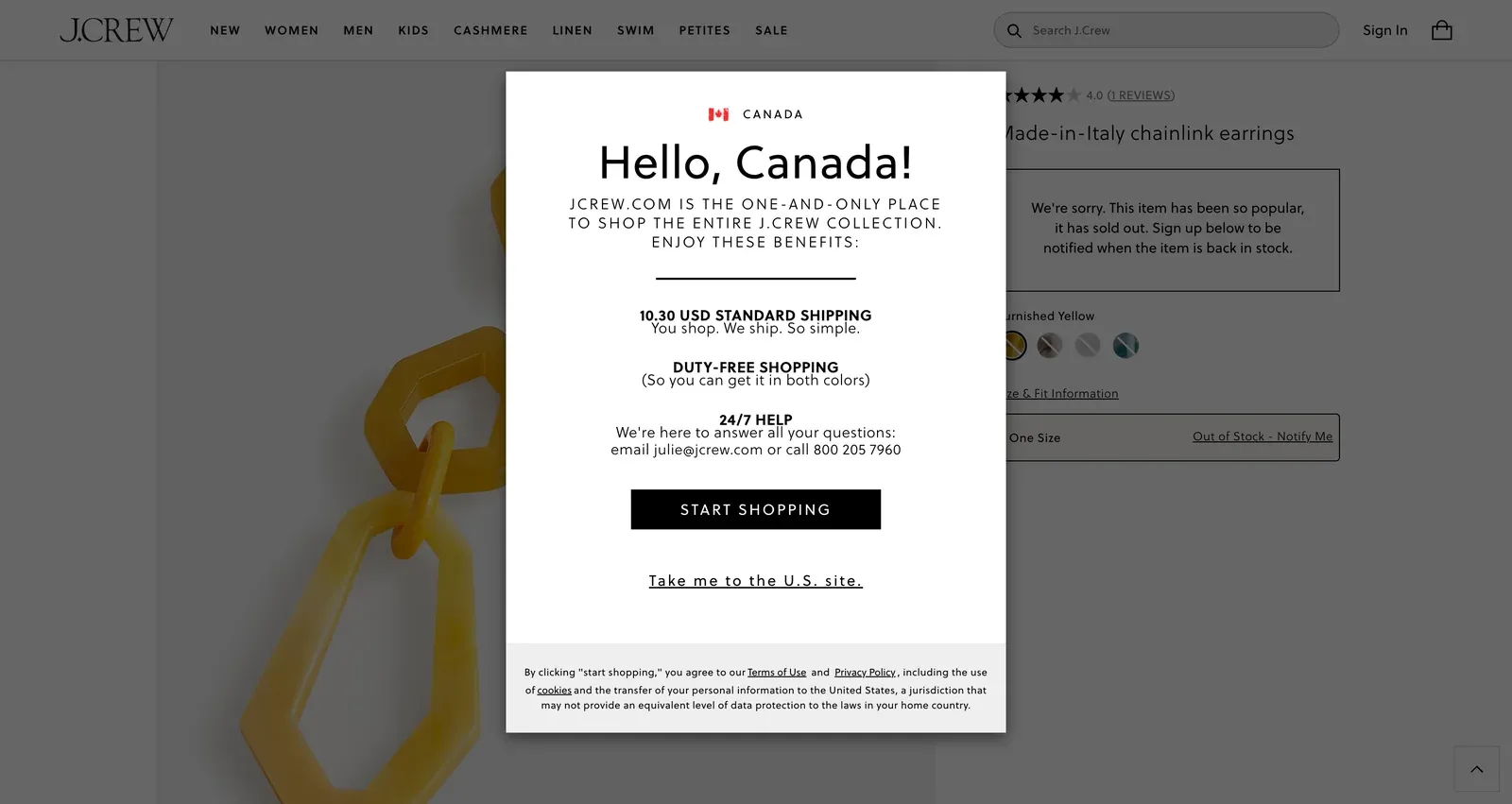
By the Visualping research team, analyzing live monitor logs across the J.Crew product catalog since 2024.
Last updated April 2026.
J.Crew restock alerts notify shoppers when sold-out items return to jcrew.com or J.Crew Factory. The most reliable method is to monitor the product URL with Visualping, which checks the page on a fixed interval and pushes a binary IMPORTANT signal plus a plain-English AI summary the moment stock returns. The free tier covers basic monitoring; paid plans add 15-minute checks for sale events.
TL;DR: J.Crew sellouts come fast: Ludlow suits, cashmere, and sale-stacked promos clear popular sizes within hours. The native "Email Me" button is patchy and J.Crew Factory has no restock alerts at all. Visualping watches any J.Crew or J.Crew Factory product URL, flags every change with a binary IMPORTANT signal, and includes a plain-English AI summary so the shopper knows whether to act. The free tier covers basic monitoring; paid plans add 15-minute checks for sale events. Setup takes about two minutes.
Sale stacking clears popular sizes in hours
J.Crew's bestsellers (the Ludlow suit, the cashmere crew, the denim trucker jacket, a specific Broken-In tee color) clear common sizes on a steady cycle. The brand's post-bankruptcy reset under CEO Libby Wadle leaned hard into these heritage classics, which is why the same SKUs keep walking off the shelf. Sale events twist the dial up. An extra 50% off promo triggers a rush that drains popular sizes inside an hour.
J.Crew's "Email Me" option shows up on some sold-out items and skips others. When it does fire, the email often lands after the sale-priced size has sold out a second time. J.Crew Factory, the cheaper sibling brand, has no notification feature at all.
Visualping watches any J.Crew or J.Crew Factory product page and pings you the moment your size is back. As of April 2026, over 450 shoppers already track 600+ J.Crew listings on Visualping (Ludlow suits, linen pants, cashmere accessories, the usual suspects), and 27% check hourly or faster.
Why J.Crew's stock alerts fall short
Why is J.Crew's "Email Me" button so unreliable?
J.Crew shows an "Email Me" button on some sold-out products, but not all. Sale items, limited quantities, and specific color-size combinations often lack it. And when the email does arrive, the sale-priced size has frequently sold out a second time.
J.Crew Factory has zero notifications
J.Crew Factory (factory.jcrew.com) runs lower price points and its own exclusive styles, with no restock notification feature anywhere on the site. Popular Factory finds clear during site-wide sales, and the page goes silent when stock comes back.
How does sale stacking trigger J.Crew sellouts?
J.Crew runs promotional stacking constantly (40% off sale + extra 15% with code). Each new promo code drives a wave of buying that clears popular items. Restocks after these events come in small batches, timed to whatever promo is active that day.
Size fragmentation
J.Crew's size range (tall, petite, slim, extended) splits inventory across many SKUs. A specific combination like Slim Medium Tall can sell out while every other variant sits in stock, and the site offers no per-size notification.
What Visualping data shows about J.Crew restocks
Across the ~617 J.Crew-targeted monitors created on Visualping by 459 unique shoppers [all-time, through Apr 2026], a few patterns are worth borrowing if you're setting up your own alerts.
Product pages dominate. Roughly two-thirds of these monitors point at a single /p/ listing rather than a category or sale index, which means most shoppers are watching one specific size-and-color combination, not browsing for inventory in general. The recurring obsessions inside those product monitors look exactly like J.Crew's hits: the Ludlow suit (22 listings), cashmere sweaters (14), garment-dyed chinos (13), seasonal linen (13), and suede loafers (8). The classics that clear in popular sizes and come back in small batches.
Menswear is over-indexed at about 75% of monitor URLs, which suggests size scarcity bites J.Crew's mens fits (Slim, Tall, 32x32) harder than the womens line. J.Crew Factory accounts for around 7% of monitors, which tracks with there being no native restock notification on factory.jcrew.com to begin with.
Match your check frequency to how fast a restock would clear in your size, not how often the site updates as a whole.
How to set up J.Crew restock alerts
Step 1: Find the product
Open the item on jcrew.com or factory.jcrew.com. Select your color, size, and fit (regular, slim, tall, petite). Each combination has independent availability.
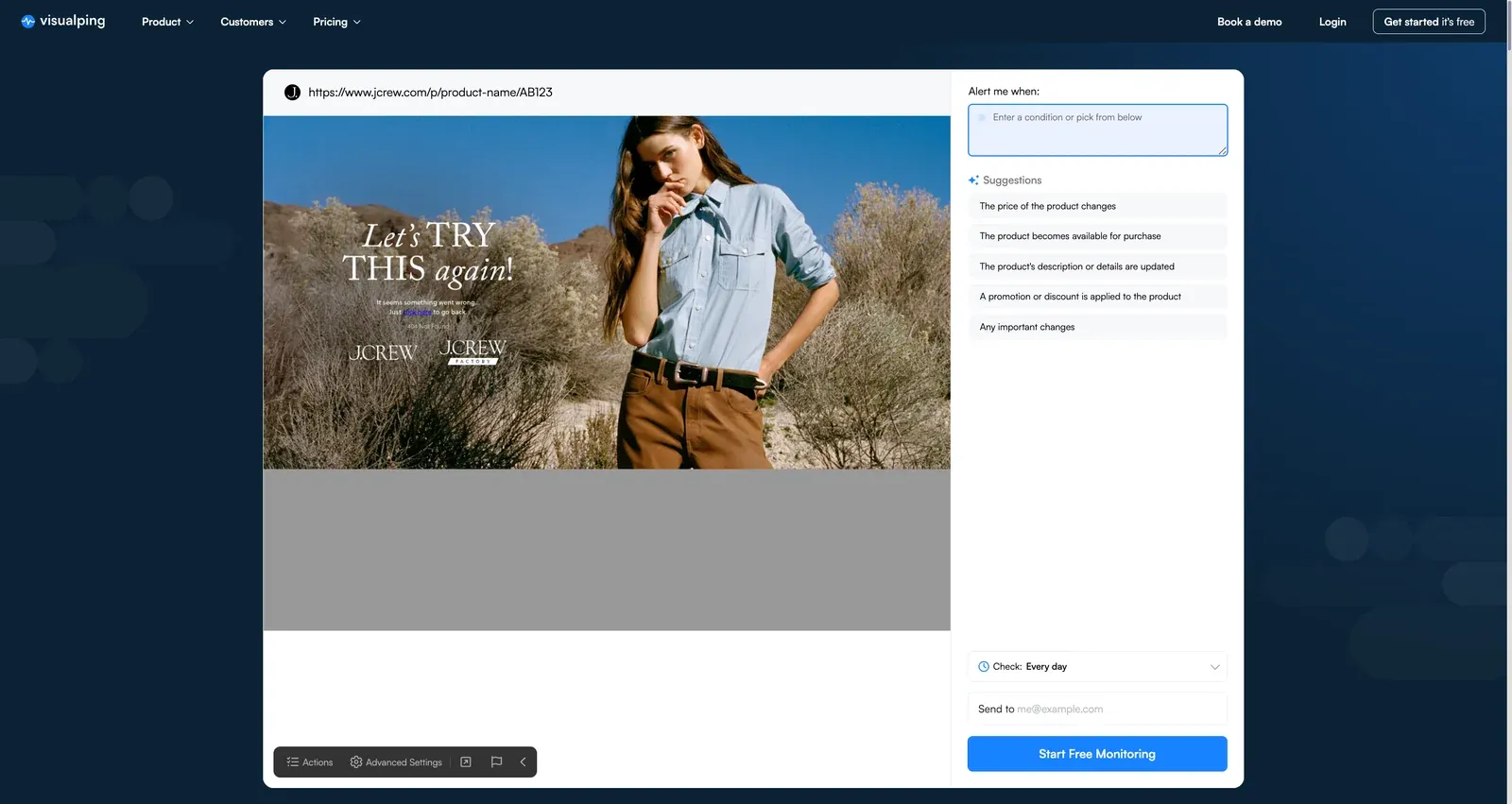
Copy the URL. J.Crew URLs look like https://www.jcrew.com/p/product-name/AB123.
Step 2: Paste into Visualping
Head to visualping.io and paste the J.Crew URL. Visualping loads a preview of the page and monitors the whole page by default. To focus the alert, drag a box over the size selector and purchase area, or add an AI criteria like “alert me when my size is back in stock.”
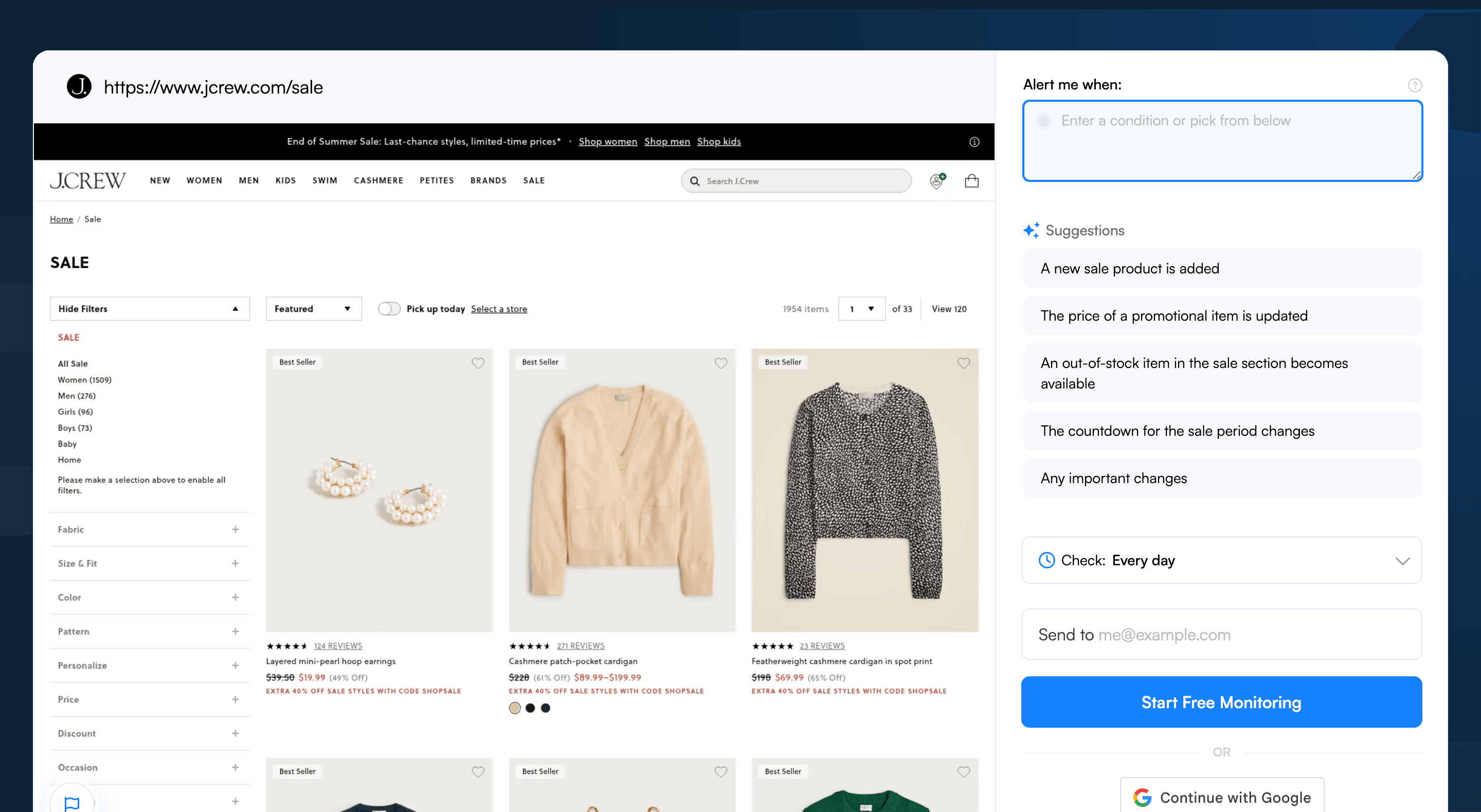
Step 3: Select size and availability
Watch three areas of the page:
- The size selector grid (showing available vs. unavailable sizes)
- The "Add to Bag" button
- The price display (catches sale and promo changes)
Exclude "You'll Also Love" recommendations and styling suggestions. They shuffle constantly and fire false alerts.
Step 4: Set check frequency
During active sales (especially "extra off" stacking promotions), set checks to every 15-30 minutes. Sale restocks come in small batches and clear quickly. For regular tracking, every 1-6 hours is plenty.
Step 5: Add an AI criteria
Use a prompt like: "Alert me when my size is back in stock or when the price drops." That dual trigger catches both restocks and new promotional pricing on the same item.
Step 6: Choose notifications
Email is fine for standard monitoring. SMS is worth turning on for sale events where minutes matter, especially during extra-off-sale promotions.
Visualping handles restock monitoring across other retailers too. See the same setup adapted for Nordstrom anniversary sale waitlists, Coach Outlet bag drops, Urban Outfitters apparel restocks, H&M fast-fashion drops, Uniqlo basics restocks, Patagonia gear, and the full restock alerts hub.
Pro tips for J.Crew restocks
Keep monitors running through the full promotional window. J.Crew releases popular sale items in small waves across the sale period, so day-one alerts catch only a fraction of the inventory that lands.
Track J.Crew and J.Crew Factory separately. They run separate inventory, and Factory often carries similar styles at lower prices, so cover both if either price tier works.
Watch the "Rare Find" and "Almost Gone" labels. J.Crew tags limited stock this way, and these items sometimes get small return-driven restocks. A monitor catches the return before the listing disappears for good.
Set up cashmere and suiting monitors in August. Cashmere sweaters and Ludlow suits clear popular sizes every fall and winter, and a few weeks of lead time pays off.
Use keyword triggers for fit. Add "Slim" or "Tall" so the alert fires only when the specific fit shows as available, not when other fits come back.
Monitor the J.Crew rewards and sale landing page. Rewards members get early access and extra discounts on a rolling schedule, and a watcher on the sale page catches new promotions the moment they go live.
Frequently asked questions
What's the best way to get notified when J.Crew restocks an item?
The most reliable approach is to monitor the product page directly with a page monitoring agent (also known as a website monitoring tool). Visualping watches any J.Crew or J.Crew Factory URL and pings the shopper as soon as the size selector or "Add to Bag" button changes. Every alert carries a binary IMPORTANT flag and a plain-English AI summary, so the shopper sees at a glance whether the change is a real restock or a layout shuffle. Set up a free monitor in under two minutes.
Is there a free tool to track J.Crew restocks?
Yes. Visualping offers a free tier that covers basic restock monitoring on jcrew.com and factory.jcrew.com. The free plan checks each page on a daily cadence, which is fine for slow-moving classics. For sale events where popular sizes clear in hours, the paid plans drop the interval to 15 minutes. No credit card is required to start.
Can multiple J.Crew products be monitored for restocks at once?
Yes. Visualping lets a shopper set up monitors for any number of J.Crew product URLs from one dashboard. Each monitor runs independently, so the Ludlow suit in 40R, a cashmere crewneck in Medium, and a Factory chino in 32x32 can all be tracked at once. Alerts route by email, SMS, or webhook, and the IMPORTANT flag separates real stock changes from cosmetic page edits. Start a free account to add the first batch.
How fast does Visualping detect a J.Crew restock?
Detection speed equals the check interval. On the free plan, that is once per day. On paid plans, it drops to every 15 minutes, which is the cadence the post recommends for active "extra off" promotions. During sale stacking events, popular J.Crew items can clear common sizes within hours, so a 15- to 30-minute interval gives the shopper a real shot at catching the restock before it sells out a second time.
Why don't J.Crew's own back-in-stock notifications work reliably?
J.Crew's "Email Me" button only appears on some sold-out products and is missing on most sale items, limited quantities, and specific size-color combinations. When the email does land, the sale-priced size has often sold out a second time. J.Crew Factory has no notification feature at all. A third-party monitor like Visualping polls the page directly on the shopper's chosen schedule, so the alert fires the instant inventory changes, not on J.Crew's batch send.
Does Visualping work for J.Crew tall, petite, and slim sizes?
Yes. Visualping reads the size selector grid on the product page, so any specific fit (Slim Medium Tall, Petite 4, 32x32) can be tracked the same way as standard sizes. The recommended setup is to select the size selector and "Add to Bag" area as the watched zones, exclude the "You'll Also Love" recommendations to avoid false alerts, and add a keyword trigger for the fit label. The restock alerts guide covers the broader pattern across retailers.
Catch the next J.Crew restock
J.Crew's bestsellers clear because they're worth buying. A manual refresh loop is no way to chase a 32R Ludlow that lands at 11pm. Visualping watches the product page and pings you the moment the size comes back.
Set up your first J.Crew restock alert in under two minutes. The free tier is enough to start.
Want to monitor web changes that impact your business?
Sign up with Visualping to get alerted of important updates from anywhere online.
Eric Do Couto
Eric Do Couto is the Head of Marketing at Visualping. He leads content strategy, growth operations, and brand positioning for website change detection.
More articles by Eric Do Couto