How to Monitor Competitor Websites: A Complete Guide
Updated March 26, 2026
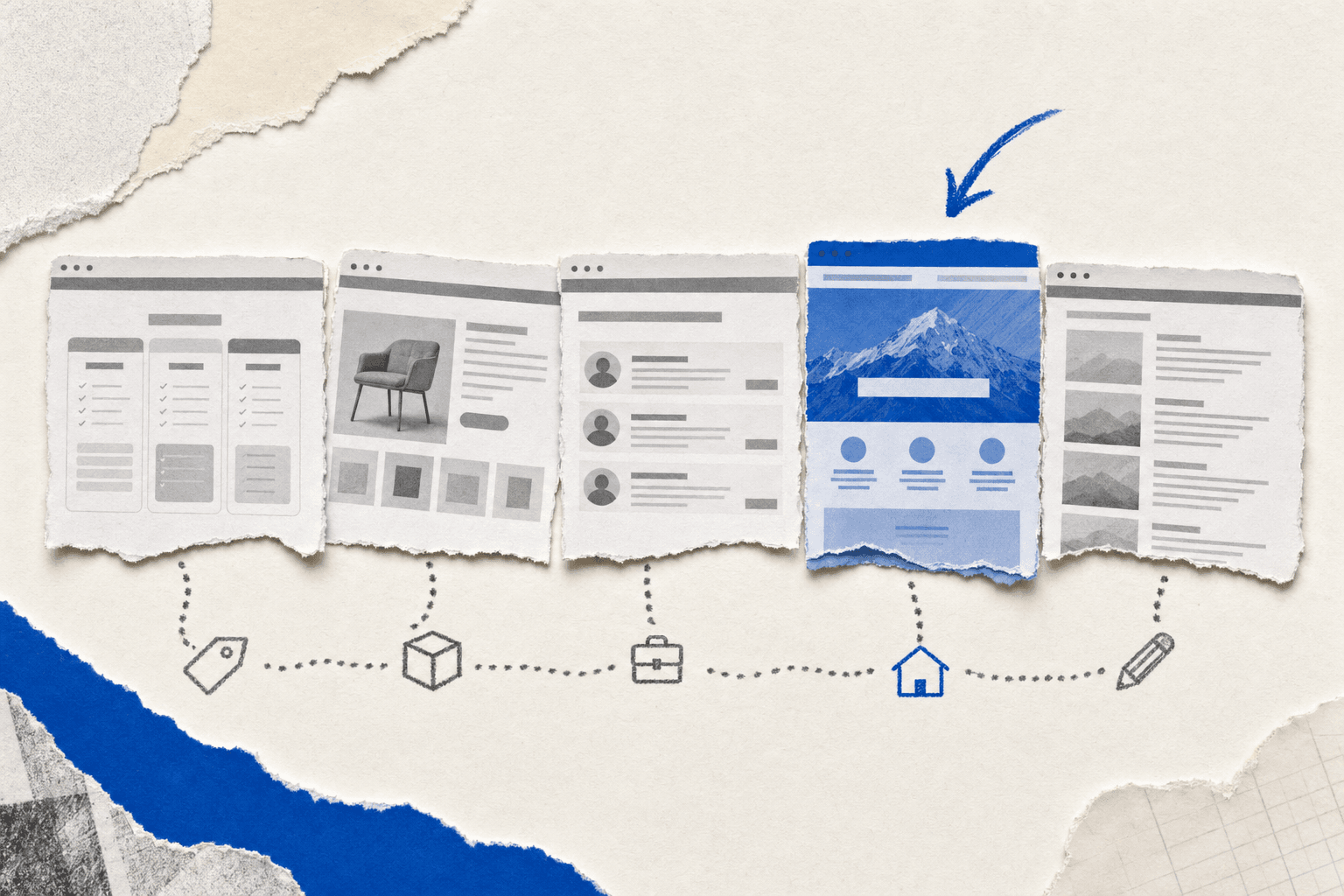
Catch competitor moves the moment they happen
Quick summary
The five highest-signal pages on any competitor's site are pricing, product/features, job postings, homepage copy, and blog content. Monitor pricing daily, product and jobs every 2-3 days, and homepage/blog weekly. The number of users signing up for competitor monitoring on Visualping has more than doubled since early 2024. Our data shows that nearly 1 in 5 checks on pricing pages detects a change worth flagging. Manual checking can't keep that pace. Automated tools watch these pages continuously and alert you the moment something changes.
"Check your competitors' websites regularly." That's the standard competitive intelligence advice. As Harvard Business Review noted, most large companies have adopted competitive intelligence programs, yet only about half actually use the intelligence they collect effectively. The execution gap is the hard part: what to look for, how often to look, and how to keep it up when you're watching five competitors across thirty pages.
This guide covers the specifics: which pages to monitor on competitor websites, how to set up automated tracking so nothing slips through, and how to turn change alerts into decisions your team actually acts on.
What competitor website changes actually tell you
A competitor's website is a running record of their strategic decisions. Every pricing change, every feature announcement, every tweak to their homepage copy reflects something that happened internally first: a board decision, a sales objection they kept hearing, a new market they're chasing.
These changes happen quietly. Nobody issues a press release when they drop their entry-level plan by $10, add a feature to their enterprise tier, or pull a product from the lineup. In early 2024, OpenAI quietly updated their usage policy page to remove a blanket prohibition on military use, as The Intercept first reported. No press release, no blog post. Companies monitoring that page caught it immediately. Everyone else found out days later through secondhand coverage.
If you don't monitor competitor websites systematically, you find out when it's too late to respond. And speed matters: McKinsey research found that organizations making faster decisions are twice as likely to see strong financial results compared to slow decision makers.
Competitor website monitoring fixes this. Tools that monitor competitor websites automatically set up tracking on the pages that matter and send alerts the moment something changes. The signal reaches you in minutes instead of weeks.
The 5 pages worth monitoring on every competitor's website
When you monitor competitor websites, not every page deserves the same attention. Some change weekly and reveal strategic intent. Others sit untouched for months. Here's where to focus.
Pricing pages
Pricing pages are the highest-signal pages on any competitor's site. A pricing change can mean margin pressure, a push into a new customer segment, or a direct response to something you've done. When a competitor drops their startup tier or bundles features that previously cost extra, you want to know before your sales team hears about it on a discovery call.
The data backs this up. Siege Media's analysis of thousands of keywords found that top-ranking pages in competitive categories update every 320 days on average, with "best software" pages refreshing every 143 days. Pricing and product pages move even faster. Roughly 1 in 5 individual checks on pricing pages catches a change worth flagging on Visualping. And those changes cluster midweek: pricing pages are 18% more likely to change on a Wednesday than a Sunday.
Watch for: price point changes, plan restructuring, added or removed features within tiers, trial length adjustments, and new enterprise pricing language (often a sign they're moving upmarket).
Check frequency: daily.
Product and feature pages
Product page updates often precede or accompany launches. When a competitor adds a new feature page, rewrites their capabilities section, or quietly adds an integration to their tech stack page, something is shipping. Or about to.
Watch for: new feature announcements, removed features (can signal deprecation or pivoting), integration additions, and changes to positioning language in feature descriptions.
Over 1,800 Visualping users have configured alerts specifically for product launches. Common triggers include "a new product is added to the catalog" or "a new size becomes available." They catch additions the moment they go live rather than during a periodic review.
Product managers use this feed to turn competitor launches into roadmap decisions the same week they happen. For the full PM toolkit we recommend pairing with this kind of monitoring, see our list of the 10 best AI tools for product managers in 2026.
Check frequency: every 2-3 days.
Job postings
Hiring pages are a preview of strategy. A competitor suddenly hiring five data engineers tells you something about their product direction. A cluster of sales hires in a new region means geographic expansion. A VP-level hire in a function where they've been weak tells you where they know they need to catch up.
Watch for: new roles, role concentration in specific departments, and location patterns for new hires.
Check frequency: every 2-3 days.
Homepage and landing page copy
Homepage copy is often the last thing companies change, which makes it meaningful when they do. A rewrite of the hero section usually reflects a repositioning decision: a new ICP, a new primary message, or a response to how deals have been going. New landing pages reveal which keywords and audiences they're pursuing.
Watch for: hero headline changes, new value propositions, CTA copy shifts, new landing pages appearing (often detectable via their sitemap or navigation), and social proof rotation (new customer logos signal new verticals).
Check frequency: weekly.
Blog and content pages
Blog publishing patterns reveal intent and audience targeting. A competitor suddenly publishing heavily on a specific topic is either chasing a keyword cluster or building authority in a vertical they're entering. New case studies reveal the exact customer profiles they're closing.
For more on extracting strategic insights from content changes, see our guide to monitoring website content changes for competitor insights.
Check frequency: weekly.
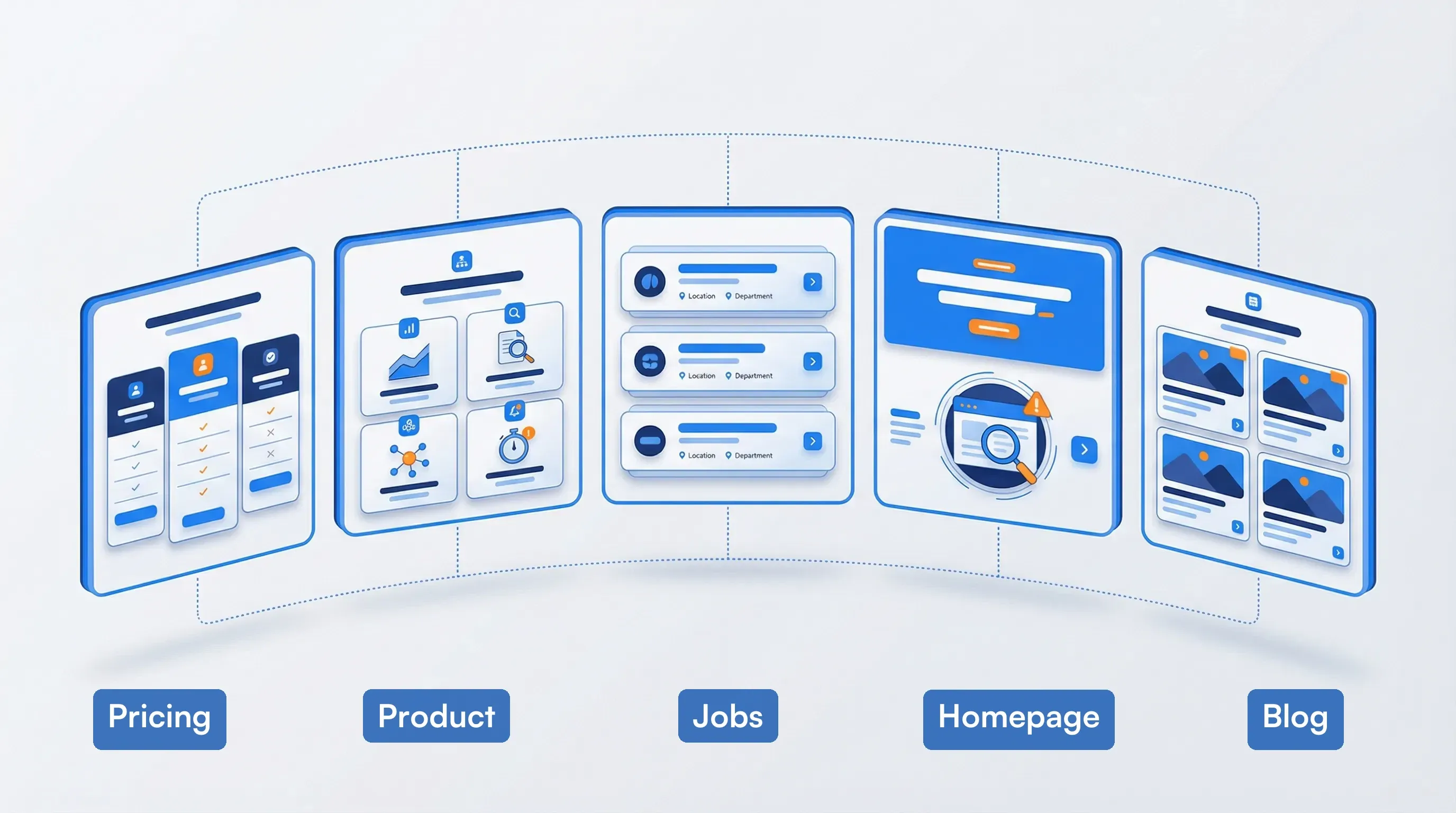 The five highest-signal pages on any competitor site
Competitor monitoring priority matrix
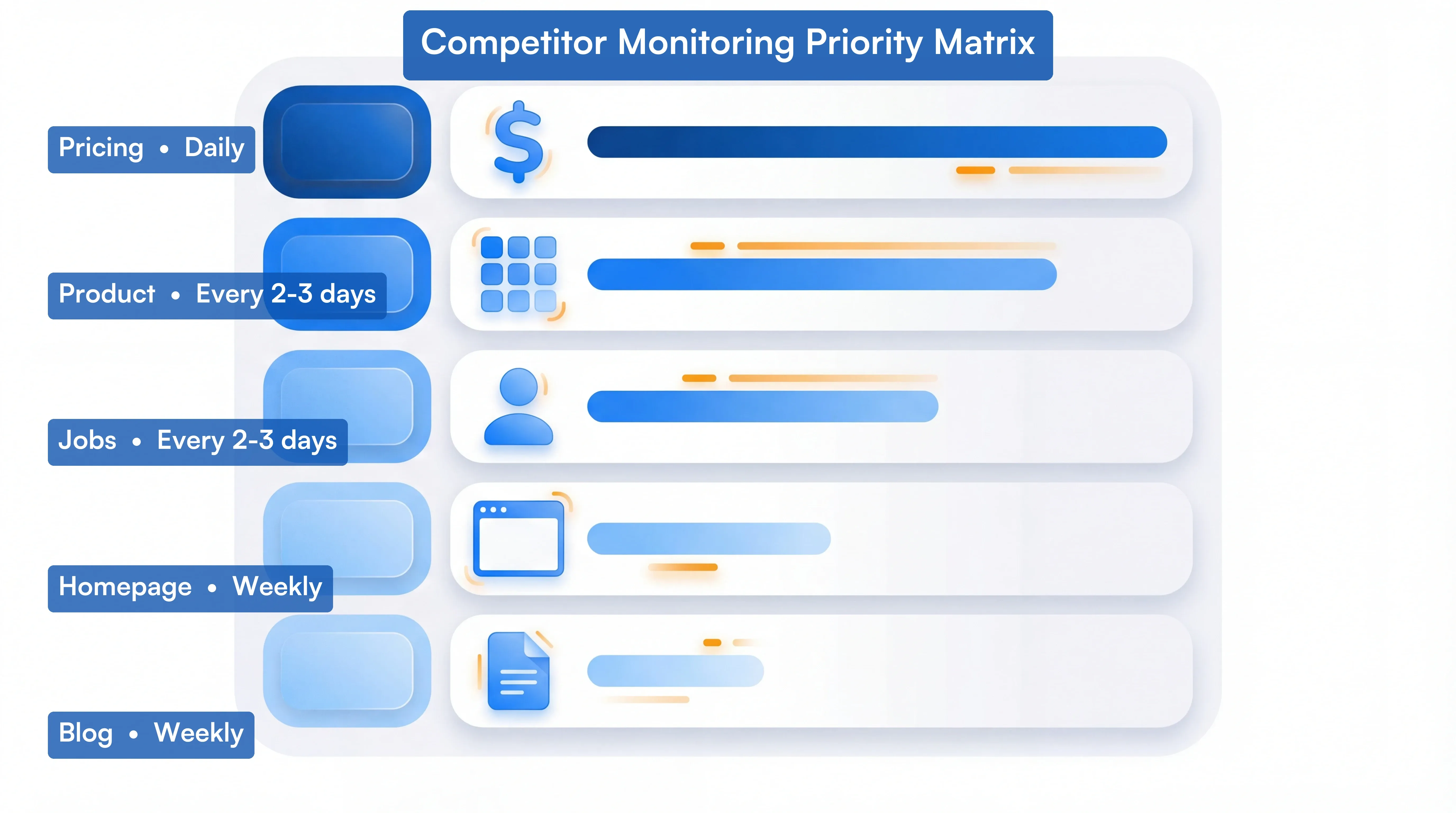 How to prioritize what to monitor across competitor websites
Use this matrix to prioritize how you monitor competitor websites across all five page types, based on how often they change, what the changes mean, and what to do when you catch one.
Pricing pages: Check daily. Highest change velocity (1 in 5 checks catches something). When you detect a change, alert sales leadership immediately, update your battlecards, and review whether your own pricing needs a response.
Product and feature pages: Check every 2-3 days. Medium change velocity. A change here is a roadmap signal. Brief your product team, assess whether it opens or closes a feature gap, and update competitive positioning docs.
Job postings: Check every 2-3 days. Medium velocity. Hiring patterns preview strategy 6-12 months out. Flag department clusters to leadership (five new data engineers = product pivot; regional sales hires = geographic expansion).
Homepage and landing pages: Check weekly. Low change velocity, but high signal when changes do happen. A hero rewrite means a positioning shift. Share with marketing and compare the new messaging against yours.
Blog and content pages: Check weekly. Low-to-medium velocity. Publishing patterns reveal which keywords and audiences competitors are chasing. Feed topic clusters into your own content strategy.
Go deeper: Competitive intelligence sources worth tracking | How to set up competitor tracking
Why manual monitoring breaks down at scale
The math turns against anyone trying to monitor competitor websites manually. Say you have four competitors and track five pages each. That's 20 pages to check on a rolling basis. At three minutes per page, you're spending an hour per monitoring cycle. Do that weekly and you've burned 50+ hours per year on a process that still misses changes between checks.
And that's the simple case. One e-commerce customer tracks 1,062 competitor product lines for pricing and availability intelligence. An engineering firm had multiple project managers across 8-9 offices manually checking government procurement sites before switching to automated monitoring, consolidating all of it into a single workflow with zero ongoing labor. At those scales, manual checking breaks entirely.
Manual monitoring also has no memory. When you visit a page, you only see its current state. Unless you kept a screenshot from your last visit, you can't tell what changed or when. You can't establish a timeline. You can't spot patterns.
So most teams check competitor pages sporadically, notice the big changes weeks late, and have no record of what shifted when.
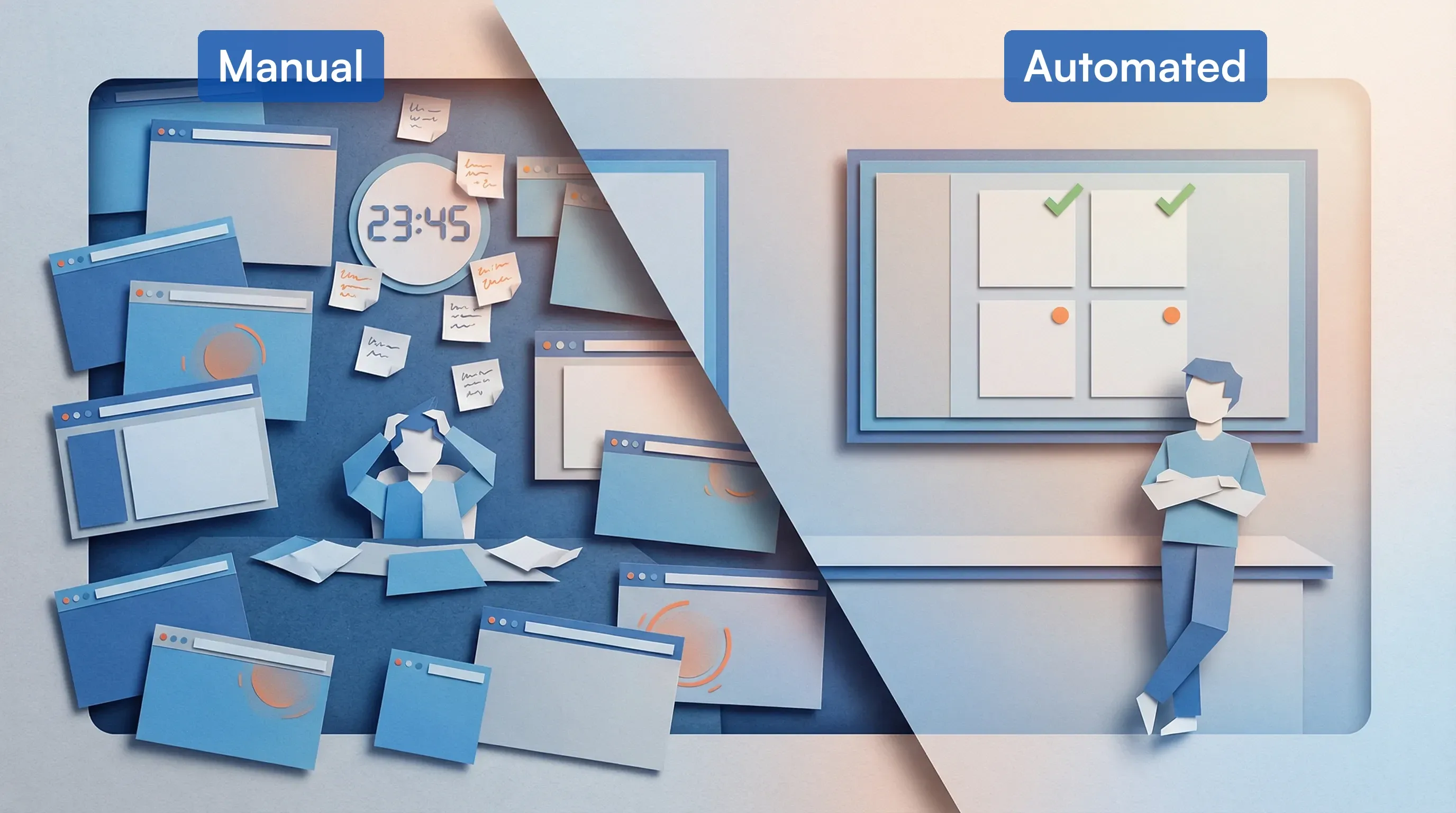 Manual checking breaks down where automation picks up
Automated website monitoring fixes both the memory problem and the scale problem. Once you set up a tool to monitor competitor websites for you, it checks continuously. You configure once.
How to set up competitor website monitoring: step by step
This walkthrough uses Visualping, which monitors any public URL for visual or text changes and sends alerts when something changes.
Step 1: Identify your top 3-5 competitors
Start focused. If you try to monitor 15 competitors at once, you'll create alert noise and stop paying attention. Pick the 3-5 that most directly compete for your customers, then expand from there once your workflow is established.
For most companies, this means: 2-3 direct competitors, 1 aspirational competitor who's a tier ahead of you, and 1 emerging competitor who's growing fast.
One caveat: automated monitoring works best for tracking known competitors on public pages. It won't catch a stealth-mode startup that hasn't launched a website yet, and it won't interpret what a change means for your specific market position. The tool catches the change. Your team still needs to decide what to do about it.
Step 2: Map the specific pages to monitor
For each competitor, identify the pages from the five categories above. Build a spreadsheet with columns for: competitor name, page type, URL, and check frequency. Twenty minutes of mapping upfront saves hours of setup later.
Aim for 5-8 pages per competitor to start. That's 15-40 pages total, manageable enough to maintain and broad enough to catch what matters.
Step 3: Configure monitoring in Visualping
For each URL:
-
Enter the URL in Visualping.
-
Select the area to monitor. Don't monitor the entire page, or you'll get alerts for cookie banner updates, footer changes, and ad rotations that don't reflect strategic decisions. Use the visual selector to highlight the section that matters: the pricing table, the feature list, the job listings section.
-
Set the check frequency. Match the frequency to the page type using the guidelines above. Pricing and product pages: daily or every 2 days. Content and jobs: every 2-3 days. Homepages: weekly.
Platform data from users who monitor competitor websites confirms these intervals. The most common check interval is every 5 to 60 minutes for high-priority pages like pricing. Broader monitoring (content, jobs) typically runs on hourly-to-daily cycles.
-
Choose your alert channel. Email works for individual monitoring. For team-based competitive intelligence, connect to Slack or Microsoft Teams so the right people see changes as they happen.
Step 4: Organize your monitoring jobs
Name your jobs consistently. A format like [Competitor] - [Page Type] keeps things searchable as your list grows: Acme Corp - Pricing, Acme Corp - Jobs, Rival Inc - Features.
Group jobs by competitor using Visualping's folder structure, or use tags to filter by page type across competitors. This matters once you start reviewing alerts. You want to pull up "all pricing changes across competitors this week" without hunting through a flat list.
Step 5: Build a review habit
Automated monitoring only creates value if someone reviews the alerts. Set a standing 15-minute slot once or twice a week to scan alerts and decide which changes warrant a response. The most effective teams create a simple routing rule: pricing changes go to the sales team lead, product changes go to product management, content changes go to the marketing team.
Some teams take this further by using AI-powered competitor analysis tools with alert conditions that filter noise automatically. Rather than getting notified about every change, they define what matters: pricing changes, new product launches, positioning shifts.
One competitive intelligence analyst tracking the home security industry configured AI-powered alerts to flag only pricing changes, new AI features, installation policy updates, and executive hires. Testimonial rotations, footer boilerplate, cookie banner updates? Filtered out automatically. The result is a clean feed of changes that actually matter.
For teams that monitor competitor websites at scale, Visualping's Reports feature compiles all detected changes across your monitored pages into a single briefing. Turn on Report Summary & Analysis and you define exactly what the AI focuses on with a custom prompt. A few examples: "Highlight the top 3-5 pricing changes with competitive implications." Or: "Summarize product launches in a comparison chart."
You can request tables, charts, specific languages, or frame the analysis around your company's competitive context ("How do these changes affect our positioning in the mid-market security segment?"). Schedule these weekly and your team gets a tailored competitive intelligence brief delivered automatically.
<video src="https://cms-service-strapi-uploads.s3.us-west-2.amazonaws.com/report_scroll_dbd72f90b3.mp4" autoplay loop muted playsinline style="width:100%;height:auto;" aria-label="Visualping Reports briefing showing AI summary with competitive intelligence analysis and individual change entries with visual diffs"></video> A Visualping Report with AI-generated summary and visual diffs for each detected change
Over time, this turns competitor website monitoring from a background task into a structured competitive intelligence feed your whole team can use.
Tools for monitoring competitor websites
There are several ways to monitor competitor websites, and different tools solve different parts of the problem. Here's how they compare:
| Approach | What it covers | Limitations |
|---|---|---|
| Manual checking | Any page | No memory, doesn't scale, misses changes between visits |
| Google Alerts | News mentions, indexed content | Doesn't catch website changes, no visual diffing |
| SEO tools (Semrush, Ahrefs) | Keywords, backlinks, rankings | Doesn't monitor page content or design changes |
| Dedicated change detection (Visualping, ChangeTower) | Any URL, visual and text changes | Focused on website changes, not broader market intel. Visualping adds AI-powered Reports that consolidate changes into briefings with pattern analysis. |
| Enterprise CI platforms (Klue, Crayon) | Aggregated signals across many sources | Expensive, aimed at large sales orgs, overkill for most |
For most teams that want to monitor competitor websites effectively, the right answer is a combination: an SEO tool for keyword and backlink visibility, and a page monitoring agent (also known as a website monitoring tool) for the specific pages that reveal strategy. (For a rundown of free options, see our guide to free competitive intelligence tools.)
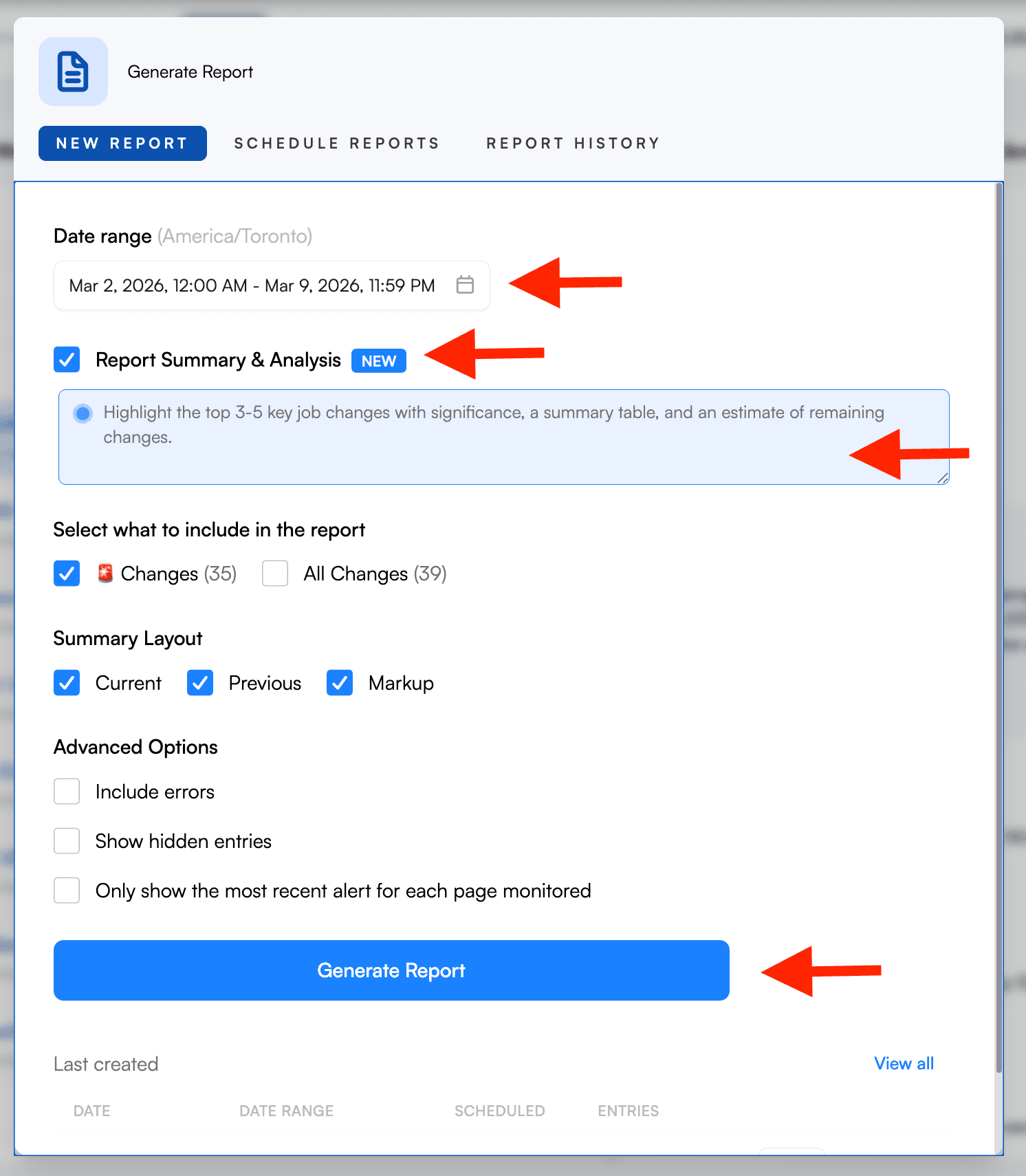 Visualping Reports: set a date range, toggle AI analysis, and generate a consolidated briefing
Visualping's free plan covers up to 150 checks per month, which is enough to monitor 5-6 pages daily or 15-20 pages on a 2-day cycle. Paid plans start at $10/month billed annually and support more pages, shorter check intervals, and team features. Competitor monitoring signups on Visualping have grown from roughly 900 per quarter in early 2024 to over 2,000 per quarter in 2026. What starts as one person tracking a competitor's pricing page tends to grow into a shared team workflow.
What to monitor beyond competitor websites
Website changes are the fastest signal, but they're one piece of the competitive intelligence picture. Once your website monitoring is running, consider layering in these additional channels:
Social media ads. Competitors test messaging and targeting in paid social before committing to website changes. Facebook's Ad Library and LinkedIn's ad transparency tools let you see what competitors are running without any special tooling.
Email campaigns. Subscribe to competitors' newsletters and drip sequences with a dedicated email address. Their email cadence, offers, and messaging shifts often telegraph website changes before they happen.
Review sites. G2, Capterra, and Trustpilot reviews surface what customers complain about and praise. Patterns in competitor reviews reveal product gaps and positioning weaknesses you can exploit.
Job postings. We covered career pages above, but LinkedIn job alerts add a layer of detail: specific skills required, team sizes mentioned in descriptions, and office locations signal strategic direction months in advance.
Tech stack changes. Tools like BuiltWith and Wappalyzer reveal when competitors adopt new analytics platforms, switch CRMs, or add new frontend frameworks. A competitor moving from a basic analytics tool to a full CDP signals they're investing in personalization.
None of these replace the core practice of using tools to monitor competitor websites. They supplement it. The website is where strategic decisions become visible to customers. These channels help you understand the context behind those decisions.
Keeping it ethical
All of the methods in this guide rely on publicly available information. You're reading web pages, checking public ad libraries, and subscribing to newsletters anyone can sign up for.
A few ground rules worth stating explicitly: never misrepresent yourself to access gated content, never scrape login-protected pages without authorization, and never use monitoring to harass or copy competitors' proprietary content. Competitive intelligence is about understanding the market, not industrial espionage. Stick to public data and you're on solid ground.
Frequently asked questions
How often should I check competitor websites?
It depends on the page type. Pricing pages are worth checking daily because pricing changes can affect deals in your pipeline immediately. Product and job pages: every 2-3 days. Homepage and blog content is usually fine at weekly. Our platform data shows that changes peak midweek (Tuesday through Friday), so if you're reviewing alerts manually, a Wednesday and Friday check catches the highest-activity windows. The goal is catching changes fast enough to respond, not monitoring for its own sake.
Can I monitor competitor websites for free?
Yes. You can monitor competitor websites for free with Visualping's free plan, which includes 150 checks per month. At a daily check frequency, that covers five pages. At a weekly frequency, you can cover 20+ pages. For a focused program covering three competitors, the free plan is usually enough to start.
What's the difference between competitor website monitoring and competitive intelligence?
Competitor website monitoring is one input into competitive intelligence, the process of understanding what competitors are doing and what it means for your business. Website monitoring is particularly good at surfacing changes in real time: pricing updates, new features, messaging shifts. Broader competitive intelligence also includes sales call data, review sites, job postings on LinkedIn, and analyst coverage. Growth Unhinged's analysis of 3,000+ SaaS pricing pages found that 42% of companies adjusted their pricing in just the first three quarters of 2024. Website monitoring tends to be the fastest and most reliable way to catch those changes because competitors control their websites directly.
Will competitors know I'm monitoring their website?
No. When you monitor competitor websites, the tools send standard HTTP requests to load public web pages, the same as any browser visit. There's no indication to the website owner that their page is being monitored.
What should I do when I detect a competitor website change?
This is where the value of choosing to monitor competitor websites pays off. Capture the before/after screenshot so you have a record. Then route it to the right person based on change type. Pricing changes go to sales leadership. Feature additions or removals go to product. Homepage copy changes go to marketing. The goal is getting the right eyes on a change fast enough to inform a decision: sales prep for an upcoming call, product prioritization, a messaging adjustment on your own site.
Visualping monitors competitor websites, pricing pages, and product announcements in real time. Start monitoring for free, no code required, setup in under 2 minutes.
Want to monitor web changes that impact your business?
Sign up with Visualping to get alerted of important updates from anywhere online.
Eric Do Couto
Eric Do Couto is the Head of Marketing at Visualping. He leads content strategy, growth operations, and brand positioning for website change detection.
More articles by Eric Do Couto