The Source-Backed Competitive Intelligence Process: 8 Plays From Our PMA Webinar
Updated November 3, 2026
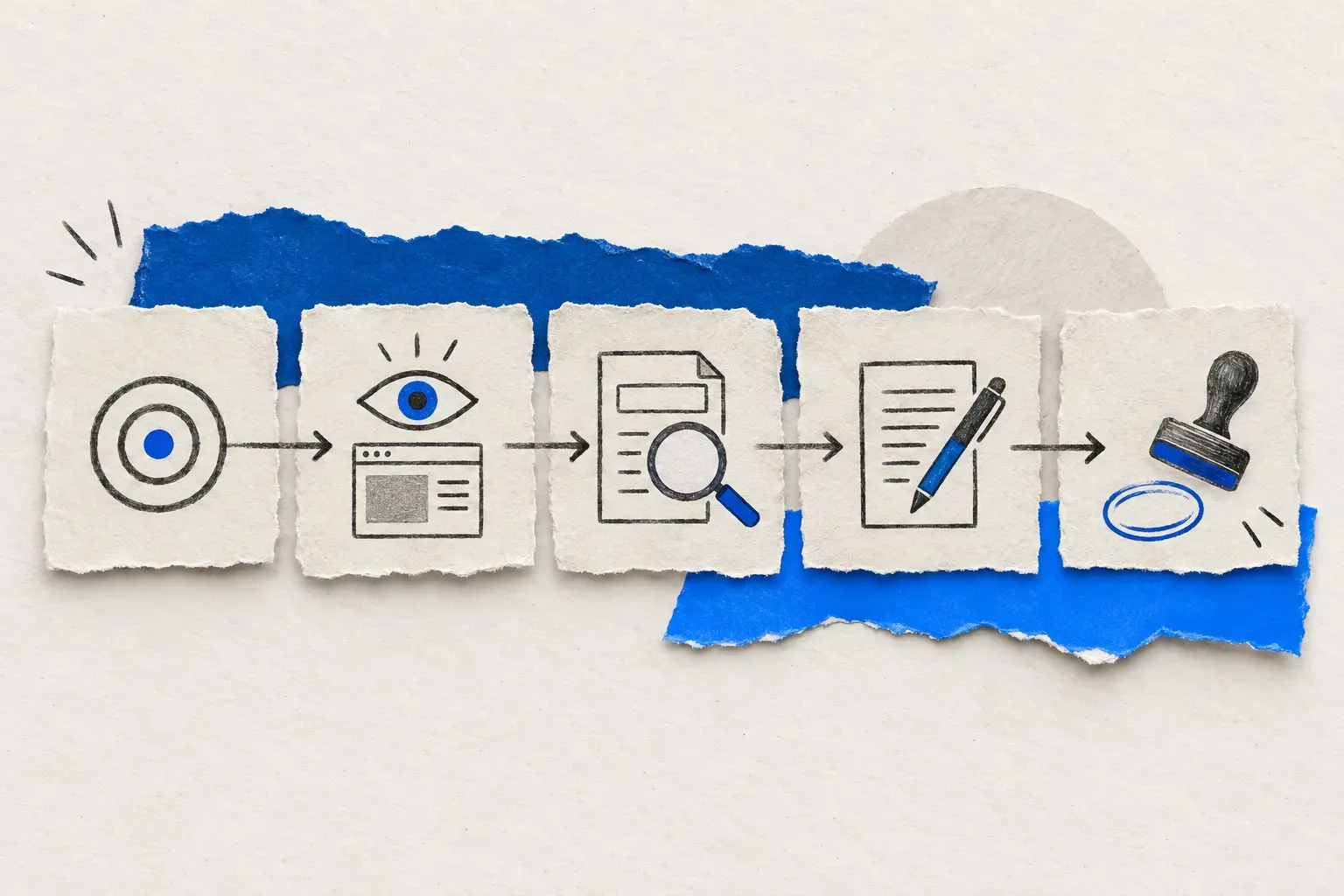
A competitive intelligence process is only as good as the source behind each claim. The eight plays below come from the webinar I gave to Product Marketing Alliance on 21 October 2026. Every one of them starts with a dated capture of a competitor page, a sales-call excerpt or a customer review, and ends with a named person approving the exact words a seller may use. The playbook, the brief template and the kit are all on this page.
The sourcing rule rests on survey data. In Klue's AI in Competitive Intelligence Report 2026, a vendor survey of 250+ CI and PMM professionals, 76% of respondents said they had produced an AI output they could not stand behind. Another 89% said verifiable, sourced outputs would raise their trust. This process exists to produce the second kind of output.
Which problem are you solving
| You need to... | Skip to |
|---|---|
| Prove where an AI-written claim came from | Why most AI competitive intelligence cannot be defended |
| Set up a first competitor monitor without drowning in alerts | Build a monitoring brief before the first monitor |
| Change a sales claim after a competitor's pricing moved | Three checks before a sales claim changes |
| Pick a workflow for your team | The eight plays |
| Run the program week to week | Give the weekly review an owner |
| Try it on supplied evidence | Run the first play in two minutes |
What source-backed competitive intelligence means
Source-backed competitive intelligence is a process in which every claim about a competitor carries three things. They are the source it came from, the date it was captured, and the name of the person who approved the claim for a stated use. Competitive intelligence in general is the practice of collecting and analyzing information about competitors to make better decisions. The source-backed version adds the evidence trail, so a seller who repeats a line in a deal can be shown the page it came from and the day it was true.
Most teams run without that trail. Take a hypothetical battlecard line: a competitor "charges extra for AI". Nobody remembers who wrote it or when. The competitor changed its packaging months ago, the line is now wrong, and the first person to find out is the prospect. AI-written intelligence fails the same way, only faster, because the confident paragraph inherits whatever the source material lacked.
The competitive intelligence framework below wires in the trail first and automates second. A monitoring brief names the decision each source serves. A review step records who approved what, for which audience, on which date. The eight plays are the recurring workflows that run on that foundation.
Why most AI competitive intelligence cannot be defended
The Klue survey asked respondents what went wrong when AI let them down. The answers describe missing sources more than bad models.
| What went wrong, according to the respondents | Share |
|---|---|
| The answer sounded confident but the sources were weak or unverifiable | 73% |
| The answer was too generic for the specific deal or segment | 60% |
| It could not tell a real competitive threat from a passing mention | 36% |
| The information was outdated by the time it was used | 28% |
Source: Klue, AI in Competitive Intelligence Report 2026, 250+ CI and PMM respondents. It is a vendor survey, so read the numbers as practitioner mood, not market measurement.
The same report found that 79% of respondents do not trust AI outputs that go straight to sellers, and only 2% trust them with no review at all. A model can summarize a capture it was given. It cannot supply a capture date nobody recorded, and it cannot know which deal a change touches unless someone connected the two. The five-step guides that rank for this topic stop at "disseminate" and never say who approved the claim. In this playbook, the monitoring brief supplies the source and its job, the inspection step separates what a page says from what it means, and the review record supplies the approval.
Go deeper: AI-powered competitor monitoring with Visualping | 10 best AI tools for competitor analysis
The competitive intelligence process in five steps
- Choose the decision the intelligence has to support.
- Give every source a job, and keep only the pages whose changes could alter that decision.
- Write the change you need to hear about in plain language, and the changes you can ignore.
- Inspect each alert and separate the observation from the explanation.
- Draft the update and record the review decision.
A competitive intelligence process has to survive a real change, so the worked case is Slack's pricing and AI-packaging change, announced on 17 June 2025. It is a historical case on purpose: the announcement date, the list prices and the transition rules sit on public, dated pages, so every step can be checked.
Step one is the decision. For a company selling a standalone AI meeting-recap product, the decision was "which of our open deals are affected now that Slack includes AI recaps in some paid plans, and what should sellers say?". A decision phrased this way tells you which pages matter and lets you ignore the rest.
Step two gives each source a job. The dated announcement establishes that the change happened and when. The pricing page shows the plans and features as listed today. The plan-change help article carries the transition and renewal conditions. For a longer list of page types and what each one proves, see the 27 competitive intelligence sources worth monitoring.
Step three is the alert prompt, the decision restated as a trigger. For the Slack case it reads: "Alert me when published per-user prices, billing periods, included AI features, plan boundaries or migration rules change. Ignore layout, navigation and cosmetic edits that leave commercial terms unchanged." In Visualping, each detected change arrives marked as an important change or a minor change, with an AI summary of what moved. A person decides whether that call was right.
Step four is inspection, where most mistakes happen. The observation is "Slack announced AI features inside its paid plans, with Business+ annual list pricing moving from $12.50 to $15 per user per month". The explanation is "our standalone AI pitch may weaken for buyers who get recaps from Slack". The first sentence is documented. The second is a hypothesis to test against each buyer's required features, plan and renewal date.
Step five is the draft and the decision about it. The draft reads: "In June 2025, Slack announced AI recaps in new Business+ and Enterprise+ plans; confirm the buyer's plan version and renewal terms before quoting." The record names who reviewed the line, for which audience, and on which date. A monitor set up today begins collecting evidence today and cannot recreate the 2025 alert, so the dated announcement is the baseline and the monitor protects the claim from here on.
Build a monitoring brief before the first monitor
The brief is the one-page record that keeps a monitor tied to a decision. Five fields, one line each.
| Field | Slack example |
|---|---|
| Decision | Which Slack AI claims and open deals need review? |
| Source | slack.com/pricing and the plan-change help article; the 17 June 2025 announcement as the dated reference |
| Trigger | Published prices, included AI features or migration rules change |
| Reviewer | The PMM who owns the card, plus the owner of any affected deal |
| Next step | Check the buyer's plan and renewal terms; draft the claim and the deal action |
Copy the template
Monitoring brief
Decision:   the question the monitor has to answer
Source:     the page or document, plus the dated reference it rests on
Trigger:    the change you need to hear about, and what to ignore
Reviewer:   the person who decides, and the deal owner if one is affected
Next step:  what the reviewer does when the trigger fires
The kit's ci-portfolio skill turns a brief like this into a decision-linked watchlist with ignore rules and alert prompts.
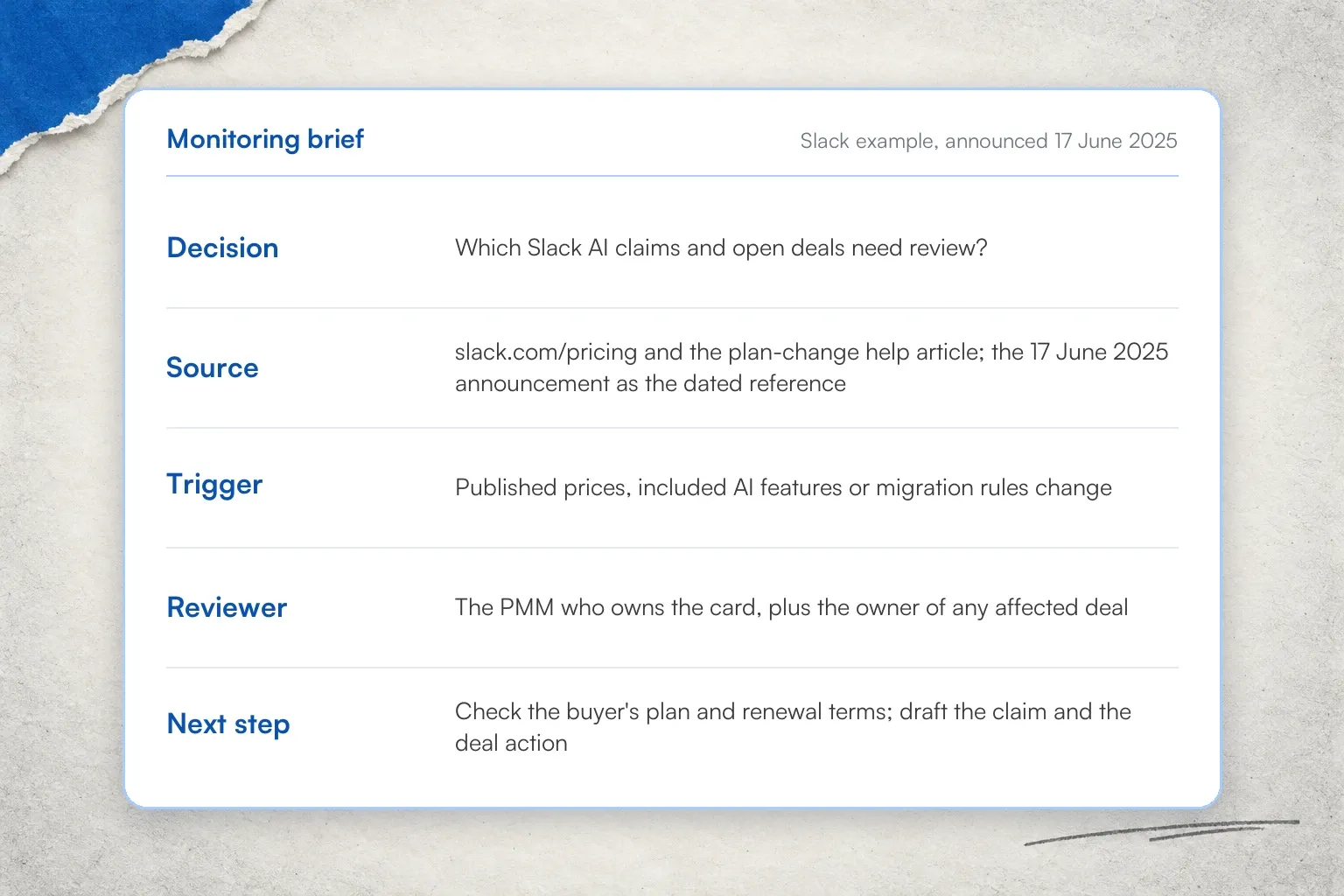
Write the brief before the first monitor, reviewer included
Write the brief before touching the product, because the brief tells you what to type. The source field becomes the monitored URL, the trigger field becomes the alert prompt, and the reviewer field becomes the person the alert is routed to. A brief with an empty reviewer field is a monitor nobody will read. If you have never set one up, the guide to monitoring competitor websites covers the mechanics.
Pricing pages earn their place in most briefs. In Visualping's H1 2026 competitor monitoring report, an analysis of 14,678 active competitor-page monitors, 84.5% of the pricing-page monitors detected at least one change in six months, against 77.5% across all competitor monitors.
Competitor pricing monitoring has its own setup guide.
Three checks before a sales claim changes
A plan-level change needs buyer-level qualification before a seller repeats it. Three checks, in order, using the Slack case.
Check the price and the date. The announcement of 17 June 2025 gives Business+ annual-billing list prices of $12.50 before and $15 after, in US dollars per user per month. Anchor the claim to that date and those figures, and write "announced", because a list price proves what was published; what any one buyer pays needs that buyer's quote.
Check the exact feature. The help article lists conversation and thread summaries and huddle notes on Pro and above, while AI recaps appear on the new Business+ and Enterprise+ plans. A buyer on Pro with a legacy Slack AI add-on may keep recaps until renewal. "Slack has AI" is too coarse to sell against. "Recaps are on Business+ and Enterprise+" is a claim a rep can use.
Check the buyer's transition. Website-purchased Business+ moves to the new terms at the first renewal after 17 August 2025, and contracts negotiated through an account executive need confirmation from that account executive. The help article was read again on 24 October 2026 and still describes the historical migration. Current buyer-facing advice still needs the buyer's plan version, renewal date and quote.
Make the review decision explicit
Evidence, draft, review, use. Each link in the chain gets written down. Evidence is a URL, a capture date and the exact wording. The draft is a narrow, attributed line. The review is the PMM checking plan and renewal scope against the buyer. Use means the approved wording only, for the audience it was approved for.
Internal approval of a card does not authorize buyer-facing use of new wording, and an internal brief, a tailored seller line and a source observation can each carry a different approval scope.
The illustrative old line in the Slack case, an intentionally overbroad one, was "Slack AI always costs extra". The replacement is dated and feature-specific: "In June 2025, Slack announced AI recaps in new Business+." The reviewer can approve the narrow line today while holding the broader claim until the buyer's plan is known.
A review record needs seven fields: the capture and its date, the observation, the unresolved question, the proposed action, the owner, the decision status, and the next check. A generated recommendation stays "pending" until a person records a decision. Record a completed action only when there is evidence it happened.
The eight plays
Each play turns one input into one draft for one reviewer. The table gives each play's input, output and reviewer; the judgment call each one depends on follows. The take-home kit implements all eight as skills that run from supplied evidence, so you can try each play before connecting any live system.
| Play | Starts with | Draft produced | Reviewer |
|---|---|---|---|
| Tag the deals evaluating a competitor | A call transcript | A proposed CRM field change on one opportunity | Deal owner |
| Share the mention with the context | A call transcript | A quote, context and a channel post | PMM |
| Give the PMM a suggested battlecard edit | A page change | A proposed diff against the current card | PMM |
| Open a competitor history with evidence | Change history | Dated timeline entries with receipts | PMM |
| Turn competitor reports into an internal newsletter | A period export | A reviewed period update | PMM |
| Send the change to the deals it affects | An approved card change | An owner note tied to an active evaluation | Deal owner and PMM |
| Turn related changes into a research brief | Several related changes | A four-row brief with next evidence | PMM |
| Turn review feedback into discovery questions | Permitted reviews | Interview questions tied to a pattern | PMM and sales |
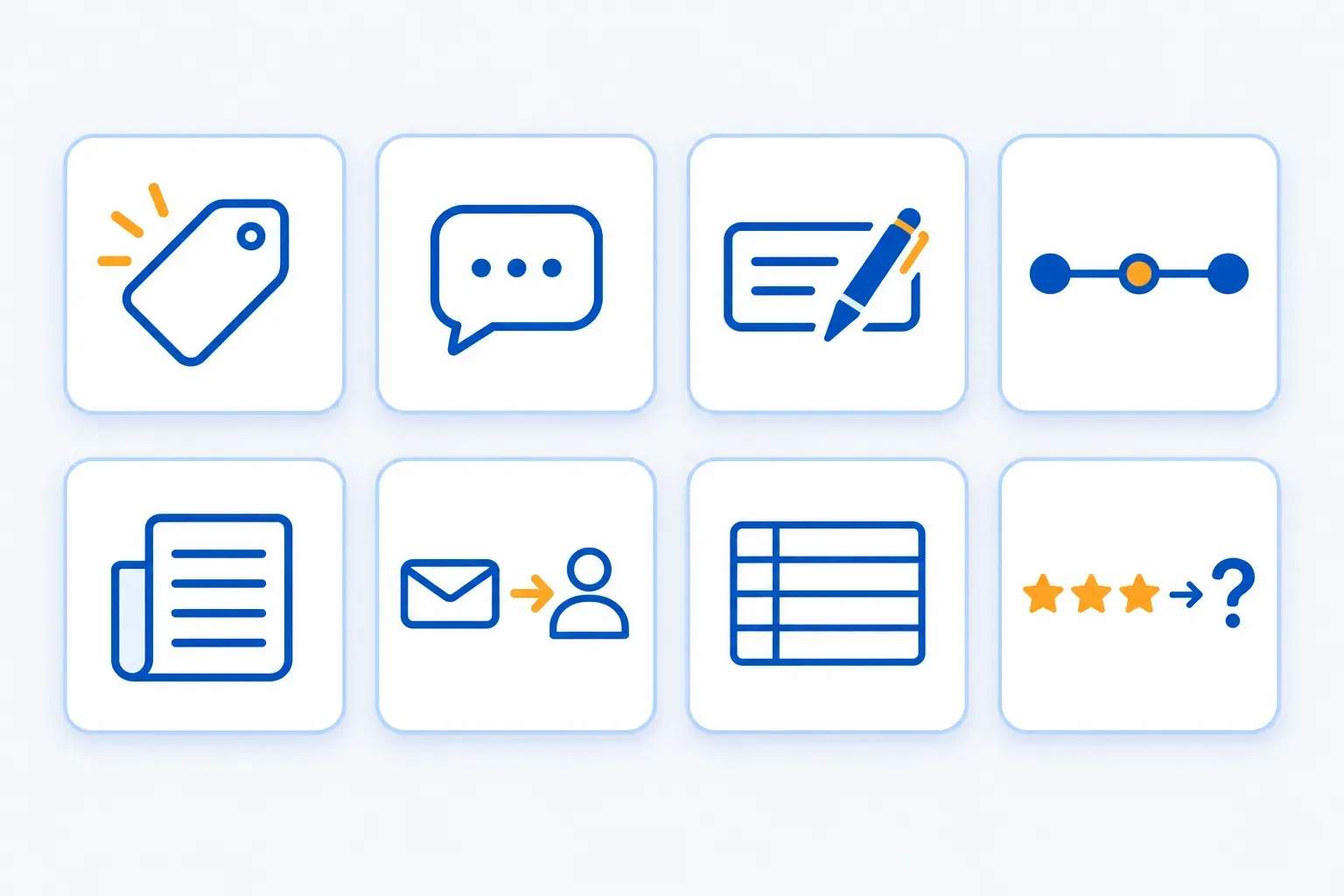
Each play turns one input into one draft for one reviewer
Tag the deals evaluating a competitor
The judgment call is when a mention counts as an active evaluation. A buyer who says "we're evaluating AcmeFlow's Team plan and our IT team is testing Okta before we choose" has named a competitor, an evaluation activity and a point in the call. A buyer who says "we looked at a few tools last year" has done none of that.
The play reads the transcript, matches the mention to one opportunity in the CRM, and proposes a field change: competitor, status, and the quote with its timestamp. The deal owner accepts or rejects the proposal, and nothing reaches the CRM without that step. In the kit this is ci-call-mentions in CRM-proposal mode. (AcmeFlow and the buyer are the kit's fictional practice fixture.)
Share the mention with the context
The judgment call is which mentions deserve the channel's attention. The same transcript becomes a short post for the competitive-intelligence channel. It carries the exact quote, where it sits in the call, one line of context on the deal, and a PMM note such as "SSO setup is part of this evaluation; ask what their Okta test needs to prove". A channel that fills with context-free mentions stops being read. Delivery needs an authorized route and a record of what was sent and when, which this play leaves to your own tooling. In the kit, it is the briefing mode of ci-call-mentions.
Give the PMM a suggested battlecard edit
The judgment call is what must be verified before an edit is accepted. A competitor's pricing page changes, the alert arrives marked as an important change, and the play fetches the related history, reads the current card, and proposes a diff. The diff shows the line as it stands, the line as it should read, and the capture that justifies the change. The PMM checks four things before accepting: the capture shows the exact wording, the plan and billing period match the claim, the evidence is current, and the audience for the new wording is defined. The Claude Code battlecard workflow walks through the setup.
The free sales battlecard template is a good "current card" to practise on. In the kit, this is ci-triage followed by battlecard-patch.
Open a competitor history with evidence
The judgment call is which changes earn a place in the timeline. A timeline is a curated list of dated entries, each with a receipt (the capture, the URL and the date), including reversals. A guarantee that disappears from a pricing page on one date and returns a week later becomes two dated entries, because the sequence is what tells a reviewer to hold the claim. Material changes are prices, plan boundaries, guarantees and feature rows; layout edits do not qualify.
Keep the receipts outside the product as well: Visualping keeps change history for three months by default and up to twelve months per monitor on Business plans, and the longer retention is not retroactive. The timeline is evidence of published wording; a competitor's policy and a buyer's eligibility need their own evidence. In the kit, ci-triage has a timeline mode.
Turn competitor reports into an internal newsletter
The judgment call is who reads the update and what they should do next. The play starts from a period export of detected changes, keeps the sources attached, triages the raw changes, and drafts a period update against your brand rules and prior decisions. In Visualping, the export comes from Reports, available on every Business plan and during the trial. A useful issue has five parts: the changes that matter this period, the decisions recorded, open questions with owners, sources with dates, and what was ignored and why. If your team already produces competitive intelligence reports by hand, this play is the reviewed, periodic version of that work. In the kit, it is ci-weekly.
Send the change to the deals it affects
The judgment call is when a change is worth interrupting a deal owner. Three conditions have to hold: approved guidance exists, the deal is in active evaluation of that competitor (the tag from the first play), and the change touches a criterion the buyer stated. When they do, the play drafts an owner note: what changed, what to review before the next call, and the sources (the capture, the reviewed card, the call excerpt). Delivery and the send record stay with your tooling, and the owner still decides whether to act. In the kit this is battlecard-patch in deal-brief mode.
Turn related changes into a research brief
The judgment call is what else to check before calling a change a launch. One page change is an observation. A documentation page, a pricing page and an announcement that all changed in the same fortnight are a question.
The brief has four rows: observed, question, alternative explanation, and next evidence. "Observed: the signup page gained new fields. Question: is a broader signup update coming? Alternative: a narrow consistency fix. Next evidence: related docs, pricing and announcements."
The play collects related changes on a schedule, compares them with the archive, and drafts the brief with the alternatives still open. The grid work that usually precedes a brief is covered by the competitor analysis template for Excel. In the kit, the brief comes from ci-triage followed by ci-corroborate.
Turn review feedback into discovery questions
The judgment call is what to ask a buyer next. One review of a competitor's product complaining about integration with social tools and CRMs is a data point. The same complaint across a defined cohort of permitted reviews is a discovery question, such as "how does work move between your CRM and your social tools today?". The play reads a permitted export of reviews, counts the pattern across the cohort, and drafts the questions for PMM and sales to review. Collect reviews within the review site's terms, and attribute or paraphrase quotes accordingly. In the kit, it is ci-pattern-check in review-insights mode.
Go deeper: Competitor feature tracking automation | 12 automation workflows triggered by website changes
Give the weekly review an owner
The plays produce drafts. A person turns drafts into decisions, and the operating model says which person, how often.
| When | Owner | Decision to record |
|---|---|---|
| Weekly | PMM | Act, investigate or ignore each item in the queue, and assign the next check |
| Weekly | Source owner | Resolve missing evidence and update the dated note |
| Before any use | PMM | Approve the exact wording and the intended audience |
| Monthly | PMM and sales | Prune noisy sources; review load, time and actual use |
The competitive intelligence process above only runs when one PMM owns the queue. Each source stays attached to its decision, its reviewer and its last review date. The monitor's check frequency and the human review cadence are different settings: a time-sensitive item reaches its owner before the decision that needs it, between scheduled reviews if necessary. If you are working out how to build a competitive intelligence program from nothing, staff the weekly review first and add sources second. Automate extraction and routing only after the review rules have worked by hand.
The decision in the brief is a key intelligence question, and a key intelligence questions worksheet is how a team keeps the list of them current.
What to measure
Count what the review process does, and keep the denominator and the period with every count. The competitive intelligence metrics that describe a program without flattering it:
- Items reviewed, and drafts accepted for their stated use
- Drafts returned for factual correction
- Time from "ready for review" to a recorded decision
- Decisions that have a current source and a named owner
- Seller use of approved wording, recorded when it happens, with the purpose
Pair the accepted-draft count with the correction count, because a count of accepted drafts alone rewards volume. To find changes the monitors missed, check a separately sampled set of captures by hand; alert output cannot reveal what the system failed to surface. None of these are revenue or win-rate measures, and this playbook makes no claim about those.
The stack in one paragraph
Seven roles, each filled by whatever your team already runs. Listening tools (Gong, tl;dv or a permitted call export) supply transcripts with timestamps. Monitoring (Visualping) supplies dated captures and change events. A runner (n8n, GitHub Actions or a person) triggers the work on a schedule or an event. The agent (Claude Code or Codex, running the kit's skills) reads the evidence and drafts the output; it is your agent, separate from the important-change label and AI summary that Visualping attaches to each change.
A second brain (your files, wiki or document store) holds brand rules, approved cards, decisions and the evidence archive. The CRM (HubSpot, Salesforce or Attio) supplies opportunity identity, stage and owner. Comms (Slack, Teams or email) carries the reviewed output to its audience.
Visualping also runs an MCP server at visualping.io/mcp, available on every plan, for agents that can use one. Detected changes reach Slack in two ways: through n8n or a webhook on any plan, or through native Slack alerts, which are a Business-plan feature.
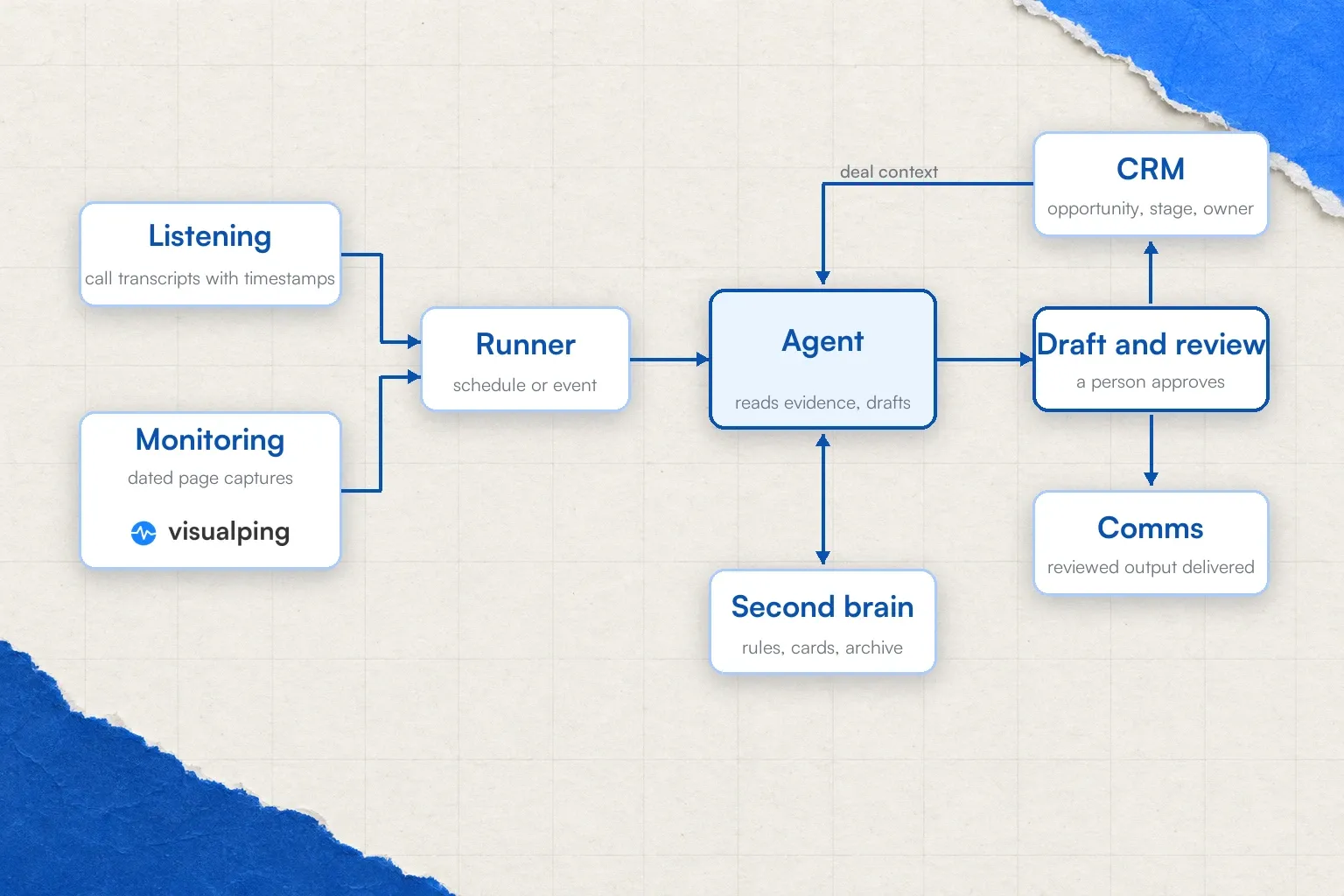
Seven roles, each filled by tools your team already runs
Most plays need two of the seven roles to start. In Visualping's H1 2026 data, 1,804 users were monitoring pricing, changelog or release pages without having picked competitor monitoring as their use case at signup. Only 144 had picked it, which suggests many teams build the monitoring role first and name it later. Ready to wire the monitoring role? See competitive monitoring in Visualping and start with the two pages in your brief.
Go deeper: Visualping in your MCP stack | Open-web agents vs. page monitoring agents
Run the first play in two minutes
The kit is public: github.com/edoc33/ci-stack-skills, eight skills, version 0.5.0 on main. The skills run in Claude Code or Codex from supplied evidence, so the first run needs no monitoring account, CRM or Slack connection.
In Claude Code:
/plugin marketplace add edoc33/ci-stack-skills
/plugin install ci-stack@ci-stack
Then paste the bundled demo prompt for the battleagent skill, which answers a rep's question from shared guidance and dated evidence, with citations, unknowns and the next discovery question. The demo includes an outdated card on purpose, so you can watch the skill flag a claim that needs review. For Codex, the repository ships an installer script and the same fixture. The kit README and first-run guide map the eight plays to the skills. The fixture is fictional (AcmeFlow, the buyer, the deal) and stays separate from your live data.
Frequently asked questions
How does competitive intelligence work?
A team decides which questions about competitors matter and collects evidence from public sources such as pricing pages, documentation, announcements, reviews and its own sales calls. It then analyzes what the evidence shows and distributes reviewed conclusions to the people who act on them. The source-backed version records the source, the capture date and the approver for every claim, so the conclusion can be checked later.
What are the steps of the competitive intelligence process?
The classic cycle has five steps: planning (what to learn and for whom), collection, analysis, dissemination and feedback. The core loop in this playbook follows the same competitive intelligence process with two additions: a monitoring brief that ties each source to a decision before collection starts, and a recorded review decision between analysis and dissemination.
Is competitive intelligence legal?
Collecting and analyzing publicly available information is legal in most jurisdictions, and it is how this playbook works: public pages, permitted exports and your own calls. Misrepresentation, unauthorized access and breaches of a site's terms are a different matter, which is why the plays use permitted review collection and dated public captures. This describes practice, not legal advice; check your own policies.
Can a monitor set up today recover a past change?
No. A monitor begins collecting evidence at its first check, so it cannot recreate an alert for a change that happened before it existed. Use the dated announcement or an archived copy as the baseline for a historical claim, and let the monitor protect the claim from the day it starts.
Which plan does the Slack route need?
Posting detected changes to Slack through n8n or a webhook works on any plan. Native Slack alerts from Visualping are a Business-plan feature.
How long is change history kept?
Three months by default, and up to twelve months per monitor on Business plans. The longer retention applies from the time it is set and is not retroactive, so archive the captures that matter outside the product.
Start with one decision and two pages
Pick the decision your sellers will face this quarter, name the two pages whose changes would alter it, and write the five-field brief with a reviewer's name in it. Put monitors on those two pages, run the kit's fixture once to see the draft format, then run the battlecard play on the first real alert. The first reviewed, dated claim your team produces is the whole competitive intelligence process in miniature. Everything after that is cadence.
Want to monitor web changes that impact your business?
Sign up with Visualping to get alerted of important updates from anywhere online.
Eric Do Couto
Eric Do Couto is the Head of Marketing at Visualping. He leads content strategy, growth operations, and brand positioning for website change detection.
More articles by Eric Do Couto